On this page
Remote and hybrid teaching teams grade from different rooms, different time zones and different devices, so the grading tool has to work anywhere a teacher opens a laptop. The eight tools below run from a $6.99-a-year phone scanner to a full AI teaching platform, and every price was checked on the vendor site on November 26, 2026. Each one offers a free plan or a free trial, so your team can grade a real class set before paying. MagicSchool is our first pick — more than 60 AI tools for grading, planning and feedback in one login for every teacher.
How we researched this
We started with the AI grading tools remote and hybrid teaching teams actually use, then read each price on the vendor pricing page on November 26, 2026 and noted the free plan or trial each plan carries. We judged them for a team that grades from different places and devices and needs feedback that reaches students wherever they are. We kept the list to tools with a published price, and we dropped any tool whose price we could not verify.
Compare the tools
| Name | Best for | Starting price | Free plan | |
|---|---|---|---|---|
| MagicSchool | Remote teams that want one AI toolkit on any device | $8.33/month | Free plan (Forever Free) | Visit |
| CoGrader | Remote teams drowning in essays that need feedback the same day | $15/month | Free plan (Starter, 150 submissions a month) | Visit |
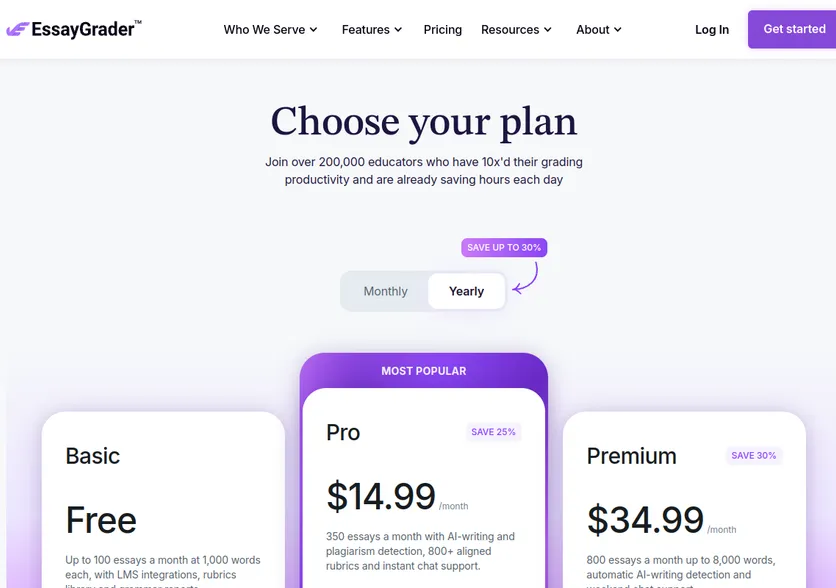
| EssayGrader | Remote teams that grade essays in batches between live sessions | $14.99/month | Free plan (Basic, 100 essays a month) | Visit |
| Diffit | Remote classrooms where one reading must fit every level | $14.99/month | Free plan (Basic) | Visit |
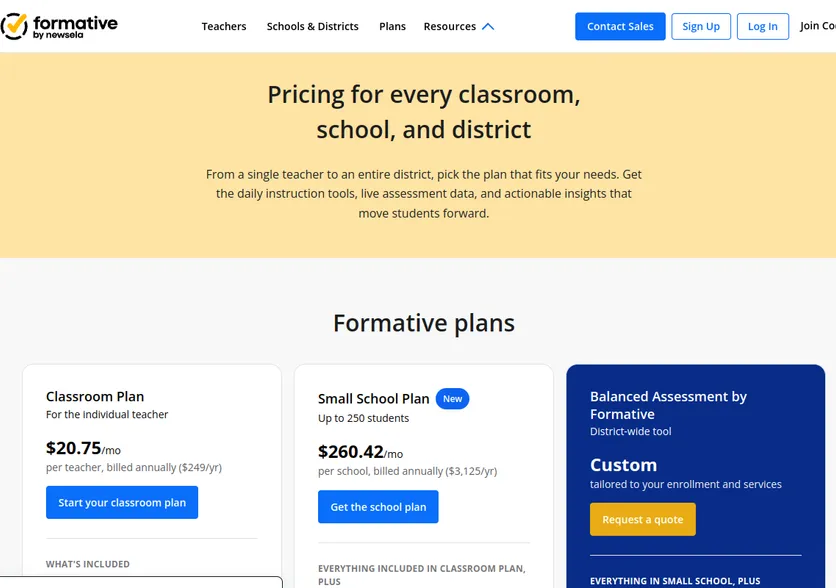
| Formative | Remote classes that need live answers while students work from home | $20.75/month | Free plan | Visit |
| TeacherMade | Remote teams that need paper work online without rebuilding the curriculum | $95/year | 30-day free trial; limited free version | Visit |
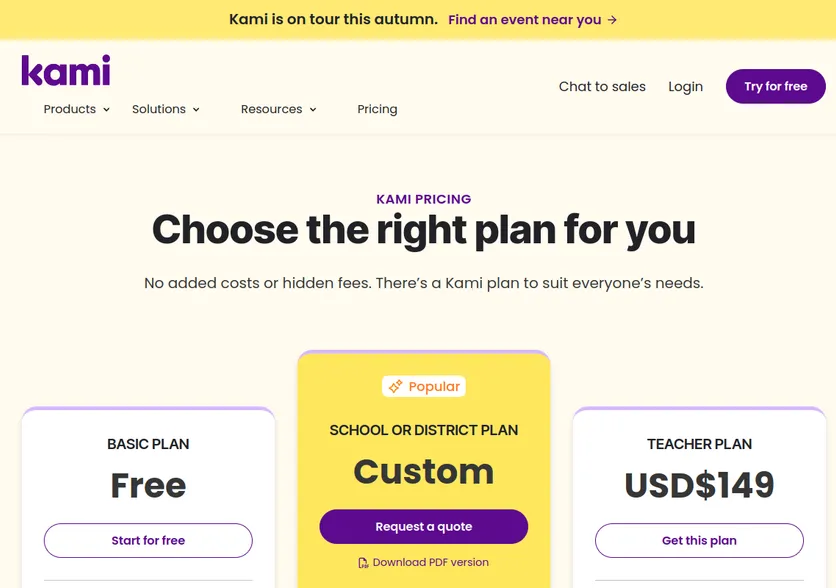
| Kami | Remote teams that mark PDFs together from different places | $149/year | 30-day free trial; Basic free plan | Visit |
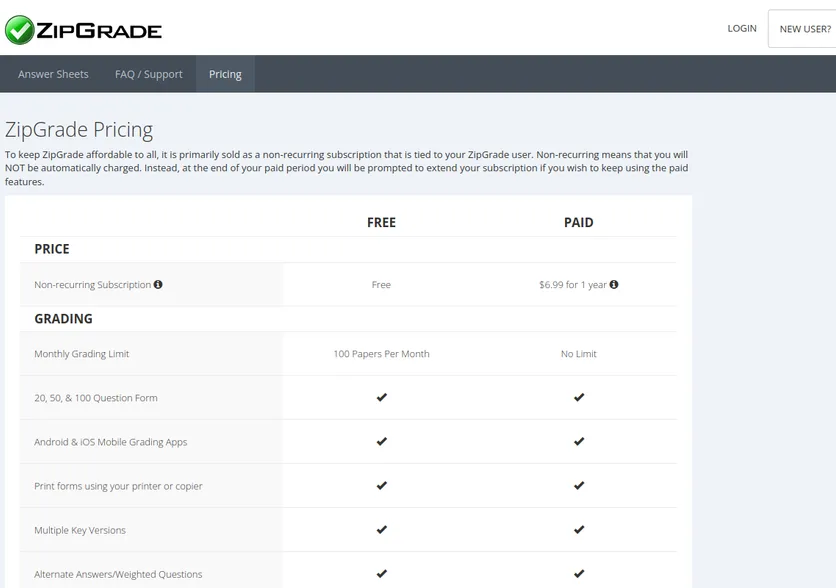
| ZipGrade | Remote teams that still grade paper quizzes in person once a week | $6.99/year | Free plan (100 papers a month) | Visit |
The AI grading tools, compared
1. MagicSchool
Best for: Remote teams that want one AI toolkit on any device
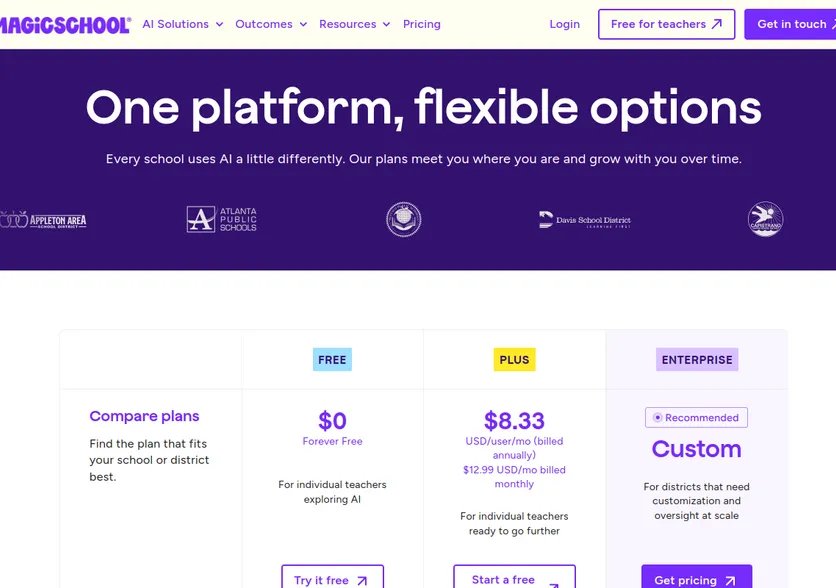
Paid tool Starting price: $8.33/month · Plus plan, per user per month billed annually; month-to-month billing is about $12.99 a month; Forever Free is $0 and Enterprise is quoted
Free plan: Free plan (Forever Free)
MagicSchool travels with a remote team better than any tool here, because its 60-plus AI tools live in one browser login on any device. This MagicSchool Plus plan covers unlimited generations, the Raina chatbot for instant answers and admin controls that keep a scattered team on the same tools. It syncs with Google Classroom, so a teacher grading from a kitchen table and one grading from a school office see the same workspace.
What we like
- More than 60 AI tools in one login
- Admin controls for whole organizations
- Google Classroom integration included
Watch out for
- Plus costs about $8.33 a month per user
- Enterprise pricing is quoted, not published
How to try it
- Open the MagicSchool pricing page and start the free plan
- Pick a grading or feedback tool and generate your first output
- Share it through Google Classroom and review the results
2. CoGrader
Best for: Remote teams drowning in essays that need feedback the same day
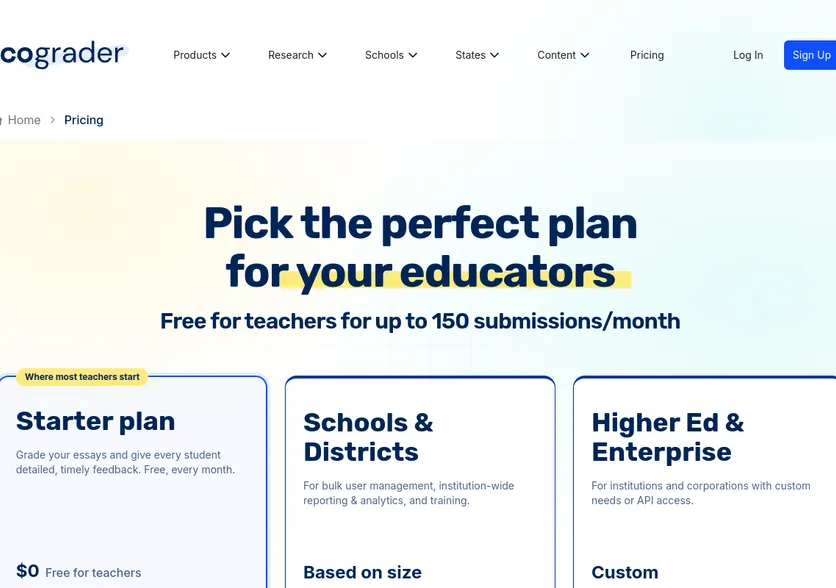
Paid tool Starting price: $15/month · Individual plan, per month billed annually; Starter is free with 150 submissions a month; Schools and Districts pricing is quoted and Higher Ed is custom
Free plan: Free plan (Starter, 150 submissions a month)
CoGrader is the remote team's answer to the essay pile, because grading happens in the cloud and feedback reaches students the same day. This CoGrader Individual plan grades essays against custom rubrics, writes detailed feedback for every student and syncs with Google Classroom. Teachers in different time zones can grade the same class set without passing papers around or waiting for a shared folder.
What we like
- Grades essays against your own rubrics
- Free Starter plan covers 150 submissions a month
- Google Classroom sync included
Watch out for
- Individual plan costs about $15 a month
- School and district pricing is quoted
How to try it
- Open the CoGrader pricing page and start the free Starter plan
- Upload a class set and attach your rubric
- Review the AI grades and feedback, then return them to students
3. EssayGrader
Best for: Remote teams that grade essays in batches between live sessions
Paid tool Starting price: $14.99/month · Pro plan, per month billed annually; month-to-month billing is about $19.99 a month; Premium is about $34.99 a month and Basic is free for 100 essays a month
Free plan: Free plan (Basic, 100 essays a month)
EssayGrader suits a remote team that grades in batches, because its bulk upload clears a whole marking pile in one sitting. This EssayGrader Pro plan covers bulk uploads, detailed AI feedback, plagiarism checks and LMS integration, so nobody has to open essays one by one. The feedback reads like a teacher wrote it, which matters when students only meet their teacher on a screen.
What we like
- Bulk upload clears a marking pile fast
- Plagiarism checks included
- Feedback reads like a teacher wrote it
Watch out for
- Pro costs about $14.99 a month
- Premium tier is about $34.99 a month
How to try it
- Open the EssayGrader pricing page and start the free Basic plan
- Upload essays in bulk and attach a rubric
- Review the detailed feedback and return it to students
4. Diffit
Best for: Remote classrooms where one reading must fit every level
Paid tool Starting price: $14.99/month · Premium plan, per month or $149.99 a year; Basic is free
Free plan: Free plan (Basic)
Diffit helps a remote team teach one lesson to students at different reading levels, even when nobody shares a room. This Diffit Premium plan adapts any text to different reading levels, builds quizzes and vocabulary activities, and exports everything to Google Classroom. A teacher can prepare leveled materials from home and send each student the version that fits.
What we like
- Levels any text for different readers
- Quizzes and vocabulary activities included
- Free Basic plan for light use
Watch out for
- Premium costs about $14.99 a month
- Focused on readings, not full essays
How to try it
- Open the Diffit pricing page and start the free Basic plan
- Paste any text and pick a reading level
- Generate the quiz and export it to Google Classroom
5. Formative
Best for: Remote classes that need live answers while students work from home
Paid tool Starting price: $20.75/month · Classroom plan, per teacher per month billed annually at $249 a year; Small School is about $260.42 a month and district pricing is custom
Free plan: Free plan
Formative keeps a remote class connected, because teachers see answers land live while students work from home. This Formative Classroom plan covers real-time responses, auto-grading, standards alignment and instant feedback, with reports a lead teacher can check from anywhere. When a student is stuck at home, the teacher sees it the moment the answer lands instead of days later.
What we like
- Live responses show who is stuck instantly
- Auto-grading and standards alignment included
- Reports roll up to school and district level
Watch out for
- Classroom costs about $20.75 a month per teacher
- Small School plan jumps to about $260 a month
How to try it
- Open the Formative pricing page and start the free Classroom plan
- Build a quiz with auto-graded questions and share it with a class
- Watch responses land live and return feedback the same day
6. TeacherMade
Best for: Remote teams that need paper work online without rebuilding the curriculum
Paid tool Starting price: $95/year · Teacher Pro plan, $95 a year or about $12 a month on monthly billing, for up to 200 students; a 30-day free trial and a limited free version are available; school and district pricing is quoted
Free plan: 30-day free trial; limited free version
TeacherMade turns a worksheet into a self-grading assignment a student can open from any device. This TeacherMade Teacher Pro plan converts PDFs, slides and documents into interactive activities for up to 200 students, with self-grading and Google Classroom sync. It is the fastest way for a remote team to move paper work online without rebuilding the curriculum.
What we like
- Turns existing worksheets digital in minutes
- Auto-grading for up to 200 students on Pro
- Google Classroom sync included
Watch out for
- Teacher Pro costs $95 a year
- School and district pricing is quoted
How to try it
- Open the TeacherMade pricing page and start the 30-day trial
- Turn a PDF or slide into an interactive assignment
- Assign it through Google Classroom and let it grade itself
7. Kami
Best for: Remote teams that mark PDFs together from different places
Paid tool Starting price: $149/year · Teacher Plan, $149 a year in US dollars; Pro is about $12 a month or $85 a year and Work is about $25 a month or $220 a year; Basic is free and a 30-day trial is available
Free plan: 30-day free trial; Basic free plan
Kami gives a remote team a shared document workspace where marking and feedback happen in the same place. This Kami Teacher Plan adds auto-grading, AI question generation, collaborative annotation and accessibility tools, all inside a Google Classroom workflow. A teacher can mark a PDF, record a voice comment and return it while the student is still online.
What we like
- Annotation and grading in one workspace
- AI question generation included
- Accessibility tools built in
Watch out for
- Teacher Plan costs $149 a year
- Work plan jumps to about $25 a month
How to try it
- Open the Kami pricing page and start the 30-day trial
- Open a PDF, add annotations and auto-graded questions
- Share it through Google Classroom and return it with feedback
8. ZipGrade
Best for: Remote teams that still grade paper quizzes in person once a week
Paid tool Starting price: $6.99/year · Paid plan, $6.99 for one year, non-recurring; the free plan grades 100 papers a month
Free plan: Free plan (100 papers a month)
ZipGrade still works for a remote team, because the paper quizzes it grades can be scanned from any phone. This ZipGrade paid plan grades unlimited papers, builds answer sheets, exports scores to a spreadsheet and runs item analysis on every question. A teacher who meets students in person once a week can grade the whole class set before the next session.
What we like
- Grades a class set in minutes with a phone
- Item analysis shows which questions to reteach
- Only $6.99 for a whole year
Watch out for
- Paper quizzes only, no essays
- Free plan caps at 100 papers a month
How to try it
- Open the ZipGrade pricing page and start the free plan
- Print an answer sheet and hand out the quiz
- Scan the sheets with your phone and review the scores
Prices above were checked on each vendor’s own website on Nov 26, 2026 and can change — the vendor’s page is the final word. Vendor links are editorial: nobody paid to be listed or ranked here. Vendors who want a featured listing can see how it works on our Get listed page.
What AI grading tools cost in 2026
For a remote team the price that matters is the per-teacher cost, because every teacher grades from a different place and needs their own login. The range on this list runs from about $6.99 a year to about $20.75 a month per teacher, and the cheapest plans are not always the cheapest deal, because student limits and grading caps change what a team really pays. The table below uses the headline plan each vendor shows on its own pricing page, checked on November 26, 2026.
Start with the free plan or trial on two tools and grade the same class set through both. Compare the feedback quality and how the reports look to a lead teacher working from home, then pick the tool your team will actually open every day. A $15 tool teachers ignore costs more than a $20 tool they use.
Before you buy
- Count how many teachers grade remotely, because most plans here charge per teacher and every teacher needs their own login.
- Check whether the tool works on any device, because a remote team grades from laptops, tablets and phones in different places.
- Test the tool on a real class set first, because every tool here offers a free plan or trial and the feedback quality is what matters.
- Ask whether the tool fits your workflow: MagicSchool and Kami work inside Google Classroom, while ZipGrade scans paper quizzes from any phone.
- Try the feedback a student sees, because remote students only meet their teacher on a screen and the feedback has to be clear.
Official websites
Official websites of the products reviewed above. Features and prices were checked against these sites when this guide was written, and they can change, so confirm on the vendor site before you buy.
Frequently asked questions
Which AI grading tool is best for remote teaching teams in 2026?
MagicSchool, at about $8.33 a month per user, is the safest default because more than 60 AI tools for grading, planning and feedback live in one login that works on any device. CoGrader is better when essays are the bottleneck, since it grades against your own rubrics and returns feedback the same day. Formative wins when a team needs live responses, because teachers see answers land while students work from home.
What is the cheapest AI grading tool for remote teams?
ZipGrade, at $6.99 for a whole year, is the cheapest plan here and grades unlimited paper quizzes from any phone, with item analysis on every question. CoGrader's free Starter plan grades 150 submissions a month at no cost, which covers a single teacher's essays. For a whole remote team, MagicSchool Plus at about $8.33 a month per user is the cheapest full toolkit.
Can I try AI grading tools for free?
Yes, every tool here offers a free plan or a free trial. MagicSchool, Formative, CoGrader, EssayGrader and Diffit have free plans, while TeacherMade offers a 30-day free trial and Kami offers a 30-day trial plus a free Basic plan. Grade a real class set first, not a test file, to see the feedback your remote students will actually receive.
Do AI grading tools work on any device?
Most of them do, because they run in a browser and sync through the cloud. MagicSchool, CoGrader, Formative and Kami work on laptops, tablets and Chromebooks, and ZipGrade grades paper quizzes from any phone camera. TeacherMade and Diffit export to Google Classroom, so students open assignments on whatever device they have. Check your devices before you buy.
Which AI grading tool is best for essays?
CoGrader is the strongest pick for essays, because it grades written work against custom rubrics and returns detailed feedback for every student in minutes. EssayGrader is close behind, with bulk uploads, plagiarism checks and feedback that reads like a teacher wrote it. Both offer free plans, so a remote team can test them on the same essay set and compare.
Need everyday teaching help too? Try Toolsvine's free education tools and learning helpers right in your browser.
Browse Education & Learning tools