On this page
Inbound support lives or dies on the first reply, because a customer who waits an hour for an answer rarely waits twice. The seven tools below cover the full range, from nineteen-dollar help desks to full service suites with AI agents that answer routine questions on their own. Every price was checked on the vendor site on November 27, 2026, and the list runs from fourteen dollars an agent a month to twenty-five dollars an agent a month. Freshdesk is our first pick — the help desk that pairs the lowest entry price with the strongest omnichannel inbox.
How we researched this
We started with the help desks and service platforms that inbound teams actually buy, then read each price on the vendor pricing page on November 27, 2026 and noted the trial, the free plan and the AI features each plan carries. We judged them for a team that answers email, chat and phone through one queue and needs tickets, a knowledge base and automation that cuts the first reply time. We dropped quote-only enterprise suites and tools whose published prices conflict across their own pages, and we left out Zendesk because it already appears in the enterprise contact center post in this batch.
Compare the tools
| Name | Best for | Starting price | Free plan | |
|---|---|---|---|---|
 Freshdesk | Inbound teams that want a proven omnichannel help desk at a fair price | $19/agent/month | No free plan; 14-day free trial | Visit |
 Intercom | Teams that want AI agents answering routine questions before a human steps in | $29/seat/month | No free plan; 14-day free trial | Visit |
 Zoho Desk | Small teams that want a full help desk at the lowest price here | $14/agent/month | Free plan; up to 3 agents | Visit |
 HubSpot Service Hub | Teams already on HubSpot that want support on the same customer record | $20/seat/month | Free tools; up to 2 users | Visit |
 Salesforce Service Cloud | Enterprises already on Salesforce that want service on the same platform | $25/user/month | No free plan; free trial available | Visit |
 Help Scout | Small teams that want a simple shared inbox with a human feel | $25/user/month | Free plan; up to 5 users | Visit |
 Freshservice | Teams that need IT-style service management beside customer support | $19/agent/month | No free plan; 14-day free trial | Visit |
The contact center software for inbound support, compared
1. Freshdesk
Best for: Inbound teams that want a proven omnichannel help desk at a fair price
Paid tool Starting price: $19/agent/month · Nineteen dollars per agent a month billed annually for Growth, or twenty-three dollars billed monthly; Pro costs fifty-five dollars and Enterprise eighty-nine dollars; Omni Growth costs twenty-nine dollars; Freddy AI Copilot costs twenty-nine dollars an agent a month as an add-on
Free plan: No free plan; 14-day free trial
Freshdesk is the help desk most growing teams choose first, pairing email, chat, phone and social tickets in one inbox with automation that routes and answers the routine ones. This Freshdesk Growth plan costs nineteen dollars per agent a month billed annually and covers the core omnichannel inbox. A team that answers every channel from one queue gets the proven choice without paying suite prices.

What we like
- Proven omnichannel inbox at a fair price
- Automation and collision detection built in
- Strong marketplace of integrations
Watch out for
- AI copilot costs twenty-nine dollars extra per agent
- Omni plans cost more than the email-only tiers
How to try it
- Open the Freshdesk site and start the 14-day trial
- Connect your email, chat and phone channels to one inbox
- Set up automations for your most repeated ticket types
2. Intercom
Best for: Teams that want AI agents answering routine questions before a human steps in
Paid tool Starting price: $29/seat/month · Twenty-nine dollars per seat a month billed annually for Essential, or thirty-nine dollars billed monthly; Advanced costs eighty-five dollars and Expert one hundred thirty-two dollars; Fin AI costs ninety-nine cents per resolved outcome on top
Free plan: No free plan; 14-day free trial
Intercom is the support platform built around AI, with its Fin agent resolving routine questions and handing the rest to a human with full context. This Intercom Essential plan costs twenty-nine dollars per seat a month billed annually and covers the core inbox and AI features. A team drowning in repeat questions gets an AI agent that clears the easy half of the queue.

What we like
- Fin AI resolves routine questions on its own
- Modern inbox that agents enjoy using
- Strong automation and reporting built in
Watch out for
- Fin AI is billed per resolved outcome on top
- Essential is the cheapest tier, so advanced tools cost more
How to try it
- Open the Intercom site and start the 14-day trial
- Connect your inbox and import your help center articles
- Turn on Fin AI for your most repeated questions first
3. Zoho Desk
Best for: Small teams that want a full help desk at the lowest price here
Paid tool Starting price: $14/agent/month · Fourteen dollars per agent a month billed annually for Standard, or twenty dollars billed monthly; Express costs seven dollars, Professional twenty-three dollars and Enterprise forty dollars; the Free plan covers up to three agents
Free plan: Free plan; up to 3 agents
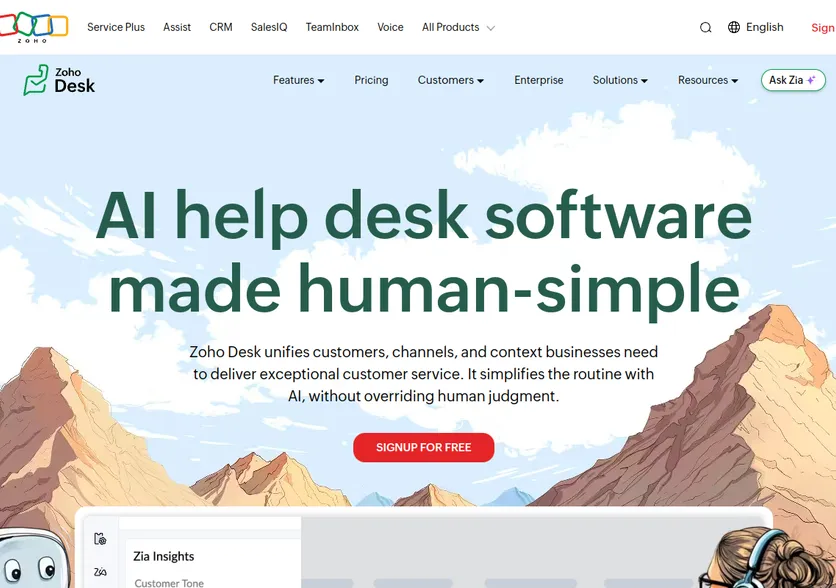
Zoho Desk is the budget help desk that still covers the basics well, with tickets, a knowledge base and automation at a price smaller teams can afford. This Zoho Desk Standard plan costs fourteen dollars per agent a month billed annually and covers the core ticketing flow. A team that needs a real inbox without a real budget gets one here, with a free plan for up to three agents.
What we like
- Lowest paid price in this comparison
- Free plan covers up to three agents
- Knowledge base and automation included early
Watch out for
- Interface feels dated beside Intercom and Freshdesk
- Advanced AI and reporting need the higher tiers
How to try it
- Open the Zoho Desk site and start with the free plan
- Add your agents and connect your support email
- Build a knowledge base article for your top question
4. HubSpot Service Hub
Best for: Teams already on HubSpot that want support on the same customer record
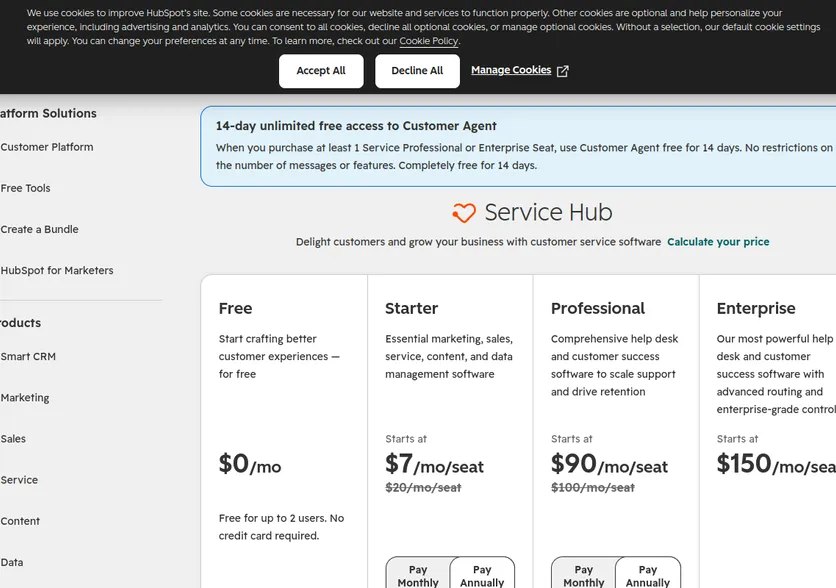
Paid tool Starting price: $20/seat/month · Twenty dollars per seat a month for Starter, or fifteen dollars billed annually; new customers currently see seven dollars a seat; Professional costs one hundred dollars and Enterprise one hundred fifty dollars, with required onboarding fees of one thousand five hundred and three thousand five hundred dollars
Free plan: Free tools; up to 2 users
HubSpot Service Hub is the support tier of the HubSpot platform, so tickets, chats and calls sit on the same customer record as sales and marketing. This HubSpot Service Hub Starter plan costs twenty dollars per seat a month and covers ticketing, live chat and calling. A team already running HubSpot gets support without a second database or a second login.
What we like
- Tickets share the HubSpot customer record
- Free tools cover up to two users
- Strong knowledge base and feedback surveys
Watch out for
- Professional and Enterprise add required onboarding fees
- Full value only if you already use HubSpot
How to try it
- Open the HubSpot site and start with the free Service Hub tools
- Connect your inbox and set up your ticket pipeline
- Add a knowledge base article for your most asked question
5. Salesforce Service Cloud
Best for: Enterprises already on Salesforce that want service on the same platform
Paid tool Starting price: $25/user/month · Twenty-five dollars per user a month for the Starter Suite, which is mostly a CRM bundle; Pro Suite costs one hundred dollars and Core, the first full service edition, costs one hundred ninety-five dollars; Advanced costs three hundred ninety-five dollars and Max five hundred fifty dollars
Free plan: No free plan; free trial available
Salesforce Service Cloud is the service arm of the Salesforce platform, so cases, knowledge and customer data share one record with sales. This Salesforce Service Cloud Starter Suite costs twenty-five dollars per user a month, though full service features start at Core for one hundred ninety-five dollars. A company already paying for Salesforce gets service without a second vendor, if it can live with the higher tiers.
What we like
- Deepest CRM integration of any tool here
- AI agents and automation on the higher tiers
- Scales to the largest support teams
Watch out for
- Full service features start at one hundred ninety-five dollars
- Setup and admin need real Salesforce skills
How to try it
- Open the Salesforce Service Cloud page and start a trial
- Map your case types and knowledge base to the platform
- Connect your CRM data and test the service console
6. Help Scout
Best for: Small teams that want a simple shared inbox with a human feel
Paid tool Starting price: $25/user/month · Twenty-five dollars per user a month billed annually for Standard, or thirty dollars billed monthly; Plus costs forty-five dollars and Pro seventy-five dollars; AI Answers costs seventy-five cents per resolution on top
Free plan: Free plan; up to 5 users
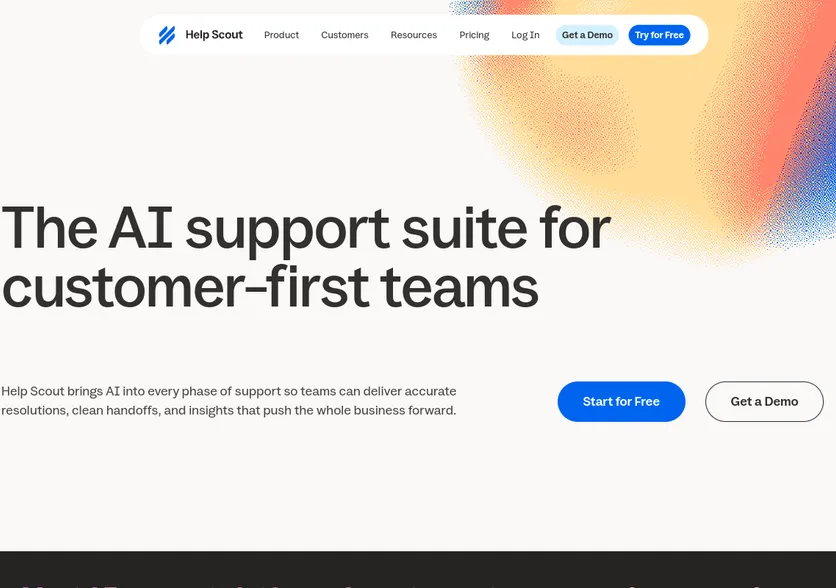
Help Scout is the shared inbox that keeps support personal, with a clean queue, saved replies and a knowledge base that small teams actually use. This Help Scout Standard plan costs twenty-five dollars per user a month billed annually and covers the core inbox. A team that answers email like a human, not a ticket machine, gets the friendliest tool in this list.
What we like
- Cleanest inbox of any tool here
- Free plan covers up to five users
- Knowledge base that customers actually read
Watch out for
- No phone channel built in
- AI answers cost extra per resolution
How to try it
- Open the Help Scout site and start with the free plan
- Connect your support mailbox and invite your team
- Write saved replies for your five most common emails
7. Freshservice
Best for: Teams that need IT-style service management beside customer support
Paid tool Starting price: $19/agent/month · Nineteen dollars per agent a month billed annually for Starter, or twenty-nine dollars billed monthly; Growth costs forty-nine dollars and Pro ninety-nine dollars; Enterprise is quote-only; Freddy AI Copilot costs twenty-nine dollars an agent a month as an add-on
Free plan: No free plan; 14-day free trial
Freshservice is Freshworks' service management platform, built for IT teams but just as useful for any inbound queue that needs assets, changes and SLAs tracked. This Freshservice Starter plan costs nineteen dollars per agent a month billed annually and covers ticketing and asset basics. A team that tracks devices and requests beside customer tickets gets both in one system.

What we like
- Asset and change tracking beside tickets
- Clear SLA management built in
- Same low entry price as Freshdesk
Watch out for
- Built for IT, so customer features sit deeper
- AI copilot costs twenty-nine dollars extra per agent
How to try it
- Open the Freshservice site and start the 14-day trial
- Import your assets and set up your ticket categories
- Define your SLAs and test the first response alerts
Prices above were checked on each vendor’s own website on Nov 27, 2026 and can change — the vendor’s page is the final word. Vendor links are editorial: nobody paid to be listed or ranked here. Vendors who want a featured listing can see how it works on our Get listed page.
What inbound support software costs in 2026
Inbound support pricing starts low and climbs with channels and AI, so the cheapest plan is rarely the one a growing team ends up paying for. A fourteen-dollar help desk looks cheap until chat and voice sit on higher tiers, while a twenty-five-dollar suite that includes both costs less once every channel is counted. Free plans help small teams start, but the caps on agents and tickets usually force an upgrade within months.
Trial two tools with your real inbox before you commit. Check that tickets from email, chat and phone land in one queue, that the knowledge base answers the questions your customers actually ask, and that the AI drafts read true on your own tickets. Pick the tool whose agents clear the queue fastest, because the subscription is small beside the cost of a slow first reply.
Before you buy
- Check which channels each plan covers, because some cheap tiers sell email only and charge extra for chat and voice.
- Confirm the AI features are included, because agent assist and AI answers can add a dollar per resolution on top.
- Ask about the free plan limits, because a free tier that caps at three agents forces a paid plan fast.
- Test the knowledge base before signing, because self-service answers cut ticket volume more than any automation feature.
- Count agents, not seats, because per-agent billing multiplies fast when part-time staff need a login.
Official websites
Official websites of the products reviewed above. Features and prices were checked against these sites when this guide was written, and they can change, so confirm on the vendor site before you buy.
Frequently asked questions
Which contact center software is best for inbound support in 2026?
Freshdesk is the best overall pick at nineteen dollars an agent a month, with an omnichannel inbox, automation and a strong free trial. Intercom is the best choice for teams that want AI agents answering routine questions, at twenty-nine dollars a seat a month with Fin AI available. Zoho Desk is the best budget pick at fourteen dollars an agent a month, with a free plan for up to three agents.
How much does inbound support software cost?
Prices in this list run from fourteen dollars an agent a month for Zoho Desk to twenty-five dollars for Help Scout and the Salesforce Starter Suite, with most help desks landing between nineteen and twenty-nine dollars an agent a month. Full service suites cost more because they add AI agents, knowledge bases and automation, while simple help desks stay cheap by doing tickets well. Add AI resolution fees and voice minutes to the subscription before you compare totals.
Do inbound teams need AI agents, or is a help desk enough?
A help desk is enough if your team answers a few dozen tickets a day and most questions need a human. AI agents earn their keep once the same questions repeat, because they answer routine requests instantly and hand the hard ones to an agent with the full context. Intercom and Freshdesk both sell AI answers as an add-on, so start with the help desk and switch AI on when the ticket volume proves it pays.
Is there a free help desk for inbound support?
Yes, Zoho Desk is free for up to three agents and Help Scout is free for up to five users, so a small team can run a real inbox without paying. HubSpot Service Hub is also free for up to two users, with ticketing and live chat included. Free plans limit agents, tickets or AI features, so check the caps before you rely on them, and expect to move to a paid plan once the team grows.
Need everyday business help too? Try Toolsvine's free business tools right in your browser.
Browse Business Tools tools