On this page
A cookie banner is the first thing a visitor sees, and for a remote team it is also the easiest compliance job to get wrong. The seven tools below cover the full range, from cheap per-site banners to a policy generator that updates its own legal documents. Every price was checked on the vendor site on November 27, 2026, and the list runs from five dollars and ninety-nine cents a month to fifty-nine dollars a year. Cookiebot is our first pick — the consent platform that scans, blocks and logs cookies with almost no setup.
How we researched this
We started with the consent tools remote teams actually buy, then read each price on the vendor pricing page on November 27, 2026 and noted the free plan each one carries. We judged them for a team spread across time zones that needs banners, blocking and consent records without a developer on call. We dropped OneTrust, TrustArc and Osano because they only quote prices after a sales call, and Usercentrics and CookieScript because they bill in euros.
Compare the tools
| Name | Best for | Starting price | Free plan | |
|---|---|---|---|---|
 Cookiebot | Remote teams that want a consent banner that scans, blocks and logs cookies with almost no setup | $8/month | Free plan available | Visit |
 Termly | Small remote teams that want cookie consent plus legal policies in one cheap subscription | $10/website/month | Free plan available | Visit |
 iubenda | Remote teams that want simple per-site pricing and a banner that works worldwide | $5.99/site/month | Free plan available | Visit |
 CookieYes | Teams that run several sites and want one banner platform with a generous free tier | $10/domain/month | Free plan for up to 5,000 pageviews a month | Visit |
 Enzuzo | Remote teams that want consent management with strong privacy-law coverage at a low price | $22/month | Free plan for one domain and 5,000 visitors a month | Visit |
| Complianz | WordPress teams that want cookie consent inside the site they already run | $59/year | Free WordPress plugin available | Visit |
| Termageddon | Remote teams that want auto-updating legal policies plus a cookie banner in one license | $12/month | No free plan | Visit |
The cookie tracking software for remote teams, compared
1. Cookiebot
Best for: Remote teams that want a consent banner that scans, blocks and logs cookies with almost no setup
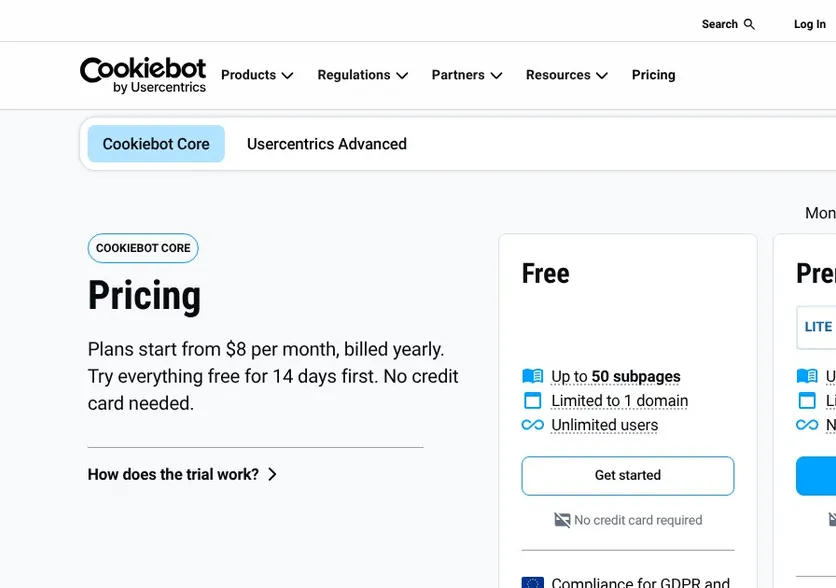
Paid tool Starting price: $8/month · Eight dollars a month for the Premium Lite plan per domain; Small costs sixteen dollars a month and Medium thirty-four dollars a month. Prices rise about twenty-five percent on invoices issued from November 30, 2026: Lite ten dollars, Small twenty dollars and Medium forty-three dollars a month
Free plan: Free plan available
Cookiebot is the consent platform most distributed teams start with, pairing automatic cookie scanning with blocking and a consent log in one setup. This Cookiebot Premium Lite plan costs eight dollars a month per domain and covers the banner, scanning and records a remote team needs. A team spread across time zones gets compliant banners without asking a developer to babysit the setup.
What we like
- Automatic scanning finds cookies your team forgot about
- Blocking works before visitors give consent
- Consent log is ready for audits without extra work
Watch out for
- Priced per domain, so several team sites multiply the bill
- The list price rises from eight to ten dollars a month on invoices issued from November 30, 2026
How to try it
- Open the Cookiebot site and create a free account
- Add your domain and run the first cookie scan
- Paste the banner script into your site header and test it
2. Termly
Best for: Small remote teams that want cookie consent plus legal policies in one cheap subscription
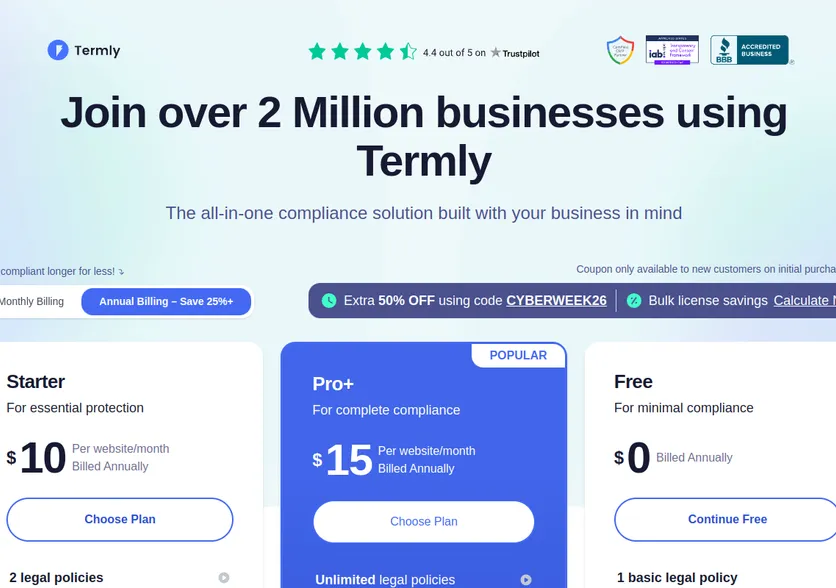
Paid tool Starting price: $10/website/month · Ten dollars per website a month billed annually for the Starter plan, or fourteen dollars a month billed monthly; Pro+ costs fifteen dollars a month billed annually
Free plan: Free plan available
Termly is the compliance tool small teams pick when they need a cookie banner and the legal policies behind it in one place. This Termly Starter plan costs ten dollars per website a month billed annually and adds a consent banner with unlimited users. A remote team gets policies and consent handled together instead of buying two separate tools.
What we like
- Policies and consent banner in one subscription
- Unlimited users on the Starter plan
- Banner setup takes minutes with no code
Watch out for
- Priced per website, so extra team sites cost extra
- Deeper consent features sit on the Pro+ plan
How to try it
- Open the Termly site and start the free plan
- Answer the policy questions for your website
- Embed the banner and publish the generated policies
3. iubenda
Best for: Remote teams that want simple per-site pricing and a banner that works worldwide
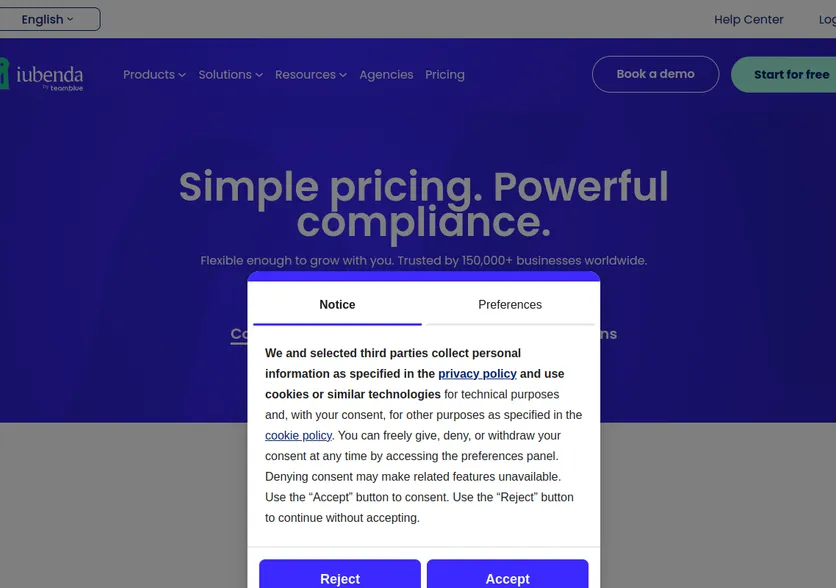
Paid tool Starting price: $5.99/site/month · Five dollars and ninety-nine cents per site a month billed annually for Essentials, or six dollars and ninety-nine cents billed monthly; Advanced costs twenty-four dollars and ninety-nine cents a month billed annually
Free plan: Free plan available
iubenda is the straightforward consent tool for teams that want one price per site and a banner that adapts to each visitor's region. This iubenda Essentials plan costs five dollars and ninety-nine cents per site a month billed annually and covers the consent banner and cookie policy. A distributed team gets the cheapest entry price in this list without giving up regional compliance.
What we like
- Cheapest paid plan in this comparison
- Banner adapts to the visitor's privacy region
- Clear per-site pricing with no hidden meters
Watch out for
- Advanced consent features need the higher plan
- Multi-site teams pay per site, so costs add up
How to try it
- Open the iubenda site and create a free account
- Generate the cookie policy for your site
- Install the banner and check it in each region
4. CookieYes
Best for: Teams that run several sites and want one banner platform with a generous free tier
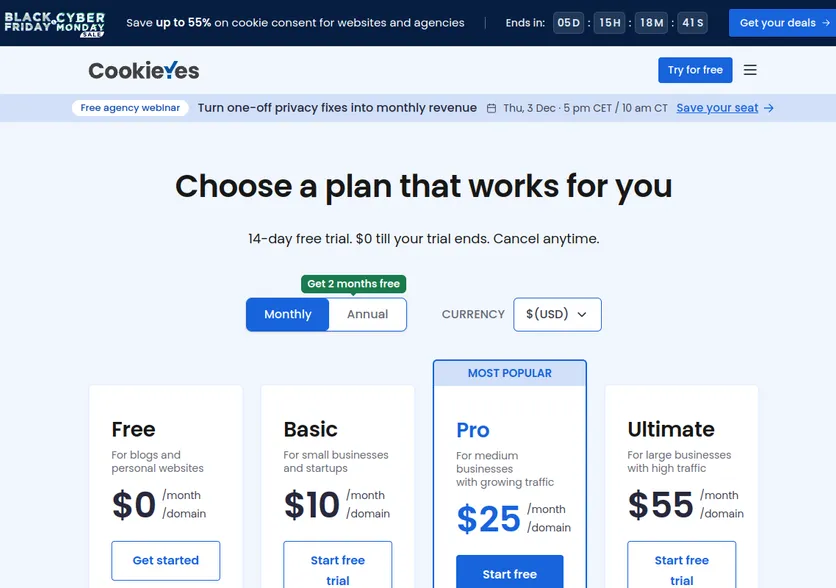
Paid tool Starting price: $10/domain/month · Ten dollars per domain a month for the Basic plan; Pro costs twenty-five dollars a month and Ultimate fifty-five dollars a month
Free plan: Free plan for up to 5,000 pageviews a month
CookieYes is the consent banner most multi-site teams reach for, with per-domain pricing and a free tier that covers small sites. This CookieYes Basic plan costs ten dollars per domain a month and adds scanning, blocking and consent logs. A remote team running several properties gets one dashboard for every banner instead of a separate tool per site.
What we like
- One dashboard covers every domain you add
- Free tier suits small team sites
- Scanning and blocking included from Basic
Watch out for
- Priced per domain, so a big site portfolio gets pricey
- The free tier caps at five thousand pageviews a month
How to try it
- Open the CookieYes site and start the free plan
- Add each domain and run the cookie scan
- Style the banner and publish it on every site
5. Enzuzo
Best for: Remote teams that want consent management with strong privacy-law coverage at a low price
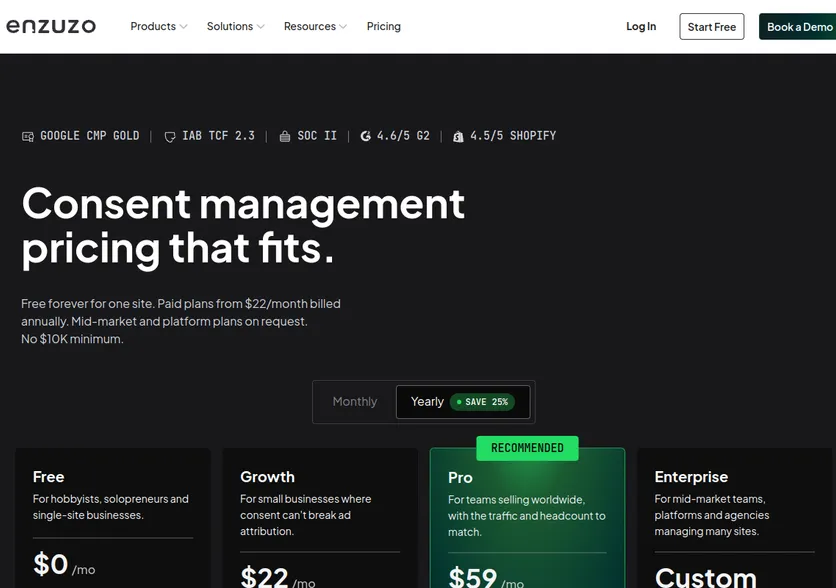
Paid tool Starting price: $22/month · Twenty-two dollars a month billed annually for the Growth plan, or twenty-nine dollars a month billed monthly; Pro costs fifty-nine dollars a month billed annually
Free plan: Free plan for one domain and 5,000 visitors a month
Enzuzo is the consent tool for teams that want GDPR, CCPA and other privacy laws covered by one banner and one dashboard. This Enzuzo Growth plan costs twenty-two dollars a month billed annually and covers one domain with scanning and data mapping. A remote team gets privacy compliance beyond cookies without paying enterprise prices.
What we like
- Covers GDPR, CCPA and more in one banner
- Data mapping included on the Growth plan
- Free tier works for a single small site
Watch out for
- Growth covers one domain, so extra sites cost more
- The old Starter plan no longer appears on the pricing page
How to try it
- Open the Enzuzo site and start the free plan
- Scan your site and review the cookie report
- Publish the banner and turn on data mapping
6. Complianz
Best for: WordPress teams that want cookie consent inside the site they already run
Paid tool Starting price: $59/year · Fifty-nine dollars a year for the Personal plan covering one WordPress site; Professional costs one hundred seventy-nine dollars a year for five sites and Agency three hundred ninety-nine dollars a year for twenty-five sites
Free plan: Free WordPress plugin available
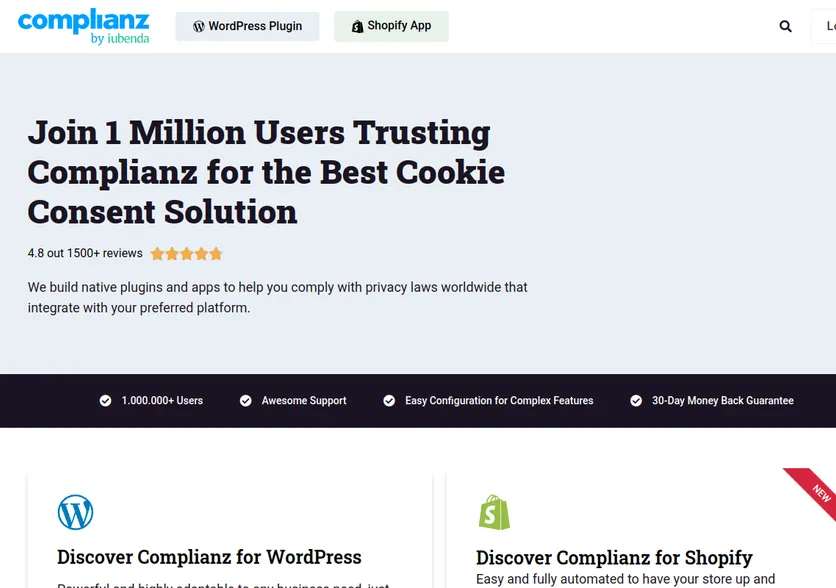
Complianz is the consent plugin for WordPress teams that would rather manage banners inside WordPress than in another dashboard. This Complianz Personal plan costs fifty-nine dollars a year for one WordPress site and adds the banner, cookie policy and consent records. A remote team on WordPress gets compliance without a monthly subscription or a second login.
What we like
- Yearly pricing with no monthly bill
- Lives inside WordPress, so no second dashboard
- Free plugin covers the basics for one site
Watch out for
- WordPress only, so other platforms need another tool
- Priced per site, so a big portfolio needs the Agency plan
How to try it
- Install the free Complianz plugin on your WordPress site
- Run the setup wizard and answer the policy questions
- Upgrade to Personal to unlock the full banner and records
7. Termageddon
Best for: Remote teams that want auto-updating legal policies plus a cookie banner in one license
Paid tool Starting price: $12/month · Twelve dollars a month or one hundred nineteen dollars a year per website for the single license; the cookie banner is powered by Usercentrics and covers up to fifty thousand sessions a month
Free plan: No free plan
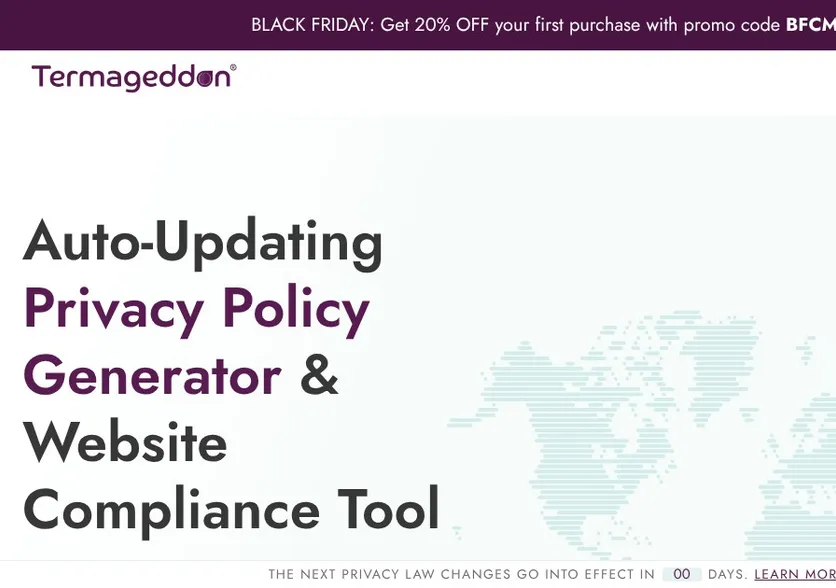
Termageddon is the policy generator for teams that want their privacy documents to update themselves when laws change. This Termageddon license costs twelve dollars a month per website and includes the privacy policy, terms, cookie policy and a consent banner. A remote team gets legal documents and a banner for one flat price instead of hiring a lawyer for every update.
What we like
- Policies update automatically when laws change
- One flat price covers every policy plus the banner
- Banner included for up to fifty thousand sessions a month
Watch out for
- The banner is Usercentrics under the hood, not Termageddon's own
- Sites over fifty thousand sessions a month need a separate Usercentrics plan
How to try it
- Open the Termageddon site and buy one license per website
- Answer the policy questionnaire for your site
- Embed the banner and let policies update automatically
Prices above were checked on each vendor’s own website on Nov 27, 2026 and can change — the vendor’s page is the final word. Vendor links are editorial: nobody paid to be listed or ranked here. Vendors who want a featured listing can see how it works on our Get listed page.
What cookie software costs a remote team in 2026
A remote team pays for cookie software in two ways, the subscription and the domains it covers. Almost every tool here charges per domain or per site, so a team running a main site, a blog and a landing page pays the plan price three times. Count every property before you compare, and remember that visitor caps matter too: a banner that stops scanning after its monthly limit leaves new pages unchecked.
Start with a free plan on two tools and watch how each banner behaves for real visitors. Check that trackers stay blocked until consent is given, that the consent log exports cleanly, and that the banner looks right on a phone. Pick the tool whose banner visitors actually complete, because a compliant banner that everyone dismisses still leaves you exposed.
Before you buy
- Check the visitor limit on each plan, because a banner that stops scanning after fifty thousand visitors leaves new pages unchecked.
- Confirm the banner blocks trackers before consent, because a banner that only records choices does not stop the tracking.
- Match the plan to your domain count, because most tools charge per domain and a remote team often runs several sites.
- Test the banner on a phone, because remote staff and customers both browse on mobile and a clumsy banner gets dismissed.
- Ask where consent records are stored, because an audit needs a log you can export, not a dashboard you cannot download from.
Official websites
Official websites of the products reviewed above. Features and prices were checked against these sites when this guide was written, and they can change, so confirm on the vendor site before you buy.
Frequently asked questions
Which cookie tracking software is best for remote teams in 2026?
Cookiebot is the best overall pick at ten dollars a month per domain, with automatic scanning, blocking and consent logs in one setup. iubenda is the cheapest paid plan at five dollars and ninety-nine cents per site a month. Termly is the best pick for teams that also need legal policies, since Starter covers both for ten dollars a month.
How much does cookie tracking software cost?
Prices in this list run from five dollars and ninety-nine cents per site a month for iubenda to fifty-nine dollars a year for Complianz, with most tools landing between ten and twenty-two dollars a month. Most charge per domain or per site, so a team with several websites pays the plan price times the number of sites. Count every domain before you compare totals.
Does the banner need to block cookies before consent?
Yes, because a banner that only asks for consent does not stop tracking on its own. The tools in this list block cookies and scripts until the visitor agrees, then record the choice in a consent log. Without blocking, analytics and ad tags keep firing while the banner is still on screen, which defeats the point of asking.
Which tools include legal policies with the cookie banner?
Termly and Termageddon both pair the banner with legal policies, and Termageddon updates its policies automatically when privacy laws change. Cookiebot, CookieYes and Enzuzo focus on the banner, scanning and consent records, and pair well with a separate policy generator. Pick the combined option if your team has no lawyer on call.
Is there a free cookie tracking tool for remote teams?
Cookiebot, Termly, iubenda, CookieYes, Enzuzo and Complianz all offer free plans, so a small remote team can start without paying. Free plans limit domains, visitors or pageviews, so check the caps before you rely on them. Most teams move to a paid plan once the site grows past the free limits.
Need everyday privacy help too? Try Toolsvine's free security tools right in your browser.
Browse Security & Privacy tools