On this page
SaaS quoting is priced per user, so the eight tools below cover the full range from native Salesforce quoting to interactive proposal pages. Every price was checked on the vendor site on November 27, 2026, and the list runs from nineteen dollars per user a month to two hundred ninety-nine dollars a month. Salesforce Revenue Cloud is our first pick — the quoting platform that runs inside Salesforce with no second system to sync.
How we researched this
We started with the quoting tools SaaS companies actually buy, then read each price on the vendor pricing page on November 27, 2026 and noted the trial each plan carries. We judged them for a SaaS company that quotes subscriptions every week and needs approvals, pricing rules and signatures in one flow. We dropped DealHub, Conga and Subskribe because none of them publishes a price a company can check without a sales call.
Compare the tools
| Name | Best for | Starting price | Free plan | |
|---|---|---|---|---|
| Salesforce Revenue Cloud | SaaS companies that already run on Salesforce and want native quoting | $150/user/month | No free plan | Visit |
 PandaDoc | SaaS companies that need quotes signed fast | $19/user/month | Free eSign plan; 14-day free trial on paid plans | Visit |
 HubSpot | SaaS companies that already run on HubSpot CRM | $90/seat/month | Free plan for up to 2 users | Visit |
| QuoteWerks | SaaS companies that want quoting without a long contract | $79/user/month | No free plan; 30-day free trial | Visit |
 Quoter | Service-led SaaS teams that quote by volume, not seats | $299/month | No free plan; demo on request | Visit |
| PROS Smart CPQ | SaaS companies that quote complex deals on Salesforce | $60/user/month | No free plan | Visit |
 Qwilr | SaaS companies that sell through polished proposals | $35/user/month | No free plan; 14-day free trial | Visit |
 Zoho CRM | SaaS companies that want CRM and quoting in one subscription | $40/user/month | Free plan for up to 3 users | Visit |
The cpq software for saas companies, compared
1. Salesforce Revenue Cloud
Best for: SaaS companies that already run on Salesforce and want native quoting
Paid tool Starting price: $150/user/month · One hundred fifty dollars per user a month billed annually for the Growth plan; Advanced costs two hundred dollars per user a month billed annually; a Sales Cloud licence is required underneath, and the old seventy-five dollar figure is no longer published
Free plan: No free plan
Salesforce Revenue Cloud puts quoting inside the CRM a SaaS team already uses, so reps price subscriptions without leaving Salesforce. This Salesforce Revenue Cloud Growth plan costs one hundred fifty dollars per user a month billed annually and needs a Sales Cloud licence underneath. A SaaS company that already runs on Salesforce gets quoting without a second system to keep in sync.
What we like
- Native quoting inside Salesforce with no sync to maintain
- Guided selling and approvals built in
- Scales from mid-market to the largest enterprises
Watch out for
- Needs a Sales Cloud licence underneath
- Advanced plan costs a third more than Growth
How to try it
- Open the Salesforce Revenue Cloud page and request pricing
- Set up the product catalogue and pricing rules
- Build a quote with guided selling and send it for approval
2. PandaDoc
Best for: SaaS companies that need quotes signed fast
Paid tool Starting price: $19/user/month · Nineteen dollars per user a month billed annually for the Starter plan, or thirty-five dollars per user a month billed monthly; Business costs forty-nine dollars per user a month billed annually, and the free eSign plan covers five documents a month
Free plan: Free eSign plan; 14-day free trial on paid plans
PandaDoc turns a SaaS quote into a signed subscription, pairing proposals with electronic signatures and payments in one flow. This PandaDoc Starter plan costs nineteen dollars per user a month billed annually and includes a free eSign plan. A SaaS company that needs quotes signed fast gets proposals, signatures and payments without a second tool.

What we like
- Quotes, signatures and payments in one flow
- Free eSign plan to start with
- Lowest entry price in this comparison
Watch out for
- Full CPQ features need the Enterprise plan on quote
- Starter plan limits templates and workflows
How to try it
- Open the PandaDoc site and start the free trial
- Build a quote template with your branding
- Send the quote for electronic signature
3. HubSpot
Best for: SaaS companies that already run on HubSpot CRM
Paid tool Starting price: $90/seat/month · Ninety dollars per seat a month billed annually for Sales Hub Professional, or one hundred dollars per seat a month billed monthly, plus a one-time onboarding fee of one thousand five hundred dollars; Starter costs seven dollars per seat a month billed annually and Enterprise costs one hundred fifty dollars
Free plan: Free plan for up to 2 users
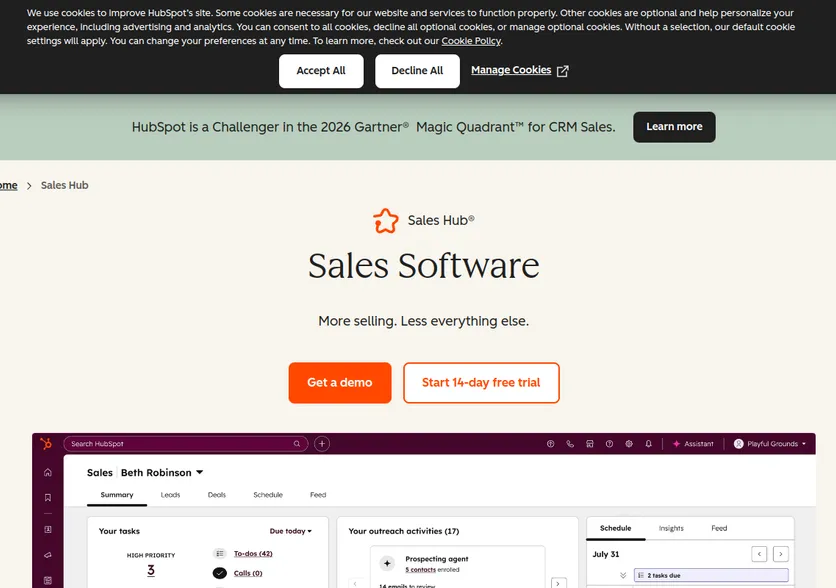
HubSpot Sales Hub adds quoting to the CRM a SaaS team already runs on, with a product library beside the pipeline. This HubSpot Sales Hub Professional plan costs ninety dollars per seat a month billed annually plus a one-time onboarding fee. A SaaS company that already runs on HubSpot gets quoting inside the CRM its reps already use.
What we like
- Quoting inside the CRM reps already use
- Free CRM tier to start with
- Clear plan ladder from starter to enterprise
Watch out for
- One-time onboarding fee of one thousand five hundred dollars
- Quoting is lighter than the dedicated CPQ suites
How to try it
- Open the HubSpot Sales Hub pricing page
- Add the product library and set up quotes
- Build a quote from the deal record and send it
4. QuoteWerks
Best for: SaaS companies that want quoting without a long contract
Paid tool Starting price: $79/user/month · Seventy-nine dollars a month per concurrent user on the Balanced plan with monthly billing and no contract, or seventy-two dollars and forty-two cents a month billed annually; unlimited named users and unlimited quotes and templates
Free plan: No free plan; 30-day free trial
QuoteWerks keeps SaaS quoting simple with one per-user price, unlimited quotes and no contract to sign. This QuoteWerks Balanced plan costs seventy-nine dollars a month per concurrent user with monthly billing and no contract. A SaaS company that wants quoting without a long sales cycle gets a tool it can buy and use the same week.
What we like
- One per-user price with no contract
- Unlimited quotes and templates on every plan
- No activation or setup fees
Watch out for
- Per concurrent user, so busy teams pay for peaks
- Fewer enterprise approvals than the big suites
How to try it
- Open the QuoteWerks site and start the free trial
- Add your products and pricing
- Build a quote and send it to the customer
5. Quoter
Best for: Service-led SaaS teams that quote by volume, not seats
Paid tool Starting price: $299/month · Two hundred ninety-nine dollars a month for the Standard plan with seventy-five published quotes; Pro costs four hundred forty-nine dollars and Enterprise costs five hundred ninety-nine dollars a month; unlimited users on every plan, billed monthly on a twelve-month term, plus a one-time activation fee
Free plan: No free plan; demo on request
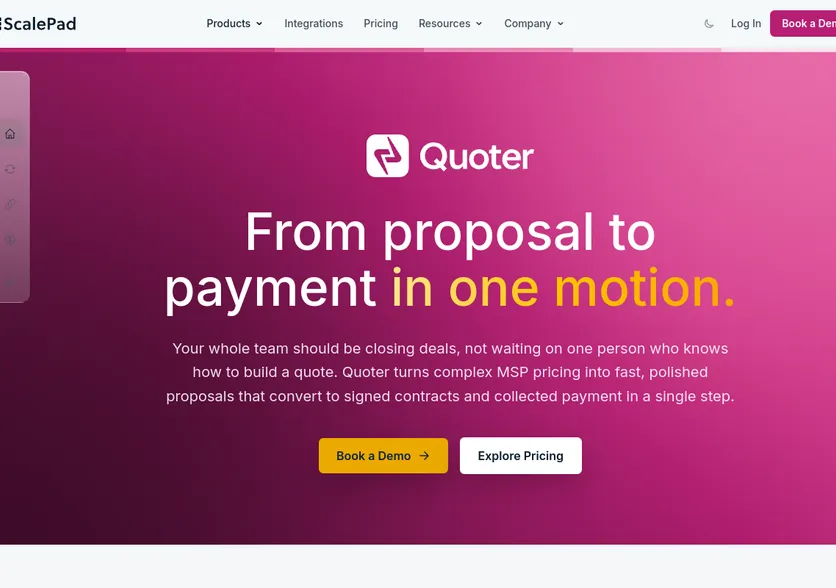
Quoter from ScalePad prices quotes by volume instead of seats, so a SaaS team that quotes the same way every week pays a flat monthly price. This Quoter Standard plan costs two hundred ninety-nine dollars a month for seventy-five published quotes with unlimited users. A service-led SaaS team gets a fixed monthly price with no per-seat maths.
What we like
- Unlimited users on every plan
- Priced by quotes, not seats
- Same feature set on every plan
Watch out for
- Twelve-month term on every plan
- One-time activation fee applies for onboarding
How to try it
- Open the ScalePad Quoter page and request a demo
- Connect the product catalogue and pricing feeds
- Publish a quote and track acceptance online
6. PROS Smart CPQ
Best for: SaaS companies that quote complex deals on Salesforce
Paid tool Starting price: $60/user/month · Sixty dollars per user a month for the Essentials plan billed annually, or seventy-five dollars for the Advantage plan; the price is published on the Salesforce AppExchange listing, as PROS publishes no price book of its own
Free plan: No free plan
PROS Smart CPQ brings pricing guidance to SaaS quotes on Salesforce, so reps see the right price before they send the deal out. This PROS Smart CPQ Essentials plan costs sixty dollars per user a month billed annually with no free plan or trial. A SaaS company that quotes complex deals on Salesforce gets pricing guidance beside the quote itself.
What we like
- Pricing guidance beside the quote itself
- Built for Salesforce with AppExchange distribution
- Clear per-user pricing with no seat maths hidden
Watch out for
- No price book on the PROS site itself
- Packaging is uncertain after the Conga acquisition
How to try it
- Open the PROS site and find the AppExchange listing
- Set up the product catalogue and pricing guidance
- Build a quote and send it for approval
7. Qwilr
Best for: SaaS companies that sell through polished proposals
Paid tool Starting price: $35/user/month · Thirty-five dollars per user a month billed annually for the Starter plan, or forty-nine dollars per user a month billed monthly, with no seat minimum; Growth costs two hundred seventy-five dollars a month for five users and Scale costs seven hundred fifty dollars a month for ten users, both billed annually only; a fourteen-day free trial is available
Free plan: No free plan; 14-day free trial
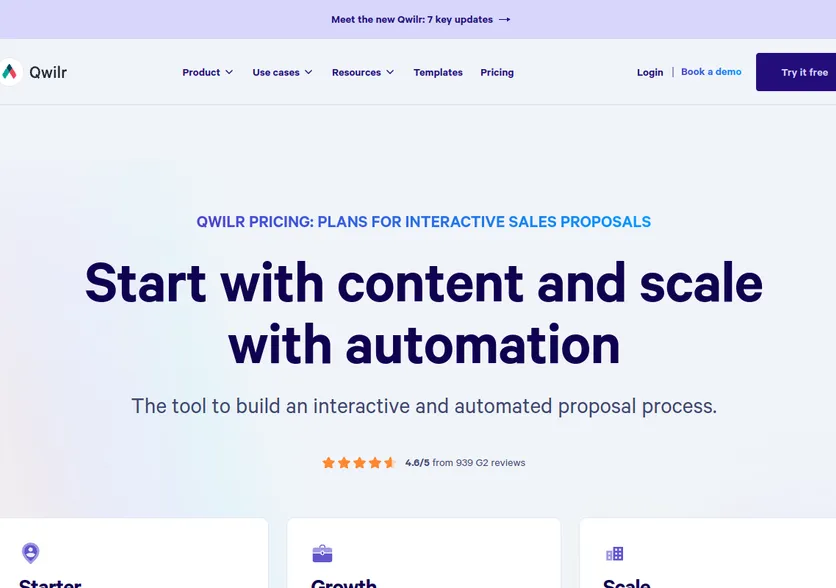
Qwilr is the proposal tool that turns a SaaS quote into an interactive web page, with pricing, video and signatures built in. This Qwilr Starter plan costs thirty-five dollars per user a month billed annually and includes a fourteen-day free trial. A SaaS company that sells through polished proposals gets a quote page buyers actually open and sign.
What we like
- Interactive quote pages buyers actually open
- Pricing, video and signatures in one page
- No seat minimum on the Starter plan
Watch out for
- Growth and Scale are annual-only plans
- Salesforce integration needs the Scale plan
How to try it
- Open the Qwilr site and start the fourteen-day free trial
- Build a quote page with pricing and video
- Send the page and track when the buyer opens it
8. Zoho CRM
Best for: SaaS companies that want CRM and quoting in one subscription
Paid tool Starting price: $40/user/month · Forty dollars per user a month billed annually for the Enterprise plan, or fifty dollars per user a month billed monthly; Standard costs fourteen dollars, Professional costs twenty-three dollars and Ultimate costs fifty-two dollars per user a month billed annually; free plan for up to three users
Free plan: Free plan for up to 3 users
Zoho CRM is the customer platform that adds quoting to the sales pipeline, with a product catalogue and price books beside every deal. This Zoho CRM Enterprise plan costs forty dollars per user a month billed annually and includes a free plan for up to three users. A SaaS company that wants CRM and quoting in one subscription gets both for less than most rivals charge for quoting alone.

What we like
- CRM and quoting in one subscription
- Free plan for up to three users
- Lowest full CRM price in this comparison
Watch out for
- Quoting is lighter than the dedicated CPQ suites
- Enterprise plan is the one with full quoting features
How to try it
- Open the Zoho CRM site and start with the free plan
- Add products and price books to the catalogue
- Build a quote from the deal record and send it
Prices above were checked on each vendor’s own website on Nov 27, 2026 and can change — the vendor’s page is the final word. Vendor links are editorial: nobody paid to be listed or ranked here. Vendors who want a featured listing can see how it works on our Get listed page.
What SaaS CPQ costs in 2026
A SaaS company pays for quoting in two ways, the per-user licence and the platform underneath it. A nineteen-dollar user looks cheap until the CRM licence underneath doubles the bill, so weigh the total cost per rep against the sticker price. Dedicated quoting engines cost more because they handle complex rules and approvals, while proposal tools stay cheap by doing one job well.
Start with a trial on two tools and quote a real subscription through each one. Check that pricing rules hold, that approvals route to the right manager, and that the quote reaches the buyer without manual edits. Pick the tool whose quote workflow your reps actually finish, because a powerful engine that reps avoid is worse than a plain one they use every day.
Before you buy
- Check the user minimum, because a five-user floor costs more than the headline rate.
- Match the tool to your CRM, because native quoting beats a synced integration.
- Confirm the contract term, because a twelve-month deal locks the team in.
- Test the quote page with a real deal, because a demo will not show pricing errors.
- Ask what the licence underneath costs, because some tools need another subscription first.
Official websites
Official websites of the products reviewed above. Features and prices were checked against these sites when this guide was written, and they can change, so confirm on the vendor site before you buy.
Frequently asked questions
Which CPQ software is best for SaaS companies in 2026?
Salesforce Revenue Cloud is the best overall pick at one hundred fifty dollars per user a month, with native quoting inside Salesforce. PandaDoc is the best budget pick at nineteen dollars per user a month for teams that need quotes signed fast. Qwilr is the best proposal pick at thirty-five dollars per user a month for teams that sell through interactive pages.
How much does CPQ software cost for SaaS companies?
Prices in this list run from nineteen dollars per user a month for PandaDoc Starter to two hundred ninety-nine dollars a month for Quoter Standard, with most SaaS tools landing between thirty-five and ninety dollars per user a month. The licence underneath and the contract term add to the bill, so check both before you compare totals. Zoho CRM is the cheapest full CRM with quoting at forty dollars per user a month.
Do SaaS companies need CPQ or a proposal tool?
Yes, when the company quotes subscriptions every week, because a CPQ engine checks pricing rules and approvals before the quote goes out. A proposal tool suits teams that sell through polished pages and only need a signature. A CPQ suite suits teams that price from a large catalogue with rules that change by customer.
Is there a free CPQ tool for SaaS companies?
No SaaS CPQ tool here is free, but PandaDoc carries a free eSign plan and Zoho CRM carries a free plan for up to three users. Free plans limit quotes, templates or users, so check the caps before you rely on them. Most SaaS companies move to a paid plan once quoting volume grows and approvals matter.
What is the cheapest CPQ option for SaaS companies?
PandaDoc is the cheapest entry here at nineteen dollars per user a month billed annually for the Starter plan, with a free eSign plan to start. Qwilr follows at thirty-five dollars per user a month, and Zoho CRM costs forty dollars per user a month with full CRM included. The cheapest licence is not always the cheapest deal if it needs another subscription underneath or lacks the approvals the team needs.
Selling subscriptions too? Try Toolsvine's free business tools right in your browser.
Browse Business Tools tools