On this page
A remote e-commerce team needs one store that every teammate can run from anywhere: products, orders and customers in one login, across time zones. The eight tools below cover the full selling workflow, from storefront to payment, with global selling built into the plan. Prices run from seventeen to thirty-nine dollars a month, and every figure was checked on the vendor site on November 27, 2026. Shopify is our first pick — the platform with the largest app ecosystem and multi-currency selling.
How we researched this
We started with the e-commerce platforms remote teams actually buy, then read each price on the vendor pricing page on November 27, 2026 and checked which plans cover multi-currency selling, staff seats and duties. We judged them for a team that sells across borders from different time zones and needs the store, the orders and the handoffs on one platform. We dropped Adobe Commerce, Salesforce Commerce Cloud and commercetools because they price by quote only, and Shift4Shop because its published prices conflict across recent checks.
Compare the tools
| Name | Best for | Starting price | Free plan | |
|---|---|---|---|---|
 Shopify | Remote teams that want the biggest app ecosystem with multi-currency selling | $29/month | No free plan; 3-day free trial | Visit |
 BigCommerce | Distributed teams that want native B2B and multi-currency with no transaction fees | $39/month | No free plan; 15-day free trial | Visit |
 Squarespace | Remote teams that want a beautiful storefront with selling built in | $19/month | No free plan; 14-day free trial | Visit |
 Wix | Small remote teams that want a visual builder with a store in one place | $17/month | Free plan available | Visit |
 Ecwid | Remote sellers adding a store to a website or social channel they already run | $29/month | No free plan; free trial available | Visit |
 Webflow | Distributed design teams that want full layout control over the storefront | $29/month | Free plan available | Visit |
 Volusion | Small remote teams that want simple hosted selling with plans scoped by revenue | $35/month | No free plan; 14-day free trial | Visit |
 Sellfy | Remote creators who sell digital products with no transaction fees | $22/month | No free plan; 14-day free trial | Visit |
The cross-border e-commerce software for remote teams, compared
1. Shopify
Best for: Remote teams that want the biggest app ecosystem with multi-currency selling
Paid tool Starting price: $29/month · Twenty-nine dollars a month billed annually for the Basic plan, or thirty-nine dollars a month billed monthly; Grow costs seventy-nine dollars and Advanced two hundred ninety-nine dollars a month billed annually
Free plan: No free plan; 3-day free trial
For remote teams, Shopify gives every teammate the same store, the same orders and the same checkout, wherever they work. This Shopify Basic plan costs twenty-nine dollars a month billed annually and covers the store, unlimited products and two staff accounts. A distributed team that sells across borders gets the checkout, the payments and the apps to grow without rebuilding.

What we like
- Largest app ecosystem of any platform here
- Multi-currency selling built into the checkout
- Unlimited products on every plan
Watch out for
- Only two staff accounts on Basic, so bigger teams move up
- Transaction fees apply unless you use Shopify Payments
How to try it
- Open the Shopify site and start the 3-day free trial
- Add your products and set your store currency and taxes
- Invite your team and test a checkout together
2. BigCommerce
Best for: Distributed teams that want native B2B and multi-currency with no transaction fees
Paid tool Starting price: $39/month · Thirty-nine dollars a month billed monthly for the Core plan, or twenty-nine dollars a month billed annually; Growth costs seventy-nine dollars and Scale two hundred ninety-nine dollars a month billed annually, and the plan was renamed from Standard to Core
Free plan: No free plan; 15-day free trial
BigCommerce gives a distributed team native B2B, multi-currency and no transaction fees on any plan, with unlimited staff accounts from the start. This BigCommerce Core plan costs thirty-nine dollars a month billed monthly and covers unlimited products and real-time carrier quotes. A remote team that sells to businesses and consumers alike gets both storefronts without paying a fee on every sale.

What we like
- No transaction fees on any plan
- Unlimited staff accounts on every plan
- Native B2B with customer groups and price lists
Watch out for
- Plan caps by yearly sales, so growing stores move up tiers
- Smaller app library than Shopify
How to try it
- Open the BigCommerce site and start the 15-day free trial
- Add your products and invite your team members
- Set up a B2B price list and test a wholesale order
3. Squarespace
Best for: Remote teams that want a beautiful storefront with selling built in
Paid tool Starting price: $19/month · Nineteen dollars a month billed annually for the Basic plan, or twenty-five dollars a month billed monthly, with a two percent store transaction fee; Core costs twenty-nine dollars a month billed annually and removes the fee, and plans were replaced in February 2026
Free plan: No free plan; 14-day free trial
Squarespace gives a remote team a beautiful storefront with selling built into the same builder, so the designer and the seller work in one login. This Squarespace Basic plan costs nineteen dollars a month billed annually and covers the store with a two percent transaction fee. A distributed team that sells a small catalogue with strong visuals gets the website and the shop in one subscription.

What we like
- Prettiest storefronts of any platform here
- Website and shop in one subscription
- Simple setup that a small team finishes in a day
Watch out for
- Two percent fee on Basic, so Core is the real selling plan
- Fewer e-commerce features than Shopify or BigCommerce
How to try it
- Open the Squarespace site and start the 14-day free trial
- Pick a template and add your products as a team
- Set up checkout and test a purchase in the buyer's currency
4. Wix
Best for: Small remote teams that want a visual builder with a store in one place
Paid tool Starting price: $17/month · Seventeen dollars a month billed annually for the Light plan, or twenty-four dollars a month billed monthly; Light cannot take payments, and Core at twenty-nine dollars a month billed annually is the first selling plan
Free plan: Free plan available
Wix gives a remote team a drag-and-drop website with a store in the same place, so the marketer and the seller edit the same pages. This Wix Light plan costs seventeen dollars a month billed annually and covers the website, though it cannot take payments. A team that starts with a site and adds selling later gets the builder first and the store when it is ready.

What we like
- Easiest drag-and-drop builder in this list
- Free plan lets a team start without paying
- Five collaborators included on the Core plan
Watch out for
- Light cannot take payments, so selling needs Core at twenty-nine dollars
- Transaction fees apply on the lower selling plans
How to try it
- Open the Wix site and create the free account
- Build your site with the drag-and-drop editor as a team
- Upgrade to Core and test a checkout when you start selling
5. Ecwid
Best for: Remote sellers adding a store to a website or social channel they already run
Paid tool Starting price: $29/month · Twenty-nine dollars a month billed annually for the Venture plan, or thirty-five dollars a month billed monthly; Starter costs five dollars a month for up to ten products and Business forty-nine dollars a month billed annually
Free plan: No free plan; free trial available
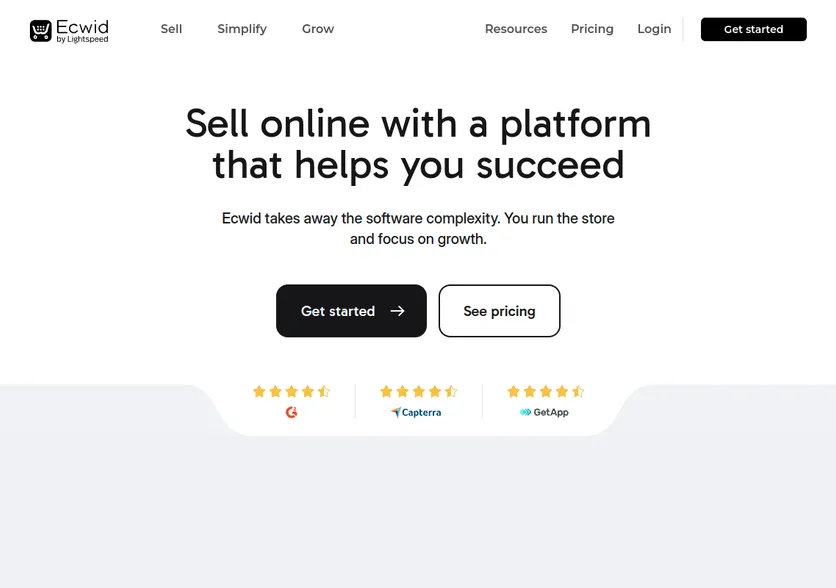
Ecwid gives a remote team an add-on store for a website or social channel they already run, with selling that bolts on without rebuilding. This Ecwid Venture plan costs twenty-nine dollars a month billed annually and covers up to one hundred products with digital goods and social selling. A team with a site that already gets traffic gets the shop live in an afternoon.
What we like
- Adds a store to any website without rebuilding
- No platform transaction fee on any plan
- Social selling on Instagram and Facebook included
Watch out for
- Free plan was discontinued for new sign-ups in 2025
- Product caps push growing stores onto higher tiers
How to try it
- Open the Ecwid site and create your store
- Add your products and embed the store on your site
- Connect a payment method and test a purchase
6. Webflow
Best for: Distributed design teams that want full layout control over the storefront
Paid tool Starting price: $29/month · Twenty-nine dollars a month billed annually for the Ecommerce Standard plan, or thirty-five dollars a month billed monthly, with a two percent transaction fee and five hundred items; Plus costs seventy-four dollars and Advanced two hundred twelve dollars a month billed annually
Free plan: Free plan available
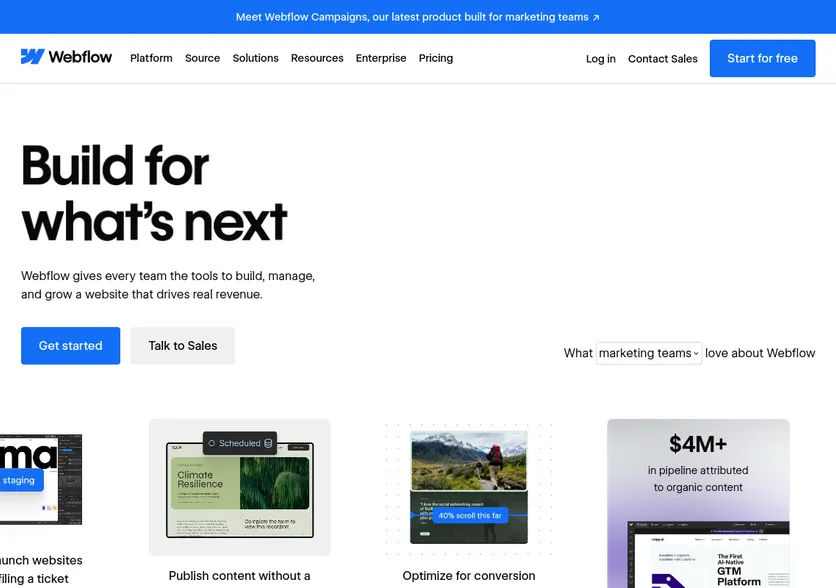
Webflow Ecommerce gives a distributed design team full layout control, with a custom cart and checkout they design down to the last detail. This Webflow Ecommerce Standard plan costs twenty-nine dollars a month billed annually and covers five hundred items with a two percent transaction fee. A team that finds templates constraining gets a storefront built exactly as the designer drew it.
What we like
- Full visual control over every store element
- CMS and hosting behind the storefront
- Clean code and fast pages out of the box
Watch out for
- Two percent fee on Standard, so Plus is the real selling plan
- Steep learning curve for teams new to visual building
How to try it
- Open the Webflow site and create the free account
- Design your storefront together and add your products
- Set up Stripe checkout and test a purchase
7. Volusion
Best for: Small remote teams that want simple hosted selling with plans scoped by revenue
Paid tool Starting price: $35/month · Thirty-five dollars a month for the Personal plan, for up to fifty thousand dollars in yearly sales and one hundred products; Professional costs seventy-nine dollars and Business two hundred ninety-nine dollars a month
Free plan: No free plan; 14-day free trial
Volusion gives a small remote team a hosted store with plans scoped by how much they sell, so the bill matches the revenue. This Volusion Personal plan costs thirty-five dollars a month for up to fifty thousand dollars in yearly sales and one hundred products. A team with a set catalogue gets hosting, themes and support in one monthly price.

What we like
- Simple hosted setup with no plugins to maintain
- Plans scoped by revenue, so small stores pay less
- Free themes and twenty-four seven support included
Watch out for
- Personal caps at one hundred products, so growing stores move up
- Smaller app ecosystem than Shopify or BigCommerce
How to try it
- Open the Volusion site and start the 14-day free trial
- Pick a theme and add your products as a team
- Set up payments and test a checkout
8. Sellfy
Best for: Remote creators who sell digital products with no transaction fees
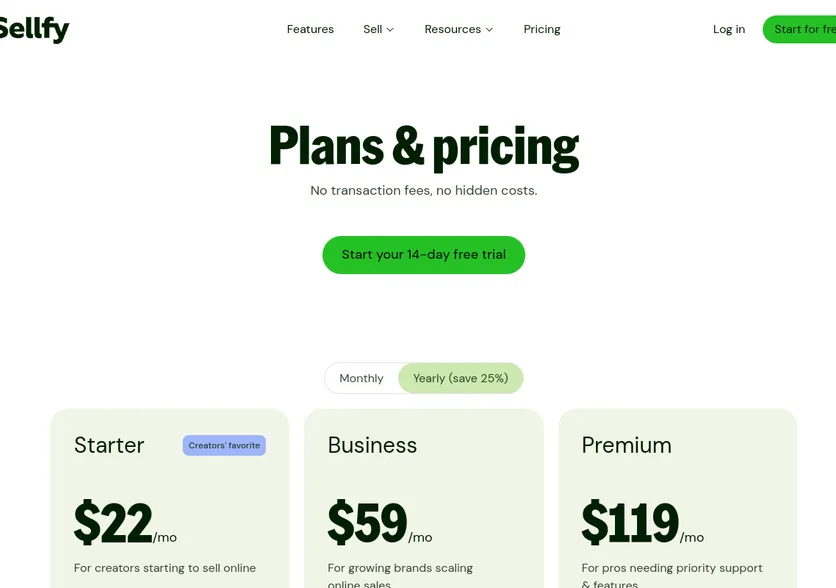
Paid tool Starting price: $22/month · Twenty-two dollars a month billed annually for the Starter plan, or twenty-nine dollars a month billed monthly, with a ten thousand dollar yearly sales cap; Business costs fifty-nine dollars and Premium one hundred nineteen dollars a month billed annually
Free plan: No free plan; 14-day free trial
Sellfy is the creator storefront for remote teams that sell digital products, with a flat subscription and zero percent transaction fees on every plan. This Sellfy Starter plan costs twenty-two dollars a month billed annually and covers unlimited products up to ten thousand dollars in yearly sales. A creator team that sells downloads, subscriptions and merch gets the store without paying a cut on every sale.
What we like
- Zero percent transaction fees on every plan
- Built for digital products, subscriptions and merch
- Flat subscription with no cut on each sale
Watch out for
- Yearly sales cap pushes growing sellers onto higher tiers
- No free plan, so the trial is the only way to test it
How to try it
- Open the Sellfy site and start the 14-day free trial
- Upload your digital products and set your prices
- Share your store link and test a purchase
Prices above were checked on each vendor’s own website on Nov 27, 2026 and can change — the vendor’s page is the final word. Vendor links are editorial: nobody paid to be listed or ranked here. Vendors who want a featured listing can see how it works on our Get listed page.
What remote team e-commerce software costs in 2026
Remote team platforms cluster between seventeen and thirty-nine dollars a month, because they all carry the same core: storefront, checkout, payments and orders. The difference is seats and scale, not the sticker price. Shopify and BigCommerce cover growing teams, Squarespace and Wix suit small design-led stores, and Sellfy serves creators who sell digital products with no transaction fees.
Start with a trial on two platforms and run one real order through each, from product page to payment to fulfilment, in the buyer's currency, with two teammates in different time zones. Check that duties and taxes show at checkout, that staff permissions keep the books safe, and that the order record updates itself overnight. Pick the platform whose checkout your buyers actually finish, because a store that abandons carts abroad is just an expensive catalogue.
Before you buy
- Check that staff accounts and permissions fit the team, because a plan that caps seats forces remote staff to share logins.
- Confirm the price fits your sales volume, because per-plan caps and transaction fees multiply fast once overseas orders grow.
- Ask which countries and payment methods are covered, because a platform that cannot take a buyer's card forces a second checkout.
- Test the store on a phone in the buyer's currency, because most cross-border orders start on mobile.
- Check how the platform handles time zones and handoffs, because a remote team needs the order record to update itself overnight.
Official websites
Official websites of the products reviewed above. Features and prices were checked against these sites when this guide was written, and they can change, so confirm on the vendor site before you buy.
Frequently asked questions
Which e-commerce software is best for remote teams in 2026?
Shopify is the best overall pick at twenty-nine dollars a month, because it gives remote teams one store, one order list and the largest app ecosystem. BigCommerce is the best pick for teams that want native B2B with no transaction fees and unlimited staff accounts. Sellfy is the best budget pick for creators at twenty-two dollars a month with zero percent fees.
How much does cross-border e-commerce software for remote teams cost?
Prices in this list run from seventeen dollars a month for Wix Light to thirty-nine dollars a month for BigCommerce, with most selling plans landing between nineteen and thirty-five dollars a month. The subscription is only part of the cost, so add transaction fees, apps and payment processing before you compare totals. Higher tiers add staff seats, products and lower fees.
Do remote teams need cross-border software or a domestic store?
A cross-border platform pays off once duties, taxes and multi-currency pricing decide whether an order completes, because those figures live in the checkout instead of in a separate calculator. A domestic store works when the job is mainly listing products, since the catalogue and the cart are the same in any country. Remote teams that sell overseas usually outgrow a domestic setup within a year.
Can a remote team try these platforms before paying?
Yes, Wix and Webflow both offer free plans, and every other platform here offers a free trial of three to fifteen days, so a team can test the real checkout before paying. Trials limit the time, not the features, so run a live order through the trial. Most teams need a paid plan once the store opens, because free plans cannot take payments.
What should remote teams look for besides price?
It should give every teammate their own seat with permissions, so nobody shares a login across time zones. Order notifications, stock alerts and handoff notes matter too, because a remote team needs the record to update itself overnight. A platform that only lists products leaves the collaboration work to chat and spreadsheets.
Need more everyday business help? Try Toolsvine's free business tools right in your browser.
Browse Business Tools tools