On this page
Remote teams lose deals when a buyer cannot join a live demo, because the prospect in another time zone watches a recording and clicks nothing. The seven tools below turn a product walkthrough into a click-through demo buyers explore alone, at any hour, with lead capture built in. Every price was checked on the vendor site on November 27, 2026, and the list runs from thirty-two dollars a month to five hundred and seventy-five dollars a month. Storylane is our first pick — the demo suite that pairs AI-built demos with deal rooms your buyers revisit on their own.
How we researched this
We started with the demo automation tools remote teams actually buy, then read each price on the vendor pricing page on November 27, 2026 and noted the free plan or trial each plan carries. We judged them for a team spread across time zones that needs buyers to explore the product alone, with demos that work on mobile and analytics that show who watched. We dropped Reprise, Demostack, Consensus, Saleo, Tourial and ScreenSpace because none of them publishes a list price, so a buyer cannot compare them without a sales call.
Compare the tools
| Name | Best for | Starting price | Free plan | |
|---|---|---|---|---|
 Arcade | Remote teams that want fast, visual click-through demos at the lowest price here | $32/user/month | Free plan; 3 published demos | Visit |
 Supademo | Remote teams that want unlimited screenshot and video demos with lead capture built in | $38/creator/month | Free plan; 5 guided demos | Visit |
 Storylane | Remote teams that want AI-built demos, deal rooms and account reveal in one suite | $40/seat/month | Free plan; 1 published demo | Visit |
 Guidde | Remote teams that need click-through demos beside how-to videos for onboarding | $39/creator/month | Free plan; up to 25 how-to videos | Visit |
 HowdyGo | Remote teams that want flat pricing with unlimited users building HTML demos | $159/month | No free plan; 14-day free trial | Visit |
 Navattic | Remote teams that want modular demos, sandboxes and AI agents across the sales cycle | $500/month | Free plan; 1 demo | Visit |
 Walnut | Remote teams that want AI-drafted, personalized demos with deal rooms built in | $575/month | No free plan; free trial on every plan | Visit |
The demo automation software for remote teams, compared
1. Arcade
Best for: Remote teams that want fast, visual click-through demos at the lowest price here
Paid tool Starting price: $32/user/month · Thirty-two dollars per user a month billed annually for the Pro plan, or forty-two dollars and fifty cents per user a month for Growth with CRM integrations and deeper analytics; a free plan covers three published demos
Free plan: Free plan; 3 published demos
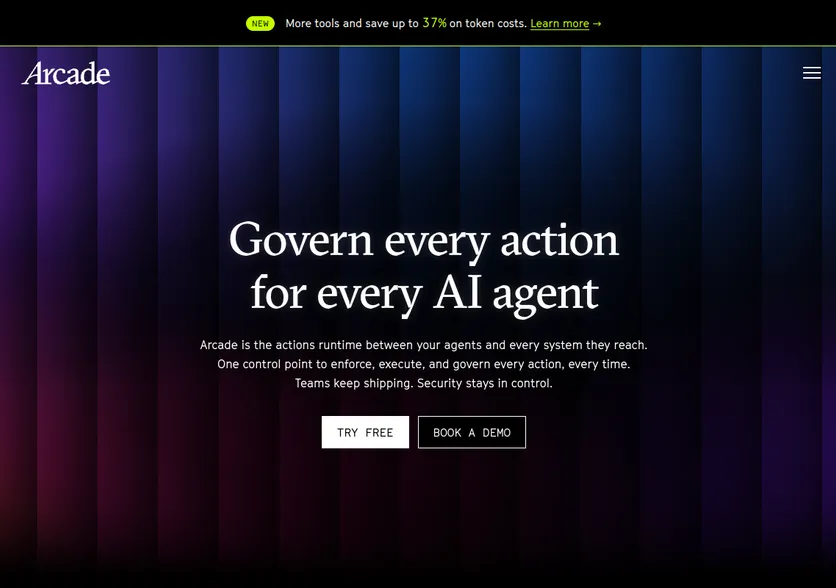
Remote teams that share demos across time zones use Arcade to turn a recorded click path into a polished walkthrough that buyers explore alone. This Arcade Pro plan costs thirty-two dollars per user a month billed annually, with unlimited demos, no watermark and video export included. A distributed team gets a Chrome extension capture, branching paths and AI voiceovers without booking a single live call.
What we like
- Cheapest paid plan in this comparison
- Fast capture with no setup or engineering help
- Branching paths that let buyers choose their own route
Watch out for
- HTML demos are reserved for the Enterprise tier
- The price rises with every builder you add
How to try it
- Open the Arcade site and install the Chrome extension
- Record a click path through your product and add annotations
- Share the demo link in email or embed it on your site
2. Supademo
Best for: Remote teams that want unlimited screenshot and video demos with lead capture built in
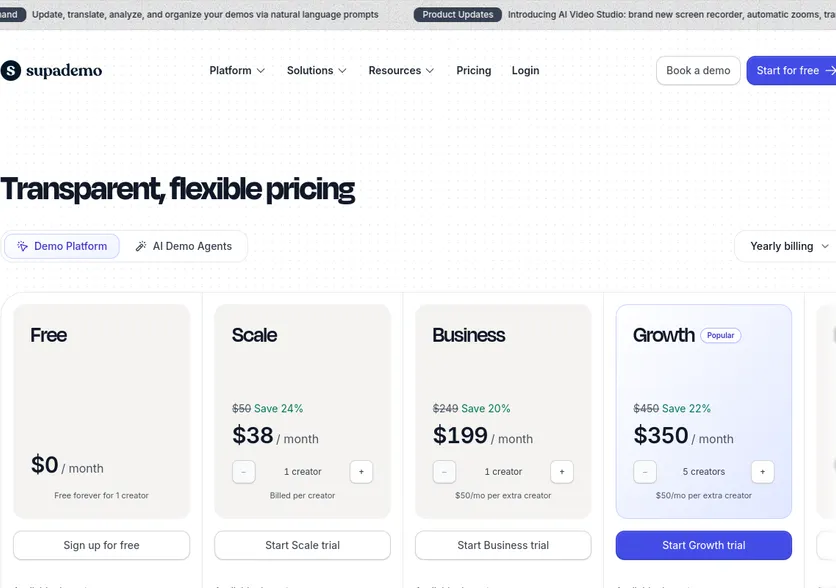
Paid tool Starting price: $38/creator/month · Thirty-eight dollars per creator a month billed annually for the Scale plan, or fifty dollars month to month; Business costs one hundred and ninety-nine dollars a month billed annually and adds HTML demos, while Growth costs three hundred and fifty dollars a month
Free plan: Free plan; 5 guided demos
Remote teams that follow up by email use Supademo to record a guided demo once and send it to every prospect in a different time zone. This Supademo Scale plan costs thirty-eight dollars per creator a month billed annually, with unlimited guided demos, branching and trackable share links included. A team spread across continents gets a free plan for testing, five view-only collaborators and analytics that show who watched what.
What we like
- Free plan covers five guided demos and fifty recordings
- Trackable links show exactly who watched each step
- Branching and dynamic variables on the entry paid plan
Watch out for
- HTML demos only start on the Business plan
- Sandbox demos need the Growth plan at three hundred and fifty dollars a month
How to try it
- Open the Supademo site and install the Chrome extension
- Record a guided demo and add branching for different buyer paths
- Share the trackable link and check the viewer analytics
3. Storylane
Best for: Remote teams that want AI-built demos, deal rooms and account reveal in one suite
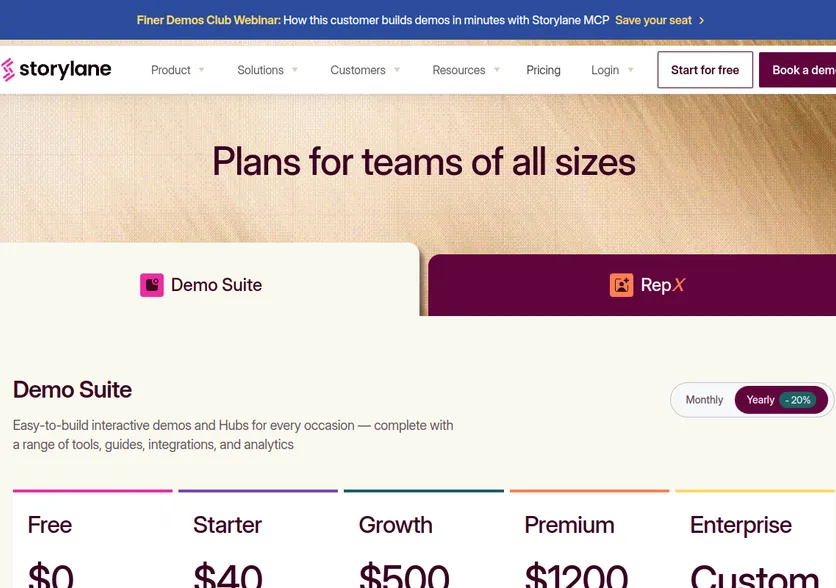
Paid tool Starting price: $40/seat/month · Forty dollars per seat a month billed annually for the Starter plan, or fifty dollars month to month; Growth costs five hundred dollars a month for five seats and adds HTML demos, while Premium costs one thousand two hundred dollars a month
Free plan: Free plan; 1 published demo
Remote teams that sell while they sleep use Storylane to build interactive demos with AI help and package them into deal rooms that buyers revisit alone. This Storylane Starter plan costs forty dollars per seat a month billed annually, with unlimited published demos, AI credits and lead capture included. A distributed team gets a free plan for one demo, HubSpot and Zapier integrations, and viewers who never need a paid seat.
What we like
- AI credits that draft demos, voiceovers and translations
- Deal rooms that bundle demos, PDFs and embeds
- Unlimited viewers on every plan at no extra cost
Watch out for
- HTML demos only start on the Growth plan
- The jump from Starter to Growth is twelve times the price
How to try it
- Open the Storylane site and start the free plan
- Build a demo from screenshots or video with the AI assistant
- Publish the demo and share it with a lead capture form attached
4. Guidde
Best for: Remote teams that need click-through demos beside how-to videos for onboarding
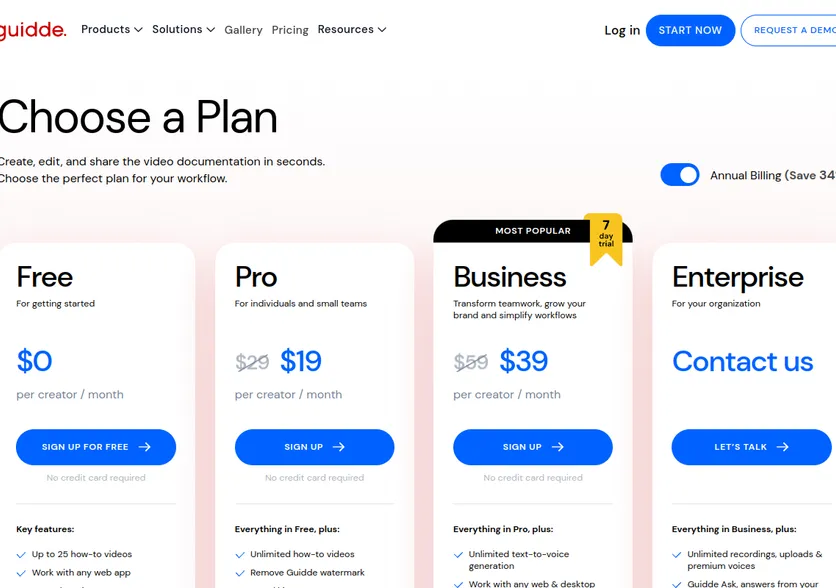
Paid tool Starting price: $39/creator/month · Thirty-nine dollars per creator a month billed annually for the Business plan, or fifty-nine dollars month to month; Pro costs nineteen dollars a month billed annually for how-to videos only, with interactive demos starting on Business
Free plan: Free plan; up to 25 how-to videos
Remote teams that onboard customers in other time zones use Guidde to turn a screen capture into a narrated how-to video and a click-through demo from the same recording. This Guidde Business plan costs thirty-nine dollars per creator a month billed annually, with interactive demos, analytics and desktop app capture included. A team that documents as it works gets a free plan for twenty-five videos and a seven-day Business trial with no card.
What we like
- One capture becomes a video, an article and a demo
- Free plan covers twenty-five how-to videos
- AI voiceovers in many languages for global teams
Watch out for
- Interactive demos only start on the Business plan
- Built for documentation first, so sales analytics are thinner
How to try it
- Open the Guidde site and start the free plan
- Capture a workflow and let the AI narration and article build
- Publish the interactive demo and share it with your team
5. HowdyGo
Best for: Remote teams that want flat pricing with unlimited users building HTML demos
Paid tool Starting price: $159/month · One hundred and fifty-nine dollars a month billed annually for the Starter plan, or one hundred and ninety-nine dollars month to month; Pro costs three hundred and ninety-nine dollars a month and adds demo analytics and a custom domain
Free plan: No free plan; 14-day free trial
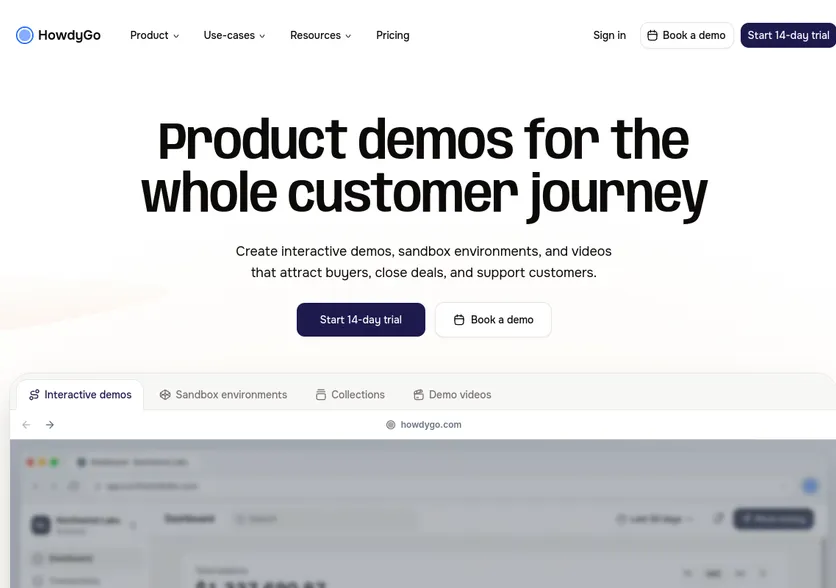
Remote teams where everyone builds demos use HowdyGo to capture the product as HTML and share unlimited walkthroughs without counting seats. This HowdyGo Starter plan costs one hundred and fifty-nine dollars a month billed annually, with unlimited users, unlimited HTML demos and branching included. A team of any size gets one flat bill, lead capture on every demo and GIF and video export for social posts.
What we like
- One flat price no matter how many people build demos
- HTML capture included from the first paid plan
- Lead capture and branching without a higher tier
Watch out for
- No free plan, so the trial is the only way to test it
- Demo analytics only start on the Pro plan
How to try it
- Open the HowdyGo site and start the 14-day trial
- Capture your product as HTML and edit the text in place
- Share the demo link or embed it on your marketing site
6. Navattic
Best for: Remote teams that want modular demos, sandboxes and AI agents across the sales cycle
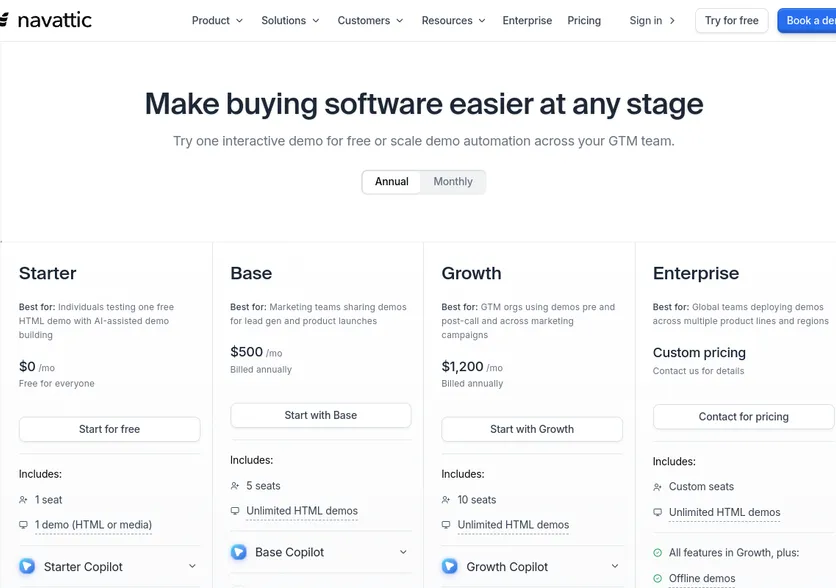
Paid tool Starting price: $500/month · Five hundred dollars a month billed annually for the Base plan with five seats, or six hundred dollars month to month; Growth costs one thousand dollars a month for ten seats, and Enterprise is custom-priced
Free plan: Free plan; 1 demo
Remote teams that run demos before, during and after the call use Navattic to build modular demos, sandbox environments and AI agents from one platform. This Navattic Base plan costs five hundred dollars a month billed annually, with five seats, unlimited HTML demos, sandbox demos and a dedicated manager included. A team that sells across regions gets A/B testing, account identification and a free Starter plan for one demo.
What we like
- Modular demos that flex for discovery, calls and follow-up
- Sandbox demos included from the Base plan
- AI Copilot that builds and edits demos from prompts
Watch out for
- The entry paid plan is five hundred dollars a month
- Custom domains and translation need the Growth plan
How to try it
- Open the Navattic site and start the free Starter plan
- Build a modular demo from your product screens
- Add a sandbox version for live calls and track the analytics
7. Walnut
Best for: Remote teams that want AI-drafted, personalized demos with deal rooms built in
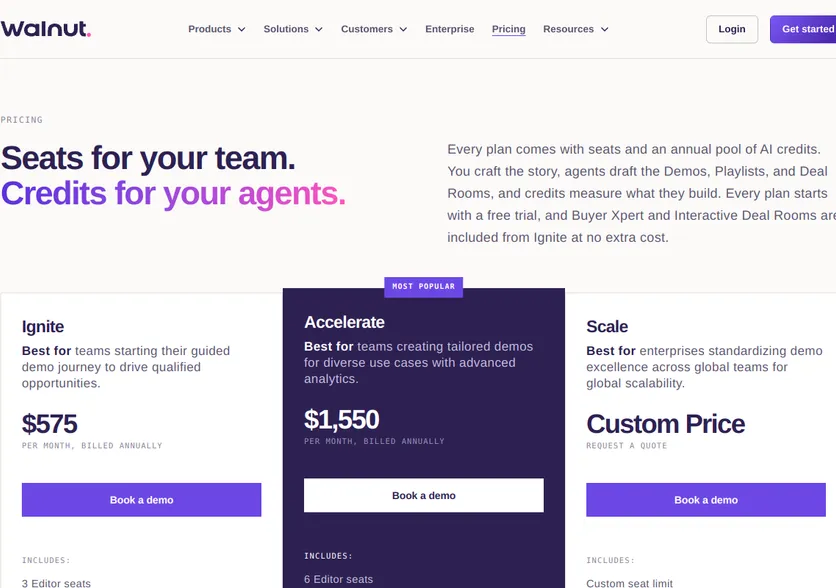
Paid tool Starting price: $575/month · Five hundred and seventy-five dollars a month billed annually for the Ignite plan, with Accelerate at one thousand five hundred and fifty dollars a month and Scale custom-priced; every plan starts with a free trial
Free plan: No free plan; free trial on every plan
Remote teams that personalize every demo use Walnut to capture the product once and let AI draft guided demos, playlists and deal rooms for each buyer. This Walnut Ignite plan costs five hundred and seventy-five dollars a month billed annually, with three editor seats, three presenter seats and fifty thousand AI credits included. A distributed sales team gets an in-demo AI agent that answers buyer questions and analytics that track engagement per viewer.
What we like
- AI Mode drafts demos from a single product capture
- Playlists that let buyers choose their own adventure
- In-demo AI agent that answers questions and reports back
Watch out for
- No free plan, so the trial is the only way to test it
- Sandbox demos are an add-on on the entry plan
How to try it
- Open the Walnut site and start a free trial
- Capture your product and let AI Mode draft the first demo
- Package the demo into a playlist and share the deal room link
Prices above were checked on each vendor’s own website on Nov 27, 2026 and can change — the vendor’s page is the final word. Vendor links are editorial: nobody paid to be listed or ranked here. Vendors who want a featured listing can see how it works on our Get listed page.
What demo automation software costs in 2026
Demo tools charge in two ways, per seat or per month for the whole team, and the difference decides the bill. Per-seat pricing suits a remote team with one or two demo builders, while a flat monthly fee suits a team where five or more people create demos. The cheapest plan here costs thirty-two dollars per user a month, while the most expensive costs five hundred and seventy-five dollars a month for the whole team.
Start with a free plan on two tools and publish one real demo on each. Share both links with the same five prospects, then compare how far each group clicks and how many leave their details. Pick the tool whose viewers reach the final step, because a demo that nobody finishes is just a prettier video call.
Before you buy
- Check whether viewers need an account, because a demo that forces a login loses half the audience before the first click.
- Confirm HTML demos are included in your tier, because screenshot demos cannot show a live workflow.
- Test the demo on a phone, because remote buyers open most links on mobile first.
- Ask how many creators the price covers, because per-seat billing punishes a team that grows.
- Check the analytics before you sign, because a demo with no view data cannot prove it works.
Official websites
Official websites of the products reviewed above. Features and prices were checked against these sites when this guide was written, and they can change, so confirm on the vendor site before you buy.
Frequently asked questions
Which demo automation software is best for remote teams in 2026?
Storylane is the best overall pick at forty dollars per seat a month, pairing AI-built demos with deal rooms and unlimited viewers. Arcade is the best budget pick at thirty-two dollars per user a month for fast visual demos with branching. HowdyGo is the best pick for larger remote teams at one hundred and fifty-nine dollars a month flat, because the price never rises when another teammate starts building demos.
How much does demo automation software cost?
Prices in this list run from thirty-two dollars per user a month for Arcade to five hundred and seventy-five dollars a month for Walnut, with most tools landing between thirty-eight and five hundred dollars a month. Per-seat pricing suits a small team with one builder, while flat pricing suits a remote team where five or more people create demos. Add HTML demo access and analytics to the subscription before you compare totals, because both often sit on higher tiers.
Do remote teams need demo automation, or is a live call enough?
Yes, because a remote buyer in another time zone cannot join your live call, and a recorded video cannot answer their questions. An interactive demo lets that buyer click through the product at midnight, try the workflow that matters to them, and leave their details when they are ready. A team that only demos live loses every prospect whose calendar never lines up with yours.
What is the difference between a screenshot demo and an HTML demo?
A screenshot demo is a guided tour built from still images of your product, while an HTML demo is a working copy of your product that the viewer clicks through live. Screenshot demos are cheaper and faster to build, and they suit a simple workflow. HTML demos cost more and suit a complex product where the buyer needs to feel the real interface before they book a call.
Can a remote team try demo automation software for free?
Yes, every tool here except HowdyGo and Walnut offers a free plan, and both of those offer a free trial instead. Arcade gives three published demos free, Supademo gives five, Storylane gives one and Navattic gives one, while Guidde gives twenty-five how-to videos. Start on the free plan, publish one real demo, and only pay when the analytics show buyers actually clicking through it.
Demo ready? Try Toolsvine's free business tools for the everyday work behind the pitch.
Browse Business Tools tools