On this page
Event teams book in bursts, with fifty desks and three halls filling up the week a conference lands. The seven tools below handle that surge without a spreadsheet, giving organisers a live floor plan, recurring bookings and a no-show release that frees space fast. Prices were checked on the vendor site on November 27, 2026, and run from two dollars a bookable space a month to two hundred and forty-nine dollars a month. Skedda is our first pick, charging by the space so a big event floor costs the same whether ten people or a hundred book it.
How we researched this
We started with the desk booking tools event teams actually buy, then read each price on the vendor pricing page on November 27, 2026 and noted the trial each plan carries. We judged them for organisers who fill rooms and halls in bursts and need recurring bookings, visitor sign-in and a no-show release that frees space fast. We dropped Robin and Tactic because neither publishes a list price a buyer can compare without a sales call, and we dropped Kadence because its vendor site no longer publishes a dollar rate.
Compare the tools
| Name | Best for | Starting price | Free plan | |
|---|---|---|---|---|
 Skedda | Event venues that want per-space pricing with booking rules for busy floors | $249/month | No free plan; 14-day free trial | Visit |
| deskbird | Event organisers that need a weekly view of who is in before a single desk is booked | $3.75/active user/month | Free Starter plan for up to 15 users | Visit |
| Joan | Event rooms that change hands every hour and need the schedule on the door | $51/month | No free plan; 30-day free trial | Visit |
| YAROOMS | Single venues that want one flat monthly figure for the whole event calendar | $99/month | No free plan; book a demo to try it | Visit |
| Envoy | Public events where the front desk greets every guest beside the bookings | $5/bookable resource/month | No free plan for Reservations; Envoy Visitors Basic is free for up to 100 visitor entries a month | Visit |
| OfficeRnD Flex | Venues that rent desks by the day and need billing to follow the booking | $99/month | No free plan; book a demo to try it | Visit |
| Officely | Small event teams that need the cheapest per-space price with visitors included | $2/bookable space/month | No free plan; book a demo to try it | Visit |
The desk booking software for events, compared
1. Skedda
Best for: Event venues that want per-space pricing with booking rules for busy floors
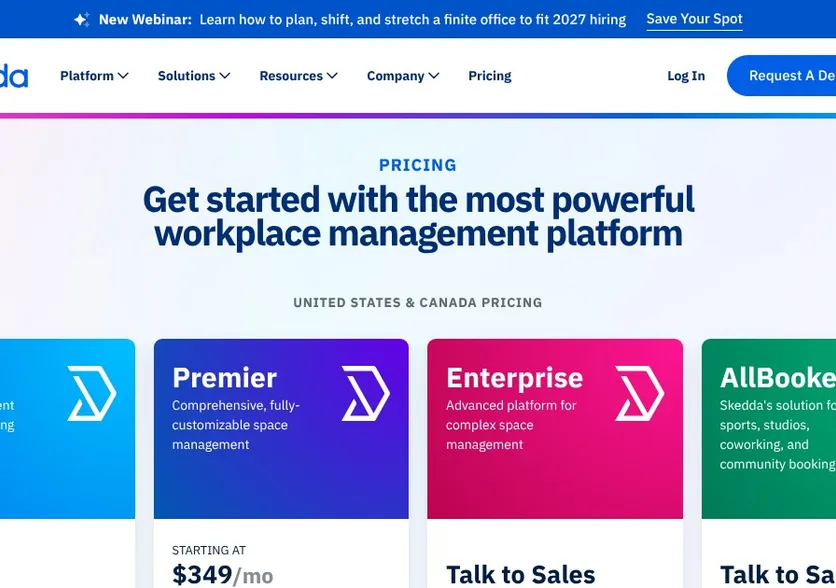
Paid tool Starting price: $249/month · Two hundred and forty-nine dollars a month billed annually for the Plus plan, covering thirty-five spaces with unlimited users; Premier costs three hundred and forty-nine dollars a month for forty-five spaces and a visitor management add-on costs ninety-nine dollars a month
Free plan: No free plan; 14-day free trial
Event floors are where per-space pricing earns its keep, because a hall with forty desks costs the same whether the conference brings ten people or a hundred. This Skedda Plus plan costs two hundred and forty-nine dollars a month billed annually and covers thirty-five spaces with unlimited users and bookings. Recurring bookings and approval rules stop the same team claiming the best corner every Friday.
What we like
- Per-space pricing that stays flat for big event floors
- Recurring bookings for weekly and monthly events
- Approval rules that protect the best spaces
Watch out for
- The United States entry plan starts at two hundred and forty-nine dollars a month
- Visitor management costs ninety-nine dollars a month extra
How to try it
- Open the Skedda pricing page and start the 14-day trial
- Upload the event floor plan and mark the bookable desks and halls
- Set recurring bookings and approval rules for the busy days
2. deskbird
Best for: Event organisers that need a weekly view of who is in before a single desk is booked
Paid tool Starting price: $3.75/active user/month · Three dollars and seventy-five cents per active user a month billed annually for the Business plan, or four dollars and seventy-five cents billed monthly, with a twenty-five user minimum; a free Starter plan covers up to fifteen users
Free plan: Free Starter plan for up to 15 users
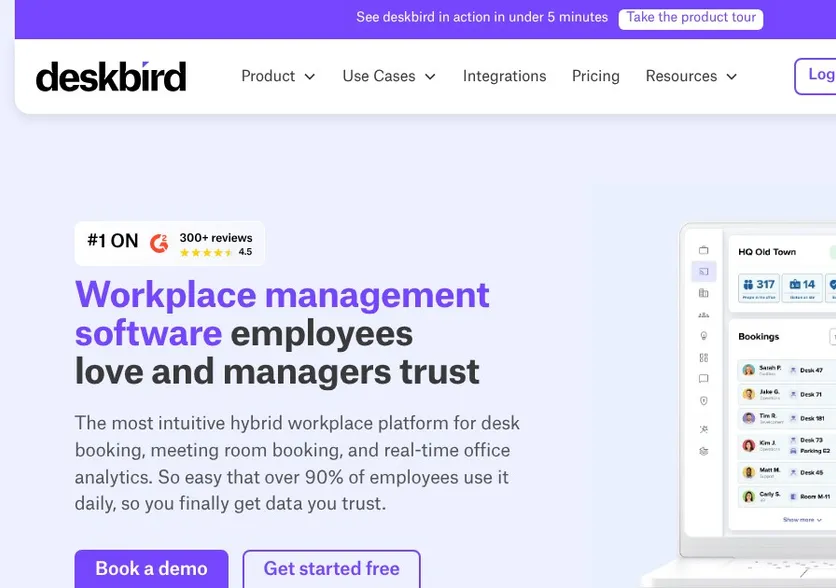
Events need a weekly view more than a floor plan, and deskbird shows organisers which days the building fills before a single desk is booked. This deskbird Business plan costs three dollars and seventy-five cents per active user a month billed annually and covers desk, room and parking booking in one app. Parking booking matters here too, since a full event day strands drivers when the lot is not part of the plan.
What we like
- Weekly view shows which days the venue fills up
- Desk, room and parking booking in one app
- Only people who book in a month count toward the bill
Watch out for
- Business starts at twenty-five users, so very small crews pay for seats they do not use
- Professional and Enterprise plans are priced by quote
How to try it
- Open the deskbird pricing page and start the free Starter plan
- Connect Outlook or Google Workspace and import the venue floor plan
- Invite the crew to mark event days and book desks for the week
3. Joan
Best for: Event rooms that change hands every hour and need the schedule on the door
Paid tool Starting price: $51/month · Fifty-one dollars a month billed annually for the Team plan, covering twenty users with two room displays included; extra users cost one dollar and nine cents each a month and extra displays cost ten dollars and ninety-nine cents a device a month, while room displays are sold separately from three hundred and ninety-nine dollars
Free plan: No free plan; 30-day free trial
Event rooms change hands every hour, and Joan puts the schedule on the door so the next group never walks into the last one. This Joan Team plan costs fifty-one dollars a month billed annually and covers twenty users with two room displays included. The display shows who holds the room and when it frees up, which beats a calendar invite nobody reads.
What we like
- Door displays show the schedule right where groups gather
- Calendar-only bookers are not billed
- Two displays included on the Team plan
Watch out for
- Extra displays are sold separately from three hundred and ninety-nine dollars
- The Team plan covers twenty users before per-user fees start
How to try it
- Open the Joan pricing page and start the 30-day trial
- Connect your calendar and mount displays on the event rooms
- Set booking rules and let groups book from the door or the app
4. YAROOMS
Best for: Single venues that want one flat monthly figure for the whole event calendar
Paid tool Starting price: $99/month · Ninety-nine dollars a month for the Starter plan, covering ten to twenty users at one location, with yearly billing saving about twenty percent; Business costs three hundred and ninety-nine dollars a month and Enterprise costs eight hundred and ninety-nine dollars a month
Free plan: No free plan; book a demo to try it
Events run on flat costs, and YAROOMS gives organisers one monthly figure instead of a meter that spins faster the week of the show. This YAROOMS Starter plan costs ninety-nine dollars a month and covers ten to twenty users at one location, with yearly billing saving about twenty percent. The visitor add-on signs guests in at the door, which is half the job at a public event.
What we like
- One flat monthly figure for the whole venue
- Visitor add-on for guest sign-in at the door
- Yearly billing saves about twenty percent
Watch out for
- Starter covers one location and up to twenty users
- The ninety-nine dollar rate is the monthly-billed figure, not the annual rate
How to try it
- Open the YAROOMS pricing page and book a demo
- Map the venue desks and rooms onto one floor plan
- Add the visitor module so the front desk signs guests in
5. Envoy
Best for: Public events where the front desk greets every guest beside the bookings
Paid tool Starting price: $5/bookable resource/month · Five dollars per bookable resource a month billed annually for Envoy Reservations, and the price excludes the platform fee, which Envoy does not publish; Reservations runs with a Premium or Enterprise platform plan, with Premium listed at eight thousand dollars a year
Free plan: No free plan for Reservations; Envoy Visitors Basic is free for up to 100 visitor entries a month
Public events live or die on the front desk, and Envoy pairs desk booking with the visitor sign-in that greets every guest. This Envoy Reservations plan costs five dollars per bookable resource a month billed annually and covers desks, rooms and parking with mobile booking and auto-release for no-shows. The platform fee stays unpublished, so ask for the full quote before the event budget is set.
What we like
- Visitor sign-in and desk booking on one platform
- Mobile booking with real-time availability
- Auto-release frees rooms when groups do not show up
Watch out for
- The unpublished platform fee makes the real bill unclear until the quote
- Reservations needs a Premium or Enterprise platform plan
How to try it
- Open the Envoy pricing page and compare the Reservations module
- Ask sales for the platform fee for your venue and dates
- Connect your calendar and set up the visitor kiosk for the event
6. OfficeRnD Flex
Best for: Venues that rent desks by the day and need billing to follow the booking
Paid tool Starting price: $99/month · Ninety-nine dollars a month billed annually for the Essentials plan, or one hundred and twenty-nine dollars billed monthly, covering up to fifty members at one location
Free plan: No free plan; book a demo to try it
Venues that rent desks by the day need billing that follows the booking, and OfficeRnD Flex ties the two together in one system. This OfficeRnD Flex Essentials plan costs ninety-nine dollars a month billed annually and covers up to fifty members at one location. Membership plans cover repeat hirers, while one-off event bookings stay separate from the regulars.
What we like
- Memberships, billing and booking in one system
- Flat price for up to fifty members
- Repeat hirers and one-off bookings stay separate
Watch out for
- Essentials covers one location, so multi-venue operators pay more
- The audience is operators, not a single company booking its own desks
How to try it
- Open the OfficeRnD Flex pricing page and book a demo
- Set up membership plans and map the venue desks
- Invite repeat hirers to book and check the billing sync
7. Officely
Best for: Small event teams that need the cheapest per-space price with visitors included
Paid tool Starting price: $2/bookable space/month · Two dollars per bookable space a month billed annually, or two dollars and fifty cents billed monthly, with a five hundred dollar a month minimum; desk, room, parking and visitor booking are included in the one price
Free plan: No free plan; book a demo to try it
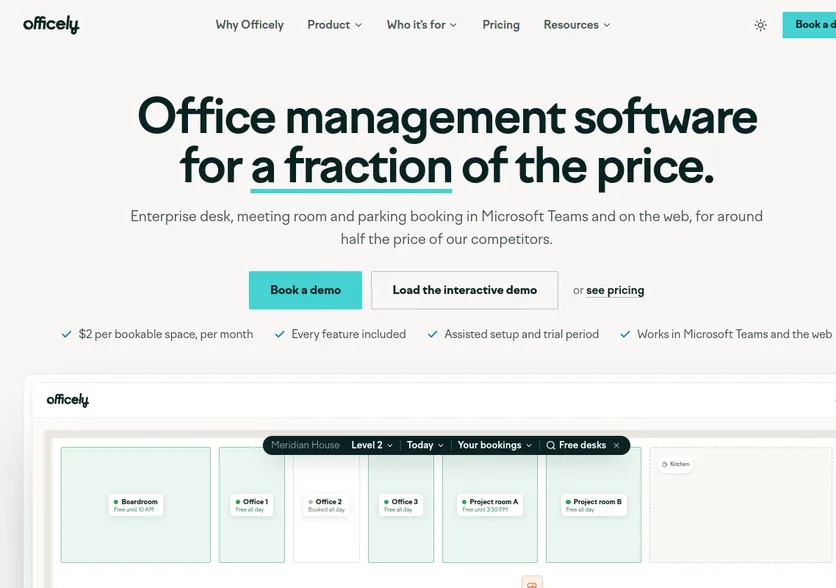
Small event teams should not pay enterprise prices for a weekend, and Officely charges two dollars a space with visitors included. This Officely plan costs two dollars per bookable space a month billed annually and includes desk, room, parking and visitor booking. Booking from Microsoft Teams keeps the whole crew on one tool during the busiest week of the year.
What we like
- Cheapest per-space price in this comparison
- Visitors included instead of sold as an add-on
- Books from Microsoft Teams or the web
Watch out for
- A five hundred dollar a month minimum applies
- The per-space price suits small venues better than large campuses
How to try it
- Open the Officely pricing page and book a demo
- Connect Microsoft Teams and import the venue floor plan
- Invite the crew to book desks from Teams or the web
Prices above were checked on each vendor’s own website on Nov 27, 2026 and can change — the vendor’s page is the final word. Vendor links are editorial: nobody paid to be listed or ranked here. Vendors who want a featured listing can see how it works on our Get listed page.
What event desk booking costs in 2026
Event booking bills spike with the calendar, so the pricing unit matters more than the headline rate. Per-space pricing keeps a big event floor at one flat figure, while per-user pricing climbs with every guest who books a desk. The cheapest plan here costs two dollars a bookable space a month, while the most expensive costs two hundred and forty-nine dollars a month for the whole floor.
Run a trial around a real event and load the actual floor plan, not a demo one. Book the hall, the desks and the parking, then release a no-show and watch how fast the space opens again. Pick the tool whose door display or mobile view the crew actually checks, because an event runs on what people see in the moment.
Before you buy
- Check whether recurring bookings are included, because rebooking the same hall every week by hand wastes an afternoon.
- Confirm the visitor sign-in cost before the event, because guest lists can double the bill on per-visitor plans.
- Test the no-show release during the trial, because a held room that never frees up ruins the schedule.
- Ask how many spaces the entry plan covers, because a hall with forty desks can blow past a small plan in one booking.
- Check whether the price covers one location or every venue, because multi-site events pay per site on most plans.
Official websites
Official websites of the products reviewed above. Features and prices were checked against these sites when this guide was written, and they can change, so confirm on the vendor site before you buy.
Frequently asked questions
Which desk booking software is best for events in 2026?
Skedda is the best overall pick at two hundred and forty-nine dollars a month for thirty-five spaces, charging by the space so a big event floor costs the same for ten people or a hundred. deskbird is the best pick for weekly planning at three dollars and seventy-five cents per active user a month, with desk, room and parking booking in one app. Officely is the best budget pick at two dollars per bookable space a month for small teams.
How much does desk booking software cost for events?
Prices in this list run from two dollars per bookable space a month for Officely to two hundred and forty-nine dollars a month for Skedda, with most tools landing between two and five dollars per user or space a month. Per-space pricing suits event floors, since the bill stays flat while the guest count swings. Add visitor management, room displays and platform fees to the subscription before you set the event budget.
Do event teams need visitor management with desk booking?
Yes, because a public event signs guests in at the door, and a booking tool that ignores visitors leaves the front desk running a second list that never matches the first. Envoy and YAROOMS cover visitors beside desks, with YAROOMS charging ninety-nine dollars a location a month for the add-on. A tool that books desks and signs guests in together saves the front desk from reconciling two lists after the event.
Can a small event team use desk booking software?
Yes, and Officely at two dollars per bookable space a month is built for exactly that buyer, though its five hundred dollar a month minimum means very small teams should check the maths first. YAROOMS covers ten to twenty users at one location for ninety-nine dollars a month, which suits a single venue. A team that runs one event a month already books enough desks and rooms to justify a tool like this.
What should event organisers check before buying?
Check recurring bookings first, since an event that repeats weekly should not need rebooking by hand. Check the no-show release next, because a room held by a group that never arrives blocks the next session. Check the space cap last, because a hall with forty desks can blow past a small plan in one booking, and the upgrade price decides whether the tool still fits.
Need everyday business help too? Try Toolsvine's free business tools right in your browser.
Browse Business Tools tools