On this page
Sales email is not a newsletter: it is a sequence that follows a lead from first reply to signed deal, with every touch timed to what the prospect just did. The tool has to score leads, hand the warm ones to a rep, and prove which email moved the deal. We compared eight tools on published price, automation depth and CRM fit for a selling team. ActiveCampaign is our first pick — its automation and built-in CRM are made for this job.
How we researched this
We started with the email tools a sales team can run alongside its pipeline, then read each price on the vendor site on November 27, 2026 and noted the free plan or trial each one carries. We judged them for a team that needs lead scoring, follow-up sequences and revenue reporting, not just broadcasts. We dropped quote-only sales suites and broadcast-only tools because a sales team needs published pricing, automation and a CRM record in the same bill.
Compare the tools
| Name | Best for | Starting price | Free plan | |
|---|---|---|---|---|
 ActiveCampaign | follow-up sequences that react to contact behaviour for sales teams | $15/month | No free plan; 14-day free trial | Visit |
 HubSpot Marketing Hub | a team that wants CRM and email in one place for sales teams | $15/seat/month | Free tools include CRM and email marketing for up to 2,000 sends a month | Visit |
 Klaviyo | an online store that lives on triggered email for sales teams | $20/month | Free plan for up to 250 active profiles and 500 emails a month | Visit |
 Mailchimp | a first email programme with no dedicated marketer for sales teams | $13/month | Free plan for up to 250 contacts and 500 sends a month; 14-day free trial on paid plans | Visit |
 GetResponse | landing pages and funnels alongside email for sales teams | $19/month | Free plan for up to 500 contacts and 2,500 emails a month | Visit |
 Brevo | a big list on a small budget for sales teams | $9/month | Free plan sends up to 300 emails a day with up to 100,000 contacts | Visit |
 Omnisend | email plus SMS and push from one account for sales teams | $16/month | Free plan for up to 250 contacts and 500 emails a month | Visit |
 EngageBay | a small team that wants CRM plus email cheaply for sales teams | $13.79/user/month | Free plan for up to 250 contacts with email, CRM, helpdesk and live chat | Visit |
The email marketing software for sales teams, compared
1. ActiveCampaign
Best for: follow-up sequences that react to contact behaviour for sales teams
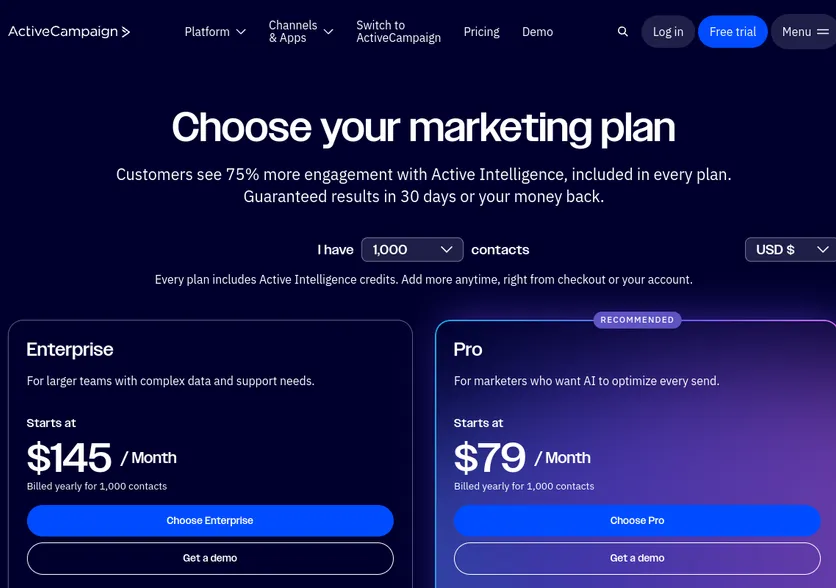
Paid tool Starting price: $15/month · Fifteen dollars a month for Starter billed annually at 1,000 contacts, or nineteen dollars month to month; Plus costs forty-nine dollars a month, Pro costs seventy-nine dollars, and Enterprise costs one hundred and forty-five dollars, all billed annually
Free plan: No free plan; 14-day free trial
This ActiveCampaign is the automation pick for sales teams that need follow-up sequences tied to what each contact actually does. Starter includes multi-step automation, AI campaign builders and 250-plus templates, while Plus adds landing pages, lead scoring and unlimited automation steps. Since November 2025 new accounts are billed for every contact in the account, including unsubscribed and bounced ones, so list hygiene directly affects the bill.
What we like
- Deepest automation in this comparison at the entry price
- Built-in marketing CRM keeps contacts and deals together
- Predictive sending and attribution on the Pro plan
Watch out for
- No free plan, only a 14-day trial
- New accounts are billed for unsubscribed and bounced contacts too
How to try it
- Start the 14-day trial and build one welcome automation
- Tag contacts by behaviour before building longer sequences
- Clean unsubscribed contacts regularly to keep the bill down
2. HubSpot Marketing Hub
Best for: a team that wants CRM and email in one place for sales teams
Paid tool Starting price: $15/seat/month · Fifteen dollars per seat a month for Starter billed annually, or twenty dollars month to month, with 1,000 marketing contacts; Professional costs eight hundred dollars a month billed annually plus a mandatory three-thousand-dollar onboarding fee
Free plan: Free tools include CRM and email marketing for up to 2,000 sends a month
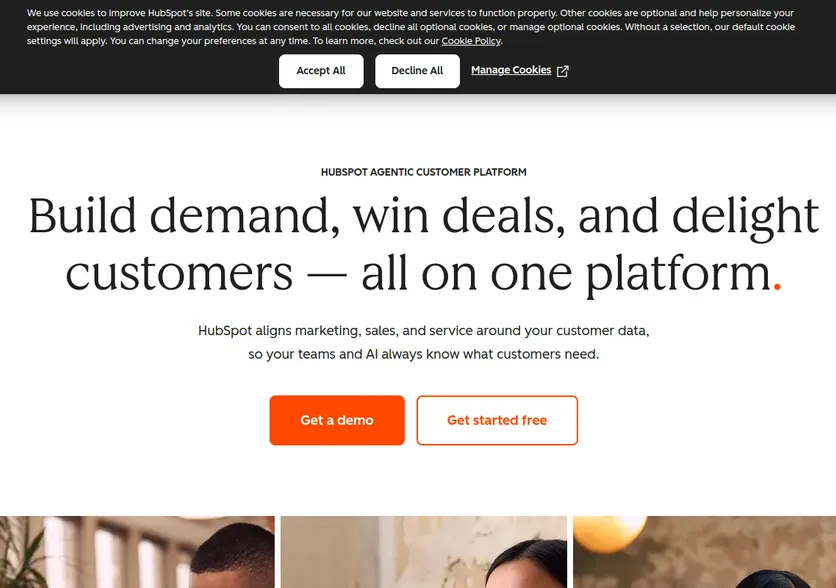
This HubSpot Marketing Hub gives sales teams one shared record for contacts, email, forms and landing pages, so marketing and sales stop working from separate lists. Starter removes HubSpot branding and adds simple automation, while Professional adds A/B testing, campaign management and custom reporting. The jump to Professional is steep at eight hundred dollars a month plus a three-thousand-dollar onboarding fee, so most small teams stay on Starter.
What we like
- CRM, email, forms and landing pages share one contact record
- Free tools cover CRM and email with no card required
- Scales from a one-seat Starter to full enterprise marketing
Watch out for
- Professional costs $800 a month plus a $3,000 onboarding fee
- A/B testing and multi-step automation wait for Professional
How to try it
- Start with the free CRM and import contacts with lifecycle stages
- Move to Starter once HubSpot branding must come off emails
- Price Professional with onboarding before promising it internally
3. Klaviyo
Best for: an online store that lives on triggered email for sales teams
Paid tool Starting price: $20/month · Twenty dollars a month for the Email plan at 500 active profiles, with 5,000 emails a month; thirty dollars at 1,000 profiles, one hundred dollars at 5,000 and one hundred and fifty dollars at 10,000, with no annual discount
Free plan: Free plan for up to 250 active profiles and 500 emails a month
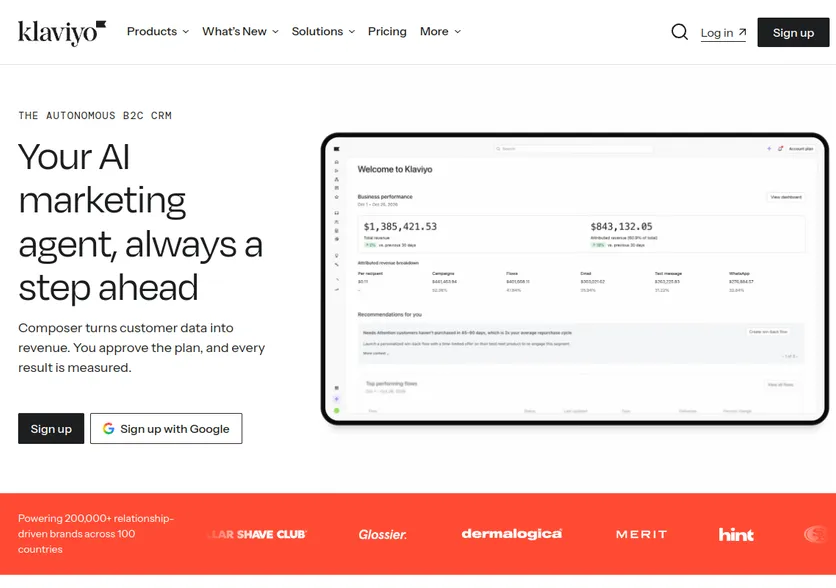
This Klaviyo fits sales teams that sell online, because it syncs orders and browsing behaviour and turns them into triggered emails automatically. The Email plan includes 100 segmentation conditions, pre-built flows for abandoned carts and win-backs, and revenue reporting per campaign. Billing follows active profiles, so a list full of unengaged contacts costs more until those profiles are suppressed.
What we like
- Best ecommerce triggers here, built on live order data
- 100 segmentation conditions on the entry plan
- Revenue attributed to each campaign and flow
Watch out for
- No annual discount, so the monthly price never drops
- Unengaged profiles raise the bill until suppressed
How to try it
- Connect the store first so orders and browsing sync in
- Switch on the abandoned-cart and win-back flows
- Suppress unengaged profiles before the list grows
4. Mailchimp
Best for: a first email programme with no dedicated marketer for sales teams
Paid tool Starting price: $13/month · Thirteen dollars a month for Essentials on monthly billing at 500 contacts, with 5,000 sends a month; Standard costs twenty dollars a month, Premium costs three hundred and fifty dollars a month, and annual billing drops Essentials to about eleven dollars a month
Free plan: Free plan for up to 250 contacts and 500 sends a month; 14-day free trial on paid plans
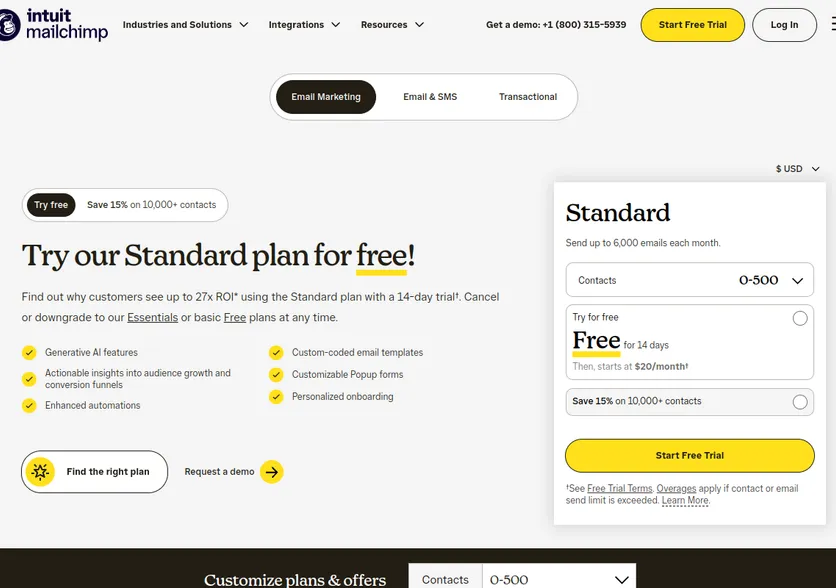
This Mailchimp gives sales teams a familiar drag-and-drop editor, ready-made templates and simple automations that a small team can run without hiring a marketer. Segmentation, A/B testing and send-time optimisation sit on the Standard plan, while the free plan covers a first newsletter and a signup form. The bill climbs steeply as the list grows, so a list that passes 5,000 contacts costs seventy-five dollars a month on Essentials and one hundred dollars on Standard.
What we like
- Huge template library and the easiest editor in this comparison
- Strong deliverability record and 250-plus integrations
- Free plan covers a first newsletter and signup form
Watch out for
- Prices rise steeply once the list passes 5,000 contacts
- Automation and send-time optimisation wait for Standard
How to try it
- Start on the free plan and import the contact list with tags
- Build one welcome automation before sending the first campaign
- Check the price at the next contact tier before the list grows
5. GetResponse
Best for: landing pages and funnels alongside email for sales teams
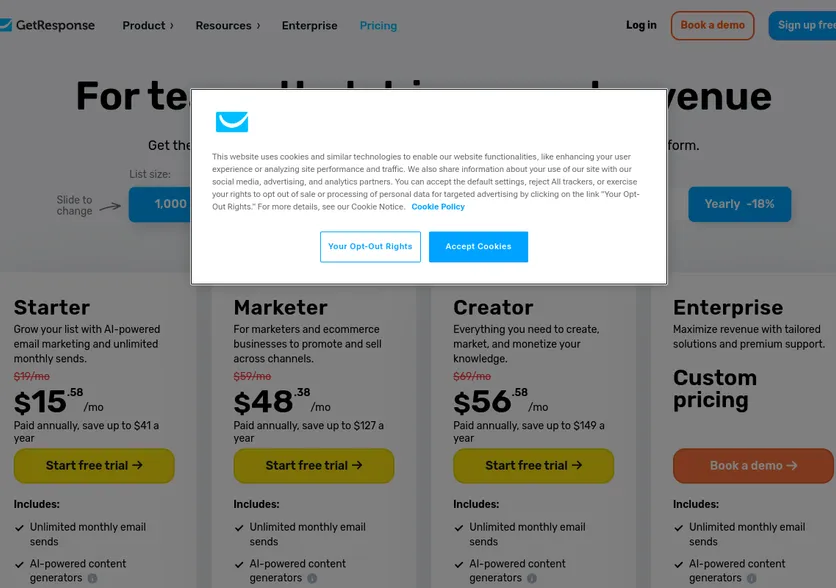
Paid tool Starting price: $19/month · Nineteen dollars a month for Starter on monthly billing at 1,000 contacts, or fifteen dollars and fifty-eight cents billed annually; Marketer costs fifty-nine dollars a month and Creator costs sixty-nine dollars a month
Free plan: Free plan for up to 500 contacts and 2,500 emails a month
This GetResponse gives sales teams unlimited sends, autoresponders, landing pages and an AI content generator on the entry Starter plan. Starter allows exactly one custom automation workflow, so serious automation needs Marketer at fifty-nine dollars a month with unlimited workflows and abandoned-cart recovery. Creator adds webinars, a website builder and a course creator for up to 500 students, which suits teams that also teach or run events.
What we like
- Unlimited sends and 24/7 live chat on every paid plan
- Landing pages, funnels and AI generators included on Starter
- Creator adds webinars and a course builder in one bill
Watch out for
- Starter allows only one custom automation workflow
- Marketer costs three times Starter for unlimited workflows
How to try it
- Start on Starter and build the welcome series first
- Count the workflows needed before choosing Starter or Marketer
- Test the webinar tools on Creator only if events are core
6. Brevo
Best for: a big list on a small budget for sales teams
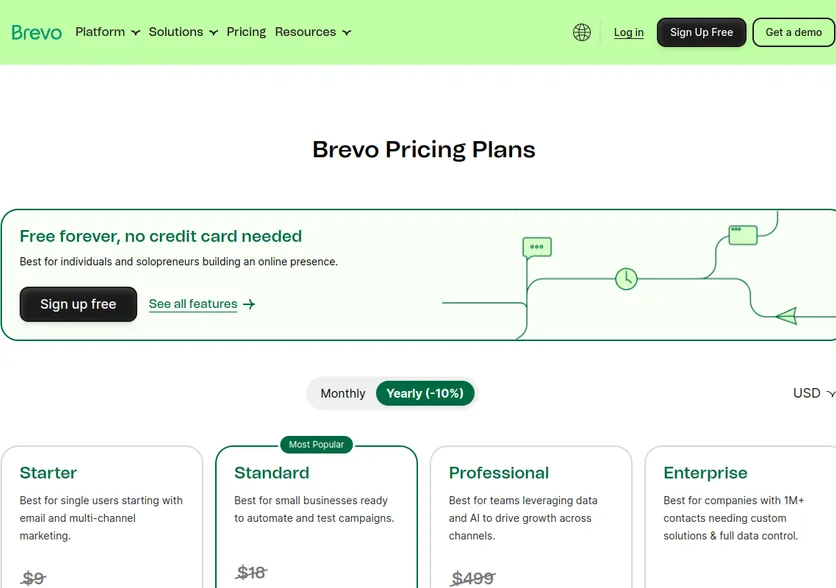
Paid tool Starting price: $9/month · Nine dollars a month for Starter on monthly billing, covering 5,000 emails a month with unlimited contacts; Standard costs eighteen dollars a month, Professional costs four hundred and ninety-nine dollars a month, and annual billing takes ten percent off
Free plan: Free plan sends up to 300 emails a day with up to 100,000 contacts
This Brevo suits sales teams that send a lot of email to a big list, because Brevo charges by emails sent rather than by contacts stored. Starter covers 5,000 emails a month with segmentation, forms and an AI writing assistant, and transactional email is included on every plan. The Brevo logo stays on Starter emails unless a paid add-on removes it, and the entry automation cap covers about 2,000 contacts.
What we like
- Cheapest entry price here, and contacts are unlimited on every plan
- Transactional email included on every plan at no extra cost
- SMS and WhatsApp sit in the same account as email
Watch out for
- Starter emails carry Brevo branding unless you pay to remove it
- Automation is capped at about 2,000 contacts on Starter
How to try it
- Pick Starter and set the monthly email volume for the list
- Connect the website form so new contacts land in one list
- Upgrade to Standard once automation or branding removal matters
7. Omnisend
Best for: email plus SMS and push from one account for sales teams
Paid tool Starting price: $16/month · Sixteen dollars a month for Standard on monthly billing at 500 contacts, with 6,000 emails a month, or thirteen dollars billed annually; Pro costs fifty-nine dollars a month with unlimited emails and SMS credits equal to the plan price
Free plan: Free plan for up to 250 contacts and 500 emails a month
This Omnisend combines email, SMS and web push in one account for sales teams that need to reach customers on more than one channel. Standard includes the full automation suite, forms AI and 24/7 live chat, while Pro adds unlimited emails and SMS credits equal to the monthly plan price. Since May 2026 SMS is a Pro-only channel for new accounts, so a team that wants text reminders must budget for Pro at fifty-nine dollars a month.
What we like
- Email, SMS and web push in one account
- Every feature is available on every plan, including free
- Pro bundles SMS credits equal to the plan price
Watch out for
- SMS moved to the Pro plan for new accounts in May 2026
- The 30 percent three-month prepay price is a one-time offer only
How to try it
- Start free and connect the store or booking system
- Build the welcome and abandoned-browse flows on Standard
- Move to Pro only when SMS reminders are actually needed
8. EngageBay
Best for: a small team that wants CRM plus email cheaply for sales teams
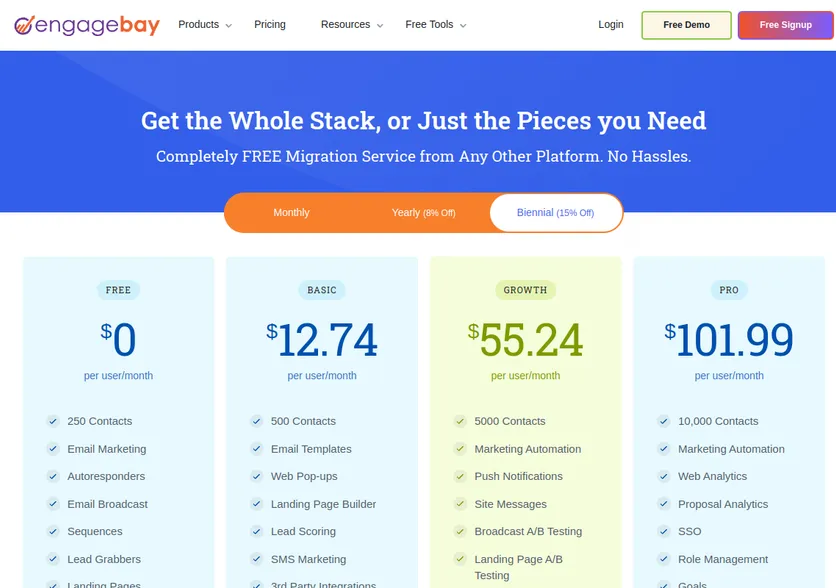
Paid tool Starting price: $13.79/user/month · Thirteen dollars and seventy-nine cents per user a month for Basic billed annually, with 500 contacts; fourteen dollars and ninety-nine cents month to month, or twelve dollars and seventy-four cents on a two-year commitment, while Growth costs fifty-nine dollars and seventy-nine cents billed annually
Free plan: Free plan for up to 250 contacts with email, CRM, helpdesk and live chat
This EngageBay bundles email, CRM, live chat and a helpdesk in one bill for sales teams that want HubSpot-shaped software at a small-business price. Basic covers email templates, landing pages, lead scoring and SMS, while Growth adds marketing automation, A/B testing and a custom domain. The pricing page defaults to a two-year commitment, so the twelve-dollar figure is not the monthly price, and automation waits for Growth.
What we like
- Email, CRM, live chat and helpdesk in one low bill
- Free plan includes the CRM and helpdesk, not just email
- No onboarding fees or mandatory setup charges
Watch out for
- Headline price assumes a two-year commitment
- Marketing automation waits for Growth, a fourfold jump
How to try it
- Start free and set up the CRM with contact stages
- Move to Basic once the list passes 250 contacts
- Price Growth before promising automation to the team
Prices above were checked on each vendor’s own website on Nov 27, 2026 and can change — the vendor’s page is the final word. Vendor links are editorial: nobody paid to be listed or ranked here. Vendors who want a featured listing can see how it works on our Get listed page.
How a sales team should run email that closes deals
Build sequences around behaviour, not around a calendar: a reply, a link click or a pricing-page visit should trigger the next touch, while silence should trigger a break-up email rather than another nudge. Score every lead on engagement and hand the warmest ones to a rep the same day, because a lead that waits a week goes cold. Keep the CRM record honest: every email, call and deal stage in one place, or the pipeline numbers lie.
Send fewer, sharper emails than marketing does, and measure meetings booked and deals closed rather than opens. A rep who sends fifty targeted follow-ups a week beats a rep who blasts five thousand strangers. Check the per-seat price carefully on HubSpot and EngageBay, since sales tools charge by user and a growing team multiplies the bill fast.
Before you buy
- Trigger follow-ups from behaviour, not from a fixed calendar
- Score leads on engagement and hand warm ones to reps fast
- Keep every email, call and deal stage on one CRM record
- Measure meetings booked and deals closed, not open rates
- Check the per-seat price before adding reps to the plan
Official websites
Official websites of the products reviewed above. Features and prices were checked against these sites when this guide was written, and they can change, so confirm on the vendor site before you buy.
Frequently asked questions
What is the cheapest email tool for a sales team?
EngageBay Basic costs thirteen dollars and seventy-nine cents per user a month billed annually, and it bundles email, CRM, live chat and a helpdesk in one bill. ActiveCampaign Starter costs fifteen dollars a month billed annually for 1,000 contacts, and Brevo Starter costs nine dollars a month for 5,000 emails. The cheapest honest choice depends on team size, because per-seat tools multiply with every rep while contact-priced tools do not.
Do sales teams need marketing automation or just a CRM?
They need both, because a CRM without automation leaves follow-up to memory, and automation without a CRM leaves the pipeline blind. ActiveCampaign pairs multi-step automation with a built-in marketing CRM for fifteen dollars a month, and HubSpot keeps contacts, email and deals on one record from fifteen dollars per seat a month. The test is simple: does a reply automatically update the deal, or does a rep have to type it in?
How do you stop sales emails going to spam?
Send to opted-in lists only, warm up any new sending domain slowly, and keep the list clean of bounced and unengaged addresses. ActiveCampaign and other tools here all support authentication, but no tool can save a list bought from a broker or scraped from the web. The strongest protection is behaviour: targeted follow-ups to people who asked to hear from you almost never trigger spam complaints.
What is lead scoring and which tool does it best?
Lead scoring ranks each contact by engagement, such as opens, clicks, site visits and replies, so reps call the warmest leads first. ActiveCampaign Plus adds lead scoring for forty-nine dollars a month, HubSpot Professional adds it at eight hundred dollars a month, and EngageBay Basic includes lead scoring for under fourteen dollars per user a month. For a small team, EngageBay is the cheapest route to scoring that actually works.
How many follow-up emails should a sales sequence have?
Four to six touches over two to three weeks is the right shape for most deals: an opening value email, a case study, a useful resource, a direct question and a break-up email that closes the loop. More than six and replies fall off a cliff, while fewer than three leaves deals on the table. Let the sequence stop automatically the moment a prospect replies, so no lead ever gets a follow-up after they already answered.
Compare the eight tools above, then build one four-step follow-up sequence and measure meetings booked, not opens.
Browse Business Tools tools