On this page
Universities email everyone: prospective students, current students, alumni, parents and staff, each with different news and different rules. The tool has to keep those audiences separate, handle big lists without breaking the budget, and give the marketing team real reporting. We compared eight tools on published price, audience management and how well they scale to tens of thousands of contacts. HubSpot Marketing Hub is our first pick — its shared CRM record keeps every audience in order.
How we researched this
We started with the email tools a university marketing team can run across many audiences, then read each price on the vendor site on November 27, 2026 and noted the free plan or trial each one carries. We judged them for an institution that needs separate lists for applicants, students, alumni and staff, with published pricing it can budget around. We dropped quote-only higher-education suites and single-list tools because a university needs scale, segmentation and a price it can defend to a committee.
Compare the tools
| Name | Best for | Starting price | Free plan | |
|---|---|---|---|---|
 HubSpot Marketing Hub | a team that wants CRM and email in one place for universities | $15/seat/month | Free tools include CRM and email marketing for up to 2,000 sends a month | Visit |
 Mailchimp | a first email programme with no dedicated marketer for universities | $13/month | Free plan for up to 250 contacts and 500 sends a month; 14-day free trial on paid plans | Visit |
 ActiveCampaign | follow-up sequences that react to contact behaviour for universities | $15/month | No free plan; 14-day free trial | Visit |
 Brevo | a big list on a small budget for universities | $9/month | Free plan sends up to 300 emails a day with up to 100,000 contacts | Visit |
 GetResponse | landing pages and funnels alongside email for universities | $19/month | Free plan for up to 500 contacts and 2,500 emails a month | Visit |
 MailerLite | a small team that sends often for universities | $10/month | Free plan for up to 500 subscribers and 12,000 emails a month | Visit |
 AWeber | a first list with no marketing specialist for universities | $12.50/month | Free plan for up to 500 subscribers and 3,000 sends a month; 14-day trial on paid plans | Visit |
 EngageBay | a small team that wants CRM plus email cheaply for universities | $13.79/user/month | Free plan for up to 250 contacts with email, CRM, helpdesk and live chat | Visit |
The email marketing software for universities, compared
1. HubSpot Marketing Hub
Best for: a team that wants CRM and email in one place for universities
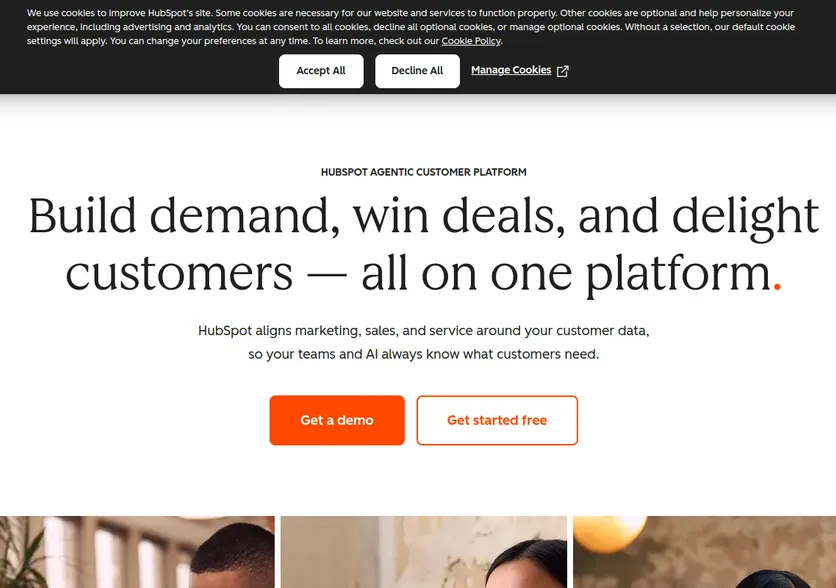
Paid tool Starting price: $15/seat/month · Fifteen dollars per seat a month for Starter billed annually, or twenty dollars month to month, with 1,000 marketing contacts; Professional costs eight hundred dollars a month billed annually plus a mandatory three-thousand-dollar onboarding fee
Free plan: Free tools include CRM and email marketing for up to 2,000 sends a month
This HubSpot Marketing Hub gives universities one shared record for contacts, email, forms and landing pages, so marketing and sales stop working from separate lists. Starter removes HubSpot branding and adds simple automation, while Professional adds A/B testing, campaign management and custom reporting. The jump to Professional is steep at eight hundred dollars a month plus a three-thousand-dollar onboarding fee, so most small teams stay on Starter.
What we like
- CRM, email, forms and landing pages share one contact record
- Free tools cover CRM and email with no card required
- Scales from a one-seat Starter to full enterprise marketing
Watch out for
- Professional costs $800 a month plus a $3,000 onboarding fee
- A/B testing and multi-step automation wait for Professional
How to try it
- Start with the free CRM and import contacts with lifecycle stages
- Move to Starter once HubSpot branding must come off emails
- Price Professional with onboarding before promising it internally
2. Mailchimp
Best for: a first email programme with no dedicated marketer for universities
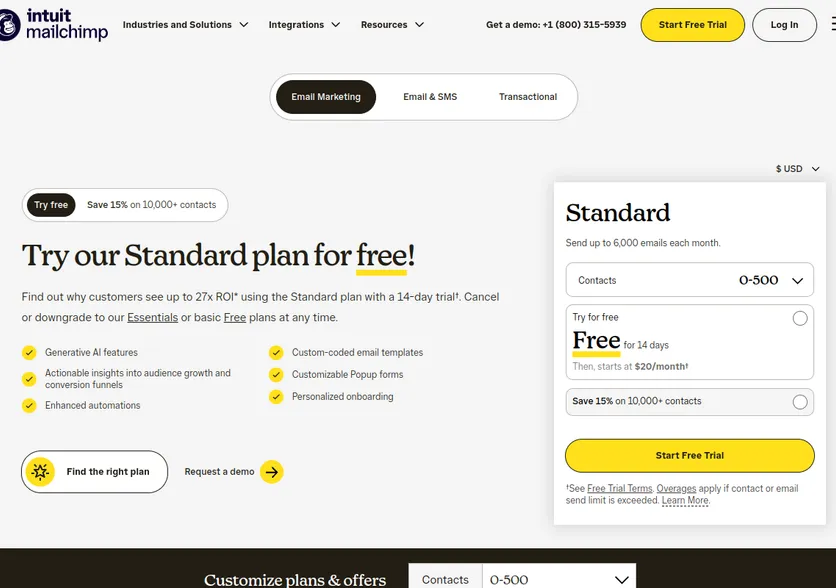
Paid tool Starting price: $13/month · Thirteen dollars a month for Essentials on monthly billing at 500 contacts, with 5,000 sends a month; Standard costs twenty dollars a month, Premium costs three hundred and fifty dollars a month, and annual billing drops Essentials to about eleven dollars a month
Free plan: Free plan for up to 250 contacts and 500 sends a month; 14-day free trial on paid plans
This Mailchimp gives universities a familiar drag-and-drop editor, ready-made templates and simple automations that a small team can run without hiring a marketer. Segmentation, A/B testing and send-time optimisation sit on the Standard plan, while the free plan covers a first newsletter and a signup form. The bill climbs steeply as the list grows, so a list that passes 5,000 contacts costs seventy-five dollars a month on Essentials and one hundred dollars on Standard.
What we like
- Huge template library and the easiest editor in this comparison
- Strong deliverability record and 250-plus integrations
- Free plan covers a first newsletter and signup form
Watch out for
- Prices rise steeply once the list passes 5,000 contacts
- Automation and send-time optimisation wait for Standard
How to try it
- Start on the free plan and import the contact list with tags
- Build one welcome automation before sending the first campaign
- Check the price at the next contact tier before the list grows
3. ActiveCampaign
Best for: follow-up sequences that react to contact behaviour for universities
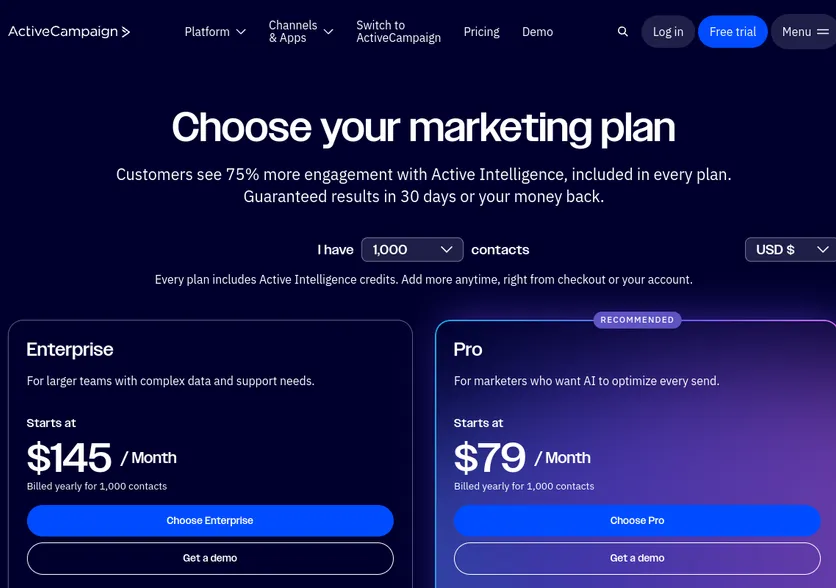
Paid tool Starting price: $15/month · Fifteen dollars a month for Starter billed annually at 1,000 contacts, or nineteen dollars month to month; Plus costs forty-nine dollars a month, Pro costs seventy-nine dollars, and Enterprise costs one hundred and forty-five dollars, all billed annually
Free plan: No free plan; 14-day free trial
This ActiveCampaign is the automation pick for universities that need follow-up sequences tied to what each contact actually does. Starter includes multi-step automation, AI campaign builders and 250-plus templates, while Plus adds landing pages, lead scoring and unlimited automation steps. Since November 2025 new accounts are billed for every contact in the account, including unsubscribed and bounced ones, so list hygiene directly affects the bill.
What we like
- Deepest automation in this comparison at the entry price
- Built-in marketing CRM keeps contacts and deals together
- Predictive sending and attribution on the Pro plan
Watch out for
- No free plan, only a 14-day trial
- New accounts are billed for unsubscribed and bounced contacts too
How to try it
- Start the 14-day trial and build one welcome automation
- Tag contacts by behaviour before building longer sequences
- Clean unsubscribed contacts regularly to keep the bill down
4. Brevo
Best for: a big list on a small budget for universities
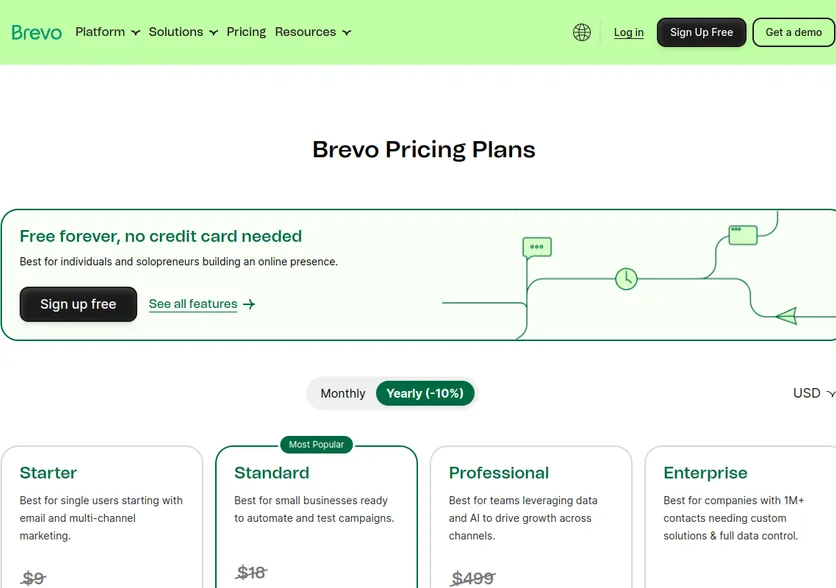
Paid tool Starting price: $9/month · Nine dollars a month for Starter on monthly billing, covering 5,000 emails a month with unlimited contacts; Standard costs eighteen dollars a month, Professional costs four hundred and ninety-nine dollars a month, and annual billing takes ten percent off
Free plan: Free plan sends up to 300 emails a day with up to 100,000 contacts
This Brevo suits universities that send a lot of email to a big list, because Brevo charges by emails sent rather than by contacts stored. Starter covers 5,000 emails a month with segmentation, forms and an AI writing assistant, and transactional email is included on every plan. The Brevo logo stays on Starter emails unless a paid add-on removes it, and the entry automation cap covers about 2,000 contacts.
What we like
- Cheapest entry price here, and contacts are unlimited on every plan
- Transactional email included on every plan at no extra cost
- SMS and WhatsApp sit in the same account as email
Watch out for
- Starter emails carry Brevo branding unless you pay to remove it
- Automation is capped at about 2,000 contacts on Starter
How to try it
- Pick Starter and set the monthly email volume for the list
- Connect the website form so new contacts land in one list
- Upgrade to Standard once automation or branding removal matters
5. GetResponse
Best for: landing pages and funnels alongside email for universities
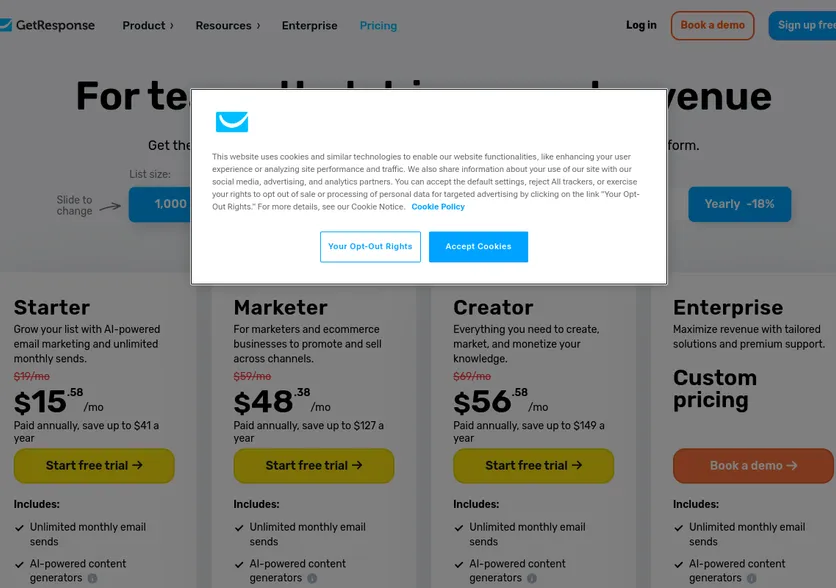
Paid tool Starting price: $19/month · Nineteen dollars a month for Starter on monthly billing at 1,000 contacts, or fifteen dollars and fifty-eight cents billed annually; Marketer costs fifty-nine dollars a month and Creator costs sixty-nine dollars a month
Free plan: Free plan for up to 500 contacts and 2,500 emails a month
This GetResponse gives universities unlimited sends, autoresponders, landing pages and an AI content generator on the entry Starter plan. Starter allows exactly one custom automation workflow, so serious automation needs Marketer at fifty-nine dollars a month with unlimited workflows and abandoned-cart recovery. Creator adds webinars, a website builder and a course creator for up to 500 students, which suits teams that also teach or run events.
What we like
- Unlimited sends and 24/7 live chat on every paid plan
- Landing pages, funnels and AI generators included on Starter
- Creator adds webinars and a course builder in one bill
Watch out for
- Starter allows only one custom automation workflow
- Marketer costs three times Starter for unlimited workflows
How to try it
- Start on Starter and build the welcome series first
- Count the workflows needed before choosing Starter or Marketer
- Test the webinar tools on Creator only if events are core
6. MailerLite
Best for: a small team that sends often for universities
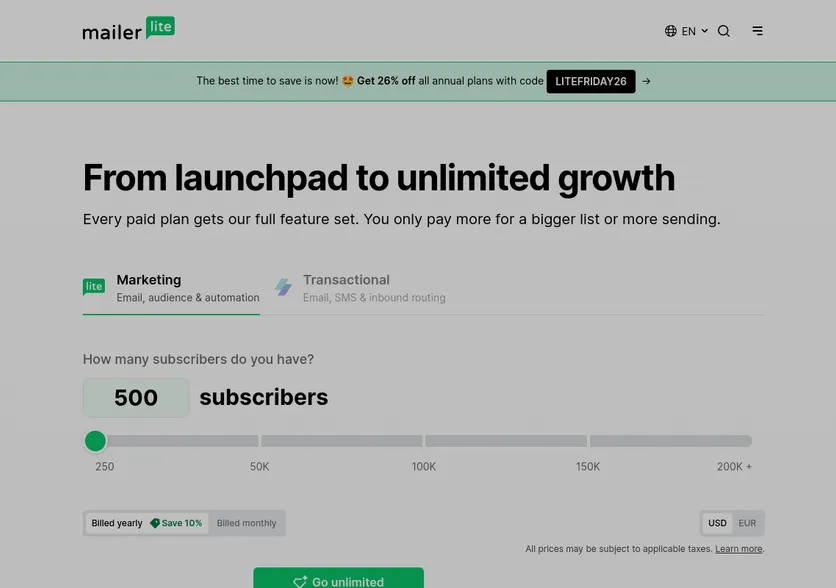
Paid tool Starting price: $10/month · Ten dollars a month for Growing Business on monthly billing at 500 subscribers, with unlimited emails; Advanced costs twenty dollars a month, and annual billing takes ten percent off both plans
Free plan: Free plan for up to 500 subscribers and 12,000 emails a month
This MailerLite gives universities unlimited monthly emails on every paid plan, so a busy sending calendar never triggers an overage charge. Growing Business adds unlimited landing pages, popups and automation, while Advanced adds an AI writing assistant, smart sending and Facebook audiences. The free plan now stops at 500 subscribers, down from 1,000 in 2025, so a growing list moves to paid sooner than it used to.
What we like
- Unlimited monthly emails on every paid plan
- Clean editor and the simplest pricing ladder here
- Landing pages, popups and sites included on paid plans
Watch out for
- Free plan now stops at 500 subscribers, not 1,000
- No built-in CRM depth for sales-led teams
How to try it
- Start free and build the signup form and first landing page
- Move to Growing Business once the list passes 500 subscribers
- Turn on auto-resend to non-openers after the first campaign
7. AWeber
Best for: a first list with no marketing specialist for universities
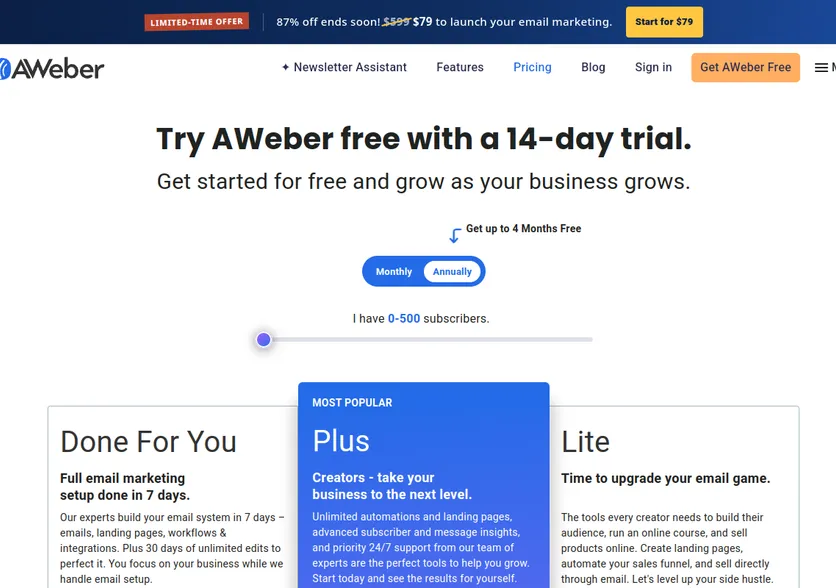
Paid tool Starting price: $12.50/month · Twelve dollars and fifty cents a month for Lite billed annually at 500 subscribers, or fifteen dollars month to month; Plus costs twenty dollars a month billed annually, or thirty dollars month to month, with unlimited lists, automations and users
Free plan: Free plan for up to 500 subscribers and 3,000 sends a month; 14-day trial on paid plans
This AWeber is the steady, beginner-friendly choice for universities that want email done well without learning a complex platform. Lite covers one list, three landing pages, three automations and three users, while Plus removes every quota and adds split testing and advanced reporting. AWeber has sent email since 1998, and its 24/7 support on every plan is a real help for a team with no marketing specialist.
What we like
- 24/7 support on every plan, including the free one
- Simple pricing with no send surprises at the entry tier
- Long track record and a generous free plan
Watch out for
- Lite caps lists, automations and users at three each
- Ecommerce tools carry a transaction fee on paid plans
How to try it
- Start free and import the list with tags for each audience
- Build three automations on Lite before deciding on Plus
- Move to Plus once a second list or split testing is needed
8. EngageBay
Best for: a small team that wants CRM plus email cheaply for universities
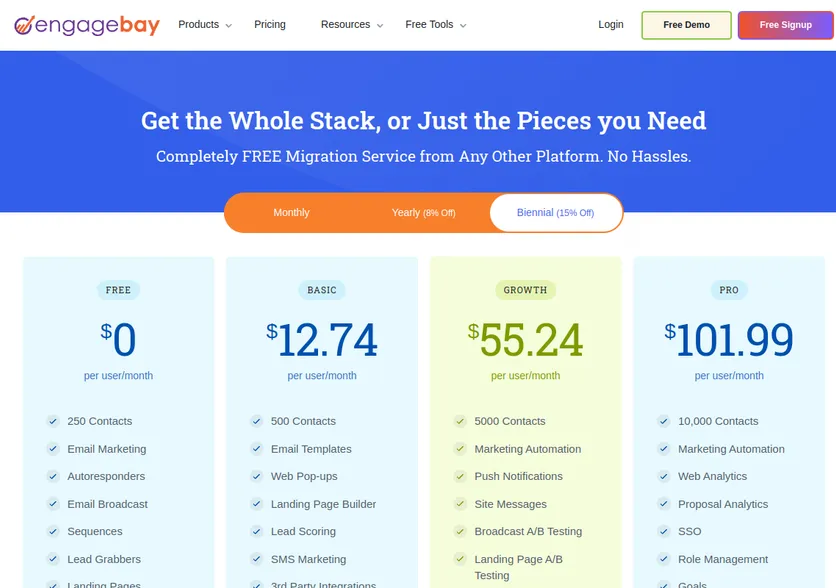
Paid tool Starting price: $13.79/user/month · Thirteen dollars and seventy-nine cents per user a month for Basic billed annually, with 500 contacts; fourteen dollars and ninety-nine cents month to month, or twelve dollars and seventy-four cents on a two-year commitment, while Growth costs fifty-nine dollars and seventy-nine cents billed annually
Free plan: Free plan for up to 250 contacts with email, CRM, helpdesk and live chat
This EngageBay bundles email, CRM, live chat and a helpdesk in one bill for universities that want HubSpot-shaped software at a small-business price. Basic covers email templates, landing pages, lead scoring and SMS, while Growth adds marketing automation, A/B testing and a custom domain. The pricing page defaults to a two-year commitment, so the twelve-dollar figure is not the monthly price, and automation waits for Growth.
What we like
- Email, CRM, live chat and helpdesk in one low bill
- Free plan includes the CRM and helpdesk, not just email
- No onboarding fees or mandatory setup charges
Watch out for
- Headline price assumes a two-year commitment
- Marketing automation waits for Growth, a fourfold jump
How to try it
- Start free and set up the CRM with contact stages
- Move to Basic once the list passes 250 contacts
- Price Growth before promising automation to the team
Prices above were checked on each vendor’s own website on Nov 27, 2026 and can change — the vendor’s page is the final word. Vendor links are editorial: nobody paid to be listed or ranked here. Vendors who want a featured listing can see how it works on our Get listed page.
How a university should organise email across audiences
Keep one list per audience and never mix them: applicants get admissions news, students get term updates, alumni get giving and reunion news, and staff get internal notices. A mixed list is how an applicant receives a staff memo and an alumnus receives a first-year welcome. Tag contacts by programme, year and campus so a message reaches the right cohort without a manual sort.
Send on a fixed calendar that respects the academic year, with admissions mail heaviest in application season and quiet in exam weeks. Price the plan at the full contact count across all audiences, since university lists run into tens of thousands and contact-priced tools climb steeply. Brevo, which charges by emails sent, is often the cheapest at that scale.
Before you buy
- Keep one list per audience and never mix applicants with staff
- Tag contacts by programme, year and campus before sending
- Send heaviest in application season and quiet in exam weeks
- Price the plan on the full count across all audiences
- Give each department locked templates to protect the brand
Official websites
Official websites of the products reviewed above. Features and prices were checked against these sites when this guide was written, and they can change, so confirm on the vendor site before you buy.
Frequently asked questions
What is the cheapest email tool for a university?
Brevo Starter costs nine dollars a month for 5,000 emails and stores unlimited contacts, which suits a university whose lists run into tens of thousands. At higher volumes Brevo Starter costs about eighty-two dollars a month for 100,000 emails, while contact-priced tools climb into the hundreds. MailerLite and Mailchimp both price by subscribers, so a university should compare the bill at its full contact count, not at 500.
Which tool is best for student recruitment emails?
HubSpot Marketing Hub is the strongest here, because its shared CRM record tracks an applicant from first enquiry to enrolment, with forms, landing pages and email in one place. ActiveCampaign Starter offers similar journey tracking for fifteen dollars a month billed annually. For most universities, the deciding feature is the CRM record behind the email, not the email editor itself.
How do universities keep alumni emails separate from student emails?
Keep one list per audience, tagged by programme, graduation year and campus, and never send from a mixed list. HubSpot, Mailchimp and ActiveCampaign all support separate audiences with their own templates and senders, and locked templates keep each department on brand. The rule is simple: an alumnus should never receive a first-year welcome, and a student should never receive a reunion appeal.
Can a university use one tool for all departments?
Yes, with discipline: one account, one list per audience, locked templates per department and a central owner who approves new lists. HubSpot scales best for this, with seats and permissions per team, while Mailchimp audiences and Brevo lists handle it more simply. The risk is not the tool but the governance, so name one owner for the account before the first department sends anything.
How often should a university email applicants?
Weekly during application season, with deadline reminders, programme spotlights and student stories, then quiet once the term starts and the applicant becomes a student. Admissions mail should answer the question the applicant has right now, not repeat the prospectus. Automation handles the deadline sequence, and the monthly newsletter keeps the wider list warm without overwhelming anyone.
Compare the eight tools above, then map one list per audience and price the plan at the full contact count.
Browse Business Tools tools