On this page
Field workers do not sit at desks, so engagement has to reach them on a phone, between jobs, in the language of shifts and rosters. The tools below combine scheduling, time tracking, chat and recognition in one mobile app, at prices from one dollar seventy per user per month. Connecteam is our first pick — it puts the schedule, the time clock and the recognition in the same app the crew already carries.
How we researched this
We looked for engagement tools with a published dollar price and a mobile app built for field workers, then read each price on the vendor site on November 27, 2026. We judged them on scheduling, time tracking, chat and recognition, and on the free plan or trial each one carries. Quote-only platforms, and tools with no published price, were left out.
Compare the tools
| Name | Best for | Starting price | Free plan | |
|---|---|---|---|---|
 Connecteam | Field teams that want scheduling, chat and recognition in one app | $29/month | Free Small Business plan: up to 10 users | Visit |
 Homebase | Hourly teams that schedule shifts by the hour at one location | $24/month | Free Basic plan: 1 location, up to 10 team members | Visit |
 Deputy | Field teams that need shifts, time tracking and pay rates together | $5/user/month | No free plan; 31-day free trial | Visit |
 When I Work | Single-location teams that want simple scheduling at a low price | $2.50/user/month | No free plan; 14-day free trial | Visit |
 7shifts | Restaurants and hospitality teams that schedule around labour costs | $39.99/month | Free Comp plan: up to 15 employees | Visit |
 Sling | Field teams that want the cheapest scheduling with free chat | $1.70/user/month | Free scheduling for up to 30 users; 15-day free trial | Visit |
 Planday | Field teams that need shift planning with payroll exports | $2.99/user/month | No free plan; free trial available | Visit |
The employee engagement software for field workers, compared
1. Connecteam
Best for: Field teams that want scheduling, chat and recognition in one app
Paid tool Starting price: $29/month · Twenty-nine dollars a month for the Basic plan covering the first thirty users, billed annually, or thirty-five dollars billed monthly; Advanced costs forty-nine dollars a month and Expert ninety-nine dollars a month; extra users cost fifty to eighty cents each
Free plan: Free Small Business plan: up to 10 users
This Connecteam plan is the field-worker pick here, built for teams that never sit at a desk. It combines scheduling, time tracking, chat and recognition in one mobile app, so a field worker gets everything on the phone they already carry. The free Small Business plan covers up to ten users, which suits a small crew starting out.

What we like
- Scheduling, time tracking, chat and recognition in one mobile app
- Built for workers who never sit at a desk
- Free plan covers up to ten users
Watch out for
- The price rises from Basic to Expert as features grow
- Extra users cost fifty to eighty cents each beyond thirty
How to try it
- Invite the crew to the mobile app and set up the schedule
- Turn on time tracking for the first shift
- Send the first recognition message to a worker on site
2. Homebase
Best for: Hourly teams that schedule shifts by the hour at one location
Paid tool Starting price: $24/month · Twenty-four dollars a month per location for the Essentials plan billed annually, or thirty dollars billed monthly; Plus costs fifty-six dollars a month billed annually and All-in-One ninety-six dollars a month billed annually
Free plan: Free Basic plan: 1 location, up to 10 team members
This Homebase plan is the hourly-team pick here, built for a business that schedules shifts by the hour. It handles scheduling, time clocks and team messaging in one app, and the free Basic plan covers one location with up to ten team members. The price is per location, so a business with several sites should count the locations before committing.

What we like
- Scheduling, time clocks and messaging in one app
- Free Basic plan for one location and ten team members
- Simple enough for a team that has never used scheduling software
Watch out for
- Priced per location, so several sites cost more
- The cheapest paid plan limits some features to Plus
How to try it
- Set up your location and add the first ten team members
- Publish the first weekly schedule in the app
- Turn on the time clock and check the first shift
3. Deputy
Best for: Field teams that need shifts, time tracking and pay rates together
Paid tool Starting price: $5/user/month · Five dollars per user per month for the Lite plan; Core costs six dollars fifty cents and Pro nine dollars per user per month; prices in dollars excluding taxes; a thirty-dollar monthly minimum spend applies
Free plan: No free plan; 31-day free trial
This Deputy plan is the scheduling pick for a field team that needs shifts, time tracking and pay rates in one place. It builds the roster around availability and labour costs, then lets workers swap shifts from their phones. The thirty-dollar monthly minimum spend means a very small team pays thirty dollars even with a few users.

What we like
- Roster built around availability and labour costs
- Workers can swap shifts from their phones
- Time tracking and pay rates in the same system
Watch out for
- Thirty-dollar monthly minimum spend applies
- No free plan, only a thirty-one-day trial
How to try it
- Add your team and set their availability
- Build the first roster and publish it to the app
- Let workers swap a shift and approve it from your phone
4. When I Work
Best for: Single-location teams that want simple scheduling at a low price
Paid tool Starting price: $2.50/user/month · Two dollars fifty cents per user per month for a single location or schedule; multi-location plans cost five dollars per user per month
Free plan: No free plan; 14-day free trial
This When I Work plan is the simple scheduling pick here, at two dollars fifty cents per user per month for a single location. It handles the roster, the time clock and team messaging without the extra features a field team may never use. The price doubles to five dollars per user for multi-location plans, so a business with several sites should check the cost first.

What we like
- Simple roster, time clock and messaging in one app
- Lowest per-user price for a scheduling tool here
- Easy enough to set up in an afternoon
Watch out for
- No free plan, only a fourteen-day trial
- Multi-location plans cost double the single-location price
How to try it
- Add your team and build the first schedule
- Publish the roster to the mobile app
- Turn on the time clock and check the first shift
5. 7shifts
Best for: Restaurants and hospitality teams that schedule around labour costs
Paid tool Starting price: $39.99/month · Thirty-nine dollars ninety-nine cents a month per location for the Essentials plan billed annually, or forty-four dollars ninety-nine cents billed monthly; Pro costs seventy-nine dollars ninety-nine cents and Premium one hundred and thirty-four dollars ninety-nine cents a month billed annually
Free plan: Free Comp plan: up to 15 employees
This 7shifts plan is the restaurant and hospitality pick here, built for a field team that schedules around rush hours and labour costs. It tracks sales and labour together, so a manager can see whether the roster matches the demand. The free Comp plan covers up to fifteen employees, which suits a small restaurant starting out.

What we like
- Scheduling built around sales and labour costs
- Free Comp plan covers up to fifteen employees
- Team messaging included for shift swaps
Watch out for
- Priced per location, so several sites cost more
- The cheapest paid plan limits some reporting to Pro
How to try it
- Set up your location and add the team
- Build the first schedule around the busy hours
- Check the labour cost report after the first week
6. Sling
Best for: Field teams that want the cheapest scheduling with free chat
Paid tool Starting price: $1.70/user/month · One dollar seventy cents per user per month for the Premium plan billed annually, or two dollars billed monthly; Business costs three dollars forty cents a month billed annually and four dollars billed monthly
Free plan: Free scheduling for up to 30 users; 15-day free trial
This Sling plan is the cheapest paid pick here, at one dollar seventy cents per user per month billed annually. It covers scheduling, time tracking and team chat, with free scheduling for up to thirty users. The price is the lowest in this comparison, which suits a field team that wants the basics without paying for extras.

What we like
- Cheapest paid plan here at one dollar seventy a user
- Free scheduling for up to thirty users
- Scheduling, time tracking and chat in one app
Watch out for
- Advanced features need the Business plan
- The interface is simpler than the bigger platforms here
How to try it
- Start on the free plan and add up to thirty users
- Build the first schedule and publish it
- Upgrade to Premium when you need time tracking
7. Planday
Best for: Field teams that need shift planning with payroll exports
Paid tool Starting price: $2.99/user/month · Two dollars ninety-nine cents per user per month for the Starter plan, with a five-user minimum; Plus costs four dollars forty-nine cents per user per month plus a fifteen-dollar monthly fee, with a ten-user minimum; Pro pricing is custom
Free plan: No free plan; free trial available
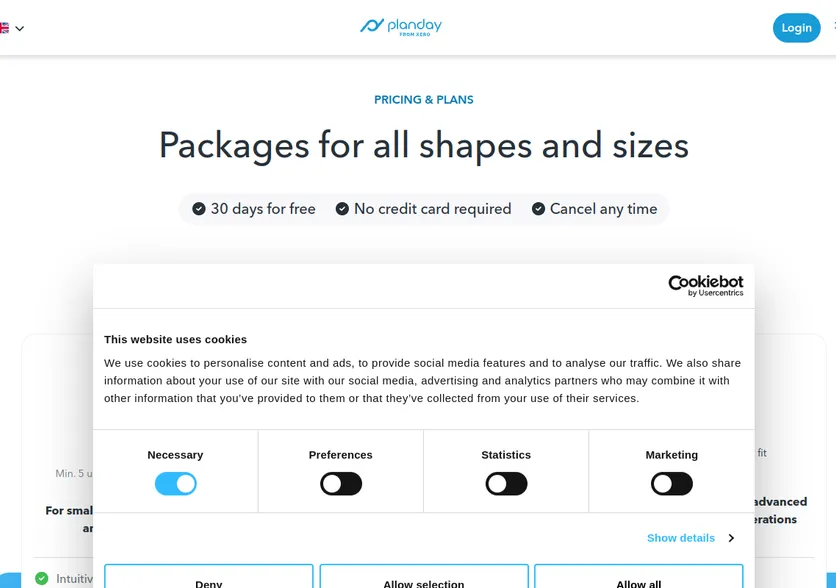
This Planday plan is the shift-planning pick here, built for a field team that needs to match the roster to demand. It handles scheduling, time tracking and payroll exports, and the Starter plan costs two dollars ninety-nine cents per user per month with a five-user minimum. The Plus plan adds a fifteen-dollar monthly fee, so a team should count the total before committing.
What we like
- Scheduling, time tracking and payroll exports in one place
- Starter plan from two dollars ninety-nine a user
- Built for teams that match the roster to demand
Watch out for
- Five-user minimum on the Starter plan
- Plus plan adds a fifteen-dollar monthly fee
How to try it
- Add your team and set the five-user minimum
- Build the first schedule around the busy shifts
- Export the payroll data at the end of the month
Prices above were checked on each vendor’s own website on Nov 27, 2026 and can change — the vendor’s page is the final word. Vendor links are editorial: nobody paid to be listed or ranked here. Vendors who want a featured listing can see how it works on our Get listed page.
How to engage a team that never sits at a desk
Put everything in one app, because a field worker will not open four tools between jobs. Publish the schedule a week ahead, let workers swap shifts from their phones, and send recognition in the same app so it reaches the person on site. Keep the messages short: a thank-you that takes ten seconds to read gets read, and a long announcement does not.
Check the price per location as well as per user, because several tools here charge by site and a business with five sites pays five times. Start on the free plan with one location, and only pay once the crew actually uses the app. If the team stops opening it after two weeks, the tool is wrong, not the team.
Before you buy
- Check whether the price is per user, per location or both
- Make sure the app works well on a phone, not just a desktop
- Confirm workers can swap shifts from the app without a manager
- Test the time clock on a real shift before you roll it out
- Start on the free plan with one location before you pay
Official websites
Official websites of the products reviewed above. Features and prices were checked against these sites when this guide was written, and they can change, so confirm on the vendor site before you buy.
Frequently asked questions
What is the cheapest employee engagement software for field workers?
Sling costs one dollar seventy cents per user per month billed annually, the cheapest paid plan here, and its free scheduling covers up to thirty users. When I Work costs two dollars fifty cents per user per month for a single location, and Planday costs two dollars ninety-nine cents per user per month. Connecteam and Homebase both have free plans for up to ten users or team members. For a small field team, Sling is the cheapest paid option.
Do field workers need a different tool from office workers?
Yes, because the work is different. A field worker needs the schedule, the time clock and the chat on a phone, between jobs, with no desk and no laptop. An office worker can open a desktop app for surveys and reviews. The tools here are built for that reality: mobile-first, simple to use on site, and priced per location or per user for a scattered team.
What is the difference between Connecteam and Homebase?
Connecteam is built for field teams that never sit at a desk: it combines scheduling, time tracking, chat and recognition in one mobile app, with a free plan for up to ten users. Homebase is built for hourly teams at one location: it handles scheduling, time clocks and messaging, with a free plan for one location and ten team members. Connecteam costs twenty-nine dollars a month for thirty users; Homebase costs twenty-four dollars a month per location.
Can workers swap shifts without a manager?
Yes, on most of the tools here. Deputy, When I Work, Sling and Connecteam all let workers swap shifts from their phones, with the manager approving the swap in the app. That saves the manager hours of phone calls and texts every week. Check the approval flow before you roll it out, because a swap that nobody approves leaves a shift uncovered.
How do I know if the team actually uses the app?
Check the usage after two weeks: how many workers opened the schedule, how many clocked in through the app, and how many read the recognition messages. If the numbers are low, ask the team why, because the tool may be too complex or the phone signal may be poor on site. A tool the team stops opening after two weeks is the wrong tool, no matter how good the price is.
Start on a free plan with one location, publish the first schedule in the app, and only pay once the crew actually uses it.
Browse Business Tools tools