On this page
After a collision, a trucking fleet needs three things fast: a clear record of what happened, photos and inspection notes tied to the truck, and a repair trail an insurer will accept. The tools below do that job from different angles, from maintenance records to dashcam video. Fleetio leads the list because it puts accident records, work orders and repair history on the same vehicle record for four dollars a vehicle a month, and the other seven tools are ranked on the same practical test: how quickly the facts of an incident become a usable record.
How we researched this
We checked every price on the vendor pricing page on November 27, 2026, and only included tools with a published US dollar list price and a free trial or free plan. The big telematics names in this category, including Samsara, Motive, Geotab, Lytx and Netradyne, publish no prices, so they are not in this list. Prices change, so confirm the current figure on the vendor site before you buy.
Compare the tools
| Name | Best for | Starting price | Free plan | |
|---|---|---|---|---|
 Fleetio | Trucking fleets that want accident records beside maintenance and repair history | $4/vehicle per month | Free trial | Visit |
 Whip Around | Fleets that need fast driver inspections with photos after an incident | $5/asset/month | Free Basic plan for one asset and one user | Visit |
 AUTOsist | Small fleets that want a simple accident log with maintenance records | $3–$6/vehicle per month | Free trial | Visit |
 Azuga | Fleets that want dashcam video plus driver scoring on a published price | $25/vehicle per month | Free demo | Visit |
| EROAD | Carriers that want crash clips and ELD compliance in one system | $25/vehicle/month | No free plan; demo available | Visit |
 Linxup | Small to mid-size fleets that want tracking plus optional dashcams | $25/vehicle per month | Free demo | Visit |
 One Step GPS | Small fleets that want cheap tracking with a dashcam option | $13.95/vehicle/month | No free plan; 100-day money-back guarantee | Visit |
| Driveroo | Fleets that want guided photo inspections after damage | $5/asset/month | No free plan; free trial available | Visit |
The fleet accident management software for trucking fleets, compared
1. Fleetio
Best for: Trucking fleets that want accident records beside maintenance and repair history
Paid tool Starting price: $4/vehicle per month · Four dollars per vehicle per month billed annually on the Essential plan (five dollars on monthly billing); Professional is seven dollars and Premium is ten dollars per vehicle per month
Free plan: Free trial
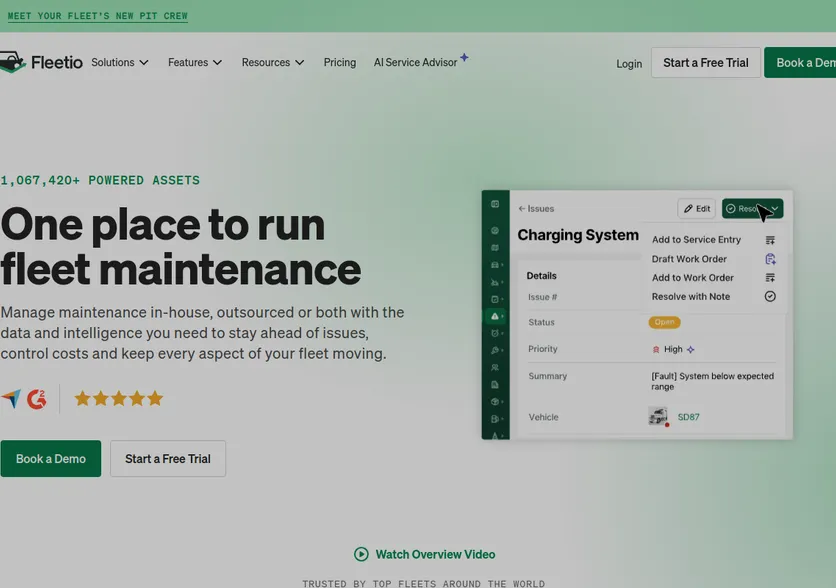
This Fleetio plan costs four dollars per vehicle per month billed annually, and it keeps accident records on the same vehicle record as inspections, work orders and repair history. When a truck is damaged, the repair follows the same trail as any other maintenance job, so the cost and the downtime sit next to the incident itself. That matters at renewal time, when an insurer asks for a clean account of what happened and what it cost to fix.
What we like
- Accident records sit beside maintenance and repair history
- Work orders turn damage into a tracked repair job
- Downtime and cost reports support insurance renewals
Watch out for
- Video evidence needs a separate dashcam or telematics integration
- The entry plan is maintenance-first, not a claims system
How to try it
- Open the vehicle record and log the accident with the date, location and driver involved
- Attach photos and the inspection report, then raise a work order for the repair
- Track the repair to completion and keep the cost and downtime on the same record
2. Whip Around
Best for: Fleets that need fast driver inspections with photos after an incident
Paid tool Starting price: $5/asset/month · Five dollars per asset per month on the Standard plan; Pro is ten dollars per asset per month billed annually, and a free Basic plan covers one asset and one user
Free plan: Free Basic plan for one asset and one user
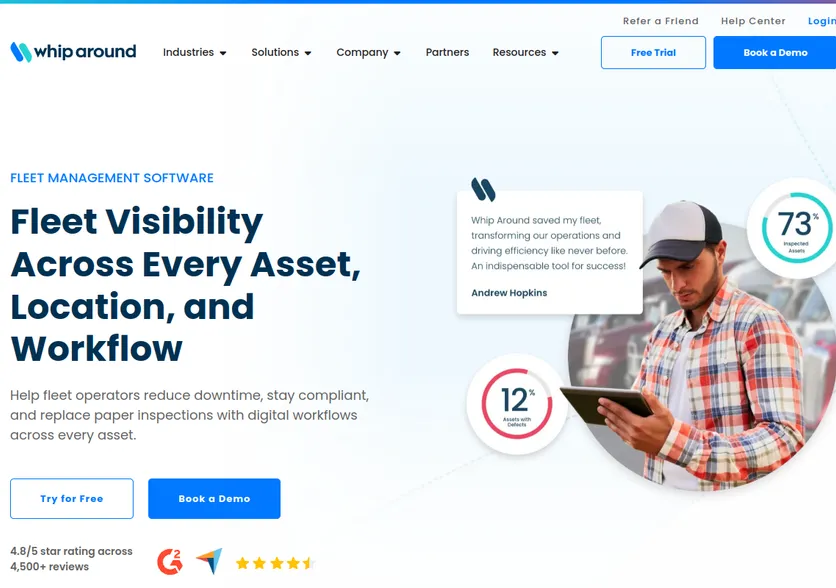
This Whip Around plan costs five dollars per asset per month, and it turns driver inspections into the first accident record. A driver photographs damage on a phone, reports the defect on the spot, and the report becomes a work order without a paper form. Licenses, permits and insurance records live in the same system, so the paperwork an insurer asks for is already filed.
What we like
- Phone inspections capture damage with photos immediately
- Defects flow into work orders without retyping
- Insurance and permit documents are stored in one place
Watch out for
- The free Basic plan covers only one asset and one user
- Deeper maintenance reporting needs the Pro plan
How to try it
- Send the driver a digital inspection form to complete at the scene
- Photograph the damage and file the defect report from the phone
- Convert the defect into a work order and track the repair
3. AUTOsist
Best for: Small fleets that want a simple accident log with maintenance records
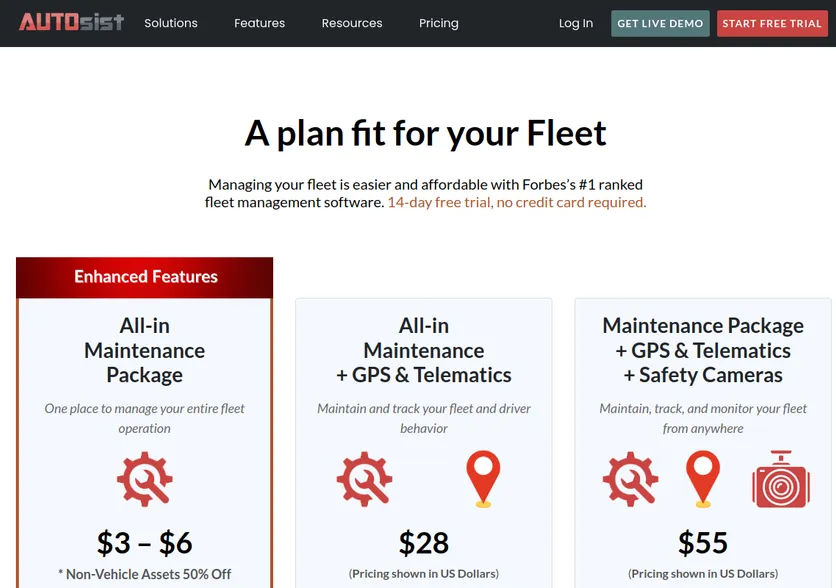
Paid tool Starting price: $3–$6/vehicle per month · Three to six dollars per vehicle per month billed annually on the All-in Maintenance package, with a fifty-nine dollar monthly minimum; monthly billing is fifteen percent higher, and the maintenance-plus-GPS package is twenty-eight dollars per vehicle per month
Free plan: Free trial
This AUTOsist package costs three to six dollars per vehicle per month billed annually, and it consolidates accident data so the whole history is easy to retrieve. A fleet can pull the accident record for a truck or a driver when it reviews performance, and the same system holds service history, inspections and fuel records. It is a records tool rather than a video system, which suits fleets that want the paperwork straight before they add cameras.
What we like
- Accident Tracking consolidates every incident in one place
- Service, inspection and fuel records share the same system
- Low entry price with a fifty-nine dollar monthly minimum
Watch out for
- No video or dashcam evidence on the maintenance package
- GPS tracking and cameras cost more on higher packages
How to try it
- Log the accident against the vehicle with the date and driver
- Attach the inspection notes and any photos to the same record
- Pull the accident history when you review driver performance
4. Azuga
Best for: Fleets that want dashcam video plus driver scoring on a published price
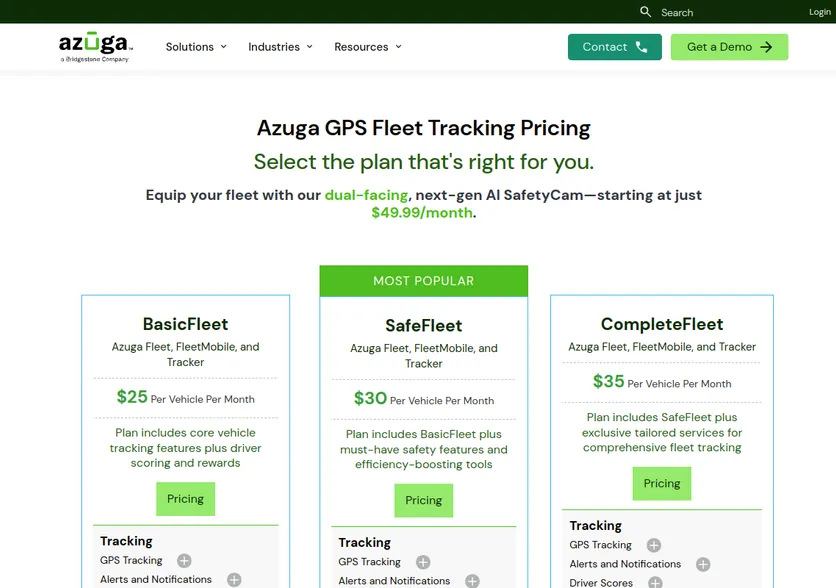
Paid tool Starting price: $25/vehicle per month · Twenty-five dollars per vehicle per month on the BasicFleet plan; SafeFleet is thirty dollars and CompleteFleet is thirty-five dollars, and the SafetyCam AI dash cameras are a paid add-on per vehicle on top of the tracking plans
Free plan: Free demo
This Azuga plan costs twenty-five dollars per vehicle per month, and its SafetyCam AI cameras watch the road and the driver for the events that cause accidents. Collision reconstruction on the top tier rebuilds what happened from the footage, which is exactly what an insurer wants after a crash. Driver scores and rewards run on every plan, so coaching starts before the next incident rather than after it.
What we like
- Dual-facing AI cameras record road and driver events
- Collision reconstruction is included on the top tier
- Driver scores and rewards run on every plan
Watch out for
- The SafetyCam AI camera is a paid add-on per vehicle
- Contracts can run for several years with renewal increases
How to try it
- Fit the SafetyCam AI camera and add it to the tracking plan
- Review flagged driving events and collision clips in the dashboard
- Coach the lowest-scoring drivers with the footage as evidence
5. EROAD
Best for: Carriers that want crash clips and ELD compliance in one system
Paid tool Starting price: $25/vehicle/month · Twenty-five dollars per vehicle per month with a hardware purchase, or thirty-five dollars without hardware for qualifying fleets; the Clarity Dashcam uploads twenty-second crash clips for incident review
Free plan: No free plan; demo available
This EROAD plan costs twenty-five dollars per vehicle per month with a hardware purchase, and its Clarity Dashcam uploads twenty-second clips around crash events. Those clips go straight into incident review, insurance claims and driver coaching, without anyone pulling a memory card from a truck. The same subscription covers ELD compliance, DVIR inspections and dispatch, so the accident record sits beside the hours and inspection data for the same day.
What we like
- Crash clips upload automatically for incident review
- ELD, DVIR and dispatch share one subscription
- Footage feeds driver coaching and reward programs
Watch out for
- The headline price needs a hardware purchase
- Video is event-based rather than continuous recording
How to try it
- Fit the EROAD device and enable the Clarity Dashcam
- Pull the crash clip after an event and file it with the incident report
- Use the clip in coaching and in the insurance claim
6. Linxup
Best for: Small to mid-size fleets that want tracking plus optional dashcams
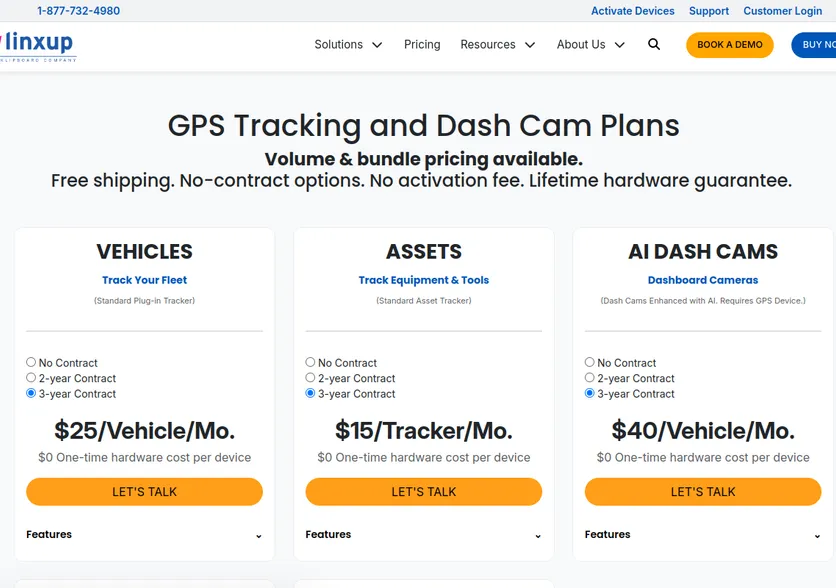
Paid tool Starting price: $25/vehicle per month · Twenty-five dollars per vehicle per month; GPS hardware is sixty-nine dollars one time with no contract, twenty-nine dollars on a two-year term or free on a three-year term, and the LinxCam AI dash cameras are priced as an add-on
Free plan: Free demo
This Linxup plan costs twenty-five dollars per vehicle per month, and it pairs live GPS tracking with optional AI dash cameras. When an incident happens, the location, speed and video evidence sit in one dashboard instead of three different systems. Hardware is sixty-nine dollars one time with no contract, or free on a three-year term, which keeps the start-up cost visible before a fleet commits.
What we like
- Live tracking and dashcam video share one dashboard
- Hardware terms are published and easy to compare
- An FMCSA-registered ELD is available from the same vendor
Watch out for
- Dash cameras are an add-on, not in the base price
- No free plan, only a free demo
How to try it
- Install the GPS tracker and add a dash camera where video matters
- Check the vehicle location and speed at the time of the incident
- Save the dashcam clip with the incident record
7. One Step GPS
Best for: Small fleets that want cheap tracking with a dashcam option
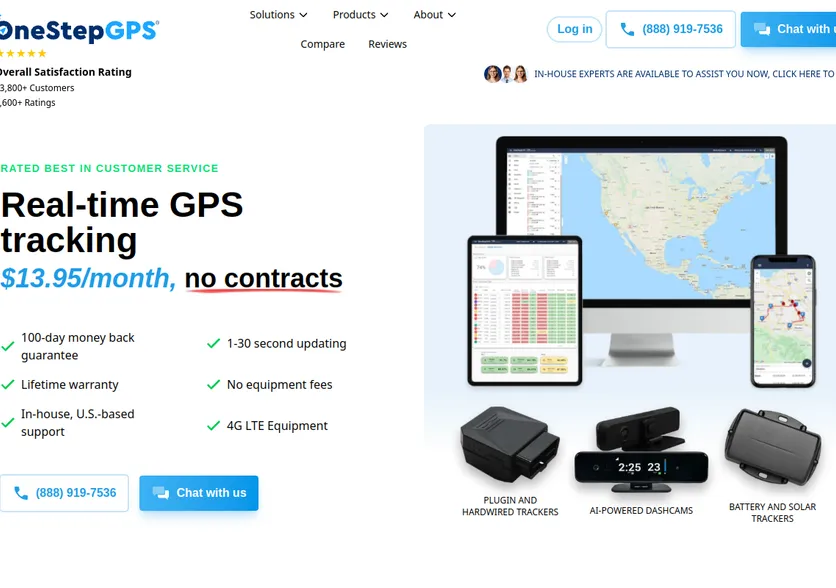
Paid tool Starting price: $13.95/vehicle/month · Thirteen dollars and ninety-five cents per vehicle per month, month to month with no contract; GPS trackers are ninety-five dollars and dash cameras are one hundred and ninety dollars in hardware, and ELD and dashcam options are available
Free plan: No free plan; 100-day money-back guarantee
This One Step GPS plan costs thirteen dollars and ninety-five cents per vehicle per month with no contract, and dash cameras are available as an option. A small carrier can start with live tracking and safety alerts, then add cameras only on the trucks that need video evidence. The month-to-month billing means a fleet can try the system for a season without signing a multi-year agreement.
What we like
- Month-to-month billing with no long contract
- Dash cameras and ELD are available as options
- A hundred-day money-back guarantee lowers the risk
Watch out for
- The camera hardware costs extra per unit
- No free plan, only the money-back guarantee
How to try it
- Fit the tracker and add a dash camera on the trucks that need video
- Review speed and safety alerts after any incident
- Export the location and event history for the insurance file
8. Driveroo
Best for: Fleets that want guided photo inspections after damage
Paid tool Starting price: $5/asset/month · Five dollars per asset per month on the Essentials plan; Pro is seven dollars per asset per month, and the guided visual inspection workflow with AI damage review is included
Free plan: No free plan; free trial available
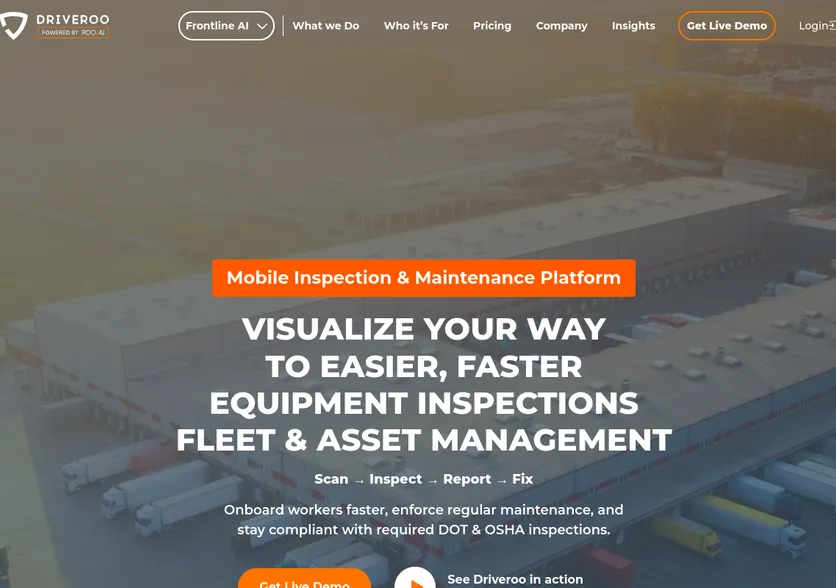
This Driveroo plan costs five dollars per asset per month, and its guided visual inspections walk a driver through photographing damage step by step. AI reviews the inspection photos and flags possible damage, so a dent found at the scene is documented before the truck moves again. The inspection, the photos and the repair workflow live together, which keeps the accident file complete from the first report to the finished repair.
What we like
- Guided photo inspections document damage at the scene
- AI review flags possible damage in photos
- Inspections feed directly into repairs
Watch out for
- No free plan, only a free trial
- Telematics and tracking need a separate system
How to try it
- Open the guided inspection and photograph the damage step by step
- Let the AI review flag damage in the photos
- Send the inspection straight into the repair workflow
Prices above were checked on each vendor’s own website on Nov 27, 2026 and can change — the vendor’s page is the final word. Vendor links are editorial: nobody paid to be listed or ranked here. Vendors who want a featured listing can see how it works on our Get listed page.
How a trucking fleet should handle accidents with software
Start with the record, not the camera. A fleet that logs every incident with a date, driver, photos and a repair work order can answer an insurer in an afternoon, while a fleet with footage and no records still spends days reconstructing the story. Pick one system as the home for accident records and make sure every incident lands there, even minor ones, because small incidents are the pattern that predicts the big one. Add video where it changes an outcome: cameras on trucks with the worst loss history, not on every unit at once. Finally, review the accident file monthly with the drivers involved, because a record nobody reads is just storage.
Before you buy
- Check that accident records, photos and repair work orders live on the same vehicle record
- Confirm whether dashcam video is included in the price or sold as a paid add-on
- Ask how footage and reports export for insurers, including the file format and retention period
- Count the hardware cost per truck separately from the monthly subscription before you compare prices
- Run a trial with one real incident workflow, from driver report to finished repair, before you commit
Official websites
Official websites of the products reviewed above. Features and prices were checked against these sites when this guide was written, and they can change, so confirm on the vendor site before you buy.
Frequently asked questions
What is fleet accident management software for trucking fleets?
It is software that records collisions and damage, ties photos and inspection notes to the truck, and tracks the repair to completion. The tools in this list do that through maintenance records, driver inspections, GPS event data or dashcam video. None of them replaces an insurer, but a complete record makes claims faster and gives a fleet evidence when a driver is not at fault.
Do I need dashcams for accident management, or are records enough?
Records are enough to start, and they are the part insurers ask for first: dates, drivers, photos and repair costs. Dashcams add proof of what happened before impact, which matters when fault is disputed. A practical approach is to keep clean records on every truck and fit cameras first on the units with the worst loss history, then expand if the footage pays for itself.
What does Fleetio cost for accident management?
Fleetio costs four dollars per vehicle per month billed annually on the Essential plan, or five dollars on monthly billing. Professional is seven dollars and Premium is ten dollars per vehicle per month. Accident records, inspections, work orders and repair history share one vehicle record, and a free trial is available before you pay.
Which tool is cheapest for a small trucking fleet?
AUTOsist is cheapest at three to six dollars per vehicle per month billed annually, with a fifty-nine dollar monthly minimum, and Fleetio follows at four dollars per vehicle per month. Whip Around and Driveroo both start at five dollars per asset per month. Compare the total, including any camera hardware, because a cheap subscription with expensive hardware can cost more than a higher subscription with hardware included.
Can these tools help with insurance claims?
Yes, in the practical sense: they give you dated incident records, photos, inspection reports and repair costs in one file, and video tools add crash clips. Insurers still decide the claim, but a complete file shortens the process and supports your version of events. Ask each vendor how reports export and how long footage and records are retained before you rely on it.
Compare the eight tools above, then start with a free trial on the tool that matches how your fleet already records incidents before you pay for a full year.
Browse Business Tools tools