On this page
A remodel schedule lives or dies on the crew calendar. When the electrician, the drywall team and the inspector all need the same Tuesday, a spreadsheet cannot untangle it, and a missed trade sets the whole job back a week. This comparison ranks eight scheduling tools built for general contractors who run remodels. JobTread leads the list because it ties the schedule to the budget and the client in one place, and every tool below is judged on the same test: can it keep trades, clients and photos in step while the job moves?
How we researched this
We checked every price on the vendor pricing page on November 27, 2026, and only included tools with a published US dollar list price. We ranked each tool on schedule clarity, crew and trade coordination, client communication, and how well the schedule connects to the job budget. Tools with quote-only pricing were left out, so every price below can be verified on the vendor site.
Compare the tools
| Name | Best for | Starting price | Free plan | |
|---|---|---|---|---|
 JobTread | Remodelers who want schedule, budget and client in one place | $159/mo | No free plan or trial, demo only | Visit |
 Knowify | Small remodel firms that track job costs against the schedule | $99/mo | Free trial available, no free plan | Visit |
 Fieldwire | Field teams that run the remodel from drawings and checklists | $39/user/mo | Free Basic plan for 5 users and 3 projects | Visit |
 Buildertrend | Established remodel firms that want the full client platform | $449/mo | No free plan, demo available | Visit |
 Contractor Foreman | Small remodelers who want low entry pricing with room to grow | $49/mo | 30-day free trial, no free plan | Visit |
 Buildxact | Remodelers who estimate and schedule from the same takeoff | $169/mo | Free Go plan, pay as you go | Visit |
 Houzz Pro | Remodelers who find clients on Houzz and want leads with the schedule | $199/mo | Free plan available | Visit |
 CompanyCam | Crews that document every remodel day with photos | $79/mo | 14-day free trial, no free plan | Visit |
The general contractor scheduling software for remodels, compared
1. JobTread
Best for: Remodelers who want schedule, budget and client in one place
Paid tool Starting price: $159/mo · Flat plan at one hundred fifty-nine dollars a month billed annually, or one hundred ninety-nine dollars billed monthly; extra users are twenty dollars a month, or sixteen dollars billed annually
Free plan: No free plan or trial, demo only
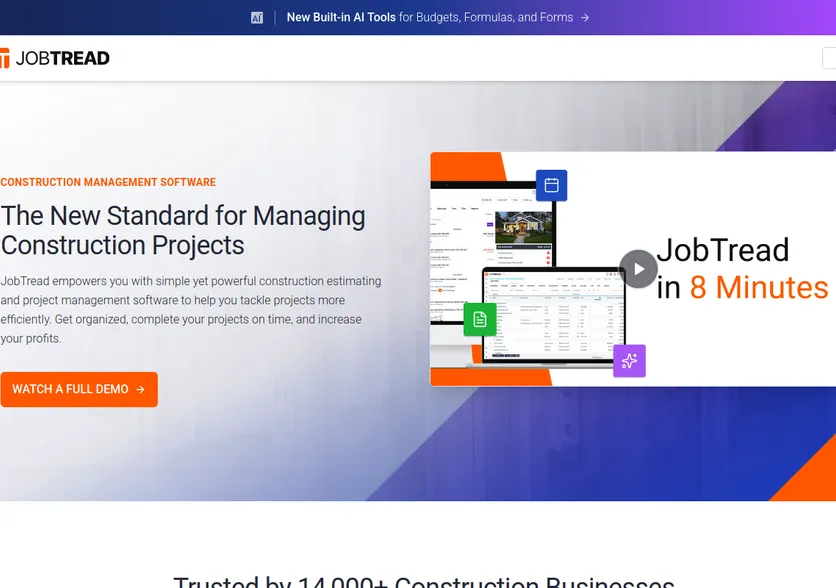
This JobTread plan costs one hundred fifty-nine dollars a month billed annually, and it links the schedule to estimates, budgets and client messages so a date change shows up everywhere at once. Crews see the day plan on their phones, clients see progress without a phone call, and the office sees whether the job is still on budget. It is the most complete remodel package in this list, and the flat price covers the whole team rather than charging per seat.
What we like
- Schedule, budget and client messages in one place
- Flat monthly price rather than per-user billing
- Crew mobile app keeps the field in step
Watch out for
- No free plan or trial, demo only
- Monthly price is the highest flat entry in this list
How to try it
- Create the job with its budget, schedule and client contacts
- Assign each task to a crew member with a date and a location
- Share progress photos and updates with the client from the job
2. Knowify
Best for: Small remodel firms that track job costs against the schedule
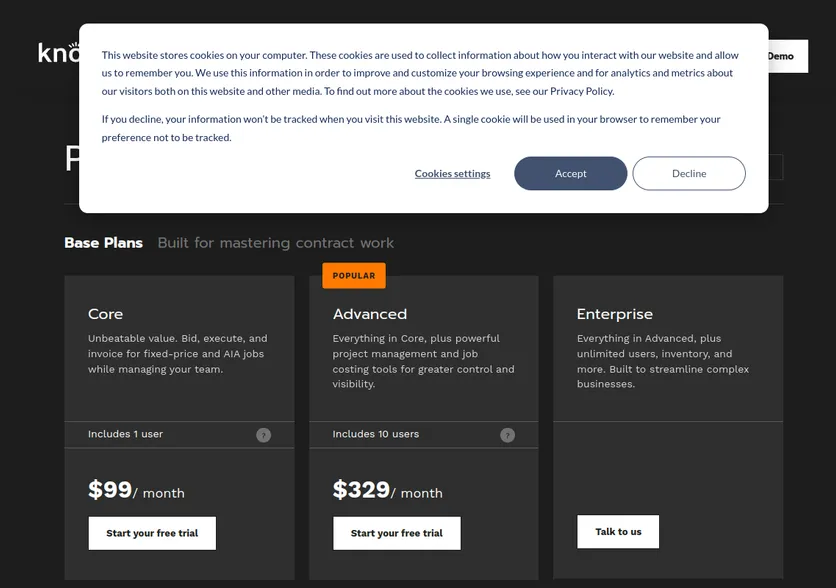
Paid tool Starting price: $99/mo · Core plan at ninety-nine dollars a month billed annually for one user, or one hundred forty-nine dollars billed monthly; Advanced is three hundred twenty-nine dollars a month, and extra users are twenty-nine dollars a month
Free plan: Free trial available, no free plan
This Knowify Core plan costs ninety-nine dollars a month billed annually for one user, and it pairs the job schedule with purchase orders, time tracking and invoicing. A remodeler can see which phase is running, what it has cost so far, and what is left in the budget without opening a second system. It suits small firms that want job costing beside the calendar, though the per-user price climbs fast once the office team grows.
What we like
- Job costing sits beside the schedule
- Purchase orders and invoicing in one job record
- Clear phase view for multi-room remodels
Watch out for
- Per-user pricing climbs fast with office staff
- Core plan covers only one user at the entry price
How to try it
- Set up the job with phases, costs and the schedule
- Log crew hours and purchase orders against each phase
- Send the invoice from the same job record when the phase closes
3. Fieldwire
Best for: Field teams that run the remodel from drawings and checklists
Paid tool Starting price: $39/user/mo · Pro plan at thirty-nine dollars a user a month billed annually, or fifty-four dollars billed monthly; Business is sixty-four dollars and Business Plus is eighty-nine dollars, and a free Basic plan covers five users
Free plan: Free Basic plan for 5 users and 3 projects
This Fieldwire Pro plan costs thirty-nine dollars a user a month billed annually, and it runs the remodel from the drawings: tasks, checklists and photos are pinned to the plan so the crew always works from the latest version. The schedule view shows what is due each day, and the foreman can mark work complete from the field. It is the strongest field-first tool in this list, and the free Basic plan lets a small crew try it before paying.

What we like
- Tasks and photos pinned to the drawings
- Free Basic plan for small crews
- Strong mobile app for the jobsite
Watch out for
- Scheduling is simpler than dedicated planning tools
- Higher plans are needed for deeper reporting
How to try it
- Upload the drawings and pin tasks to the plan
- Assign daily tasks with checklists to the crew
- Mark work complete and attach photos from the field
4. Buildertrend
Best for: Established remodel firms that want the full client platform
Paid tool Starting price: $449/mo · Essential plan at four hundred forty-nine dollars a month billed annually, or four hundred ninety-nine dollars month to month; Advanced is seven hundred ninety-nine dollars and Complete is one thousand ninety-nine dollars, with unlimited users
Free plan: No free plan, demo available
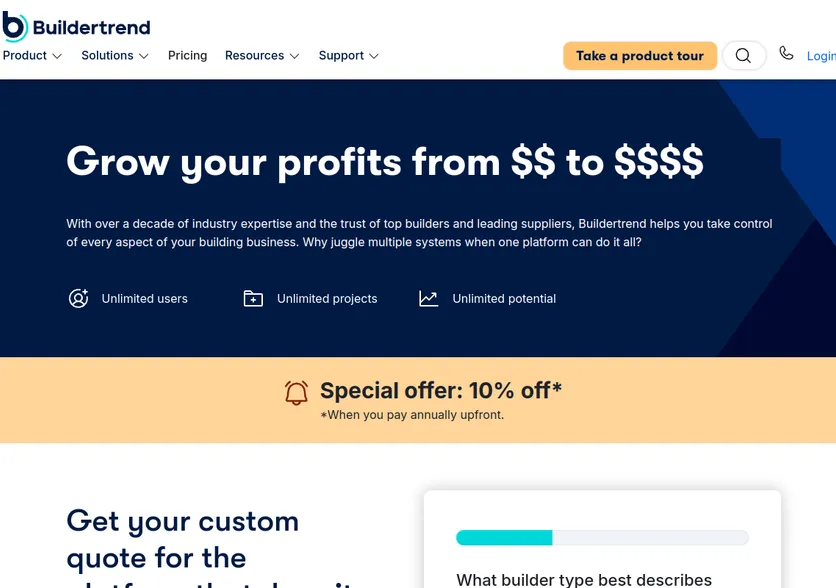
This Buildertrend Essential plan costs about four hundred forty-nine dollars a month billed annually, and it covers the whole remodel business: scheduling, selections, change orders, payments and a client portal. Homeowners pick finishes, approve change orders and see the schedule in one branded place. It suits established firms with steady volume, because the price is high for a small shop but the unlimited users soften the cost as the team grows.
What we like
- Full client portal with selections and payments
- Unlimited users on every plan
- Change orders flow straight into the budget
Watch out for
- Highest entry price in this comparison
- One-time onboarding fee is reported on top of the plan
How to try it
- Build the project schedule with milestones and trades
- Invite the client to pick selections and approve change orders
- Track payments and daily logs against the same project
5. Contractor Foreman
Best for: Small remodelers who want low entry pricing with room to grow
Paid tool Starting price: $49/mo · Basic plan at forty-nine dollars a month billed annually for one user; Standard is one hundred five dollars for three users, Plus is one hundred sixty-six dollars, Pro is two hundred twenty-one dollars and Unlimited is three hundred thirty-two dollars
Free plan: 30-day free trial, no free plan
This Contractor Foreman Basic plan costs forty-nine dollars a month billed annually for one user, and it covers scheduling, estimates, invoices, time tracking and client messaging in a single low-priced package. The step-up plans add users and features in small jumps, so a one-person remodeler can start cheap and grow without switching systems. It is the lowest entry price in this list for a full contractor platform.

What we like
- Lowest entry price for a full contractor platform
- Plans grow in small affordable steps
- Estimates, scheduling and invoicing in one place
Watch out for
- Basic plan covers only one user
- Interface is simpler than the premium rivals
How to try it
- Create the remodel estimate and turn it into a schedule
- Assign tasks and track crew hours against the job
- Send invoices and messages to the client from the same account
6. Buildxact
Best for: Remodelers who estimate and schedule from the same takeoff
Paid tool Starting price: $169/mo · Foundation plan at one hundred sixty-nine dollars a month billed annually, or one hundred ninety-nine dollars billed monthly; Pro is three hundred thirty-nine dollars billed annually and Master is five hundred nine dollars, with unlimited users
Free plan: Free Go plan, pay as you go
This Buildxact Foundation plan costs about one hundred sixty-nine dollars a month billed annually, and it turns a takeoff into an estimate and then into a schedule without retyping numbers. The schedule shows each phase with its costs attached, and the whole team shares the same job file with unlimited users. It suits remodelers who win work on accurate estimates, because the numbers that won the job are the numbers that drive the schedule.

What we like
- Takeoff to estimate to schedule in one flow
- Unlimited users on paid plans
- Free Go plan for occasional use
Watch out for
- Strongest for estimators rather than pure schedulers
- Learning curve is longer than simpler tools
How to try it
- Measure the takeoff and build the estimate from it
- Turn the estimate into a phased schedule
- Track actual costs against the estimate as work progresses
7. Houzz Pro
Best for: Remodelers who find clients on Houzz and want leads with the schedule
Paid tool Starting price: $199/mo · Pro plan at one hundred ninety-nine dollars a month for one user; Teams is three hundred ninety-nine dollars a month for five users, and extra users are fifty dollars a month
Free plan: Free plan available
This Houzz Pro Pro plan costs one hundred ninety-nine dollars a month for one user, and it pairs scheduling and project management with the Houzz marketplace where homeowners already look for remodelers. Leads, estimates, 3D floor plans and the schedule sit in one account, so a job that starts as a Houzz inquiry can run to completion without leaving the platform. It suits firms that already win work through Houzz.

What we like
- Leads and scheduling in the same account
- 3D floor plans included on the plan
- Free plan lets a firm start at no cost
Watch out for
- Best value only for firms that use Houzz for leads
- Conflicting price figures appear in older guides
How to try it
- Capture the lead from Houzz and turn it into a project
- Build the estimate, 3D floor plan and schedule together
- Share progress and photos with the homeowner in the portal
8. CompanyCam
Best for: Crews that document every remodel day with photos
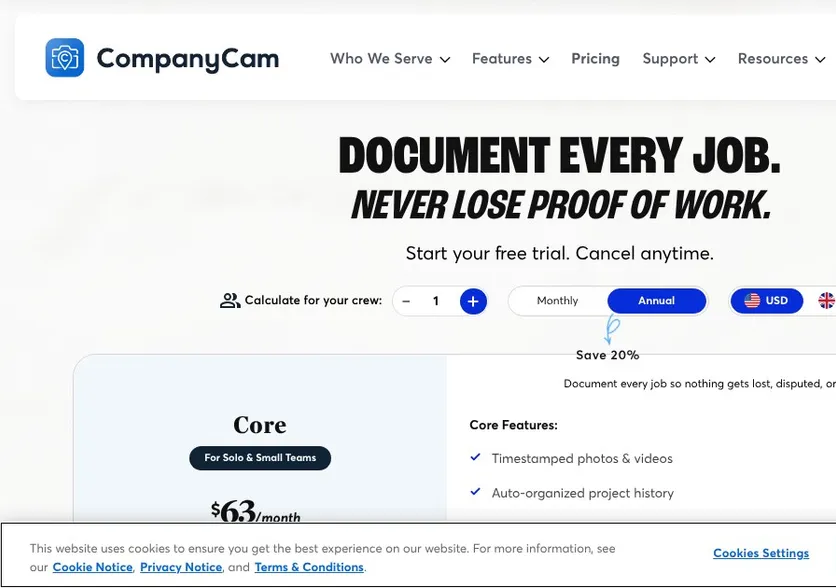
Paid tool Starting price: $79/mo · Pro plan at seventy-nine dollars a month billed annually for three users, or ninety-nine dollars billed monthly; Premium is one hundred twenty-nine dollars and Elite is one hundred ninety-nine dollars, and extra users are twenty-nine dollars a month billed annually
Free plan: 14-day free trial, no free plan
This CompanyCam Pro plan costs seventy-nine dollars a month billed annually for three users, and it turns jobsite photos into the schedule record: every photo is stamped with time, location and project, so the daily log writes itself. The schedule shows what was planned, and the photo feed shows what actually happened. It suits remodelers who need proof of progress for clients and insurers, because the photo record is automatic rather than an afterthought.
What we like
- Photos auto-stamped with time and location
- Photo feed doubles as the daily job log
- Simple pricing for a three-person crew
Watch out for
- Scheduling is lighter than dedicated planning tools
- No free plan, only a fourteen-day trial
How to try it
- Create the project and invite the crew
- Photograph each day of work from the mobile app
- Share the dated photo feed with the client as the record
Prices above were checked on each vendor’s own website on Nov 27, 2026 and can change — the vendor’s page is the final word. Vendor links are editorial: nobody paid to be listed or ranked here. Vendors who want a featured listing can see how it works on our Get listed page.
How a remodeler should pick scheduling software
Start with who does the scheduling, not the feature list. A one-person remodeler needs Contractor Foreman or Buildxact at a low entry price, while a firm with office staff and field crews needs JobTread or Buildertrend to keep everyone on the same job file. Check whether the price is flat or per user, because a per-user plan that looks cheap for three people doubles when the crew grows. Look at the client side too: a portal with selections and change orders saves more phone calls than any Gantt view. Test the mobile app on a real jobsite during the trial, because a scheduling tool that only works well on a desktop fails the moment the foreman walks the job. Finally, confirm the schedule links to the budget, since a date that slips without a cost warning is only half a plan.
Before you buy
- Count every person who needs the app, because flat pricing beats per-user pricing once the crew passes three people
- Check whether the schedule links to the budget, so a slipped date also shows the cost impact
- Confirm the client portal covers selections and change orders, not just progress photos
- Test the mobile app on a real jobsite during the trial, with gloves and weak signal
- Look at what the trial actually includes, since some tools offer only a demo with no hands-on use
Official websites
Official websites of the products reviewed above. Features and prices were checked against these sites when this guide was written, and they can change, so confirm on the vendor site before you buy.
Frequently asked questions
What scheduling software do remodel contractors use most?
JobTread, Buildertrend and Contractor Foreman are the most common picks for remodelers, because each one ties the schedule to estimates, budgets and client communication. Fieldwire is the pick when the crew works from drawings on site, and Buildxact suits firms that estimate from takeoffs. The right choice depends on firm size: a one-person remodeler starts with Contractor Foreman, while an established firm with office staff gets more from JobTread or Buildertrend.
How much does contractor scheduling software cost?
Entry prices in this comparison run from forty-nine dollars a month for Contractor Foreman to four hundred forty-nine dollars a month for Buildertrend on annual billing. JobTread charges a flat one hundred fifty-nine dollars a month, while Fieldwire and Knowify charge per user from thirty-nine and ninety-nine dollars. Most remodelers should budget between one hundred and two hundred dollars a month for a serious platform, plus any onboarding fee the vendor charges.
Do these tools include a client portal?
Most do, but the depth varies a lot. Buildertrend has the fullest portal, with selections, change orders, payments and schedule in one branded place. JobTread and Houzz Pro share progress photos and updates with the homeowner, while Contractor Foreman covers client messaging and invoices. If the client experience matters to your referrals, check the portal during the trial and ask a past client to try it before you commit.
Can scheduling software track remodel costs too?
Yes, and the best tools in this list make it the point. JobTread links every scheduled task to the budget, Knowify pairs the schedule with purchase orders and job costing, and Buildxact carries estimate costs straight into the schedule. A schedule without costs shows dates only, while a schedule with costs shows whether the job is still profitable when a trade runs late. Pick a tool that reports both together.
Is there free scheduling software for remodelers?
Free plans exist but they are limited. Fieldwire has a free Basic plan for five users and three projects, Houzz Pro offers a free plan, and Buildxact has a free Go plan that charges as you use it. CompanyCam and JobTread offer no free plan at all, only a trial or a demo. A free plan can run a single small remodel, but a firm with several jobs running at once should expect to pay for a plan.
Compare the eight tools above, then start with a free trial on the tool that matches your crew size before you pay for a full year.
Browse Business Tools tools