On this page
Logistics support never sits still: a shipment goes missing, a delivery window slips, a warehouse printer dies mid-shift, and every one of those messages lands in the same inbox. The right help desk keeps drivers, dispatchers, warehouse staff and customers on one ticket trail instead of scattered emails and phone calls. Zendesk leads this list with the deepest routing and automation for high-volume operations, and the other seven tools are ranked on what matters to a logistics team: SLA control, multi-location coverage and honest per-agent pricing.
How we researched this
We checked every price on the vendor pricing page on November 27, 2026, and only included tools with a published US dollar list price and a free trial or free plan. We ranked each tool on what a logistics operation pays in practice, including SLA controls, multi-channel intake, asset and shipment context on tickets, and support for teams spread across depots and time zones. Tools with quote-only pricing were left out, so every price below can be verified on the vendor site.
Compare the tools
| Name | Best for | Starting price | Free plan | |
|---|---|---|---|---|
 Zendesk | Logistics operations that need deep routing and automation at scale | $19/agent/mo | Fourteen-day free trial, no free plan | Visit |
 Freshservice | Logistics teams that also run fleet and warehouse IT support | $19/agent/mo | Fourteen-day free trial, no free plan | Visit |
 Freshdesk | Logistics teams that want solid ticketing and SLAs at a low price | $15/agent/mo | Free plan for up to 2 agents, with basic ticketing | Visit |
 Zoho Desk | Logistics teams already running Zoho apps or watching every dollar | $14/agent/mo | Free plan for up to 3 agents | Visit |
 Jira Service Management | Logistics operations that run support like an IT service desk | $21.50/agent/mo | Free plan for up to 3 agents | Visit |
| Deskpro | Logistics teams that need multi-brand support with strict seat control | $39/agent/mo | Free trial, no free plan | Visit |
 LiveAgent | Logistics teams that want chat, phone and ticketing in one cheap plan | $15/agent/mo | Free plan for 1 agent with limited features, plus a 30-day trial | Visit |
 HappyFox | Logistics teams that want simple ticketing with strong SLA rules | $24/agent/mo | Fourteen-day free trial, no free plan | Visit |
The help desk software for logistics, compared
1. Zendesk
Best for: Logistics operations that need deep routing and automation at scale
Paid tool Starting price: $19/agent/mo · Nineteen dollars per agent a month billed annually on the Support Team plan, which covers email ticketing; Suite Team is fifty-five dollars per agent a month, Suite Growth eighty-nine dollars and Suite Professional one hundred fifteen dollars, and monthly billing is twenty-five, sixty-nine and one hundred forty-nine dollars
Free plan: Fourteen-day free trial, no free plan
Zendesk Support Team costs nineteen dollars per agent a month billed annually, and it gives a logistics operation structured ticketing with routing rules that sort shipment, delivery and warehouse requests automatically. The Agent Workspace pulls email, chat, phone and social messages into one view, so a dispatcher sees the full history of a delayed load without hunting through inboxes. AI agents resolve routine tracking questions before they reach a person, which matters when ticket volume spikes around peak season.

What we like
- Routing rules sort high-volume tickets automatically
- Omnichannel workspace covers email, chat, phone and social
- AI agents resolve routine tracking questions first
Watch out for
- The full Suite starts at fifty-five dollars an agent
- AI Copilot adds fifty dollars per agent a month
How to try it
- Set up ticket routing rules by request type, such as shipment, delivery and warehouse
- Connect email, chat and phone so every channel lands in one agent workspace
- Build SLA policies for urgent delivery failures and track them on the dashboard
2. Freshservice
Best for: Logistics teams that also run fleet and warehouse IT support
Paid tool Starting price: $19/agent/mo · Nineteen dollars per agent a month billed annually on the Starter plan, or twenty-nine dollars billed monthly; Growth is forty-nine dollars and Pro is ninety-nine dollars, Enterprise is quoted, and the Freddy AI Copilot add-on is twenty-nine dollars a month
Free plan: Fourteen-day free trial, no free plan
Freshservice Starter costs nineteen dollars per agent a month billed annually, and it suits a logistics company that needs one desk for customer tickets and internal IT incidents. A broken handheld scanner, a failed warehouse printer and a driver app outage all become trackable incidents with SLAs, while the service catalog lets depots request equipment and access in a standard form. Asset tracking keeps vehicles, scanners and laptops tied to the tickets raised against them.

What we like
- Incident, asset and change management in one desk
- Service catalog standardises depot requests
- Day Passes cover occasional agents cheaply
Watch out for
- Asset management is now a separate paid product
- AI Copilot costs twenty-nine dollars extra per agent
How to try it
- Create incident categories for fleet devices, warehouse hardware and driver apps
- Set up the service catalog so depots request equipment in a standard form
- Link assets to tickets so a scanner fault shows its repair history
3. Freshdesk
Best for: Logistics teams that want solid ticketing and SLAs at a low price
Paid tool Starting price: $15/agent/mo · Fifteen dollars per agent a month billed annually on the Growth plan; Pro is forty-nine dollars and Enterprise seventy-nine dollars, monthly billing is nineteen, fifty-nine and ninety-five dollars, and the omnichannel Omni Growth plan is twenty-nine dollars a month
Free plan: Free plan for up to 2 agents, with basic ticketing
Freshdesk Growth costs fifteen dollars per agent a month billed annually, and it covers the ticketing core a logistics team needs: shared inbox, automation rules, SLA timers and a customer portal. Shippers can check a ticket or a delivery update in the portal instead of calling dispatch, and collision detection stops two agents answering the same delayed-shipment email. The free plan lets a small depot team test the workflow before paying anything.

What we like
- Fifteen dollars an agent undercuts most rivals
- SLA timers and collision detection included on Growth
- Free plan lets a small team test first
Watch out for
- Live chat needs the twenty-nine dollar Omni plan
- Freddy AI Copilot adds twenty-nine dollars per agent
How to try it
- Set up automation rules that assign shipment tickets to the right depot
- Turn on SLA timers for urgent delivery failures
- Publish a customer portal so shippers check ticket status themselves
4. Zoho Desk
Best for: Logistics teams already running Zoho apps or watching every dollar
Paid tool Starting price: $14/agent/mo · Fourteen dollars per agent a month billed annually on the Standard plan; Express is seven dollars with a five-agent cap, Professional is twenty-three dollars and Enterprise is forty dollars, and monthly billing is nine, twenty, thirty-five and fifty dollars
Free plan: Free plan for up to 3 agents
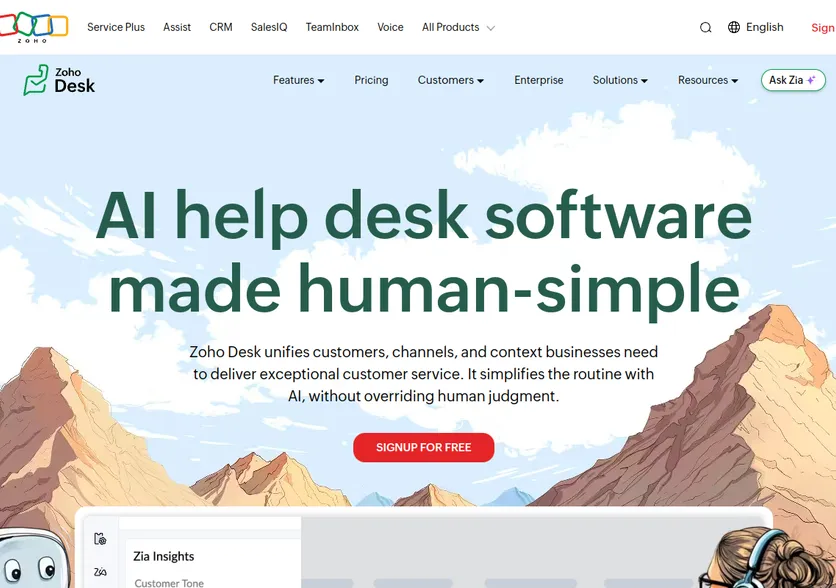
Zoho Desk Standard costs fourteen dollars per agent a month billed annually, which makes it the cheapest full ticketing plan on this list for a logistics team. It adds business messaging, a knowledge base, customer happiness ratings and custom reports, and it connects with Zoho CRM when the sales team already tracks shippers there. Multi-department SLAs sit on the Enterprise plan, so a large operation with separate dispatch and warehouse desks should budget for forty dollars.
What we like
- Fourteen dollars an agent is hard to beat
- Knowledge base and custom reports on Standard
- Connects with Zoho CRM and Books
Watch out for
- Multi-department SLAs need the forty dollar Enterprise plan
- Express caps at five agents, forcing Standard at six
How to try it
- Connect the desk to Zoho CRM so shipper records sit beside tickets
- Build a knowledge base for delivery FAQs and depot procedures
- Set up custom reports on ticket volume by depot and route
5. Jira Service Management
Best for: Logistics operations that run support like an IT service desk
Paid tool Starting price: $21.50/agent/mo · Twenty-one dollars and fifty cents per agent a month is the figure the Atlassian calculator shows for a seventy-five-agent team on Standard, because pricing is tiered by team size; the first fifteen agents cost twenty-six dollars and ninety cents each on monthly billing, and Premium averages fifty-five dollars and twenty-eight cents at the same team size
Free plan: Free plan for up to 3 agents
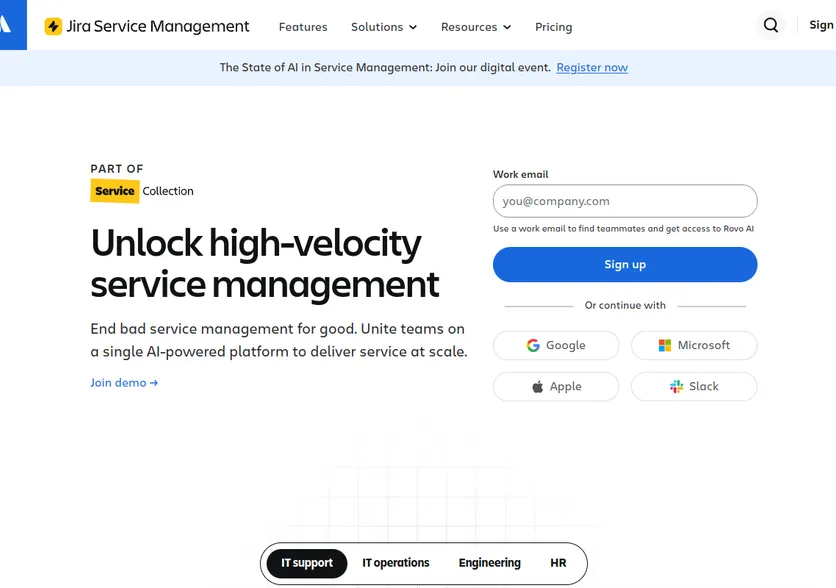
Jira Service Management Standard averages twenty-one dollars and fifty cents per agent a month at a seventy-five-agent team, and it brings ITIL-style incident, problem and change management to logistics support. A recurring vehicle telematics fault becomes a problem ticket with a known fix, while change requests cover route-system updates with approval steps. The branded help center and asset tracking suit an operation where drivers, dispatchers and warehouse staff all raise different kinds of requests.
What we like
- Problem management stops repeat faults recurring
- Assets and help center included on Standard
- Requesters are free and unlimited
Watch out for
- Per-agent price is tiered, so small teams pay more
- Usage billing for AI starts in December 2026
How to try it
- Set up request types for incidents, problems and change requests
- Build a branded help center for drivers and warehouse staff
- Link assets such as vehicles and scanners to their tickets
6. Deskpro
Best for: Logistics teams that need multi-brand support with strict seat control
Paid tool Starting price: $39/agent/mo · Thirty-nine dollars per agent a month on the Team plan with a five-agent minimum; Professional is fifty-nine dollars with a ten-agent minimum and Enterprise is ninety-nine dollars with a twenty-five-agent minimum, and the self-hosted Deskpro Private edition is quoted separately
Free plan: Free trial, no free plan
Deskpro Team costs thirty-nine dollars per agent a month with a five-agent minimum, and it gives a logistics operation a unified inbox, help center, chatbot and reporting in a single cloud desk. Multi-brand support on Professional lets one team serve separate carrier brands or customer portals from the same queue, and the Enterprise plan adds HIPAA-compliant hosting and a choice of data regions. The self-hosted Deskpro Private edition is the rare option for an operation that cannot put ticket data in a shared cloud.

What we like
- Unified inbox plus help center and chatbot
- Self-hosted edition for strict data rules
- Multi-brand support on Professional
Watch out for
- Team needs five agents, so the floor is one hundred ninety-five dollars a month
- Professional needs ten seats, so the bill jumps fast
How to try it
- Set up the unified inbox for email, chat and web tickets
- Create a help center with delivery and depot procedures
- Add brands on Professional so each carrier gets its own portal
7. LiveAgent
Best for: Logistics teams that want chat, phone and ticketing in one cheap plan
Paid tool Starting price: $15/agent/mo · Fifteen dollars per agent a month billed annually on the Small Business plan, or nineteen dollars billed monthly; Medium is twenty-nine dollars, Large is forty-nine dollars and Enterprise is sixty-nine dollars
Free plan: Free plan for 1 agent with limited features, plus a 30-day trial
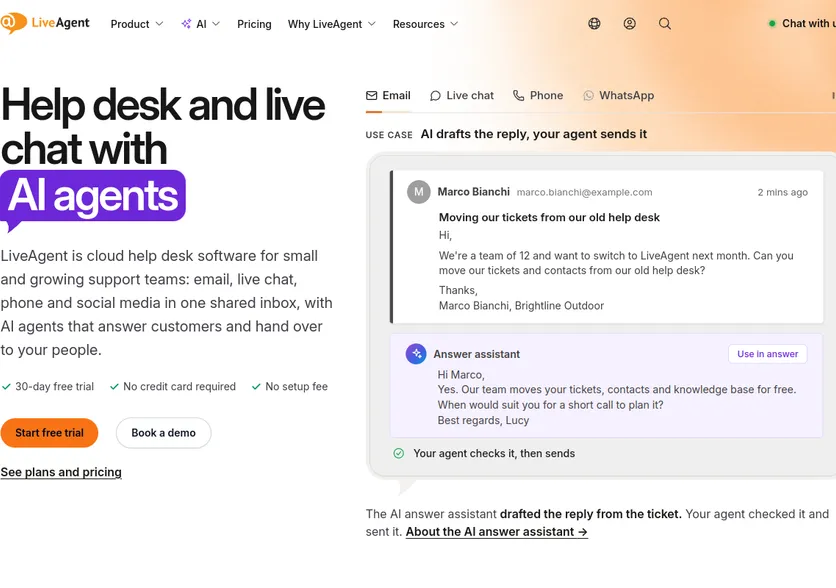
LiveAgent Small Business costs fifteen dollars per agent a month billed annually, and it bundles ticketing, live chat, a knowledge base and a built-in call center at a price rivals charge for email alone. A shipper can start on chat, switch to a call and stay on the same ticket, while the call center with IVR and recordings covers the dispatch phone line. AI Answer Assistant is included on every plan, which keeps the bill predictable when volume spikes.
What we like
- Call center with IVR included at fifteen dollars
- Chat, ticketing and knowledge base in one plan
- AI features included with no per-resolution fee
Watch out for
- SLA and social channels need the twenty-nine dollar Medium plan
- Small plan covers only three email accounts plus chat
How to try it
- Connect the dispatch phone line to the built-in call center
- Add live chat to the tracking page so shippers ask there first
- Set up the knowledge base with delivery FAQs and depot contacts
8. HappyFox
Best for: Logistics teams that want simple ticketing with strong SLA rules
Paid tool Starting price: $24/agent/mo · Twenty-four dollars per agent a month billed annually on the Basic plan, or twenty-nine dollars billed monthly, with a five-agent cap; Team starts at forty-nine dollars and Pro at ninety-nine dollars, and HappyFox AI is a separate add-on from fourteen dollars a month
Free plan: Fourteen-day free trial, no free plan
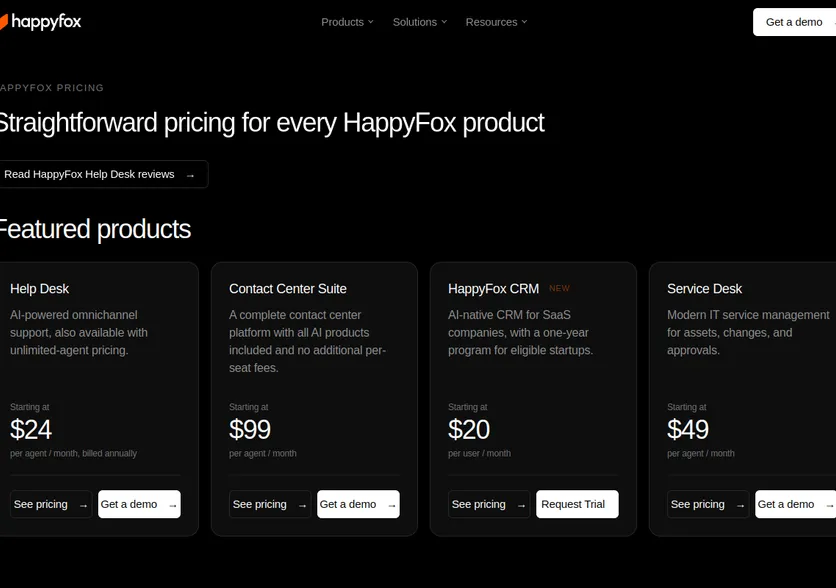
HappyFox Basic costs twenty-four dollars per agent a month billed annually, and it gives a logistics team unlimited tickets with SLA management, a knowledge base and single sign-on. Smart rules route tickets by depot, route or priority without manual triage, and the Team plan adds multi-brand support for operations serving several carriers. The five-agent cap on Basic means a growing dispatch team should price the Team plan from forty-nine dollars before committing.
What we like
- Unlimited tickets with SLA management included
- Smart rules cut manual triage
- Single sign-on on the entry plan
Watch out for
- Basic caps at five agents
- AI features are a separate paid add-on
How to try it
- Build smart rules that route tickets by depot and priority
- Set SLA timers for late deliveries and missed pickups
- Create a knowledge base for driver and shipper FAQs
Prices above were checked on each vendor’s own website on Nov 27, 2026 and can change — the vendor’s page is the final word. Vendor links are editorial: nobody paid to be listed or ranked here. Vendors who want a featured listing can see how it works on our Get listed page.
How a logistics team should pick a help desk
Start with the channels your shippers actually use, then check each tool against that list. If most contact arrives by phone and chat, a bundled call center beats an email-only desk; if it arrives by email, routing rules and SLA timers matter more. Count the depots and brands honestly, because a five-agent cap or a missing multi-brand tier forces a costly upgrade mid-season. Check the asset story too: a desk that links tickets to vehicles, scanners and printers saves hours when the same fault repeats. Finally, trial the full flow with a real delayed-shipment ticket, because the routing and SLA behaviour decides whether the tool saves dispatch time or creates new work.
Before you buy
- Count tickets by channel first, because phone and chat needs change the shortlist
- Check SLA controls and escalation rules before you commit to a plan
- Confirm multi-depot and multi-brand support on the tier you would buy
- Test asset linking for vehicles, scanners and warehouse hardware
- Trial the desk with a real delayed-shipment ticket end to end
Official websites
Official websites of the products reviewed above. Features and prices were checked against these sites when this guide was written, and they can change, so confirm on the vendor site before you buy.
Frequently asked questions
What help desk features matter most for logistics?
Routing rules, SLA timers and multi-channel intake matter most, because logistics tickets arrive by email, chat and phone and need to reach the right depot fast. Asset linking helps too, since a ticket about a broken scanner or a vehicle fault is easier to fix with its history attached. A customer portal cuts call volume, because shippers check delivery and ticket status themselves instead of ringing dispatch.
Can a help desk track shipments and deliveries?
A help desk does not replace a transport management system, but it can carry shipment context on every ticket through custom fields, integrations and automations. Most tools here connect with shipping and CRM systems, so the ticket shows the order or load it relates to. For live tracking, keep the transport system as the source of truth and let the help desk handle the conversation around it.
How much does help desk software cost a logistics team?
Entry plans on this list run from fourteen to thirty-nine dollars per agent a month on annual billing, so a ten-agent dispatch team pays roughly one hundred forty to three hundred ninety dollars a month before add-ons. AI features, phone minutes and higher tiers add to the bill, and seat minimums matter: Deskpro Team needs five agents and Professional needs ten. Always multiply the per-agent price by your real agent count, not your wish list.
Do logistics teams need 24/7 support coverage?
Not every logistics team does, but the ones running night shifts and cross-border routes usually do. A help desk with business-hours routing, a knowledge base and an AI agent can cover routine tracking questions overnight without a full night team. If you run a staffed night desk, check that the plan covers the agents and channels you need at those hours, and that SLA timers respect your shift pattern.
Can drivers and warehouse staff use a help desk on mobile?
Yes, every tool on this list offers a mobile app or a mobile-friendly portal, and most let staff raise and update tickets from a phone. That matters on a loading dock or in a cab, where a desktop is not available. Check that the mobile app covers the actions your team needs, such as adding photos of damaged freight, because some apps limit ticket editing on small screens.
Compare the eight tools above, then trial the one that fits your dispatch workflow with real shipment tickets before you commit.
Browse Business Tools tools