On this page
A nonprofit answers everyone: donors with questions, volunteers who need schedules, program participants who need help, and staff who juggle all three. The right help desk keeps those conversations in one place without eating the budget that should fund the mission. Freshdesk leads this list with a free plan for small teams and a fifteen-dollar Growth plan that covers real ticketing, and the other seven tools are ranked on what matters to a nonprofit: low cost, free tiers, volunteer-friendly setup and donor-safe communication.
How we researched this
We checked every price on the vendor pricing page on November 27, 2026, and only included tools with a published US dollar list price and a free trial or free plan. We ranked each tool on what a nonprofit pays in practice, including free-tier limits, per-agent pricing, volunteer onboarding, donor communication features, and how much setup a small team can handle alone. Tools with quote-only pricing were left out, so every price below can be verified on the vendor site.
Compare the tools
| Name | Best for | Starting price | Free plan | |
|---|---|---|---|---|
 Freshdesk | Nonprofits that want a free start and cheap growth | $15/agent/mo | Free plan for up to 2 agents, with basic ticketing | Visit |
 Zoho Desk | Nonprofits already using Zoho apps or counting every dollar | $14/agent/mo | Free plan for up to 3 agents | Visit |
 Help Scout | Nonprofits that live in email and want donor mail to feel personal | $25/user/mo | Free plan for up to 5 users and 100 contacts a month | Visit |
 LiveAgent | Nonprofits that need phone, chat and email in one cheap plan | $15/agent/mo | Free plan for 1 agent with limited features, plus a 30-day trial | Visit |
 HubSpot Service Hub | Nonprofits already running HubSpot CRM for donors | $15/seat/mo | Free tools for up to 2 users, with ticketing, live chat and a shared inbox | Visit |
 Front | Nonprofits that run support from shared email inboxes | $19/seat/mo | Seven-day free trial, no free plan | Visit |
| Hiver | Nonprofits that live in Gmail and want a help desk inside it | $19/user/mo | Free plan with basic shared inbox features | Visit |
 Zendesk | Larger nonprofits that need scale, reporting and automation | $19/agent/mo | Fourteen-day free trial, no free plan | Visit |
The help desk software for nonprofits, compared
1. Freshdesk
Best for: Nonprofits that want a free start and cheap growth
Paid tool Starting price: $15/agent/mo · Fifteen dollars per agent a month billed annually on the Growth plan; Pro is forty-nine dollars and Enterprise seventy-nine dollars, monthly billing is nineteen, fifty-nine and ninety-five dollars, and the omnichannel Omni Growth plan is twenty-nine dollars a month
Free plan: Free plan for up to 2 agents, with basic ticketing
Freshdesk Growth costs fifteen dollars per agent a month billed annually, and it gives a nonprofit shared inbox ticketing, automation rules, SLA timers and a customer portal for donors and participants. The free plan covers basic ticketing for up to two agents, so a small charity can start without spending anything and move to Growth when volume grows. Volunteers learn the inbox quickly, and the portal lets donors check their own questions instead of emailing the office again.

What we like
- Free plan for up to two agents
- Growth covers SLAs and automation at fifteen dollars
- Portal cuts repeat donor emails
Watch out for
- Live chat needs the twenty-nine dollar Omni plan
- AI Copilot adds twenty-nine dollars per agent
How to try it
- Start on the free plan and move staff and volunteers into one shared inbox
- Set up automation rules that route donor and volunteer mail to the right person
- Publish a portal with FAQs so donors find answers themselves
2. Zoho Desk
Best for: Nonprofits already using Zoho apps or counting every dollar
Paid tool Starting price: $14/agent/mo · Fourteen dollars per agent a month billed annually on the Standard plan; Express is seven dollars with a five-agent cap, Professional is twenty-three dollars and Enterprise is forty dollars, and monthly billing is nine, twenty, thirty-five and fifty dollars
Free plan: Free plan for up to 3 agents
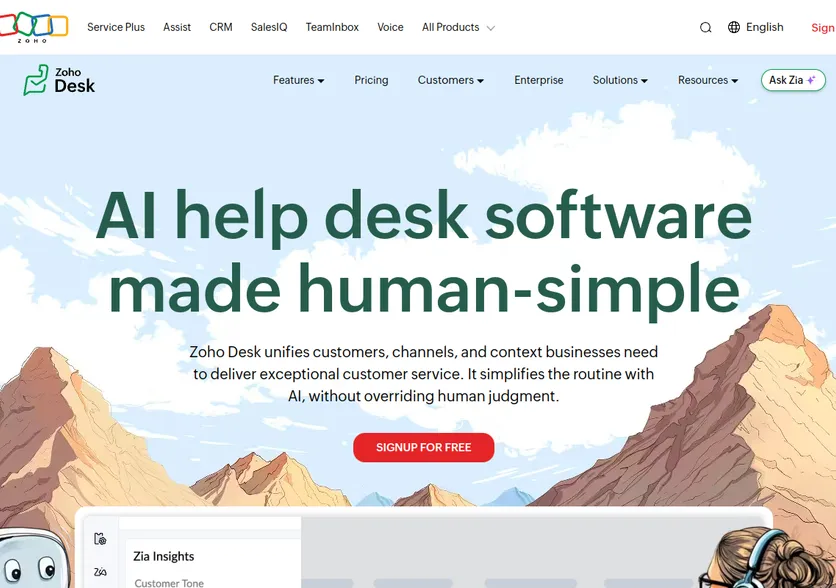
Zoho Desk Standard costs fourteen dollars per agent a month billed annually, and it is the cheapest full ticketing plan on this list for a nonprofit. The free plan covers three agents with basic email ticketing, while Standard adds a knowledge base, community forums and custom reports that help a small team show impact to its board. It connects with Zoho CRM, so donor records and support tickets can live in the same ecosystem.
What we like
- Fourteen dollars an agent on Standard
- Free plan covers three agents
- Connects with Zoho CRM and Books
Watch out for
- Multi-department SLAs need the forty dollar Enterprise plan
- Express caps at five agents
How to try it
- Start on the free plan with up to three agents
- Connect Zoho CRM so donor records sit beside tickets
- Build a knowledge base for program and donation FAQs
3. Help Scout
Best for: Nonprofits that live in email and want donor mail to feel personal
Paid tool Starting price: $25/user/mo · Twenty-five dollars a user a month billed annually on the Standard plan, or thirty dollars billed monthly; Plus is forty-five dollars and Pro is seventy-five dollars, and the Envoy AI agent costs seventy-five cents per resolution
Free plan: Free plan for up to 5 users and 100 contacts a month
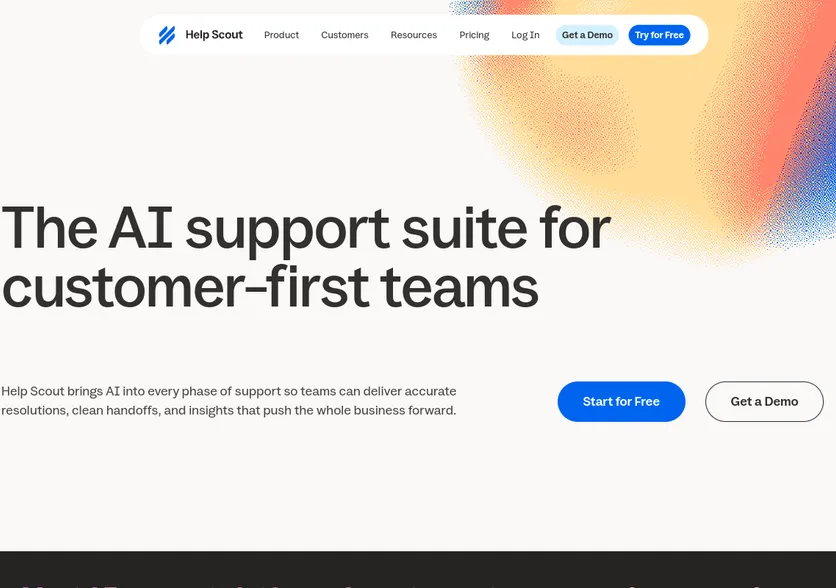
Help Scout Standard costs twenty-five dollars a user a month billed annually, and it keeps donor and volunteer email feeling personal with a shared inbox, saved replies and a Docs knowledge base. The free plan covers five users and one hundred contacts a month, which suits a tiny charity, while Standard adds live chat, workflows and one SLA policy. Donors never see ticket numbers or a clunky portal unless you want them to.
What we like
- Free plan covers five users
- Email-first inbox feels personal to donors
- Docs knowledge base included
Watch out for
- Standard caps at twenty-five users
- AI agent costs seventy-five cents per resolution
How to try it
- Move donor and volunteer mail into the shared inbox
- Write saved replies for common donation questions
- Publish a Docs site with program and giving FAQs
4. LiveAgent
Best for: Nonprofits that need phone, chat and email in one cheap plan
Paid tool Starting price: $15/agent/mo · Fifteen dollars per agent a month billed annually on the Small Business plan, or nineteen dollars billed monthly; Medium is twenty-nine dollars, Large is forty-nine dollars and Enterprise is sixty-nine dollars
Free plan: Free plan for 1 agent with limited features, plus a 30-day trial
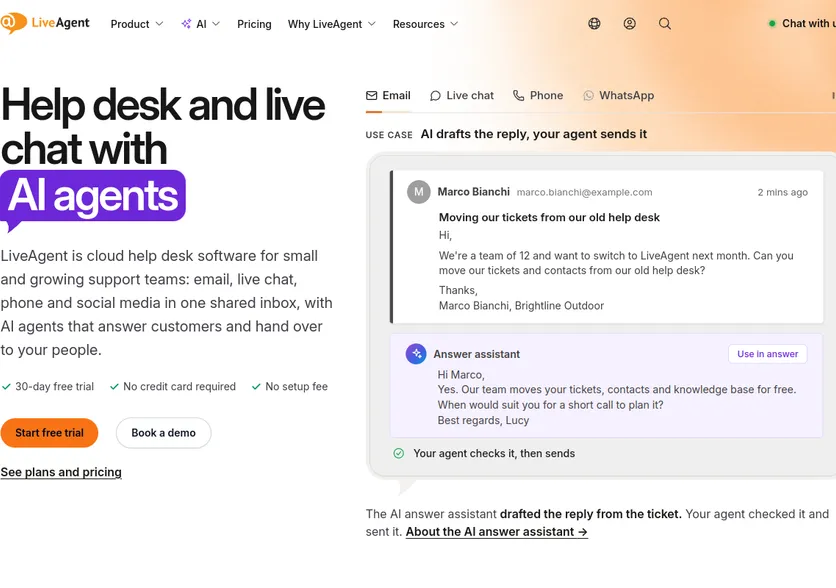
At fifteen dollars per agent a month billed annually, LiveAgent Small Business bundles ticketing, live chat, a knowledge base and a call center that most rivals sell separately. That matters for a nonprofit whose supporters call, email and message across the week, because every channel lands in the same queue. The free plan covers one agent with limited features, so a solo coordinator can run the whole support desk before the team grows.
What we like
- Call center included at fifteen dollars
- Chat, ticketing and knowledge base in one plan
- Free plan for a solo coordinator
Watch out for
- SLA and social channels need the Medium plan
- Small plan covers only three email accounts plus chat
How to try it
- Connect the office phone line to the built-in call center
- Add live chat to the donation page for quick questions
- Set up the knowledge base with program and giving FAQs
5. HubSpot Service Hub
Best for: Nonprofits already running HubSpot CRM for donors
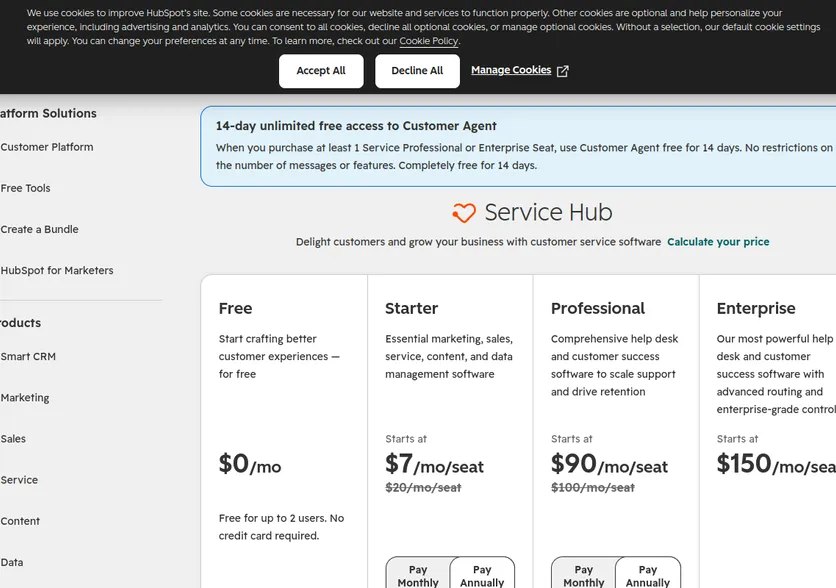
Paid tool Starting price: $15/seat/mo · Fifteen dollars a seat a month on the Starter plan; Professional is ninety dollars a seat a month on annual billing plus a one-time one thousand five hundred dollar onboarding fee, and Enterprise is one hundred fifty dollars a seat a month with a ten-seat minimum
Free plan: Free tools for up to 2 users, with ticketing, live chat and a shared inbox
HubSpot Service Hub Starter costs fifteen dollars a seat a month, and it puts support tickets beside donor records when a nonprofit already runs HubSpot CRM. The free tools cover ticketing, live chat and a shared inbox for two users, so a small charity can start free and add Starter seats as the team grows. Conversation routing and simple automation come with Starter, while knowledge base and SLAs wait for the ninety-dollar Professional plan.
What we like
- Free tools cover ticketing and chat for two users
- Tickets sit beside donor records in HubSpot
- Starter is fifteen dollars a seat
Watch out for
- Knowledge base and SLAs need ninety-dollar Professional
- Professional adds a fifteen hundred dollar onboarding fee
How to try it
- Connect Service Hub to HubSpot CRM for shared donor records
- Set up the shared inbox for donor and volunteer mail
- Add conversation routing on Starter as volume grows
6. Front
Best for: Nonprofits that run support from shared email inboxes
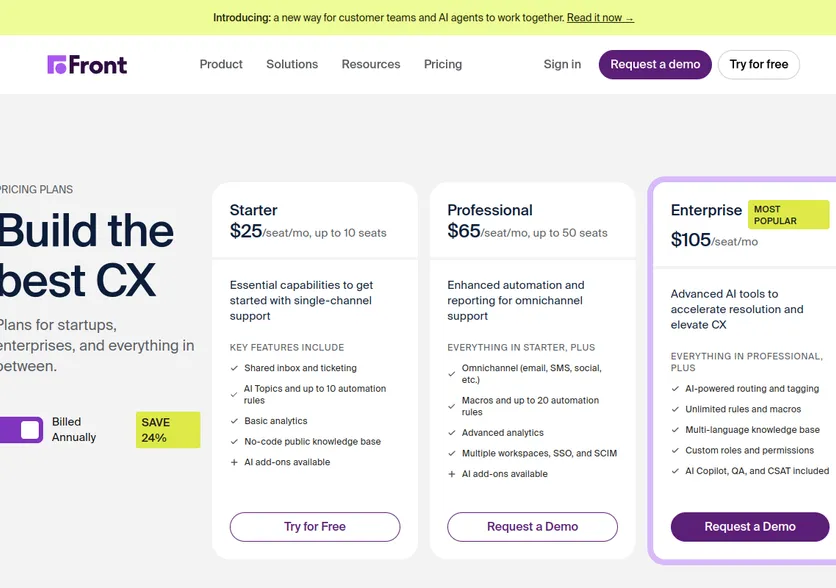
Paid tool Starting price: $19/seat/mo · Nineteen dollars a seat a month billed annually on the Starter plan, or twenty-nine dollars billed monthly, capped at ten seats; Growth is fifty-nine dollars and Scale is ninety-nine dollars, with Premier at two hundred twenty-nine dollars
Free plan: Seven-day free trial, no free plan
Front Starter costs nineteen dollars a seat a month billed annually, and it turns shared inboxes such as info@ and donations@ into a collaborative workspace with assignments, internal comments and collision detection. Volunteers see who is already answering a donor, so nobody sends a duplicate reply, and the mobile app keeps the inbox moving at events. Starter caps at ten seats, so a growing team should price the fifty-nine-dollar Growth plan before the eleventh volunteer joins.
What we like
- Collision detection stops duplicate donor replies
- Internal comments keep volunteers coordinated
- Mobile app works well at events
Watch out for
- Starter caps at ten seats
- Analytics and CRM integrations need Growth
How to try it
- Connect the shared inboxes for donations, volunteers and programs
- Assign conversations and use internal comments to coordinate
- Set up basic rules that route mail to the right volunteer
7. Hiver
Best for: Nonprofits that live in Gmail and want a help desk inside it
Paid tool Starting price: $19/user/mo · Nineteen dollars a user a month billed annually on the Lite plan; Growth is twenty-nine dollars, Pro is forty-nine dollars and Elite is sixty-nine dollars, and the free plan covers basic shared-inbox features
Free plan: Free plan with basic shared inbox features
Hiver Lite costs nineteen dollars a user a month billed annually, and it turns Gmail into a shared help desk without asking volunteers to learn a new tool. Shared inboxes, assignments, notes and collision alerts appear inside the Gmail interface the team already uses every day, which keeps training near zero. The free plan covers basic shared-inbox features, so a small charity can start free and add Lite when it needs live chat and automation.
What we like
- Works inside Gmail, so training is near zero
- Free plan covers basic shared inbox use
- Collision alerts stop duplicate replies
Watch out for
- No AI on Lite; AI Bot needs the Pro plan
- Some reads show a newer Growth tier at twenty-five dollars
How to try it
- Install Hiver in Gmail and create shared inboxes for donations and programs
- Assign emails and add internal notes for volunteers
- Turn on collision alerts so two people never reply twice
8. Zendesk
Best for: Larger nonprofits that need scale, reporting and automation
Paid tool Starting price: $19/agent/mo · Nineteen dollars per agent a month billed annually on the Support Team plan, which covers email ticketing; Suite Team is fifty-five dollars per agent a month, Suite Growth eighty-nine dollars and Suite Professional one hundred fifteen dollars, and monthly billing is twenty-five, sixty-nine and one hundred forty-nine dollars
Free plan: Fourteen-day free trial, no free plan
Zendesk Support Team costs nineteen dollars per agent a month billed annually, and it gives a larger nonprofit structured ticketing with routing, prebuilt analytics and automation that a growing program needs. The Agent Workspace unifies email, chat, phone and social messages, so a donor who emails then calls gets one continuous conversation. The price is honest for the depth, though the full Suite at fifty-five dollars an agent is the tier most multi-channel teams eventually need.

What we like
- Deep routing and automation for growing teams
- Prebuilt analytics for board reporting
- Omnichannel workspace in one view
Watch out for
- Full Suite starts at fifty-five dollars an agent
- AI Copilot adds fifty dollars per agent a month
How to try it
- Set up routing rules by program, donor type and urgency
- Connect email, chat and phone into one agent workspace
- Use prebuilt dashboards to report response times to the board
Prices above were checked on each vendor’s own website on Nov 27, 2026 and can change — the vendor’s page is the final word. Vendor links are editorial: nobody paid to be listed or ranked here. Vendors who want a featured listing can see how it works on our Get listed page.
How a nonprofit should pick a help desk
Start with the money, then the people. Add up what the free plan really covers, because a free tier that caps at two or three users runs out fast when volunteers join, and a per-agent price that looks cheap doubles with every new hire. Check that the tool fits the way your team already works: a Gmail-based team wastes weeks learning a standalone desk, while an email-first charity gains nothing from a chat-heavy platform. Ask about nonprofit discounts before you buy, since several vendors offer them on request even when the pricing page does not show them. Finally, trial the desk with real donor mail, because the reply experience decides whether supporters feel cared for or processed.
Before you buy
- Start on a free plan, then price the team you will have in a year
- Check per-agent costs against volunteer headcount, not just staff
- Ask every vendor about nonprofit pricing before you commit
- Pick a tool that fits the inbox your team already uses
- Trial it with real donor and volunteer mail, not a demo script
Official websites
Official websites of the products reviewed above. Features and prices were checked against these sites when this guide was written, and they can change, so confirm on the vendor site before you buy.
Frequently asked questions
Is there really free help desk software for nonprofits?
Yes, several tools on this list offer free plans: Freshdesk covers up to two agents, Zoho Desk covers three, Help Scout covers five users, and Hiver covers basic shared-inbox use. The limits matter more than the price tag, because a free plan usually caps users, channels or ticket history. A small charity can run on a free plan for months, then move to a paid plan when volunteers or volume grow.
Which help desk is cheapest for a nonprofit?
Zoho Desk Standard at fourteen dollars an agent a month is the cheapest full ticketing plan on this list, with Freshdesk Growth and LiveAgent Small close behind at fifteen dollars. Help Scout Standard costs twenty-five dollars a user, though its free plan covers five users. The cheapest bill depends on headcount: a flat or free plan beats per-agent pricing once volunteers push the seat count up.
Do help desk vendors offer nonprofit discounts?
Many do, though the discount rarely appears on the public pricing page. Zendesk, Freshdesk, Zoho and HubSpot all run nonprofit or education programs that can cut the bill, and some offer free or reduced seats for registered charities. Ask the vendor directly and have your registration documents ready, because the discount usually needs approval before the contract is signed.
Can volunteers use a help desk without training?
Yes, if you pick a tool that matches the inbox they already know. Hiver works inside Gmail, Help Scout feels like email with assignments, and Freshdesk has a simple shared inbox that most people learn in an afternoon. Keep the setup simple: one inbox per program, saved replies for common questions, and clear rules for who answers what, so a new volunteer can help on day one.
Should a nonprofit use a help desk or just shared email?
Shared email works until about three people answer the same inbox, and then duplicate replies, missed messages and lost donors follow. A help desk adds assignment, collision detection, SLA timers and a record of every conversation, which matters when a donor asks why nobody answered. If your team is small and mail volume is low, a free shared-inbox tool is enough; past that, a real desk pays for itself in saved donor trust.
Compare the eight tools above, then trial the one that fits your mission with real donor and volunteer mail before you commit.
Browse Business Tools tools