On this page
Remote support teams work across time zones, so a ticket can pass through three people in three countries before the customer gets an answer. The right help desk makes that handoff invisible: clear ownership, internal notes, async-friendly queues and no duplicate replies. Intercom leads this list with live chat, a shared inbox and an AI agent that covers the hours nobody is online, and the other seven tools are ranked on what matters to a distributed team: async workflows, collaboration, integrations and honest per-seat pricing.
How we researched this
We checked every price on the vendor pricing page on November 27, 2026, and only included tools with a published US dollar list price and a free trial or free plan. We ranked each tool on what a remote team pays in practice, including async handoffs, internal collaboration, timezone coverage, AI handling of out-of-hours questions, and integrations with the chat and project tools the team already uses. Tools with quote-only pricing were left out, so every price below can be verified on the vendor site.
Compare the tools
| Name | Best for | Starting price | Free plan | |
|---|---|---|---|---|
 Intercom | Remote teams that need chat, inbox and AI cover around the clock | $29/seat/mo | Fourteen-day free trial, no free plan | Visit |
 Front | Remote teams that run support from shared email inboxes | $19/seat/mo | Seven-day free trial, no free plan | Visit |
 Freshdesk | Remote teams that want full ticketing at a low per-agent price | $15/agent/mo | Free plan for up to 2 agents, with basic ticketing | Visit |
 Help Scout | Remote teams that want a calm, email-first inbox | $25/user/mo | Free plan for up to 5 users and 100 contacts a month | Visit |
 Zendesk | Remote teams that need scale, routing and reporting | $19/agent/mo | Fourteen-day free trial, no free plan | Visit |
 Zoho Desk | Remote teams already in the Zoho ecosystem | $14/agent/mo | Free plan for up to 3 agents | Visit |
 LiveAgent | Remote teams that want chat, phone and ticketing in one plan | $15/agent/mo | Free plan for 1 agent with limited features, plus a 30-day trial | Visit |
 HubSpot Service Hub | Remote teams already running HubSpot CRM | $15/seat/mo | Free tools for up to 2 users, with ticketing, live chat and a shared inbox | Visit |
The help desk software for remote teams, compared
1. Intercom
Best for: Remote teams that need chat, inbox and AI cover around the clock
Paid tool Starting price: $29/seat/mo · Twenty-nine dollars a seat a month billed annually on the Essential plan, or thirty-nine dollars billed monthly; Advanced is eighty-five dollars and Expert is one hundred thirty-two dollars, and the Fin AI agent costs ninety-nine cents per resolved outcome on top
Free plan: Fourteen-day free trial, no free plan
Intercom Essential costs twenty-nine dollars a seat a month billed annually, and it gives a remote team live chat, a shared inbox, ticketing and a public help center in one place. The Fin AI agent answers routine questions at ninety-nine cents per resolved outcome, which covers the hours when nobody is online without hiring a night shift. Macros, assignments and pre-built reports keep handoffs clean when a ticket crosses time zones.

What we like
- Fin AI covers out-of-hours questions
- Chat, inbox and help center in one place
- Macros make timezone handoffs clean
Watch out for
- Fin costs ninety-nine cents per resolved outcome
- No free plan, only a fourteen-day trial
How to try it
- Set up the Messenger on your site and app for live chat
- Turn on Fin AI to answer routine questions out of hours
- Use macros and assignments to hand tickets cleanly across time zones
2. Front
Best for: Remote teams that run support from shared email inboxes
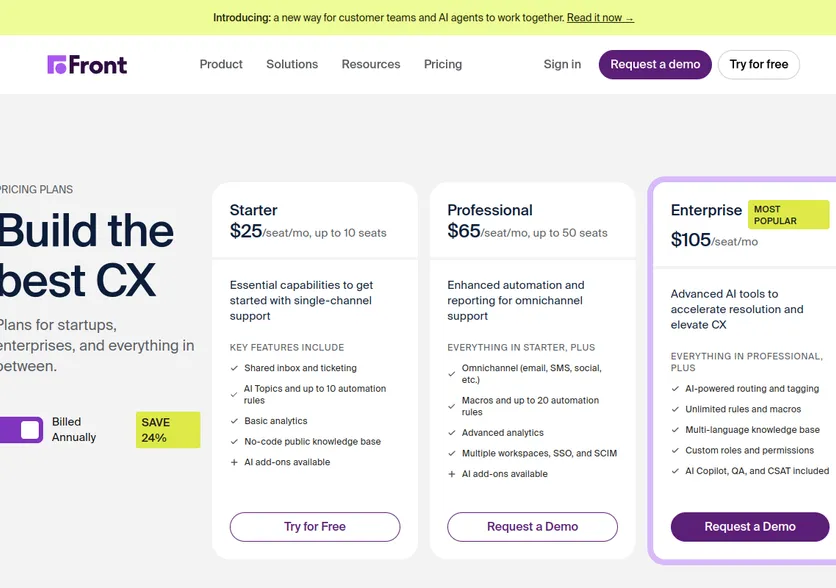
Paid tool Starting price: $19/seat/mo · Nineteen dollars a seat a month billed annually on the Starter plan, or twenty-nine dollars billed monthly, capped at ten seats; Growth is fifty-nine dollars and Scale is ninety-nine dollars, with Premier at two hundred twenty-nine dollars
Free plan: Seven-day free trial, no free plan
Front Starter costs nineteen dollars a seat a month billed annually, and it turns shared inboxes into a collaborative workspace built for distributed teams. Internal comments, assignments and collision detection mean a teammate in another time zone can see exactly what happened overnight and pick up without asking. The mobile app keeps the inbox moving when someone works from a phone, and rules automate the repetitive routing.
What we like
- Collision detection stops duplicate replies
- Internal comments make handoffs invisible
- Mobile app keeps remote work moving
Watch out for
- Starter caps at ten seats
- Analytics and CRM integrations need Growth
How to try it
- Connect shared inboxes for support, sales and billing
- Use internal comments to hand work across time zones
- Set up rules that route mail to the right teammate automatically
3. Freshdesk
Best for: Remote teams that want full ticketing at a low per-agent price
Paid tool Starting price: $15/agent/mo · Fifteen dollars per agent a month billed annually on the Growth plan; Pro is forty-nine dollars and Enterprise seventy-nine dollars, monthly billing is nineteen, fifty-nine and ninety-five dollars, and the omnichannel Omni Growth plan is twenty-nine dollars a month
Free plan: Free plan for up to 2 agents, with basic ticketing
Freshdesk Growth costs fifteen dollars per agent a month billed annually, and it covers the ticketing core a remote team needs: shared inbox, automation, SLA timers and a customer portal. Collision detection stops two agents in different time zones answering the same ticket, and the free plan lets a small distributed team start without spending anything. Business-hours SLAs respect each agent's working hours, which matters when the team spans continents.

What we like
- Fifteen dollars an agent undercuts most rivals
- Collision detection included on Growth
- Free plan for up to two agents
Watch out for
- Live chat needs the twenty-nine dollar Omni plan
- Freddy AI Copilot adds twenty-nine dollars per agent
How to try it
- Set business-hours SLAs that match each agent time zone
- Turn on collision detection for shared inbox work
- Publish a portal so customers check status without waiting
4. Help Scout
Best for: Remote teams that want a calm, email-first inbox
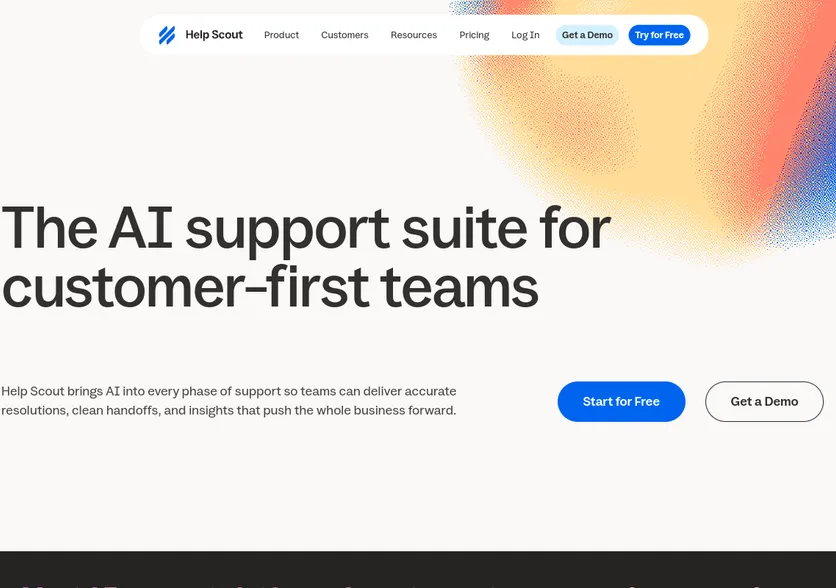
Paid tool Starting price: $25/user/mo · Twenty-five dollars a user a month billed annually on the Standard plan, or thirty dollars billed monthly; Plus is forty-five dollars and Pro is seventy-five dollars, and the Envoy AI agent costs seventy-five cents per resolution
Free plan: Free plan for up to 5 users and 100 contacts a month
Help Scout Standard costs twenty-five dollars a user a month billed annually, and it keeps remote support human with a shared inbox, saved replies, workflows and a Docs knowledge base. Teammates leave private notes on a conversation, so the next person in another time zone knows the full story before replying. The free plan covers five users, which suits a small distributed team, and Beacon live chat sits on the same inbox.
What we like
- Private notes make timezone handoffs clean
- Free plan covers five users
- Docs knowledge base included
Watch out for
- Standard caps at twenty-five users
- Envoy AI costs seventy-five cents per resolution
How to try it
- Move customer mail into the shared inbox
- Write saved replies for the questions every timezone asks
- Publish a Docs site so customers self-serve overnight
5. Zendesk
Best for: Remote teams that need scale, routing and reporting
Paid tool Starting price: $19/agent/mo · Nineteen dollars per agent a month billed annually on the Support Team plan, which covers email ticketing; Suite Team is fifty-five dollars per agent a month, Suite Growth eighty-nine dollars and Suite Professional one hundred fifteen dollars, and monthly billing is twenty-five, sixty-nine and one hundred forty-nine dollars
Free plan: Fourteen-day free trial, no free plan
Zendesk Support Team costs nineteen dollars per agent a month billed annually, and it gives a distributed team structured ticketing with routing rules that send each request to the agent who is actually online. The Agent Workspace unifies email, chat, phone and social messages, while prebuilt dashboards show response times by region and shift. AI agents resolve routine questions before they reach a person, which helps when the team is spread thin across zones.

What we like
- Routing rules respect who is online
- Omnichannel workspace in one view
- Prebuilt analytics by region and shift
Watch out for
- Full Suite starts at fifty-five dollars an agent
- AI Copilot adds fifty dollars per agent a month
How to try it
- Build routing rules that send tickets to agents who are online
- Connect email, chat and phone into one workspace
- Track response times by region on prebuilt dashboards
6. Zoho Desk
Best for: Remote teams already in the Zoho ecosystem
Paid tool Starting price: $14/agent/mo · Fourteen dollars per agent a month billed annually on the Standard plan; Express is seven dollars with a five-agent cap, Professional is twenty-three dollars and Enterprise is forty dollars, and monthly billing is nine, twenty, thirty-five and fifty dollars
Free plan: Free plan for up to 3 agents
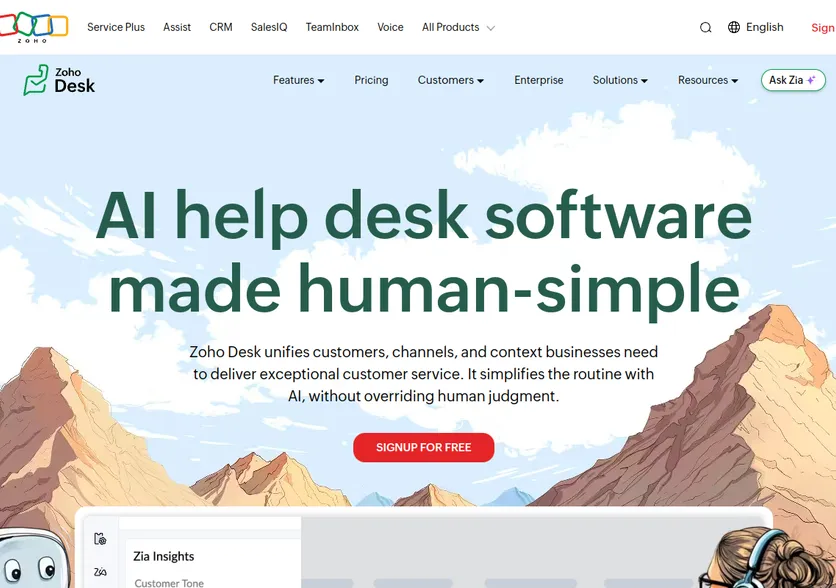
For a remote team, Zoho Desk Standard costs fourteen dollars per agent a month billed annually, which makes it the cheapest full ticketing plan on this list for a remote team. It adds business messaging, a knowledge base and custom reports, and it connects with Zoho CRM and Zoho Cliq when the team already collaborates there. The free plan covers three agents, so a small distributed team can start free and grow into Standard as headcount rises.
What we like
- Fourteen dollars an agent is hard to beat
- Free plan covers three agents
- Connects with Zoho CRM and Cliq
Watch out for
- Multi-department SLAs need the forty dollar Enterprise plan
- Zia AI only arrives on Enterprise
How to try it
- Connect Zoho Desk to Zoho CRM and Cliq
- Build a knowledge base for the questions every timezone asks
- Set up custom reports on response times by agent and region
7. LiveAgent
Best for: Remote teams that want chat, phone and ticketing in one plan
Paid tool Starting price: $15/agent/mo · Fifteen dollars per agent a month billed annually on the Small Business plan, or nineteen dollars billed monthly; Medium is twenty-nine dollars, Large is forty-nine dollars and Enterprise is sixty-nine dollars
Free plan: Free plan for 1 agent with limited features, plus a 30-day trial
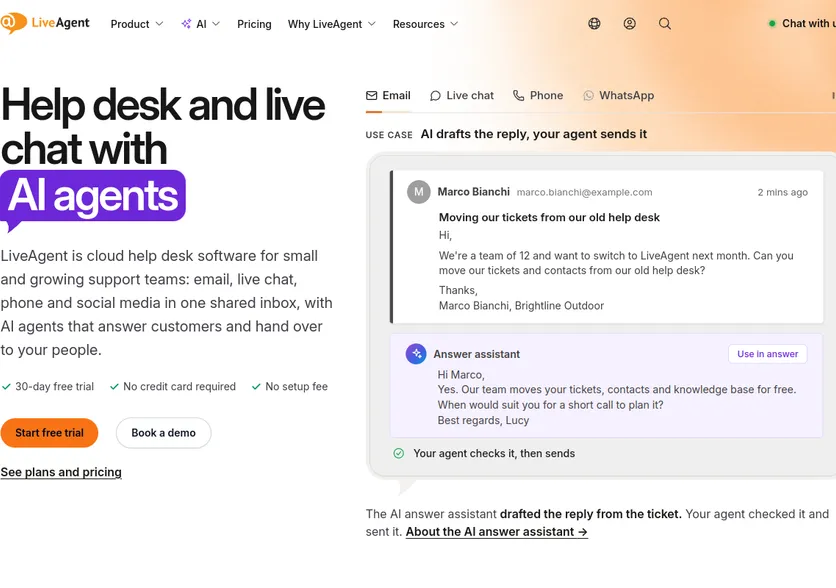
For a distributed team, LiveAgent Small Business costs fifteen dollars per agent a month billed annually and bundles ticketing, live chat, a knowledge base and a call center that remote teams usually buy separately. Agents work from anywhere with the same queue, and the AI Answer Assistant drafts replies on every plan without a per-resolution fee. The free plan covers one agent, so a solo remote founder can run support before hiring.
What we like
- Call center included at fifteen dollars
- AI features included with no per-resolution fee
- Agents work from anywhere on one queue
Watch out for
- SLA and social channels need the Medium plan
- Small plan covers only three email accounts plus chat
How to try it
- Set up the shared inbox for email and chat
- Add live chat to the site for real-time questions
- Use the knowledge base to deflect routine questions overnight
8. HubSpot Service Hub
Best for: Remote teams already running HubSpot CRM
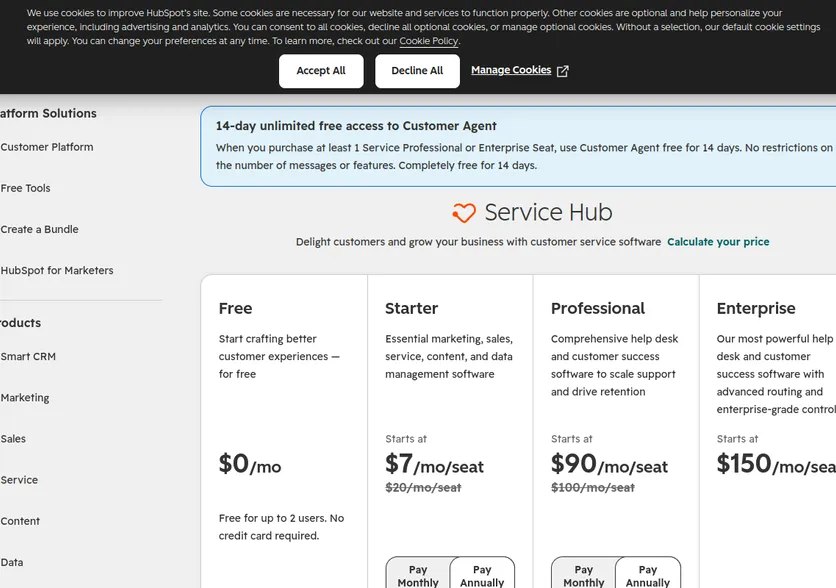
Paid tool Starting price: $15/seat/mo · Fifteen dollars a seat a month on the Starter plan; Professional is ninety dollars a seat a month on annual billing plus a one-time one thousand five hundred dollar onboarding fee, and Enterprise is one hundred fifty dollars a seat a month with a ten-seat minimum
Free plan: Free tools for up to 2 users, with ticketing, live chat and a shared inbox
HubSpot Service Hub Starter costs fifteen dollars a seat a month, and it puts support tickets beside the CRM records a remote team already uses. The free tools cover ticketing, live chat and a shared inbox for two users, so a small distributed team can start free and add Starter seats as it grows. Conversation routing and simple automation come with Starter, while the knowledge base and SLA management wait for the ninety-dollar Professional plan.
What we like
- Tickets sit beside CRM records
- Free tools cover two users
- Starter is fifteen dollars a seat
Watch out for
- Knowledge base and SLAs need ninety-dollar Professional
- Professional adds a fifteen hundred dollar onboarding fee
How to try it
- Connect Service Hub to HubSpot CRM for shared records
- Set up the shared inbox and conversation routing
- Add the chat widget so customers reach the team in real time
Prices above were checked on each vendor’s own website on Nov 27, 2026 and can change — the vendor’s page is the final word. Vendor links are editorial: nobody paid to be listed or ranked here. Vendors who want a featured listing can see how it works on our Get listed page.
How a remote team should pick a help desk
Start with the handoff, not the feature list. A remote team lives or dies by how cleanly a ticket moves from one time zone to the next, so test internal notes, assignments and collision detection with real tickets before you buy. Check the out-of-hours story too: a knowledge base and an AI agent can answer routine questions overnight, while a desk with no self-service leaves customers waiting until morning. Count the integrations honestly, because a tool that does not talk to your chat app or project tracker creates copy-and-paste work for every agent. Finally, trial the desk with agents in at least two time zones, because the routing and reporting only prove themselves when the sun sets on one shift and rises on the next.
Before you buy
- Test timezone handoffs with real tickets before you buy
- Check what answers customers out of hours: knowledge base or AI
- Confirm integrations with your chat and project tools
- Make sure SLA timers respect each agent working hours
- Trial with agents in at least two time zones
Official websites
Official websites of the products reviewed above. Features and prices were checked against these sites when this guide was written, and they can change, so confirm on the vendor site before you buy.
Frequently asked questions
What is the best help desk for a fully remote team?
The best fit depends on your channels, but Intercom leads for chat-led teams, Front leads for shared-inbox teams, and Freshdesk leads on value at fifteen dollars an agent. The deciding factor is usually the handoff: internal notes, assignments and collision detection matter more to a distributed team than any single channel. Pick the tool your agents will actually open every day, then trial it across two time zones.
How do remote teams handle support across time zones?
Most remote teams combine three things: business-hours routing so tickets go to agents who are online, a knowledge base and AI agent for routine questions overnight, and clear internal notes so the next shift picks up without asking. SLA timers should respect each agent's working hours, and a shared inbox with collision detection stops two agents answering the same ticket from different continents.
Do remote teams need live chat or is email enough?
Email is enough for many remote teams, especially when most questions are not urgent. Live chat helps when customers expect fast answers, and it pairs well with an AI agent that covers out-of-hours chats. The cost matters: several tools charge extra for chat, so check whether your plan includes it before you promise real-time replies on your site.
How much does help desk software cost a remote team?
Entry plans on this list run from fourteen to twenty-nine dollars per agent a month on annual billing, so a ten-person remote team pays roughly one hundred forty to two hundred ninety dollars a month before AI add-ons. AI pricing varies widely: Intercom charges ninety-nine cents per Fin outcome, Help Scout seventy-five cents per Envoy resolution, and LiveAgent includes AI features with no per-resolution fee.
Can a help desk replace Slack for support handoffs?
No, and it should not try. Slack is for internal chat, while a help desk is the system of record for customer conversations, with ownership, SLAs and a searchable history. The best setup connects the two: the help desk holds the ticket, and Slack carries the internal discussion about it. Every tool on this list integrates with Slack or a similar chat app.
Compare the eight tools above, then trial the one that fits your distributed team with agents in two time zones before you commit.
Browse Business Tools tools