On this page
A warranty claim is a promise with paperwork: proof of purchase, a serial number, a fault description, an approval, a repair or replacement, and a customer who wants to know where it all stands. The right help desk tracks that whole trail in one ticket instead of scattered emails and spreadsheets. TeamSupport leads this list with customer support built around B2B relationships and asset context, and the other seven tools are ranked on what matters to a claims team: asset tracking, approval workflows, SLA control and honest per-agent pricing.
How we researched this
We checked every price on the vendor pricing page on November 27, 2026, and only included tools with a published US dollar list price and a free trial or free plan. We ranked each tool on what a warranty claims team pays in practice, including asset and serial-number tracking, approval workflows, SLA controls, customer portals for claim status, and integrations with CRM and product systems. Tools with quote-only pricing were left out, so every price below can be verified on the vendor site.
Compare the tools
| Name | Best for | Starting price | Free plan | |
|---|---|---|---|---|
| TeamSupport | B2B teams handling warranty claims with asset context | $29/agent/mo | Free trial, no free plan | Visit |
| Deskpro | Manufacturers that need multi-brand claims with strict seat control | $39/agent/mo | Free trial, no free plan | Visit |
 Salesforce Service Cloud | Large manufacturers already running Salesforce | $25/user/mo | No free plan; 30-day free trial | Visit |
 Zendesk | High-volume warranty teams that need routing and automation | $19/agent/mo | Fourteen-day free trial, no free plan | Visit |
 Freshdesk | Warranty teams that want solid ticketing at a low price | $15/agent/mo | Free plan for up to 2 agents, with basic ticketing | Visit |
 Zoho Desk | Warranty teams already using Zoho apps | $14/agent/mo | Free plan for up to 3 agents | Visit |
 HappyFox | Warranty teams that want simple ticketing with strong SLAs | $24/agent/mo | Fourteen-day free trial, no free plan | Visit |
 Jira Service Management | Manufacturers that run warranty support like an IT service desk | $21.50/agent/mo | Free plan for up to 3 agents | Visit |
The help desk software for warranty claims, compared
1. TeamSupport
Best for: B2B teams handling warranty claims with asset context
Paid tool Starting price: $29/agent/mo · Twenty-nine dollars per agent a month on the Chat Support plan; Essential Support is thirty-five dollars and Professional Support is forty-nine dollars, with Enterprise quoted, and the AI Agent add-on is one hundred twenty-five dollars a month
Free plan: Free trial, no free plan
TeamSupport Chat Support costs twenty-nine dollars per agent a month, and it is built for B2B support where the customer is a company with products, contracts and a history. Tickets carry customer and product context, so a warranty claim shows the asset, the purchase and the past repairs without staff hunting through files. Live chat, AI triage and a customer portal keep the claim moving, while the Professional plan adds advanced reporting for a claims manager who needs the full picture.

What we like
- Built for B2B customer and product context
- Asset and serial context on every ticket
- AI triage routes claims automatically
Watch out for
- Headline is the chat plan; full support starts at thirty-five dollars
- AI Agent add-on costs one hundred twenty-five dollars a month
How to try it
- Set up ticket types for warranty claims, repairs and replacements
- Link assets and serial numbers to each claim ticket
- Use the customer portal so claimants check status themselves
2. Deskpro
Best for: Manufacturers that need multi-brand claims with strict seat control
Paid tool Starting price: $39/agent/mo · Thirty-nine dollars per agent a month on the Team plan with a five-agent minimum; Professional is fifty-nine dollars with a ten-agent minimum and Enterprise is ninety-nine dollars with a twenty-five-agent minimum, and the self-hosted Deskpro Private edition is quoted separately
Free plan: Free trial, no free plan
Deskpro Team costs thirty-nine dollars per agent a month with a five-agent minimum, and it gives a claims team a unified inbox, help center, chatbot and reporting in a single cloud desk. Multi-brand support on Professional lets one team handle warranty claims for separate product brands from the same queue, and the Enterprise plan adds HIPAA-compliant hosting and a choice of data regions. The self-hosted Deskpro Private edition is the rare option for a manufacturer that cannot put claim data in a shared cloud.

What we like
- Unified inbox plus help center and chatbot
- Self-hosted edition for strict data rules
- Multi-brand support on Professional
Watch out for
- Team needs five agents, so the floor is one hundred ninety-five dollars a month
- Professional needs ten seats, so the bill jumps fast
How to try it
- Set up the unified inbox for email, chat and web claims
- Create a help center with warranty terms and claim procedures
- Add brands on Professional so each product line gets its own portal
3. Salesforce Service Cloud
Best for: Large manufacturers already running Salesforce
Paid tool Starting price: $25/user/mo · Twenty-five dollars a user a month on the Starter Suite; Pro Suite is one hundred dollars, Core is one hundred ninety-five dollars, Advanced is three hundred ninety-five dollars and Max is five hundred fifty dollars, and full case management and knowledge tools start at Core
Free plan: No free plan; 30-day free trial
Salesforce Service Cloud Starter Suite costs twenty-five dollars a user a month, and it puts warranty claims beside the Salesforce data a large manufacturer already holds. Pro at one hundred dollars adds SLA management, knowledge, omnichannel routing and video support, while full case management and knowledge articles arrive at the one hundred ninety-five dollar Core tier. The scale is unmatched for a manufacturer with hundreds of agents and complex approval chains, though the price and setup effort are far above a simple help desk.
What we like
- Claims sit beside Salesforce CRM and product data
- Omnichannel routing and SLA management on Pro
- Scales to hundreds of agents
Watch out for
- Full case management needs the one hundred ninety-five dollar Core tier
- No free plan, only a thirty-day trial
How to try it
- Connect Service Cloud to Salesforce CRM and product data
- Set up case routing by product line and claim priority
- Build a knowledge base for warranty terms and claim procedures
4. Zendesk
Best for: High-volume warranty teams that need routing and automation
Paid tool Starting price: $19/agent/mo · Nineteen dollars per agent a month billed annually on the Support Team plan, which covers email ticketing; Suite Team is fifty-five dollars per agent a month, Suite Growth eighty-nine dollars and Suite Professional one hundred fifteen dollars, and monthly billing is twenty-five, sixty-nine and one hundred forty-nine dollars
Free plan: Fourteen-day free trial, no free plan
Zendesk Support Team costs nineteen dollars per agent a month billed annually, and it gives a warranty team structured ticketing with routing rules that sort claims, repairs and replacements automatically. The Agent Workspace pulls email, chat, phone and social messages into one view, so a customer who emails a claim and then calls gets one continuous conversation. AI agents resolve routine status questions before they reach a person, which matters when claim volume spikes after a product launch.

What we like
- Routing rules sort high-volume claims automatically
- Omnichannel workspace in one view
- AI agents resolve routine status questions first
Watch out for
- The full Suite starts at fifty-five dollars an agent
- AI Copilot adds fifty dollars per agent a month
How to try it
- Set up routing rules by product line and claim type
- Connect email, chat and phone into one workspace
- Build SLA policies for urgent product failures
5. Freshdesk
Best for: Warranty teams that want solid ticketing at a low price
Paid tool Starting price: $15/agent/mo · Fifteen dollars per agent a month billed annually on the Growth plan; Pro is forty-nine dollars and Enterprise seventy-nine dollars, monthly billing is nineteen, fifty-nine and ninety-five dollars, and the omnichannel Omni Growth plan is twenty-nine dollars a month
Free plan: Free plan for up to 2 agents, with basic ticketing
Freshdesk Growth costs fifteen dollars per agent a month billed annually, and it covers the ticketing core a warranty team needs: shared inbox, automation rules, SLA timers and a customer portal. Automation routes claims to the right product team, collision detection stops two agents working the same claim, and the portal lets customers check claim status themselves instead of calling. The free plan lets a small claims team test the workflow before paying anything.

What we like
- Fifteen dollars an agent undercuts most rivals
- SLA timers and collision detection on Growth
- Free plan for up to two agents
Watch out for
- Live chat needs the twenty-nine dollar Omni plan
- Freddy AI Copilot adds twenty-nine dollars per agent
How to try it
- Set up automation rules that route claims by product line
- Turn on SLA timers for urgent product failures
- Publish a portal so customers check claim status themselves
6. Zoho Desk
Best for: Warranty teams already using Zoho apps
Paid tool Starting price: $14/agent/mo · Fourteen dollars per agent a month billed annually on the Standard plan; Express is seven dollars with a five-agent cap, Professional is twenty-three dollars and Enterprise is forty dollars, and monthly billing is nine, twenty, thirty-five and fifty dollars
Free plan: Free plan for up to 3 agents
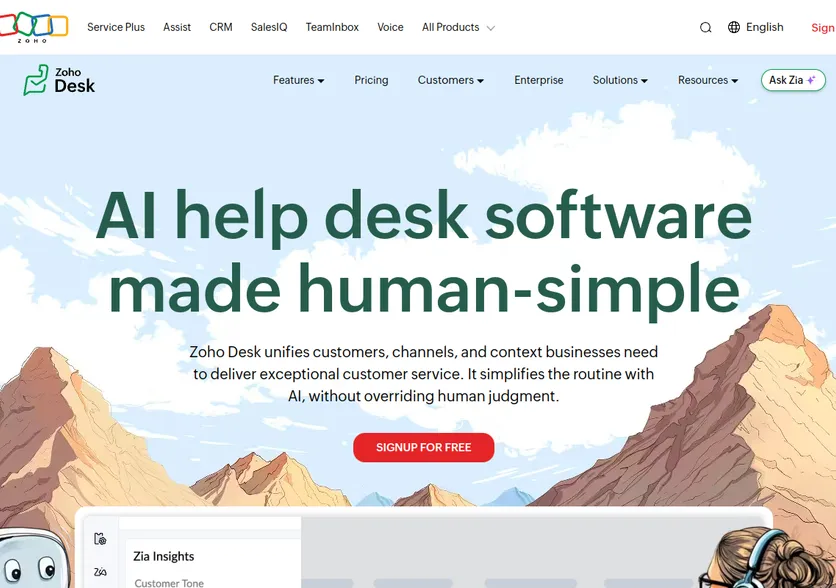
For a warranty team, Zoho Desk Standard costs fourteen dollars per agent a month billed annually, which makes it the cheapest full ticketing plan on this list for a warranty team. It adds business messaging, a knowledge base and custom reports, and it connects with Zoho CRM when the team already tracks customers there. The free plan covers three agents, so a small claims team can start free, though multi-department SLAs across product lines need the forty-dollar Enterprise plan.
What we like
- Fourteen dollars an agent is hard to beat
- Free plan covers three agents
- Connects with Zoho CRM and Books
Watch out for
- Multi-department SLAs need the forty dollar Enterprise plan
- Express caps at five agents
How to try it
- Connect Zoho Desk to Zoho CRM for customer and product records
- Build a knowledge base for warranty terms and claim procedures
- Set up custom reports on claims by product and fault type
7. HappyFox
Best for: Warranty teams that want simple ticketing with strong SLAs
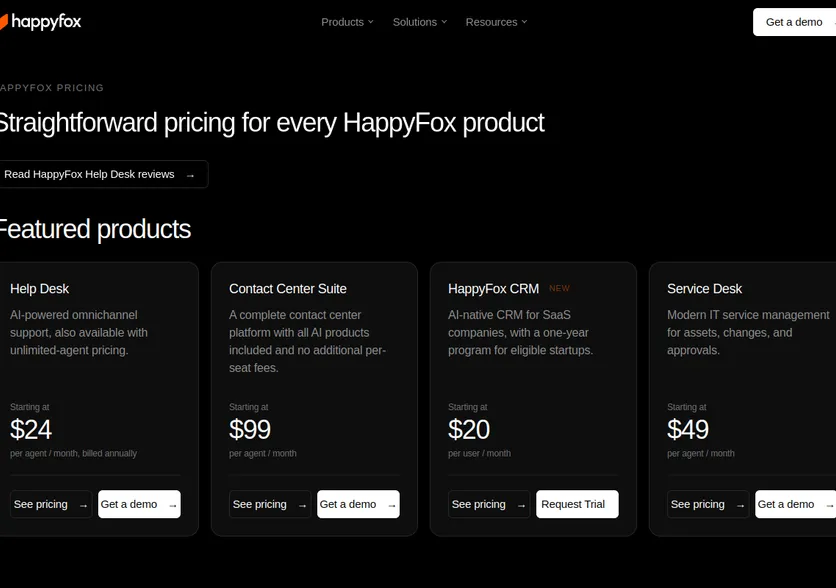
Paid tool Starting price: $24/agent/mo · Twenty-four dollars per agent a month billed annually on the Basic plan, or twenty-nine dollars billed monthly, with a five-agent cap; Team starts at forty-nine dollars and Pro at ninety-nine dollars, and HappyFox AI is a separate add-on from fourteen dollars a month
Free plan: Fourteen-day free trial, no free plan
HappyFox Basic costs twenty-four dollars per agent a month billed annually, and it gives a warranty team unlimited tickets with SLA management, a knowledge base and single sign-on. Smart rules route claims by product or priority without manual triage, and the Team plan adds multi-brand support for manufacturers running several product lines. The five-agent cap on Basic means a growing claims team should price the Team plan from forty-nine dollars before committing.
What we like
- Unlimited tickets with SLA management included
- Smart rules cut manual triage
- Single sign-on on the entry plan
Watch out for
- Basic caps at five agents
- AI features are a separate paid add-on
How to try it
- Build smart rules that route claims by product and priority
- Set SLA timers for urgent product failures
- Create a knowledge base for warranty terms and procedures
8. Jira Service Management
Best for: Manufacturers that run warranty support like an IT service desk
Paid tool Starting price: $21.50/agent/mo · Twenty-one dollars and fifty cents per agent a month is the figure the Atlassian calculator shows for a seventy-five-agent team on Standard, because pricing is tiered by team size; the first fifteen agents cost twenty-six dollars and ninety cents each on monthly billing, and Premium averages fifty-five dollars and twenty-eight cents at the same team size
Free plan: Free plan for up to 3 agents
For a warranty team, Jira Service Management Standard averages twenty-one dollars and fifty cents per agent a month at a seventy-five-agent team, and it brings ITIL-style incident, problem and change management to warranty claims. A recurring product fault becomes a problem ticket with a known fix, while change requests cover firmware updates with approval steps. The branded help center and asset tracking suit a manufacturer where customers, dealers and service engineers all raise different kinds of requests.
What we like
- Problem management stops repeat faults recurring
- Assets and help center included on Standard
- Requesters are free and unlimited
Watch out for
- Per-agent price is tiered, so small teams pay more
- Usage billing for AI starts in December 2026
How to try it
- Set up request types for claims, incidents and change requests
- Build a branded help center for customers and dealers
- Link assets and serial numbers to their claim tickets
Prices above were checked on each vendor’s own website on Nov 27, 2026 and can change — the vendor’s page is the final word. Vendor links are editorial: nobody paid to be listed or ranked here. Vendors who want a featured listing can see how it works on our Get listed page.
How a warranty team should pick a help desk
Start with the claim lifecycle, not the feature list. Map the steps a claim actually takes — intake, proof of purchase, serial check, approval, repair or replacement, closure — and check that the desk can carry that trail on one ticket with the right fields at each step. Asset tracking matters more than it first looks: a ticket that shows the serial number, the purchase date and the past repairs saves the agent from hunting through files. Check the approval story too, because a claim that needs a manager sign-off should not sit in a shared inbox waiting for someone to notice it. Finally, trial the desk with a real claim end to end, because the routing, SLA and portal behaviour decide whether customers feel informed or ignored.
Before you buy
- Map the full claim lifecycle before you shortlist tools
- Check asset and serial-number tracking on the ticket
- Confirm approval workflows for claims that need sign-off
- Test the customer portal for claim status updates
- Trial the desk with a real claim from intake to closure
Official websites
Official websites of the products reviewed above. Features and prices were checked against these sites when this guide was written, and they can change, so confirm on the vendor site before you buy.
Frequently asked questions
What help desk features matter most for warranty claims?
Asset tracking, approval workflows and SLA control matter most, because a warranty claim carries a serial number, a purchase date, a fault description and an approval decision. A customer portal lets claimants check status without calling, routing rules send each claim to the right product team, and a knowledge base answers routine questions about warranty terms. Reporting on claims by product and fault type helps the manufacturer spot a recurring defect early.
Can a help desk track serial numbers and product history?
Yes, when the desk supports asset tracking or custom fields. Tools such as Freshservice, Jira Service Management and TeamSupport link tickets to assets, so a claim shows the serial number, the purchase date and the past repairs. Simpler desks use custom fields for the serial number and rely on a CRM integration for the full product history. Check that the asset data is visible on the ticket, not buried in a separate system.
How much does help desk software cost a warranty team?
Entry plans on this list run from fourteen to thirty-nine dollars per agent a month on annual billing, so a ten-agent claims team pays roughly one hundred forty to three hundred ninety dollars a month before add-ons. The headline can mislead: TeamSupport headline is the twenty-nine dollar chat plan, while full support starts at thirty-five dollars, and Deskpro Team needs five agents. Always multiply the per-agent price by your real agent count.
Do warranty teams need a customer portal?
Yes, in most cases. Customers who can check claim status, upload proof of purchase and see the next step call far less often, which frees agents for the claims that need human judgement. A portal also creates a clean record: every document and message sits on the claim ticket. If your customers are mostly dealers or distributors, a portal matters even more, because they manage many claims at once.
Can a help desk replace warranty management software?
Not always. A help desk handles the conversation and the ticket trail, while dedicated warranty software manages entitlement rules, parts, labour rates and dealer payments. For many manufacturers the help desk is enough, especially when it links tickets to assets and approvals. If your warranty process involves complex entitlement calculations or dealer reimbursements, you may need both, with the help desk as the customer-facing front end.
Compare the eight tools above, then trial the one that fits your claims process with a real warranty claim from intake to closure before you commit.
Browse Business Tools tools