On this page
A nonprofit landing page has one job: turn a stranger who clicked an appeal into a donor, a volunteer or a subscriber before they drift away. The eight builders below all do that job, but they charge very different prices for it, from fifteen dollars a month to more than eighty. Unbounce leads the list because its Build plan pairs a fast editor with AI copy help and unlimited conversions, and the rest are ranked on the same test: how quickly a small team can publish a page that raises money.
How we researched this
We checked every price on the vendor pricing page on November 28, 2026, and only included tools with a published US dollar list price and a free trial or free plan. Squarespace was left out because its entry price could not be settled: recent reads disagree between sixteen and nineteen dollars a month, with a possible plan rebrand in progress. Prices change, so confirm the current figure on the vendor site before you buy.
Compare the tools
| Name | Best for | Starting price | Free plan | |
|---|---|---|---|---|
 Unbounce | Nonprofits that want a dedicated landing page builder with AI copy help and fast publishing | $74/month | Free trial | Visit |
 Instapage | Nonprofits running donation campaigns that need fast pages and detailed heatmaps | $79/month | Free trial | Visit |
 Leadpages | Small nonprofits that want cheap pages with built-in lead capture | $37/month | Free trial | Visit |
 Landingi | Nonprofits that want the cheapest builder with a visual editor | $24/month | No free plan; 14-day free trial | Visit |
 GetResponse | Nonprofits that want landing pages plus email in one subscription | $15.58/month | Free plan for up to 500 contacts | Visit |
 Wix | Nonprofits that want a whole website plus landing pages in one place | $17/month | Free plan with Wix branding | Visit |
 Webflow | Nonprofits with a designer who wants full control over the page | $15/month | Free Starter plan | Visit |
 ClickFunnels | Nonprofits running fundraising funnels with upsells and order bumps | $81/month | Free trial | Visit |
The landing page builder software for nonprofits, compared
1. Unbounce
Best for: Nonprofits that want a dedicated landing page builder with AI copy help and fast publishing
Paid tool Starting price: $74/month · Build is $74 a month billed annually ($99 monthly); Starter is $29, Experiment is $112 and Optimize is $187 a month billed annually, and A/B testing starts on Experiment
Free plan: Free trial
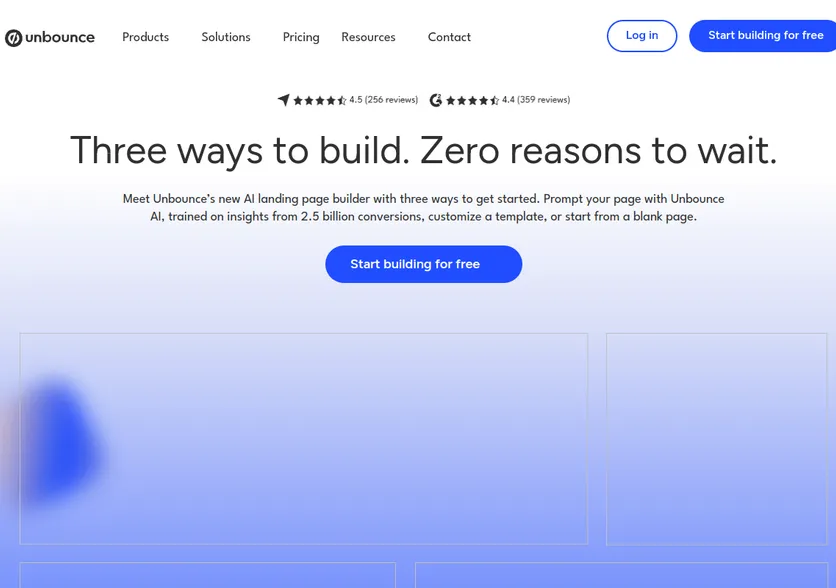
Unbounce has been the reference point for landing page builders for years, and its Build plan gives a nonprofit a drag-and-drop editor, AI copy help and unlimited conversions without touching code. Pages publish fast on a custom domain, and the built-in analytics show which donation appeal actually brings in gifts. The trade is that real A/B testing costs more, so a small team should budget for the Experiment plan if it wants to test headlines properly.
What we like
- Fast visual editor with AI copy help included
- Unlimited conversions on the Build plan
- Clean analytics show which appeal converts best
Watch out for
- A/B testing needs the pricier Experiment plan
- Template choice matters more than the editor promises
How to try it
- Pick a template for the campaign, then rewrite the headline and appeal in the editor
- Connect the donation form and publish the page on a custom domain
- Watch the conversion report and adjust the headline that underperforms
2. Instapage
Best for: Nonprofits running donation campaigns that need fast pages and detailed heatmaps
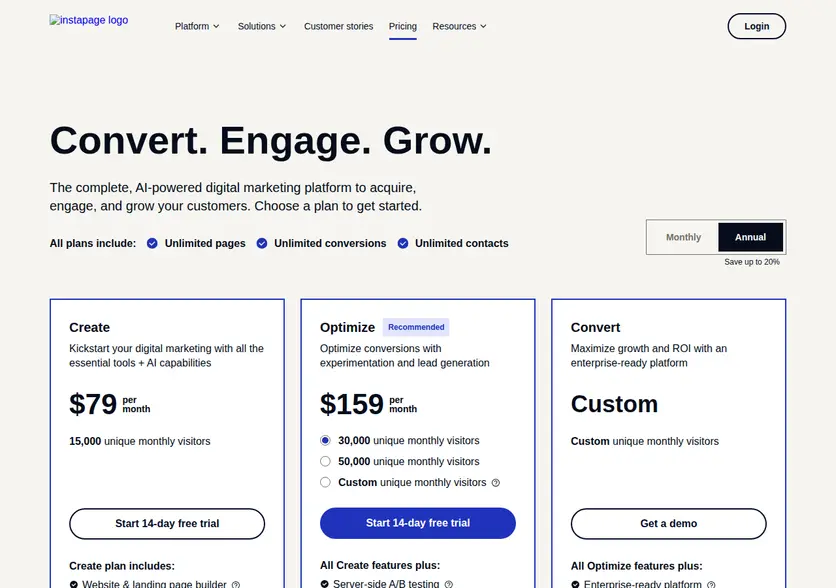
Paid tool Starting price: $79/month · Create is $79 a month billed annually ($99 monthly) for 15,000 monthly visitors; A/B testing needs Optimize at $159 a month billed annually ($199 monthly), and Convert is custom priced
Free plan: Free trial
Instapage is built for teams that run paid campaigns to a landing page, and its Create plan pairs a fast visual editor with heatmaps that show where donors actually click. A nonprofit can clone a winning donation page, swap the appeal and publish a variant in an afternoon. The catch is the price of testing, because split tests only unlock on the Optimize plan, which costs about twice as much.
What we like
- Heatmaps show exactly where donors click and stall
- Cloning a winning page takes minutes, not hours
- Fast page loads keep paid traffic from bouncing
Watch out for
- Split testing costs about twice the entry price
- The visitor cap can bite during a viral campaign
How to try it
- Build the donation page in the visual editor and connect the form
- Publish it and check the heatmap after the first hundred visits
- Clone the winner and change one element for the next campaign
3. Leadpages
Best for: Small nonprofits that want cheap pages with built-in lead capture
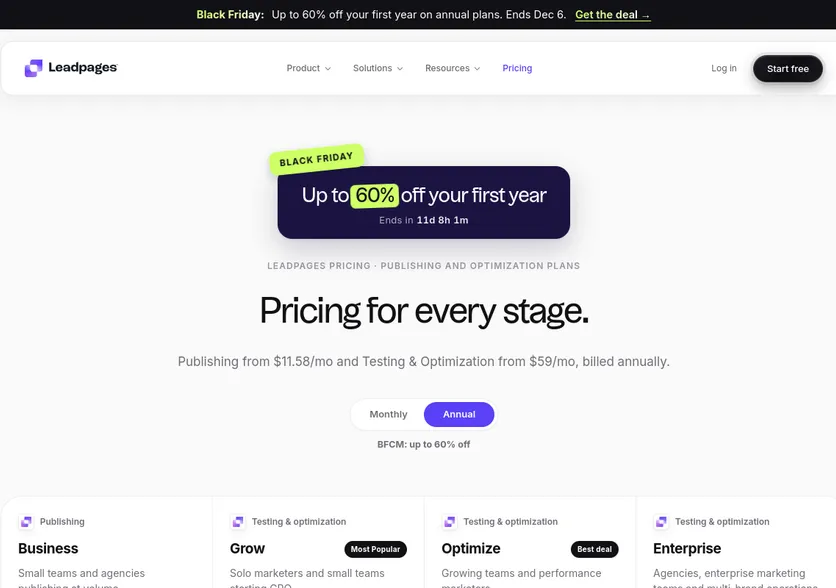
Paid tool Starting price: $37/month · Standard is $37 a month billed annually ($49 monthly); A/B testing is on Pro at $74 a month billed annually ($99 monthly)
Free plan: Free trial
Leadpages keeps the bill low and the workflow simple, which is why small nonprofits with one or two fundraisers keep coming back to it. The Standard plan includes unlimited landing pages, pop-ups and alert bars, plus integrations with the email tools most charities already use. Testing is the gap, since A/B tests only arrive on the Pro plan, so teams that test constantly should price that tier instead.
What we like
- Unlimited landing pages on the cheapest plan
- Pop-ups and alert bars are included, not add-ons
- Integrates with the email tools charities already use
Watch out for
- A/B testing needs the Pro plan at twice the price
- Design flexibility is narrower than Unbounce or Webflow
How to try it
- Choose a donation template and add the appeal text and photo
- Connect the email list and set the thank-you page
- Add a pop-up or alert bar to catch visitors who do not convert
4. Landingi
Best for: Nonprofits that want the cheapest builder with a visual editor
Paid tool Starting price: $24/month · Build is $24 a month billed annually ($29 monthly); A/B testing starts on Optimize at $119 a month billed annually ($149 monthly), and the free plan was dropped in 2026
Free plan: No free plan; 14-day free trial
Landingi is the cheapest builder in this list, and its Build plan still includes a visual editor, more than three hundred templates and unlimited conversions. A nonprofit can launch a campaign page in a day and connect it to a donation form without hiring a developer. The free plan disappeared in 2026, so every user pays, and A/B testing waits on the Optimize plan at a much higher price.
What we like
- Cheapest entry price in this list
- More than three hundred templates to start from
- Unlimited conversions on the Build plan
Watch out for
- No free plan any more, only a 14-day trial
- A/B testing costs five times the entry price
How to try it
- Pick a template close to the campaign goal and edit the copy
- Connect the donation form and set the conversion goal
- Publish and share the link in the next email appeal
5. GetResponse
Best for: Nonprofits that want landing pages plus email in one subscription
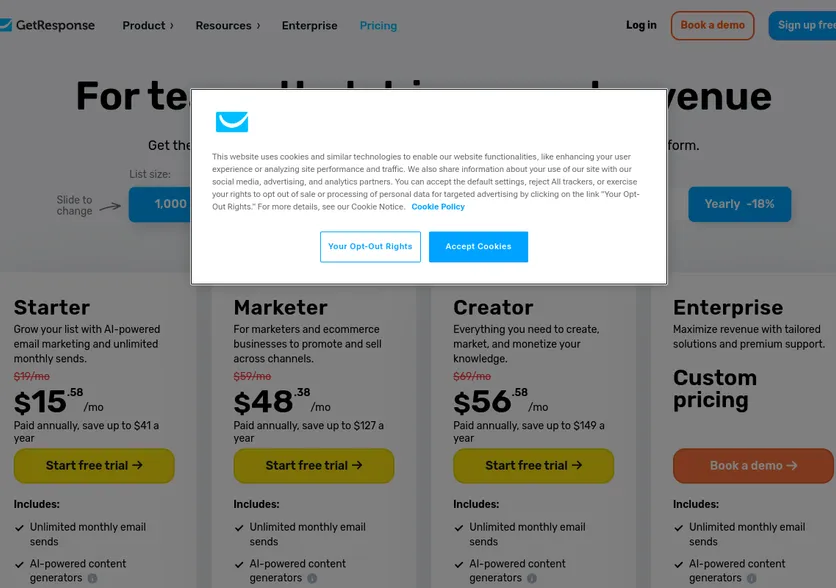
Paid tool Starting price: $15.58/month · Starter is $15.58 a month billed annually ($19 monthly) for 1,000 contacts; the price rises with list size, to $29 a month at 2,500 contacts and $54 at 5,000, and Marketer is $59 a month
Free plan: Free plan for up to 500 contacts
GetResponse is the only tool here that is a landing page builder and an email platform in one subscription, which suits nonprofits that send appeals by email every week. The Starter plan includes a landing page builder, signup forms and autoresponders for a thousand contacts, and the price climbs as the list grows. It is not the prettiest editor in this list, but the combined price beats buying a builder and an email tool separately.
What we like
- Landing pages and email in one subscription
- Free plan covers up to five hundred contacts
- Autoresponders handle donor thank-yous automatically
Watch out for
- Price rises steeply as the contact list grows
- The page editor is less polished than dedicated builders
How to try it
- Build the landing page and link it to a signup form
- Set up an autoresponder that thanks new donors automatically
- Send the next appeal email to the same list and track opens
6. Wix
Best for: Nonprofits that want a whole website plus landing pages in one place
Paid tool Starting price: $17/month · Light is $17 a month billed annually ($24 monthly); Core is $29, Business is $39 and Business Elite is $159 a month billed annually
Free plan: Free plan with Wix branding
Wix gives a nonprofit a full website and a landing page builder for one low price, which makes sense when the donation page is part of a bigger site. The Light plan includes a custom domain, a free SSL certificate and access to the app market, where donation and event tools plug in. The builder is less focused than a dedicated landing page tool, so pages built for one campaign can take longer to polish.
What we like
- A full website and landing pages for one price
- App market adds donation and event tools easily
- Free plan lets a team try before paying
Watch out for
- Less focused than a dedicated landing page builder
- Moving to another platform later means rebuilding pages
How to try it
- Start from a nonprofit template and set the site structure
- Add a donation page with a form from the app market
- Publish on a custom domain and link it from social profiles
7. Webflow
Best for: Nonprofits with a designer who wants full control over the page
Paid tool Starting price: $15/month · Basic is $15 a month billed annually ($25 monthly) for 300 static pages with no CMS; Premium is $25 a month billed annually ($39 monthly) and includes the CMS
Free plan: Free Starter plan
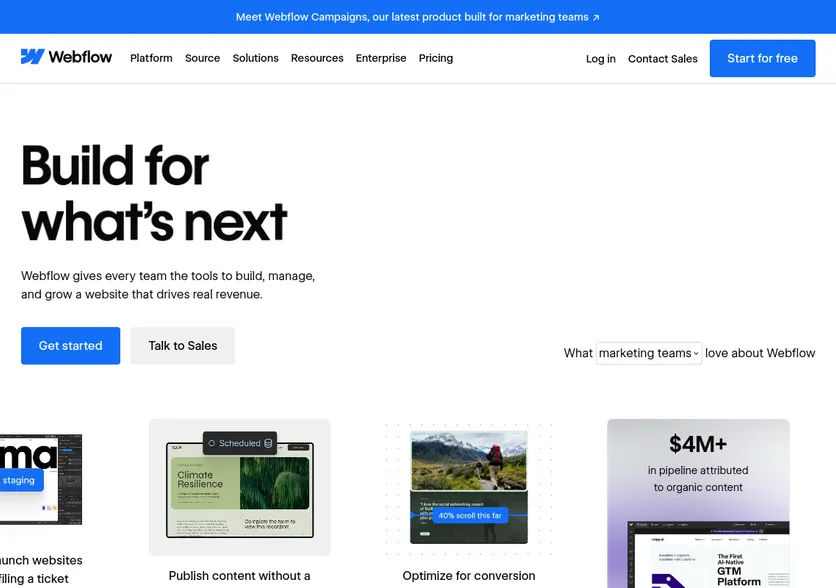
Webflow is the choice for nonprofits that have a designer on staff and want pixel-level control over every section of a page. The Basic plan covers three hundred static pages with no CMS, which is plenty for campaign pages, and the Premium plan adds the CMS when the site grows into a blog. The learning curve is real, and a team without design skills will build slower here than on a template-led builder.
What we like
- Full design control without writing code
- Three hundred static pages on the cheapest plan
- Clean, fast pages that look professionally designed
Watch out for
- Steep learning curve for non-designers
- The CMS costs extra on the Premium plan
How to try it
- Design the donation page from a blank canvas or template
- Add the form and connect it to the email list
- Publish and check the page on mobile before sharing
8. ClickFunnels
Best for: Nonprofits running fundraising funnels with upsells and order bumps
Paid tool Starting price: $81/month · Startup is $81 a month billed annually ($97 monthly) for 20 funnels, 100 pages and 10,000 contacts; Pro is $248 a month billed annually ($297 monthly)
Free plan: Free trial
ClickFunnels thinks in funnels rather than single pages, which fits nonprofits that run a donation flow with an upsell, a monthly-giving ask and a thank-you sequence. The Startup plan covers twenty funnels, one hundred pages and ten thousand contacts, with order bumps and one-click upsells built in. It is the most expensive builder here, and a team that only needs one simple page will pay for features it never uses.
What we like
- Funnels with upsells are built in, not bolted on
- Order bumps can lift the average gift size
- Ten thousand contacts on the entry plan
Watch out for
- Most expensive builder in this list
- Overkill for a team that needs one simple page
How to try it
- Map the donation flow from landing page to thank-you page
- Add a monthly-giving upsell after the first gift
- Test the whole funnel with a real donation before launch
Prices above were checked on each vendor’s own website on Nov 28, 2026 and can change — the vendor’s page is the final word. Vendor links are editorial: nobody paid to be listed or ranked here. Vendors who want a featured listing can see how it works on our Get listed page.
How a nonprofit should pick a landing page builder
Start with the donation flow, not the editor. A page that looks beautiful but hides the donate button below three screens of text will raise less than a plain page with the gift form in view. Pick one tool, publish a single campaign page, and run it through one real appeal before buying a year of anything. Check the total cost too: the subscription is only part of it, since the donation processor takes a cut of every gift, and a builder that needs a paid plan for testing will cost twice the headline price the moment you start optimizing.
Before you buy
- Check that the donate button and gift form sit above the fold on mobile
- Confirm whether A/B testing is included or locked behind a higher plan
- Ask how the builder connects to the donation processor and email list you already use
- Count the real monthly cost including the payment processor fee on every gift
- Run one live appeal on the free trial before committing to an annual plan
Official websites
Official websites of the products reviewed above. Features and prices were checked against these sites when this guide was written, and they can change, so confirm on the vendor site before you buy.
Frequently asked questions
What is the best landing page builder for nonprofits?
Unbounce leads this list because its Build plan combines a fast editor, AI copy help and unlimited conversions for seventy-four dollars a month billed annually. Instapage is the better pick when paid campaigns send the traffic, since its heatmaps show where donors click. Leadpages is the value pick at thirty-seven dollars a month, and GetResponse suits teams that also need email in the same subscription.
Do nonprofits get discounts on landing page builders?
Many vendors offer nonprofit pricing, but it is usually granted on request rather than published on the pricing page, so the list prices in this guide are the starting point for the conversation. Ask the sales team before you pay, and check whether the discount applies to renewals or only the first year. Some vendors also offer free plans for registered charities through their own programmes.
Can I take donations directly on a landing page?
Yes, but the builder is only half of it: the page collects the gift through a donation processor or form tool, and the money moves through that processor, not the builder. Most builders in this list connect to Stripe, PayPal or a dedicated donation platform, and some offer their own payment forms. Check the processor fee, because it is charged on every gift on top of the subscription.
Which tool is cheapest for a small nonprofit?
Webflow Basic is fifteen dollars a month billed annually, and GetResponse Starter is fifteen dollars and fifty-eight cents a month billed annually for a thousand contacts, with a free plan up to five hundred contacts. Wix Light follows at seventeen dollars a month. The cheapest headline price is not always the cheapest total, so check whether testing, extra pages or a bigger contact list pushes you to a higher tier.
Do I need A/B testing for donation pages?
Testing helps once a page already gets steady traffic, because a headline change can lift donations by a meaningful amount, but it is not the first thing a small nonprofit should buy. Start with one clear page, one strong appeal and a visible donate button, then test when you have enough visitors to read the result. If testing matters from day one, budget for the tier that includes it rather than the entry price.
Compare the eight builders above, then start with a free trial on the tool that matches how your team already runs appeals before you pay for a full year.
Browse Marketing & Ads Calculators tools