On this page
A field sales rep carries the CRM, the price list, the customer data and the pitch deck in one bag, and a lost or unmanaged laptop is a lost deal and a security risk. The eight tools below keep that fleet patched, encrypted and recoverable, for prices from one dollar to more than twelve dollars a device a month. Mosyle leads the list because its Premium plan manages Apple devices for a dollar a month, and the rest are ranked on the same test: how quickly a small IT team can enrol, secure and recover a laptop in the field.
How we researched this
We checked every price on the vendor pricing page on November 28, 2026, and only included tools with a published US dollar list price and a free trial or free plan. Kandji and Addigy were left out because neither publishes a price, so their cost cannot be verified before a sales call. Prices change, so confirm the current figure on the vendor site before you buy.
Compare the tools
| Name | Best for | Starting price | Free plan | |
|---|---|---|---|---|
 Mosyle | Field sales teams that run on Macs and want the cheapest serious management | $1/device/month | Free plan for up to 30 devices | Visit |
 Jamf | Field sales teams that need the deepest Apple management available | $12.50/device/month | No free plan; free trial | Visit |
 Hexnode | Field sales teams that want cross-platform management at a low per-device price | $2.20/device/month | No free plan; 14-day free trial | Visit |
 Scalefusion | Field sales teams that want the lowest per-device price with kiosk mode | $2/device/month | No free plan; 14-day free trial | Visit |
| Microsoft Intune | Field sales teams already on Microsoft 365 that want device management included | $8/user/month | No free plan; free trial | Visit |
 ManageEngine Endpoint Central | Field sales teams that want endpoint management with a free tier for small fleets | $1.32/endpoint/month | Free edition for up to 25 endpoints | Visit |
| SimpleMDM | Small field sales teams that want simple Apple management with no minimums | $2.50/device/month | No free plan; 30-day free trial | Visit |
 JumpCloud | Field sales teams that want device management plus identity in one subscription | $9/user/month | Free tier for up to 10 users and 10 devices | Visit |
The laptop fleet management software for field sales, compared
1. Mosyle
Best for: Field sales teams that run on Macs and want the cheapest serious management
Paid tool Starting price: $1/device/month · Premium is $1 per device a month billed annually with a 30-licence minimum; the free plan covers up to 30 devices, and Fuse is $3 per Mac a month and $1.50 per iOS device a month
Free plan: Free plan for up to 30 devices
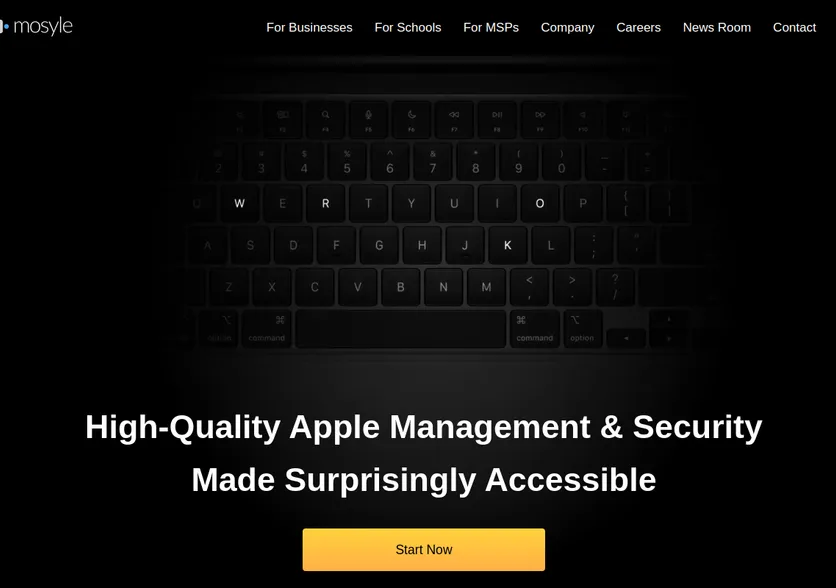
Mosyle is the cheapest serious option for a Mac-heavy field team, and its Premium plan costs one dollar per device a month billed annually. The free plan covers up to thirty devices, so a small team can manage its first laptops without paying anything, and the Fuse plan adds security for three dollars per Mac a month. It is Apple-first, so a team with Windows laptops will need a second tool for those machines.
What we like
- Free plan covers up to thirty devices
- One dollar per device a month on Premium
- Fuse adds security for three dollars per Mac
Watch out for
- Apple-first, so Windows laptops need a second tool
- Premium needs at least thirty licences
How to try it
- Enrol the field laptops through Apple Business Manager
- Push the sales apps and security policies to every device
- Lock or wipe a laptop from the dashboard when one is lost
2. Jamf
Best for: Field sales teams that need the deepest Apple management available
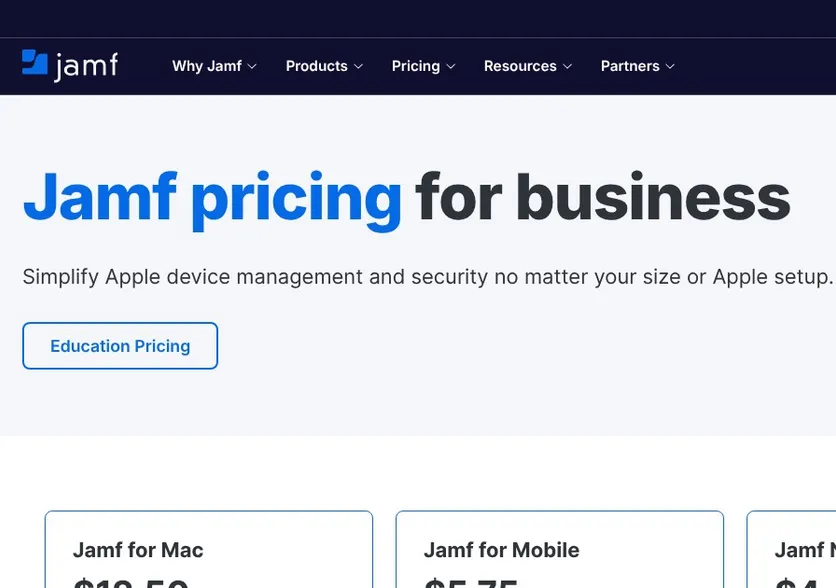
Paid tool Starting price: $12.50/device/month · Jamf for Mac is $12.50 per device a month billed annually with a 25-device minimum; Jamf for Mobile is $5.75 per device a month, and Jamf Now starts at $4 per device a month with the first three devices free
Free plan: No free plan; free trial
Jamf is the deepest Apple management platform in this list, and its Jamf for Mac plan costs twelve dollars and fifty cents per device a month billed annually. The bundle includes Jamf Connect and Protect, so identity and security travel with the laptop, and the twenty-five device minimum suits a team rather than a solo rep. It is the most expensive Apple option here, so a team should be sure it needs the depth before it pays the premium.
What we like
- Deepest Apple management in this list
- Connect and Protect bundle covers identity and security
- Handles large fleets without slowing down
Watch out for
- Most expensive Apple option in this list
- Twenty-five device minimum excludes tiny teams
How to try it
- Enrol the Macs and set the security baseline
- Deploy the sales apps and enforce encryption and updates
- Monitor compliance and wipe any laptop that goes missing
3. Hexnode
Best for: Field sales teams that want cross-platform management at a low per-device price
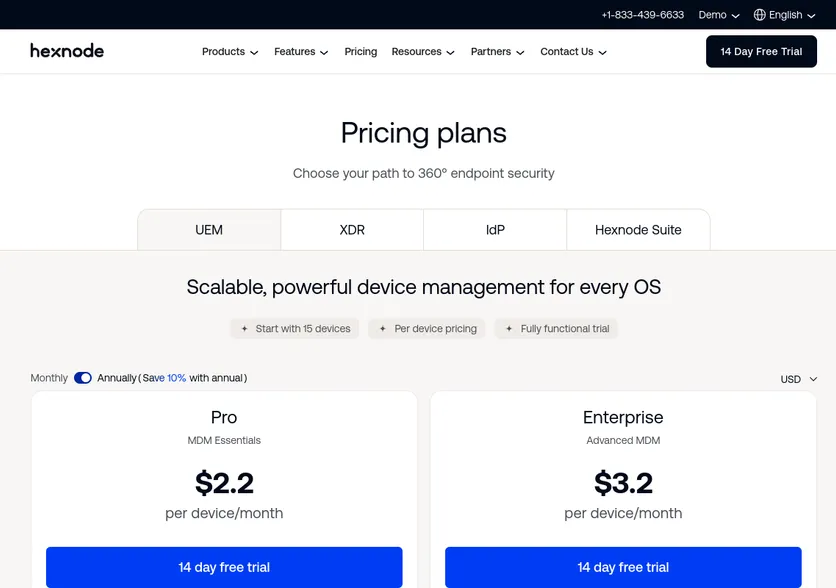
Paid tool Starting price: $2.20/device/month · Pro is $2.20 per device a month billed annually ($2.40 monthly); Enterprise is $3.20 and Ultimate is $4.70 a month billed annually, and every cloud plan has a 15-device minimum
Free plan: No free plan; 14-day free trial
Hexnode is the cross-platform pick for a mixed fleet, covering Mac, Windows, iOS, Android and more from one console, and its Pro plan costs two dollars and twenty cents per device a month billed annually. The plan handles kiosk lockdown, app management and location tracking, with a fifteen-device minimum that suits a small field team. Desktop management needs the Enterprise plan, so a team that manages laptops as well as phones should price that tier.
What we like
- One console for Mac, Windows, iOS and Android
- Kiosk lockdown and location tracking included
- Low entry price for a cross-platform tool
Watch out for
- Desktop management needs the Enterprise plan
- Fifteen-device minimum on every cloud plan
How to try it
- Enrol the laptops and phones from one console
- Push the sales apps and lock lost devices remotely
- Set location tracking and compliance policies per team
4. Scalefusion
Best for: Field sales teams that want the lowest per-device price with kiosk mode
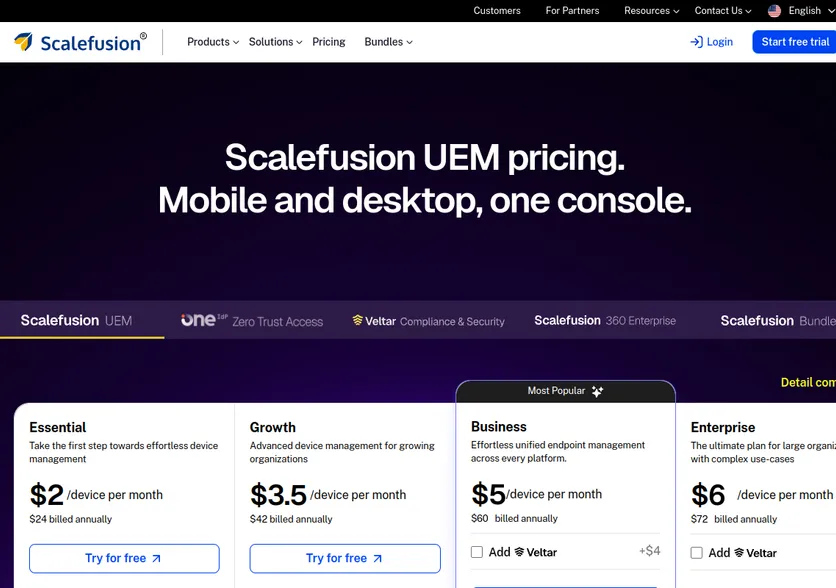
Paid tool Starting price: $2/device/month · Essential is $2 per device a month billed annually only ($24 a year); Growth is $3.50, Business is $5 and Enterprise is $6 a month billed annually, and every plan needs at least 10 devices
Free plan: No free plan; 14-day free trial
Scalefusion is the cheapest paid tool in this list, and its Essential plan costs two dollars per device a month billed annually only. The plan covers kiosk mode, app management and remote control, with a ten-device minimum and a fourteen-day trial of all features. Essential covers Android and iOS only, so a laptop fleet needs the Growth plan at three dollars and fifty cents a device a month.
What we like
- Cheapest paid plan in this list
- Kiosk mode locks a device to one sales app
- Remote cast helps reps who are stuck in the field
Watch out for
- Essential covers Android and iOS only, not laptops
- Annual billing only, with no monthly option
How to try it
- Enrol the field devices and set the kiosk profile
- Push the sales apps and lock the device to one app
- Use remote cast to help a rep who is stuck in the field
5. Microsoft Intune
Best for: Field sales teams already on Microsoft 365 that want device management included
Paid tool Starting price: $8/user/month · Plan 1 is $8 per user a month on an annual term ($96 a year); it is included in Microsoft 365 E3, E5 and Business Premium, and Plan 2 is a $4 add-on with Intune Suite at $10
Free plan: No free plan; free trial
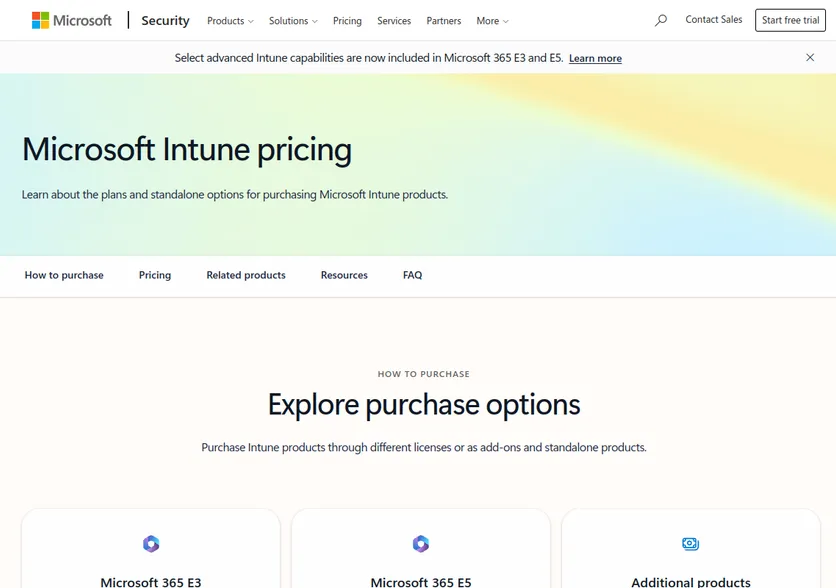
Microsoft Intune is the natural choice for a field team already on Microsoft 365, and its Plan 1 costs eight dollars per user a month on an annual term. It manages Windows, Mac, iOS and Android from the same console as the rest of the Microsoft stack, and it is included in Microsoft 365 E3, E5 and Business Premium. The per-user price can look cheap until a rep carries two devices, so count devices per user before comparing.
What we like
- Included in Microsoft 365 E3, E5 and Business Premium
- One console for Windows, Mac, iOS and Android
- Deep integration with the rest of the Microsoft stack
Watch out for
- Per-user pricing can hide the cost of second devices
- Deepest value only inside a Microsoft 365 subscription
How to try it
- Enrol the field laptops and phones in Intune
- Push the sales apps and compliance policies
- Wipe a device remotely when a rep leaves or loses it
6. ManageEngine Endpoint Central
Best for: Field sales teams that want endpoint management with a free tier for small fleets
Paid tool Starting price: $1.32/endpoint/month · Professional is $795 a year for 50 endpoints on premises, which is $1.32 per endpoint a month; the cloud edition of the same tier is $1,045 a year for 50 endpoints ($1.74 per endpoint a month), and the free edition covers up to 25 endpoints
Free plan: Free edition for up to 25 endpoints
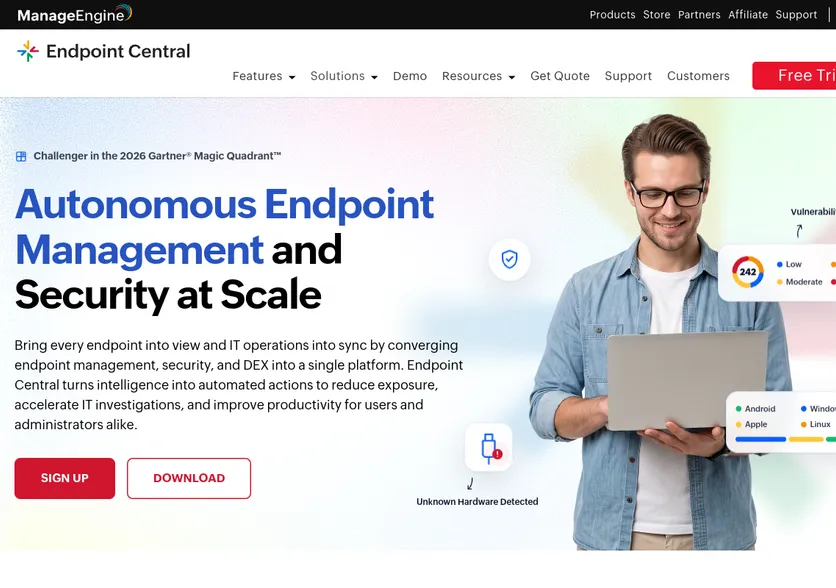
ManageEngine Endpoint Central is the value pick for a mixed fleet, and its Professional edition costs one dollar and thirty-two cents per endpoint a month on premises. The free edition covers up to twenty-five endpoints, so a small field team can start without paying, and the cloud edition of the same tier costs more. The interface is denser than Jamf or Mosyle, so a team should budget a day to learn it.
What we like
- Free edition covers up to twenty-five endpoints
- Covers Windows, Mac, iOS and Android in one tool
- Patching and software deployment are included
Watch out for
- Interface is denser than Jamf or Mosyle
- Cloud edition costs more than the on-premises price
How to try it
- Enrol the field laptops and phones in the console
- Deploy the sales apps and patch schedule
- Monitor compliance and wipe devices that go missing
7. SimpleMDM
Best for: Small field sales teams that want simple Apple management with no minimums
Paid tool Starting price: $2.50/device/month · $2.50 per device a month billed annually ($3 monthly) with no device minimum and no contract; Enterprise pricing for large deployments is a quote
Free plan: No free plan; 30-day free trial
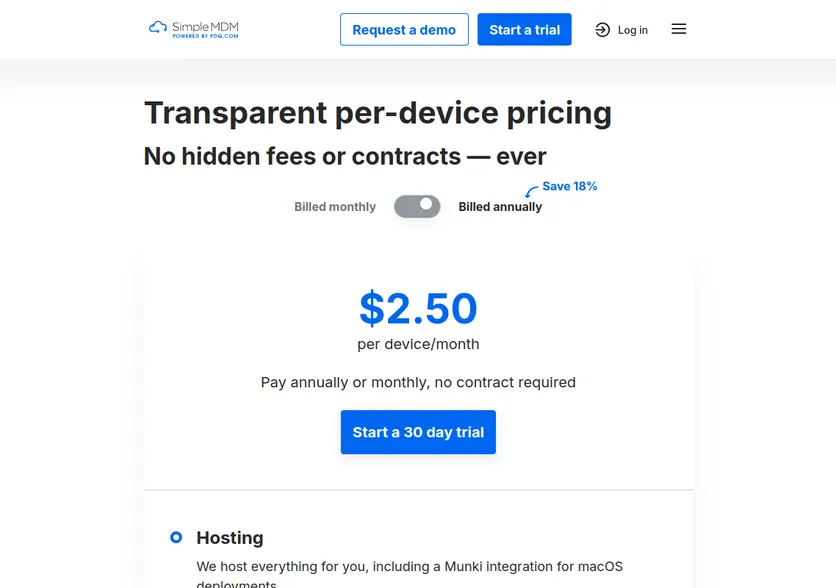
SimpleMDM is the straightforward Apple option in this list, charging two dollars and fifty cents per device a month billed annually with no device minimum and no contract. A small field team can enrol Macs, iPhones and iPads, push apps and profiles, and use the API from the start without paying for a higher tier. It is Apple only, so a team with Windows laptops needs a second console for those machines.
What we like
- No device minimum and no contract
- One flat price with every feature included
- API access is included from the start
Watch out for
- Apple only, so Windows laptops need a second tool
- Support is email only on business days
How to try it
- Enrol the Macs through Apple Business Manager
- Push the sales apps and configuration profiles
- Use the API to automate enrolment for new reps
8. JumpCloud
Best for: Field sales teams that want device management plus identity in one subscription
Paid tool Starting price: $9/user/month · Device Management is $9 per user a month billed annually ($11 monthly); SSO is $11 and Device Identity Management is $13 a month billed annually, and single products run $3 to $5 a month
Free plan: Free tier for up to 10 users and 10 devices
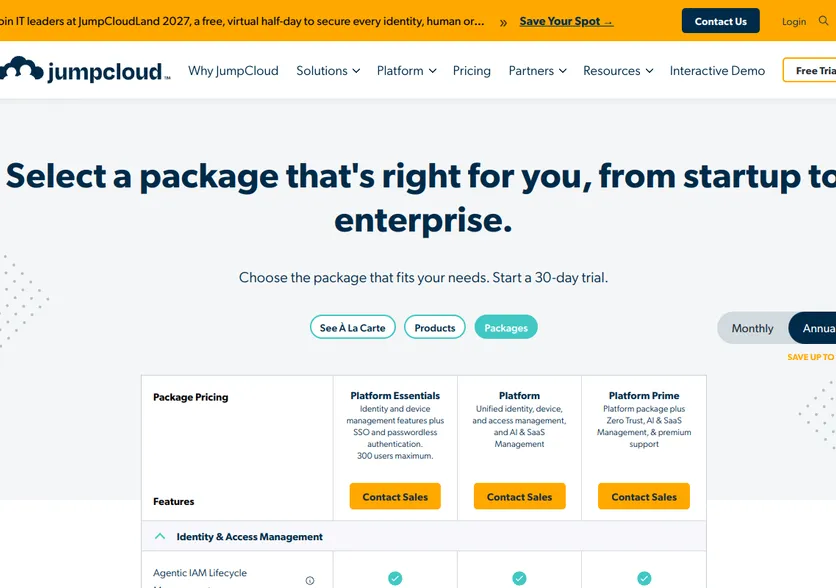
JumpCloud combines device management with a cloud directory, and its Device Management package costs nine dollars per user a month billed annually. A field team gets MDM, patch management, software deployment and remote access for Windows, Mac, Linux, iOS and Android, plus single sign-on if it buys the higher package. The per-user price is higher than per-device tools, and the free tier covers up to ten users and ten devices.
What we like
- Device management plus identity in one subscription
- Covers Windows, Mac, Linux, iOS and Android
- Free tier covers ten users and ten devices
Watch out for
- Per-user pricing is higher than per-device tools
- Identity features need the higher packages
How to try it
- Create the user directory and enrol the field devices
- Push the sales apps and patch schedule to every device
- Enforce single sign-on and multi-factor authentication
Prices above were checked on each vendor’s own website on Nov 28, 2026 and can change — the vendor’s page is the final word. Vendor links are editorial: nobody paid to be listed or ranked here. Vendors who want a featured listing can see how it works on our Get listed page.
How a field sales team should manage its laptops
Start with the security baseline, not the app list: encryption on, a lock screen that actually locks, and remote wipe tested on a spare device before anyone needs it for real. Enrol every laptop before it leaves the office, because a device that ships unenrolled is a device you will chase for months. Push the sales apps and the CRM through the management tool, not by hand, so a new rep gets a working laptop on day one. Finally, count the fleet every month, because a laptop that nobody can find is a laptop that nobody is patching.
Before you buy
- Check whether the price is per device or per user, since field reps often carry two devices
- Confirm the tool covers every operating system the team actually uses, not just Mac
- Ask whether remote lock and wipe are included or sold as a paid add-on
- Count the total for the whole fleet at the minimum licence count, not the headline rate
- Run a pilot with five field laptops for a month before rolling out to the whole team
Official websites
Official websites of the products reviewed above. Features and prices were checked against these sites when this guide was written, and they can change, so confirm on the vendor site before you buy.
Frequently asked questions
What is the best laptop fleet management software for field sales?
Mosyle leads this list because its Premium plan costs one dollar per device a month billed annually, with a free plan for up to thirty devices. Jamf is the deepest Apple option at twelve dollars and fifty cents a device a month, and Hexnode is the best cross-platform pick at two dollars and twenty cents a device a month. The right choice depends on the operating systems the team actually carries.
Does per-device or per-user pricing matter for field sales?
Count devices per user before you compare, because a rep with a laptop and a phone costs twice as much on a per-device plan as on a per-user plan. Mosyle, Jamf, Hexnode, Scalefusion, SimpleMDM and ManageEngine all charge per device, while Intune and JumpCloud charge per user. A team where every rep carries two devices can save real money on a per-user plan, even when the headline rate looks higher.
Can one tool manage a mixed laptop fleet?
Yes, if the tool covers the operating systems in the fleet. Hexnode, Scalefusion, Intune, ManageEngine and JumpCloud all manage Windows, Mac, iOS and Android from one console, while Mosyle, Jamf and SimpleMDM are Apple only. A mixed fleet on an Apple-only tool needs a second console for the Windows laptops, which doubles the admin work and the bill.
What security features matter most for field laptops?
Remote lock and wipe should be on every tool in this list, but check before you buy, because some vendors gate it behind a higher tier or an add-on. Also confirm that the tool can push a security policy, enforce encryption and revoke access when a rep leaves, since a lost laptop with customer data is a bigger risk than the hardware. Test the wipe on a spare device during the trial, not on a live laptop.
How should a field sales team pilot a fleet tool?
Start with five laptops for a month, enrol them, push the sales apps, and test a remote lock and wipe on a spare device. Check that the tool works on the slowest connection the team uses, since field reps often work from hotel wifi. Only roll out to the whole team when the pilot shows the console is easy to use and the policies actually apply to every device.
Compare the eight fleet tools above, then start with a free trial on the tool that matches the laptops your field team already carries before you pay for a full year.
Browse Business Tools tools