On this page
A case is a pile of moving parts: documents, deadlines, client messages, time entries and invoices, and the firm that keeps them in five places loses the thread. The tools below keep the case in one record, so anyone on the team can pick it up and know where it stands. MyCase leads the list because it puts the case file, the client portal and the billing in one place for fifty dollars a user a month, and the other six tools are judged on the same test: how fast a stranger to the case can find the truth.
How we researched this
We checked every price on the vendor pricing page on November 28, 2026, and only included tools with a published US dollar list price and a free trial or free plan. The quote-only names in this category, including Filevine, Litify, Smokeball and Actionstep, publish no prices, so they are not in this list. The seven tools below keep cases, documents, deadlines and billing together at published prices, and prices change, so confirm the current figure on the vendor site before you buy.
Compare the tools
| Name | Best for | Starting price | Free plan | |
|---|---|---|---|---|
 MyCase | Firms that want the case file to carry the whole matter | $50/user/month | Free trial | Visit |
 PracticePanther | Firms that want case workflows that move on their own | $49/user/month | Free trial | Visit |
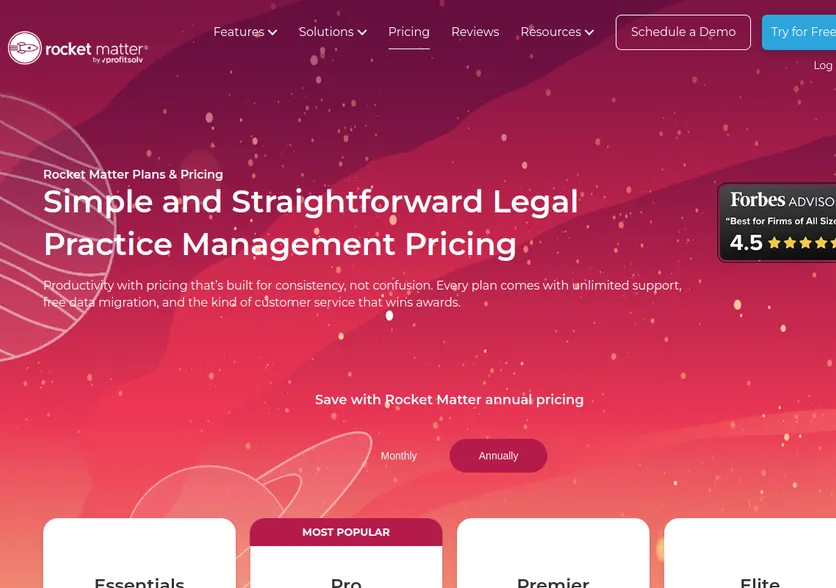
 Rocket Matter | Firms that want time captured against the case as it happens | $59/user/month | Free trial | Visit |
 CosmoLex | Firms that want the case file and the books to be one record | $49/user/month | Free trial | Visit |
 Clio | Firms that want every case in one searchable record | $49/user/month | Free trial | Visit |
 CARET Legal | Firms that want complex cases governed under one roof | $79/user/month | Free trial | Visit |
| LeanLaw | Firms on QuickBooks that want case time synced to the ledger | $55/user/month | Free trial | Visit |
The lawyer software for case management, compared
1. MyCase
Best for: Firms that want the case file to carry the whole matter
Paid tool Starting price: $50/user/month · Fifty dollars per user per month on the Basic plan billed annually, or sixty dollars month to month; Pro is one hundred dollars and Advanced is one hundred and thirty dollars
Free plan: Free trial
Case management is mostly document chasing, and MyCase cuts the chasing by putting the case file, the client messages, the signatures and the billing in one place for fifty dollars a user a month. A client uploads a document in the portal and it lands on the case, not in someone's inbox, and the whole team sees the same record. The Basic plan covers a small firm, and the higher tiers add the automation a busier caseload demands.

What we like
- Case file, messages and billing share one record
- Clients upload documents straight into the case
- Built-in e-signatures keep forms on the file
Watch out for
- The Basic plan has limited automation
- The company behind MyCase now trades as 8am, so the name varies across review sites
How to try it
- Open the case and invite the client to the portal
- Collect documents and signatures inside the case file
- Share status updates through the portal instead of phone calls
2. PracticePanther
Best for: Firms that want case workflows that move on their own
Paid tool Starting price: $49/user/month · Forty-nine dollars per user per month on the Solo plan billed annually, or fifty-nine dollars month to month; Essential is sixty-nine dollars and Business is eighty-nine dollars
Free plan: Free trial
For case management, PracticePanther's strength is the workflow: intake, tasks and billing flow through one case record for forty-nine dollars a user a month, and reminders fire without anyone chasing them. A case moves from enquiry to matter with its tasks attached, so nothing falls between the cracks when the team is busy. The Solo plan suits a single attorney, and the higher tiers add the team features a firm buys as it grows.

What we like
- Case workflow moves intake to billing in one flow
- Reminders fire without manual chasing
- Solo plan is priced for a one-attorney firm
Watch out for
- Reporting is lighter than on the bigger systems
- Email campaigns need a separate tool
How to try it
- Turn a new enquiry into a case with tasks attached
- Let reminders and deadlines fire from the case record
- Bill from the time already recorded on the case
3. Rocket Matter
Best for: Firms that want time captured against the case as it happens
Paid tool Starting price: $59/user/month · Fifty-nine dollars per user per month on the Essentials plan billed annually; Pro is ninety-five dollars and Premier is one hundred and fifteen dollars, and the vendor still lists plans starting at forty-nine dollars in its help pages
Free plan: Free trial
Time capture is where case management pays for itself, and Rocket Matter records it as the work happens, against the case, for fifty-nine dollars a user a month. Documents, billing and trust accounting sit beside the time entries, so the case file and the invoice always agree. The Essentials plan covers a small firm, and the higher tiers add the matter management depth a growing caseload needs.
What we like
- Time is captured against the case as it happens
- Case file and invoice always agree
- Billing and trust accounting sit beside the case
Watch out for
- Costs more than the cheapest picks in this list
- The vendor help pages still quote an older starting price
How to try it
- Create the case and start the timer on each task
- Attach documents and notes to the case as you work
- Generate the invoice from the time on the case
4. CosmoLex
Best for: Firms that want the case file and the books to be one record
Paid tool Starting price: $49/user/month · Forty-nine dollars per user per month on the Launch plan billed annually, or fifty-nine dollars month to month; Core is ninety-nine dollars and Pro is one hundred and twenty-nine dollars
Free plan: Free trial
CosmoLex stands out in case management because the billing and the case file are the same record, with matters, time and trust accounting together for forty-nine dollars a user a month. A case that is billed wrong is a case that is managed wrong, and here the invoice comes from the case itself, so the two cannot drift apart. The Launch plan covers a small firm, while Core and Pro add the reporting a busier caseload needs.

What we like
- Billing comes from the case, so the two cannot drift
- Trust accounting sits inside the case record
- No separate ledger to reconcile at month end
Watch out for
- The pricing page renders in the browser, so prices are hard to verify
- The Launch plan is light on automation
How to try it
- Open the case and record time against it
- Invoice from the case and let the ledger update itself
- Reconcile trust accounts without leaving the system
5. Clio
Best for: Firms that want every case in one searchable record
Paid tool Starting price: $49/user/month · Forty-nine dollars per user per month on the Starter plan billed annually; Core, Signature and Elite are quoted, and a free trial is available
Free plan: Free trial
A case file is only useful if the whole team can find it, and Clio keeps every matter in one searchable record with documents, permissions and an audit trail for forty-nine dollars a user a month. The client portal takes uploads and updates out of email, and billing follows the matter without a second system. The Starter plan covers the essentials, while the quoted higher tiers add the intake and reporting depth a firm buys when the caseload grows.

What we like
- Every case lives in one searchable record
- Client portal keeps uploads out of email
- Most widely used, so integrations are easy to find
Watch out for
- Higher tiers are quoted rather than published
- The Starter plan is light on intake automation
How to try it
- Create the matter and set who on the team can open it
- Invite the client to the portal for documents and updates
- Check the audit trail before a filing to confirm the record
6. CARET Legal
Best for: Firms that want complex cases governed under one roof
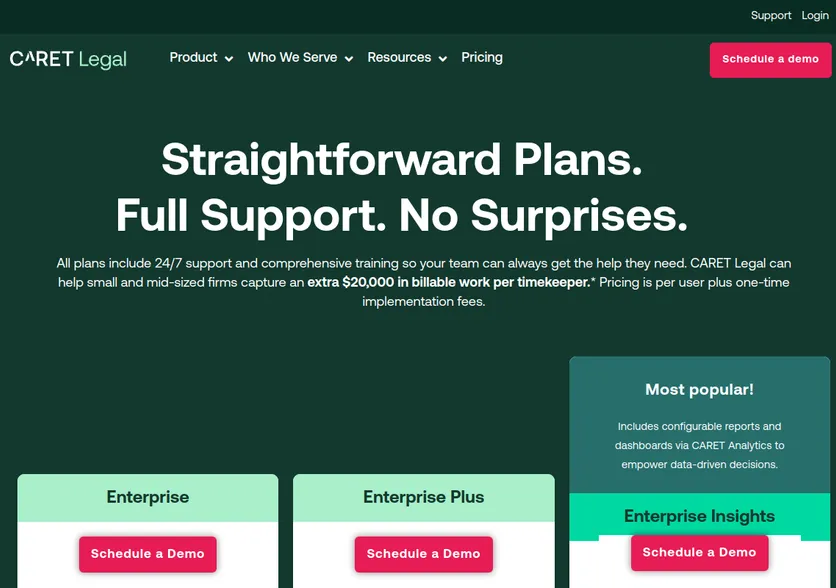
Paid tool Starting price: $79/user/month · Seventy-nine dollars per user per month on the Enterprise plan billed annually; Enterprise Plus is ninety-nine dollars and Enterprise Insights is one hundred and nineteen dollars, and one-time implementation fees are unpublished
Free plan: Free trial
For a firm that handles complex cases, CARET Legal brings the whole matter under one governed roof, with email, documents and billing together for seventy-nine dollars a user a month. Several attorneys can work the same file with roles and permissions keeping each contribution straight, and the matter reports show which cases are stalling. Higher tiers add the analytics a firm buys when it wants to manage the caseload by the numbers.
What we like
- Several attorneys can share one governed case file
- Matter reports show stalled cases early
- Email, documents and billing share one roof
Watch out for
- Highest entry price in this list
- Implementation fees are unpublished
How to try it
- Set up the matter with roles for each attorney on the team
- Keep email, documents and billing inside the same matter
- Review the matter reports weekly to spot stalled cases
7. LeanLaw
Best for: Firms on QuickBooks that want case time synced to the ledger
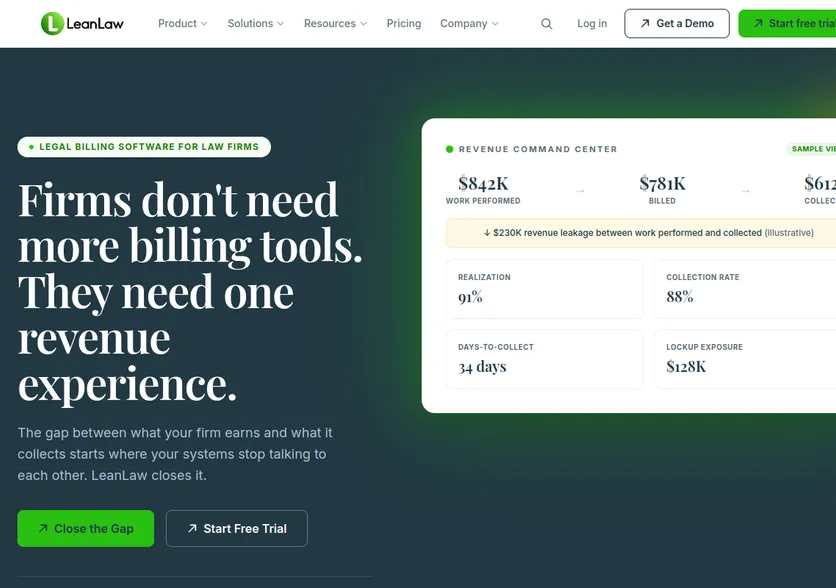
Paid tool Starting price: $55/user/month · Fifty-five dollars per user per month on the Core plan; Pro is seventy-five dollars, and Contingency and Elite are custom-quoted, with a seven-day trial
Free plan: Free trial
LeanLaw's case management is deliberately narrow: matters, time and billing tied to QuickBooks for fifty-five dollars a user a month, and nothing else competing for attention. The Core plan covers a firm that wants the case record and the ledger to agree without a monthly reconciliation, and Pro adds the reporting a growing firm needs. For a QuickBooks firm, that narrowness is the whole point.
What we like
- Case time syncs to QuickBooks without retyping
- Narrow scope keeps the system quick to learn
- The ledger always matches the case record
Watch out for
- Only makes sense for firms on QuickBooks
- Contingency and Elite pricing is quoted, not published
How to try it
- Connect LeanLaw to the firm's QuickBooks account
- Record time against matters and let it sync to the ledger
- Invoice from LeanLaw and reconcile in QuickBooks
Prices above were checked on each vendor’s own website on Nov 28, 2026 and can change — the vendor’s page is the final word. Vendor links are editorial: nobody paid to be listed or ranked here. Vendors who want a featured listing can see how it works on our Get listed page.
How a firm should run cases with software
Start with the file, not the feature list. Every document, deadline and message belongs on the case record, because a case that lives in email is a case nobody can find in a hurry. Set the portal up first, so clients upload into the case instead of sending attachments that land in the wrong inbox. Review the open cases weekly as a team, using the same record the client sees, because a case that looks tidy to the firm and messy to the client is a case about to become a complaint.
Before you buy
- Check that every document, deadline and message sits on the case file, not scattered across email
- Confirm the price covers the whole team, since case work is shared and per-seat costs add up
- Ask whether deadlines and court dates sync to calendars or need manual entry
- Test the client portal with a real case, since clients judge the firm by it
- Run a trial with the firm's busiest case type, not the vendor demo data
Official websites
Official websites of the products reviewed above. Features and prices were checked against these sites when this guide was written, and they can change, so confirm on the vendor site before you buy.
Frequently asked questions
What is lawyer software for case management?
It is software that keeps every case in one record: documents, deadlines, messages, time and billing, so the whole team works from the same file. The tools in this list do that at published prices from forty-nine to seventy-nine dollars per user per month. The difference between them is emphasis: some lead with billing, some with the client portal, and some with the ledger.
What does MyCase cost for case management?
MyCase costs fifty dollars per user per month on the Basic plan billed annually, or sixty dollars month to month. The case file, client messages, signatures and billing share one record, and clients check their own status in the portal. Pro is one hundred dollars and Advanced is one hundred and thirty dollars, adding the automation a busier caseload needs.
Which tool is best for a small firm?
PracticePanther is the lightest pick, with intake, tasks and billing flowing through one case record for forty-nine dollars a user a month. CosmoLex is the pick for a firm that does its own books, since accounting is built into the case record. Rocket Matter is the pick for a firm that bills by the hour and wants time captured as the work happens.
Are all case management tools priced the same way?
No, and the price gap is the giveaway. Filevine, Litify, Smokeball and Actionstep all publish no prices, so they are not in this list. The seven tools here all publish a US dollar list price, which is why a firm can compare them honestly. A quote-only tool can still be the right choice, but its price has to be negotiated rather than read.
How should a firm trial case management software?
Start with the busiest case type the firm handles and run it end to end: intake, documents, deadlines, invoice and payment. Watch where the team hesitates, because that friction is what the firm lives with every day. Test the client portal too, since clients judge the firm by it, and check that deadlines sync to calendars without manual entry.
Compare the seven tools above, then start with a free trial on the tool that matches how your firm already runs a case before you pay for a full year.
Browse Business Tools tools