On this page
A startup pays for traffic and then watches most of it leave, because nothing on the page asks for an email address. Lead capture software fixes that gap: a form, a popup or a landing page that turns a visitor into a contact the team can follow up with. HubSpot Marketing Hub leads the list because it puts the form, the email and the follow-up on one contact record for fifteen dollars a seat a month, and the other six tools are judged on the same test: how many visitors become leads, and how fast the team replies.
How we researched this
We checked every price on the vendor pricing page on November 28, 2026, and only included tools with a published US dollar list price and a free trial or free plan. The tools in this list cover forms, landing pages, popups and the email that follows, and every one of them publishes its price. Prices change, so confirm the current figure on the vendor site before you buy.
Compare the tools
| Name | Best for | Starting price | Free plan | |
|---|---|---|---|---|
 HubSpot Marketing Hub | Startups that want forms, email and follow-up in one place | $15/seat/month | Free plan | Visit |
 Typeform | Startups that want forms people actually finish | $28/month | Free plan (10 responses/mo) | Visit |
 Leadpages | Startups that need landing pages that convert without a developer | $37/month | No free plan; 14-day free trial | Visit |
| Privy | Startups that sell online and want to catch visitors before they leave | $30/month | Free plan | Visit |
| Gravity Forms | Startups on WordPress that want serious forms without a monthly bill | $59/year | No free plan; free demo site | Visit |
 Jotform | Startups that need flexible forms with a generous free plan | $34/month | Free plan (5 forms, 100 submissions/mo) | Visit |
 Mailchimp | Startups that want email follow-up for the leads they capture | $13/month | Free plan (250 contacts) | Visit |
The lead capture software for startups, compared
1. HubSpot Marketing Hub
Best for: Startups that want forms, email and follow-up in one place
Paid tool Starting price: $15/seat/month · Fifteen dollars per seat per month billed annually on the Starter plan, or twenty dollars month to month; new customers currently see a seven-dollar first-year offer, which is a promotion rather than the list price
Free plan: Free plan
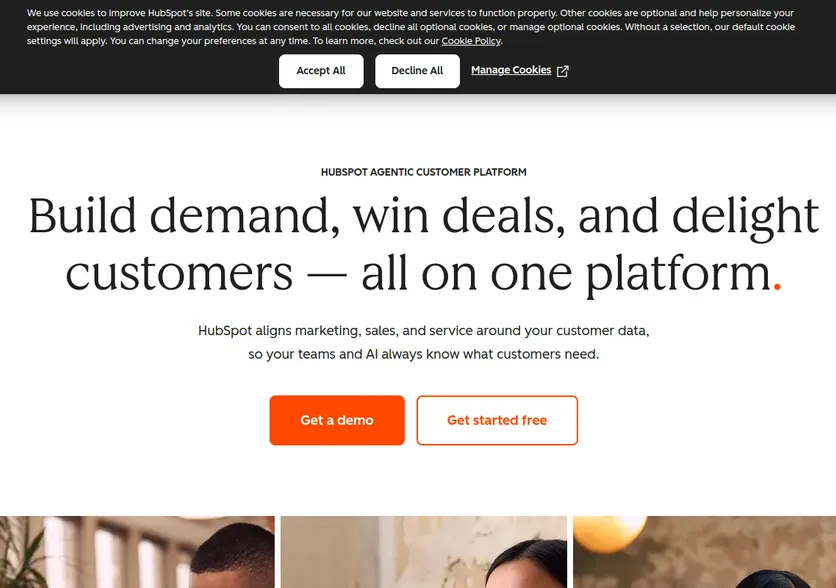
Most startups capture a lead and then lose it in a spreadsheet, and HubSpot Marketing Hub exists to stop that, keeping forms, email and automation on one contact record for fifteen dollars a seat a month. A visitor fills in the form, the contact is created, and a follow-up sequence starts without anyone copying data between tools. The Starter plan covers a young company well, and the free plan is enough to prove the workflow before paying.
What we like
- Forms, email and automation share one record
- Follow-up starts the moment a lead is captured
- Free plan proves the workflow before paying
Watch out for
- The price is per seat, so a second user doubles it
- Lead scoring needs the higher tiers
How to try it
- Put the HubSpot form on your landing page
- Build a short follow-up sequence for every new lead
- Check the contact record to see every touch before the first call
2. Typeform
Best for: Startups that want forms people actually finish
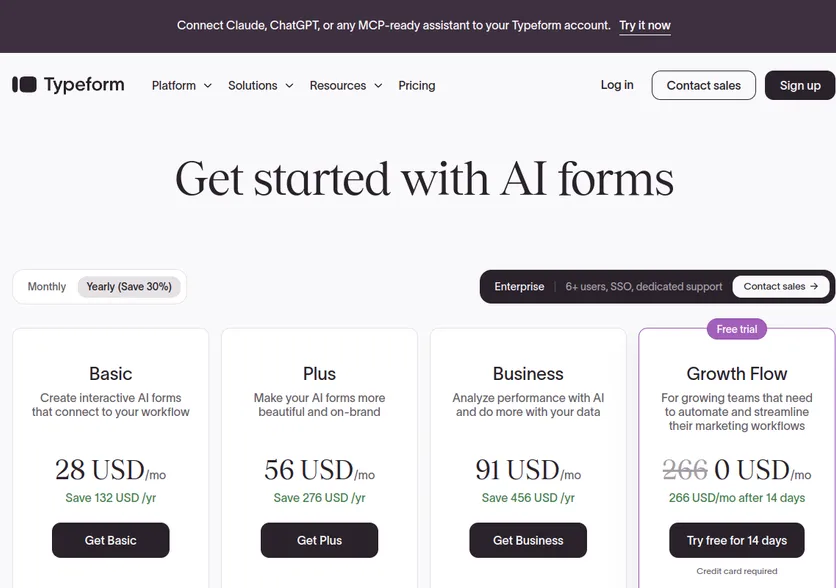
Paid tool Starting price: $28/month · Twenty-eight dollars per month on the Basic plan billed annually, or thirty-nine dollars month to month, for one hundred responses a month; Plus is fifty-six dollars and Business is ninety-one dollars a month billed annually
Free plan: Free plan (10 responses/mo)
A long form kills conversions, and Typeform fixes that by asking one question at a time, in a conversational flow, for twenty-eight dollars a month. The Basic plan covers one hundred responses a month, which is enough for a startup testing its first campaigns, and the design is good enough that the form feels like part of the product. Higher tiers raise the response limit and add the logic jumps that make a form feel personal.
What we like
- One-question-at-a-time flow lifts completion rates
- Forms look like part of the product, not a survey
- Embeds anywhere with a link or an embed code
Watch out for
- Basic plan caps at one hundred responses a month
- Logic jumps need the higher tiers
How to try it
- Build a short form with one question per screen
- Embed it on the landing page or share the link
- Send every response straight into your email tool
3. Leadpages
Best for: Startups that need landing pages that convert without a developer
Paid tool Starting price: $37/month · Thirty-seven dollars per month on the Standard plan billed annually, or forty-nine dollars month to month; Pro is seventy-four dollars billed annually and Advanced is quoted
Free plan: No free plan; 14-day free trial
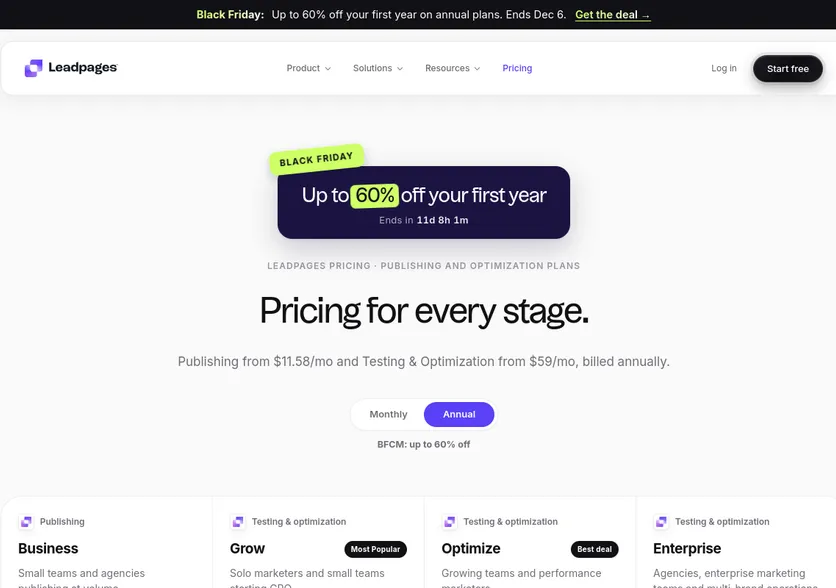
A startup without a developer still needs landing pages, and Leadpages builds them with a drag-and-drop editor, forms and A/B testing for thirty-seven dollars a month. The Standard plan covers the pages a young company needs, with templates for waitlists, webinars and lead magnets that already look finished. It is the fastest way in this list to turn an ad click into a captured email address.
What we like
- Landing pages go live without a developer
- Templates cover waitlists, webinars and lead magnets
- A/B testing is included on the Standard plan
Watch out for
- No free plan, only a fourteen-day trial
- The price is per site, not per page
How to try it
- Pick a template for the offer you are promoting
- Add the form and connect it to your email tool
- Run an A/B test on the headline and keep the winner
4. Privy
Best for: Startups that sell online and want to catch visitors before they leave
Paid tool Starting price: $30/month · Thirty dollars per month on the Starter plan for up to one thousand five hundred mailable contacts; Growth is forty-five dollars, and the price rises with the contact count
Free plan: Free plan
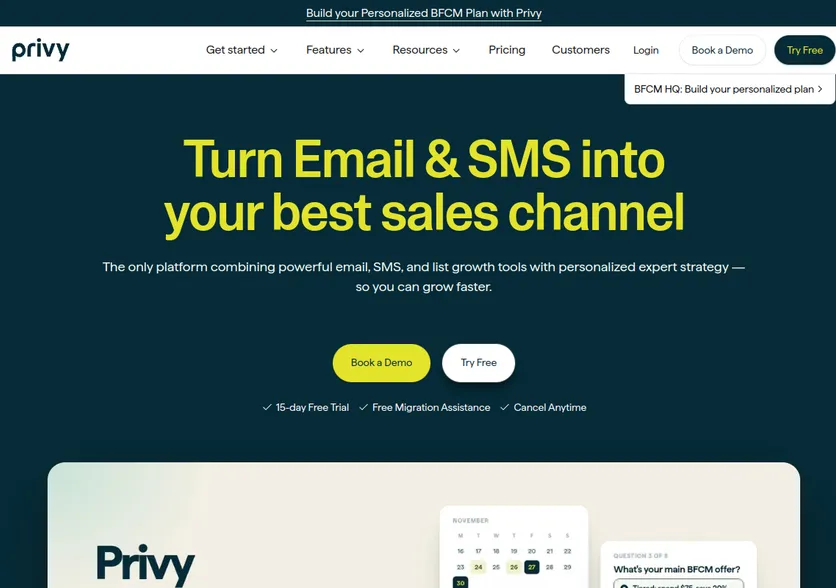
Privy is built for the moment a visitor is about to leave a store, and it turns that moment into an email address with popups, banners and spin-to-win offers for thirty dollars a month. The Starter plan covers up to one thousand five hundred mailable contacts, which suits a young store, and the email and text follow-up run from the same account. It is the most ecommerce-focused capture tool in this list, and it shows in the templates.
What we like
- Exit-intent popups catch visitors before they leave
- Ecommerce templates are ready to use
- Email and text follow-up share one account
Watch out for
- The price rises with the contact count
- Popups can annoy visitors if overused
How to try it
- Add a popup to the store with an exit-intent trigger
- Offer a discount in exchange for the email address
- Send the welcome email from the same account
5. Gravity Forms
Best for: Startups on WordPress that want serious forms without a monthly bill
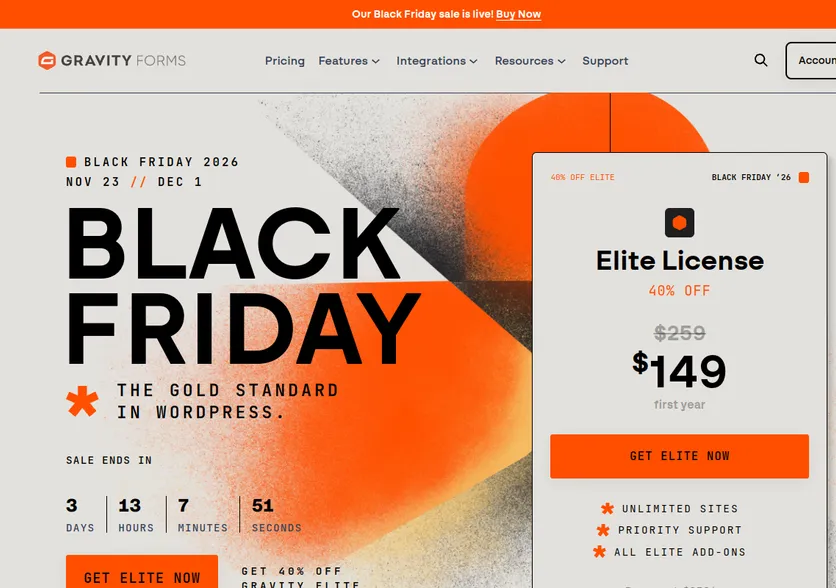
Paid tool Starting price: $59/year · Fifty-nine dollars per year on the Basic licence for one site; Pro is one hundred and fifty-nine dollars and Elite is two hundred and fifty-nine dollars, and renewal costs the purchase price
Free plan: No free plan; free demo site
A WordPress startup does not need another monthly subscription for forms, and Gravity Forms charges once a year instead: fifty-nine dollars a year for the Basic licence on one site. The forms are powerful, with conditional logic, calculations and file uploads, and the data stays on the site the startup already owns. Pro and Elite add the integrations and the extra sites a growing company needs.
What we like
- One yearly licence instead of a monthly bill
- Conditional logic and calculations included
- Form data stays on the site you already own
Watch out for
- No free version, only a demo site
- WordPress only, so it cannot serve a non-WordPress site
How to try it
- Install Gravity Forms on the WordPress site
- Build the form with conditional logic for the fields you need
- Connect the form to your email tool or CRM
6. Jotform
Best for: Startups that need flexible forms with a generous free plan
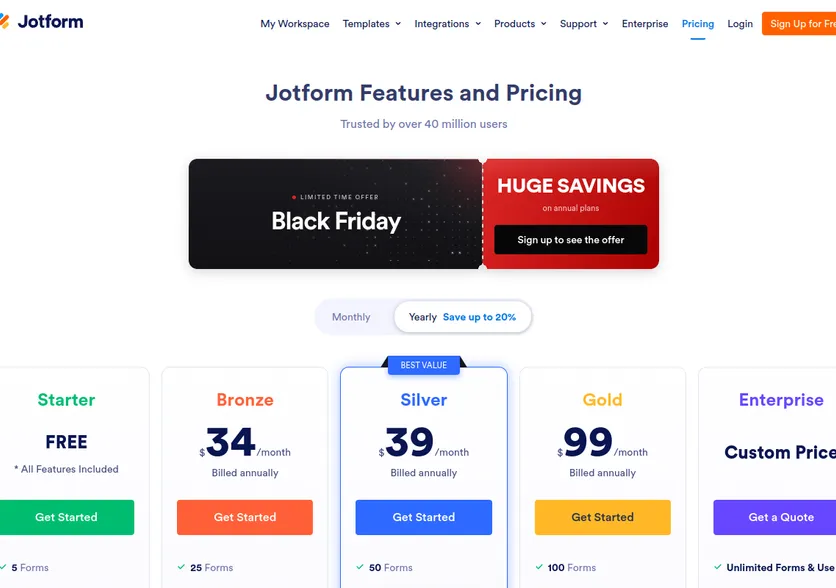
Paid tool Starting price: $34/month · Thirty-four dollars per month on the Bronze plan billed annually, or thirty-nine dollars month to month, for twenty-five forms and one thousand submissions; Silver is thirty-nine dollars and Gold is ninety-nine dollars
Free plan: Free plan (5 forms, 100 submissions/mo)
Jotform is the form builder a startup reaches for when the form is more than a name and an email, with payment fields, file uploads and conditional logic for thirty-four dollars a month. The Bronze plan covers twenty-five forms and one thousand submissions a month, which is plenty for a young company, and the free Starter plan is genuinely useful. It is the most flexible form tool in this list, and the templates cover almost every capture job a startup has.
What we like
- Flexible forms with payments and file uploads
- Free plan covers five forms and one hundred submissions
- Templates cover almost every capture job
Watch out for
- The free plan caps at one hundred submissions a month
- The price rises with submissions, not just forms
How to try it
- Pick a template for the form you need
- Add payment or file upload fields where the job needs them
- Send submissions straight into your email tool or CRM
7. Mailchimp
Best for: Startups that want email follow-up for the leads they capture
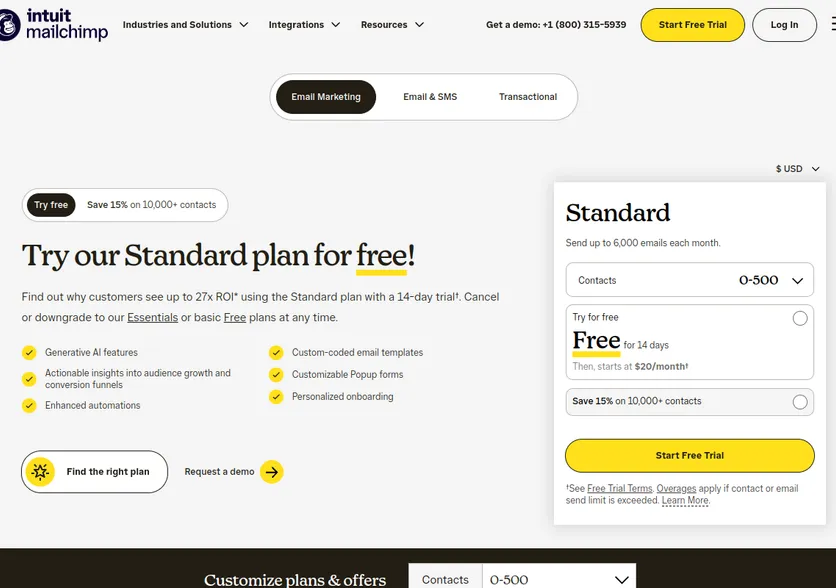
Paid tool Starting price: $13/month · Thirteen dollars per month on the Essentials plan for five hundred contacts on monthly billing, or about eleven dollars with annual prepay; Standard is twenty dollars and Premium is three hundred and fifty dollars
Free plan: Free plan (250 contacts)
A startup with a small list needs email that works on day one, and Mailchimp gives it, with newsletters, landing pages and basic automation for thirteen dollars a month. A captured lead gets a welcome email, then a monthly update, without the startup building a marketing stack. The Essentials plan covers five hundred contacts, and the free plan covers two hundred and fifty, which is enough to test whether email brings customers back.
What we like
- Email works on day one without a marketing stack
- Landing pages capture leads without a website rebuild
- Free plan covers two hundred and fifty contacts
Watch out for
- Automation is basic on the Essentials plan
- The price rises steeply as the list grows
How to try it
- Connect your forms to Mailchimp so leads arrive automatically
- Send a welcome email to every new lead
- Send a monthly update and watch which links get clicked
Prices above were checked on each vendor’s own website on Nov 28, 2026 and can change — the vendor’s page is the final word. Vendor links are editorial: nobody paid to be listed or ranked here. Vendors who want a featured listing can see how it works on our Get listed page.
How a startup should capture leads
Start with one page and one offer, because a visitor who has to choose does not convert. Put the form above the fold, ask for the email first and nothing else, and follow up within the hour while the visit is still fresh. Test the form on a phone, since that is where most startup traffic arrives, and count the conversion rate weekly rather than the raw visitor count. Finally, connect the form to the email tool on day one, because a lead that sits in a spreadsheet is a lead nobody follows up with.
Before you buy
- Check that captured leads land in a system that follows up, not in a spreadsheet nobody opens
- Confirm the price covers the lead volume you actually get, since form and email pricing climb with volume
- Ask whether the form, the landing page and the email live in one tool or three that need wiring
- Test the form on a phone, since most startup traffic arrives there and a clumsy form loses it
- Run a trial with one real campaign, from click to captured lead to first reply, before you commit
Official websites
Official websites of the products reviewed above. Features and prices were checked against these sites when this guide was written, and they can change, so confirm on the vendor site before you buy.
Frequently asked questions
What is lead capture software for startups?
It is software that turns a visitor into a contact you can follow up with: a form, a popup or a landing page that collects an email address, and a system that stores it. The tools in this list cover forms, landing pages, popups and the email that follows. For a startup, the point is simple: traffic you cannot contact is traffic you paid for and lost.
What does HubSpot Marketing Hub cost for lead capture?
HubSpot Marketing Hub costs fifteen dollars per seat per month billed annually on the Starter plan, or twenty dollars month to month. Forms, email and automation share one contact record, so a captured lead gets a follow-up sequence without anyone copying data. A free plan is available, and new customers currently see a seven-dollar first-year offer, which is a promotion rather than the list price.
Which tool is best for forms?
Typeform is the pick when the form itself is the product, since one question at a time lifts completion rates. Leadpages is the pick when you need a whole landing page without a developer. Gravity Forms is the pick for a WordPress startup that wants powerful forms for a yearly licence instead of a monthly bill. The right one depends on where the visitor meets the form.
Which tool is cheapest for a startup?
Privy is cheapest for a store at thirty dollars a month, and it catches visitors with exit-intent popups before they leave. Typeform is twenty-five dollars a month for one hundred responses, and Jotform is thirty-four dollars for one thousand submissions. Compare the limit that matters to you, since one tool caps responses and another caps submissions.
How should a startup start capturing leads?
Start with one page and one offer, and make the form the only job on that page. Ask for the email first and nothing else, since every extra field costs conversions. Follow up within an hour, while the visitor still remembers the page, and measure the conversion rate weekly. A form that captures ten percent of visitors beats a prettier form that captures two.
Compare the seven tools above, then start with a free trial on the tool that matches how your startup already captures leads before you pay for a full year.
Browse Marketing & Ads Calculators tools