On this page
Most law firms lose clients in the gap between the first call and the signed agreement, not in the courtroom. A CRM closes that gap by tracking every lead, every follow-up and every pipeline stage until the client signs. Zoho CRM leads the list because it delivers a full CRM from fourteen dollars a user a month with a free plan for three users, and the other eight tools are ranked on the same practical test: how little work it takes to turn a lead into a matter.
How we researched this
We checked every price on the vendor pricing page on November 27, 2026, and only included tools with a published US dollar list price and a free trial, free plan or free demo. The list mixes legal CRMs that feed leads into matters with general CRMs that law firms actually use, because both are real choices for a firm. Prices change, so confirm the current figure before you buy.
Compare the tools
| Name | Best for | Starting price | Free plan | |
|---|---|---|---|---|
 Zoho CRM | Small firms that want a full CRM at the lowest price | $14/user/month | Free plan for up to 3 users | Visit |
 HubSpot Sales Hub | Firms that want a free CRM to start and room to grow | $20/seat/month | Free CRM tools | Visit |
 Salesforce | Firms that want the biggest CRM ecosystem available | $25/user/month | Free Suite for 2 users | Visit |
 Pipedrive | Firms that want the simplest pipeline-first CRM | $14/user/month | Free 14-day trial | Visit |
| Clio Grow | Firms already on Clio Manage that want CRM in the same system | $59/user/month | Free demo | Visit |
 MyCase | Firms that want CRM features inside practice management | $100/user/month | Free trial | Visit |
 PracticePanther | Firms that want CRM and automation on one plan | $89/user/month | Free trial | Visit |
 Lawcus | Firms that want the full Lawcus feature set including CRM | $79/user/month | Free trial | Visit |
 Rocket Matter CRM | Firms already on Rocket Matter that want CRM added on | $39/user/month | Free trial | Visit |
The legal CRM software for law firms, compared
1. Zoho CRM
Best for: Small firms that want a full CRM at the lowest price
Paid tool Starting price: $14/user/month · Fourteen dollars per user a month billed annually on the Standard plan, or twenty dollars on monthly billing; Professional is twenty-three dollars, Enterprise is forty dollars and Ultimate is fifty-two dollars, and a free plan covers up to three users
Free plan: Free plan for up to 3 users
This Zoho CRM plan costs fourteen dollars per user a month billed annually on Standard, and it is the cheapest real CRM in this list. Leads, contacts, deals and pipelines are all included, with email integration and workflow automation from the start, and a free plan covers up to three users. The trade-off is that nothing here is built for law firms specifically, so matter management and trust accounting need a separate practice tool.

What we like
- Lowest price in this list at fourteen dollars a month
- Free plan covers up to three users
- Pipelines, automation and email are included from Standard
Watch out for
- Nothing is built specifically for law firms
- Matter and trust accounting need a separate tool
How to try it
- Set up a pipeline that mirrors your intake stages, from lead to signed client
- Connect email so every client message lands on the right contact
- Automate follow-up reminders so no lead waits more than a day
2. HubSpot Sales Hub
Best for: Firms that want a free CRM to start and room to grow
Paid tool Starting price: $20/seat/month · Twenty dollars per seat a month on the Sales Hub Starter plan; a seven-dollar new-customer promotion is not the list price. Professional is one hundred dollars per seat a month plus a one thousand five hundred dollar onboarding fee, and Enterprise is one hundred and fifty dollars plus three thousand five hundred dollars onboarding
Free plan: Free CRM tools
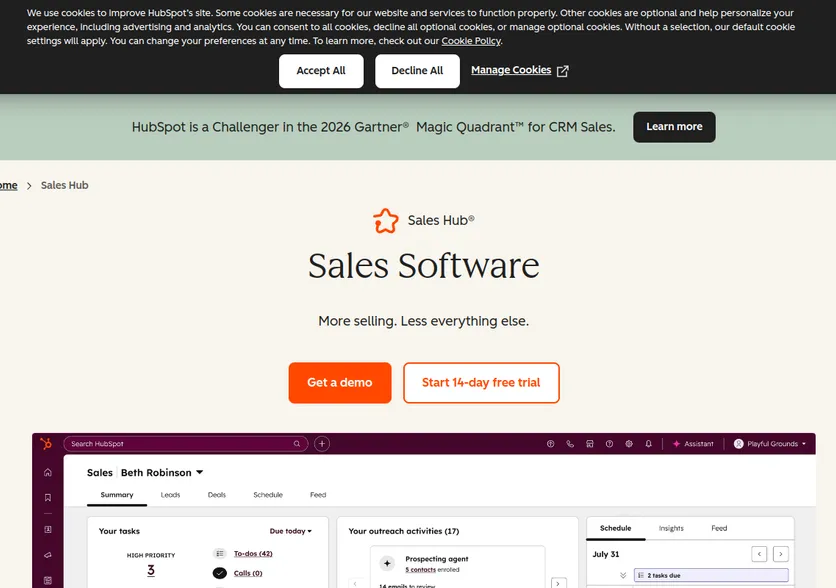
This HubSpot Sales Hub plan costs twenty dollars per seat a month on Starter, and the real draw is the free CRM underneath it: contacts, deals, pipelines and email tracking cost nothing to start. Starter adds sequences, meeting scheduling and simple automation, while Professional at one hundred dollars per seat a month adds the reporting and forecasting a growing firm needs. The seven-dollar new-customer promotion is not the list price, so budget on the twenty-dollar figure.
What we like
- Free CRM tools make starting cost nothing
- Sequences and scheduling are included from Starter
- Scales cleanly from one attorney to a whole firm
Watch out for
- Onboarding fees of one thousand five hundred dollars apply from Professional
- No legal-specific features like conflict checks or trust accounting
How to try it
- Import your contacts and set up a deal pipeline for intake
- Use sequences to follow up with leads who go quiet
- Move to Professional when you need forecasting and deeper reporting
3. Salesforce
Best for: Firms that want the biggest CRM ecosystem available
Paid tool Starting price: $25/user/month · Twenty-five dollars per user a month for the Starter Suite on monthly or annual billing; Pro Suite is one hundred dollars, Core is one hundred and ninety-five dollars, Advanced is three hundred and ninety-five dollars and Max is five hundred and fifty dollars. A free Suite covers two users
Free plan: Free Suite for 2 users
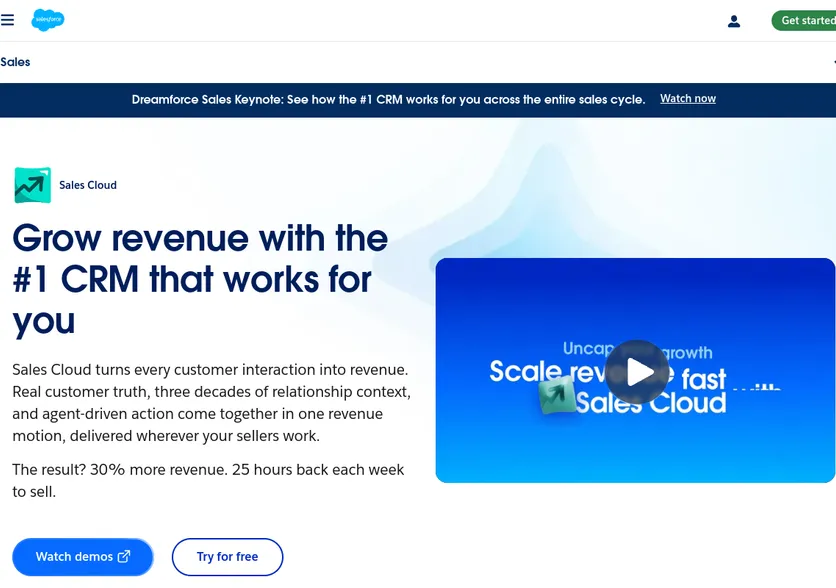
This Salesforce plan costs twenty-five dollars per user a month for the Starter Suite, and it buys into the largest CRM ecosystem in the world: thousands of integrations, deep reporting and an app marketplace that covers almost any workflow. A free Suite covers two users, which suits a tiny firm testing the waters.
What we like
- Largest CRM ecosystem with thousands of integrations
- Free Suite covers two users for testing
- Deep reporting grows with the firm
Watch out for
- Prices climb steeply through the higher suites
- Overkill for a solo practice that only needs pipelines
How to try it
- Set up the Starter Suite with your intake pipeline and lead sources
- Connect email and calendar so client activity is logged automatically
- Add AppExchange tools only when a workflow genuinely needs them
4. Pipedrive
Best for: Firms that want the simplest pipeline-first CRM
Paid tool Starting price: $14/user/month · Fourteen dollars per user a month billed annually on the Essential plan, or twenty-four dollars on monthly billing; Advanced is twenty-nine dollars, Professional is forty-nine dollars, Power is sixty-four dollars and Enterprise is ninety-nine dollars. Some directories list Advanced at thirty-four dollars and Professional at fifty-nine dollars, so confirm the current price before buying
Free plan: Free 14-day trial
This Pipedrive plan costs fourteen dollars per user a month billed annually on Essential, tying Zoho as the cheapest CRM here. Pipedrive is built around one idea, a visual sales pipeline, and it does that idea better than any general CRM: drag a deal from stage to stage, see what is stuck, and follow up before a lead cools.

What we like
- The clearest visual pipeline of any CRM here
- Ties Zoho as the cheapest CRM at fourteen dollars a month
- Simple enough that the whole firm actually uses it
Watch out for
- Pipeline-first, so reporting is thinner than HubSpot or Salesforce
- No free plan, only a fourteen-day trial
How to try it
- Build a pipeline with your real intake stages from lead to retainer
- Drag each deal forward as the prospect moves toward signing
- Set activity reminders so no lead sits untouched for more than a day
5. Clio Grow
Best for: Firms already on Clio Manage that want CRM in the same system
Paid tool Starting price: $59/user/month · Fifty-nine dollars per user a month billed annually, plus a three hundred and ninety-nine dollar one-time setup fee; Clio Grow is an add-on to Clio Manage Essentials or Advanced, or included in the Expand plan at one hundred and forty-nine dollars per user a month
Free plan: Free demo
This Clio Grow plan costs fifty-nine dollars per user a month billed annually, and it is the CRM that lives inside Clio: intake forms, follow-up and e-signature feed new clients straight into Clio Manage as matters. A lead never has to be retyped, and the pipeline shows every prospect from first contact to signed agreement. The three hundred and ninety-nine dollar one-time setup fee applies, and Clio Grow needs Clio Manage Essentials or Advanced, or the Expand plan that includes it.

What we like
- Leads become Clio matters with no retyping
- E-signature and follow-up are built into the pipeline
- Pipeline view covers first contact to signed client
Watch out for
- Needs Clio Manage Essentials or Advanced, or the Expand plan
- A three hundred and ninety-nine dollar one-time setup fee applies
How to try it
- Build intake forms that capture the fields your practice needs
- Let new clients flow into Clio Manage as matters with documents attached
- Use e-signature to close engagement agreements inside the pipeline
6. MyCase
Best for: Firms that want CRM features inside practice management
Paid tool Starting price: $100/user/month · One hundred dollars per user a month billed annually on the Pro plan, or one hundred and twenty dollars on monthly billing; Basic is fifty dollars and Advanced is one hundred and thirty dollars, and the MyCase Accounting add-on is thirty-nine dollars per user a month on Pro and Advanced
Free plan: Free trial
This MyCase plan costs one hundred dollars per user a month billed annually on Pro, and it is the tier where MyCase becomes a real CRM: intake forms, lead tracking, client portal and document automation sit beside matters, billing and payments. A firm on Pro stops copying leads between a CRM and a case system, because both live in MyCase.

What we like
- Intake, CRM and case management share one system
- Client portal keeps communications and payments together
- Accounting add-on is available on Pro and Advanced
Watch out for
- CRM depth arrives at Pro, not on the fifty-dollar Basic plan
- Accounting add-on costs thirty-nine dollars per user a month extra
How to try it
- Set up intake forms that create leads directly in MyCase
- Track each lead through the pipeline to a signed client
- Invite clients to the portal for documents, messages and payments
7. PracticePanther
Best for: Firms that want CRM and automation on one plan
Paid tool Starting price: $89/user/month · Eighty-nine dollars per user a month billed annually on the Business plan, or ninety-nine dollars on monthly billing; Solo is forty-nine dollars, Essential is sixty-nine dollars and Business Pro is one hundred and fourteen dollars
Free plan: Free trial
This PracticePanther plan costs eighty-nine dollars per user a month billed annually on Business, and it is the tier where intake, CRM and automation come together. Lead forms, document templates, reminders and e-signature run on workflows you set up once, so a prospect moves from first contact to signed client with little manual chasing. Business Pro at one hundred and fourteen dollars adds deeper reporting for firms that want to measure where leads come from.

What we like
- Intake, CRM and automation share one workflow
- E-signature closes the loop on engagement agreements
- Workflows run with little manual chasing once set up
Watch out for
- CRM depth arrives at Business, not on the Solo or Essential plans
- Reporting is thinner than HubSpot or Salesforce at this price
How to try it
- Build a lead intake form and connect it to your pipeline
- Set up automated reminders and e-signature for engagement agreements
- Review which lead sources convert best each month
8. Lawcus
Best for: Firms that want the full Lawcus feature set including CRM
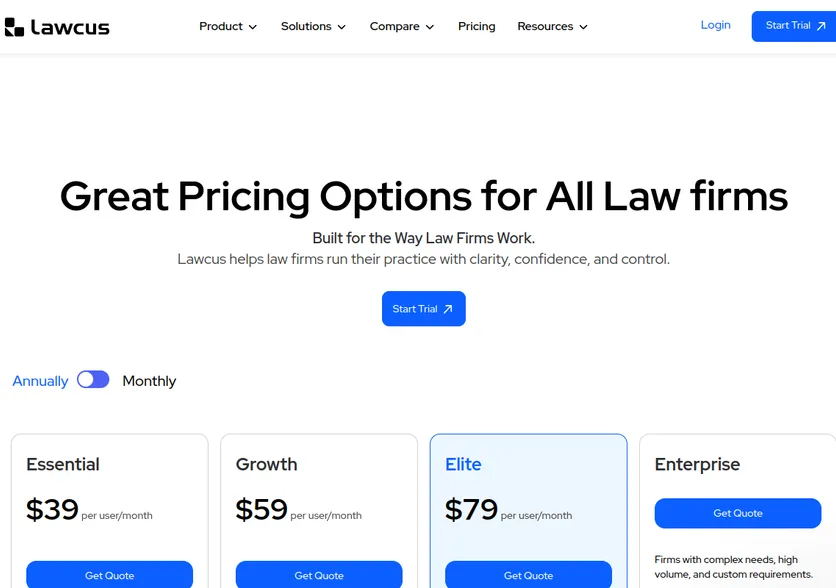
Paid tool Starting price: $79/user/month · Seventy-nine dollars per user a month on the Elite plan; Essential is thirty-nine dollars a user a month billed annually and Growth is fifty-nine dollars
Free plan: Free trial
This Lawcus plan costs seventy-nine dollars per user a month on Elite, and it is the tier that unlocks the complete Lawcus feature set: intake, CRM, document automation, trust accounting and time tracking in one system. A firm on Elite stops paying for separate tools, because the pipeline, the matter file and the billing all live together. Essential at thirty-nine dollars covers the basics for a solo practice that does not need the full CRM depth yet.
What we like
- Full feature set including CRM, intake and trust accounting
- One system for pipeline, matters and billing
- Cheaper than the big general CRMs at the same depth
Watch out for
- Elite is the top tier, so the price jumps from thirty-nine to seventy-nine dollars
- Smaller vendor with fewer integrations than HubSpot or Salesforce
How to try it
- Set up the intake pipeline with your firm's qualification stages
- Use document automation to generate engagement letters from lead data
- Track each lead from first contact to a billed matter
9. Rocket Matter CRM
Best for: Firms already on Rocket Matter that want CRM added on
Paid tool Starting price: $39/user/month · Thirty-nine dollars per user a month for the Core CRM add-on, with a three-user minimum and a three hundred and ninety-nine dollar onboarding fee; the Enterprise CRM tier is one hundred and forty-seven dollars a month for up to three users. Rocket Matter itself starts at fifty-nine dollars per user a month billed annually on Essentials
Free plan: Free trial
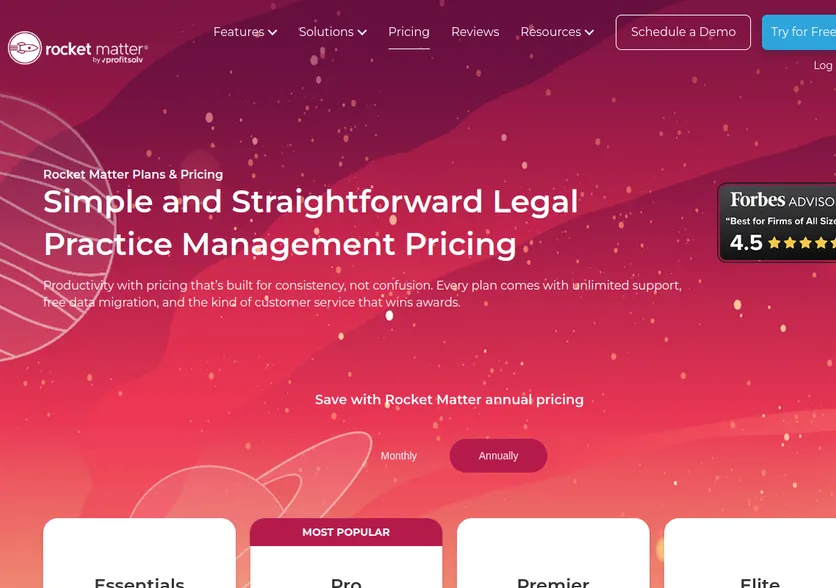
This Rocket Matter CRM add-on costs thirty-nine dollars per user a month for Core, and it adds client relationship management to a practice platform a firm may already run. The add-on tracks leads and contacts, and the Enterprise tier at one hundred and forty-seven dollars a month for up to three users adds more capacity. A three-user minimum and a three hundred and ninety-nine dollar onboarding fee apply, so a solo firm should weigh the add-on against a standalone CRM.
What we like
- Adds CRM to a practice platform the firm may already use
- Core CRM is thirty-nine dollars per user a month
- Leads flow into matters without a separate system
Watch out for
- Three-user minimum and a three hundred and ninety-nine dollar onboarding fee apply
- CRM is an add-on, not a standalone product
How to try it
- Turn on the CRM add-on inside your Rocket Matter account
- Import your leads and contacts into the CRM pipeline
- Track each lead until it becomes a matter in Rocket Matter
Prices above were checked on each vendor’s own website on Nov 28, 2026 and can change — the vendor’s page is the final word. Vendor links are editorial: nobody paid to be listed or ranked here. Vendors who want a featured listing can see how it works on our Get listed page.
How a law firm should run its CRM
Start with the pipeline, not the software. Write down the stages a lead actually passes through, from first contact to consultation to signed agreement, and build the CRM around those stages. Give every lead an owner and a next action with a date, because a lead without a next step is a lead that dies quietly. Log every call and email on the contact record, so anyone in the firm can pick up the conversation. Finally, review the pipeline every week and ask why the oldest leads are still there, because a pipeline full of stale leads is worse than no pipeline at all.
Before you buy
- Check that intake leads flow into matters without retyping, not just into a contact list
- Confirm whether the price is per seat or per user, and how it changes as your team grows
- Ask how the CRM handles conflict checks before a lead becomes a client
- Make sure email, calendar and document tools connect without paid add-ons
- Run a trial with your real intake pipeline, from first contact to signed client, before you commit
Official websites
Official websites of the products reviewed above. Features and prices were checked against these sites when this guide was written, and they can change, so confirm on the vendor site before you buy.
Frequently asked questions
What is legal CRM software for law firms?
It is software that tracks every prospect from first contact to signed client: leads, calls, emails, follow-ups and the pipeline stages between them. Legal CRMs add intake forms, conflict checks and matter creation, while general CRMs like HubSpot or Zoho add stronger reporting and integrations.
Do law firms need a legal CRM or a general CRM?
A legal CRM wins when intake, conflict checks and matter creation must happen in one place, because it removes the retyping between systems. A general CRM wins when a firm wants stronger reporting, more integrations or a lower price, and is happy to keep matters in a separate practice tool.
How much does Zoho CRM cost?
Zoho CRM costs fourteen dollars per user a month billed annually on the Standard plan, or twenty dollars on monthly billing. Professional is twenty-three dollars, Enterprise is forty dollars and Ultimate is fifty-two dollars per user a month. A free plan covers up to three users, which lets a tiny firm run its pipeline at no cost.
Which CRM works best with Clio?
Clio Grow works best with Clio because it is Clio's own intake and CRM tool: leads flow straight into Clio Manage as matters with documents and e-signature attached. It costs fifty-nine dollars per user a month billed annually plus a three hundred and ninety-nine dollar one-time setup fee.
What is the cheapest CRM for a small law firm?
Zoho CRM and Pipedrive tie at fourteen dollars per user a month billed annually, and HubSpot's core CRM tools are free to start. Zoho is the better pick for a firm that wants a full CRM with automation at that price, while Pipedrive suits a firm that only needs a visual pipeline.
Compare the nine tools above, then start with a free trial on the tool that matches how your firm already tracks leads before you pay for a full year.
Browse Business Tools tools