On this page
Warehouse maintenance lives or dies on work orders that reach the right technician at the right time, with the parts and history attached. The seven tools below cover that job for facilities of different sizes, from a small crew running a free plan to a multi-site operation that needs strict inventory control. Fiix leads the list because its Basic plan costs forty-five dollars per user a month and pairs AI-powered work orders with a free starter tier, and the other six are judged on the same practical test: how much maintenance they handle for the price.
How we researched this
We checked every price on the vendor pricing page or in the vendor's own cost guide on November 28, 2026, and only included tools with a published US dollar list price. The big enterprise platforms that sell by quote, including IBM Maximo, eMaint and Asset Essentials' parent suite, publish no usable price, so they are not in this list except where a flat rate is publicly reported. Prices change, so confirm the current figure on the vendor site before you buy.
Compare the tools
| Name | Best for | Starting price | Free plan | |
|---|---|---|---|---|
 Fiix | Warehouses that want AI work orders and integrations at a published price | $45/user/month | Free plan | Visit |
 MaintainX | Small warehouse crews that want mobile work orders fast | $20/user/month | Free plan | Visit |
 UpKeep | Warehouses where technicians work mostly on the floor | $24/user/month | Free trial | Visit |
 Limble CMMS | Warehouses that need technician buy-in above all | $28/user/month | Free plan | Visit |
| MAPCON | Shift teams that share logins and want to own the software | $35/month | 30-day free trial | Visit |
| Maintenance Connection | Multi-site warehouses with strict inventory needs | $110/user/month | Free trial | Visit |
| Asset Essentials | Warehouses that combine maintenance with capital planning | $299/month | Free demo | Visit |
The maintenance software for warehouses, compared
1. Fiix
Best for: Warehouses that want AI work orders and integrations at a published price
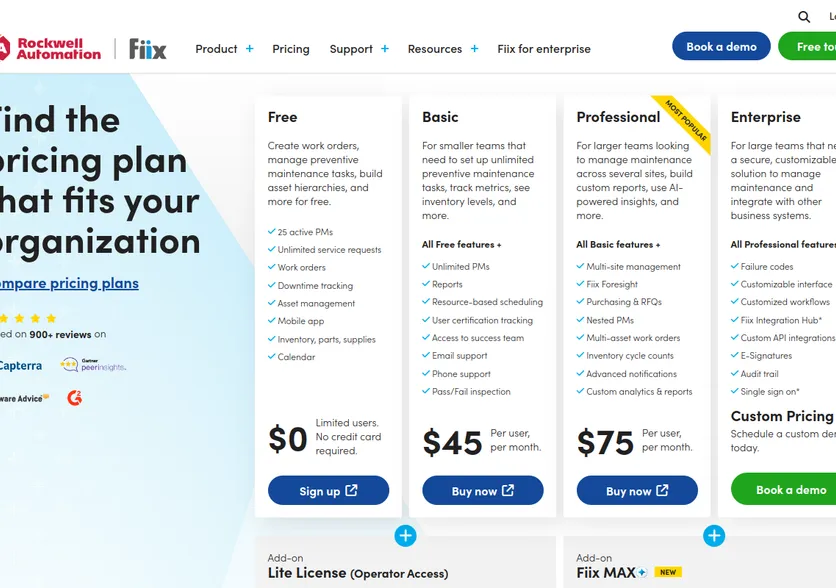
Paid tool Starting price: $45/user/month · Forty-five dollars per user a month on the Basic plan; Professional is $75 per user a month and Enterprise is quoted; a free plan covers 25 active preventive maintenance tasks
Free plan: Free plan
The Fiix Basic plan costs forty-five dollars per user each month, and it pairs a free starter tier with AI-powered work orders and deep integrations. A warehouse can plan preventive tasks, track parts and pull reports without leaving the system, and the mobile app keeps technicians on the floor instead of at a desk. It is the strongest all-round pick here for a facility that wants modern maintenance software without an enterprise quote.
What we like
- AI-powered work orders with Fiix Foresight on Professional
- A free plan that covers 25 active preventive tasks
- Strong integrations with other business systems
Watch out for
- Advanced features need training to use well
- Professional is the tier that unlocks multi-site work
How to try it
- Create assets and set up preventive maintenance schedules
- Assign work orders to technicians from the mobile app
- Review downtime reports and adjust the maintenance plan
2. MaintainX
Best for: Small warehouse crews that want mobile work orders fast
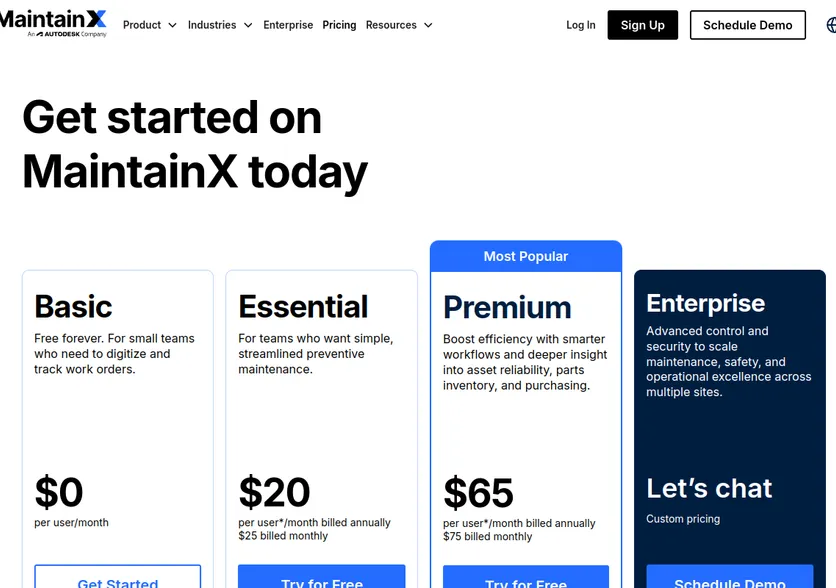
Paid tool Starting price: $20/user/month · Twenty dollars per user a month on the Essential plan billed annually ($25 billed monthly); Premium is $65 billed annually ($75 monthly); Basic is free; Enterprise is quoted; MaintainX was acquired by Autodesk in August 2026
Free plan: Free plan
At twenty dollars per user a month on annual billing, the MaintainX Essential plan gives small warehouse crews a free Basic tier and a mobile-first work order system that needs almost no training. Technicians open a work order, follow a checklist and close it from a phone, while requesters submit jobs for free without a licence. It is the fastest way for a lean team to stop running maintenance on paper.
What we like
- Free Basic plan with unlimited work orders
- Requesters submit jobs without a paid licence
- Clean mobile app that technicians adopt quickly
Watch out for
- Checklists are capped at three work orders a month on Essential
- Parts and purchase orders wait for the Premium plan
How to try it
- Add assets and invite technicians to the mobile app
- Build repeating preventive maintenance work orders
- Track completion and costs from the dashboard
3. UpKeep
Best for: Warehouses where technicians work mostly on the floor
Paid tool Starting price: $24/user/month · Twenty-four dollars per user a month on the Essential plan billed annually; the $20 Lite plan is retired; Starter is $45 and Professional is $75 per user a month
Free plan: Free trial
UpKeep Essential runs twenty-four dollars per user a month, and the mobile app is the reason warehouse teams pick it over heavier systems. Work orders, assets and preventive tasks live on the phone, so a technician can scan a barcode, log a repair and move on without returning to an office. It suits facilities where the crew spends the day on the floor and the office only sees the reports.
What we like
- The strongest mobile app in this list
- Quick work order creation from any device
- Simple asset and preventive task tracking
Watch out for
- Reporting is lighter than on enterprise platforms
- Complex asset hierarchies need a bigger tool
How to try it
- Import assets and set preventive maintenance intervals
- Create work orders and assign them from the app
- Check completion rates in the weekly report
4. Limble CMMS
Best for: Warehouses that need technician buy-in above all
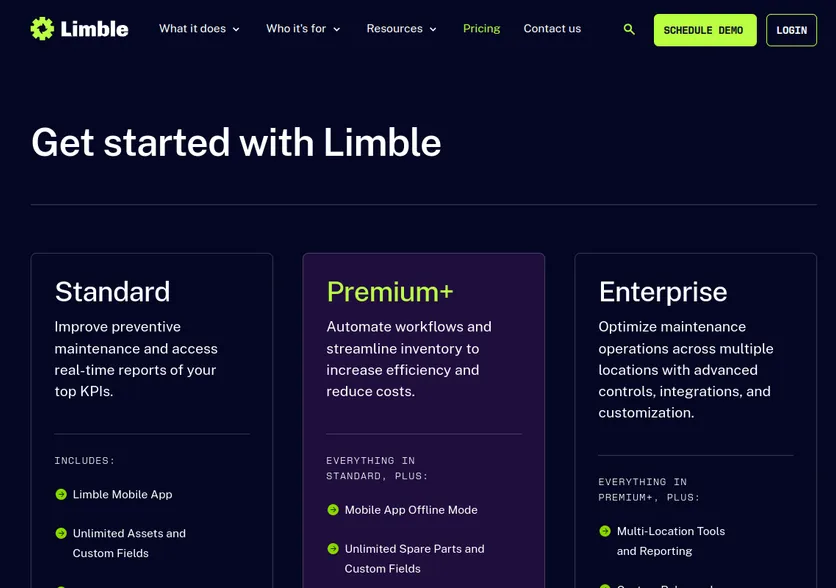
Paid tool Starting price: $28/user/month · Twenty-eight dollars per user a month on the Standard plan and $69 on Premium+, from Limble's own March 2026 cost guide; the pricing page itself shows no figures and uses a calculator; Enterprise is quoted
Free plan: Free plan
Limble Standard is listed at twenty-eight dollars per user a month in the vendor cost guide, and its clean interface is built to win over technicians who hate clunky software. Work orders, preventive tasks and asset history are easy to find, and the dashboards show downtime and completion rates without a training course. It is a good middle ground for a warehouse that wants a modern tool without enterprise complexity.
What we like
- Modern interface that technicians actually like
- Clear dashboards for downtime and completion
- Unlimited work orders and preventive tasks on Standard
Watch out for
- The pricing page shows no figures, only a calculator
- Offline mode and parts management wait for Premium+
How to try it
- Add assets and build your preventive maintenance calendar
- Let technicians claim work orders from the mobile app
- Track downtime and mean time to repair monthly
5. MAPCON
Best for: Shift teams that share logins and want to own the software
Paid tool Starting price: $35/month · Thirty-five dollars a month for the cloud Lite plan covering one concurrent user and 100 assets; Professional is $69 a month; on-premise licences are $595 for Lite and $1,200 for Professional, paid once
Free plan: 30-day free trial
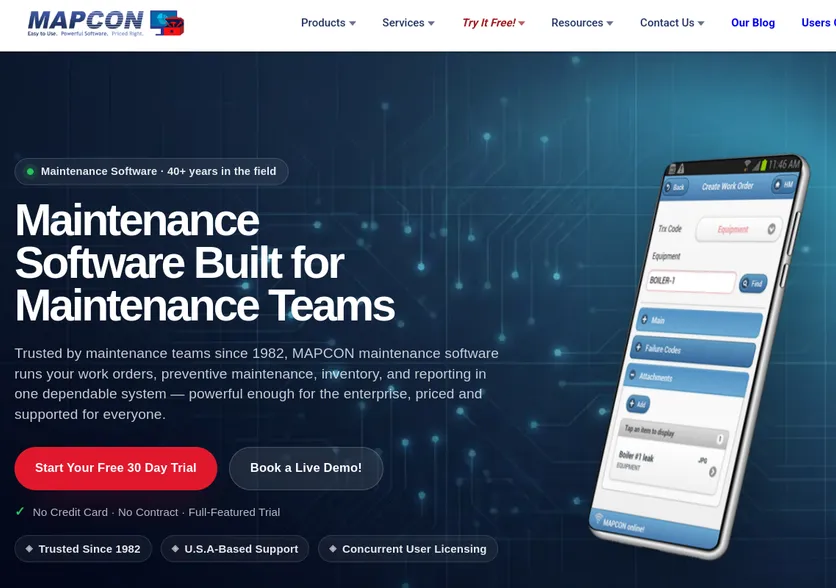
MAPCON Lite costs thirty-five dollars a month for one concurrent user, and that unusual licence model suits shift teams who share a small number of logins. The software has been sold since 1982 and covers work orders, preventive maintenance, inventory and reporting, with a cloud or on-premise install. It fits facilities that want to own their system rather than rent seats for every employee.
What we like
- Concurrent-user licensing suits shift work
- Cloud or on-premise install, your choice
- Long track record since 1982
Watch out for
- The base price covers only one user and 100 assets
- Mobile and barcoding are paid add-on modules
How to try it
- Choose cloud or on-premise and set up your assets
- Create work orders and preventive maintenance schedules
- Add concurrent users as each shift needs them
6. Maintenance Connection
Best for: Multi-site warehouses with strict inventory needs
Paid tool Starting price: $110/user/month · One hundred and ten dollars per user a month on the Professional plan with a three-user minimum, so the entry bill is $330 a month; the mobile app is a $58 per user a month add-on; Enterprise is quoted
Free plan: Free trial
Professional starts at one hundred and ten dollars per user a month with a three-user minimum, and Maintenance Connection is built for multi-site operations that need strict inventory control. Work orders, preventive maintenance, assets and stock rooms sit in one system with strong reporting, which suits regulated facilities and large warehouses. It is the most expensive tool here, so it only pays when that depth is genuinely needed.
What we like
- Complete work order and inventory system
- Strong reporting for regulated facilities
- Scales across many sites
Watch out for
- The entry price is high for a small crew
- Mobile access costs extra as an add-on
How to try it
- Set up sites, assets and stock rooms
- Build preventive maintenance plans per asset
- Review inventory and work order reports weekly
7. Asset Essentials
Best for: Warehouses that combine maintenance with capital planning
Paid tool Starting price: $299/month · Two hundred and ninety-nine dollars a month flat as reported by third-party pricing trackers; Siemens, through Brightly, publishes no dollar figure on the product page, so confirm the quote before budgeting
Free plan: Free demo
Asset Essentials starts at two hundred and ninety-nine dollars a month flat, and the appeal is simple pricing that does not grow with every technician you add. The platform combines maintenance and work order tracking with analytics and capital planning, which suits warehouses that plan equipment replacement years ahead. It is an enterprise-leaning tool, so smaller teams should weigh it against the cheaper per-user options above.
What we like
- Flat monthly price, not per-user billing
- Capital planning alongside maintenance tracking
- Analytics for long-term asset decisions
Watch out for
- The price is third-party reported, not vendor published
- Enterprise focus can feel heavy for small teams
How to try it
- Map assets and their replacement timelines
- Set up work orders and preventive schedules
- Review capital planning reports with finance
Prices above were checked on each vendor’s own website on Nov 28, 2026 and can change — the vendor’s page is the final word. Vendor links are editorial: nobody paid to be listed or ranked here. Vendors who want a featured listing can see how it works on our Get listed page.
How to roll out warehouse maintenance software without stopping the floor
Start with the assets, not the software. Walk the floor, list every piece of equipment that needs regular attention, and put the critical ones into the system first so the first week of work orders proves the value. Give technicians the mobile app on day one and let them close jobs from the floor, because a system that only works from a desk will be ignored. Set preventive schedules for the machines that cause the most downtime, then review completion rates monthly and fix the schedule, not the software. Finally, keep one person in charge of the asset list, because a CMMS with duplicate or missing assets produces reports nobody trusts.
Before you buy
- Confirm the tool counts users the way your shifts work, including shared logins and requesters
- Check whether mobile access is included or sold as a separate paid add-on
- Ask how preventive maintenance schedules handle meters, seasons and shutdowns
- Make sure inventory and parts tracking covers your stock rooms and reorder points
- Test the reporting on your own assets before you commit to a yearly contract
Official websites
Official websites of the products reviewed above. Features and prices were checked against these sites when this guide was written, and they can change, so confirm on the vendor site before you buy.
Frequently asked questions
What is the best maintenance software for warehouses?
Fiix leads this list because its Basic plan costs forty-five dollars per user a month and pairs AI-powered work orders with a free starter tier. MaintainX is the best budget pick at twenty dollars per user a month with a free Basic plan, while UpKeep suits teams that live on the mobile app. The right choice depends on team size, shift patterns and how much inventory control you need.
How much does warehouse maintenance software cost?
Published prices in this list run from thirty-five dollars a month for MAPCON Lite to one hundred and ten dollars per user a month for Maintenance Connection Professional. Most warehouses pay between twenty and forty-five dollars per user a month, with free plans available from Fiix, Limble and MaintainX. Always check whether mobile access or parts management costs extra.
Is there a free CMMS for warehouses?
Yes. Fiix offers a free plan covering twenty-five active preventive maintenance tasks, Limble has a free tier, and MaintainX Basic is free with unlimited work orders. These free plans suit small crews proving the value of a CMMS before paying. Larger teams usually outgrow them within a year as work order volume rises.
Do I need mobile access for warehouse maintenance?
Almost certainly yes, because technicians work on the floor, not at desks. UpKeep and MaintainX are built mobile-first, while Maintenance Connection charges extra for its mobile app. Check the mobile price before you buy, since an add-on can add more than half to the bill for a field-heavy team.
What should warehouses look for in maintenance software?
Prioritise work order management, asset tracking, preventive scheduling and mobile access, in that order. Then check inventory control, reporting depth and integrations with your warehouse management system. Finally, confirm the licence model fits your shifts, since per-user, concurrent-user and flat pricing produce very different bills for the same crew.
Compare the seven tools above, then start with a free plan or trial on the tool that matches your crew size before you pay for a full year.
Browse Business Tools tools