On this page
Healthcare onboarding starts before the patient arrives, with intake forms, consent signatures and insurance details that used to fill a clipboard in the waiting room. The seven tools below move that paperwork online, and every one of them publishes a price you can check before you commit. IntakeQ leads the list because it is built for patient intake, with forms, e-signatures and a business associate agreement from forty-nine dollars and ninety cents a month, and the rest are ranked on the same test: how much of the clinic onboarding job they cover for the price.
How we researched this
We checked every price on the vendor pricing page on November 28, 2026, and only included tools with a published US dollar list price. The prices shown in the original source list were out of date for DocuSign, and neither Adobe Acrobat Sign nor SignNow carried a price there at all, so every figure below was verified against the vendor site. Prices change, so confirm the current figure on the vendor site before you buy.
Compare the tools
| Name | Best for | Starting price | Free plan | |
|---|---|---|---|---|
| IntakeQ | Clinics that onboard patients with intake forms | $49.90/month | No free plan; free trial | Visit |
 Jotform | Clinics that need intake forms online fast | $34/month | Free plan | Visit |
| Formstack | Clinics that want intake as a digital workflow | $83/month | No free plan; 14-day free trial | Visit |
| Cognito Forms | Small clinics that want online intake at the lowest price | $24/month | Free Individual plan | Visit |
 DocuSign | Clinics that need signed consent forms with an audit trail | $25/user/month | No free plan; 30-day free trial | Visit |
 Adobe Acrobat Sign | Clinics already using Adobe PDF tools for documents | $14.99/month | Free plan | Visit |
 SignNow | Clinics that want flat per-account pricing for signatures | $8/month | No free plan; 7-day free trial | Visit |
The onboarding software for healthcare, compared
1. IntakeQ
Best for: Clinics that onboard patients with intake forms
Paid tool Starting price: $49.90/month · Forty-nine dollars and ninety cents a month for the Forms Only plan on the standard tier; a low-volume tier is twenty-nine dollars and ninety cents a month, and the full PracticeQ suite is about eighty-four dollars and ninety cents a month. One directory lists the suite at seventy-nine dollars and ninety cents, a minor conflict against the widely reported figure. A free trial is available and there is no free plan
Free plan: No free plan; free trial
Forty-nine dollars and ninety cents a month buys IntakeQ Forms Only on the standard plan, and the platform is built for clinics that onboard patients with intake forms. IntakeQ turns paper packets into online forms with e-signatures, secure messaging and appointment reminders, and a business associate agreement is included on every plan. The trade-off is scope: the Forms Only plan covers intake, while the full PracticeQ suite costs more and adds scheduling and billing.
What we like
- Built for patient intake with e-signatures included
- Business associate agreement on every plan
- Secure messaging and appointment reminders built in
Watch out for
- Full suite costs more than the Forms Only plan
- Built for clinics, so other healthcare models fit less well
How to try it
- Build the intake form with questions and signature fields
- Send the secure link before the first appointment
- Review the completed form and file it in the patient record
2. Jotform
Best for: Clinics that need intake forms online fast
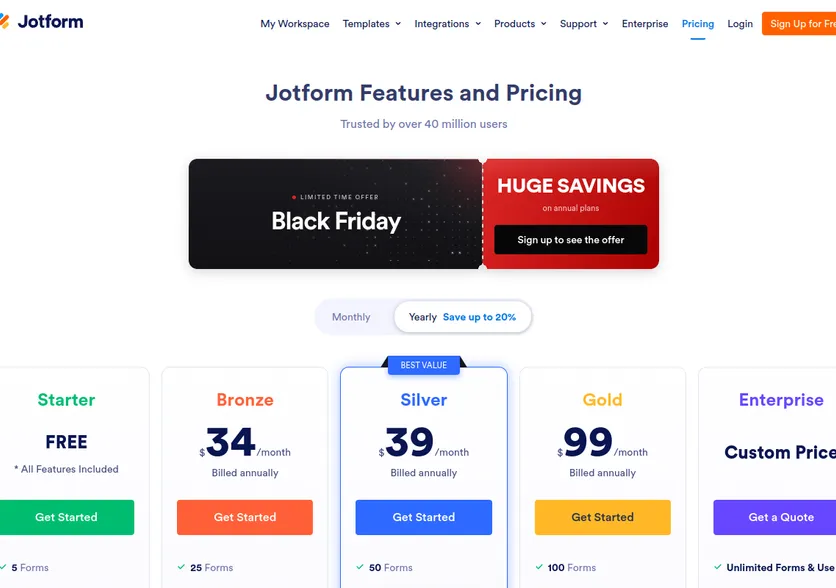
Paid tool Starting price: $34/month · Thirty-four dollars a month billed annually on the Bronze plan, or thirty-nine dollars month to month; Silver is thirty-nine dollars a month billed annually and Gold is ninety-nine dollars billed annually. The free Starter plan covers five forms and one hundred submissions a month, and HIPAA compliance is available only from Gold. The vendor page currently shows a Black Friday promotion, and the headline here is the standard list price
Free plan: Free plan
Thirty-four dollars a month buys Jotform Bronze on annual billing, and the form builder is the fastest way for a clinic to put intake forms online. Jotform offers thousands of templates for patient intake, consent and history forms, with conditional logic that shows only the questions each patient must answer. The Bronze plan covers twenty-five forms, although HIPAA-compliant data collection needs the Gold tier.
What we like
- Thousands of healthcare and intake form templates
- Conditional logic hides irrelevant questions
- Responses collect in one searchable inbox
Watch out for
- HIPAA compliance needs the Gold plan
- Bronze covers only twenty-five forms
How to try it
- Pick a patient intake template and adjust the questions
- Add conditional logic and signature fields
- Share the link and collect responses in one inbox
3. Formstack
Best for: Clinics that want intake as a digital workflow
Paid tool Starting price: $83/month · Eighty-three dollars a month billed annually on the Forms plan, or ninety-nine dollars month to month, for one builder user, twenty-five forms and one thousand submissions per form; the Suite plan is two hundred and fifty dollars a month billed annually. There is no free plan, only a fourteen-day trial, and the parent company rebranded to Intellistack in June 2025
Free plan: No free plan; 14-day free trial
Eighty-three dollars a month on annual billing buys Formstack Forms, and the platform turns paper intake packets into digital workflows with e-signatures. Formstack connects forms to documents, approvals and payments, so a completed intake form can generate a signed agreement and a receipt without retyping. The parent company rebranded to Intellistack in June 2025, and there is no free plan, only a fourteen-day trial.
What we like
- Forms, documents and payments in one workflow
- E-signatures built into the form flow
- Strong integrations with records and billing tools
Watch out for
- No free plan, only a fourteen-day trial
- One builder user on the entry plan
How to try it
- Build the intake form with the drag-and-drop builder
- Add e-signature and payment steps to the workflow
- Route completed forms to the right team automatically
4. Cognito Forms
Best for: Small clinics that want online intake at the lowest price
Paid tool Starting price: $24/month · Twenty-four dollars a month on the Pro plan with current monthly billing, or nineteen dollars and twenty cents a month billed annually; Team is forty-nine dollars a month and Enterprise is one hundred and seventy-four dollars. Prices rose between May and November 2026, so the older nineteen, thirty-nine and one hundred and twenty-nine dollar figures are stale. A free Individual plan covers one hundred entries a month for one user
Free plan: Free Individual plan
Twenty-four dollars a month buys Cognito Forms Pro, and the form builder gives a small clinic online intake forms with payment collection built in. Cognito Forms handles conditional logic, calculations and file uploads, so a patient can complete history, consent and payment in one sitting. Prices rose by roughly a quarter to a third between May and November 2026, so older guides quoting nineteen dollars a month are out of date.
What we like
- Payment collection built into the form
- Conditional logic and calculations included
- Free Individual plan for a small pilot
Watch out for
- Prices rose sharply in late 2026
- Entry plan limits may push a busy clinic to Team
How to try it
- Build the intake form with conditional questions
- Add a payment field for copays or deposits
- Share the link and review entries in the dashboard
5. DocuSign
Best for: Clinics that need signed consent forms with an audit trail
Paid tool Starting price: $25/user/month · Twenty-five dollars per user a month on the Standard plan billed annually, or thirty dollars billed monthly on the annual plan and forty-five dollars month to month; Business Pro is forty dollars per user a month billed annually. Standard and Business Pro allow one hundred envelopes per user a year, and the older forty-five dollar figure was the month-to-month rate, not the annual list price
Free plan: No free plan; 30-day free trial
Twenty-five dollars per user a month buys DocuSign Standard on annual billing, and the e-signature platform is the safest way for a clinic to collect signed consent forms. DocuSign sends envelopes for signature, tracks who has signed, and stores a tamper-evident record that stands up in an audit. The Standard plan allows one hundred envelopes per user a year, which covers most clinic onboarding, although heavy volume will need the Business Pro tier.

What we like
- Tamper-evident signatures with a full audit trail
- Templates speed up repeat consent forms
- Tracks every envelope until it is signed
Watch out for
- One hundred envelopes a year per user on Standard
- Advanced bulk sending needs Business Pro
How to try it
- Upload the consent form or intake packet as a template
- Add signature fields and send the envelope to the patient
- Track completion and store the signed record
6. Adobe Acrobat Sign
Best for: Clinics already using Adobe PDF tools for documents
Paid tool Starting price: $14.99/month · Fourteen dollars and ninety-nine cents a month for Acrobat Standard for individuals on annual billing; Pro is nineteen dollars and ninety-nine cents and Studio is twenty-four dollars and ninety-nine cents. Teams pay sixteen dollars and ninety-nine cents per user a month for Standard and twenty-three dollars and ninety-nine cents for Pro. Adobe no longer sells Acrobat Sign standalone with public self-serve pricing, and the older nine dollars and ninety-nine cents figure is stale
Free plan: Free plan
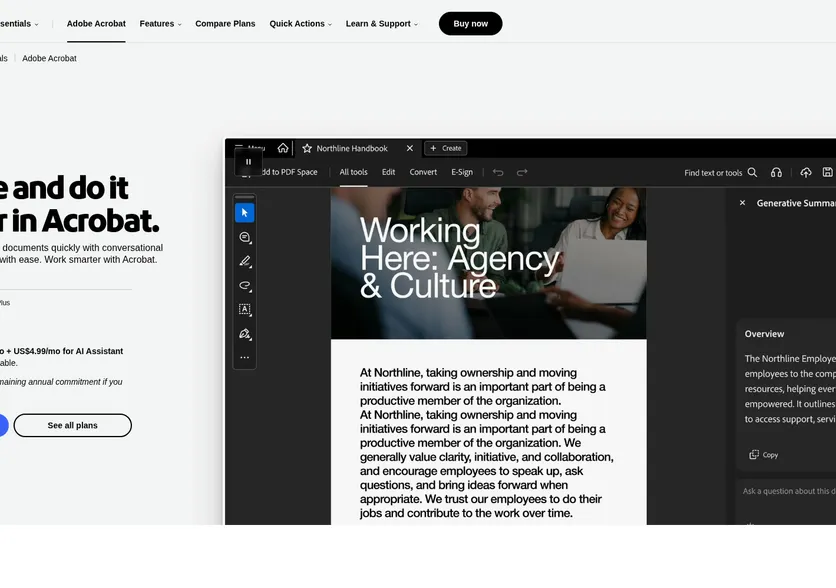
Fourteen dollars and ninety-nine cents a month buys Acrobat Standard for individuals on annual billing, and the plan bundles e-signatures with the PDF tools a clinic already uses. Adobe Acrobat Sign lets a clinic send documents for signature, track responses and store signed copies, all inside the Acrobat workflow. Adobe no longer sells Acrobat Sign as a standalone product, so the signature features come bundled with Acrobat Standard, Pro or Studio.
What we like
- E-signatures bundled with familiar PDF tools
- Tracks signature requests and responses
- Free tier allows two signature requests a month
Watch out for
- No longer sold as a standalone signature product
- Team pricing is higher than the individual rate
How to try it
- Open the document in Acrobat and add signature fields
- Send it for signature and track the response
- Store the signed copy in the patient record
7. SignNow
Best for: Clinics that want flat per-account pricing for signatures
Paid tool Starting price: $8/month · Eight dollars a month billed annually on the Business plan, per account rather than per user, with one hundred signature invites a year included and extra invites at ninety-six cents each; Business Premium is fifteen dollars a month billed annually and Enterprise is thirty dollars. Several sources still quote eight dollars per user a month, which is the stale per-user framing, and one November 2026 re-read showed Business Premium at twenty dollars
Free plan: No free plan; 7-day free trial
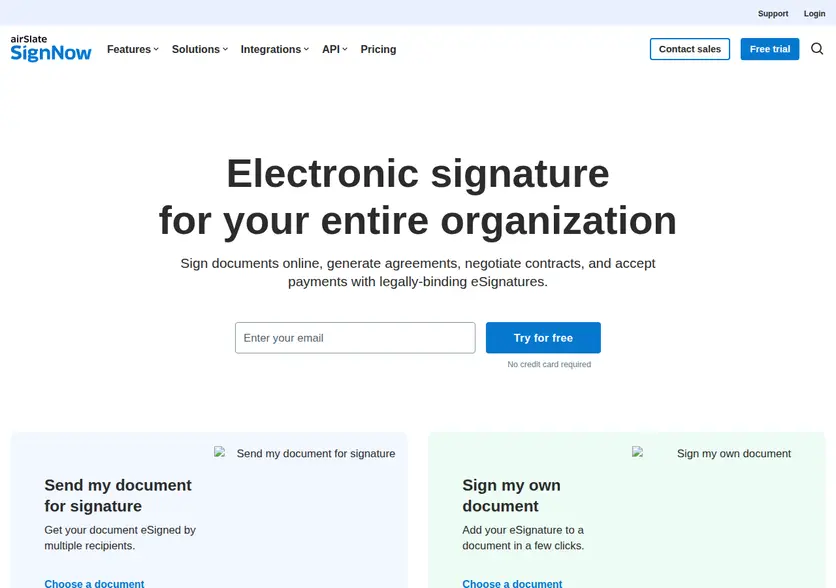
Eight dollars a month on annual billing buys SignNow Business per account, and the price covers unlimited users rather than charging per seat. SignNow sends signature requests, tracks completion and stores signed documents, with one hundred signature invites a year included per account. The per-account model is the cheapest signature option in this list for a clinic with several front-desk staff, although extra invites cost extra.
What we like
- Per-account pricing with unlimited users
- Cheapest signature option in this list
- Simple sending and tracking for front-desk staff
Watch out for
- Only one hundred invites a year included per account
- Extra signature invites cost extra
How to try it
- Upload the consent form and add signature fields
- Send the invite to the patient by email or link
- Track completion and download the signed document
Prices above were checked on each vendor’s own website on Nov 28, 2026 and can change — the vendor’s page is the final word. Vendor links are editorial: nobody paid to be listed or ranked here. Vendors who want a featured listing can see how it works on our Get listed page.
How to move patient intake online without losing the personal touch
Send the forms with the appointment confirmation, not at the door. A patient who completes intake at home arrives relaxed and on time, while one handed a clipboard in the waiting room feels rushed and skips questions. Keep the form short: ask only what the visit needs, and save the rest for the consultation. Then confirm receipt with a short message, because a patient who wonders whether the form arrived will call the front desk to ask. Finally, review the answers before the visit, so the first question is about the patient, not the paperwork.
Before you buy
- Confirm the tool signs a business associate agreement, because patient data needs HIPAA protection
- Check whether the price covers every form you use, or charges per submission or per user
- Ask if patients can complete intake on a phone without downloading an app
- Make sure signed forms flow into your records system instead of sitting in an inbox
- Test the form with a real patient, since a confusing intake form creates no-shows
Official websites
Official websites of the products reviewed above. Features and prices were checked against these sites when this guide was written, and they can change, so confirm on the vendor site before you buy.
Frequently asked questions
What is the best onboarding software for healthcare?
IntakeQ leads for most clinics because it is built for patient intake, with online forms, e-signatures, secure messaging and a business associate agreement on every plan, from forty-nine dollars and ninety cents a month. Jotform is the best value at thirty-four dollars a month billed annually, with thousands of intake templates. DocuSign fits a clinic that needs signed consent forms with a full audit trail.
How much does IntakeQ cost for a clinic?
IntakeQ Forms Only costs forty-nine dollars and ninety cents a month on the standard plan, with a low-volume tier at twenty-nine dollars and ninety cents a month. The full PracticeQ suite is about eighty-four dollars and ninety cents a month and adds scheduling and billing. A business associate agreement is included on every plan, and a free trial is available with no free plan.
How do I keep patient intake HIPAA compliant?
Check for a business associate agreement first, because patient data needs HIPAA protection and not every form tool signs one on the entry plan. Then confirm the tool stores signed forms with an audit trail, and test the intake form on a phone, since most patients complete it before they arrive. Finally, confirm the forms flow into your records system rather than sitting in an inbox.
Can I collect patient signatures for free?
Yes, and SignNow is the cheapest way in at eight dollars a month billed annually per account, with unlimited users and one hundred signature invites a year. Adobe Acrobat Sign offers a free tier with two signature requests a month. Jotform and Cognito Forms both offer free plans for a small pilot, although HIPAA-compliant collection needs a paid tier on Jotform.
How much does DocuSign cost for healthcare onboarding?
DocuSign Standard costs twenty-five dollars per user a month billed annually and includes a tamper-evident audit trail on every envelope, which is what most clinics need for consent forms. The plan allows one hundred envelopes per user a year, and templates speed up repeat forms. Business Pro at forty dollars per user a month adds bulk sending for clinics with heavy form volume.
Compare the seven tools above, then start with a free plan or trial on the tool that fits your clinic before you move intake online.
Browse Business Tools tools