On this page
High-turnover roles do not wait for a slow onboarding process: a restaurant, warehouse or retail store can hire ten people on Monday and lose three by Friday. The seven tools below are built for that pace, with prices you can check before you commit and workflows that move a hire from application to first shift in days. Homebase leads the list because it combines hiring, scheduling and time tracking with a genuinely free plan, and the rest are ranked on the same test: how much of the high-turnover onboarding job they cover for the price.
How we researched this
We checked every price on the vendor pricing page on November 28, 2026, and only included tools with a published US dollar list price. The big suites that usually serve high-turnover employers, including Workday, SAP, Oracle, Paycom and Greenhouse, publish no prices and sell by quote, so they are not in this list. Prices change, so confirm the current figure on the vendor site before you buy.
Compare the tools
| Name | Best for | Starting price | Free plan | |
|---|---|---|---|---|
 Rippling | High-turnover teams that want onboarding, HR and IT on one record | $8/employee/month | No free plan; free demo | Visit |
 BambooHR | High-turnover teams that onboard many hires on the same day | $10/employee/month | Free trial | Visit |
 Gusto | High-turnover teams that want payroll and onboarding together | $49/month | Free demo | Visit |
 Homebase | Hourly teams that turn over fastest and need a free start | $30/location/month | Free Basic plan | Visit |
 7shifts | Restaurants and retailers that onboard onto a shift roster | $39.99/location/month | Free Comp plan | Visit |
 Deputy | Teams that onboard dozens of hourly workers at a time | $4.50/user/month | Free trial | Visit |
 Trainual | Teams that repeat the same role training every month | $249/month | Free trial | Visit |
The onboarding software for high turnover roles, compared
1. Rippling
Best for: High-turnover teams that want onboarding, HR and IT on one record
Paid tool Starting price: $8/employee/month · Eight dollars per employee a month for the Unity base platform, plus a thirty-five to forty dollar monthly base fee; payroll adds about eight dollars per employee a month billed annually, or ten dollars month to month, and each extra module adds roughly four to twelve dollars per employee a month. Rippling publishes no dollar figures on its own pricing page, so these figures are the widely reported buyer and analyst consensus for 2026, and the final total always comes from a sales quote
Free plan: No free plan; free demo
High-turnover teams feel Rippling's eight dollars per employee a month differently, because the Unity base automates the repetitive onboarding that eats HR time every week. Rippling automates offer letters, device provisioning and app access from a single workflow, so a new hire arrives with accounts ready on day one. The catch is the modular bill: every useful add-on costs extra, and the final total always comes from a sales quote.

What we like
- One employee record drives HR, IT and payroll together
- Automated device and app provisioning for new hires
- Workflows that repeat cleanly for every new starter
Watch out for
- Every module beyond Unity is priced separately
- No dollar figures on the vendor pricing page itself
How to try it
- Create the Unity employee record and define the onboarding workflow
- Add the payroll, benefits or IT modules your hires need
- Assign devices, apps and paperwork so day one starts ready
2. BambooHR
Best for: High-turnover teams that onboard many hires on the same day
Paid tool Starting price: $10/employee/month · Ten dollars per employee a month on the Core plan for teams of twenty-six or more employees, or two hundred and fifty dollars a month flat for teams of twenty-five or fewer; Pro is seventeen dollars per employee a month and Elite is twenty-five dollars, with payroll and benefits as add-ons
Free plan: Free trial
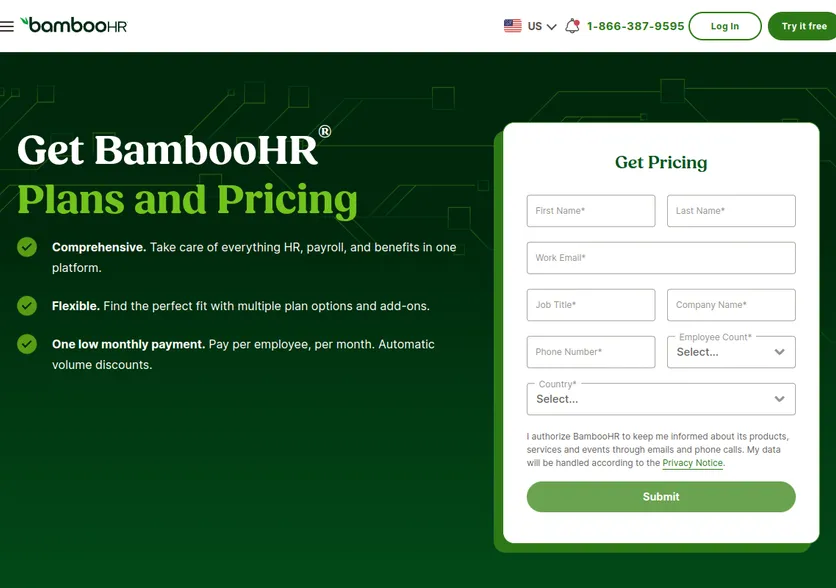
BambooHR Core costs ten dollars per employee a month, and the packet system is what a high-turnover team needs when ten new hires start on the same Monday. BambooHR pairs offer-letter e-signatures with new-hire packets, automated task lists and a self-service portal that answers the questions every new starter asks. The platform stays simple enough for a busy manager to run, although payroll and the deepest reporting cost extra.
What we like
- Onboarding packets that repeat for every new hire
- Offer letters and e-signatures built in
- Self-service portal that cuts HR inbox traffic
Watch out for
- Advanced reporting needs the Pro or Elite tier
- Payroll and benefits cost extra on top of Core
How to try it
- Build a new-hire packet with tasks, forms and documents
- Send the offer letter and collect e-signatures before day one
- Track completion in the dashboard and chase missing items
3. Gusto
Best for: High-turnover teams that want payroll and onboarding together
Paid tool Starting price: $49/month · Forty-nine dollars a month plus six dollars per person on the Simple plan; Plus is eighty dollars a month plus twelve dollars per person and Premium is one hundred and eighty dollars a month plus twenty-two dollars per person. The Contractor Only plan closed to new signups on October 1, 2026
Free plan: Free demo
At forty-nine dollars a month plus six dollars per person, Gusto Simple keeps payroll and onboarding together for a team that hires and loses staff every month. Gusto runs offer letters, tax forms, direct deposit and benefits enrolment from a single new-hire flow, and it files payroll taxes in every state automatically. The trade-off is depth: Gusto suits teams that want payroll done well, while companies needing heavy HR workflows will outgrow it.

What we like
- Payroll, tax filing and onboarding in one flow
- Automatic payroll tax filing in every state
- Simple setup with no implementation project
Watch out for
- HR depth is lighter than on the big enterprise suites
- Per-person fees add up fast when hiring spikes
How to try it
- Set up the company profile and payroll tax details
- Invite the new hire to complete forms and direct deposit
- Enrol them in benefits and run the first pay cycle
4. Homebase
Best for: Hourly teams that turn over fastest and need a free start
Paid tool Starting price: $30/location/month · Thirty dollars per location a month on the Essentials plan billed monthly, or twenty-four dollars billed annually; Basic is free for one location with up to ten employees, Plus is seventy dollars a month billed monthly or fifty-six dollars billed annually, and All-in-One is one hundred and twenty dollars a month billed monthly or ninety-six dollars billed annually. Payroll is an add-on at forty-nine dollars a month plus six dollars per employee
Free plan: Free Basic plan
Thirty dollars per location a month buys Homebase Essentials, and the plan is built for the hourly teams that turn over fastest. Homebase combines hiring, scheduling, time tracking and team messaging, so a new hire goes from application to first shift in one app. The Basic plan is free for one location with up to ten employees, which makes Homebase the only tool in this list with a genuinely free start.

What we like
- Hiring, scheduling and time tracking in one app
- Free Basic plan for one location
- Built for hourly teams from the ground up
Watch out for
- Free plan covers only one location and ten employees
- Payroll is a paid add-on, not included
How to try it
- Post the job and hire from the applicant list
- Send the offer and collect forms in the app
- Schedule the first shift and track time from day one
5. 7shifts
Best for: Restaurants and retailers that onboard onto a shift roster
Paid tool Starting price: $39.99/location/month · Thirty-nine dollars and ninety-nine cents per location a month billed annually on the Essentials plan, or forty-four dollars and ninety-nine cents month to month, for up to thirty employees; Pro is seventy-nine dollars and ninety-nine cents billed annually for up to sixty employees and Premium is one hundred and thirty-four dollars and ninety-nine cents for unlimited employees. Comp is free for up to fifteen employees at one location, and payroll is an add-on at thirty-nine dollars and ninety-nine cents per location plus six dollars per employee
Free plan: Free Comp plan
Thirty-nine dollars and ninety-nine cents per location a month buys 7shifts Essentials on annual billing, and the scheduling tool turns onboarding into a shift-ready roster. 7shifts combines hiring, scheduling, time tracking and team communication, so a new hire is on the rota the day they finish paperwork. The Essentials plan covers up to thirty employees at one location, although larger teams will need Pro or Premium.

What we like
- Scheduling, hiring and time tracking in one app
- Free Comp plan for up to fifteen employees
- Team communication built into the schedule
Watch out for
- Essentials covers only thirty employees per location
- Payroll is a paid add-on, not included
How to try it
- Hire from the applicant pool and send the offer
- Add the new hire to the schedule for their first week
- Track time and communicate through the team app
6. Deputy
Best for: Teams that onboard dozens of hourly workers at a time
Paid tool Starting price: $4.50/user/month · Four dollars and fifty cents per user a month for the Scheduling module, and the same again for Time and Attendance, so most teams pay nine dollars per user a month for both; Premium is six dollars per user a month with a thirty-dollar monthly minimum, and Enterprise is custom. One directory lists a Deputy Lite plan at five dollars per user a month billed annually, a minor conflict against the widely agreed four dollars and fifty cents
Free plan: Free trial
Four dollars and fifty cents per user a month buys Deputy Scheduling, and the low per-user rate fits a team that onboards dozens of hourly workers at a time. Deputy combines scheduling, time and attendance, and team communication, so a new hire clocks in, sees their shifts and messages the team from one app. Most teams need both modules, which doubles the effective rate to nine dollars per user a month, and a thirty-dollar monthly minimum applies.

What we like
- Low per-user rate for large hourly teams
- Scheduling and time tracking in one app
- Team messaging built into the schedule
Watch out for
- Most teams need both modules, doubling the rate
- Thirty-dollar monthly minimum applies
How to try it
- Add the new hire and set their role and pay rate
- Publish their first shifts to the shared schedule
- Track clock-ins and approve timesheets weekly
7. Trainual
Best for: Teams that repeat the same role training every month
Paid tool Starting price: $249/month · Two hundred and forty-nine dollars a month on the Core plan for ten seats, billed annually; Pro is three hundred and nineteen dollars a month and Premium is three hundred and ninety-nine dollars, plus a one-thousand-dollar one-time implementation fee. Trainual no longer publishes prices on its own website, so these are the last-published figures from July 2026 and the current rate comes from a demo quote
Free plan: Free trial
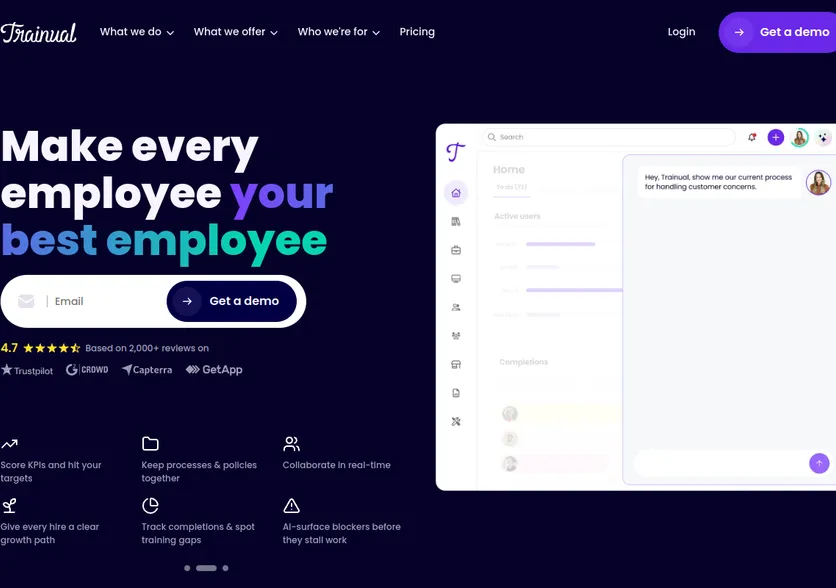
Trainual's last-published Core price of two hundred and forty-nine dollars a month buys the playbook a high-turnover team needs when the same role is trained again every month. Trainual lets a company record every repeatable task once, assign it by role, and test new hires on the material before they touch live work. The structure survives staff changes, although a one-thousand-dollar one-time implementation fee sits on top of the subscription.
What we like
- Turns tribal knowledge into documented playbooks
- Role-based assignments repeat for every hire
- Quizzes confirm new hires actually learned the material
Watch out for
- Implementation fee adds one thousand dollars up front
- Current prices come from a demo quote, not the website
How to try it
- Document each role's processes, policies and tasks
- Assign the playbook to new hires by role or location
- Test completion and track who still needs training
Prices above were checked on each vendor’s own website on Nov 28, 2026 and can change — the vendor’s page is the final word. Vendor links are editorial: nobody paid to be listed or ranked here. Vendors who want a featured listing can see how it works on our Get listed page.
How to onboard ten new hires in a week without losing the plot
Build one template per role and reuse it every time. In a high-turnover team the same job is filled again and again, so the offer letter, tax forms, first shift and training checklist should already exist before the next hire applies. Let managers run the template themselves, because HR cannot keep up when ten hires start on the same Monday. Then check completion daily for the first week, since a missing form or an unscheduled shift is the most common reason a new hire never comes back.
Before you buy
- Confirm the price stays flat when headcount swings, because per-person fees spike in hiring months
- Check whether new hires can finish paperwork on a phone before their first shift
- Ask if scheduling, time tracking and payroll live in one system or three
- Make sure managers can onboard without HR, since turnover never waits for office hours
- Test how fast a hire goes from accepted offer to first scheduled shift
Official websites
Official websites of the products reviewed above. Features and prices were checked against these sites when this guide was written, and they can change, so confirm on the vendor site before you buy.
Frequently asked questions
What is the best onboarding software for high-turnover roles?
Homebase leads for most high-turnover teams because it combines hiring, scheduling, time tracking and messaging, with a free Basic plan for one location and up to ten employees. Essentials costs thirty dollars per location a month. BambooHR fits a team that wants proper onboarding packets at ten dollars per employee a month, and 7shifts is the pick for restaurants and retailers that live on a shift roster.
How much does Homebase cost for a high-turnover team?
Homebase Basic is free for one location with up to ten employees, covering hiring, scheduling, time tracking and messaging with no time limit. Essentials costs thirty dollars per location a month billed monthly, or twenty-four dollars billed annually, and adds more employees and features. Payroll is an add-on at forty-nine dollars a month plus six dollars per employee, so the free start stays free until you add payroll.
Why are Workday and Greenhouse not in this list?
Workday, SAP, Oracle, Paycom and Greenhouse all sell by quote and publish no prices on their websites, so they cannot be compared on price in a list like this one. They are strong enterprise suites, and a large company should still request quotes from them. This list only includes tools with a published US dollar list price you can check before booking a demo.
How do I onboard faster in a high-turnover role?
Automate the repeatable parts first. A high-turnover team onboards the same role every month, so the offer letter, tax forms, first shift and training checklist should run without HR touching each one. Trainual documents the role once and reuses it, while Homebase or 7shifts moves the hire straight onto the schedule. Then measure time from accepted offer to first shift, because every day of delay is a day the hire might take another job.
How much does Deputy cost for hourly workers?
Deputy Scheduling costs four dollars and fifty cents per user a month, and Time and Attendance costs the same again, so most teams pay nine dollars per user a month for both. Premium is six dollars per user a month with a thirty-dollar monthly minimum, and Enterprise is custom. The low per-user rate fits a team onboarding dozens of hourly workers at a time, although the two-module structure doubles the headline rate.
Compare the seven tools above, then start with a free plan or trial on the tool that matches how fast your team hires before you pay for a year.
Browse Business Tools tools