On this page
Running one clinic diary is hard enough; running three or four means every location needs its own calendar, its own staff and its own reminders, without the front desk losing track of who is where. The eight tools below handle multi-location scheduling for clinics of every size, from a two-site practice to a small chain. Acuity Scheduling leads because it prices by calendar rather than per seat for sixteen dollars a month, and the rest are ranked on how cleanly they scale across sites.
How we researched this
We checked every price on the vendor pricing page on November 28, 2026, and only included tools with a published US dollar list price. The big hospital scheduling platforms that sell by quote, including NexHealth, Phreesia and LocalMed, publish no prices, and LocalMed has shut down, so they are not in this list. Prices change, so confirm the current figure on the vendor site before you buy.
Compare the tools
| Name | Best for | Starting price | Free plan | |
|---|---|---|---|---|
 Acuity Scheduling | Clinic groups that want flat pricing by calendar | $16/month | No free plan; 7-day free trial | Visit |
 Jane App | Multi-location rehab and allied-health groups | $59/month | No free plan; free demo available | Visit |
 Cliniko | Clinic groups that want unlimited locations included | $45/month | No free plan; 30-day free trial | Visit |
 Calendly | Clinic groups that need simple booking links | $10/user/month | Free plan (1 event type) | Visit |
 Setmore | Small clinic groups on the tightest budget | $5/user/month | Free plan (up to 4 users) | Visit |
 SimplyBook.me | Groups with many part-time clinicians | $11.90/month | Free plan (50 bookings/month) | Visit |
 Square Appointments | Walk-in clinics that already take Square payments | $49/location/month | Free plan | Visit |
 Fresha | Clinics that want marketplace bookings as well | $19.95/month | No free plan; 7-day free trial | Visit |
The patient scheduling software for multi-location clinics, compared
1. Acuity Scheduling
Best for: Clinic groups that want flat pricing by calendar
Paid tool Starting price: $16/month · Sixteen dollars a month on Starter billed annually, or twenty dollars billed monthly, for one calendar; Standard is twenty-seven dollars billed annually for up to six calendars and Premium is fifty-five dollars billed annually for up to thirty-six, with a HIPAA business associate agreement on Premium
Free plan: No free plan; 7-day free trial
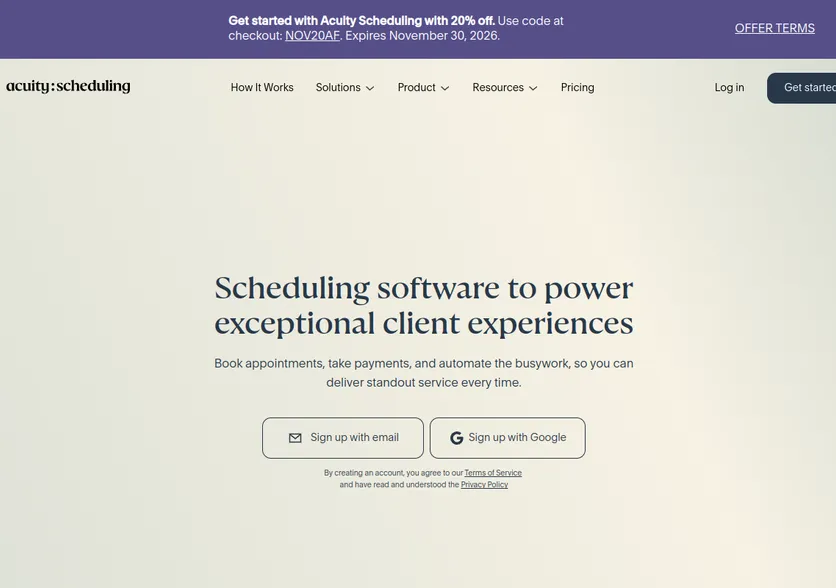
A clinic group that wants one booking system across every site gets the cleanest pricing here, because this Acuity Scheduling plan costs sixteen dollars a month on Starter billed annually for one calendar. Each location gets its own calendar, intake forms and payment collection, and the bill grows by calendar rather than by seat. It is the best fit in this list for a group that sells appointments across several rooms.
What we like
- Intake forms, deposits and payments on every plan
- Flat pricing by calendar, not per seat
- Strong booking page that patients use without an account
Watch out for
- Text reminders only start on Standard, not Starter
- The HIPAA agreement needs the Premium plan
How to try it
- Create the appointment types and set the availability
- Add the intake form to the booking flow
- Turn on reminders and payment collection at checkout
2. Jane App
Best for: Multi-location rehab and allied-health groups
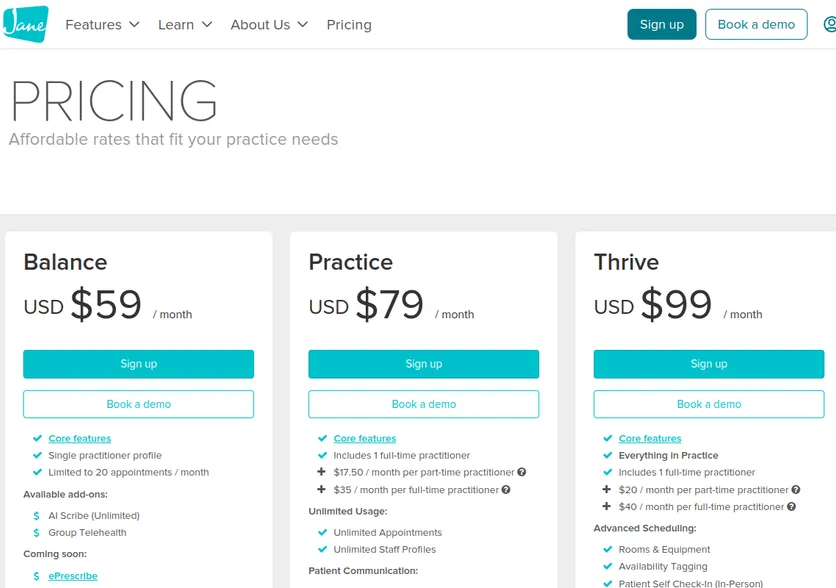
Paid tool Starting price: $59/month · Fifty-nine dollars a month for one practitioner on the Balance plan; higher tiers add more practitioners and features, and prices are in US dollars
Free plan: No free plan; free demo available
Multi-location rehab and allied-health groups that want intake and charting with their diaries get the most complete system here, since this Jane App plan costs fifty-nine dollars a month for one practitioner on the Balance plan. Each location runs its own schedule while the patient record follows the patient, and intake forms arrive before the visit. It is the most polished option in this list for a group that values one record per patient.
What we like
- Online intake forms patients complete before the visit
- Scheduling, charting and billing in one login
- Clean interface that front-desk staff learn fast
Watch out for
- The entry plan covers one practitioner, so multi-clinician teams pay more
- No free plan, so the only way to test it is a demo
How to try it
- Create the intake form with the fields the clinic needs for every new patient
- Send the form link with the booking confirmation so patients arrive prepared
- Review the completed form in the chart before the first appointment
3. Cliniko
Best for: Clinic groups that want unlimited locations included
Paid tool Starting price: $45/month · Forty-five dollars a month for one practitioner, with every feature included; two to five practitioners cost ninety-five dollars a month and the top band is three hundred and ninety-five dollars for twenty-six to two hundred practitioners; SMS reminders cost ten cents each
Free plan: No free plan; 30-day free trial
Clinic groups that hate paying more for features they already use get a fair deal here, because this Cliniko plan costs forty-five dollars a month for one practitioner with every feature included. Locations, admin users and reception staff are unlimited, so the bill only moves when the practitioner count moves. It is the best value in this list for a group that wants everything switched on at every site.
What we like
- Every feature on every plan, so the price only moves with headcount
- Online booking, treatment notes and invoicing in one place
- Unlimited admin and reception users at no extra cost
Watch out for
- SMS reminders are billed separately at ten cents a message
- No free plan, only a thirty-day trial
How to try it
- Set up the practitioner calendar and the online booking page
- Attach the intake form to each new booking
- Send the appointment reminder and review the notes after the visit
4. Calendly
Best for: Clinic groups that need simple booking links
Paid tool Starting price: $10/user/month · Ten dollars per user a month on Standard billed annually, or twelve dollars billed monthly; Teams is sixteen dollars billed annually and adds CRM integrations and round-robin scheduling; Enterprise starts at fifteen thousand dollars a year
Free plan: Free plan (1 event type)
A clinic group that just needs patients to book a time without phoning gets the simplest tool here, since this Calendly plan costs ten dollars per user a month on Standard billed annually. Each clinician gets a booking link, reminders go out automatically, and payments can be taken at booking. It is the cheapest per-seat option here, though clinical intake forms are not its strength.

What we like
- The booking link patients already know how to use
- Unlimited event types and calendar connections on Standard
- Payments at booking through Stripe and PayPal
Watch out for
- No intake forms built for clinical use
- Each host needs a paid seat, so team costs multiply
How to try it
- Connect the calendar and create the appointment event type
- Add intake questions to the booking form
- Share the booking link on the website and in reminders
5. Setmore
Best for: Small clinic groups on the tightest budget
Paid tool Starting price: $5/user/month · Five dollars per user a month on Pro billed annually, or twelve dollars billed monthly; the free plan covers up to four users and two hundred appointments a month; Pro adds SMS reminders, two-way calendar sync and recurring appointments
Free plan: Free plan (up to 4 users)
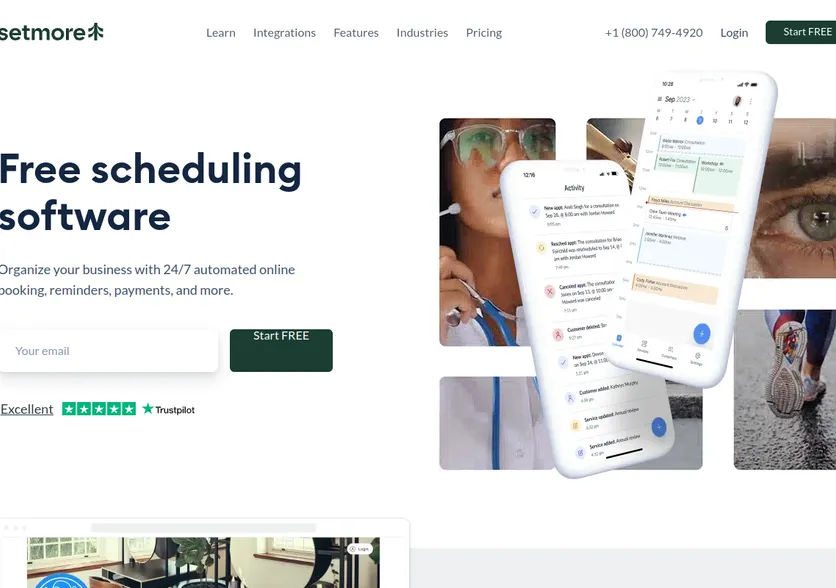
A small clinic group on a tight budget gets the cheapest paid scheduling here, because this Setmore plan costs five dollars per user a month on Pro billed annually. The free plan covers up to four users, and Pro adds SMS reminders, two-way calendar sync and recurring appointments. It is the lowest-priced option in this list, and the gap to the next tool is wide.
What we like
- The cheapest paid plan here at five dollars a user a month
- Free plan covers a small team of up to four users
- SMS reminders and deposits on Pro
Watch out for
- The free plan has no SMS reminders or two-way sync
- Fewer integrations than Calendly or Acuity
How to try it
- Create the staff profiles and the services they offer
- Publish the booking page and link it from the website
- Turn on SMS reminders so patients show up on time
6. SimplyBook.me
Best for: Groups with many part-time clinicians
Paid tool Starting price: $11.90/month · Eleven dollars and ninety cents a month on Basic billed annually, or thirteen dollars and ninety cents billed monthly, for one hundred bookings and five providers; Standard is twenty-four dollars and ninety cents billed annually and Premium is forty-nine dollars and ninety cents; Enterprise is quoted
Free plan: Free plan (50 bookings/month)
Clinic groups that book by volume rather than by headcount get the fairest pricing here, since this SimplyBook.me plan costs eleven dollars and ninety cents a month on Basic billed annually. The bill is set by bookings, providers and features, so adding staff does not multiply the price, and payments, deposits and tips are built in. It is the best fit in this list for a group with many part-time clinicians.
What we like
- Priced by bookings, not by staff, so teams do not multiply the bill
- Seventy-plus add-on features to switch on as needed
- Payments, deposits and tips built in
Watch out for
- Basic caps at one hundred bookings a month
- The feature catalogue is large, so setup takes longer
How to try it
- Create the services and assign them to providers
- Switch on the payment and reminder features the clinic needs
- Publish the booking website and share the link with patients
7. Square Appointments
Best for: Walk-in clinics that already take Square payments
Paid tool Starting price: $49/location/month · Forty-nine dollars a month per location on Plus; Premium is one hundred and forty-nine dollars a month per location; the free plan covers one location with in-person card processing at two point six percent plus fifteen cents, and Plus drops it to two point five percent plus fifteen cents
Free plan: Free plan
Walk-in clinics that also take payments at the desk get a free start here, because this Square Appointments plan costs forty-nine dollars a month per location on Plus, and the free plan covers one location. Booking, reminders, deposits and card payments share one Square account, and no-show fees start on Plus. It is the best fit in this list for a clinic that already takes Square payments.
What we like
- A genuine free plan for a single location
- No-show fees and cancellation policies on Plus
- Payments, booking and reminders in one Square account
Watch out for
- Priced per location, so multi-site clinics multiply the fee
- Clinical intake forms are basic compared with clinic software
How to try it
- Create the location and add the staff calendars
- Publish the booking page and set the cancellation policy
- Turn on reminders and take deposits at booking
8. Fresha
Best for: Clinics that want marketplace bookings as well
Paid tool Starting price: $19.95/month · Nineteen dollars and ninety-five cents a month on the Independent plan for one person; the Team plan is fourteen dollars and ninety-five cents per bookable team member a month; Fresha ended its free plan in July twenty twenty-six and takes a one-time twenty percent commission on new clients from its marketplace
Free plan: No free plan; 7-day free trial
Clinic groups that want new patients to find them through a marketplace get a low flat price here, since this Fresha plan costs nineteen dollars and ninety-five cents a month on the Independent plan for one person. Online booking, reminders and client records are included, and the marketplace sends new clients to the diary. It is the cheapest marketplace option here, though marketplace bookings carry a twenty percent first-visit commission.
What we like
- A built-in marketplace that sends new clients to the diary
- Online booking, reminders and client records included
- Low flat monthly price for a solo practitioner
Watch out for
- No free plan since July twenty twenty-six
- Marketplace bookings carry a twenty percent first-visit commission
How to try it
- Create the business profile and the service menu
- Open the online booking page and set the availability
- Turn on reminders and review marketplace bookings weekly
Prices above were checked on each vendor’s own website on Nov 28, 2026 and can change — the vendor’s page is the final word. Vendor links are editorial: nobody paid to be listed or ranked here. Vendors who want a featured listing can see how it works on our Get listed page.
How to keep four clinic diaries from colliding
Give every location its own calendar and its own staff list, because a shared diary is how double bookings happen. Set the working hours per site, not per clinician, so a therapist who works at two locations cannot be booked at both at once. Turn on SMS reminders for every appointment, since a no-show at one site wastes a room another site could have used. Check the next day's diaries for all locations each evening, and move any patient who booked the wrong site before the morning rush. Keep one waiting list per location, so a cancellation fills from the right queue.
Before you buy
- Confirm each location gets its own calendar, staff list and working hours
- Check whether the price is per location, per calendar or per user before comparing
- Ask if the vendor signs a HIPAA business associate agreement on the plan you would buy
- Make sure reminders, deposits and no-show fees work at every location, not just the first
- Test booking at two locations in the same hour before paying for a year
Official websites
Official websites of the products reviewed above. Features and prices were checked against these sites when this guide was written, and they can change, so confirm on the vendor site before you buy.
Frequently asked questions
What is patient scheduling software for multi-location clinics?
It is software that runs a separate booking diary for each clinic location, with its own staff, working hours and reminders, while keeping one patient record across all sites. Good tools stop a clinician being booked at two locations at once, send reminders automatically, and let patients book the right site online, so the front desk spends less time on the phone.
How much does Acuity Scheduling cost for a multi-location clinic?
Acuity Scheduling costs sixteen dollars a month on Starter billed annually, or twenty dollars billed monthly, for one calendar. Standard is twenty-seven dollars billed annually for up to six calendars, and Premium is fifty-five dollars billed annually for up to thirty-six calendars, with a HIPAA business associate agreement on Premium. Pricing by calendar rather than per seat suits groups with many part-time clinicians.
Can a multi-location clinic schedule patients for free?
Yes, with Square Appointments, which offers a free plan for one location with booking, reminders and unlimited staff calendars. Setmore also offers a free plan for up to four users with two hundred appointments a month. Both are genuine free tiers, so a small group can run scheduling without paying, though no-show fees and multi-staff features need the paid plans.
Which scheduling tool is best for a multi-location clinic?
Acuity Scheduling is the best value for most groups, at sixteen dollars a month billed annually for one calendar with intake forms and payments included. Jane App is the better pick for rehab and allied-health groups that want charting with their diaries, at fifty-nine dollars a month for one practitioner. Cliniko suits groups that want every feature switched on at every site.
Do these tools stop double bookings across locations?
Yes, when each location has its own calendar and staff list, as Acuity Scheduling, Cliniko and Jane App all support. The key is setting working hours per site rather than per clinician, so a therapist who works at two locations cannot be booked at both at once. Test the setup with a clinician who splits time between sites before you commit.
Compare the eight tools above, then start with the free Square Appointments or Setmore plan or a trial of the tool that matches how many calendars the group really needs before paying for a full year.
Browse Business Tools tools