On this page
A Social Security practice is a long game: hundreds of disability claims that wait months for a hearing, each one full of medical records, fee agreements and appeal deadlines. The eight tools below keep that slow docket visible and billable, at prices a firm can verify before buying. MyCase leads because its client portal keeps unwell, hard-to-reach clients informed for fifty dollars per user a month, and the rest are ranked on how they handle volume disability work.
How we researched this
We checked every price on the vendor pricing page on November 28, 2026, and only included tools with a published US dollar list price. The big enterprise platforms that sell by quote, including Filevine and Smokeball, publish no prices, so they are not in this list. Prices change, so confirm the current figure on the vendor site before you buy.
Compare the tools
| Name | Best for | Starting price | Free plan | |
|---|---|---|---|---|
 Clio | Firms that want one system for matters and billing | $49/user/month | 7-day free trial | Visit |
 MyCase | Firms that want a client portal with billing | $50/user/month | 10-day free trial | Visit |
 PracticePanther | Small firms that want workflows from day one | $49/user/month | 7-day free trial | Visit |
 CosmoLex | Firms that do their own books in-house | $49/user/month | 10-day free trial | Visit |
 Rocket Matter | Firms that bill by the hour and want time captured | $59/user/month | 10-day free trial | Visit |
 Lawcus | Firms that want a visual kanban view of cases | $49/user/month | Free trial available | Visit |
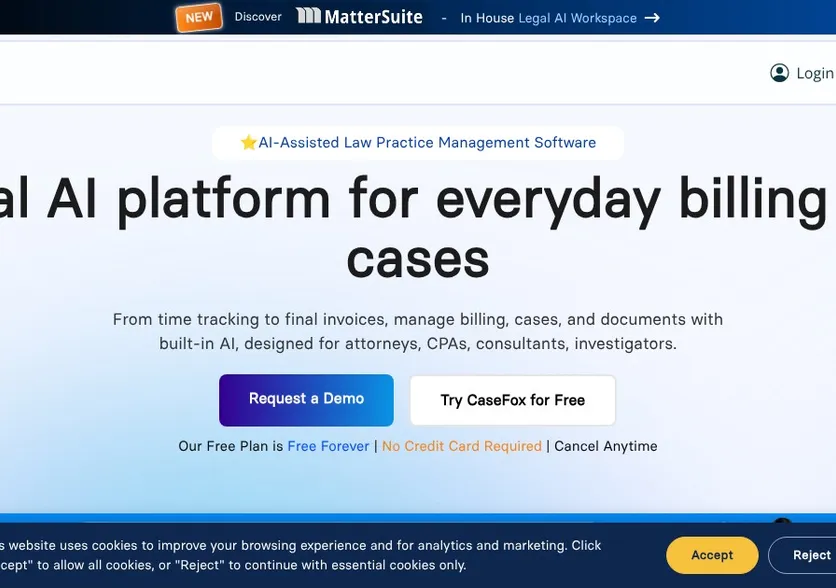
 CaseFox | Budget-conscious firms that want the essentials | $39/user/month | Free plan available | Visit |
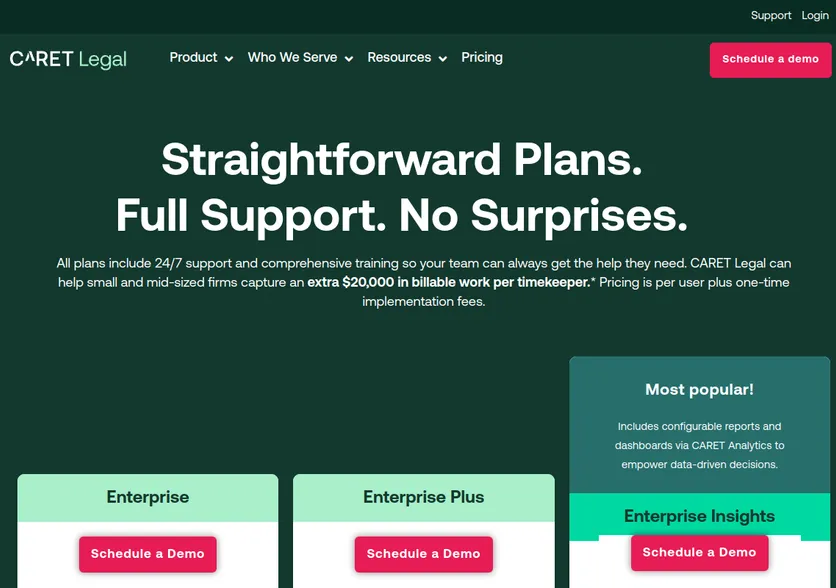
 CARET Legal | Mid-size firms that want analytics with matters | $79/user/month | No free plan; book a demo | Visit |
The practice management software for Social Security law firms, compared
1. Clio
Best for: Firms that want one system for matters and billing
Paid tool Starting price: $49/user/month · Forty-nine dollars per user a month billed annually on EasyStart ($59 billed monthly); Essentials is $89 a user a month billed annually ($99 monthly), Advanced $119, Complete $149; higher tiers are quoted; the $79 Essentials figure in older guides is stale
Free plan: 7-day free trial
A disability docket is mostly waiting, and this Clio plan costs forty-nine dollars per user a month billed annually to keep every waiting case visible while the hearing date approaches. Medical records, fee agreements and hearing notices live in one searchable matter file, and deadline rules flag the appeal window before it closes. It is the steady choice for a Social Security firm that juggles hundreds of slow-moving claims.

What we like
- Matter, document and billing tools in one login
- Hundreds of integrations including LawPay and QuickBooks
- Court calendaring with deadline rules built in
Watch out for
- EasyStart caps some automation that higher tiers unlock
- Add-ons such as Clio Grow cost extra on top of Manage
How to try it
- Create a matter from the intake form and set the billing rate
- Log time and expenses against the matter as work happens
- Generate the invoice and send it through the client portal
2. MyCase
Best for: Firms that want a client portal with billing
Paid tool Starting price: $50/user/month · Fifty dollars per user a month billed annually on Basic ($60 billed monthly); Pro is $100 a user a month billed annually ($120 monthly) and Advanced is $130 ($150 monthly); MyCase Accounting adds $39 per user a month on Pro and Advanced; prices rose in August 2026 from $39, $89 and $109
Free plan: 10-day free trial
Disability clients are often unwell, out of work and hard to reach, so this MyCase plan costs fifty dollars per user a month billed annually and lets them message the firm and sign forms from a phone. The client portal carries the case updates they ask about most, while the firm tracks medical evidence requests from the same record. It suits a Social Security practice that wants clients informed without daily phone calls.

What we like
- Client portal with messaging and online payments
- Built-in accounting keeps trust ledgers beside matters
- Document automation builds routine letters in seconds
Watch out for
- Accounting add-on costs extra on Pro and Advanced
- Reporting is thinner than Clio on the Basic tier
How to try it
- Open a new case and invite the client to the portal
- Set tasks and calendar events from the case timeline
- Send the invoice and track payment in the same window
3. PracticePanther
Best for: Small firms that want workflows from day one
Paid tool Starting price: $49/user/month · Forty-nine dollars per user a month billed annually on Solo ($59 billed monthly); Essential is $69 ($79 monthly), Business $89 ($99 monthly) and Business Pro $114 ($124 monthly); annual billing saves $120 per user a year
Free plan: 7-day free trial
A Social Security claim moves through the same stages every time, and this PracticePanther plan costs forty-nine dollars per user a month billed annually to run those stages as a workflow. Application, reconsideration, hearing and appeal each get their own checklist, and the workflow assigns the next step instead of relying on memory. It is the pick for a firm that runs volume disability work on rails.

What we like
- Workflows move a matter forward without manual chasing
- PantherPayments collects card payments inside the app
- Templates and e-signatures cover routine documents
Watch out for
- Solo tier limits automation runs per month
- No built-in accounting, so books live elsewhere
How to try it
- Start a matter from a template and assign the workflow
- Track time with the built-in timer as you work
- Invoice from the matter and collect payment online
4. CosmoLex
Best for: Firms that do their own books in-house
Paid tool Starting price: $49/user/month · Forty-nine dollars per user a month billed annually on Launch ($59 billed monthly); Core is $99 a user a month billed annually ($109 monthly) and Pro is $129 ($139 monthly)
Free plan: 10-day free trial
Contingency fees on disability awards need careful trust handling, and this CosmoLex plan costs forty-nine dollars per user a month billed annually with the accounting built into the matter. Fee agreements, award letters and disbursements reconcile in one place, so the firm always knows what it is owed on each claim. It fits a Social Security firm that wants its fee ledger beside its case list.

What we like
- Accounting and billing live in the same system
- Trust accounting reports satisfy compliance checks
- Client portal covers intake, messaging and payments
Watch out for
- Launch tier omits some advanced accounting reports
- Interface feels dated next to newer rivals
How to try it
- Create the matter and record the retainer in trust
- Log billable time and expenses against the matter
- Run the invoice and reconcile the trust ledger
5. Rocket Matter
Best for: Firms that bill by the hour and want time captured
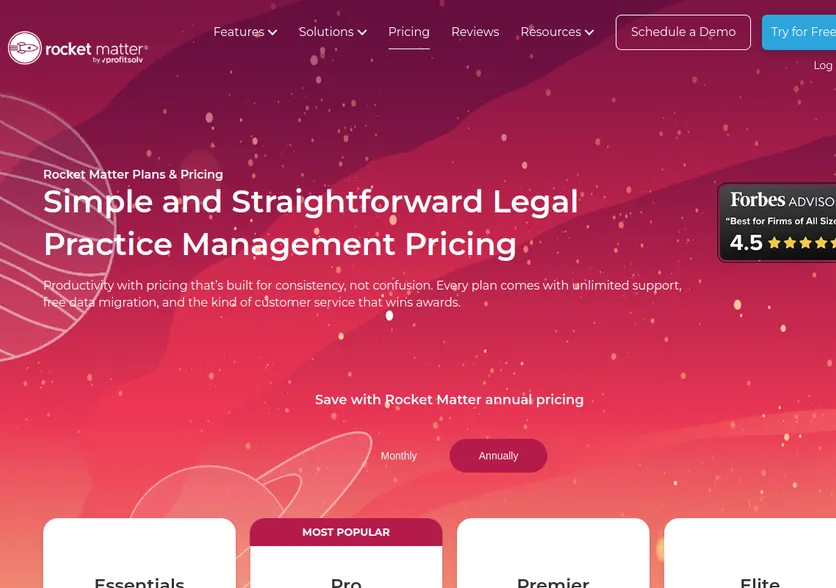
Paid tool Starting price: $59/user/month · Fifty-nine dollars per user a month billed annually on Essentials; Pro is $95, Premier $115 and Elite $145 on the same billing basis; the CRM add-on carries a $399 onboarding fee
Free plan: 10-day free trial
Hours spent chasing medical records are easy to lose on a contingency docket, and this Rocket Matter plan costs fifty-nine dollars per user a month billed annually to log them from the matter dashboard. Every records request, hearing prep session and client call is timed, so the firm can see what each claim really cost to win. It suits a disability practice that wants the true cost of every case on record.
What we like
- Billing-first design keeps every hour captured
- Document automation builds routine filings fast
- Free data migration and unlimited support included
Watch out for
- Interface looks older than Clio or MyCase
- CRM features cost extra through the add-on
How to try it
- Open a matter and set the billing arrangement
- Record time from the matter dashboard as you work
- Batch the invoices and send them to clients
6. Lawcus
Best for: Firms that want a visual kanban view of cases
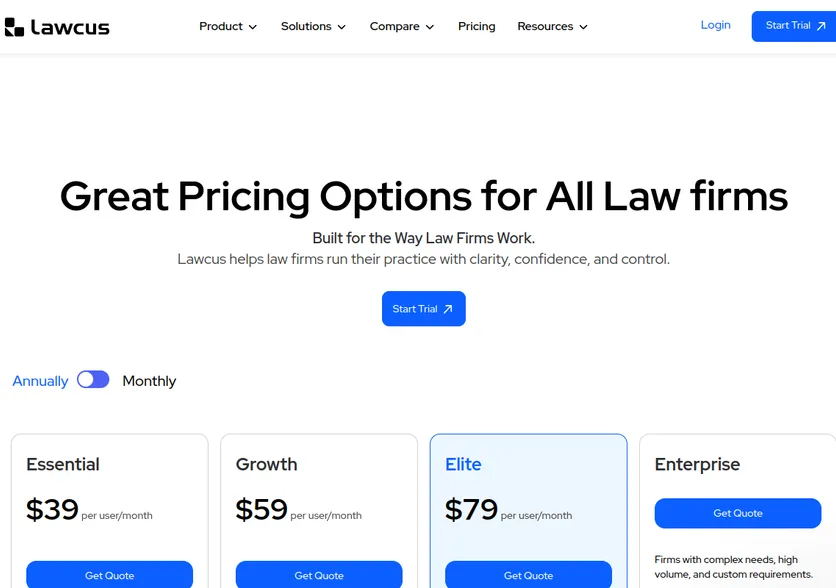
Paid tool Starting price: $49/user/month · Forty-nine dollars per user a month; older listings show $34 or $39 a user a month, but multiple November 2026 reads of the vendor pricing page agree on $49
Free plan: Free trial available
A disability caseload is a pipeline of stages, and this Lawcus plan costs forty-nine dollars per user a month to lay that pipeline out as a kanban board. Applications, denials and hearings move across the board as they progress, and the intake form captures the next claimant while the team works the current hearings. It is the visual choice for a firm that manages claims by stage.
What we like
- Kanban boards make the whole caseload visible
- Built-in intake forms capture leads automatically
- Time tracking and billing sit beside each matter
Watch out for
- Smaller integration library than Clio or MyCase
- Reporting is basic on the entry tier
How to try it
- Add the matter to the board and set its stage
- Send the intake form and log the first call
- Track time and invoice from the matter card
7. CaseFox
Best for: Budget-conscious firms that want the essentials
Paid tool Starting price: $39/user/month · Thirty-nine dollars per user a month billed annually ($45 billed monthly); a free Solo plan covers a single user with core billing and case tools
Free plan: Free plan available
A small disability practice watches every dollar, and this CaseFox plan costs thirty-nine dollars per user a month billed annually for case management, time and billing in one place. The free Solo plan covers a single attorney outright, which is enough to run a new Social Security practice until the caseload grows. It is the budget pick here for a firm that cannot justify a fifty-dollar seat yet.
What we like
- Lowest entry price in this list for a full suite
- Free Solo plan covers a single user genuinely
- Billing, invoicing and case tools in one place
Watch out for
- Interface is plain and less polished than rivals
- Integrations are fewer than the bigger platforms
How to try it
- Create the case and enter the client details
- Log time and expenses as the case progresses
- Generate the invoice and email it to the client
8. CARET Legal
Best for: Mid-size firms that want analytics with matters
Paid tool Starting price: $79/user/month · Seventy-nine dollars per user a month billed annually on Enterprise; one-time implementation fees sit on top of the subscription
Free plan: No free plan; book a demo
A Social Security firm with a big docket needs to know which claims pay and which stall, and this CARET Legal plan costs seventy-nine dollars per user a month billed annually to answer that from analytics beside the matter record. Email, documents and billing share one workspace, so a partner can see the whole docket without asking staff for reports. It is the management pick for a firm that runs disability work at scale.
What we like
- Email, documents and billing in one workspace
- Analytics show revenue and matter health together
- Client portal covers intake through payment
Watch out for
- Enterprise-only pricing with implementation fees on top
- Smaller user community than Clio or MyCase
How to try it
- Set up the matter with its documents and deadlines
- Track time and tasks from the matter dashboard
- Review the analytics before sending invoices
Prices above were checked on each vendor’s own website on Nov 28, 2026 and can change — the vendor’s page is the final word. Vendor links are editorial: nobody paid to be listed or ranked here. Vendors who want a featured listing can see how it works on our Get listed page.
How to run a disability docket without losing a claim
Build the claim as a staged workflow the day it arrives, because a disability file that lives as a pile of papers is a file that misses its appeal window. Chase medical records on a schedule, not when someone remembers, since the hearing is won or lost on the evidence in the file. Keep the client updated through the portal with the same dates the team sees, so an unwell claimant never has to call to ask what happens next, and log every hour against the claim so the firm knows what each win really cost.
Before you buy
- Check whether the tool tracks staged workflows from application through hearing and appeal
- Confirm the client portal works on a phone, since disability clients often have no computer
- Ask if deadline rules cover appeal windows and hearing dates automatically
- Make sure trust and fee accounting handles contingency fees on disability awards
- Test the tool on a real claim file before paying, including a stack of medical records
Official websites
Official websites of the products reviewed above. Features and prices were checked against these sites when this guide was written, and they can change, so confirm on the vendor site before you buy.
Frequently asked questions
What is practice management software for Social Security law firms?
It is software that runs a disability docket from the first application through reconsideration, hearing and appeal in one place, covering the file, the medical records, the calendar, the billing and the client portal. Good tools add staged workflows and deadline rules for appeal windows, so a firm with hundreds of slow-moving claims never loses one to a missed date.
How much does MyCase cost for a Social Security firm?
MyCase costs fifty dollars per user a month billed annually on Basic, or sixty dollars billed monthly. That plan covers cases, the client portal, tasks and billing, with a ten-day free trial, which is why it leads this list for disability firms that need to keep clients informed.
Which tool is best for high-volume disability work?
PracticePanther is the best pick for volume, at forty-nine dollars per user a month billed annually on Solo, because its workflows run every claim through the same stages without manual chasing. Application, reconsideration, hearing and appeal each get a checklist, and the next step assigns itself.
Can a solo disability attorney use these tools for free?
Yes, with CaseFox, which offers a free Solo plan covering a single user with core billing and case tools. That is enough to run a new Social Security practice until the caseload grows, and the paid plan starts at thirty-nine dollars per user a month billed annually.
How do these tools handle contingency fees?
CosmoLex handles them best, because trust accounting and fee ledgers sit inside the matter record, so award letters and disbursements reconcile beside the case. Clio, MyCase and Rocket Matter track fees through billing and invoicing, while CaseFox covers the basics for a small practice.
Compare the eight tools above, then start with a free trial or the free CaseFox Solo plan on the tool that matches how the firm already runs its disability docket before paying for a full year.
Browse Business Tools tools