On this page
Remote promotional product teams need clear task ownership, campaign visibility and reliable handoffs across time zones. The eight tools below range from a simple board to a database that tracks every product, campaign and approval. Asana leads because it balances work management with automation for ten dollars and ninety-nine cents per user a month, and the rest are ranked on how well they fit remote campaign work.
How we researched this
We checked every price on the vendor pricing page on November 28, 2026, and only included tools with a published US dollar list price. Wrike publishes no prices and sells by quote, so it is not in this list. Prices change, so confirm the current figure on the vendor site before you buy.
Compare the tools
| Name | Best for | Starting price | Free plan | |
|---|---|---|---|---|
 Asana | Teams that need shared timelines and automation | $10.99/user/month | Free plan (Personal, up to 10 users) | Visit |
| Monday.com | Teams that want visual boards and fast adoption | $9/seat/month | Free plan (up to 2 seats) | Visit |
 ClickUp | Teams that want one app for tasks, docs and chat | $9/user/month | Free plan (Free Forever) | Visit |
 Smartsheet | Teams that think in spreadsheets and need governance | $9/member/month | No free plan; 30-day free trial | Visit |
 Trello | Small teams that want simple visual boards | $5/user/month | Free plan (10 collaborators, 10 boards) | Visit |
 Airtable | Teams that track structured data and approvals | $20/user/month | Free plan | Visit |
 Notion | Teams that want docs and tracking in one place | $10/member/month | Free plan | Visit |
 Basecamp | Teams that want simple flat-rate project hubs | $79/month | Free plan | Visit |
The promotional product management software for remote teams, compared
1. Asana
Best for: Teams that need shared timelines and automation
Paid tool Starting price: $10.99/user/month · Ten dollars and ninety-nine cents per user a month billed annually on Starter ($13.49 billed monthly); Advanced is $24.99 a user a month billed annually; Personal is free for up to 10 users
Free plan: Free plan (Personal, up to 10 users)
For a remote promotional product team moving campaigns between design, sourcing and marketing, this Asana plan costs ten dollars and ninety-nine cents per user a month billed annually, and it automates handoffs with clear ownership at each step. Its timeline and board views keep owners and due dates visible, and automation moves routine handoffs along without manual chasing. The free Personal plan covers small groups, while paid plans add reporting dashboards, custom fields and unlimited automation.

What we like
- Timeline, board and calendar views in one workspace
- Automation handles routine handoffs and approvals
- Unlimited free guests on paid plans
Watch out for
- Portfolios and goals need the Advanced plan
- Native time tracking sits on Advanced, not Starter
How to try it
- Create a project from a template and add every task with an owner and a due date
- Switch to the timeline view to spot overlaps and dependencies
- Set an automation rule for handoffs, then review the dashboard weekly
2. Monday.com
Best for: Teams that want visual boards and fast adoption
Paid tool Starting price: $9/seat/month · Nine dollars per seat a month billed annually on Basic ($12 billed monthly); Standard is $12 a seat a month billed annually and Pro is $19; a three-seat minimum applies to paid plans
Free plan: Free plan (up to 2 seats)
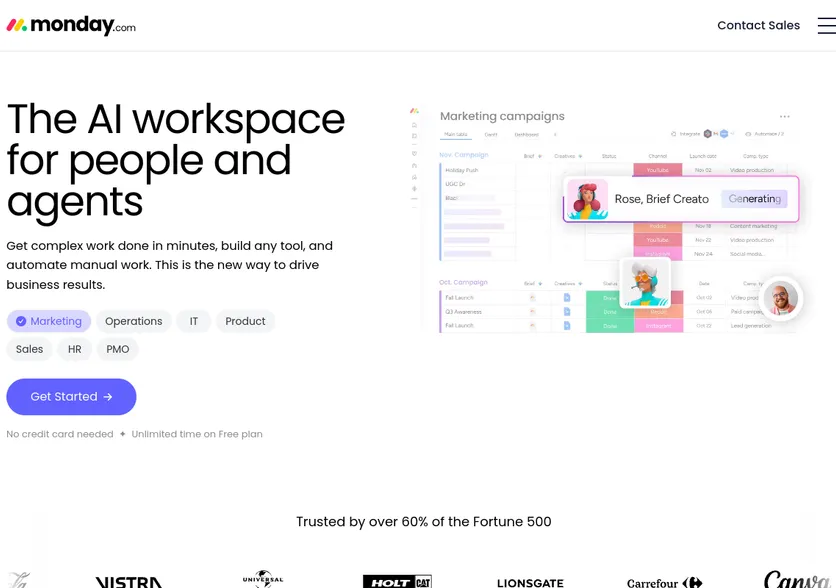
For a remote team that wants campaign planning in a visual AI workspace, this Monday.com plan costs nine dollars per seat a month billed annually, and it keeps tasks and timelines visible across time zones. Boards, timelines and dashboards are easy to shape around a team's own process, and the free plan covers two seats for a trial run. Standard adds timeline and Gantt views with guest access, while Pro adds time tracking, private boards and far higher automation limits.
What we like
- Visual boards that non-technical teams adopt fast
- Two free seats and unlimited free viewers
- Automation and integration actions scale with the plan
Watch out for
- A three-seat minimum applies to paid plans
- Basic has no automation or integration actions
How to try it
- Build a board with status, owner and date columns for the work
- Add an automation that moves items when a status changes
- Share a dashboard so stakeholders see progress without asking
3. ClickUp
Best for: Teams that want one app for tasks, docs and chat
Paid tool Starting price: $9/user/month · Nine dollars per user a month billed annually on Core ($12 billed monthly); Business is $17 a user a month billed annually ($25 monthly); the old Unlimited tier was replaced by Core in November 2026
Free plan: Free plan (Free Forever)
For a remote team that wants campaign briefs, tasks and chat in one app, this ClickUp plan costs nine dollars per user a month billed annually, and it consolidates the whole campaign workflow. Tasks, docs, goals and chat live in one workspace, so a team can stop stitching several apps together. Core adds unlimited storage, Gantt charts and goals, while Business adds timesheets, workload views and advanced dashboards.

What we like
- Tasks, docs, goals and chat in a single app
- Free Forever plan covers small teams
- Dozens of views, from lists to Gantt charts
Watch out for
- The breadth of features can overwhelm new users
- Timesheets and workload views need Business
How to try it
- Set up a Space for the team and add lists for each workstream
- Turn on time tracking and goals for the projects that need them
- Build a dashboard that shows workload and upcoming deadlines
4. Smartsheet
Best for: Teams that think in spreadsheets and need governance
Paid tool Starting price: $9/member/month · Nine dollars per member a month billed annually on Pro ($12 billed monthly, one to ten members); Business is $19 a member a month billed annually ($24 monthly) with a three-member minimum; there is no free plan for new sign-ups
Free plan: No free plan; 30-day free trial
For a remote team that tracks products, approvals and campaigns in structured sheets, this Smartsheet plan costs nine dollars per member a month billed annually, and it brings governance to every handoff. Grid, Gantt, board and calendar views sit on the same data, and forms collect new work straight into a sheet. Business removes the ten-member cap, adds timeline view and workload tracking, and lifts automation limits.

What we like
- Spreadsheet-style views that need almost no training
- Forms, reports and dashboards in the same app
- Unlimited free contributors on paid plans
Watch out for
- Pro stops at ten members, so growing teams must move up
- No free plan, only a thirty-day trial
How to try it
- Build a sheet with columns for owner, status and due date
- Add a form so new requests land in the sheet automatically
- Create a report that rolls progress up for managers
5. Trello
Best for: Small teams that want simple visual boards
Paid tool Starting price: $5/user/month · Five dollars per user a month billed annually on Standard ($6 billed monthly); Premium is $10 a user a month billed annually ($12.50 monthly) and Enterprise is $17.50
Free plan: Free plan (10 collaborators, 10 boards)
For a small remote team that wants simple visual campaign tracking, this Trello plan costs five dollars per user a month billed annually, and it organises tasks on boards anyone can follow. Cards move across lists with checklists, due dates and attachments, and Power-Ups add calendars, fields and integrations. Premium adds timeline, calendar, dashboard and map views, while Enterprise adds organisation-wide controls.

What we like
- Boards anyone can learn in minutes
- Free plan covers ten collaborators and ten boards
- Unlimited Power-Ups on every board
Watch out for
- Reporting and resource views need Premium
- Large programmes outgrow simple boards quickly
How to try it
- Create a board with lists for each stage of the work
- Add cards with owners, due dates and checklists
- Turn on the calendar Power-Up to see deadlines at a glance
6. Airtable
Best for: Teams that track structured data and approvals
Paid tool Starting price: $20/user/month · Twenty dollars per user a month billed annually on Team ($24 billed monthly); Business is $45 a user a month billed annually ($54 monthly); only users with edit rights are billed
Free plan: Free plan
For a remote team that manages a product catalogue, campaigns and approvals as data, this Airtable plan costs twenty dollars per user a month billed annually, and it links products, campaigns and approvals in connected tables. Records link across tables, so a project, its assets and its approvals stay connected instead of scattered across files. Business raises record and automation limits and adds stronger admin controls, while read-only collaborators stay free.

What we like
- Linked records keep projects, assets and approvals connected
- Views switch between grid, calendar, kanban and gallery
- Automations handle repetitive updates
Watch out for
- Fifty thousand records per base forces a move to Business
- Teams must design their own structure first
How to try it
- Build a base with tables for projects, tasks and assets
- Link records so one update flows across views
- Add an automation that alerts owners when a status changes
7. Notion
Best for: Teams that want docs and tracking in one place
Paid tool Starting price: $10/member/month · Ten dollars per member a month billed annually on Plus ($12 billed monthly); Business is $20 a member a month billed annually ($24 monthly) and adds full Notion AI, private teamspaces and single sign-on
Free plan: Free plan
For a remote team that wants campaign plans beside notes and supplier docs, this Notion plan costs ten dollars per member a month billed annually, and it builds a flexible workspace around the team's pages. Pages, databases and docs combine in one workspace, so plans, notes and tracking live beside each other. Business adds full Notion AI, private teamspaces and single sign-on, while guests stay free on every plan.

What we like
- Pages and databases in one flexible workspace
- Guests collaborate free on every plan
- Templates cover almost any project shape
Watch out for
- Teams must design their own tracking structure
- Full AI features need the Business plan
How to try it
- Create a database for projects with status and owner fields
- Add linked views for boards, timelines and calendars
- Share the workspace with guests for free collaboration
8. Basecamp
Best for: Teams that want simple flat-rate project hubs
Paid tool Starting price: $79/month · Seventy-nine dollars a month flat on Pro, with unlimited users and projects; Freelancer is $29 flat, Pro Plus is $99 flat and Pro Unlimited is $199 a month billed annually ($329 monthly); only Pro Unlimited has annual billing, and the old $15 per user Plus tier was retired around October 2026
Free plan: Free plan
For a remote team that wants one flat price for the whole campaign crew, this Basecamp plan costs seventy-nine dollars a month flat, and it keeps boards, to-dos and schedules under one roof. Message boards, to-do lists, schedules and file storage sit under one roof, with one flat price no matter how many people join. The flat rate covers unlimited users and projects, and higher tiers add more storage and admin controls.

What we like
- One flat price, no per-seat maths
- Message boards, to-dos and schedules in one place
- Simple enough for non-technical teams
Watch out for
- No built-in time tracking or Gantt charts
- Reporting is lighter than dedicated project tools
How to try it
- Create a project and invite the whole team at no extra cost
- Add to-do lists, a schedule and a message board
- Post check-ins so progress is visible without meetings
Prices above were checked on each vendor’s own website on Nov 28, 2026 and can change — the vendor’s page is the final word. Vendor links are editorial: nobody paid to be listed or ranked here. Vendors who want a featured listing can see how it works on our Get listed page.
How a remote promotional product team should choose
Start from how campaigns actually move, from design to sourcing to marketing, and pick the tool that mirrors those handoffs. Check how the tool supports remote collaboration and notifications across time zones, since a handoff that waits overnight costs a day. Confirm automation and AI features match the team's workflows, rather than paying for features nobody uses. Review governance, permissions and visibility for the team size, because product data and approvals need control. Test the setup effort with one real campaign before committing the whole team. Agree who approves product choices and artwork, since a campaign stalls when approval has no owner.
Before you buy
- Check how the tool supports remote collaboration and notifications across time zones
- Confirm automation and AI features match the promotional product workflows in use
- Review governance, permissions and visibility needs for the team size
- Verify mobile access and integrations with the tools already in use
- Test the setup effort required with one real campaign before committing
Official websites
Official websites of the products reviewed above. Features and prices were checked against these sites when this guide was written, and they can change, so confirm on the vendor site before you buy.
Frequently asked questions
Which tool is best for remote promotional product teams new to project management?
Trello offers a simple visual board that is easy to adopt at $5 a user a month, while Asana provides more structure with automation at $10.99 a user a month. Start with the level of complexity the team can maintain consistently, and move up only when simple boards start to strain.
Can these tools handle campaign approvals and governance?
Yes, Smartsheet emphasises enterprise control, governance and visibility, and Airtable tracks approvals as linked records. Asana and Monday.com also support structured workflows with automation, but confirm approval features on vendor sites before buying, since the depth varies by plan. Smartsheet and Airtable both keep an audit trail of who approved what.
Do I need a database-style tool for promotional product data?
If the work centres on product catalogues, structured tracking or custom views, Airtable is designed for database-style workflows at $20 a user a month. Teams focused on task boards may not need that flexibility, and Trello or Asana will cover campaign tracking more simply.
How much does Asana cost for a remote team?
Asana Starter costs $10.99 per user a month billed annually, or $13.49 billed monthly, and adds timeline and Gantt views, dashboards and unlimited automation. Advanced costs $24.99 a user a month billed annually and adds portfolios, goals and workload management. The free Personal plan covers up to 10 users.
How should remote teams choose between an all-in-one app and a focused tool?
ClickUp bundles tasks, docs, goals and chat, which suits teams wanting consolidation at $9 a user a month. Focused tools like Trello or Asana can reduce complexity for teams that want less to learn. Match the choice to how the team communicates and tracks work, not to the longest feature list.
Compare the eight tools above, then start with a free plan or trial on the tool that matches how the remote team already runs campaigns before paying for a full year.
Browse Business Tools tools