On this page
An enterprise proposal is a team effort, so the software has to lock the approved wording, track every stakeholder and collect signatures without a single version going astray. The eight tools below cover that job for enterprise teams of every size, from a per-seat plan for a small sales team to a quoted platform for a global rollout. PandaDoc leads because its Business plan puts CRM integrations, pricing tables and e-signatures together for forty-nine dollars per seat a month, and the rest are ranked on how much enterprise control they give for the price.
How we researched this
We checked every price on the vendor pricing page on November 28, 2026, and only included tools with a published US dollar list price. The enterprise proposal platforms that sell by quote, including Conga Composer, Salesforce CPQ and DealHub, publish no prices, so they are not in this list. Prices change, so confirm the current figure on the vendor site before you buy.
Compare the tools
| Name | Best for | Starting price | Free plan | |
|---|---|---|---|---|
 PandaDoc | Enterprise teams that need CRM-driven proposals | $19/seat/month | Free plan | Visit |
 Proposify | Enterprise teams that need locked, approved content | $19/user/month | 14-day free trial | Visit |
 Qwilr | Enterprise teams that want branded web proposals at scale | $35/user/month | 14-day free trial | Visit |
 GetAccept | Enterprise sales teams that need digital sales rooms | $25/user/month | Free trial | Visit |
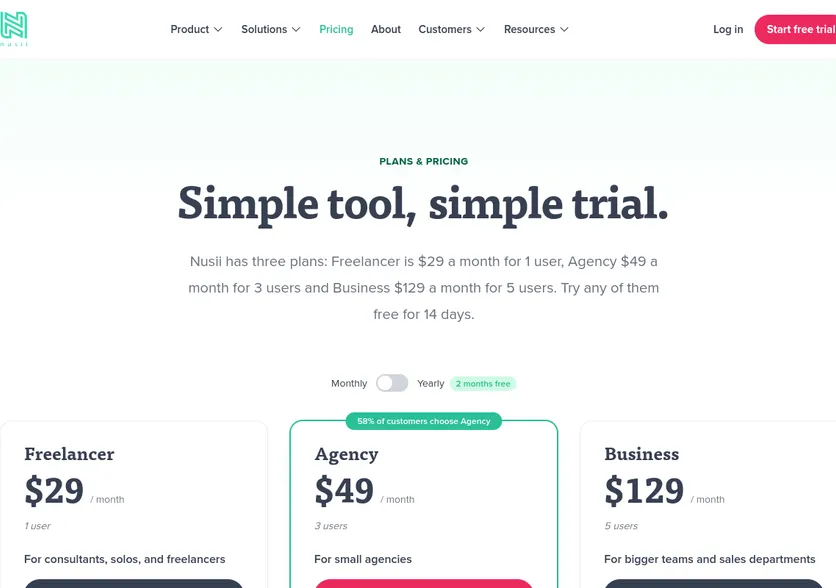
 Nusii | Enterprise teams that want simple proposals without seat creep | $29/month | 14-day free trial; 60-day money-back guarantee | Visit |
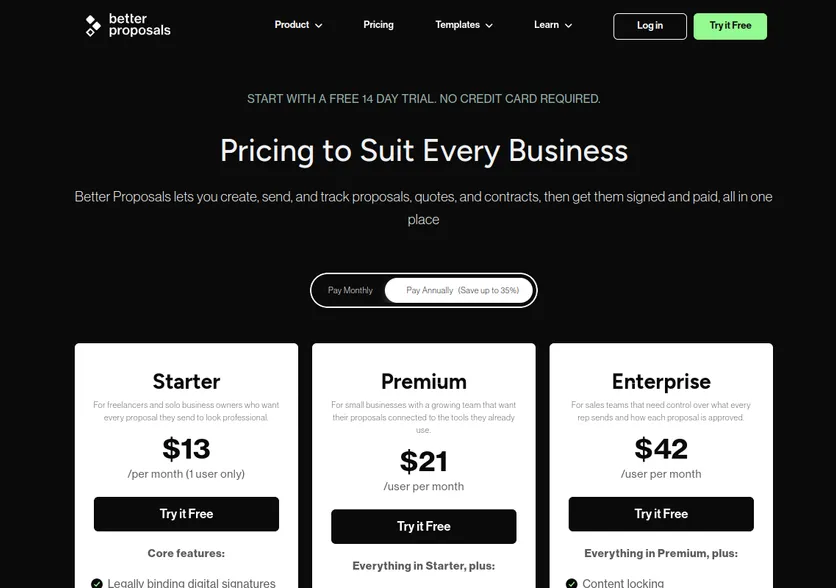
 Better Proposals | Enterprise teams that need approvals and content locking | $13/user/month | 14-day free trial | Visit |
 DocuSign | Enterprise teams that need signing and compliance at scale | $25/user/month | 30-day free trial | Visit |
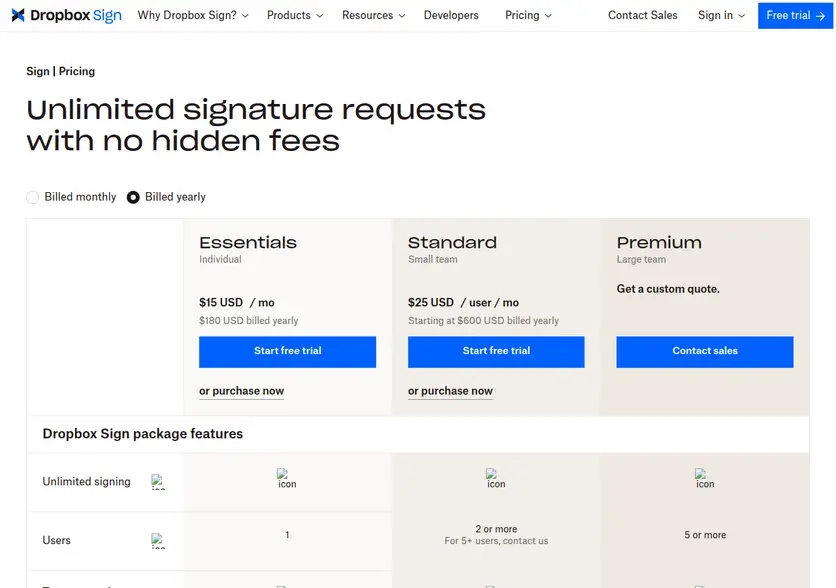
 Dropbox Sign | Enterprise teams that want simple unlimited signing | $15/month | Free plan (3 requests a month) | Visit |
The proposal software for enterprise, compared
1. PandaDoc
Best for: Enterprise teams that need CRM-driven proposals
Paid tool Starting price: $19/seat/month · Nineteen dollars per seat a month billed annually on Starter, or thirty-five dollars month to month; Business is forty-nine dollars billed annually, or sixty-five dollars monthly; Enterprise is quoted; the free plan covers a small number of active documents
Free plan: Free plan
Enterprise teams that drive proposals from the CRM will find the deepest integrations here, since this PandaDoc plan costs forty-nine dollars per seat a month billed annually on Business. Salesforce, HubSpot and Pipedrive integrations sit beside pricing tables, e-signatures and payment collection. The price rises per seat, so a large sales team should model the full annual cost before rolling it out.

What we like
- Documents, pricing tables and e-signatures in one editor
- CRM integrations with Salesforce, HubSpot and Pipedrive
- Payment collection inside the signed document
Watch out for
- Starter caps templates at five and leaves out pricing tables
- The price rises per seat, so a large team pays far more
How to try it
- Pick a template and add the pricing table and terms
- Send the document and track when the client opens it
- Collect the signature and payment in the same visit
2. Proposify
Best for: Enterprise teams that need locked, approved content
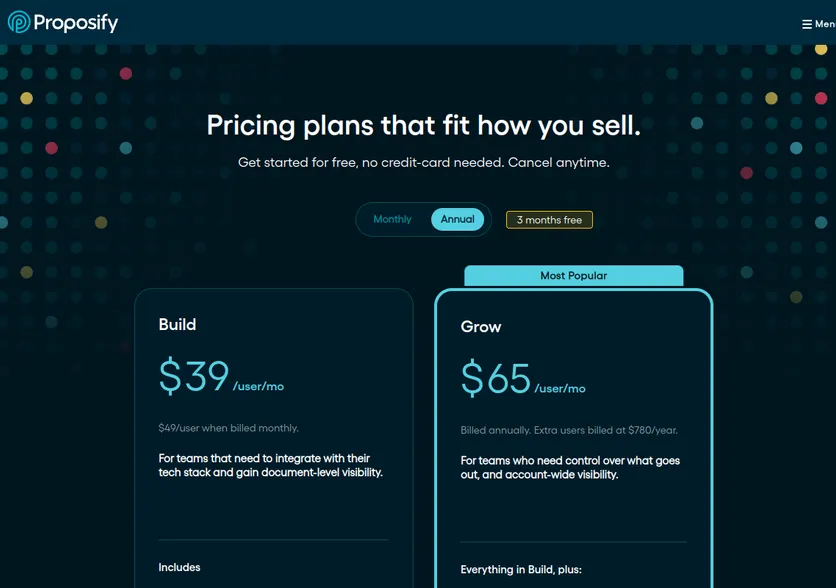
Paid tool Starting price: $19/user/month · Nineteen dollars per user a month billed annually on Basic, or twenty-nine dollars month to month; Team is forty-one dollars a month billed annually, or forty-nine dollars quarterly; Business starts at three thousand nine hundred dollars a year for five users, with a ten-user minimum reported on some reads; fourteen-day free trial and no free plan
Free plan: 14-day free trial
Enterprise teams that need every rep sending approved wording will find the controls here, because this Proposify plan costs sixty-five dollars per user a month billed annually on Business. The locked content library keeps pricing and terms approved, and approval workflows and user roles sit on the Business tier. Business starts at three thousand nine hundred dollars a year for five users, with a ten-user minimum reported on some reads.
What we like
- Interactive pricing tables the client can adjust live
- Locked content library keeps every rep on the approved wording
- Engagement analytics show who read what and for how long
Watch out for
- Basic caps sends at ten a month, with overage fees after that
- Business needs a ten-user minimum, which prices out small teams
How to try it
- Build the proposal from the locked template library
- Add the interactive pricing table and send it to the client
- Watch the engagement analytics and follow up on the hot sections
3. Qwilr
Best for: Enterprise teams that want branded web proposals at scale
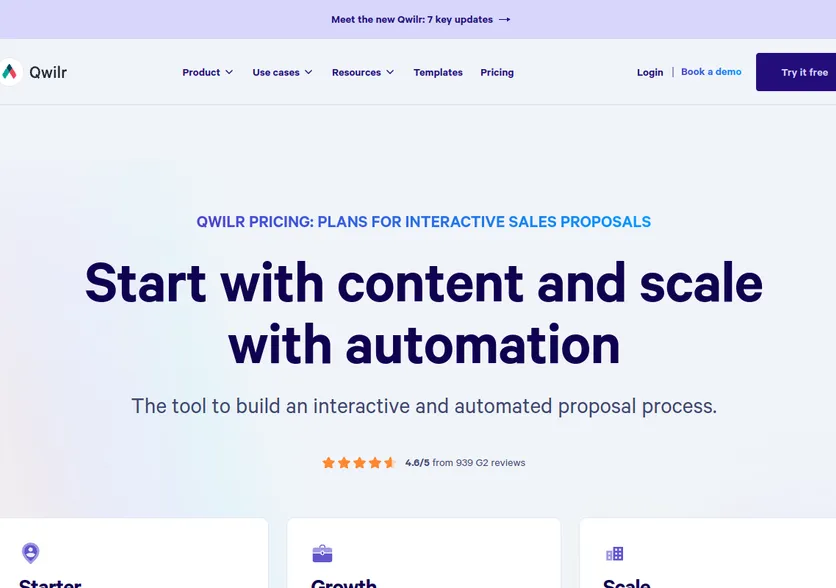
Paid tool Starting price: $35/user/month · Thirty-five dollars per user a month billed annually on Business, or thirty-nine dollars month to month; Enterprise is fifty-nine dollars per user a month billed annually with a ten-user minimum, so the Enterprise floor is seven thousand and eighty dollars a year; fourteen-day free trial
Free plan: 14-day free trial
Enterprise teams that want branded web proposals at scale will find the polish here, since this Qwilr plan costs fifty-nine dollars per user a month billed annually on Enterprise. A custom domain, team permissions and native Salesforce integration sit on the Enterprise tier, with a dedicated account manager for larger accounts. The ten-user minimum sets the floor at seven thousand and eighty dollars a year.
What we like
- Web-page proposals that look polished on any phone
- E-signatures, payments and ROI calculators built in
- HubSpot integration on the Business plan
Watch out for
- Only two plans exist, so there is no cheap solo tier
- Enterprise needs ten seats, setting a high floor
How to try it
- Build the proposal as a web page from a template
- Add the pricing table, signature block and payment link
- Send the link and track opens, views and acceptance
4. GetAccept
Best for: Enterprise sales teams that need digital sales rooms
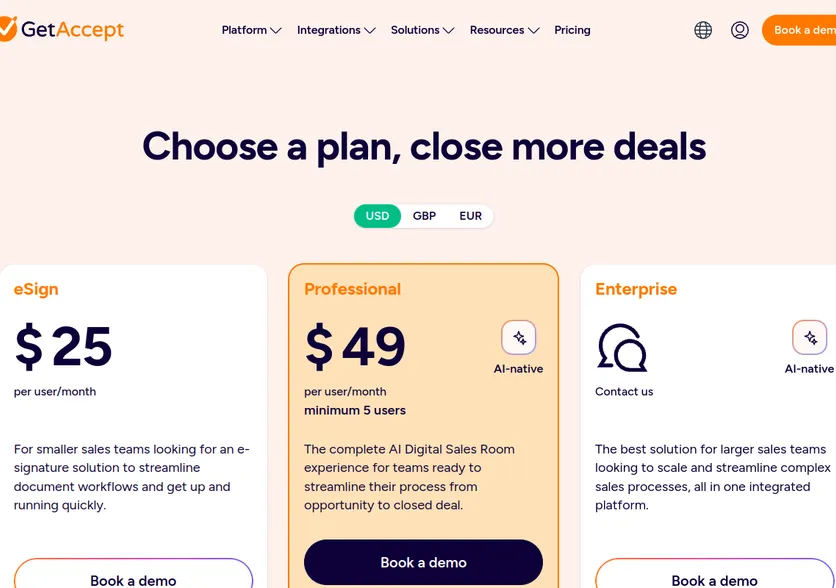
Paid tool Starting price: $25/user/month · Twenty-five dollars per user a month on eSign, with monthly or annual payment and a twelve-month agreement; Professional is forty-nine dollars per user a month billed annually, with a five-user minimum, so the entry bill is two hundred and forty-five dollars a month; Enterprise is quoted; eSign is capped at five users, so a sixth seat forces the Professional plan
Free plan: Free trial
Enterprise sales teams that need digital sales rooms will find the fullest set here, since this GetAccept plan costs forty-nine dollars per user a month billed annually on Professional. GetAccept AI, mutual action plans, CRM integrations and eID verification sit on Professional, with deal-room analytics for stakeholders. The five-user minimum sets the entry bill at two hundred and forty-five dollars a month, and Enterprise is quoted for larger teams.
What we like
- Digital sales rooms with video, chat and mutual action plans
- Unlimited e-signatures on every paid plan
- AI features and CRM integrations on Professional
Watch out for
- Every plan runs on a twelve-month agreement
- Professional needs five seats, so small teams pay for seats they do not use
How to try it
- Build the proposal and add the video and chat tools
- Send the sales room link and track stakeholder engagement
- Close with the e-signature and mutual action plan
5. Nusii
Best for: Enterprise teams that want simple proposals without seat creep
Paid tool Starting price: $29/month · Twenty-nine dollars a month flat on Freelancer for one user and five active proposals, or two hundred and ninety dollars a year; Agency is forty-nine dollars a month for three users and twenty active proposals; Business is one hundred and twenty-nine dollars a month for five users and fifty or more active proposals; extra seats are nineteen dollars a month on Agency and twenty-nine dollars on Business; fourteen-day free trial with a card and a sixty-day money-back guarantee
Free plan: 14-day free trial; 60-day money-back guarantee
Enterprise teams that want simple proposals without per-seat creep will like the flat price here, because this Nusii plan costs one hundred and twenty-nine dollars a month flat on Business for five users and fifty or more active proposals. Extra seats are twenty-nine dollars a month, so the bill grows slowly as the team grows. Permissions and priority support sit on Business, though the tool stays deliberately simple next to full CPQ platforms.
What we like
- Flat monthly price with users included, not per seat
- Client signs and pays a deposit in the same visit
- Simple editor with no learning curve for a solo consultant
Watch out for
- Freelancer caps active proposals at five at a time
- Payments and reminders wait for the Agency plan
How to try it
- Set the branding once and pick a proposal template
- Add the pricing options and send the proposal link
- Collect the signature and Stripe deposit in one visit
6. Better Proposals
Best for: Enterprise teams that need approvals and content locking
Paid tool Starting price: $13/user/month · Thirteen dollars per user a month billed annually on Starter, or nineteen dollars month to month, for one user and ten documents a month; Premium is twenty-one dollars billed annually, or twenty-nine dollars monthly, with fifty documents; Enterprise is forty-two dollars billed annually, or forty-nine dollars monthly, with unlimited documents; a Nudge follow-up add-on is ten dollars per user a month; fourteen-day free trial and no free plan
Free plan: 14-day free trial
Enterprise teams that need approvals and content locking will find the controls here, since this Better Proposals plan costs forty-two dollars per user a month billed annually on Enterprise. Unlimited documents come with content locking, simultaneous editing, inline commenting and manager approvals. CRM integrations wait for the Premium plan, so an enterprise team should check whether Premium or Enterprise fits its stack.
What we like
- Lowest entry price among the dedicated proposal tools
- Two hundred plus templates organised by industry
- Signatures, pricing tables and payments on every plan
Watch out for
- Starter allows only one user and ten documents a month
- CRM integrations wait for the Premium plan
How to try it
- Pick an industry template and add the pricing table
- Send the proposal and let the client sign and pay
- Track opens and follow up with the Nudge add-on if needed
7. DocuSign
Best for: Enterprise teams that need signing and compliance at scale
Paid tool Starting price: $25/user/month · Twenty-five dollars per user a month billed annually upfront on Standard; the same annual commitment billed monthly is thirty dollars and month to month is forty-five dollars; Personal is ten dollars and Business Pro is forty dollars billed annually upfront; the old thirty-dollar headline is the billed-monthly rate, not the upfront rate
Free plan: 30-day free trial
Enterprise teams that need signing and compliance at scale will find the safest default here, since this DocuSign plan costs forty dollars per user a month billed annually upfront on Business Pro. Envelope and template controls scale to large teams, with hundreds of integrations for CRM, HR and finance tools. Standard caps envelopes at one hundred per user a year, so a high-volume team should price Business Pro or a higher tier.

What we like
- Most widely recognised e-signature brand in the United States
- Envelope and template controls that scale to large teams
- Hundreds of integrations with CRM, HR and finance tools
Watch out for
- Standard caps envelopes at one hundred per user a year
- The upfront annual rate is the only way to get the headline price
How to try it
- Upload the document and place the signature fields
- Send the envelope and track each recipient's status
- Download the completed document with the audit trail
8. Dropbox Sign
Best for: Enterprise teams that want simple unlimited signing
Paid tool Starting price: $15/month · Fifteen dollars a month billed annually on Essentials for one user, or twenty dollars month to month; Standard is twenty-five dollars per user a month billed annually, or thirty dollars monthly, with a two-user minimum, so the Standard floor is six hundred dollars a year; Premium is quoted; the free plan covers three signature requests a month; one October 2026 read shows lower annual-effective figures with request caps, which the November vendor-page reads do not confirm
Free plan: Free plan (3 requests a month)
Enterprise teams that want simple unlimited signing will find the cleanest upgrade here, since this Dropbox Sign plan costs twenty-five dollars per user a month billed annually on Standard. Unlimited signature requests come on every paid plan, with bulk send, custom branding and signer attachments on Standard. Premium is quoted for teams that need single sign-on, advanced reporting and data residency.
What we like
- Unlimited signature requests on every paid plan
- Simple interface that a solo operator learns in minutes
- Free plan covers three requests a month for occasional use
Watch out for
- Standard needs two seats, tripling the cost of one sender
- Essentials caps reusable templates at five
How to try it
- Upload the document and add the signature fields
- Send it to the signer and track the status
- Download the signed copy with the audit trail attached
Prices above were checked on each vendor’s own website on Nov 28, 2026 and can change — the vendor’s page is the final word. Vendor links are editorial: nobody paid to be listed or ranked here. Vendors who want a featured listing can see how it works on our Get listed page.
How to run enterprise proposals without version chaos
Lock the content library first, since an enterprise proposal that lets every rep rewrite the terms will fail legal review. Give each team a template with the approved pricing and terms, and let reps change only the scope and the price. Track every stakeholder who opens the proposal, because the deal is rarely decided by the first reader. Set the approval workflow before the first send, so a rep never waits days for a manager to sign off. Finally, model the full annual cost per seat, since enterprise pricing grows with every user added.
Before you buy
- Confirm the tool locks approved content and pricing so reps cannot change the terms
- Check whether the price is per seat or per user, and model the full annual cost
- Test the CRM integration, since enterprise proposals should start from the CRM record
- Make sure approval workflows and user roles are included, not quoted extras
- Ask whether the tool tracks every stakeholder, not only the first reader
Official websites
Official websites of the products reviewed above. Features and prices were checked against these sites when this guide was written, and they can change, so confirm on the vendor site before you buy.
Frequently asked questions
What is the best proposal software for enterprise?
PandaDoc is the best overall, at forty-nine dollars per seat a month billed annually on Business, with CRM integrations, pricing tables and e-signatures in one editor. DocuSign is the best pick for signing and compliance, at twenty-five dollars a user a month on Standard. Proposify is the best pick for locked, approved content, at sixty-five dollars a user a month on Business.
How much does PandaDoc Business cost?
PandaDoc Business costs forty-nine dollars per seat a month billed annually, or sixty-five dollars month to month. Starter costs nineteen dollars billed annually, or thirty-five dollars monthly, and Enterprise is quoted. A twenty-seat team pays nine hundred and eighty dollars a month on the annual Business plan, so the full cost should be modelled before rollout.
Can enterprise teams get proposal software for free?
Yes, with PandaDoc, which offers a free plan covering a small number of active documents, and Dropbox Sign, which offers a free plan for three signature requests a month. Neither free plan suits an enterprise team, though, since both cap volume tightly. Enterprise teams should budget for a paid plan and use the free trial to test the workflow first.
Do we need a separate e-signature tool as well?
It depends on the proposal tool chosen. PandaDoc, Proposify, Qwilr and GetAccept all include e-signatures in the proposal itself, so a separate tool is not needed. DocuSign and Dropbox Sign are signing-first tools, so a team that picks one of those will still need a separate proposal builder for the document itself.
Which tool is best for a large sales team?
PandaDoc is the best pick for a large sales team, at forty-nine dollars a seat a month on Business, with the deepest CRM integrations in this list. GetAccept is the best pick for a team that wants digital sales rooms, at forty-nine dollars a user a month on Professional. Proposify is the best pick for a team that needs locked content and approval workflows.
Compare the eight tools above, then start with a free trial on the tool that matches how the enterprise team already sells before paying for a full year.
Browse Business Tools tools