On this page
Every event is a fresh site with the same risks: a missed safety check, a vendor who never signed off, a complaint nobody logged. The eight tools below run that checklist the same way at every venue, on a phone, offline, with photos and signatures as proof. SafetyCulture leads because its free plan covers ten users and Premium costs twenty-four dollars a month, and the rest are ranked on how reliably they turn a failed check into a fixed problem before the next event.
How we researched this
We checked every price on the vendor pricing page on November 28, 2026, and only included tools with a published list price. The big enterprise QMS platforms that sell by quote, including MasterControl, Qualio, Greenlight Guru and ETQ Reliance, publish no prices, so they are not in this list. Prices change, so confirm the current figure on the vendor site before you buy.
Compare the tools
| Name | Best for | Starting price | Free plan | |
|---|---|---|---|---|
 SafetyCulture | Frontline teams running mobile inspections | $24/user/month | Free plan (up to 10 users) | Visit |
| GoAudits | Multi-site teams running scored audits | $10/user/month | No free plan; 14-day free trial | Visit |
| Fulcrum | Field teams needing GIS-led inspections | $43/user/month | No free plan; 14-day free trial | Visit |
 monday.com | Teams running quality checklists on visual boards | $9/user/month | Free plan (up to 2 seats) | Visit |
 isoTracker | Small teams buying ISO modules one at a time | $13.40/user/month | No free plan; 60-day free trial | Visit |
 Smartsheet | Spreadsheet lovers running quality trackers | $9/user/month | No free plan; 30-day free trial | Visit |
 ClickUp | Teams wanting checklists, docs and goals in one app | $9/user/month | Free plan | Visit |
 Asana | Teams that plan quality work to deadlines | $10.99/user/month | Free Personal plan | Visit |
The quality management software for event planners, compared
1. SafetyCulture
Best for: Frontline teams running mobile inspections
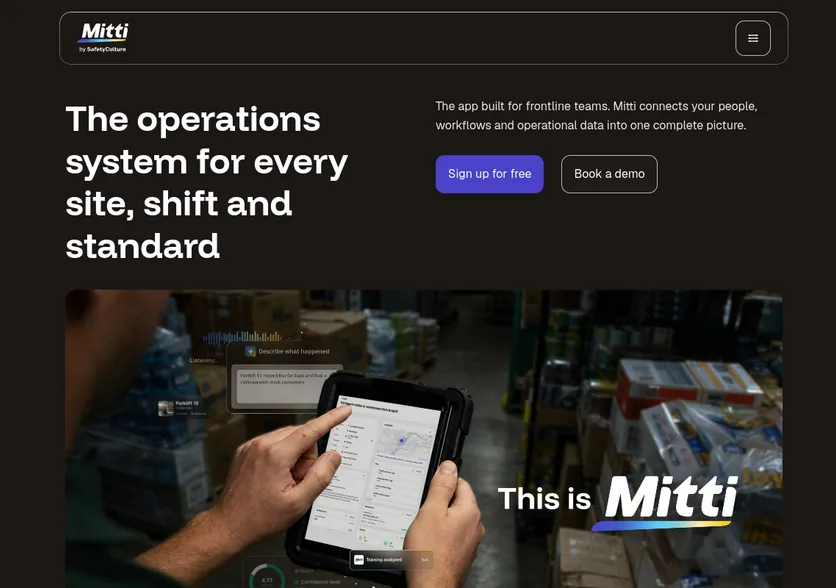
Paid tool Starting price: $24/user/month · Twenty-four dollars per user a month billed annually on Premium, or twenty-nine dollars billed monthly; Enterprise is quoted; the company rebranded as Mitti in August 2026 and the SafetyCulture name now leads to Mitti, with the same free plan and Premium price
Free plan: Free plan (up to 10 users)
Mobile inspections with photo evidence is what event planners get here, and this SafetyCulture plan costs twenty-four dollars per user a month billed annually. It turns paper checklists into mobile inspections with photo evidence, timestamps and e-signatures, then routes failed items into corrective actions with deadlines and alerts. It suits event planners that needs the same quality checklist run the same way at every site.
What we like
- Offline mobile checklists with photos and signatures
- Free plan covers up to ten users and five templates
- Corrective actions and analytics built into Premium
Watch out for
- Every auditor needs a paid seat, so costs rise with headcount
- Advanced AI usage is metered in monthly credits on Premium
How to try it
- Build your checklist from a template or from scratch
- Run the inspection on a phone, even offline, and attach photos
- Assign corrective actions from failed items and track them closed
2. GoAudits
Best for: Multi-site teams running scored audits
Paid tool Starting price: $10/user/month · Ten dollars per user a month on Starter billed annually, or twelve dollars billed monthly; Enterprise is thirty dollars billed annually or thirty-five dollars monthly; Starter is capped at twenty-five locations and ten checklist templates
Free plan: No free plan; 14-day free trial
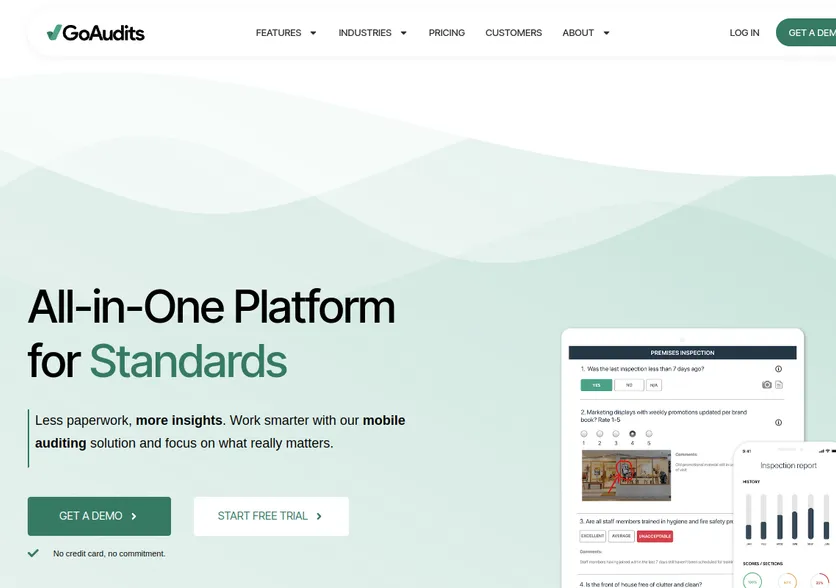
Scored multi-site audits from a phone is what event planners get here, and this GoAudits plan costs ten dollars per user a month billed annually. It is a mobile audit platform for recurring checks across many sites, with drag-and-drop checklists, conditional logic, offline capture, instant reports and corrective-action tracking. It suits event planners that runs the same audit at site after site and needs the score to stick.
What we like
- True offline mode with instant branded reports
- Scored audits with photo evidence and e-signatures
- Corrective actions with deadlines and late alerts
Watch out for
- Starter caps at twenty-five locations, so bigger networks need Enterprise
- No free plan, only a fourteen-day trial
How to try it
- Build a scored checklist from the template library
- Run the audit on site, offline, with photos and signatures
- Send the instant report and assign actions for every failed item
3. Fulcrum
Best for: Field teams needing GIS-led inspections
Paid tool Starting price: $43/user/month · Forty-three dollars per user a month on Professional billed annually, or fifty-five dollars billed monthly; Elite is fifty-five dollars billed annually; every plan needs an annual subscription and a five-user minimum, so the floor is two hundred and fifteen dollars a month; one listing shows thirty-nine dollars, which conflicts with the vendor page reads
Free plan: No free plan; 14-day free trial
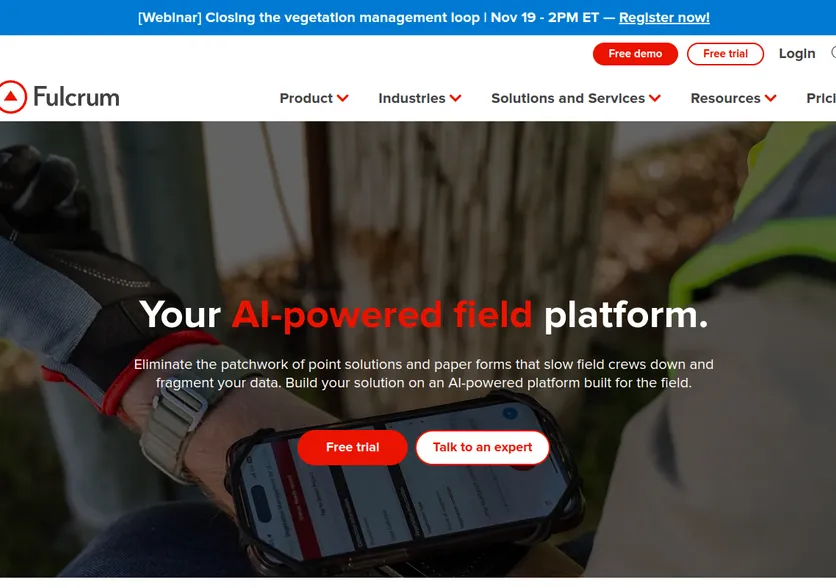
GIS-led field inspections with offline capture is what event planners get here, and this Fulcrum plan costs forty-three dollars per user a month billed annually. It is a field-first platform for mobile data collection, with custom inspection apps, dynamic logic, repeatable sections, offline capture and location-intelligent reporting. It suits event planners that inspects in the field, where maps and offline capture matter more than desks.
What we like
- Offline data capture with photos, audio, video and signatures
- Geospatial inspection apps with maps built in
- Repeatable sections handle many child records per inspection
Watch out for
- The five-user annual minimum sets a two-hundred-and-fifteen-dollar floor
- Monthly billing is only available for the first twelve months
How to try it
- Build an inspection app with the drag-and-drop builder
- Collect data offline with photos and GPS locations
- Sync the records and share reports with the team
4. monday.com
Best for: Teams running quality checklists on visual boards
Paid tool Starting price: $9/user/month · Nine dollars per seat a month on Basic billed annually, or twelve dollars billed monthly; Standard is fourteen dollars list a month billed annually and Pro is twenty-two dollars list, with short-term offers sometimes lower; paid plans start at three seats, so the Basic floor is twenty-seven dollars a month
Free plan: Free plan (up to 2 seats)
Visual boards that turn checklists into workflows is what event planners get here, and this monday.com plan costs nine dollars per seat a month billed annually. It is a visual work platform where quality checks become boards with status columns, owners and deadlines, and its automation builder turns a failed check into a corrective action without a spreadsheet. It suits event planners that thinks in boards and wants quality checks visible to everyone.

What we like
- Visual boards the whole team understands at a glance
- Automations move failed checks into corrective actions
- Unlimited free viewers on every paid plan
Watch out for
- Seats are sold in bundles, so a seven-person team pays for ten
- Quality workflows need building; there is no QMS template out of the box
How to try it
- Build a board for each recurring quality check
- Add status columns and automations for failed items
- Review the dashboard weekly and chase open actions
5. isoTracker
Best for: Small teams buying ISO modules one at a time
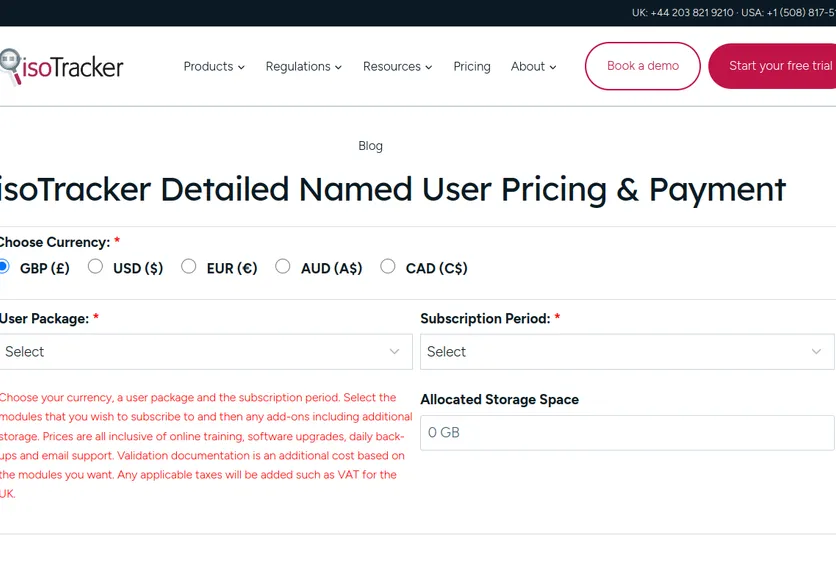
Paid tool Starting price: $13.40/user/month · Thirteen dollars and forty cents per user a month for one module, from the vendor's own cost guide; twenty users run two hundred and sixty-eight dollars and twelve cents a month for one module and one thousand one hundred and six dollars and eighty-six cents for five or more; the vendor pricing page itself shows zero-dollar placeholders against its user tiers, so confirm the figure at checkout
Free plan: No free plan; 60-day free trial
Module-by-module ISO cover is what event planners get here, and this isoTracker plan costs thirteen dollars and forty cents per user a month for one module. Its six modules cover document control, complaints, audits, nonconformances, risk and training, with CAPA built in, and subscriptions include online training, upgrades, daily backups and email support. It suits event planners that wants ISO cover without paying for modules it never opens.
What we like
- Buy only the modules you need, one at a time
- Covers ISO 9001, 13485, 14001 and 45001 in one system
- Sixty-day free trial of the full version
Watch out for
- The per-module price climbs fast once you add modules
- The vendor pricing page shows placeholder figures on some tiers
How to try it
- Pick the module that matches your next audit, such as document control
- Load your current procedures and set approval workflows
- Run the trial for a full audit cycle before subscribing
6. Smartsheet
Best for: Spreadsheet lovers running quality trackers
Paid tool Starting price: $9/user/month · Nine dollars per member a month on Pro billed annually, or twelve dollars billed monthly; Business is nineteen dollars billed annually or twenty-four dollars monthly; Pro caps at ten members and two hundred and fifty automations a month; the free plan was discontinued in 2025, so only the thirty-day trial remains
Free plan: No free plan; 30-day free trial
Spreadsheet-style tracking with forms and Gantt is what event planners get here, and this Smartsheet plan costs nine dollars per member a month billed annually. It is a spreadsheet-style work platform for quality tracking, with grid, Gantt, board and calendar views, forms for frontline data capture, and reports that roll findings up across sites. It suits event planners that already runs quality in spreadsheets and wants them to grow up.

What we like
- Familiar grid view with Gantt, board and calendar options
- Forms collect quality data straight into the sheet
- Two hundred and fifty automations a month on Pro
Watch out for
- Pro caps at ten members, so growing teams must jump to Business
- Editors become paid members, so the bill creeps up
How to try it
- Turn your quality tracker into a sheet with status columns
- Share a form so the floor can log issues directly
- Set automations to alert owners when a check fails
7. ClickUp
Best for: Teams wanting checklists, docs and goals in one app
Paid tool Starting price: $9/user/month · Nine dollars per user a month on Core billed annually, or twelve dollars billed monthly; Business is seventeen dollars billed annually; the ladder was rebuilt in October and November 2026, so older listings showing other figures are stale
Free plan: Free plan
Checklists, docs and dashboards in one workspace is what event planners get here, and this ClickUp plan costs nine dollars per user a month billed annually. It is an all-in-one workspace where quality checks live as tasks with checklists, custom fields and statuses, and dashboards turn open failures into a single view for managers. It suits event planners that wants one workspace for checks, docs and follow-up instead of three apps.

What we like
- Checklists, docs, goals and dashboards in one workspace
- Custom fields and statuses match any quality process
- Generous free plan for small teams
Watch out for
- The feature depth can overwhelm a team that only needs checklists
- Advanced reporting sits on the dearer Business plan
How to try it
- Create a list for each recurring quality check
- Add custom statuses for pass, fail and corrective action
- Build a dashboard that shows open failures by site
8. Asana
Best for: Teams that plan quality work to deadlines
Paid tool Starting price: $10.99/user/month · Ten dollars and ninety-nine cents per user a month on Starter billed annually, or thirteen dollars and forty-nine cents billed monthly; Advanced is twenty-four dollars and ninety-nine cents billed annually; Starter needs a two-seat minimum
Free plan: Free Personal plan
Quality work planned on timelines and Gantt charts is what event planners get here, and this Asana plan costs ten dollars and ninety-nine cents per user a month billed annually. It is a work management platform for planning quality work to deadlines, with timeline and Gantt views, dashboards, forms, custom fields and unlimited automations on Starter. It suits event planners that plans quality work to deadlines and hates anything overdue.

What we like
- Timeline and Gantt views show quality work against deadlines
- Unlimited automations on Starter
- Unlimited free guests for auditors and suppliers
Watch out for
- Seats are sold in blocks above five users, so headcount jumps cost more
- Goals, portfolios and workload tracking need Advanced
How to try it
- Turn each recurring quality check into a repeating task
- Assign owners and due dates, then track them on the timeline
- Use forms to collect issues from the floor
Prices above were checked on each vendor’s own website on Nov 28, 2026 and can change — the vendor’s page is the final word. Vendor links are editorial: nobody paid to be listed or ranked here. Vendors who want a featured listing can see how it works on our Get listed page.
How to run the same quality check at every venue
Write the checklist once and lock it, because an event team that edits the list at every venue ends up with ten different standards and no comparable scores. Give the on-site lead a phone form that works offline, since venue Wi-Fi fails exactly when the doors open. Photograph every failed item, not just the serious ones, because a photo ends the argument about what was actually wrong. Assign the fix before the team leaves the venue, with a named owner and a deadline, and check it off the next morning rather than at the next event. Keep a short score per venue so you can see which sites keep failing the same checks and fix the pattern instead of the incident.
Before you buy
- Confirm the checklist works offline on a phone, since venue Wi-Fi is unreliable
- Check whether failed items turn into assigned actions with owners and deadlines
- Ask if scores can be compared across venues to spot the weakest sites
- Make sure photos and signatures attach to the record as evidence for clients
- Test the tool at a real event, including a failed check and its fix
Official websites
Official websites of the products reviewed above. Features and prices were checked against these sites when this guide was written, and they can change, so confirm on the vendor site before you buy.
Frequently asked questions
What is quality management software for event planners?
Quality management software for event planners is a single system for the checks, documents and fixes that prove quality: checklists and inspections, document control, training records, complaints and corrective actions, all with an audit trail. Instead of spreadsheets and paper forms scattered across sites, one tool holds the evidence, assigns the fixes and shows managers what is still open. The best fit depends on whether the team needs a full regulated QMS or a simple inspection app.
How much does SafetyCulture cost for event planners?
SafetyCulture costs twenty-four dollars per user a month billed annually. That is the entry plan; higher tiers add more users, modules or automation, and the full ladder is in the comparison above. Most teams should start on the entry plan or a free trial and only upgrade when a real limit appears, such as a seat cap or a missing module. Prices change, so confirm the current figure on the vendor site before you buy.
Can I use quality management software for event planners for free?
Yes, to a point. SafetyCulture, monday.com and ClickUp offer free plans offer free plans in this list, covering checklists and basic tracking for a small team. Document control, CAPA and audit trails usually sit on paid tiers, so a team should start free and pay only when a real limit, such as a seat cap or a missing module, actually blocks the work.
Do event planners need a full eQMS or will a checklist app do?
It depends on who audits the work. A regulated team that must show controlled documents, training records and corrective actions to an auditor needs a full eQMS, with validation and audit trails built in. A service team that mainly runs repeat checks across sites can do the same job with a mobile inspection app, which is cheaper and faster to adopt. Match the tool to the audit, not the catalogue, and upgrade only when an auditor asks for more.
Which tool is best for a small event planning team?
SafetyCulture is the best starting point for a small event planning team, at twenty-four dollars per user a month billed annually, with mobile inspections with photo evidence. GoAudits is the cheaper alternative if budget is the main constraint, at ten dollars per user a month billed annually. Start with a free trial or the free plan, run one real audit cycle, and only then commit to a yearly plan.
Compare the eight tools above, then start with a free trial or free plan on the tool that matches how the event planning team already runs quality checks before paying for a full year.
Browse Business Tools tools