On this page
Furniture delivery is white-glove work: two-person crews, heavy items, stairs, assembly and a customer who took the day off to wait. The eight tools below plan routes around long stops and narrow windows, track crews live and prove each delivery with photos and signatures. Route4Me leads because it pairs territory management with route simulation and voice-guided navigation for one hundred and ninety-nine dollars a month, and the rest are ranked on how well they handle slow, heavy, appointment-based days.
How we researched this
We checked every price on the vendor pricing page on November 28, 2026, and only included tools with a published US dollar list price. The big telematics platforms that sell by quote, including Samsara, Motive, Geotab and Verizon Connect, publish no prices, so they are not in this list. Prices change, so confirm the current figure on the vendor site before you buy.
Compare the tools
| Name | Best for | Starting price | Free plan | |
|---|---|---|---|---|
| Route4Me | Furniture fleets that plan territories, not just routes | $199/month | Free mobile plan | Visit |
| OptimoRoute | Furniture fleets that book two-person crews into narrow arrival windows | $35.10/driver/month | 30-day free trial | Visit |
| Track-POD | Furniture crews that collect cash on delivery and scan each item | $49/driver/month | Free demo | Visit |
| Spoke Dispatch | Furniture delivery teams that grow and shrink with the season | $125/month | 7-day free trial | Visit |
| Detrack | Furniture deliveries that end with a signature in the hallway | $26/driver/month | 14-day free trial | Visit |
| Routific | Furniture businesses that hire extra crews for the busy season | $150/month | Free plan up to 100 orders | Visit |
| Zeo Route Planner | Furniture crews that plan routes the night before | $290/driver/year | Free mobile plan | Visit |
| Badger Maps | Furniture retailers that deliver to repeat trade accounts | $58/user/month | 14-day free trial | Visit |
The route planning software for furniture delivery, compared
1. Route4Me
Best for: Furniture fleets that plan territories, not just routes
Paid tool Starting price: $199/month · One hundred and ninety-nine dollars a month on the Route Optimization business plan, with Business Optimization at two hundred and ninety-nine dollars and Enterprise at three hundred and forty-nine dollars; the vendor plans page lists the tiers without prices, and the one hundred and ninety-nine dollar figure is the vendor-published price recorded in November 2026 checks
Free plan: Free mobile plan
A furniture fleet that plans territories, not just routes, will find this Route4Me plan starts at one hundred and ninety-nine dollars a month on its Route Optimization business plan. It covers route planning, dispatch, live GPS tracking, customer notifications, proof of delivery and a driver app with voice-guided navigation, with territory management and route simulation included. The free mobile app still plans ten stops a route for a solo driver, so a small team can test the routing before buying the platform.
What we like
- Deepest feature set in this list, including territory management
- Driver app with voice-guided navigation
- Free mobile plan for ten stops a route
Watch out for
- GPS tracking and SMS notifications are paid add-ons on some tiers
- Business pricing needs a sales conversation for larger tiers
How to try it
- Try the free mobile app on a real ten-stop route
- Map territories and import the address book
- Turn on dispatch and tracking for the whole fleet
2. OptimoRoute
Best for: Furniture fleets that book two-person crews into narrow arrival windows
Paid tool Starting price: $35.10/driver/month · Thirty-five dollars and ten cents per driver a month billed annually on the Lite plan, or thirty-nine dollars month to month; Pro is forty-four dollars and ten cents billed annually, or forty-nine dollars monthly, and adds proof of delivery
Free plan: 30-day free trial
A furniture fleet that books two-person crews into narrow arrival windows will find this OptimoRoute plan costs thirty-five dollars and ten cents per driver a month on annual billing, with vehicle limits per driver. Lite optimizes routes for up to seven hundred orders at once, with a driver app, live tracking and ETAs, while Pro adds proof of delivery, customer notifications and analytics. Office users are free, so only the drivers you plan for appear on the bill, which keeps the cost honest for a team with many dispatchers and few drivers.
What we like
- Per-driver billing with free office users
- Time windows, vehicle features and multi-depot planning
- Thirty-day free trial with no credit card
Watch out for
- Proof of delivery only starts on the Pro plan
- No free plan once the trial ends
How to try it
- Start the thirty-day trial and import a real order list
- Set time windows and vehicle limits for each driver
- Publish routes and watch live ETAs from the dashboard
3. Track-POD
Best for: Furniture crews that collect cash on delivery and scan each item
Paid tool Starting price: $49/driver/month · Forty-nine dollars per driver a month billed annually on the Advanced plan, or fifty-nine dollars month to month, with a three-driver minimum, so the smallest bill is one hundred and forty-seven dollars a month; Advanced Plus is sixty-nine dollars and Ultimate is eighty-nine dollars
Free plan: Free demo
A furniture crew that collects cash on delivery and scans each item will find this Track-POD plan costs forty-nine dollars per driver a month on annual billing, with barcode scanning included. It covers route optimization, barcode scanning, cash-on-delivery records, offline capture and custom proof forms, with six thousand orders a month included on Advanced. The three-driver minimum means a one-van business pays for three seats, so price it at the minimum, not the headline, before you compare it with the others.
What we like
- Barcode scanning and cash-on-delivery on the entry plan
- Offline driver app with custom proof forms
- Six thousand orders a month included on Advanced
Watch out for
- Three-driver minimum makes the real floor one hundred and forty-seven dollars a month
- Advanced caps dashboard users at seven
How to try it
- Book a demo and list the proof fields each stop needs
- Set up barcode scanning and cash-on-delivery rules
- Run one week of routes and check the proof forms
4. Spoke Dispatch
Best for: Furniture delivery teams that grow and shrink with the season
Paid tool Starting price: $125/month · One hundred and twenty-five dollars a month on the Starter plan for one thousand stops, then four cents a stop; Premium is two hundred dollars a month for two thousand stops and Expert is one thousand dollars a month for twelve thousand stops
Free plan: 7-day free trial
Furniture delivery teams grow and shrink with the season, so this Spoke Dispatch tool costs one hundred and twenty-five dollars a month for one thousand stops, and extra drivers cost nothing. Starter includes route optimization, live tracking, proof of delivery and a client portal, with extra stops at four cents each, so the bill follows the work. That stop-based billing suits a company whose driver count changes week to week, since seasonal drivers cost nothing extra to add.
What we like
- Unlimited drivers on every plan
- Stop-based billing, not per-driver seats
- Client portal so shippers can check their own orders
Watch out for
- Extra stops cost four cents each past the allowance
- No free plan, only a seven-day trial
How to try it
- Count last month's stops and pick the matching tier
- Connect shippers and set proof rules per client
- Dispatch the first routes and track drivers live
5. Detrack
Best for: Furniture deliveries that end with a signature in the hallway
Paid tool Starting price: $26/driver/month · Twenty-six dollars per driver a month billed annually on the Pro plan, or twenty-nine dollars month to month; Advanced is thirty-nine dollars a month billed monthly, or thirty-five dollars billed annually, and adds route optimization
Free plan: 14-day free trial
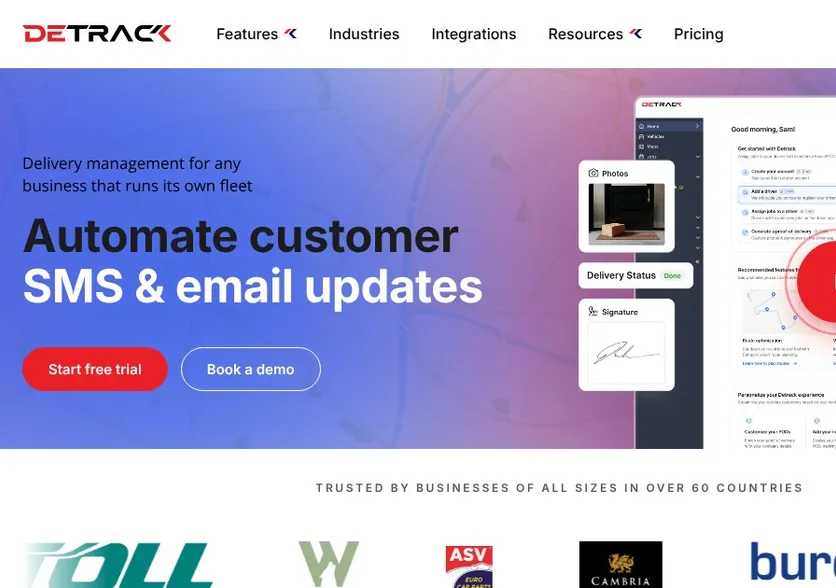
Furniture deliveries end with a signature in the hallway, so this Detrack plan costs twenty-six dollars per driver a month on annual billing, and it treats proof as the core job, not an add-on. Its Pro plan covers live tracking, branded customer notifications, signatures and photos at every stop, with unlimited office users and unlimited jobs on every plan. Route optimization lives on the Advanced plan, so a team that only needs proof and tracking can stay on the cheaper tier and upgrade when routing matters.
What we like
- Proof of delivery with signatures and photos on the entry plan
- Unlimited office users and unlimited jobs on every plan
- Flat per-driver billing with no job minimums
Watch out for
- Route optimization costs more, on the Advanced plan
- No free plan, only a fourteen-day trial
How to try it
- Sign up for the fourteen-day trial of the Advanced plan
- Add your drivers and set up proof of delivery fields
- Import jobs and send the first routes to the driver app
6. Routific
Best for: Furniture businesses that hire extra crews for the busy season
Paid tool Starting price: $150/month · One hundred and fifty dollars a month flat for one hundred and one to one thousand orders, with unlimited drivers and dispatchers; the first one hundred orders a month are free, and past one thousand orders the price rises per order, falling from fifteen cents to three cents at high volume
Free plan: Free plan up to 100 orders
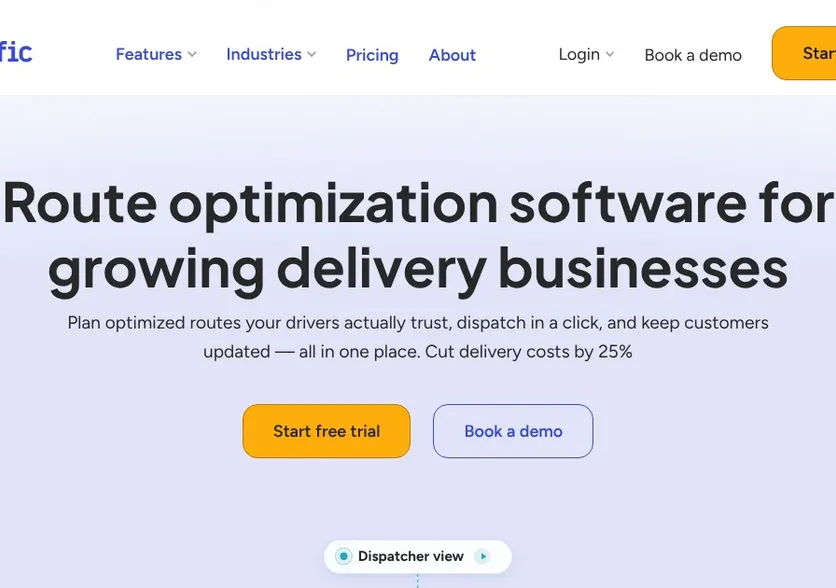
A furniture business that hires extra crews for the busy season will find this Routific plan costs one hundred and fifty dollars a month flat for up to one thousand orders, with unlimited drivers. Every plan includes unlimited drivers and dispatchers, proof of delivery, live tracking and customer ETAs, so a fleet with many part-time drivers pays the same as one with three. The bill only grows when order volume grows, which makes it easy to forecast, though the jump past one hundred orders a month is steep for a tiny operation.
What we like
- Unlimited drivers and dispatchers on every plan
- Free up to one hundred orders a month
- Proof of delivery included, not gated to a higher tier
Watch out for
- The flat price jumps straight to one hundred and fifty dollars past one hundred orders
- SMS notifications are a paid add-on
How to try it
- Run the free tier up to one hundred orders a month
- Import orders and optimize the first full day
- Watch the monthly order count against the one thousand cap
7. Zeo Route Planner
Best for: Furniture crews that plan routes the night before
Paid tool Starting price: $290/driver/year · Two hundred and ninety dollars per driver a year on the Route Optimization fleet plan, or eighty-seven dollars a quarter; Route Management is four hundred and ninety-nine dollars a year and Fleet Management is five hundred and ninety-nine dollars a year
Free plan: Free mobile plan
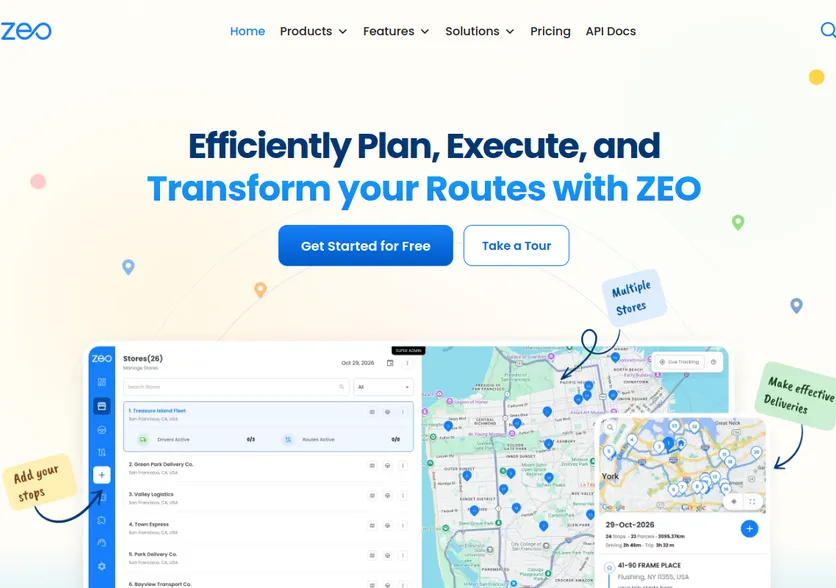
A furniture crew that plans routes the night before will find this Zeo Route Planner seat costs two hundred and ninety dollars per driver a year, and it is the cheapest fleet seat in this comparison. The web planner optimizes routes, assigns them to drivers and tracks progress, while a free mobile plan covers a solo driver for up to twelve stops a route. Proof of delivery starts on the Route Management tier, so check which tier your proof workflow needs before you commit to the cheapest seat.
What we like
- Fleet seats from two hundred and ninety dollars a year
- Free mobile plan for a solo driver
- Quarterly billing available if a full year feels long
Watch out for
- Proof of delivery needs the pricier Route Management tier
- The entry fleet tier caps routes at three a day
How to try it
- Start with the free mobile plan on one driver route
- Move the team to a fleet seat when dispatching grows
- Turn on proof of delivery on Route Management if you need it
8. Badger Maps
Best for: Furniture retailers that deliver to repeat trade accounts
Paid tool Starting price: $58/user/month · Fifty-eight dollars per user a month billed annually on the Business plan, or sixty-nine dollars month to month; Enterprise is ninety-five dollars and Enterprise Plus is one hundred and thirty-five dollars, both billed annually
Free plan: 14-day free trial
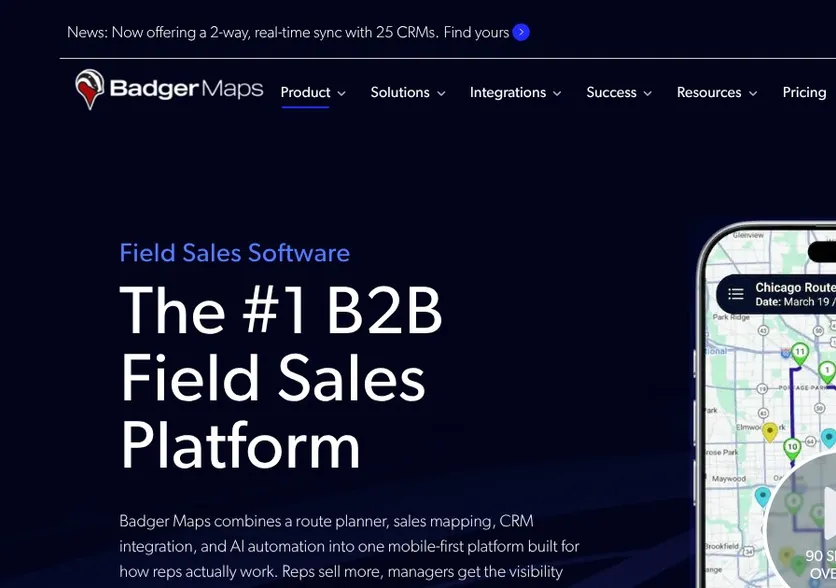
A furniture retailer that delivers to repeat trade accounts will find this Badger Maps plan costs fifty-eight dollars per user a month on annual billing, with territory mapping built in. It maps customer territories, builds optimized routes through them and tracks visits, which suits teams that sell or deliver to the same accounts every week. Territory add-ons cost extra, so check whether the base plan covers the mapping you need before you budget for the year.
What we like
- Territory mapping built into route planning
- Visit tracking for repeat accounts
- Fourteen-day free trial to test it
Watch out for
- Territory add-ons cost extra
- Built for repeat routes, not one-off deliveries
How to try it
- Start the fourteen-day trial with real customer addresses
- Map territories and build the first optimized route
- Track visits and check which accounts were missed
Prices above were checked on each vendor’s own website on Nov 28, 2026 and can change — the vendor’s page is the final word. Vendor links are editorial: nobody paid to be listed or ranked here. Vendors who want a featured listing can see how it works on our Get listed page.
How to plan furniture routes when every stop is an appointment
Start with the appointment, because a furniture customer took the day off and a late crew wastes it. Set narrow arrival windows and check the tool sends live ETAs, so the customer watches the truck instead of calling the store. Then set realistic stop times, since carrying a sofa upstairs and assembling it takes far longer than a parcel drop, and a planner that assumes five minutes will run late by noon. Finally, confirm proof of delivery covers the room, not just the door: photos of the placed item and a signature settle damage claims before they start.
Before you buy
- Set narrow arrival windows and confirm live ETAs go to the customer
- Set realistic stop times for carrying, stairs and assembly work
- Confirm proof of delivery covers photos of the placed item and a signature
- Price the tool at your real crew count, including two-person teams
- Check the driver app works offline in buildings with no signal
Official websites
Official websites of the products reviewed above. Features and prices were checked against these sites when this guide was written, and they can change, so confirm on the vendor site before you buy.
Frequently asked questions
What is route planning software for furniture delivery?
It is software that orders furniture deliveries into routes built around long stops, two-person crews, stairs and assembly, rather than quick parcel drops. The tools in this list add dispatch, driver apps, live tracking and proof of delivery, so a dispatcher can see every crew, every appointment and every signature from one screen. Without it, most furniture teams plan routes by hand and run late by midday.
How much does Route4Me cost for furniture delivery?
Route4Me starts at one hundred and ninety-nine dollars a month on its Route Optimization business plan, with Business Optimization at two hundred and ninety-nine dollars and Enterprise at three hundred and forty-nine dollars. The vendor plans page lists the tiers without prices, and the one hundred and ninety-nine dollar figure is the vendor-published price recorded in November 2026 checks. A free mobile plan covers ten stops a route.
Which tool is best for proof of delivery on furniture?
Track-POD is the strongest pick for proof, at forty-nine dollars per driver a month on annual billing, with barcode scanning, cash-on-delivery records and custom proof forms on the entry plan. Detrack follows at twenty-six dollars per driver a month, with signatures and photos at every stop. Both capture proof offline, which matters inside buildings with no signal.
Do these tools handle assembly time and stairs?
Most do, though the setup differs. OptimoRoute and Route4Me let you set vehicle features and stop durations per job, which is how assembly time and stair carries are modelled. Track-POD and Detrack focus more on proof than on crew planning. Check that the tool you pick lets you set different durations per stop, not one flat value for every delivery.
What is the cheapest option for a small furniture delivery team?
Zeo is the cheapest fleet seat at two hundred and ninety dollars per driver a year, with a free mobile plan for a solo driver. Badger Maps follows at fifty-eight dollars per user a month for teams that visit repeat trade accounts. Detrack is the cheapest per-driver proof option at twenty-six dollars a month, which suits a team that cares most about signatures in the hallway.
Compare the eight tools above, then run one real delivery day through a free trial before you move the crews.
Browse Business Tools tools