On this page
Startup staff click phishing links just like everyone else, and one bad click can expose customer data, code and investor details. The eight tools below run from one dollar and eighty cents an employee a month to a flat four hundred and ninety-nine dollars a year, and every price was checked on the vendor site on November 28, 2026. CanIPhish leads because its free plan covers up to ten employees and the paid plan is thirty-two dollars a month, and the rest are ranked on how well they train busy staff without adding admin work.
How we researched this
We checked every price on the vendor pricing page on November 28, 2026, and only included tools with a published US dollar list price. The big names that sell by quote only, including Proofpoint, Mimecast, Infosec IQ, NINJIO and Hoxhunt, publish no prices, so they are not in this list. Prices change, so confirm the current figure on the vendor site before you buy.
Compare the tools
| Name | Best for | Starting price | Free plan | |
|---|---|---|---|---|
 Keepnet | Teams that want every phishing channel covered | $1.80/employee/month | 14-day free trial; no free plan | Visit |
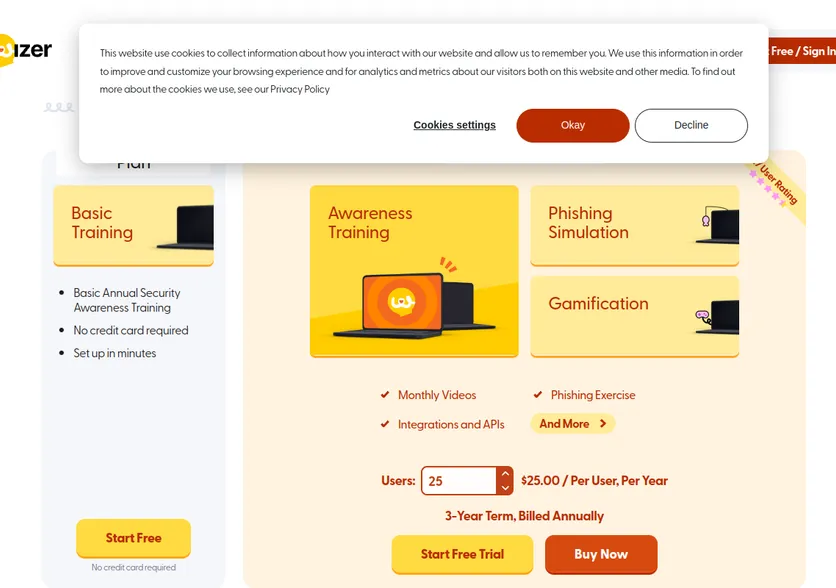
 Wizer | Small teams that want the cheapest full programme | $25/user/year | Free plan with basic training videos | Visit |
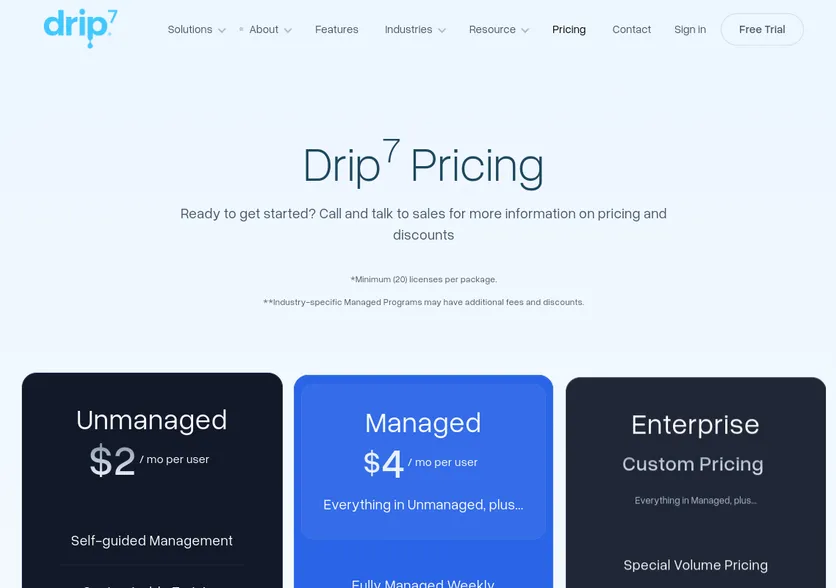
 Drip7 | Teams that learn in short daily lessons | $2/user/month | Free trial; no free plan | Visit |
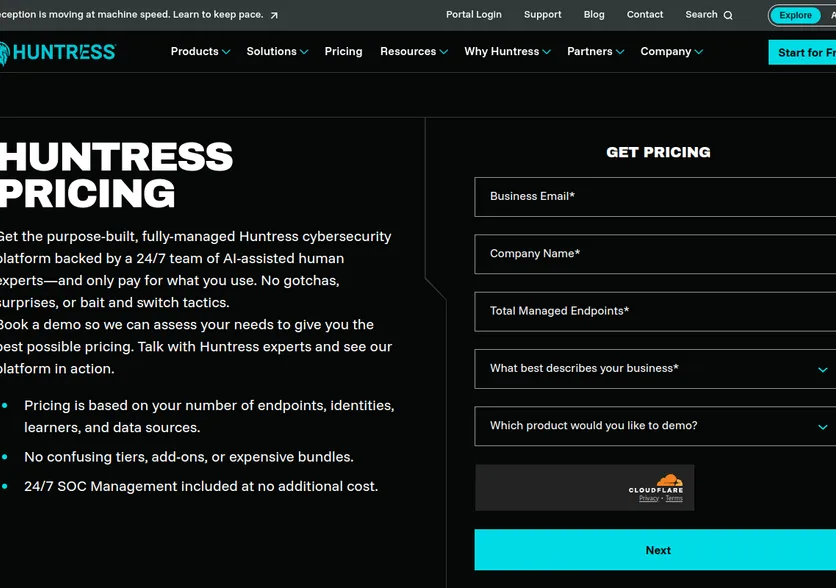
 Huntress Managed SAT | Teams with no one to run the programme | $2.08/learner/month | No free plan; trial by request | Visit |
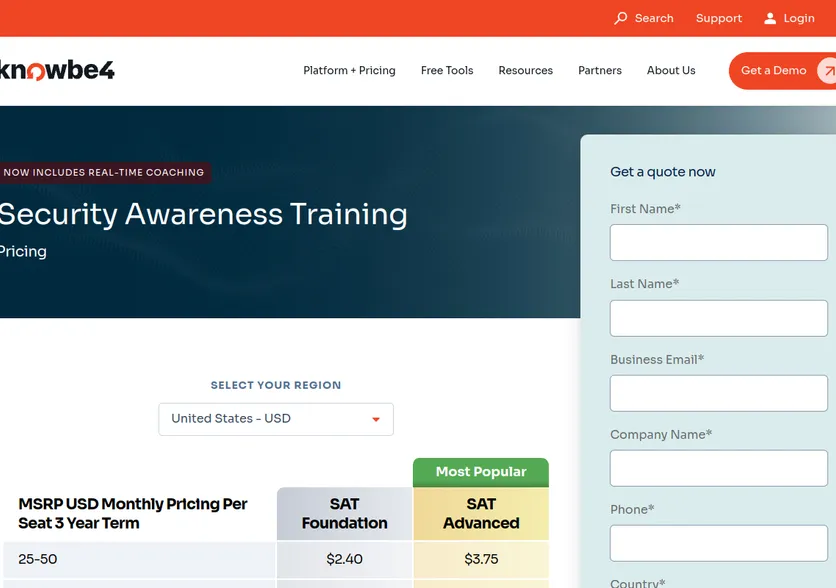
 KnowBe4 | Teams that want the biggest training library | $2.40/seat/month | Free tools available; no free plan | Visit |
 CyberHoot | Teams that want training to run itself | $2.50/user/month | Free trial; no free plan | Visit |
 CanIPhish | Small teams that want self-service phishing tests | $32/month | Free plan for up to 10 employees | Visit |
 Hook Security | Small teams that want a managed programme | $499/year | Free trial; no free plan | Visit |
The security awareness training software for startups, compared
1. Keepnet
Best for: Teams that want every phishing channel covered
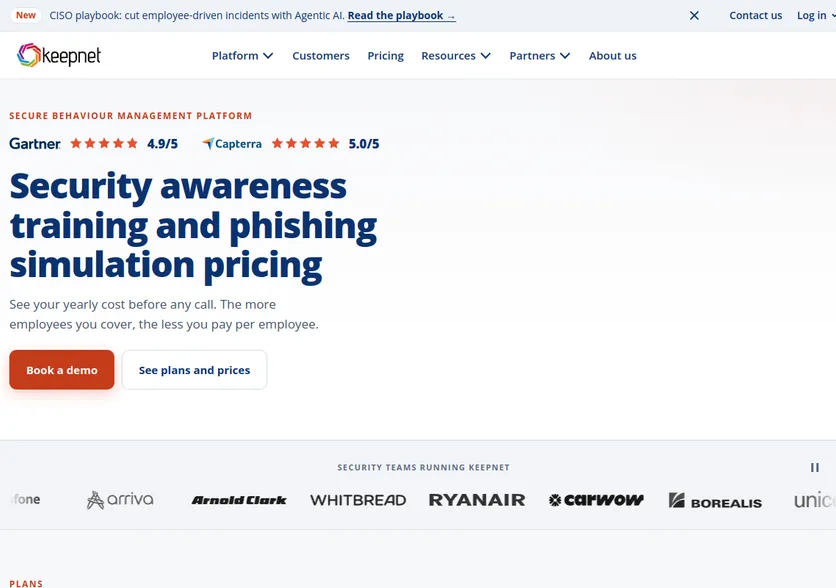
Paid tool Starting price: $1.80/employee/month · Essentials plan, one dollar and eighty cents an employee a month for twenty-five to fifty employees billed annually on a three-year agreement; falls to one dollar and twenty cents at five hundred and one to one thousand employees
Free plan: 14-day free trial; no free plan
For a startup with a small team and no dedicated security staff, this Keepnet Keepnet Essentials plan costs one dollar and eighty cents an employee a month, and it covers phishing simulations across email, voice, SMS and QR codes. The training library holds thousands of items in dozens of languages, every plan includes single sign-on and an API, and the simulators cover the channels attackers actually use. It suits startup that wants every phishing channel covered, including voice and QR codes.
What we like
- Phishing across email, voice, SMS and QR codes
- Detailed published price list by headcount
- Reporting built into every plan
Watch out for
- Essentials needs twenty-five employees and a three-year term
- Higher plans cost more for extra channels
How to try it
- Open the Keepnet pricing page and start the free trial
- Pick the Essentials plan for your headcount band
- Run email simulations and assign training to clickers
2. Wizer
Best for: Small teams that want the cheapest full programme
Paid tool Starting price: $25/user/year · Boost plan, twenty-five dollars a user a year for twenty-five or more users on a three-year term billed annually; one-year pricing is by quote; online purchase needs twenty-five users
Free plan: Free plan with basic training videos
For a startup with a small team and no dedicated security staff, this Wizer Wizer Boost plan costs twenty-five dollars a user a year, and it covers training and phishing simulations in one subscription. Short videos and gamified quizzes keep staff watching, and the simulations cover phishing, vishing and deepfake calls, while the free plan lets a team try the basic training first. It is the cheapest way for startup to put every member of staff through proper training without a per-seat monthly bill.
What we like
- Cheapest yearly price on this list
- Short videos small teams actually finish
- Free plan covers basic training
Watch out for
- Boost needs twenty-five users and a three-year term
- One-year pricing is by quote only
How to try it
- Open the Wizer pricing page and start the free plan
- Assign the basic training videos to the team
- Upgrade to Boost for phishing simulations and reporting
3. Drip7
Best for: Teams that learn in short daily lessons
Paid tool Starting price: $2/user/month · Unmanaged plan, two dollars a user a month; Managed is four dollars; twenty-license minimum; some directories list four dollars, which is the Managed tier
Free plan: Free trial; no free plan
For a startup with a small team and no dedicated security staff, this Drip7 Drip7 Unmanaged plan costs two dollars a user a month, and it delivers security training in short daily drips. Two to three minute daily lessons build habits without pulling staff away from work, the platform includes phishing simulation and policy management, and gamification keeps completion rates up. It suits startup whose staff will finish two-minute lessons but never sit through an annual course.
What we like
- Daily lessons take minutes, not hours
- Gamification keeps staff coming back
- Ready-to-roll curriculum needs no setup
Watch out for
- Unmanaged needs twenty licenses minimum
- Costs two dollars a user a month
How to try it
- Open the Drip7 pricing page and start the free trial
- Pick the ready-to-roll curriculum for the team
- Let the daily lessons arrive and track completion
4. Huntress Managed SAT
Best for: Teams with no one to run the programme
Paid tool Starting price: $2.08/learner/month · Managed SAT, two dollars and eight cents a learner a month at fifty to ninety-nine learners billed annually on a twelve-month term; fifty-learner minimum for direct purchase; falls to one dollar and thirty-eight cents at five hundred to nine hundred and ninety-nine learners
Free plan: No free plan; trial by request
For a startup with a small team and no dedicated security staff, this Huntress Managed SAT Huntress Managed SAT plan costs two dollars and eight cents a learner a month, and it hands the whole training programme to the vendor to run. The vendor builds, schedules and reports on the training, the episodes are short story-driven videos, and staff who click a simulation get coaching in the moment. It suits startup with no one free to run a training programme week to week.
What we like
- Fully managed, no admin work for you
- Story-driven episodes staff remember
- Monthly reports on staff progress
Watch out for
- Direct purchase needs fifty learners
- No free plan, trial by request only
How to try it
- Open the Huntress pricing page and request a trial
- Let Huntress build and schedule the training program
- Review the monthly reports on staff progress
5. KnowBe4
Best for: Teams that want the biggest training library
Paid tool Starting price: $2.40/seat/month · SAT Foundation, two dollars and forty cents a seat a month for twenty-five to fifty seats on a three-year term at list; falls to one dollar and sixty-three cents at five hundred and one to one thousand seats; SAT Advanced is three dollars and seventy-five cents
Free plan: Free tools available; no free plan
For a startup with a small team and no dedicated security staff, this KnowBe4 KnowBe4 SAT Foundation plan costs two dollars and forty cents a seat a month, and it opens the largest training library in this list. The library holds hundreds of training pieces, the phishing tests run without limits, and the SmartRisk score shows which staff need more coaching. It is the pick for startup that wants the deepest library and the most published pricing in the category.
What we like
- Largest training content library here
- Unlimited phishing tests on Foundation
- Published prices with clear seat bands
Watch out for
- Foundation needs twenty-five seats and a three-year term
- Advanced costs more per seat for extra content
How to try it
- Open the KnowBe4 pricing page and check the seat bands
- Pick the Foundation plan for your team size
- Launch phishing tests and assign training from the library
6. CyberHoot
Best for: Teams that want training to run itself
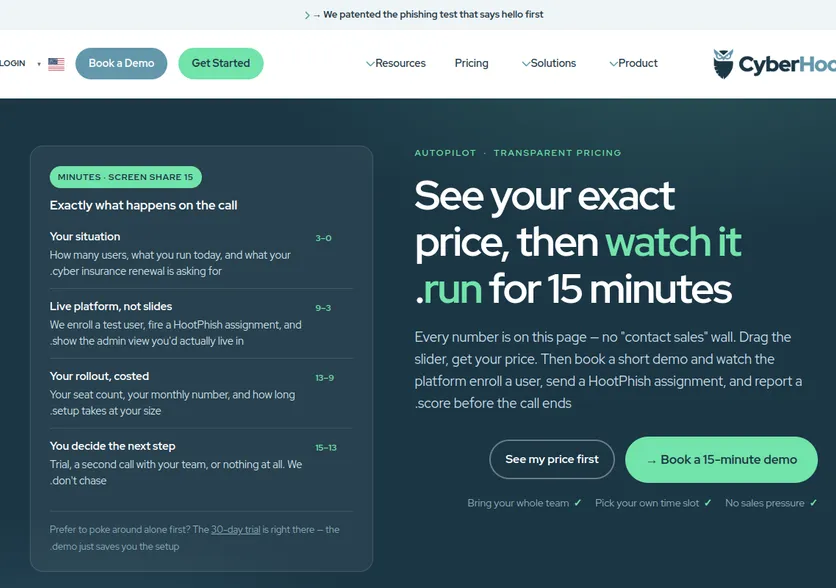
Paid tool Starting price: $2.50/user/month · Autopilot plan, from two dollars and fifty cents a user a month at fifty users, falling to one dollar at seven hundred and fifty or more; annual billing gives two months free
Free plan: Free trial; no free plan
For a startup with a small team and no dedicated security staff, this CyberHoot CyberHoot Autopilot plan costs two dollars and fifty cents a user a month, and it runs the whole training programme on autopilot. It syncs users from Entra ID or Google Workspace, assigns training, sends reminders and reports on its own, and the positive-reinforcement style rewards staff for spotting phishing instead of punishing clicks. It suits startup that wants training to run itself once the users are synced.
What we like
- Positive reinforcement instead of punishment
- Training and phishing run on autopilot
- Dark web monitoring included
Watch out for
- Autopilot starts at fifty users
- Costs about two dollars fifty a user a month
How to try it
- Open the CyberHoot pricing page and start the free trial
- Set up Autopilot with training videos and phishing tests
- Let the program run and review the monthly reports
7. CanIPhish
Best for: Small teams that want self-service phishing tests
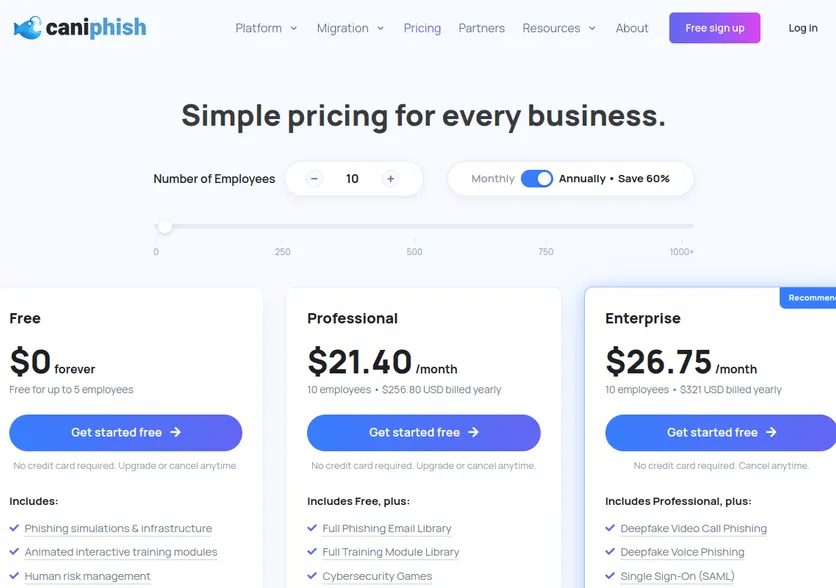
Paid tool Starting price: $32/month · Professional plan, thirty-two dollars a month for twenty-five employees billed annually, about one dollar and twenty-eight cents per employee a month; the free plan covers up to ten employees; the vendor page renders zero-dollar figures in some reads, so confirm the price at checkout
Free plan: Free plan for up to 10 employees
For a startup with a small team and no dedicated security staff, this CanIPhish CanIPhish Professional plan costs thirty-two dollars a month, and it runs phishing simulations and training without a sales call. The self-service console builds phishing campaigns and training courses in minutes, and the free plan covers up to ten employees, so a tiny team can start without paying. It suits startup that wants to launch a first phishing test this week without a sales call.
What we like
- Self-service with no sales call needed
- Free plan covers up to ten employees
- Conversational phishing included on Professional
Watch out for
- Professional covers twenty-five employees
- Enterprise needs twenty-five employees and annual billing
How to try it
- Open the CanIPhish pricing page and start the free plan
- Set up a phishing campaign for the team
- Run the campaign and assign training to anyone who clicks
8. Hook Security
Best for: Small teams that want a managed programme
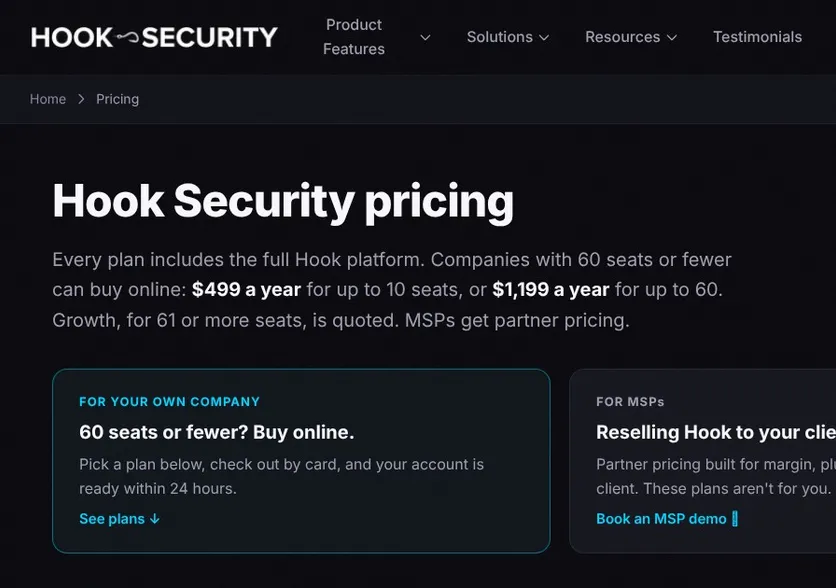
Paid tool Starting price: $499/year · Micro plan, four hundred and ninety-nine dollars a year for ten seats or fewer; Starter is one thousand one hundred and ninety-nine dollars a year for eleven to sixty seats; Growth for sixty-one or more seats is quoted
Free plan: Free trial; no free plan
For a startup with a small team and no dedicated security staff, this Hook Security Hook Security Micro plan costs four hundred and ninety-nine dollars a year, and it runs managed training and phishing for a flat yearly fee. Short psychology-based videos explain why phishing works, the Autopilot programme runs training, phishing and reporting, and every plan includes the full course library with compliance training. It suits startup that wants a managed programme at a flat yearly price it can budget once.
What we like
- Flat yearly price with no per-user billing
- Psychology-based videos that change behaviour
- Automated simulations with instant training
Watch out for
- Micro covers ten seats or fewer
- Growth for sixty-one or more seats is quoted, not published
How to try it
- Open the Hook Security pricing page and start the free trial
- Set up automated phishing simulations for the team
- Assign instant training videos to anyone who clicks
Prices above were checked on each vendor’s own website on Nov 28, 2026 and can change — the vendor’s page is the final word. Vendor links are editorial: nobody paid to be listed or ranked here. Vendors who want a featured listing can see how it works on our Get listed page.
How a startup runs phishing training staff actually finish
Start with a baseline phishing test on the whole team before any training, so the startup knows its real click rate and can measure progress. Send the first training in short sessions, not one long course, because staff remember two-minute lessons and forget an annual video. Run a simulation every month and coach the staff who click, rather than naming and shaming them, since coaching cuts clicks and shaming hides them. Track completion and click rates by team, and share the results with managers so the programme stays visible. Finally, refresh the training when new scams appear, because the phishing emails of last year are not the ones staff will face next month.
Before you buy
- Check whether the tool covers the phishing channels the startup actually faces, including email, voice, SMS and QR codes
- Confirm the minimum seat count and term, since several tools in this list need twenty-five or fifty users and a multi-year term
- Ask whether the vendor runs the programme or the startup must build and schedule every campaign itself
- Make sure the training library covers the compliance topics the startup must evidence, not just generic phishing
- Test the tool on a real team before paying, including a phishing simulation and one training video
Official websites
Official websites of the products reviewed above. Features and prices were checked against these sites when this guide was written, and they can change, so confirm on the vendor site before you buy.
Frequently asked questions
What is security awareness training software for startups?
It is software that teaches staff to spot phishing emails, fake calls and malicious links before they click, and then tests them with safe simulations. For startups it matters because one bad click can expose customer data, code and investor details, and the training turns the whole team into a defence instead of a weak point.
How much does CanIPhish cost?
CanIPhish costs $32/month on its entry plan, as published on the vendor pricing page on November 28, 2026. That rate is the list price, so larger teams pay less per head and the final quote can differ, but it is the figure to budget against before asking for a discount.
Can startups get security awareness training for free?
Yes, with Wizer, which offers a free plan with basic training videos, and CanIPhish, which is free for up to ten employees. Both are genuine free tiers rather than trials, so a small team can run real training without paying. Larger teams will outgrow either free tier quickly and should compare the paid plans above.
How often should staff take security awareness training?
Short training every month works far better than one long course a year, because phishing tactics change constantly and staff forget what they learned. Monthly simulations plus two-minute lessons keep the habit fresh, and the click rate in the simulations shows whether the training is working or needs a different approach.
Which tool is best for a small startup?
CanIPhish is the best pick for a small startup, because it fits a small team on price and needs little admin time to run. Hook Security suits teams that want a managed programme for a flat yearly fee, and Wizer suits teams that want the cheapest full programme. Start with a free trial before committing to a year.
Compare the eight tools above, then start with a free trial or the free plan on the tool that matches how the startup already trains its staff before paying for a full year.
Browse Security & Privacy tools