On this page
A WordPress site that starts selling needs a cart that fits how the site already works, not a second website bolted on the side. The seven tools below cover that job, from a free plugin that lives inside WordPress to hosted carts that replace the whole storefront. WooCommerce leads because it turns the WordPress site itself into a store for twenty-nine dollars a month on the hosted plan, and the rest are ranked on how easily they take money on a WordPress site.
How we researched this
We checked every price on the vendor pricing page on November 28, 2026, and only included tools with a published US dollar list price. Adobe Commerce and Salesforce Commerce Cloud were left out because both sell by quote and publish no list price. Prices change, so confirm the current figure on the vendor site before you buy.
Compare the tools
| Name | Best for | Starting price | Free plan | |
|---|---|---|---|---|
 WooCommerce | WordPress owners who want the store on their own site | $29/month | Free core plugin (open source) | Visit |
 BigCommerce | WordPress stores expecting serious order volume | $29/month | No free plan; 15-day free trial | Visit |
 Shopify | WordPress owners who want a hosted store instead | $29/month | No free plan; 3-day free trial | Visit |
 Ecwid | Small WordPress sites selling a few dozen products | $5/month | Free plan (5 products) | Visit |
 Square Online | Sellers who take cards in person and online | $49/month | Free plan | Visit |
 Wix | Owners who want a visual builder instead of plugins | $29/month | Free plan | Visit |
 Squarespace | Sellers whose products need beautiful pages | $29/month | No free plan; 14-day free trial | Visit |
The shopping cart software for WordPress, compared
1. WooCommerce
Best for: WordPress owners who want the store on their own site
Paid tool Starting price: $29/month · Twenty-nine dollars a month for the hosted plan on woocommerce.com; the core plugin itself is free and open source, so the twenty-nine dollars covers hosting and managed features; higher hosted tiers are quoted on the vendor site
Free plan: Free core plugin (open source)
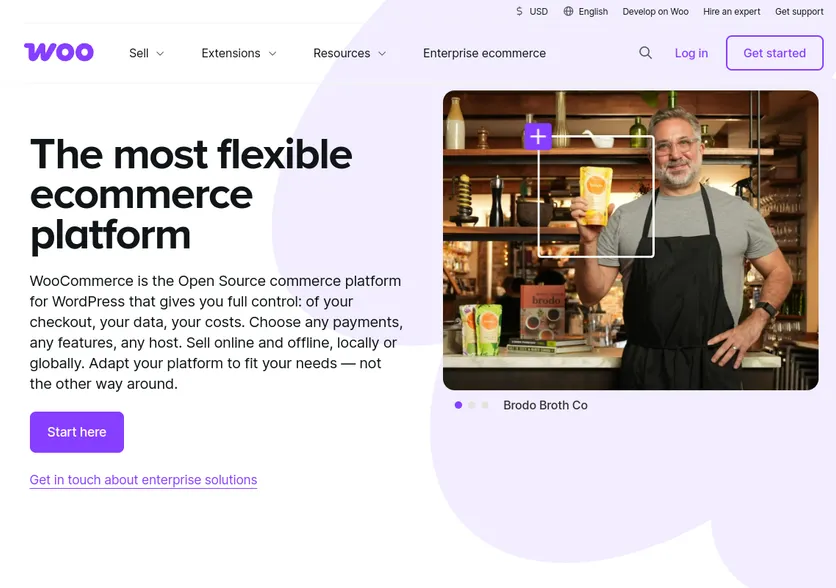
A WordPress site that wants to sell without leaving its own hosting gets the obvious answer here, since this WooCommerce plan costs twenty-nine dollars a month on the hosted plan and keeps the store on WordPress. It adds products, carts, checkout and payments to the site the owner already runs, with thousands of extensions for shipping, tax and subscriptions. It is the default pick for a WordPress owner who wants to own the store outright.
What we like
- The store lives inside WordPress, not on a rented platform
- Thousands of extensions for shipping, tax and subscriptions
- Core plugin is free and open source
Watch out for
- The hosted plan is twenty-nine dollars, not the free plugin alone
- Store owners handle updates, security and backups themselves
How to try it
- Install WooCommerce on the WordPress site
- Add products, prices and shipping rules
- Connect a payment gateway and test a checkout
2. BigCommerce
Best for: WordPress stores expecting serious order volume
Paid tool Starting price: $29/month · Twenty-nine dollars a month on Core billed annually; Growth is $79 and Scale is $299; plan names changed in June 2026, when Standard became Core, Plus became Growth and Pro became Scale
Free plan: No free plan; 15-day free trial
A WordPress store that expects real volume gets an enterprise-grade cart here, since this BigCommerce plan costs twenty-nine dollars a month on Core billed annually and handles the heavy lifting off-site. It connects to WordPress through a plugin, so the content stays on WordPress while the cart, checkout and payments run on BigCommerce servers. It suits a store that has outgrown a plugin and needs room to grow.

What we like
- Enterprise-grade cart with the content still on WordPress
- No transaction fees on the platform itself
- Built-in tools for SEO, discounts and abandoned carts
Watch out for
- Core is the entry tier, so advanced features cost more
- Less control than a self-hosted WooCommerce store
How to try it
- Install the BigCommerce WordPress plugin
- Sync products and set the checkout pages
- Connect payments and test an order end to end
3. Shopify
Best for: WordPress owners who want a hosted store instead
Paid tool Starting price: $29/month · Twenty-nine dollars a month on Basic billed annually ($39 billed monthly); Grow is $89 a month billed annually and Advanced is $359; annual figures rose in October 2026
Free plan: No free plan; 3-day free trial
A WordPress owner who would rather rent a cart than build one gets the simplest switch here, since this Shopify plan costs twenty-nine dollars a month on Basic billed annually and runs the whole storefront. It takes over hosting, checkout, payments and security, and the Buy Button can drop a Shopify cart onto WordPress pages without moving the site. It is the easiest path for an owner who wants selling to just work.

What we like
- Hosting, checkout and security handled by Shopify
- Buy Button drops a cart onto WordPress pages
- Huge app store for every extra feature
Watch out for
- No free plan, so the three-day trial is the only free test
- Monthly billing jumps to thirty-nine dollars
How to try it
- Create the Shopify store and import the products
- Add the Buy Button to the WordPress pages
- Connect payments and run a test order
4. Ecwid
Best for: Small WordPress sites selling a few dozen products
Paid tool Starting price: $5/month · Five dollars a month on Starter for ten products; Venture is $29 a month billed annually ($35 monthly) for one hundred products, Business is $49 annually and Unlimited is $119 annually; the old free plan was discontinued in 2025 and prices rose in March 2026
Free plan: Free plan (5 products)
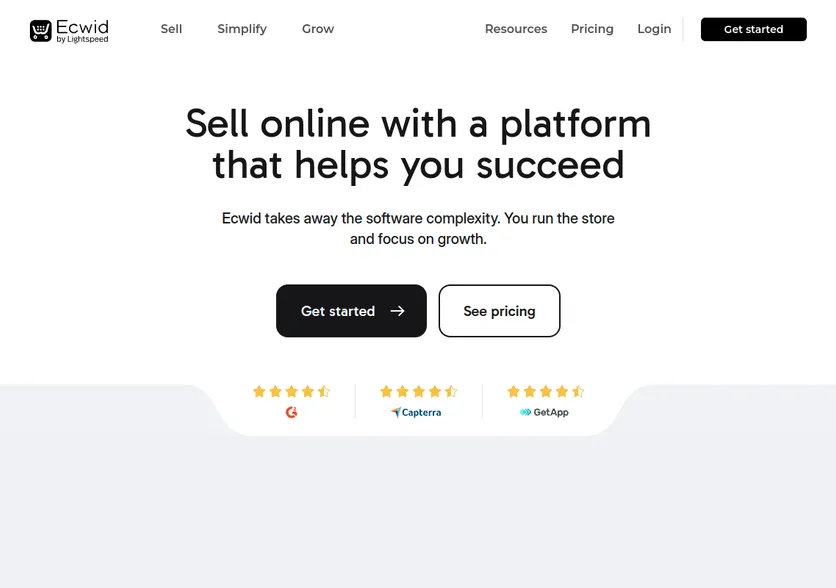
A small WordPress site that sells a few dozen products gets a light cart here, since this Ecwid plan costs five dollars a month on Starter for ten products and plugs into WordPress in minutes. It adds a storefront, cart and checkout to any page, syncs stock automatically and takes payments through the gateways the owner already uses. It is the cheapest real cart in this list for a site that sells a little.
What we like
- Plugs into WordPress in minutes with no rebuild
- Cheapest paid plan in this list at five dollars
- Free plan for five products to test with
Watch out for
- Starter caps at ten products, so growth means upgrading
- Fewer design options than a full storefront platform
How to try it
- Install the Ecwid plugin on the WordPress site
- Add products and set the payment gateway
- Place the store on a page and test a purchase
5. Square Online
Best for: Sellers who take cards in person and online
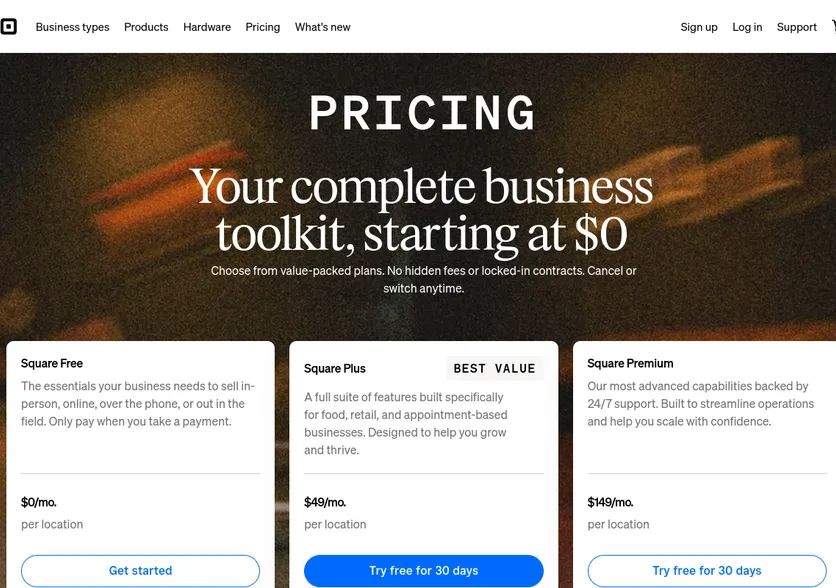
Paid tool Starting price: $49/month · Forty-nine dollars a month on Plus per location; Premium is $149 a month per location; the free plan exists but connecting your own domain needs Plus; Square folded separate Square Online plans into account-wide plans in 2026
Free plan: Free plan
A seller that already takes cards in person gets a matching online cart here, since this Square Online plan costs forty-nine dollars a month on Plus per location and shares stock with the till. It builds the store from the Square catalogue, takes payments at the same rates and keeps online and in-person inventory in sync. It fits a shop that sells at a counter and online from the same stock.
What we like
- Stock synced between the till and the online store
- Same payment rates online and in person
- Free plan to start before paying for Plus
Watch out for
- Connecting your own domain needs the Plus plan
- Plus is charged per location, so multi-site sellers pay more
How to try it
- Build the store from the Square catalogue
- Set the domain and shipping options
- Sync stock and take the first online order
6. Wix
Best for: Owners who want a visual builder instead of plugins
Paid tool Starting price: $29/month · Twenty-nine dollars a month on Core billed annually ($36 billed monthly); Core is the first plan that accepts payments; Light is $17 a month annually, Business is $39 and Business Elite is $159
Free plan: Free plan
A WordPress user who wants a drag-and-drop store instead gets a friendly cart here, since this Wix plan costs twenty-nine dollars a month on Core billed annually and is the first plan that accepts payments. It builds the storefront with a visual editor, handles hosting and checkout itself and adds bookings, subscriptions and marketing in the same dashboard. It suits an owner who would rather design than configure plugins.

What we like
- Drag-and-drop store builder with no code needed
- Hosting, checkout and payments in one dashboard
- Bookings and subscriptions included in the same place
Watch out for
- Core is the first plan that accepts payments
- Moving a store off Wix later is hard work
How to try it
- Pick a store template and add the products
- Connect a payment method and set shipping
- Publish the store and test the checkout
7. Squarespace
Best for: Sellers whose products need beautiful pages
Paid tool Starting price: $29/month · Twenty-nine dollars a month on Core billed annually ($39 billed monthly); Core is the first plan that sells online — Basic is $19 a month without commerce; Plus is $49 and Advanced is $99; plans were renamed in February 2026
Free plan: No free plan; 14-day free trial
A WordPress site that sells design-led products gets a polished cart here, since this Squarespace plan costs twenty-nine dollars a month on Core billed annually and is the first plan that sells online. Its templates make product pages look expensive, checkout is built in and the same account runs the site, the store and the email campaigns. It is the best pick for a seller whose products need beautiful pages.

What we like
- Templates that make product pages look expensive
- Site, store and email campaigns in one account
- Checkout and payments built in, no plugin needed
Watch out for
- Core is the first plan that sells, Basic has no commerce
- Fewer apps and extensions than the open platforms
How to try it
- Pick a template and add the products
- Set the checkout and payment options
- Publish the store and test a purchase
Prices above were checked on each vendor’s own website on Nov 28, 2026 and can change — the vendor’s page is the final word. Vendor links are editorial: nobody paid to be listed or ranked here. Vendors who want a featured listing can see how it works on our Get listed page.
The shopping cart software for WordPress, compared
Start with where the store lives today, because a cart that fights the site costs more than the monthly fee. A WordPress owner who already has content, traffic and plugins should keep the store on WordPress, while an owner starting fresh can pick the hosted cart with the best checkout. Count the products first: a five-dollar plan that caps at ten products is no bargain for a catalogue of two hundred. Finally, test the checkout on a phone before paying, since most buyers will never see the desktop version.
Before you buy
- Decide whether the store stays on WordPress or moves to a hosted platform first
- Count the products and check the plan cap before choosing the cheapest tier
- Test the checkout on a phone, since most buyers never see the desktop version
- Confirm transaction fees and payment gateway costs on top of the monthly price
- Check whether the cart handles tax, shipping and discounts without extra apps
Official websites
Official websites of the products reviewed above. Features and prices were checked against these sites when this guide was written, and they can change, so confirm on the vendor site before you buy.
Frequently asked questions
What is the best shopping cart for a WordPress site?
WooCommerce is the best overall pick for most WordPress sites, at twenty-nine dollars a month on the hosted plan, because the store lives inside WordPress and the owner keeps full control. Ecwid is the cheapest start at five dollars a month for ten products and plugs into WordPress in minutes. A store expecting serious volume should look at BigCommerce, which runs the cart off-site for twenty-nine dollars a month on Core.
Is WooCommerce really free?
The WooCommerce core plugin is free and open source, so a WordPress owner can install it and sell without paying WooCommerce anything. The twenty-nine dollars a month in this list is the hosted plan on woocommerce.com, which covers hosting and managed features. A self-hosted store still pays for hosting, a domain and usually a payment gateway, so free plugin does not mean a free store.
Can I use Shopify with my WordPress site?
Yes, Shopify offers a Buy Button that drops a Shopify cart and checkout onto WordPress pages without moving the site, and the Basic plan costs twenty-nine dollars a month billed annually. The store itself runs on Shopify while the content stays on WordPress. It is the simplest option for an owner who wants Shopify checkout without rebuilding the whole site.
Which shopping cart is cheapest for a small WordPress store?
Ecwid is the cheapest paid cart here at five dollars a month for ten products, with a free plan for five products. WooCommerce has a free core plugin, but hosting and a domain still cost money. Square Online also has a free plan, though connecting your own domain needs the forty-nine-dollar Plus plan. For a tiny catalogue, Ecwid is the cheapest way to start taking money.
Do shopping carts charge transaction fees?
It depends on the cart and the payment gateway. BigCommerce charges no platform transaction fee, while Shopify charges extra unless you use Shopify Payments, and payment gateways add their own card rates on every order. WooCommerce itself charges no transaction fee, but the gateway does. Always add the gateway rate to the monthly price before comparing carts.
Compare the seven carts above, then start with a free plan or trial on the one that fits where the site already lives before paying for a full year.
Browse Business Tools tools