On this page
A food distributor pays out all day long: farmers and producers, fuel and cold storage, drivers and warehouse staff, and the packaging that never seems to last the month. The eight tools below put that spend under one set of controls, so the buyer cannot order a truckload nobody approved. Ramp leads because its core platform costs nothing and its paid tier starts at fifteen dollars per user a month, and the rest are ranked on how well they fit a business that moves food.
How we researched this
We checked every price on the vendor pricing page on November 29, 2026, and only included tools with a published US dollar list price. The enterprise suites that sell by quote, including Coupa, Airbase and Spendesk, publish no prices, so they are not in this list. Prices change, so confirm the current figure on the vendor site before you buy.
Compare the tools
| Name | Best for | Starting price | Free plan | |
|---|---|---|---|---|
 Ramp | Distributors paying dozens of suppliers a week | $15/user/month | Free plan | Visit |
 Brex | Distributors with drivers spending on fuel and travel | $12/active user/month | Free plan (Essentials) | Visit |
 Expensify | Distributors with drivers filing receipts from the road | $5/member/month | Free plan (Submit) | Visit |
 Zoho Expense | Distributors already running on Zoho tools | $5/active user/month | Free plan (up to 3 users) | Visit |
 Sage Expense Management | Distributors keeping the corporate cards they already have | $11.99/active user/month | No free plan; free trial | Visit |
 Precoro | Distributors buying the same stock every week | $499/month | No free plan; free trial | Visit |
 ProcureDesk | QuickBooks distributors drowning in supplier invoices | $498/month | No free plan; 14-day free trial | Visit |
 Tradogram | Small distributors that need purchase orders first | $99/month | Free plan (5 transactions a month) | Visit |
The spend management software for food distributors, compared
1. Ramp
Best for: Distributors paying dozens of suppliers a week
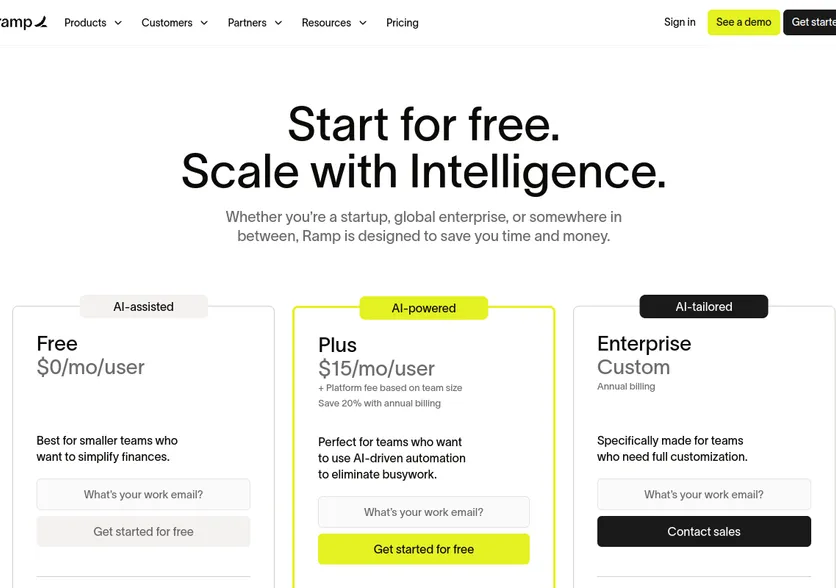
Paid tool Starting price: $15/user/month · Fifteen dollars per user a month on Plus, plus an unpublished platform fee based on team size, so fifteen dollars is the floor, not the full bill; twenty percent off with annual billing; the Free plan costs nothing; Enterprise is quoted
Free plan: Free plan
A food distributor that pays dozens of suppliers a week gets card controls and bill pay here, since this Ramp plan costs fifteen dollars per user a month on Plus. The free tier includes unlimited cards, bill pay and AI reporting, so each buyer can have a card with a limit per supplier and the finance team can see the spend the next morning. Plus adds NetSuite and Sage Intacct sync for the distributors that outgrow QuickBooks or Xero.
What we like
- Free core with unlimited cards and bill pay
- A card per supplier with its own spend limit
- Price intelligence flags overpriced vendors automatically
Watch out for
- Plus adds an unpublished platform fee on top of the seat price
- NetSuite and Sage Intacct sync need the Plus tier
How to try it
- Give each buyer a card with a limit per supplier
- Set approval rules for orders above a threshold
- Review the AI spend reports each month
2. Brex
Best for: Distributors with drivers spending on fuel and travel
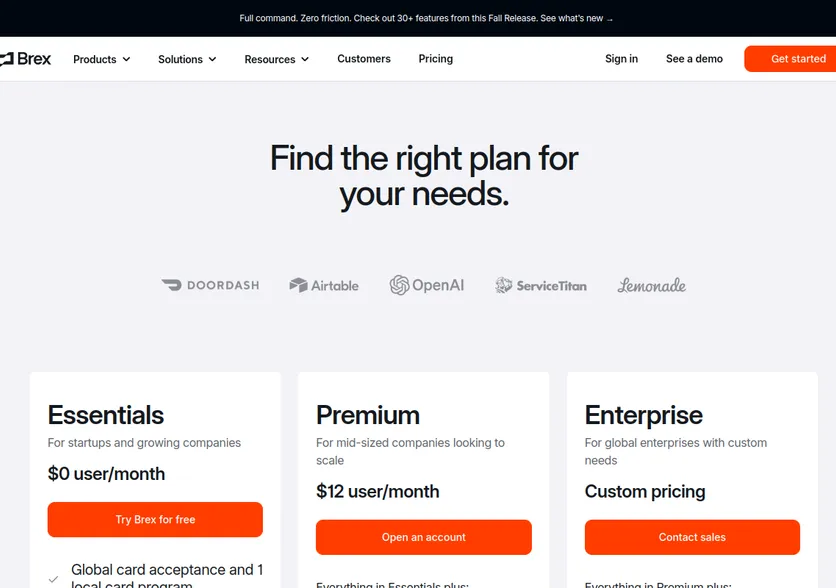
Paid tool Starting price: $12/active user/month · Twelve dollars per active user a month on Premium; Essentials costs nothing per user for eligible companies; Enterprise and Smart Card are quoted; foreign-currency card spend carries an exchange markup of up to three percent
Free plan: Free plan (Essentials)
A food distributor whose drivers and buyers spend on fuel, tolls and travel will find this Brex plan costs twelve dollars per active user a month on Premium. Essentials costs nothing and already includes cards, bill pay, reimbursements and travel booking, so a distributor can run its whole spend on the free tier. Premium adds multiple expense policies and live budgets for the operations whose spend needs more than one rulebook.
What we like
- Free Essentials tier with cards, bill pay and travel
- Cards accepted in more than two hundred countries
- Premium adds multi-entity controls and live budgets
Watch out for
- Foreign-currency card spend carries a markup up to three percent
- Enterprise and Smart Card tiers are quoted, not published
How to try it
- Issue cards with limits set by route or depot
- Add expense policies for drivers and buyers on Premium
- Review live budgets against actual spend weekly
3. Expensify
Best for: Distributors with drivers filing receipts from the road
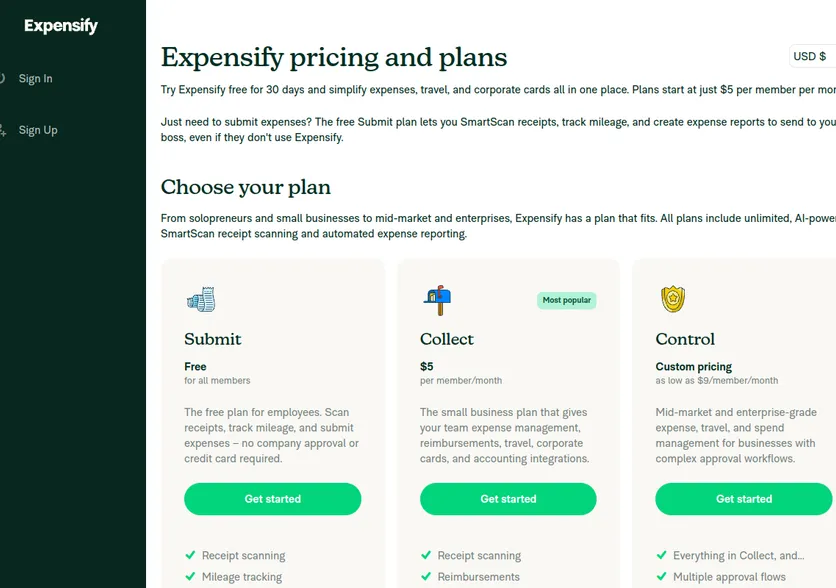
Paid tool Starting price: $5/member/month · Five dollars per unique member a month on Collect; Control is nine dollars per active member a month on an annual plan when the Expensify Card covers half or more of settled US spend, eighteen dollars without the card, or thirty-six dollars pay per use
Free plan: Free plan (Submit)
A food distributor whose drivers and sales reps file receipts from the road will find this Expensify plan costs five dollars per member a month on Collect. SmartScan reads every fuel and meal receipt, mileage tracking is built in for the reps driving between customers, and approvals run through the app. Control adds NetSuite and Sage Intacct sync with multiple approval flows for the distributors that need them.
What we like
- SmartScan receipt capture with automatic coding
- Bills only active members on Control, not every seat
- Mileage tracking built in for sales reps on the road
Watch out for
- Control pricing swings from nine to thirty-six dollars by card use
- Collect bills every member, active or not
How to try it
- Set up workspaces for each depot or route
- Turn on SmartScan and mileage tracking for drivers
- Move to Control when ERP sync and multi-step approvals matter
4. Zoho Expense
Best for: Distributors already running on Zoho tools
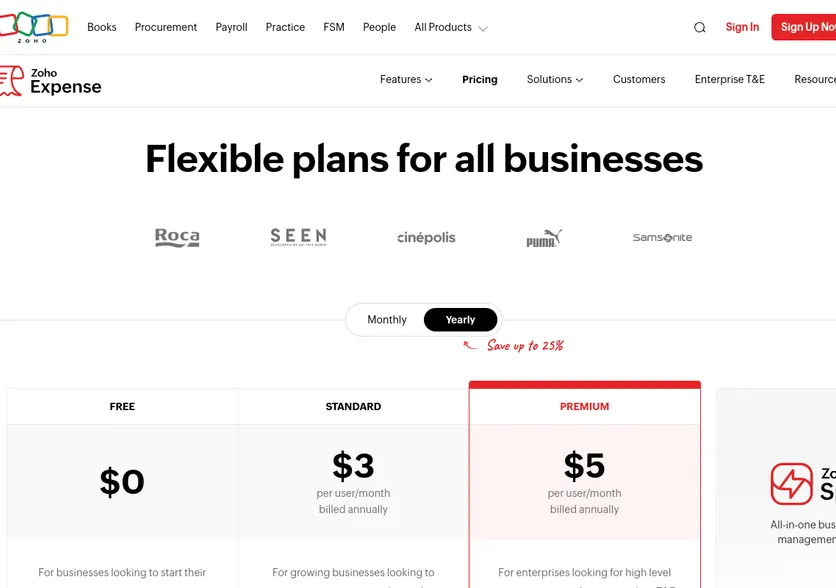
Paid tool Starting price: $5/active user/month · Five dollars per active user a month on Standard, or forty-eight dollars per active user a year; Premium is nine dollars a month or eighty-four dollars a year; Custom is quoted above one hundred users
Free plan: Free plan (up to 3 users)
A food distributor that already runs on Zoho will find this Zoho Expense plan costs five dollars per active user a month on Standard. It covers receipt scanning, approvals and spend visibility, and Premium adds travel booking with an inbuilt travel desk for the distributors whose buyers fly to producers. The free plan covers up to three users, so a tiny distributor can run its expenses for nothing until the team grows.
What we like
- Free plan covers up to three users
- Receipt scanning with approvals and spend visibility
- Premium adds travel booking and a travel desk
Watch out for
- Deepest value sits inside the wider Zoho suite
- Custom tier above one hundred users is quoted
How to try it
- Connect Zoho Expense to the distributor ledger
- Set approval rules for fuel and supplier spend
- Add travel booking on Premium when buyers start flying
5. Sage Expense Management
Best for: Distributors keeping the corporate cards they already have
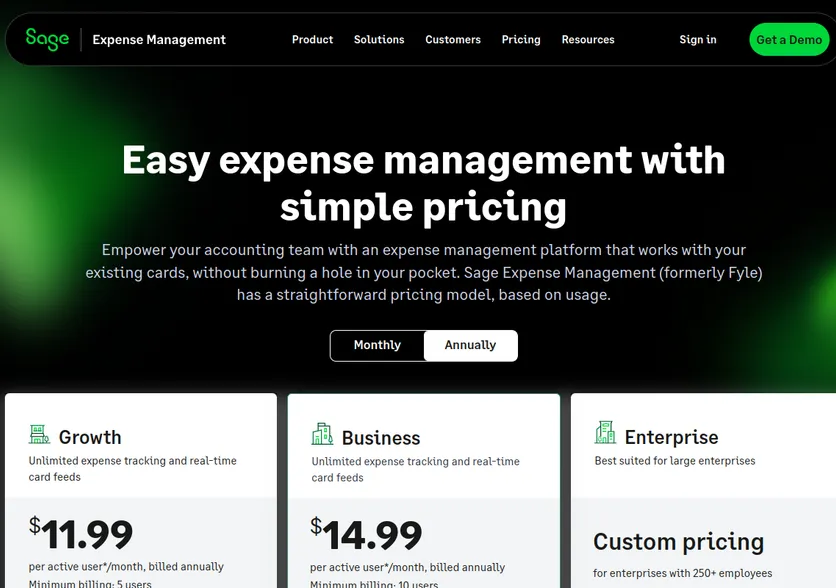
Paid tool Starting price: $11.99/active user/month · Eleven dollars and ninety-nine cents per active user a month billed annually on Growth, with a five-user minimum; Business is fourteen dollars and ninety-nine cents per active user a month billed annually with a ten-user minimum; Enterprise is quoted; formerly sold as Fyle
Free plan: No free plan; free trial
A food distributor that already carries corporate cards and refuses to switch banks will find this Sage Expense Management plan costs eleven dollars and ninety-nine cents per active user a month billed annually. It reads transactions from the cards you already have through real-time feeds, then texts the cardholder for the receipt seconds after the swipe, which suits buyers paying at markets and cash-and-carry depots. Growth needs a five-user minimum.
What we like
- Works with the Visa and Mastercard cards you already carry
- Real-time feeds with instant receipt requests by text
- Billed only for active users, not every seat
Watch out for
- Growth carries a five-user minimum
- Sage Intacct and NetSuite integrations need a paid tier
How to try it
- Connect your existing corporate card feeds
- Set approval rules for market and depot buying
- Review the real-time spend dashboard weekly
6. Precoro
Best for: Distributors buying the same stock every week
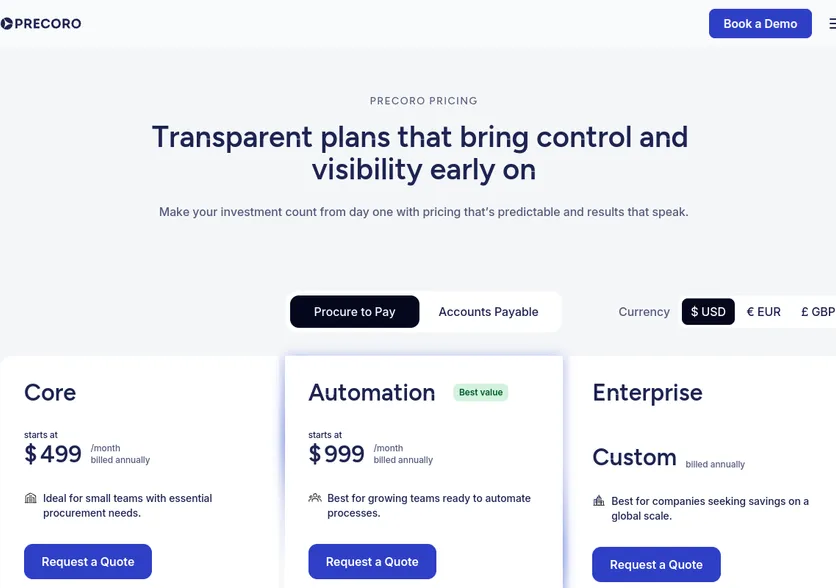
Paid tool Starting price: $499/month · Four hundred and ninety-nine dollars a month billed annually on Core; Automation is nine hundred and ninety-nine dollars a month; Enterprise is quoted; the older thirty-five dollar per-user figure no longer matches the vendor page
Free plan: No free plan; free trial
A food distributor that buys the same stock from the same suppliers every week will find this Precoro plan costs four hundred and ninety-nine dollars a month billed annually. Core covers purchase orders, budgets, automated approvals and three-way matching at a flat rate, so the buyer cannot order a truckload nobody approved. Automation adds real-time budgets and AI agents at nine hundred and ninety-nine dollars a month for the distributors that need them.
What we like
- Flat monthly price with no per-user maths
- Budgets, approvals and three-way matching included
- Integrations with QuickBooks, NetSuite, Sage Intacct and Xero
Watch out for
- Annual billing only, so the minimum commitment is near six thousand a year
- Real-time budget tracking waits for Automation
How to try it
- Set budgets for each product line and depot
- Route every purchase through a purchase order
- Review spend by supplier and product line monthly
7. ProcureDesk
Best for: QuickBooks distributors drowning in supplier invoices
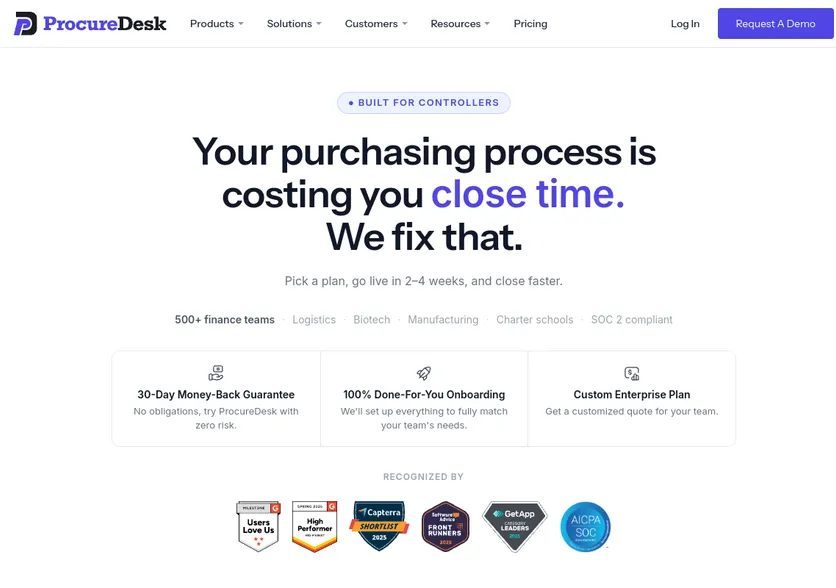
Paid tool Starting price: $498/month · Four hundred and ninety-eight dollars a month billed annually on Purchasing Automation with ten users included (five hundred and ninety-eight dollars billed monthly); AP Automation is eight hundred and fifty dollars a month billed annually
Free plan: No free plan; 14-day free trial
A food distributor running on QuickBooks that wants purchasing beside invoice matching will find this ProcureDesk plan costs four hundred and ninety-eight dollars a month billed annually. Purchasing Automation includes ten users, onboarding and custom approval workflows, and the AP Automation tier adds three-way invoice matching with OCR at eight hundred and fifty dollars a month. It is the strongest pick here for a QuickBooks shop that receives hundreds of supplier invoices a month.
What we like
- Ten users included with onboarding support
- Deep QuickBooks, Xero and NetSuite integrations
- Custom approval workflows as standard
Watch out for
- The base plan excludes invoicing and AP processing entirely
- Monthly billing jumps to five hundred and ninety-eight dollars
How to try it
- Connect QuickBooks and import your suppliers
- Set approval workflows for each product line
- Add AP Automation when invoice matching matters
8. Tradogram
Best for: Small distributors that need purchase orders first
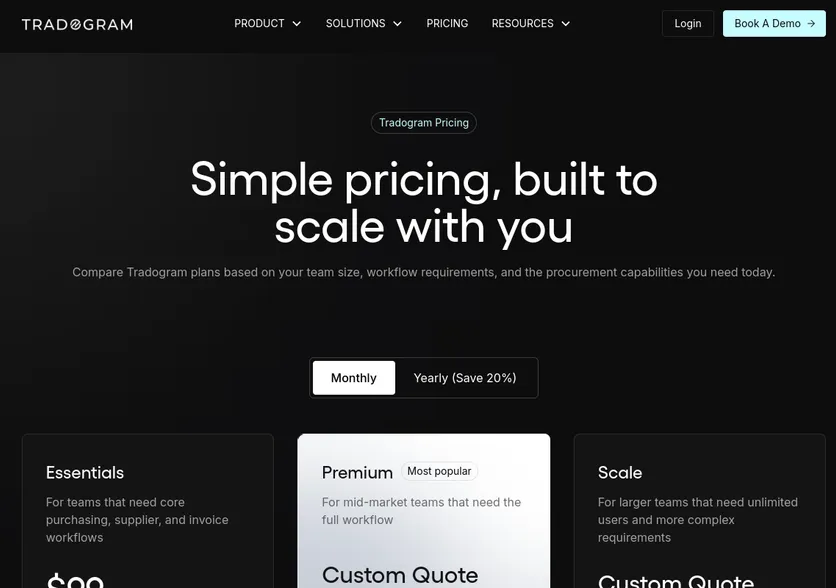
Paid tool Starting price: $99/month · Ninety-nine dollars a month on Essentials, or nine hundred and fifty dollars and forty cents a year billed annually; Premium is listed at one hundred and sixty-eight dollars a month in some reads and one hundred and ninety-five dollars in others, so confirm the tier at checkout
Free plan: Free plan (5 transactions a month)
A food distributor that needs purchase orders first and procurement second will find this Tradogram plan costs ninety-nine dollars a month. Essentials covers purchase orders, supplier management, AP invoices, payments and AI scanning from a single user, so a small distributor can run its whole buying cycle for one flat fee. The free plan covers five transactions a month, which is enough to test the workflow on a real supplier order.
What we like
- Flat monthly price from a single user
- Purchase orders, suppliers and payments in one place
- Free plan covers five transactions a month
Watch out for
- Premium pricing reads differ, so confirm the tier at checkout
- Extra users cost more on top of the flat rate
How to try it
- Add suppliers and your first purchase order
- Set approval routing for orders above a threshold
- Pay suppliers through the built-in payment tool
Prices above were checked on each vendor’s own website on Nov 29, 2026 and can change — the vendor’s page is the final word. Vendor links are editorial: nobody paid to be listed or ranked here. Vendors who want a featured listing can see how it works on our Get listed page.
How to stop supplier spend leaking away
Put every supplier on a purchase order before the truck leaves their yard, because an order without a number is an invoice you cannot challenge. Set a budget per product line and a hard approval rule above your threshold, then match every invoice to its order and its delivery note before paying. The distributors that keep their margin are the ones that catch the short delivery and the price rise on the invoice, not the ones that find them in the year-end accounts when it is already too late to argue.
Before you buy
- Check whether the tool matches invoices to purchase orders, or only records the spend
- Confirm the tool handles per-depot budgets, not just one company-wide total
- Ask if approval rules cover market and cash-and-carry buying, or only office orders
- Make sure the price is a list price, not a first-year discount or a quote
- Test the tool on a month of real supplier invoices before signing up
Official websites
Official websites of the products reviewed above. Features and prices were checked against these sites when this guide was written, and they can change, so confirm on the vendor site before you buy.
Frequently asked questions
What is spend management software for food distributors?
It is software that controls how a food distributor spends money, from supplier orders to fuel to driver expenses, using purchase orders, cards with limits and approval rules in one place. Good tools match every invoice to its order and delivery note before paying, and show spend by supplier, product line and depot. The goal is to catch short deliveries and price rises on the invoice, not in the year-end accounts.
How much does Precoro cost for a food distributor?
Precoro costs four hundred and ninety-nine dollars a month billed annually on Core, which covers purchase orders, budgets, automated approvals and three-way matching. Automation is nine hundred and ninety-nine dollars a month and adds real-time budget tracking and AI agents. Enterprise is quoted, and the older thirty-five dollar per-user figure no longer matches the vendor page, so budget on the flat monthly rate.
Which tool is best for supplier invoice matching?
ProcureDesk is the best pick for invoice matching at four hundred and ninety-eight dollars a month billed annually, with AP Automation adding three-way matching and OCR at eight hundred and fifty dollars a month. Precoro includes three-way matching on its four hundred and ninety-nine dollar Core plan. Both suit a distributor receiving hundreds of supplier invoices a month.
Do any of these tools have a free plan?
Yes. Ramp has a free plan with unlimited cards and bill pay, Brex Essentials costs nothing per user, and Expensify has a free Submit tier for individuals. Zoho Expense is free for up to three users, and Tradogram has a free plan covering five transactions a month. Fyle, Precoro and ProcureDesk offer free trials instead of a permanent free tier.
Should a food distributor buy per-user or flat-rate spend software?
Per-user pricing wins for a small team, since Ramp and Brex start free and the paid tiers scale with headcount. Flat-rate pricing wins when many buyers raise orders, since Precoro and Tradogram charge for the platform, not the headcount. Count the buyers, drivers and approvers who will use the system, then price both models at your real numbers before choosing.
Compare the eight tools above, then start with a free trial or the free plan on the tool that matches how the distributor already buys before paying for a full year.
Browse Business Tools tools