On this page
Remote hiring means candidates in different cities, time zones and work styles, and a local ATS built for one office will not keep up. The eight tools below cover that job for distributed agencies and remote-first teams of every size, from a free starter for one remote role to a platform that runs hiring around the clock. Workable leads because it posts remote roles worldwide, screens with AI and schedules interviews across time zones for two hundred and ninety-nine dollars a month billed annually, and the rest are ranked on how well they hire without an office.
How we researched this
We checked every price on the vendor pricing page on November 29, 2026, and only included tools with a published US dollar list price, each of them cloud-based for distributed teams. The quote-only recruiting suites that sell by sales call, including Bullhorn, JobDiva, Avionté and Vincere, publish no prices, so they are not in this list. Prices change, so confirm the current figure on the vendor site before you buy.
Compare the tools
| Name | Best for | Starting price | Free plan | |
|---|---|---|---|---|
 Ceipal | Distributed teams hiring across time zones | $24/user/month | Free demo | Visit |
 Loxo | Search firms recruiting for remote roles | $149/user/month | No free plan; 7-day free trial | Visit |
 Manatal | Remote-first agencies with small teams | $15/user/month | No free plan; 14-day free trial | Visit |
 Recruiterflow | Cross-border hiring at volume | $119/user/month | Free demo | Visit |
 Workable | Distributed teams hiring constantly | $299/month | No free plan; free trial | Visit |
 JazzHR | Small businesses hiring their first remote role | $1,000/year | Free demo | Visit |
 Breezy HR | Distributed teams hiring a few roles a year | $157/month | Free plan (Bootstrap, 1 active position) | Visit |
 Zoho Recruit | Zoho users hiring remotely | $25/user/month | Free plan (Forever Free, 1 job) | Visit |
The staffing software for remote work, compared
1. Ceipal
Best for: Distributed teams hiring across time zones
Paid tool Starting price: $24/user/month · Twenty-four dollars per user a month with a five user minimum; Advanced is forty-eight dollars; the vendor publishes no price on its own page, so the figure is the consensus of directory listings including G2, which lists twenty-five dollars; confirm it with the vendor before buying
Free plan: Free demo
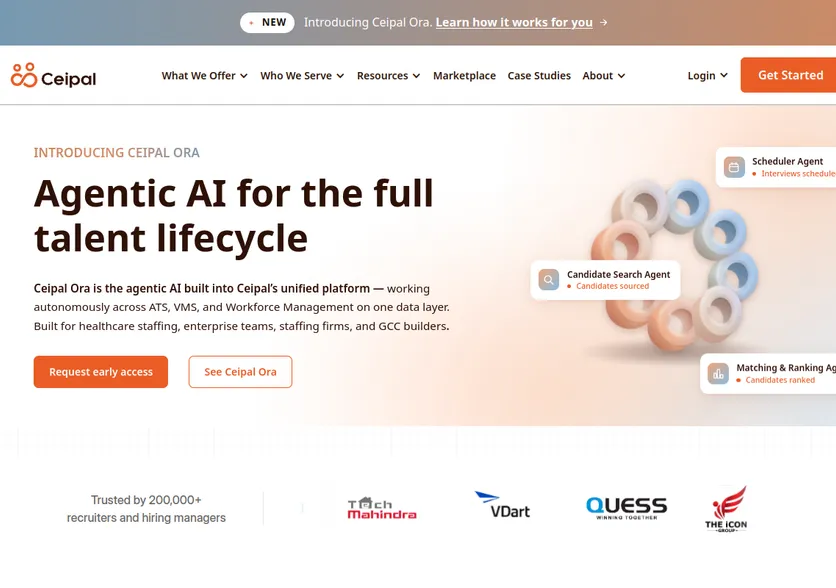
Distributed teams that hire across time zones need one system that never sleeps, and this Ceipal plan costs twenty-four dollars a user a month. It runs sourcing, screening and onboarding in the cloud, so a recruiter in one city and a hiring manager in another see the same pipeline. AI ranking sorts applicants while the team sleeps, which keeps remote hiring moving around the clock.
What we like
- AI ranks candidates against each open role
- Sourcing, tracking and onboarding in one system
- Cloud pipeline shared across every location
Watch out for
- The vendor publishes no price, so confirm the figure first
- Five user minimum makes it dear for a solo recruiter
How to try it
- Import the candidate database and open requisitions
- Set up sourcing channels and AI ranking rules
- Run the first remote hire end to end and review the pipeline
2. Loxo
Best for: Search firms recruiting for remote roles
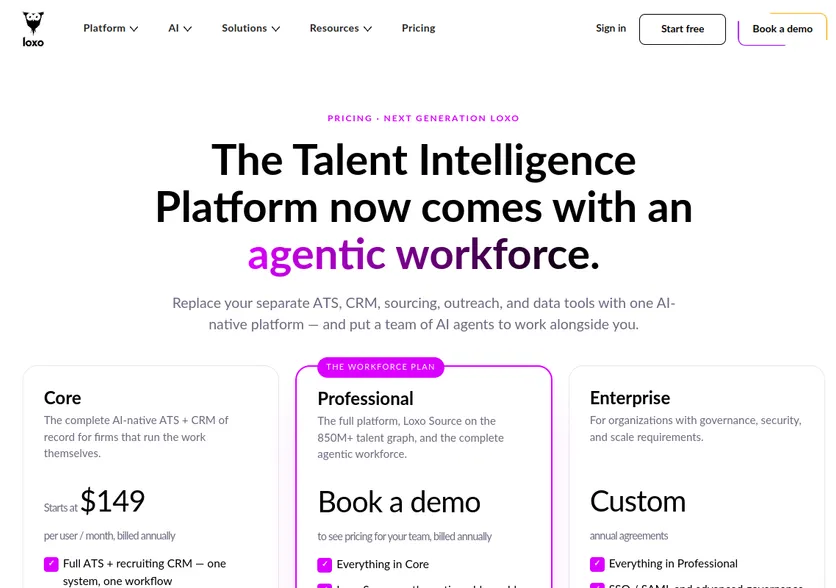
Paid tool Starting price: $149/user/month · One hundred and forty-nine dollars per user a month on Core billed annually and paid up front; Professional is one hundred and ninety-nine dollars, though an October 2026 re-check found the Professional price no longer shown on the vendor page; Enterprise is custom; seven-day trial, no free plan
Free plan: No free plan; 7-day free trial
Search firms that recruit for remote roles live on outbound outreach, so this Loxo plan costs one hundred and forty-nine dollars a user a month billed annually on Core. It keeps every candidate in a shared talent pool with location and remote-work preferences attached. Recruiters can search the pool by time zone and work style, then reach out from the same screen.
What we like
- ATS and CRM merged, so candidates stay in the pool
- Chrome extension captures profiles while browsing
- Search filters cover location and remote preferences
Watch out for
- Annual billing is paid up front, not monthly
- The Professional tier price is no longer shown publicly
How to try it
- Import existing candidates and build the first talent pool
- Install the browser extension and source profiles
- Search by time zone and message candidates from the platform
3. Manatal
Best for: Remote-first agencies with small teams
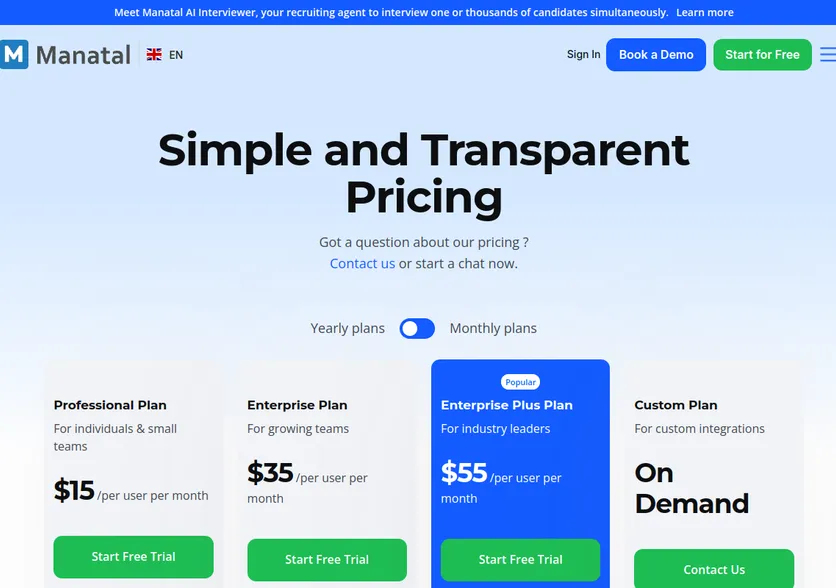
Paid tool Starting price: $15/user/month · Fifteen dollars per user a month on Professional billed annually (nineteen dollars billed monthly); Enterprise is thirty-five dollars and Enterprise Plus is fifty-five dollars billed annually; fourteen-day trial, no free plan; Professional caps at fifteen jobs per account and ten thousand candidates
Free plan: No free plan; 14-day free trial
A remote-first agency with a small team gets a lot for the money here, because this Manatal plan costs fifteen dollars a user a month billed annually on Professional. The cloud workspace runs on any laptop, AI scores candidates as they apply, and kanban boards show the whole pipeline at a glance. It suits distributed teams that want a modern ATS without paying enterprise prices.
What we like
- AI scoring and social profile enrichment built in
- Kanban pipelines that a small team learns in a day
- Cloud workspace that runs on any laptop
Watch out for
- Professional caps at fifteen jobs and ten thousand candidates
- No free tier, so testing needs the fourteen-day trial
How to try it
- Create the first pipeline and add open remote roles
- Import candidates and let AI score them
- Share shortlists with clients from the platform
4. Recruiterflow
Best for: Cross-border hiring at volume
Paid tool Starting price: $119/user/month · One hundred and nineteen dollars per user a month on Platform billed annually (one hundred and forty-nine dollars billed monthly); the AIRA plan is custom-priced; an October 2026 re-check showed only the monthly figure, so confirm the annual rate at checkout
Free plan: Free demo
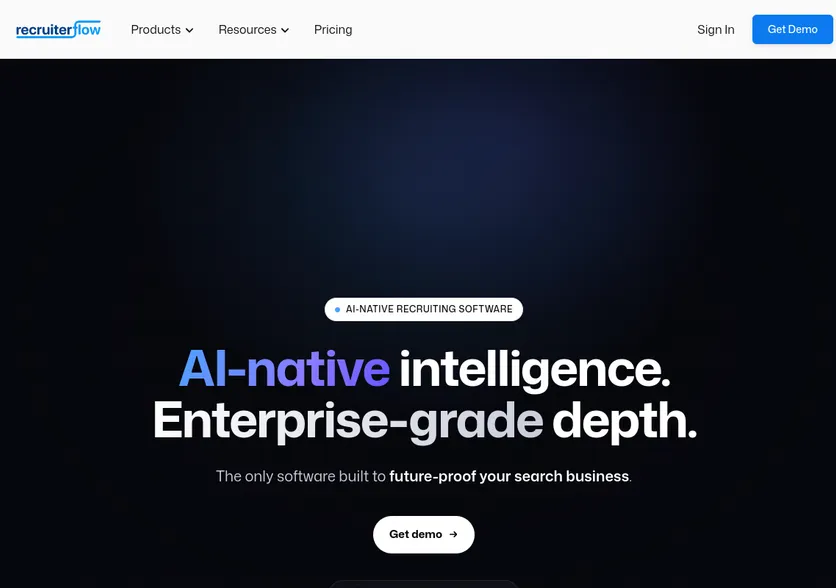
Hiring across borders means chasing candidates in different time zones, and this Recruiterflow plan costs one hundred and nineteen dollars a user a month billed annually on Platform. Automation sends follow-ups and schedules interviews while recruiters sleep, and clients get updates without manual emails. The AI assistant drafts outreach in the right tone for each market, which suits firms that hire remotely at volume.
What we like
- Automated follow-ups and interview scheduling
- AI assistant drafts outreach and summaries
- Client updates run without manual emails
Watch out for
- The annual rate was not shown on a recent re-check
- The AI plan is custom-priced, so costs vary by firm
How to try it
- Set up pipelines and automation rules for each role
- Connect the email and calendar accounts
- Let automation chase candidates and update clients
5. Workable
Best for: Distributed teams hiring constantly
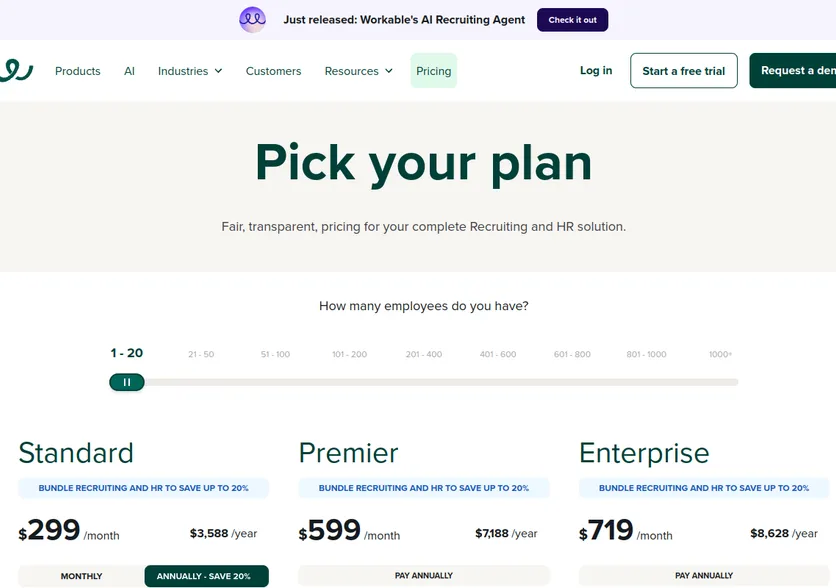
Paid tool Starting price: $299/month · Two hundred and ninety-nine dollars a month on Standard billed annually; monthly billing is three hundred and sixty dollars; the Starter tier is gone; no free plan, free trial
Free plan: No free plan; free trial
Companies that hire remotely at scale need a system every hiring manager can use from anywhere, and this Workable plan costs two hundred and ninety-nine dollars a month on Standard billed annually. It posts remote roles to job boards worldwide, screens with AI and schedules interviews across time zones. It is the safest default for a distributed team that hires constantly and needs one shared process.
What we like
- Sourcing, screening, scheduling and onboarding in one system
- AI screening ranks applicants before humans read them
- Remote roles posted to job boards worldwide
Watch out for
- Flat monthly price, not per user, so small teams pay the same
- No free tier for a team that hires only occasionally
How to try it
- Create the hiring pipeline and add the team
- Post the first remote role to job boards from the platform
- Screen applicants with AI and schedule interviews
6. JazzHR
Best for: Small businesses hiring their first remote role
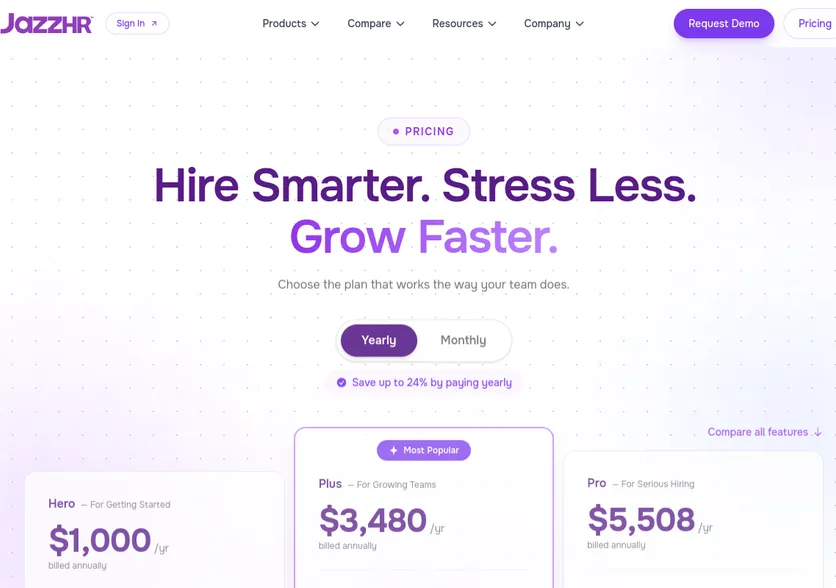
Paid tool Starting price: $1,000/year · One thousand dollars a year on Hero billed annually; Plus is three thousand four hundred and eighty dollars a year and Pro is five thousand five hundred and eight dollars a year; monthly billing is one hundred and ten dollars a month on Hero; standard pricing does not apply to staffing or recruiting agencies, so agencies must ask for a quote
Free plan: Free demo
A small business hiring its first remote employee gets a simple start here, since this JazzHR plan costs one thousand dollars a year on Hero billed annually. It posts the role to free and paid boards, screens with knockout questions and keeps the hiring managers in one shared pipeline. Note that the standard pricing does not apply to staffing agencies, so agencies must request a quote instead.
What we like
- Knockout questions screen out weak applicants early
- Shared pipeline keeps hiring managers aligned
- Simple yearly price with no per-user maths
Watch out for
- Standard pricing does not apply to staffing agencies
- Fewer automation features than the agency platforms here
How to try it
- Post the first remote job to free and paid boards
- Add knockout questions to screen applicants
- Move candidates through the shared pipeline to offer
7. Breezy HR
Best for: Distributed teams hiring a few roles a year
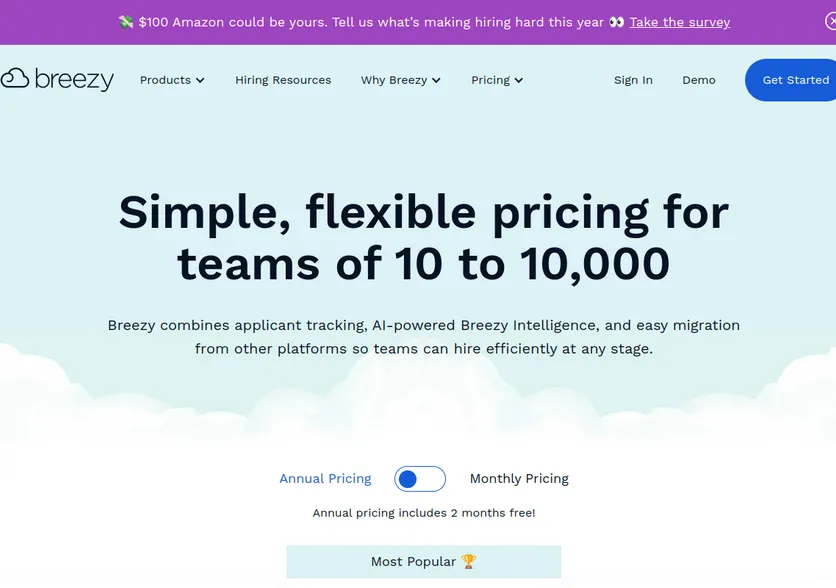
Paid tool Starting price: $157/month · One hundred and fifty-seven dollars a month on Startup billed annually (one hundred and eighty-nine dollars billed monthly); Growth is two hundred and seventy-three dollars and Business is four hundred and thirty-nine dollars billed annually; the Bootstrap plan is free for one active position
Free plan: Free plan (Bootstrap, 1 active position)
Remote teams that hire occasionally want a process that runs itself, and this Breezy HR plan costs one hundred and fifty-seven dollars a month on Startup billed annually. Video screening replaces the first phone call, automated messages keep candidates warm across time zones, and the free Bootstrap plan covers one active position. It fits a distributed team that hires a few remote roles a year.
What we like
- Drag-and-drop pipelines with automated messaging
- Video screening built into the hiring flow
- Free Bootstrap plan for one active position
Watch out for
- Startup tier is a flat monthly price, not per user
- Advanced reporting sits on the dearer tiers
How to try it
- Open the first remote position on the free Bootstrap plan
- Add the team and set up the pipeline stages
- Turn on video screening and automated messages
8. Zoho Recruit
Best for: Zoho users hiring remotely
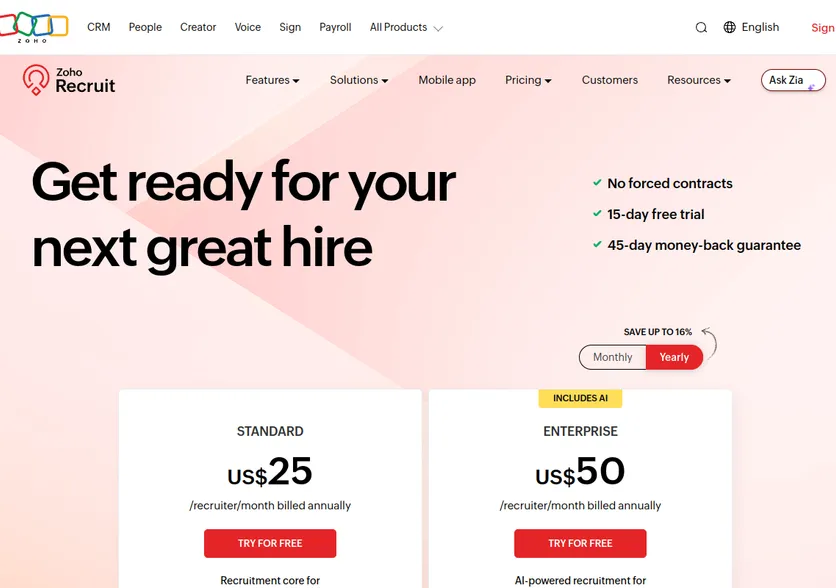
Paid tool Starting price: $25/user/month · Twenty-five dollars per user a month on Standard billed annually (thirty dollars billed monthly); Professional is fifty dollars and Enterprise is seventy-five dollars billed annually; the Forever Free plan covers one job; prices are the same on the Staffing Agency and Corporate HR editions, but job caps differ
Free plan: Free plan (Forever Free, 1 job)
A company already on Zoho that hires remotely gets a natural extension here, as this Zoho Recruit plan costs twenty-five dollars a user a month on Standard billed annually. It posts remote roles, parses resumes, schedules interviews across time zones and manages clients, with a free plan for one job. The Staffing Agency edition adds portals where clients and candidates can follow progress themselves.
What we like
- Client and candidate portals on the agency edition
- Resume parsing and interview scheduling included
- Free plan covers one job with no card
Watch out for
- Job caps differ between the two editions at the same price
- The interface feels dated next to Manatal or Loxo
How to try it
- Choose the Staffing Agency or Corporate HR edition
- Import resumes and set up the first remote job
- Open the client portal and share shortlists
Prices above were checked on each vendor’s own website on Nov 29, 2026 and can change — the vendor’s page is the final word. Vendor links are editorial: nobody paid to be listed or ranked here. Vendors who want a featured listing can see how it works on our Get listed page.
How to hire remote staff without losing candidates to slow replies
Answer every applicant within a day, because a remote candidate with five offers will not wait for a slow reply. Use video screening for the first round so time zones stop mattering, and let candidates book their own interview slots instead of trading emails across continents. Write the remote terms into the job post itself, including time-zone overlap and home-office expectations, so nobody discovers them at the offer stage. Keep all feedback in the ATS, not in chat threads, so a hiring manager in another country sees the same notes. Finally, test the whole flow on a dummy role before you open a real one.
Before you buy
- Check candidates can apply and interview by video without downloading software or creating an account
- Make sure interview scheduling handles time zones automatically, not by manual maths in email
- Confirm the tool stores remote-work preferences, such as time-zone overlap and home-office setup
- Ask whether the platform posts remote roles to the boards where remote candidates actually look
- Test the candidate experience from a phone in another country before opening a real role
Official websites
Official websites of the products reviewed above. Features and prices were checked against these sites when this guide was written, and they can change, so confirm on the vendor site before you buy.
Frequently asked questions
What is staffing software for remote work?
It is recruiting software built for distributed teams, running the whole hiring process in the cloud so recruiters and hiring managers in different cities see the same pipeline. Good tools post remote roles to worldwide job boards, screen with video and AI, schedule interviews across time zones and keep candidates warm with automated messages. For remote-first teams it replaces the office-bound ATS that assumed everyone worked in one building.
How much does Workable cost for remote hiring?
Workable costs two hundred and ninety-nine dollars a month on Standard billed annually, or three hundred and sixty dollars billed monthly. That flat monthly price covers posting remote roles worldwide, AI screening, interview scheduling across time zones and onboarding, with no per-user charge. The old Starter tier is gone, and there is no free plan, though a free trial is available.
Can I hire remote staff for free?
Yes, with Breezy HR and Zoho Recruit, which both offer genuine free plans rather than trials. Breezy HR covers one active position on its Bootstrap plan, with video screening on paid tiers, and Zoho Recruit covers one job on its Forever Free plan. A team hiring one remote role at a time can run a real search on either of them, and paid tiers add more jobs and AI scoring.
Which tool is best for a small remote-first agency?
Manatal is the best value for a small remote-first agency, at fifteen dollars a user a month billed annually, with AI scoring, social enrichment and kanban pipelines in a cloud workspace. Recruiterflow is the better pick once automation matters, at one hundred and nineteen dollars a user a month, because it chases candidates and updates clients while recruiters sleep. Breezy HR suits a team that hires only a few remote roles a year.
How do I interview remote candidates across time zones?
Use video screening for the first round and let candidates book their own slots, so nobody trades emails across continents to find a time. Tools such as Workable, Manatal and Breezy HR handle scheduling inside the platform, with automated reminders that cut no-shows. Write the time-zone overlap you need into the job post itself, so candidates know the working hours before they apply.
Compare the eight tools above, then start with a free plan or trial on the one that matches how your distributed team actually hires, and check the per-user price and any seat minimum against your real recruiter headcount before paying for a full year.
Browse Business Tools tools