On this page
An animation studio sells hours hidden inside shots, so the timer has to capture work that happens between renders, reviews and retakes without slowing artists down. The eight tools below cover that job for studios of every size, from a free tracker for a tiny crew to an automatic one that drafts timesheets from computer activity. Toggl Track leads because its one-click timer follows artists across devices for nine dollars per user a month, and the rest are ranked on how cleanly studio hours become client invoices.
How we researched this
We checked every price on the vendor pricing page on November 29, 2026, and only included tools with a published US dollar list price. Quote-only time trackers and tools that publish no prices are not in this list, and prices change, so confirm the current figure on the vendor site before you buy.
Compare the tools
| Name | Best for | Starting price | Free plan | |
|---|---|---|---|---|
 Toggl Track | Teams that bill clients by the hour | $9/user/month | Free plan (up to 3 users) | Visit |
 Harvest | Firms that turn hours into invoices | $9/user/month | Free plan (1 seat, 2 projects) | Visit |
 Clockify | Small teams that want a low entry price | $3.99/user/month | Free plan (up to 5 users) | Visit |
 Everhour | Teams already living in Asana or Jira | $8.50/user/month | Free plan (up to 5 seats) | Visit |
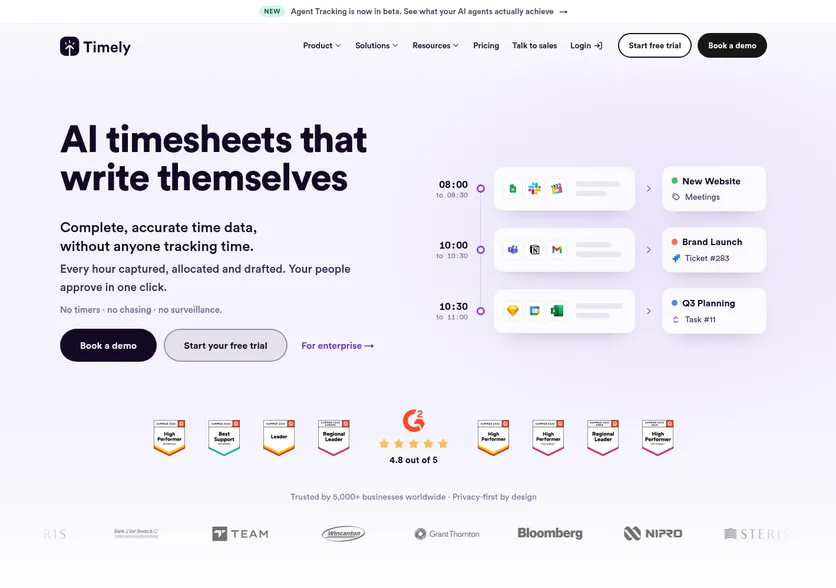
 Timely | Teams that forget to start timers | $9/user/month | No free plan; 14-day free trial | Visit |
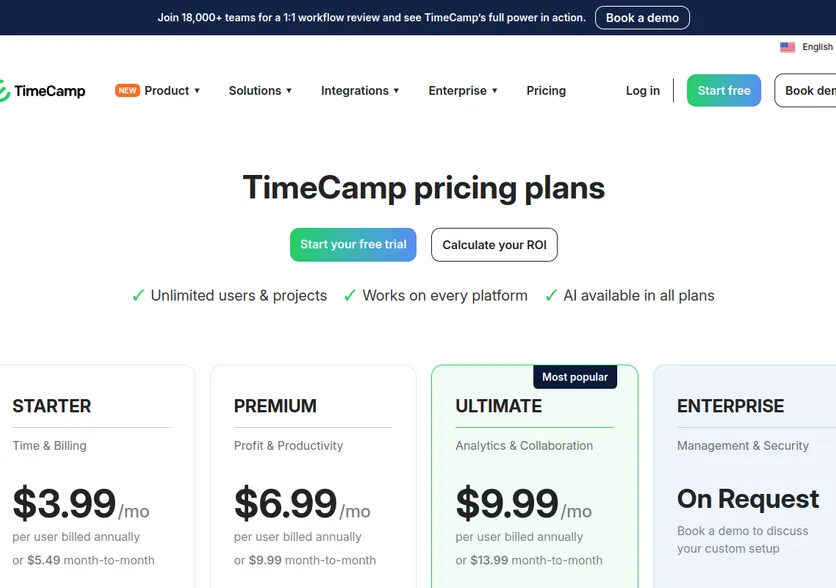
 TimeCamp | Teams that want attendance beside time | $3.99/user/month | Free plan (unlimited users) | Visit |
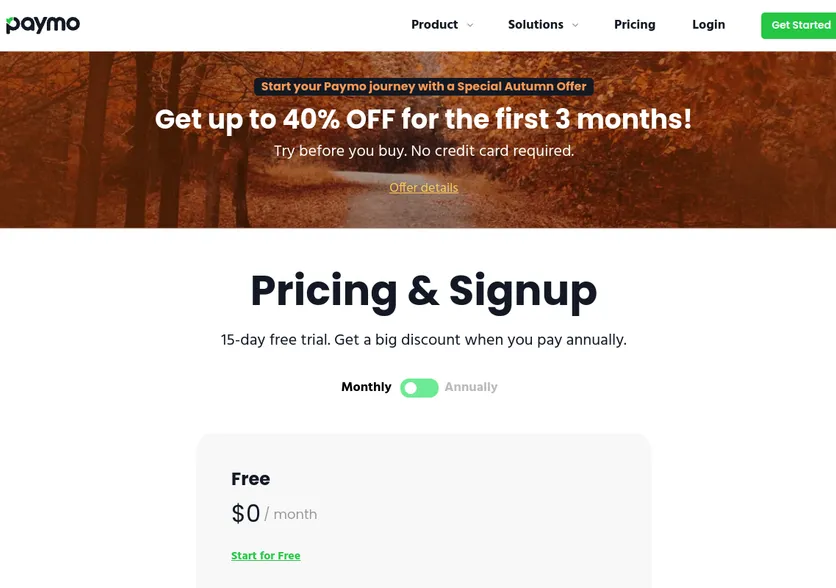
 Paymo | Small teams that want tasks plus billing | $5.90/user/month | Free plan (1 user) | Visit |
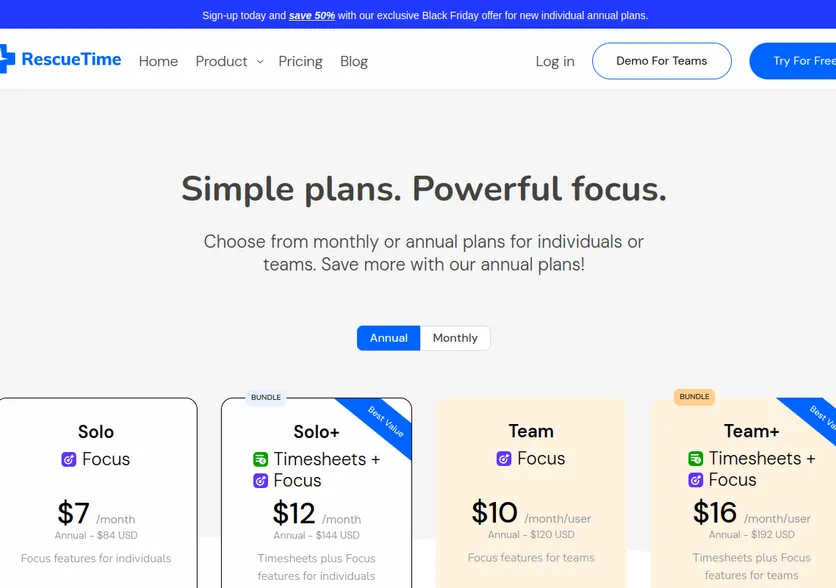
 RescueTime | Knowledge workers who want focus data | $10/user/month | Free Lite plan | Visit |
The time tracking software for animation studios, compared
1. Toggl Track
Best for: Teams that bill clients by the hour
Paid tool Starting price: $9/user/month · Nine dollars per user a month on Starter billed annually ($12 billed monthly); Premium is $16 a user a month billed annually ($24 monthly); some older listings still show Premium at $18 a month, so confirm at checkout
Free plan: Free plan (up to 3 users)
Animation studios bill clients by the shot, and this Toggl Track plan costs nine dollars per user a month billed annually, with a timer that follows artists across web, desktop and mobile. Its project estimates and billable rates turn storyboard hours into invoices without a spreadsheet, and the timeline view shows which shots are eating the budget. For a studio juggling several productions at once, that visibility is worth more than the price.

What we like
- One-click timer on web, desktop and mobile
- Billable rates and project estimates on Starter
- Calendar and project-tool integrations included
Watch out for
- Free plan covers only three users
- Profitability reports need the Premium tier
How to try it
- Start the timer from the browser extension when work begins
- Assign the entry to a client, project and task
- Review the weekly report and export the billable hours
2. Harvest
Best for: Firms that turn hours into invoices
Paid tool Starting price: $9/user/month · Nine dollars per user a month on Teams billed annually ($11 billed monthly); Enterprise is $14 a user a month billed annually ($17.50 monthly); usage charges for extra projects, clients, tasks and invoices can apply on paid plans, and the vendor does not publish those rates
Free plan: Free plan (1 seat, 2 projects)
Studios that live on client retainers need hours to become invoices cleanly, and this Harvest plan costs nine dollars per user a month billed annually for exactly that job. Its budget alerts warn producers before a sequence overruns, and expenses sit beside the timer so render farm costs land on the right project. It is the simplest route from a timesheet to a client invoice in this list.

What we like
- Turns tracked time into invoices in a few clicks
- Budget alerts flag projects before they overrun
- Expense tracking sits beside the timer
Watch out for
- Usage charges can push the bill above the headline rate
- No screenshots or activity monitoring for managers
How to try it
- Create a client and project, then start the timer
- Log expenses against the same project as you go
- Send the invoice from the tracked hours at month end
3. Clockify
Best for: Small teams that want a low entry price
Paid tool Starting price: $3.99/user/month · Three dollars and ninety-nine cents per user a month on Basic billed annually ($4.99 billed monthly); Standard is $5.49 a user a month billed annually ($6.99 monthly); Pro is $7.99 ($9.99 monthly) and Enterprise is $11.99 ($14.99 monthly)
Free plan: Free plan (up to 5 users)
A small animation studio watching every dollar gets a capable tracker here, since this Clockify plan costs three dollars and ninety-nine cents per user a month billed annually. Its free tier covers five users with unlimited projects, so a tiny crew can start without paying, and the kiosk mode turns a shared tablet into a studio time clock. The paid tiers add invoicing and approvals when the studio outgrows the free plan.

What we like
- Free plan covers five users with unlimited projects
- Kiosk mode turns a shared device into a time clock
- Invoicing starts on the Standard tier
Watch out for
- Every invited user takes a paid seat, including admins
- Reports feel basic next to pricier rivals
How to try it
- Start the timer or enter hours on the timesheet
- Tag each entry with a project and a billable rate
- Approve the week and export the report for payroll
4. Everhour
Best for: Teams already living in Asana or Jira
Paid tool Starting price: $8.50/user/month · Eight dollars and fifty cents per user a month on Team billed annually ($10 billed monthly); the Team plan has a five-seat minimum, so the smallest paid bill is $42.50 a month; Custom is quoted from fifty seats
Free plan: Free plan (up to 5 seats)
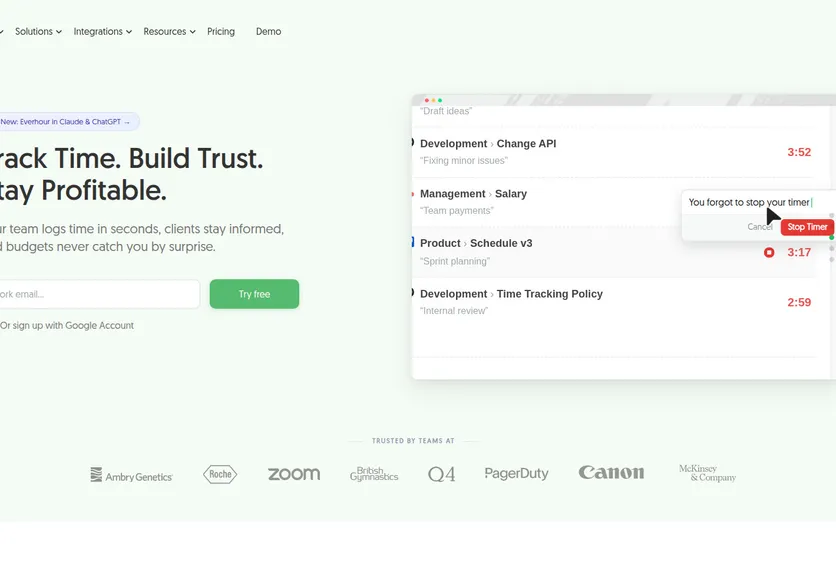
When the production schedule already lives in Asana or Jira, this Everhour plan costs eight dollars and fifty cents per user a month billed annually and puts its timer inside those tools. Artists log time against real tasks instead of opening another app, and budget alerts flag a shot that is running long before the client notices. It suits a studio that wants time data where the work already happens.
What we like
- Timer lives inside Asana, Jira, Trello and ClickUp
- Budgets, alerts and invoicing in one plan
- No feature tiers to climb once you pay
Watch out for
- Five-seat minimum makes small teams pay for empty seats
- No screenshots or shift scheduling
How to try it
- Connect Everhour to the project tool the team already uses
- Set a budget and a billable rate on each project
- Check the burn rate before the weekly status meeting
5. Timely
Best for: Teams that forget to start timers
Paid tool Starting price: $9/user/month · Nine dollars per user a month on Starter billed annually ($11 billed monthly); Premium is $16 a user a month billed annually ($20 monthly); Unlimited is $22 ($28 monthly); Starter caps at five users and twenty projects
Free plan: No free plan; 14-day free trial
Animators forget to start timers between renders, so automatic capture matters, and this Timely plan costs nine dollars per user a month billed annually to draft timesheets from computer activity. Its memory view shows which app and document filled each hour, then files the time into the right project with a click. It is the best fit for a studio whose artists hate manual logging.
What we like
- Automatic capture drafts timesheets from computer activity
- AI sorting files hours into the right projects
- Memory shows what was worked on without screenshots
Watch out for
- Starter caps at five users and twenty projects
- No permanent free tier, only a trial
How to try it
- Connect calendars and apps so Timely can capture activity
- Review the drafted timesheet and confirm the project splits
- Send the approved hours to billing or payroll
6. TimeCamp
Best for: Teams that want attendance beside time
Paid tool Starting price: $3.99/user/month · Three dollars and ninety-nine cents per user a month on Starter billed annually ($5.49 billed monthly); Premium is $6.99 a user a month billed annually ($9.99 monthly); Ultimate is $9.99 ($13.99 monthly); prices rose in early 2026, so older two-dollar-ninety-nine-cent listings are stale
Free plan: Free plan (unlimited users)
A studio that needs attendance records beside its timers finds them here, because this TimeCamp plan costs three dollars and ninety-nine cents per user a month billed annually. Its automatic tracking fills the timesheet while artists work, and the free plan covers unlimited users, so a growing crew pays nothing to start. Invoicing and overtime tracking arrive on the paid tiers when the studio needs them.
What we like
- Free plan covers unlimited users and projects
- Automatic tracking plus GPS on the free tier
- Attendance, time off and invoicing from Starter
Watch out for
- Only one project integration on Premium
- Approvals and screenshots need Ultimate
How to try it
- Invite the team and create projects with billable rates
- Let automatic tracking fill the timesheet
- Approve the week and export the invoice data
7. Paymo
Best for: Small teams that want tasks plus billing
Paid tool Starting price: $5.90/user/month · Five dollars and ninety cents per user a month on Starter billed annually ($9.90 billed monthly); Small Office is $10.90 a user a month billed annually ($15.90 monthly); Business is $16.90 ($23.90 monthly); some listings show older four-dollar-ninety-five-cent figures, which are stale
Free plan: Free plan (1 user)
Studios that want tasks, time and invoicing in one workspace get all three here, since this Paymo plan costs five dollars and ninety cents per user a month billed annually. Its kanban boards and project templates repeat a familiar setup for each new production, and the logged hours flow straight into client invoices. It is the all-in-one pick for a studio that would rather run one tool than three.
What we like
- Tasks, time tracking and invoicing in one workspace
- Project templates repeat a familiar setup fast
- Gantt charts and profitability on higher tiers
Watch out for
- Free plan covers one user only
- Resource scheduling needs the Business tier
How to try it
- Set up the project with tasks and a billable rate
- Track time against tasks from the desktop or mobile app
- Invoice the client from the logged hours
8. RescueTime
Best for: Knowledge workers who want focus data
Paid tool Starting price: $10/user/month · Ten dollars per user a month on Team billed annually ($12 billed monthly); Team+ is $16 a user a month billed annually ($18 monthly); solo plans are Solo Focus at $7 a month billed annually ($9 monthly) and Solo+ at $12 ($15 monthly); older listings showing a six-dollar Teams rate are stale
Free plan: Free Lite plan
Creative teams lose hours to reference browsing and chat, and this RescueTime plan costs ten dollars per user a month billed annually to show where that time actually went. Its automatic tracking needs no timers at all, and Focus Sessions block distracting sites when a deadline looms. For a studio lead who wants focus data without screenshots, it is the gentlest option here.
What we like
- Automatic tracking with no timers to remember
- Focus Sessions block distracting sites on demand
- No screenshots, so staff accept it more easily
Watch out for
- Team plans have no project budgeting or invoicing
- Productivity scores need a week of data to settle
How to try it
- Install the app and let it record app and site use
- Set productivity goals for the apps that matter
- Review the weekly focus report with the team
Prices above were checked on each vendor’s own website on Nov 29, 2026 and can change — the vendor’s page is the final word. Vendor links are editorial: nobody paid to be listed or ranked here. Vendors who want a featured listing can see how it works on our Get listed page.
The time tracking software for animation studios, compared
Start by tracking one real production for two weeks before you choose, because a studio learns more from live data than from a feature list. Put every artist on the same timer, tag each entry with a shot and a client, and check at the end of the week whether the hours match the estimate. If a shot is overrunning, the budget alert should have caught it early, not at invoice time. Keep the tool the artists will actually use, since a perfect tracker that nobody opens is worth nothing.
Before you buy
- Confirm the tool tracks time by shot and client, not just by day, so hours land on the right production
- Check whether invoicing runs from tracked hours or needs a second app to bill the client
- Test the timer on the devices artists actually use, including tablets and phones
- Ask if automatic tracking is available for artists who forget to start timers
- Make sure the free tier or trial covers the whole studio before you commit to a paid plan
Official websites
Official websites of the products reviewed above. Features and prices were checked against these sites when this guide was written, and they can change, so confirm on the vendor site before you buy.
Frequently asked questions
What is the best time tracking software for animation studios?
Toggl Track is the best overall pick for animation studios, at nine dollars per user a month billed annually, because its one-click timer follows artists across web, desktop and mobile without slowing them down. Harvest is the better choice when client billing matters most, since it turns tracked hours into invoices with budget alerts. Clockify is the cheapest honest option, with a free tier for five users.
How much does Toggl Track cost for a studio?
Toggl Track costs nine dollars per user a month on Starter billed annually, or twelve dollars billed monthly, and that plan adds billable rates, project estimates and team reports. Premium costs sixteen dollars a user a month billed annually and adds profitability reports, timesheet approvals and single sign-on. A free plan covers up to three users, so a tiny studio can start without paying.
Can an animation studio track time for free?
Yes, with Clockify, which offers a free plan for up to five users with unlimited projects, and TimeCamp, whose free plan covers unlimited users and projects. Toggl Track also has a free plan for up to three users, and Everhour is free for up to five seats. Free tiers suit a small studio, but invoicing and approvals usually need a paid plan.
Do animation studios need automatic time tracking?
It helps a lot, because artists forget to start timers between renders and reviews, and those forgotten hours are billable time lost. Timely drafts timesheets from computer activity, TimeCamp and DeskTime track automatically too, and RescueTime shows where attention actually went. A studio that bills by the shot should at least trial one automatic tracker before choosing.
Which tool is best for a small animation studio?
Clockify is the best value for a small studio, at three dollars and ninety-nine cents per user a month billed annually, with a free tier for five users and invoicing from the Standard plan. Toggl Track is the better pick if the studio bills clients by the hour and wants the fastest timer. Paymo suits a studio that also wants tasks and invoicing in one workspace.
Compare the eight tools above, then start with a free plan or trial on the tool that matches how the studio already works before paying for a full year.
Browse Productivity Tools tools