On this page
Engineering consultancies bill for expertise by the hour, so the timer has to capture site visits, design time and review cycles accurately, and the hours have to reach the invoice without leaking. The eight tools below cover that job for consultancies of every size, from a solo engineer to a multi-discipline practice. Harvest leads because it turns tracked time into invoices in a few clicks for nine dollars per user a month, and the rest are ranked on how little billable time slips through.
How we researched this
We checked every price on the vendor pricing page on November 29, 2026, and only included tools with a published US dollar list price. Quote-only time trackers and tools that publish no prices are not in this list, and prices change, so confirm the current figure on the vendor site before you buy.
Compare the tools
| Name | Best for | Starting price | Free plan | |
|---|---|---|---|---|
 Harvest | Firms that turn hours into invoices | $9/user/month | Free plan (1 seat, 2 projects) | Visit |
 Everhour | Teams already living in Asana or Jira | $8.50/user/month | Free plan (up to 5 seats) | Visit |
 Toggl Track | Teams that bill clients by the hour | $9/user/month | Free plan (up to 3 users) | Visit |
 Clockify | Small teams that want a low entry price | $3.99/user/month | Free plan (up to 5 users) | Visit |
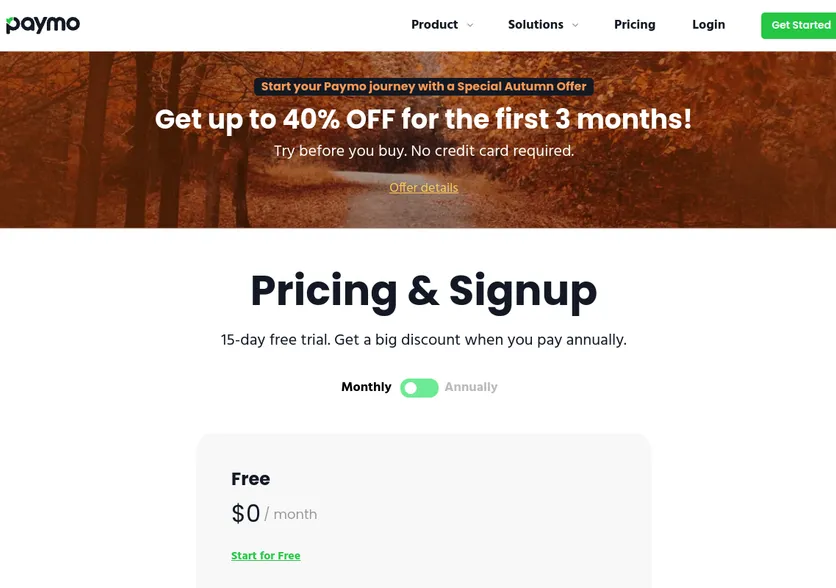
 Paymo | Small teams that want tasks plus billing | $5.90/user/month | Free plan (1 user) | Visit |
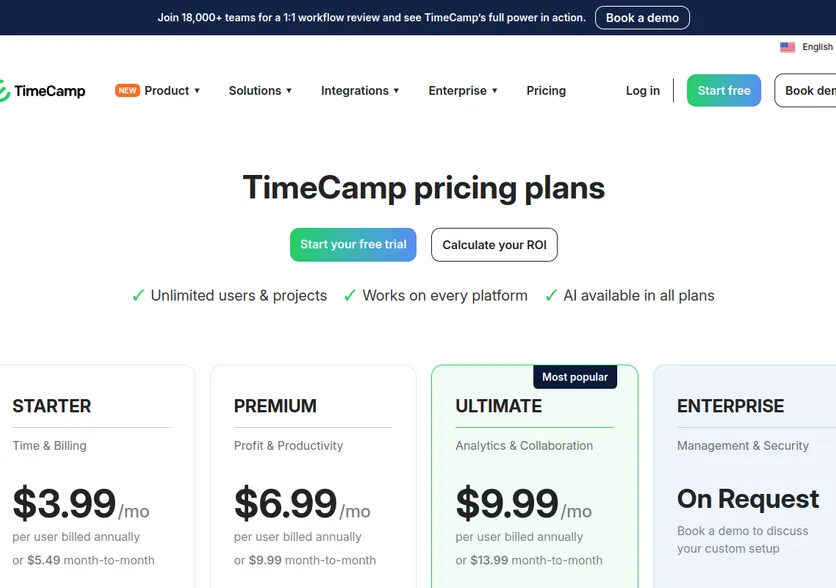
 TimeCamp | Teams that want attendance beside time | $3.99/user/month | Free plan (unlimited users) | Visit |
 QuickBooks Time | Field crews already on QuickBooks | $20/month + $10/user/month | No free plan; 30-day free trial | Visit |
 TrackingTime | Small teams that want low-cost tracking | $4.50/user/month | Free plan (unlimited users) | Visit |
The time tracking software for engineering consultancies, compared
1. Harvest
Best for: Firms that turn hours into invoices
Paid tool Starting price: $9/user/month · Nine dollars per user a month on Teams billed annually ($11 billed monthly); Enterprise is $14 a user a month billed annually ($17.50 monthly); usage charges for extra projects, clients, tasks and invoices can apply on paid plans, and the vendor does not publish those rates
Free plan: Free plan (1 seat, 2 projects)
Engineering consultancies bill for expertise by the hour, and this Harvest plan costs nine dollars per user a month billed annually to turn those hours into invoices without leakage. Its budgets warn before a design engagement overruns, and expenses sit beside the timer so site visits land on the right project. For a consultancy whose margin lives in its hours, the direct timer-to-invoice path is the deciding feature.

What we like
- Turns tracked time into invoices in a few clicks
- Budget alerts flag projects before they overrun
- Expense tracking sits beside the timer
Watch out for
- Usage charges can push the bill above the headline rate
- No screenshots or activity monitoring for managers
How to try it
- Create a client and project, then start the timer
- Log expenses against the same project as you go
- Send the invoice from the tracked hours at month end
2. Everhour
Best for: Teams already living in Asana or Jira
Paid tool Starting price: $8.50/user/month · Eight dollars and fifty cents per user a month on Team billed annually ($10 billed monthly); the Team plan has a five-seat minimum, so the smallest paid bill is $42.50 a month; Custom is quoted from fifty seats
Free plan: Free plan (up to 5 seats)
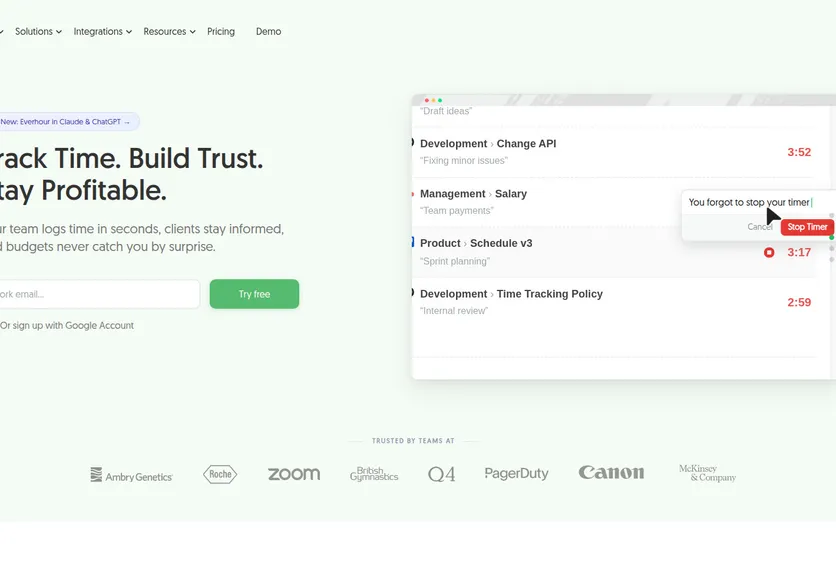
Engineering work already lives in Jira or Asana, so the timer should too, and this Everhour plan costs eight dollars and fifty cents per user a month billed annually to put it there. Its budgets and alerts keep each engagement inside its quoted hours, and the built-in invoicing closes the loop without exporting data. It is the best fit for an engineering consultancy that runs its projects in a tracker already.
What we like
- Timer lives inside Asana, Jira, Trello and ClickUp
- Budgets, alerts and invoicing in one plan
- No feature tiers to climb once you pay
Watch out for
- Five-seat minimum makes small teams pay for empty seats
- No screenshots or shift scheduling
How to try it
- Connect Everhour to the project tool the team already uses
- Set a budget and a billable rate on each project
- Check the burn rate before the weekly status meeting
3. Toggl Track
Best for: Teams that bill clients by the hour
Paid tool Starting price: $9/user/month · Nine dollars per user a month on Starter billed annually ($12 billed monthly); Premium is $16 a user a month billed annually ($24 monthly); some older listings still show Premium at $18 a month, so confirm at checkout
Free plan: Free plan (up to 3 users)
Engineers hate admin, so the timer must be instant, and this Toggl Track plan costs nine dollars per user a month billed annually for a one-click start on any device. Its billable rates and project estimates keep multi-client engagements priced honestly, and the reports show which projects consume the most engineering time. It is the fastest timer here for a busy consultancy.

What we like
- One-click timer on web, desktop and mobile
- Billable rates and project estimates on Starter
- Calendar and project-tool integrations included
Watch out for
- Free plan covers only three users
- Profitability reports need the Premium tier
How to try it
- Start the timer from the browser extension when work begins
- Assign the entry to a client, project and task
- Review the weekly report and export the billable hours
4. Clockify
Best for: Small teams that want a low entry price
Paid tool Starting price: $3.99/user/month · Three dollars and ninety-nine cents per user a month on Basic billed annually ($4.99 billed monthly); Standard is $5.49 a user a month billed annually ($6.99 monthly); Pro is $7.99 ($9.99 monthly) and Enterprise is $11.99 ($14.99 monthly)
Free plan: Free plan (up to 5 users)
An engineering consultancy watching its overhead gets the cheapest honest tracker here, since this Clockify plan costs three dollars and ninety-nine cents per user a month billed annually. Its Standard tier adds invoicing and approvals, so tracked hours become client bills, and the free tier covers five users for a small practice testing the waters. It proves accurate billing does not need a big subscription.

What we like
- Free plan covers five users with unlimited projects
- Kiosk mode turns a shared device into a time clock
- Invoicing starts on the Standard tier
Watch out for
- Every invited user takes a paid seat, including admins
- Reports feel basic next to pricier rivals
How to try it
- Start the timer or enter hours on the timesheet
- Tag each entry with a project and a billable rate
- Approve the week and export the report for payroll
5. Paymo
Best for: Small teams that want tasks plus billing
Paid tool Starting price: $5.90/user/month · Five dollars and ninety cents per user a month on Starter billed annually ($9.90 billed monthly); Small Office is $10.90 a user a month billed annually ($15.90 monthly); Business is $16.90 ($23.90 monthly); some listings show older four-dollar-ninety-five-cent figures, which are stale
Free plan: Free plan (1 user)
Engineering consultancies juggle tasks, budgets and invoices at once, and this Paymo plan costs five dollars and ninety cents per user a month billed annually to hold all three in one workspace. Its Gantt charts and profitability reports turn tracked hours into project insight, and the templates repeat the setup for each new engagement. It is the all-in-one pick for a consultancy outgrowing a bare timer.
What we like
- Tasks, time tracking and invoicing in one workspace
- Project templates repeat a familiar setup fast
- Gantt charts and profitability on higher tiers
Watch out for
- Free plan covers one user only
- Resource scheduling needs the Business tier
How to try it
- Set up the project with tasks and a billable rate
- Track time against tasks from the desktop or mobile app
- Invoice the client from the logged hours
6. TimeCamp
Best for: Teams that want attendance beside time
Paid tool Starting price: $3.99/user/month · Three dollars and ninety-nine cents per user a month on Starter billed annually ($5.49 billed monthly); Premium is $6.99 a user a month billed annually ($9.99 monthly); Ultimate is $9.99 ($13.99 monthly); prices rose in early 2026, so older two-dollar-ninety-nine-cent listings are stale
Free plan: Free plan (unlimited users)
A small engineering consultancy gets attendance and invoicing cheaply here, because this TimeCamp plan costs three dollars and ninety-nine cents per user a month billed annually. Its automatic tracking catches site and office hours that manual entry misses, and the free plan covers unlimited users, so a growing practice pays nothing to start. It is the best value entry point in this list.
What we like
- Free plan covers unlimited users and projects
- Automatic tracking plus GPS on the free tier
- Attendance, time off and invoicing from Starter
Watch out for
- Only one project integration on Premium
- Approvals and screenshots need Ultimate
How to try it
- Invite the team and create projects with billable rates
- Let automatic tracking fill the timesheet
- Approve the week and export the invoice data
7. QuickBooks Time
Best for: Field crews already on QuickBooks
Paid tool Starting price: $20/month + $10/user/month · Twenty dollars a month base plus ten dollars per user a month on Time Premium; Time Elite is forty dollars a month base plus twelve dollars per user a month; the base fee includes one admin; the base fee is discounted for the first three months; a QuickBooks Online account is required
Free plan: No free plan; 30-day free trial
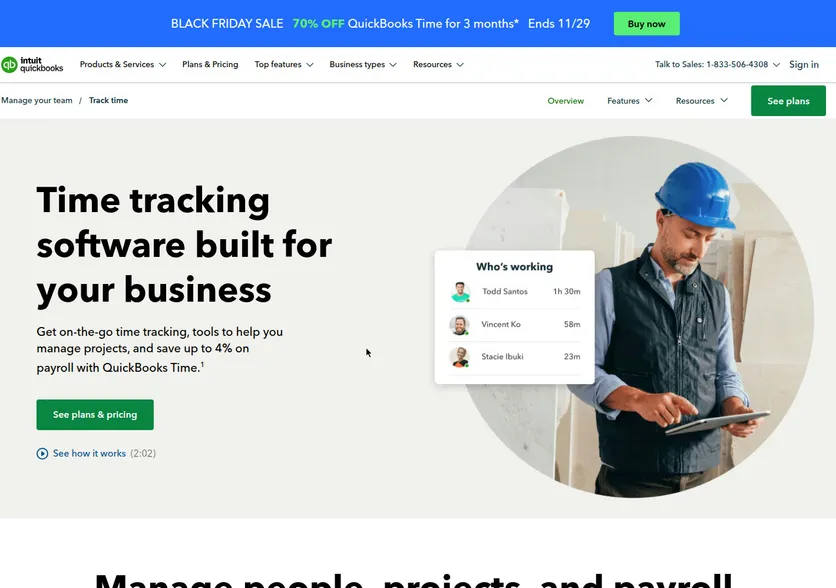
Engineering firms that already run QuickBooks should track time inside it, and this QuickBooks Time plan costs twenty dollars a month base plus ten dollars per user a month for the Premium tier. Its GPS-stamped mobile clock-ins prove site attendance, and the hours flow straight into QuickBooks payroll and invoicing. It is the only tool here that closes the loop with the accounting the firm already uses.
What we like
- GPS-stamped mobile clock-ins with geofencing on Elite
- Time flows straight into QuickBooks payroll
- Photo attachments prove who was on site
Watch out for
- Base fee applies before anyone clocks in
- Requires a QuickBooks Online account
How to try it
- Set up jobs and schedules in the Workforce app
- Have staff clock in from the mobile app on site
- Approve timesheets and sync them to payroll
8. TrackingTime
Best for: Small teams that want low-cost tracking
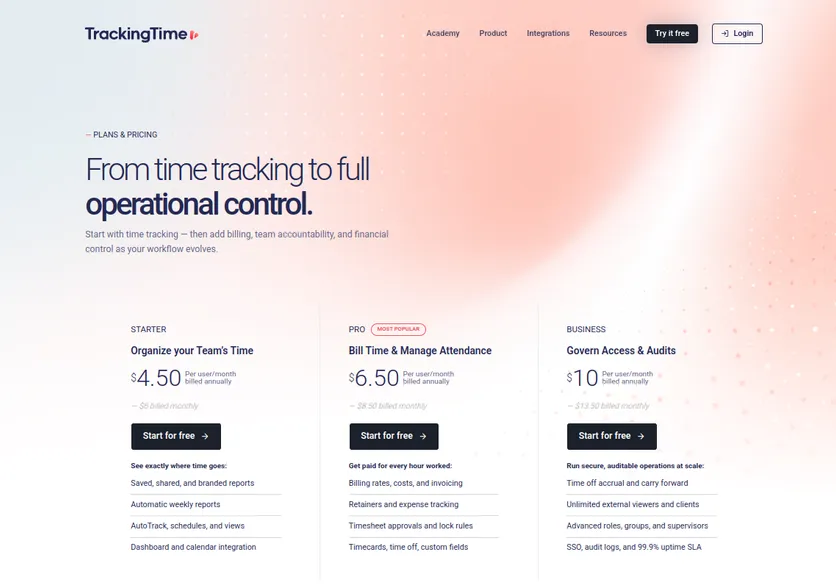
Paid tool Starting price: $4.50/user/month · Four dollars and fifty cents per user a month on Starter billed annually ($6 billed monthly); Pro is $6.50 a user a month billed annually ($8.50 monthly); Business is $10 ($13.50 monthly); plans changed in November 2026, so older three-dollar-seventy-five-cent figures are stale
Free plan: Free plan (unlimited users)
A consultancy that wants client-ready reports at a low price finds them here, since this TrackingTime plan costs four dollars and fifty cents per user a month billed annually. Its branded reports show clients exactly what they paid for, and AutoTrack fills the timesheet from real app usage, while Pro adds billing rates and invoicing. It is the cheapest invoicing tracker here after the free tier.
What we like
- Free plan covers unlimited users and projects
- AutoTrack fills timesheets from app usage
- Client reports and scheduling built in
Watch out for
- Starter and Pro need a two-user minimum
- Invoicing and approvals need the Pro tier
How to try it
- Create projects and invite the team
- Start timers from the desktop app or browser
- Share the branded client report at month end
Prices above were checked on each vendor’s own website on Nov 29, 2026 and can change — the vendor’s page is the final word. Vendor links are editorial: nobody paid to be listed or ranked here. Vendors who want a featured listing can see how it works on our Get listed page.
The time tracking software for engineering consultancies, compared
Start by mapping every engagement to a project and a rate before you pick a tool, because engineering time tracked against the wrong project bills the wrong client. Run one real billing cycle inside the trial, from timer to invoice, and compare the billed total against last month. If the new total is higher, the tool paid for itself by catching hours you used to lose. Keep the workflow your engineers will actually follow, since a perfect process that nobody uses bills nothing. A tool that cannot invoice from the hours it tracks is only half a tool for an engineering practice.
Before you buy
- Confirm the tool tracks site visits and office design time under one project
- Check whether billable rates can vary by client, project and seniority
- Test the timer inside the project tool the practice already uses, if one exists
- Ask if budget alerts warn before an engineering engagement overruns its quote
- Make sure the free tier or trial covers a full billing cycle before you pay
Official websites
Official websites of the products reviewed above. Features and prices were checked against these sites when this guide was written, and they can change, so confirm on the vendor site before you buy.
Frequently asked questions
What is the best time tracking software for engineering consultancies?
Harvest is the best overall pick for engineering consultancies, at nine dollars per user a month billed annually, because it turns tracked time into invoices in a few clicks with budget alerts and expense tracking built in. Everhour is the best choice for practices already in Jira or Asana, at eight dollars and fifty cents a user a month. Toggl Track is the fastest timer for a solo engineer.
How much does Harvest cost per user?
Harvest costs nine dollars per user a month on Teams billed annually, or eleven dollars billed monthly, and that plan includes unlimited seats, team reporting and invoicing. Enterprise costs fourteen dollars a user a month billed annually and adds profitability reporting, timesheet approvals and single sign-on. Usage charges for extra projects, clients, tasks and invoices can apply, and the vendor does not publish those rates.
Can an engineering consultancy track time for free?
Yes, with Clockify, which offers a free plan for up to five users with unlimited projects, and TimeCamp, whose free plan covers unlimited users and projects. Toggl Track is free for up to three users, and Everhour is free for up to five seats. Free tiers track hours well, but invoicing usually needs a paid plan, so check where billing starts.
Should engineers track time inside Jira or Asana?
Yes, if the practice already manages engineering work there, because a timer inside the project tool gets used while a separate app gets forgotten. Everhour puts its timer inside Jira, Asana, Trello and ClickUp for eight dollars and fifty cents a user a month billed annually. Practices without a project tool are better served by Harvest or Toggl Track.
Which tool is best for a small engineering consultancy?
Harvest is the best pick for a small engineering consultancy that bills by the hour, at nine dollars per user a month billed annually, because its timer-to-invoice path is the shortest in this list. Clockify is the cheapest option, from three dollars and ninety-nine cents a user a month. QuickBooks Time suits a firm already running QuickBooks.
Compare the eight tools above, then run one real billing cycle inside a free trial before paying for a full year.
Browse Productivity Tools tools