On this page
A small warehouse runs on a handful of people who pick, pack, receive and answer the phone, so the labour tool has to be simple, cheap and usable from a pocket. The eight tools below roster and clock in small teams, from genuinely free plans to a couple of dollars per person a month. Homebase leads because its free Basic plan covers a whole location and the first paid plan is twenty-four dollars a month, and the rest are ranked on how well they fit a team of ten or twenty.
How we researched this
We checked every price on the vendor pricing page on November 29, 2026, and only included tools with a published US dollar list price. The big enterprise warehouse systems that sell by quote, including Manhattan, Blue Yonder, SAP EWM, Oracle WMS, Deposco and Logiwa, publish no prices, so they are not in this list. Prices change, so confirm the current figure on the vendor site before you buy.
Compare the tools
| Name | Best for | Starting price | Free plan | |
|---|---|---|---|---|
 Deputy | Small teams outgrowing a group-chat roster | $5/user/month | No free plan; 30-day free trial | Visit |
 Connecteam | Teams of ten or fewer paying nothing | $29/month | Free Small Business plan for up to 10 users | Visit |
 When I Work | Tiny warehouses needing the cheapest roster | $2.50/user/month | No free plan; 14-day free trial | Visit |
 7shifts | Small warehouses tying rosters to orders | $39.99/location/month | Free Comp plan for 1 location, up to 15 employees | Visit |
 Homebase | Warehouses of ten or twenty people | $24/location/month | Free Basic plan for 1 location and up to 10 employees | Visit |
 Sling | Teams of up to thirty on the free plan | $1.70/user/month | Free plan for up to 30 users | Visit |
 Sortly | Small warehouses needing stock control too | $49/month | Free plan at $0 with 100 unique items and 1 user | Visit |
 Zoho Inventory | Small warehouses needing stock records too | $29/month | Free plan with 50 orders a month and 1 user; 14-day trial | Visit |
The warehouse labor management software for small warehouses, compared
1. Deputy
Best for: Small teams outgrowing a group-chat roster
Paid tool Starting price: $5/user/month · Five dollars per user a month on Lite billed annually (five dollars and fifty cents billed monthly); Core is six dollars and fifty cents and Pro is nine dollars per user a month; monthly plans carry a thirty-dollar minimum spend per invoice; the four dollar and fifty cent figure in older listings was the scheduling-only rate and is superseded
Free plan: No free plan; 30-day free trial
A small warehouse that wants a proper roster without a big bill starts well here, since this Deputy plan costs five dollars per user a month billed annually. It builds rosters around demand, tracks time with a biometric clock and shows the labour budget before the shift starts. It is the best value here for a team that has outgrown a group chat roster.

What we like
- Auto-scheduling builds rosters around demand
- Biometric time clock stops buddy punching
- Labor budgets show cost before the shift starts
Watch out for
- Thirty-dollar monthly minimum spend per invoice
- HR and payroll cost extra as add-ons
How to try it
- Import the team and set pay rates and roles
- Publish the first roster with auto-scheduling
- Review timesheets and approve them for payroll
2. Connecteam
Best for: Teams of ten or fewer paying nothing
Paid tool Starting price: $29/month · Twenty-nine dollars a month per hub on Basic billed annually (thirty-five dollars billed monthly), covering the first thirty users; Advanced is forty-nine dollars and Expert is ninety-nine dollars a month per hub; each hub is billed separately, so all three hubs on Basic cost eighty-seven dollars a month
Free plan: Free Small Business plan for up to 10 users
A warehouse with ten people or fewer pays nothing at all here, because this Connecteam plan costs twenty-nine dollars a month per hub billed annually. The free Small Business plan covers up to ten users with every hub, and the paid Operations hub adds scheduling, time clock and checklists. It fits a small team that wants one mobile app for the whole working day.

What we like
- Free for teams of up to ten users
- Scheduling, time clock and chat in one app
- Flat price covers the first thirty users per hub
Watch out for
- Each hub is billed separately, so the full suite costs three times the entry price
- Advanced scheduling needs the Advanced hub
How to try it
- Add the team and set up the Operations hub
- Publish the weekly schedule to the mobile app
- Review clock-ins and approve timesheets
3. When I Work
Best for: Tiny warehouses needing the cheapest roster
Paid tool Starting price: $2.50/user/month · Two dollars and fifty cents per user a month for a single location or schedule; multiple locations or schedules cost five dollars per user a month; some listings show a Premium tier at eight dollars, which the vendor pricing page does not confirm as a separate plan
Free plan: No free plan; 14-day free trial
A tiny warehouse that needs the cheapest possible roster will find it here, since this When I Work plan costs two dollars and fifty cents per user a month. It covers scheduling, time tracking and team messaging in both plans, with auto-scheduling on the entry tier. It is the lowest per-user price in this list for a single-site warehouse.

What we like
- Cheapest per-user scheduling in this list
- Auto-scheduling on the entry plan
- Time clock and messaging included in both plans
Watch out for
- Seats bill in bundles of five or ten
- Custom reporting needs the five-dollar plan
How to try it
- Add staff and set their availability
- Publish the schedule and let staff swap shifts in the app
- Review timesheets and export them to payroll
4. 7shifts
Best for: Small warehouses tying rosters to orders
Paid tool Starting price: $39.99/location/month · Thirty-nine dollars and ninety-nine cents per location a month on Essentials billed annually (forty-four dollars and ninety-nine cents billed monthly), for up to thirty employees; Pro is seventy-nine dollars and ninety-nine cents and Premium is one hundred and thirty-four dollars and ninety-nine cents a location a month billed annually
Free plan: Free Comp plan for 1 location, up to 15 employees
A small warehouse that plans shifts against orders will like the forecasting here, because this 7shifts plan costs thirty-nine dollars and ninety-nine cents per location a month billed annually. It builds schedules from the sales forecast, tracks time and labour budgets, and the free Comp plan covers one location with up to fifteen employees. It fits a warehouse that wants the roster tied to the order book.

What we like
- Sales-based labor forecasting for shift planning
- Tip pooling and payroll tools built in
- Free Comp plan for one location
Watch out for
- Headcount caps push growing teams up a tier
- Built for restaurants, so warehouse teams get less value
How to try it
- Add the team and set roles and availability
- Build the schedule against the sales forecast
- Review labor cost against budget each week
5. Homebase
Best for: Warehouses of ten or twenty people
Paid tool Starting price: $24/location/month · Twenty-four dollars per location a month on Essentials billed annually (thirty dollars billed monthly); Plus is fifty-six dollars and All-in-One is ninety-six dollars a location a month billed annually; payroll is a separate add-on at forty-nine dollars a month plus six dollars per employee paid
Free plan: Free Basic plan for 1 location and up to 10 employees
A small warehouse should not pay for a roster it can get free, and this Homebase plan costs twenty-four dollars per location a month billed annually. The free Basic plan covers one location with up to ten employees, and paid plans carry unlimited team members, so the bill stays flat as the team grows. It is the best overall pick here for a warehouse of ten or twenty people.

What we like
- Free Basic plan for one location
- Price stays flat as headcount grows
- AI schedule builder on Plus
Watch out for
- Payroll is a separate add-on at forty-nine dollars plus six per employee
- Labor cost analytics need the All-in-One plan
How to try it
- Add the team and set up one location
- Publish the schedule and open the time clock
- Review hours and approve timesheets for payroll
6. Sling
Best for: Teams of up to thirty on the free plan
Paid tool Starting price: $1.70/user/month · One dollar and seventy cents per user a month on Premium billed annually; the free plan covers up to thirty users; Business is four dollars per user a month and adds auto-scheduling and labor reports
Free plan: Free plan for up to 30 users
A warehouse with thirty people or fewer can roster for free here, since this Sling plan costs one dollar and seventy cents per user a month billed annually. The free plan covers up to thirty users, and the paid plan adds auto-scheduling and labour reports. It is the most generous free tier in this list for a small warehouse team.

What we like
- Free plan covers up to thirty users
- Simple scheduling with shift swaps built in
- Cheapest paid plan in this list
Watch out for
- Auto-scheduling needs the Business plan
- Labor reports are basic next to Deputy
How to try it
- Add the team and set availability
- Publish shifts and let staff claim open ones
- Approve timesheets at the end of the week
7. Sortly
Best for: Small warehouses needing stock control too
Paid tool Starting price: $49/month · Forty-nine dollars a month for the Advanced plan billed monthly, covering five hundred items and two users; the twenty-four dollars a month yearly figure is a fifty percent first-year promotion only, and from year two yearly plans renew at twenty percent off the monthly rate; Ultra is one hundred and forty-nine dollars and Premium is two hundred and ninety-nine dollars a month
Free plan: Free plan at $0 with 100 unique items and 1 user
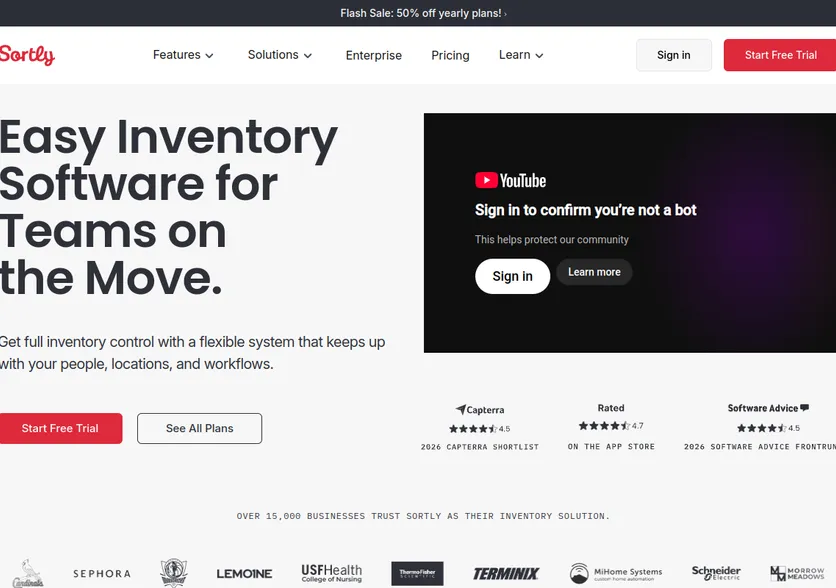
Labour is only half the small warehouse problem, and this Sortly plan costs forty-nine dollars a month for five hundred items and two users. Phone scanning, photos and low-stock alerts keep the shelves right, so the small team spends its time picking instead of hunting. It is the pick here for a warehouse that needs stock control beside the roster.
What we like
- Phone scanning makes stock checks fast on the warehouse floor
- Photos on every item stop lookalike parts being confused
- Sets up in an afternoon with no training needed
Watch out for
- Two users on Advanced, so bigger teams pay for Ultra
- No native accounting or purchase order depth
How to try it
- Photograph each part and add it with its bin location
- Print QR labels and stick them on every shelf
- Run a weekly cycle count from the phone app
8. Zoho Inventory
Best for: Small warehouses needing stock records too
Paid tool Starting price: $29/month · Twenty-nine dollars a month billed annually on Standard (thirty-nine dollars billed monthly); Professional is seventy-nine dollars, Premium is one hundred and twenty-nine dollars and Enterprise is two hundred and forty-nine dollars a month billed annually; the free plan covers fifty orders a month
Free plan: Free plan with 50 orders a month and 1 user; 14-day trial
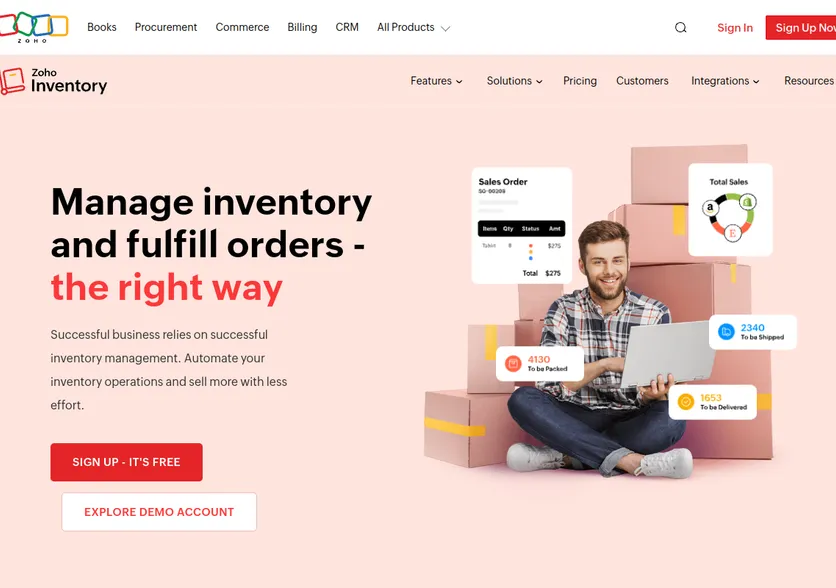
A small warehouse that needs stock records as well as a roster starts here, because this Zoho Inventory plan costs twenty-nine dollars a month billed annually. It covers item tracking, reorder points and purchase orders, and the free plan handles fifty orders a month. It is the cheapest way to give a small warehouse real stock records.
What we like
- Cheapest paid start in this list
- Free plan covers fifty orders a month
- Purchase orders and reorder points included
Watch out for
- One user on the free plan, so teams pay quickly
- No barcode scanning on the entry plan
How to try it
- Add parts with reorder points and supplier details
- Record every issue against a job or customer
- Raise purchase orders when stock hits the reorder point
Prices above were checked on each vendor’s own website on Nov 29, 2026 and can change — the vendor’s page is the final word. Vendor links are editorial: nobody paid to be listed or ranked here. Vendors who want a featured listing can see how it works on our Get listed page.
How to run a small warehouse team without an office
Start with a roster everyone can see on a phone, because a small team that does not know next week will ask the manager instead of working. Let staff swap shifts in the app and approve the swap in one tap, since a manager who handles every swap by text loses an hour a day. Clock in at the door from a phone or tablet, and the timesheet writes itself instead of being rebuilt from memory on Friday. Keep the free plan as long as it fits, and only pay when the team outgrows it, since a ten-person warehouse should not pay enterprise money for a roster.
Before you buy
- Confirm the free plan really covers the whole team, not just the manager and one picker
- Check whether staff can swap shifts in the app, since a small team covers for each other constantly
- Ask if the time clock works from a phone, because a small warehouse has no room for a kiosk
- Make sure the price stays flat or cheap as the team grows, so a good month does not punish the budget
- Test the tool on a real week before paying, including a swap, a late start and a sick call
Official websites
Official websites of the products reviewed above. Features and prices were checked against these sites when this guide was written, and they can change, so confirm on the vendor site before you buy.
Frequently asked questions
What is warehouse labor management software for small warehouses?
It is software that rosters a small warehouse team, tracks clock-ins and handles shift swaps from a phone, so a handful of people can pick, pack and receive without an office manager. Good tools are cheap or free at small team sizes, work from a mobile app, and turn clock-ins into a timesheet automatically.
How much does Homebase cost for a small warehouse?
Homebase costs nothing on the Basic plan, which covers one location with up to ten employees, including scheduling, time tracking and team messaging. The first paid plan, Essentials, is twenty-four dollars per location a month billed annually, or thirty dollars billed monthly, with unlimited team members and GPS time tracking.
Can a small warehouse manage labour for free?
Yes, with Homebase, which offers a free Basic plan for one location with up to ten employees, Connecteam, which is free for teams of up to ten users, and Sling, which is free for up to thirty users. All three are genuine free tiers rather than trials, so a small warehouse can run its roster without paying anything.
Do small warehouses need a time clock?
Yes, once more than a few people work the floor, because hours remembered on Friday are never as accurate as hours clocked at the door. Homebase, Deputy, Connecteam and When I Work all include a time clock, and Sling adds one on paid plans. A phone-based clock is enough for a small warehouse, with no kiosk hardware needed.
Which tool is best for a ten-person warehouse?
Homebase is the best value for a ten-person warehouse, since the free Basic plan covers exactly ten employees at one location. Connecteam is the better pick once the team passes ten, since its free plan also covers ten users and its paid hubs stay cheap. When I Work suits a warehouse that wants the cheapest per-user price at two dollars and fifty cents.
Compare the eight tools above, then start on a free plan with the tool that matches how the team already works before paying for anything.
Browse Business Tools tools