On this page
A professional services firm sells its people's time, so its planning tool has to show who is free, which projects pay and where the hours go. The seven tools below cover that job, from a profitability-first platform to simple time tracking that feeds the invoice. Productive leads because it ties every hour to profit by client, while the cheaper tools below suit smaller firms that want planning and billing without an enterprise sales call.
How we researched this
We checked every price on the vendor pricing page on November 29, 2026, and only included tools with a published US dollar list price. Workday Adaptive Planning, Anaplan, Oracle Fusion Cloud HCM, SAP SuccessFactors, Pigment, Vena and OneStream all sell by quote and publish no prices, so they are not in this list. Prices change, so confirm the current figure on the vendor site before you buy.
Compare the tools
| Name | Best for | Starting price | Free plan | |
|---|---|---|---|---|
 Productive | Consultancies that judge work by profit | $9/user/month | No free plan; 14-day free trial | Visit |
 BigTime | Firms that bill hours and want budgets enforced | $20/user/month | No free plan; free demo | Visit |
 Scoro | Firms that run the whole client lifecycle in one tool | $26/user/month | No free plan; 14-day free trial | Visit |
 Float | Firms that plan around people and capacity | $7/person/month | No free plan; 30-day free trial | Visit |
 Avaza | Small firms that want a flat price for the whole team | $11.95/month | Free plan | Visit |
 Harvest | Firms that want time tracking that feeds invoices | $10.80/seat/month | Free plan (1 seat, 2 projects) | Visit |
 Projectworks | Services firms that want delivery and finance together | $17/user/month | Free demo | Visit |
The workforce planning software for professional services firms, compared
1. Productive
Best for: Consultancies that judge work by profit
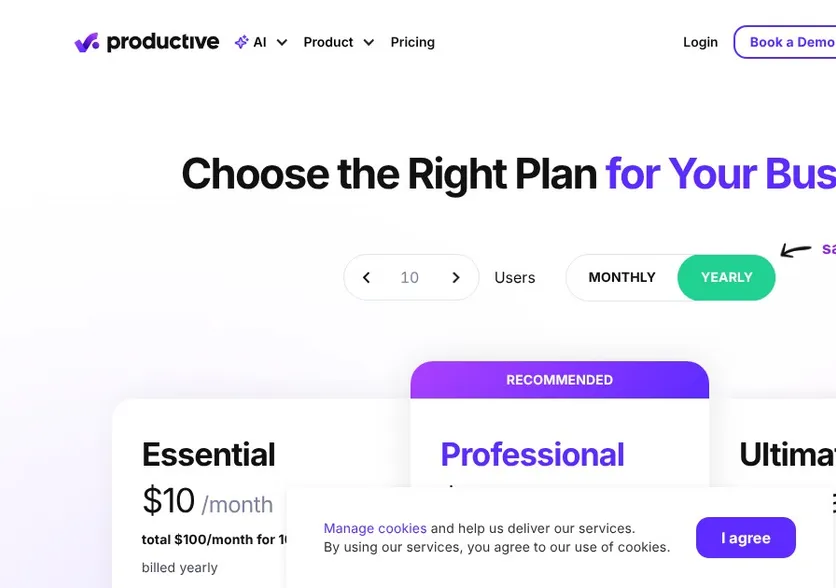
Paid tool Starting price: $9/user/month · Nine dollars per user a month billed annually on Essential (ten dollars billed monthly); Professional is twenty-four dollars billed annually (twenty-five dollars billed monthly, though one listing shows twenty-eight dollars); Ultimate is custom; three-seat minimum on every plan
Free plan: No free plan; 14-day free trial
For a consultancy that lives or dies on margins, this Productive plan costs nine dollars per user a month billed annually on Essential, and it answers the one question that matters: which clients make money. Budgets, time and invoices feed one profitability view, so a partner can spot the loss-making client before the next renewal. A three-seat minimum applies, which puts the smallest real bill at twenty-seven dollars a month.
What we like
- Live profitability by project, client and team
- Budgets, time and invoicing in one workflow
- Fourteen-day trial to test on real client work
Watch out for
- Three-seat minimum raises the real entry cost
- Resourcing and deeper reports need Professional
How to try it
- Add clients and projects with their budgets and rates
- Track time daily and watch profitability update live
- Review margins by client and re-price the losers
2. BigTime
Best for: Firms that bill hours and want budgets enforced
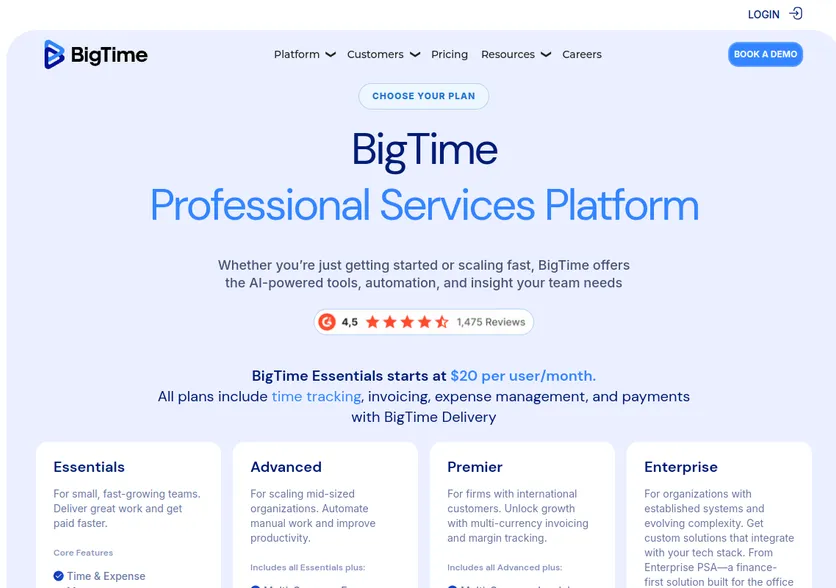
Paid tool Starting price: $20/user/month · From twenty dollars per user a month on Essentials, the only published price; Advanced, Premier and Enterprise are quote-only; the pricing page does not state a billing basis or a minimum user count
Free plan: No free plan; free demo
Professional services firms that bill by the hour need budgets that hold, and this BigTime plan costs twenty dollars per user a month from Essentials to do exactly that. Hours logged against a project update its budget in real time, and approved time turns into a client invoice without re-keying. Twenty dollars is the only figure the vendor publishes, so the higher tiers all need a sales conversation.
What we like
- Budgets update live as hours are logged
- Approved time becomes the invoice directly
- Built for firms that bill by the hour
Watch out for
- Only one price is published, so higher tiers need a quote
- No free plan and no free trial is listed
How to try it
- Create each engagement with a budget and billing rate
- Log hours and expenses as the work happens
- Approve the time and send the invoice from the same screen
3. Scoro
Best for: Firms that run the whole client lifecycle in one tool
Paid tool Starting price: $26/user/month · Twenty-six dollars per user a month billed annually on Essential (twenty-eight dollars billed monthly); Standard is thirty-seven dollars billed annually and Pro is sixty-three dollars billed annually; Ultimate is custom; five-seat minimum on every plan, so the real entry is one hundred and thirty dollars a month
Free plan: No free plan; 14-day free trial
When a firm wants the quote, the delivery and the invoice to live in one place, this Scoro plan costs twenty-six dollars per user a month billed annually on Essential. A quote converts into a live project, the team is scheduled against it, and the invoice goes out from the same record. The five-seat minimum is the catch, since the smallest real bill is one hundred and thirty dollars a month.

What we like
- Quote, delivery and invoicing in one record
- Utilisation views for the whole firm
- Pipeline and margin reports for partners
Watch out for
- Five-seat minimum makes the real entry one hundred and thirty dollars a month
- The setup takes longer than the simpler tools here
How to try it
- Send the quote and convert it into a live project
- Schedule the team and track time against the budget
- Invoice the client and check the margin on the job
4. Float
Best for: Firms that plan around people and capacity
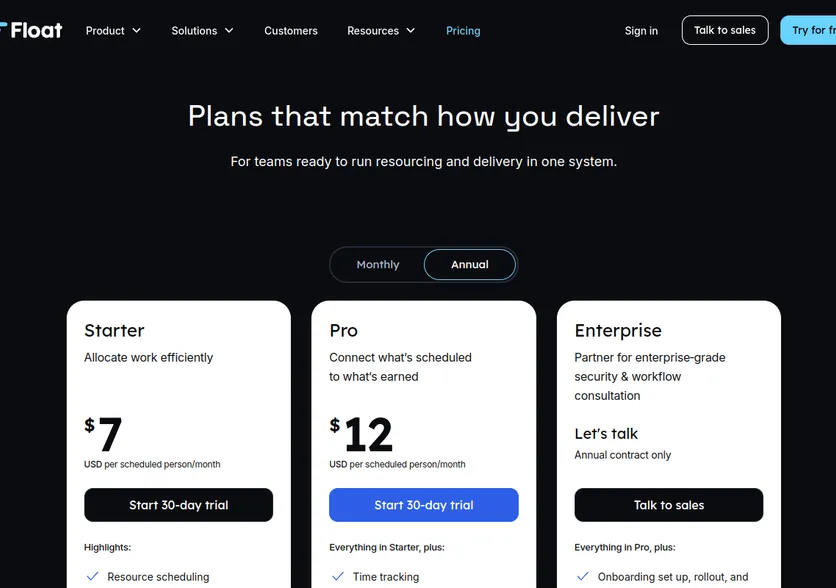
Paid tool Starting price: $7/person/month · Seven dollars per person a month billed annually on Starter (eight dollars and fifty cents billed monthly); Pro is twelve dollars billed annually (fourteen dollars billed monthly); Enterprise is by quote; only scheduled people are billed
Free plan: No free plan; 30-day free trial
Capacity is the bottleneck in a services firm, and this Float plan costs seven dollars per person a month billed annually on Starter to make it visible. One timeline shows who is booked, who is free and who is overloaded, so a manager can staff the next engagement with confidence. Billing only applies to scheduled people, which keeps part-timers and contractors cheap to carry.
What we like
- One timeline shows the whole firm's capacity
- Only scheduled people are billed
- Fast to set up compared with full PSA suites
Watch out for
- No free plan, only a thirty-day trial
- No invoicing or time tracking without other tools
How to try it
- Load the team with roles, capacity and time off
- Schedule engagements onto the shared timeline
- Check the heatmap weekly and rebalance before overload
5. Avaza
Best for: Small firms that want a flat price for the whole team
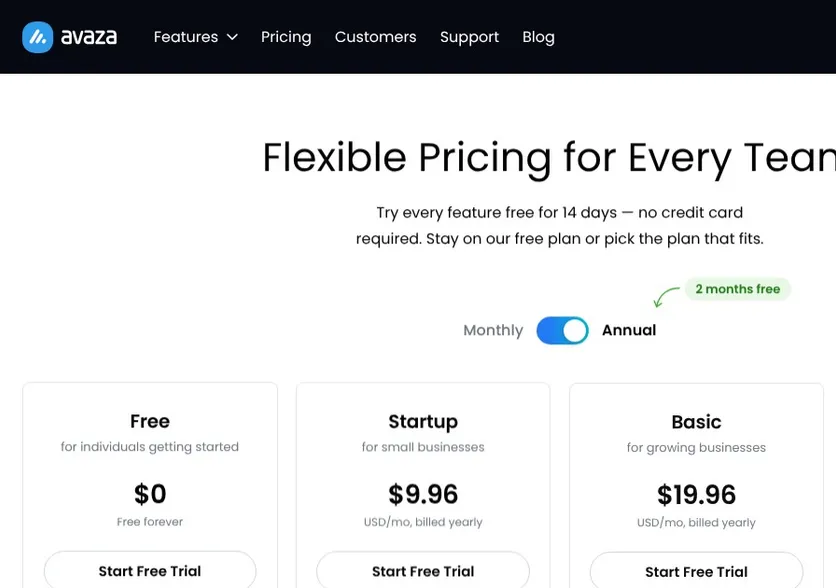
Paid tool Starting price: $11.95/month · Eleven dollars and ninety-five cents a month flat on Startup; Basic is twenty-three dollars and ninety-five cents and Business is forty-seven dollars and ninety-five cents; extra timesheet and admin users are seven dollars per user a month; one listing reports annual rates of nine dollars and ninety-six cents a month, but most sources show monthly billing only
Free plan: Free plan
A small firm that hates per-user maths will appreciate this Avaza plan, which costs eleven dollars and ninety-five cents a month flat on Startup no matter how many staff use it. Time tracking, scheduling, expense capture and invoicing are included, and a free plan covers a solo operator. The trade-off is depth: reporting and scheduling stay simpler than the dedicated tools in this list.
What we like
- Flat price that ignores headcount
- Free plan for a solo operator
- Time, expenses and invoicing together
Watch out for
- Flat pricing limits team size on the cheaper plans
- Reporting is lighter than the dedicated planning tools
How to try it
- Set up projects and invite the team to log time
- Schedule work and share files inside each project
- Invoice clients from the hours and expenses logged
6. Harvest
Best for: Firms that want time tracking that feeds invoices
Paid tool Starting price: $10.80/seat/month · Ten dollars and eighty cents per seat a month billed annually on Pro (twelve dollars billed monthly); Forecast add-on is five dollars per user a month; free plan covers one seat and two projects
Free plan: Free plan (1 seat, 2 projects)
Time is the product in a services firm, and this Harvest plan costs ten dollars and eighty cents per seat a month billed annually on Pro to track it properly. Timers run with one click, expenses attach to the same project, and the invoice is built from the hours already logged. A free plan with one seat and two projects lets a firm test it on live client work before paying.

What we like
- One-click timers the whole team will use
- Invoices built from hours already tracked
- Clear reports on project profit and team time
Watch out for
- Resource scheduling needs the Forecast add-on
- Project planning is lighter than the PSA tools here
How to try it
- Create the project with its budget and hourly rate
- Run the timer while working and add expenses as they arise
- Turn the tracked hours into an invoice for the client
7. Projectworks
Best for: Services firms that want delivery and finance together
Paid tool Starting price: $17/user/month · Seventeen dollars per user a month on Build; Scale is twenty-four dollars and Unleash is forty-one dollars per user a month
Free plan: Free demo
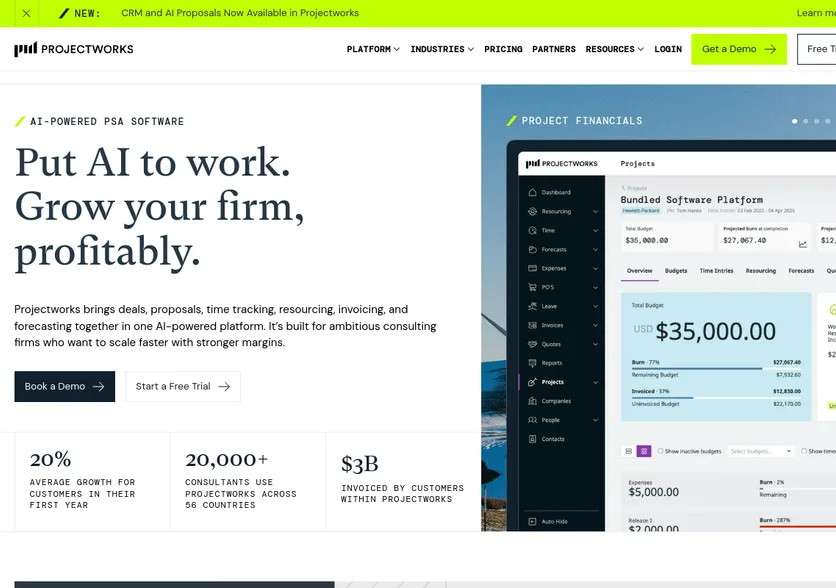
A services firm that wants project delivery and financial control in one system should shortlist this Projectworks plan, which costs seventeen dollars per user a month on Build. It tracks time, budgets and resourcing against the same project record, so the delivery lead and the finance lead finally look at the same numbers. Scale and Unleash add more depth for larger firms at twenty-four and forty-one dollars per user a month.
What we like
- Delivery and finance share one project record
- Time, budgets and resourcing tracked together
- Tiered plans that grow with the firm
Watch out for
- Free plan status was not separately verified
- Smaller vendor than the big PSA names in this list
How to try it
- Set up the project with its budget and resourcing plan
- Track time and costs against the same record
- Review delivery and margin together each month
Prices above were checked on each vendor’s own website on Nov 29, 2026 and can change — the vendor’s page is the final word. Vendor links are editorial: nobody paid to be listed or ranked here. Vendors who want a featured listing can see how it works on our Get listed page.
How to staff a services firm without burning out the team
Start with utilisation, not headcount, because a firm that knows its real billable rate per person can price work properly, while a firm that only counts heads keeps taking on work it cannot staff. Set a ceiling for each person and treat it as a rule, since the consultant booked at one hundred and ten percent this month is the one who quits next quarter. Review the pipeline against capacity every week, because a signed deal with nobody free to deliver it is a refund waiting to happen. Finally, keep time tracking simple enough that people actually do it, since a planning tool fed by guessed hours produces confident-looking numbers that are wrong.
Before you buy
- Check whether the entry plan includes utilisation and profitability reports or hides them behind a dearer tier
- Ask if the price is per user with a seat minimum, since a five-seat floor raises the real entry cost
- Make sure time tracking feeds invoicing without a manual export or a second app
- Test the scheduling view with a real client portfolio before committing to a year
- Confirm which integrations the firm actually needs, such as accounting and payroll, are included
Official websites
Official websites of the products reviewed above. Features and prices were checked against these sites when this guide was written, and they can change, so confirm on the vendor site before you buy.
Frequently asked questions
What is workforce planning software for professional services firms?
It is software that plans who works on what, tracks time and budgets, and ties the work to invoicing for firms such as consultancies, agencies, accountants and law firms. The best tools show utilisation and profitability by client, because a services firm earns money from its people, and a tool that only lists tasks cannot say whether a client is profitable.
How much does Productive cost?
Productive costs nine dollars per user a month billed annually on Essential, with a three-seat minimum, so the smallest real bill is twenty-seven dollars a month. Professional is twenty-four dollars per user a month billed annually, and Ultimate is custom. The fourteen-day free trial lets a firm test it on real client work before paying.
Which workforce planning tool is cheapest for professional services firms?
Float is cheapest per person at seven dollars per person a month billed annually, and only scheduled people are billed. Productive follows at nine dollars per user a month billed annually with a three-seat minimum. Avaza charges a flat eleven dollars and ninety-five cents a month for the whole team, which can be cheapest for a small firm with several staff on one account.
Is there free workforce planning software for professional services firms?
Harvest offers a free plan for one seat and two projects, and Avaza offers a free plan for a solo operator. Both are genuine free tiers rather than trials, so a small firm can track time and invoice without paying. A growing firm will outgrow either free plan quickly and should compare the paid plans above, which start at seven dollars per person a month.
Why do Workday, Anaplan and OneStream not appear in this list?
Workday Adaptive Planning, Anaplan, Oracle Fusion Cloud HCM, SAP SuccessFactors, Pigment, Vena and OneStream all sell by quote and publish no list prices, so they cannot be compared on verified prices in this guide. They are the right shortlist for a large enterprise that wants a full planning suite, but budgeting for them needs a sales conversation rather than a published price page.
Compare the seven tools above, then trial the one that matches how the firm plans work and bills clients, and check the real cost at your seat count before paying for a year.
Browse Business Tools tools