On this page
Every social platform wants a different image size, and a wrongly cropped post looks careless before anyone reads it. The best design tools keep every size straight, resize one design for every platform, and make polished posts in minutes. The seven tools below run from the template giant to the five-minute graphic maker. Every price was checked on the vendor site on November 25, 2026, and every tool offers a free trial or a free plan to test before you pay. Canva Pro is our first pick — the best overall, with templates for every platform and Magic Resize.
How we researched this
We started with the social design tools people actually pay for, then read each price on the vendor pricing page on November 25, 2026 and noted the free trial or free plan each one carries. We judged them on template quality, resize tools, and how fast a finished post comes out. We kept the list to tools with a published price, and we dropped any tool whose price we could not verify.
Compare the tools
| Name | Best for | Starting price | Free plan | |
|---|---|---|---|---|
 Canva Pro | Social teams that publish polished posts every day | $12/month | 30-day free trial | Visit |
 Adobe Express Premium | Creators who resize one design for every platform | $9.99/month | Free plan; 30-day free trial | Visit |
 VistaCreate Pro | Small teams that want a deep template library at a low price | $10/month | 14-day free trial | Visit |
 Snappa Pro | Busy marketers who need a graphic in five minutes | $10/month | Free plan | Visit |
 PicMonkey Pro | Small businesses that design their own social graphics | $12.99/month | 7-day free trial | Visit |
 Fotor Pro | Bloggers and sellers who make social graphics with AI help | $3.99/month | Free plan | Visit |
 Pixlr Premium | Designers who want a real editor behind the social templates | $7.99/month | Free plan; 7-day free trial | Visit |
The social design tools, compared
1. Canva Pro
Best for: Social teams that publish polished posts every day
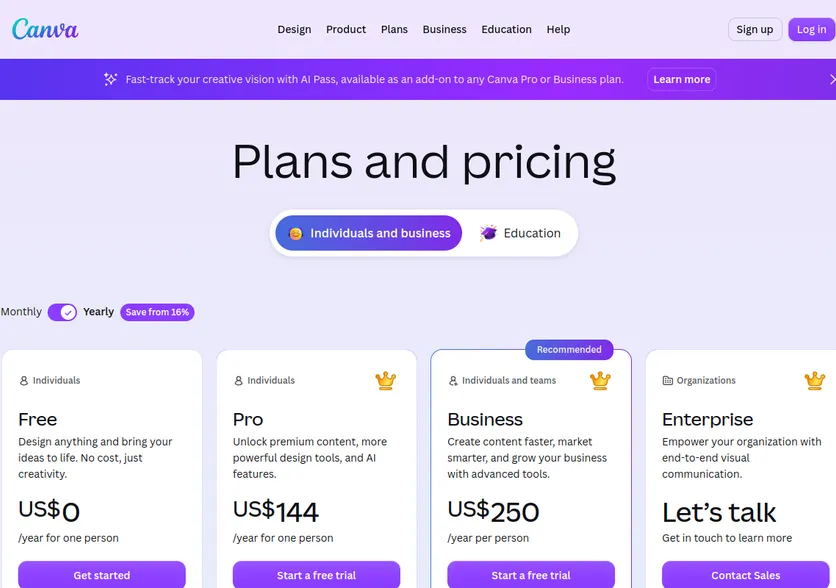
Paid tool Starting price: $12/month · Pro plan, billed annually ($144 a year); $18 a month on monthly billing; 30-day free trial; one person only
Free plan: 30-day free trial
Canva Pro is the social design standard, and its template library is the reason. This Canva Pro plan unlocks templates for every platform, Brand Kit, background removal and Magic Resize for every social size. It is the best pick when a small team has to publish polished posts every day.
What we like
- Templates for every social size
- Magic Resize saves hours
- Easy for a whole team to learn
Watch out for
- One person only on the Pro plan
- Templates can make designs look alike
How to try it
- Open the Canva pricing page and start the 30-day Pro trial
- Pick an Instagram template and drop in your photo
- Use Magic Resize to make the Facebook and Pinterest versions
2. Adobe Express Premium
Best for: Creators who resize one design for every platform
Paid tool Starting price: $9.99/month · Premium plan, billed monthly with no annual commitment; 30-day free trial
Free plan: Free plan; 30-day free trial
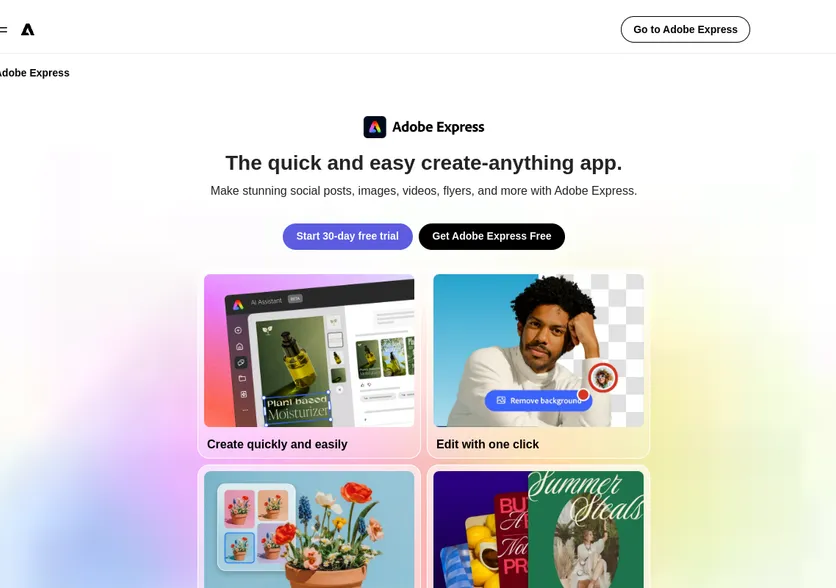
Adobe Express Premium is the fastest way to resize one design for every platform, with Adobe-quality templates behind it. This Adobe Express Premium plan adds premium templates, fonts, background removal and one-click resize across social sizes. It is the best pick for a solo creator who posts the same content everywhere.
What we like
- One-click resize for every platform
- Adobe-quality templates and fonts
- No annual commitment needed
Watch out for
- Less deep editing than Photoshop
- Monthly billing costs more over a year
How to try it
- Open the Adobe Express pricing page and start the Premium trial
- Design one post for Instagram
- Resize it for Facebook, X and Pinterest in one click
3. VistaCreate Pro
Best for: Small teams that want a deep template library at a low price
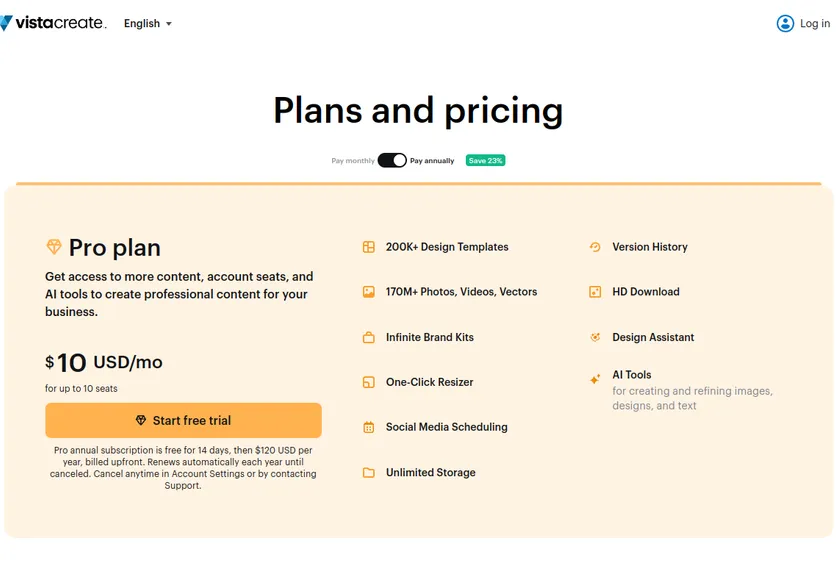
Paid tool Starting price: $10/month · Pro plan, billed annually ($120 a year); $13 a month on monthly billing; 14-day free trial; up to 10 team members
Free plan: 14-day free trial
VistaCreate Pro is the Canva alternative with a deep template library and a team-friendly price. This VistaCreate Pro plan unlocks 200,000 templates, a brand kit, background removal and resizing for every social size, for up to ten team members. It is the best pick for a small team that wants premium design without the premium bill.
What we like
- 200,000 templates included
- Up to ten team members on Pro
- Good value for a small team
Watch out for
- Smaller community than Canva
- Fewer integrations than the bigger rivals
How to try it
- Open the VistaCreate plans page and start the 14-day trial
- Pick a template for your next social campaign
- Resize it for every platform and share it with your team
4. Snappa Pro
Best for: Busy marketers who need a graphic in five minutes
Paid tool Starting price: $10/month · Pro plan, billed yearly ($120 a year); $15 a month on monthly billing; free plan covers 3 downloads a month
Free plan: Free plan
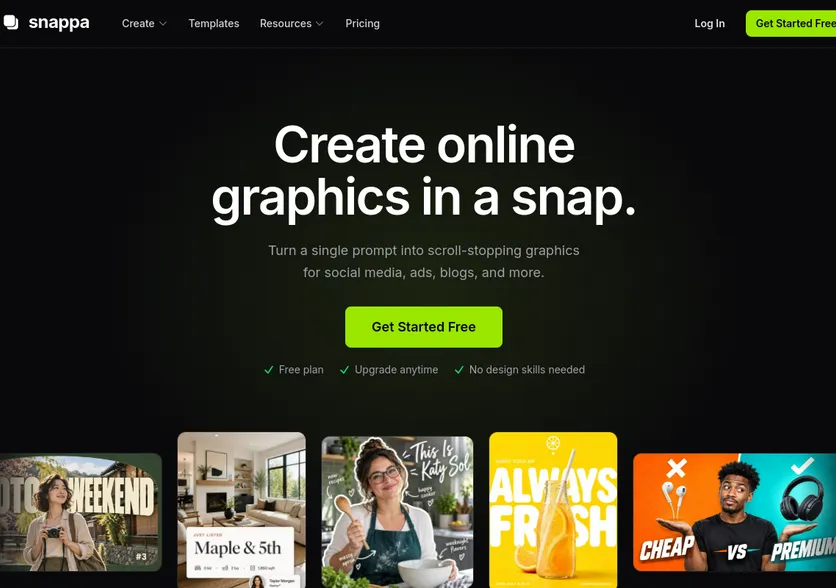
Snappa Pro is built for speed: pick a size, pick a template, publish. This Snappa Pro plan unlocks unlimited downloads, team sharing and background removal, with preset sizes for every social platform. It is the best pick for a marketer who makes graphics between meetings.
What we like
- Fastest workflow here
- Preset sizes for every platform
- Unlimited downloads on Pro
Watch out for
- Shallower editing than Canva or Pixlr
- Template library is smaller than Canva
How to try it
- Open the Snappa pricing page and pick the Pro yearly plan
- Choose the Instagram size and a template
- Add your text and download the finished graphic
5. PicMonkey Pro
Best for: Small businesses that design their own social graphics
Paid tool Starting price: $12.99/month · Pro plan, $120 a year on annual billing; Basic is $7.99 a month ($72 a year); 7-day free trial
Free plan: 7-day free trial
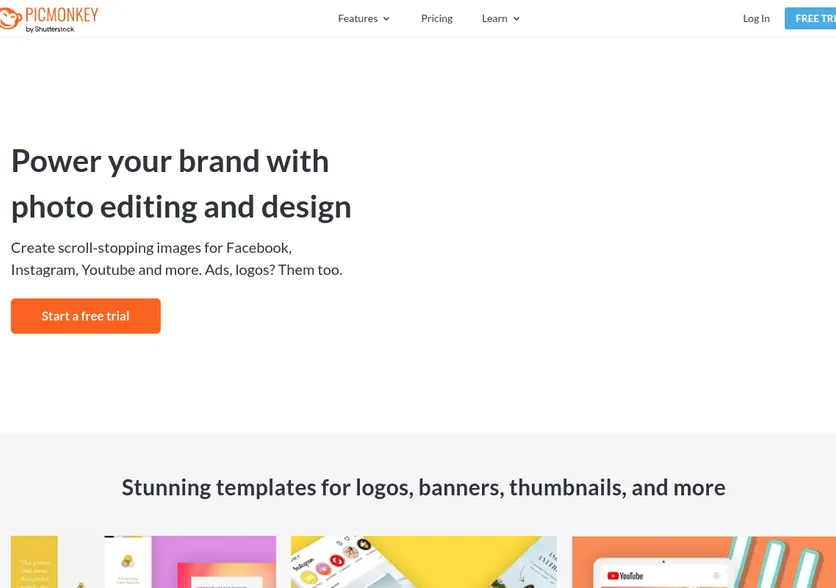
PicMonkey Pro covers social graphics with a friendlier editor than the big suites. This PicMonkey Pro plan covers photo editing, collage, touch-up tools and thousands of templates for social posts, ads and invitations. It is the best pick for a small business owner who designs their own marketing.
What we like
- Easy to learn in an afternoon
- Good touch-up and collage tools
- Thousands of ready templates
Watch out for
- No free plan, trial only
- No one-click resize across platforms
How to try it
- Open the PicMonkey pricing page and start the 7-day trial
- Pick a social template and upload your photo
- Add your logo and export it for posting
6. Fotor Pro
Best for: Bloggers and sellers who make social graphics with AI help
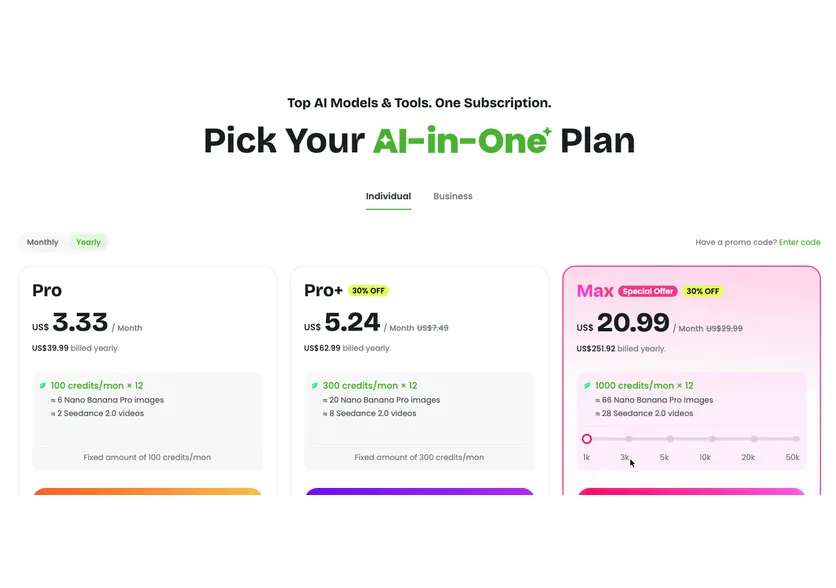
Paid tool Starting price: $3.99/month · Pro plan, billed yearly ($47.99 a year); $10.99 a month on monthly billing; price rose from $3.33 a month ($39.99 a year) in November 2026
Free plan: Free plan
Fotor Pro pairs social templates with AI image generation, so a post gets a custom image and a clean layout in one pass. This Fotor Pro plan unlocks the AI tools with a monthly credit allowance, plus HD exports and thousands of templates. It is the best pick for a blogger or seller who posts product photos every day.
What we like
- AI image generation bundled in
- Cheapest subscription on this list
- Good for product photos and posts
Watch out for
- Only 100 AI credits a month on Pro
- No one-click resize across platforms
How to try it
- Open the Fotor pricing page and pick the Pro yearly plan
- Generate a background image with AI
- Add your text and export it for Instagram
7. Pixlr Premium
Best for: Designers who want a real editor behind the social templates
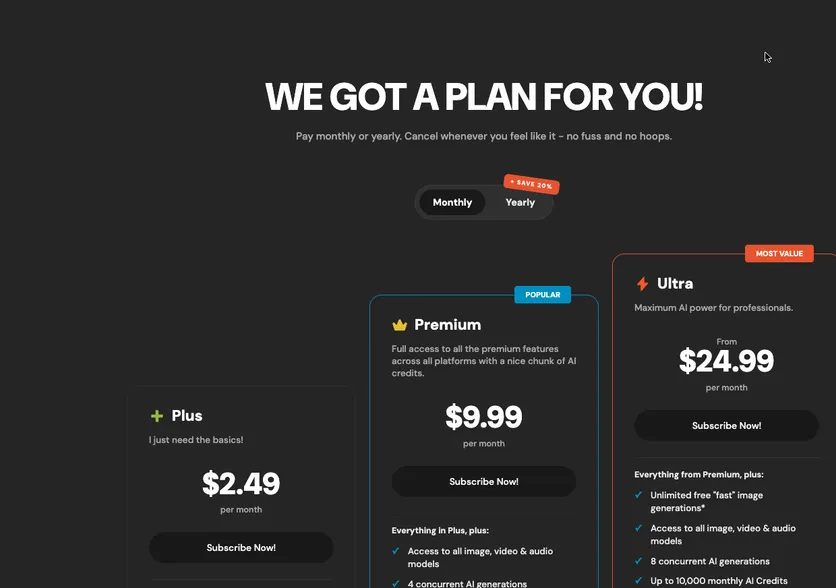
Paid tool Starting price: $7.99/month · Premium plan, billed yearly ($95.88 a year); $9.99 a month on monthly billing; Plus from $1.99 a month yearly; 7-day free trial
Free plan: Free plan; 7-day free trial
Pixlr Premium handles social graphics with a real editor behind the templates, so a post gets layers, masks and AI tools instead of just a fill-in form. This Pixlr Premium plan unlocks the full editor with batch editing, AI background removal and the full template library. It is the best pick for a designer who wants control, not just convenience.
What we like
- Real layers and masks behind templates
- Batch editing on Premium
- Nothing to install, works anywhere
Watch out for
- AI features run on monthly credits
- No one-click resize across platforms
How to try it
- Open the Pixlr pricing page and start the Premium trial
- Pick a social template and edit it with layers
- Export it in the size each platform needs
Prices above were checked on each vendor’s own website on Nov 14, 2026 and can change — the vendor’s page is the final word. Vendor links are editorial: nobody paid to be listed or ranked here. Vendors who want a featured listing can see how it works on our Get listed page.
What social media design costs in 2026
Social design tools run from about $4 a month to about $13 a month, and the cheapest plan is not always the cheapest deal. Yearly billing cuts the monthly price, while team seats, resize tools and download limits change what you really pay. The table below uses the headline plan each vendor shows on its own pricing page, checked on November 25, 2026.
Before you buy
- Pick a tool with one-click resize if you post the same content on three or more platforms.
- Check the team seats before you buy: Canva Pro covers one person only, while VistaCreate Pro covers up to ten team members.
- Use the preset sizes, because a manually cropped post is the most common social design mistake.
- Check resize support: Canva Pro, Adobe Express and VistaCreate resize across sizes, while Snappa, PicMonkey, Fotor and Pixlr need one export per size.
- Compare prices: Fotor Pro is cheapest at about $4 a month yearly, while Canva Pro is $12 a month and PicMonkey Pro about $13 a month.
Official websites
Official websites of the products reviewed above. Features and prices were checked against these sites when this guide was written, and they can change, so confirm on the vendor site before you buy.
Frequently asked questions
What size should social media images be?
It changes by platform and by format, and platforms update sizes often. As a rule of thumb, Instagram posts are 1080 by 1080 pixels square, stories are 1080 by 1920, Facebook posts are 1200 by 630, X posts are 1600 by 900, and Pinterest pins are 1000 by 1500. The tools on this list keep preset sizes for every platform, so you never have to remember the numbers.
What is the best tool for social media graphics?
Canva Pro is the best overall pick, because its templates cover every platform and Magic Resize makes every size in one click. Adobe Express is the best for quick resizing, and Snappa is the fastest for a single graphic. For a small team on a budget, VistaCreate Pro covers up to ten members for about $10 a month.
Can I resize one design for every platform?
Yes, with the right tool. Canva Pro has Magic Resize, and Adobe Express resizes one design for every platform in one click. VistaCreate Pro also resizes across sizes. Snappa, PicMonkey, Fotor and Pixlr need a separate export per size, so they suit one-platform posting better than a multi-platform campaign.
Do I need a paid tool for social media images?
Not always. Canva, Adobe Express, VistaCreate, Snappa, Fotor and Pixlr all have free plans that cover basic social graphics. Free plans usually limit templates, add watermarks or cap downloads. A paid plan pays for itself once you post every day, because Magic Resize, brand kits and background removal save hours a week.
What is the cheapest social media design tool?
Fotor Pro, at about $4 a month on yearly billing, is the cheapest subscription here. Pixlr Premium costs about $8 a month yearly, and VistaCreate Pro and Snappa Pro cost about $10 a month yearly. Canva Pro is $12 a month yearly and PicMonkey Pro about $13 a month. For most small accounts, Fotor or Pixlr covers the job.
See every social media image resizer on Toolsvine.
Browse Social Media Image Resizers tools