On this page
A render sells a print before the filament melts, so the renderer matters as much as the model. The seven tools below run from a two hundred eighty-nine dollar yearly GPU plan to a one thousand two hundred ninety-nine dollar yearly renderer, and every price was checked on the vendor site on November 27, 2026. KeyShot wins for fast product images, while V-Ray and Corona win for photoreal quality. Compare render speed and host app support before you buy, because a renderer that cannot open your model is useless. KeyShot is our first pick for rendering 3D prints.
How we researched this
We started with the renderers makers actually use to show printable models as finished products, then read each price on the vendor site on November 27, 2026. We kept only tools with a published dollar list price, and we judged them for image quality, render speed and host app support. We dropped UltiMaker Cura and Meshmixer because they cost nothing, Netfabb because it is an industrial bundle with conflicting published prices, and the modeling tools because this list covers renderers only.
Compare the tools
| Name | Best for | Starting price | Free plan | |
|---|---|---|---|---|
| KeyShot | Makers who want fast realistic renders of models before printing | $1,299/year | No free plan; 14-day free trial | Visit |
 V-Ray | Studios that need photoreal renders for products and architecture | $540/year | No free plan; 30-day free trial | Visit |
 Chaos Corona | Studios that want photoreal renders with the simplest setup | $414/year | No free plan; 30-day free trial | Visit |
| Maxon Redshift | Artists who need fast GPU rendering inside Cinema 4D or Maya | $289/year | No free plan; 14-day free trial | Visit |
 Autodesk Arnold | Studios that need film-quality rendering for animation and effects | $430/year | No free plan; 30-day free trial | Visit |
 Lumion | Architects who present designs with rich scenes and video | $1,149/year | No free plan; 14-day free trial | Visit |
 Enscape | Designers who want live rendering while they model | $574.80/year | No free plan; 14-day free trial | Visit |
The 3D rendering software for 3D printing, compared
1. KeyShot
Best for: Makers who want fast realistic renders of models before printing
Paid tool Starting price: $1,299/year · Professional plan, one thousand two hundred ninety-nine dollars a year; Business one thousand five hundred ninety-nine dollars a year; Enterprise by quote; fourteen-day trial
Free plan: No free plan; 14-day free trial
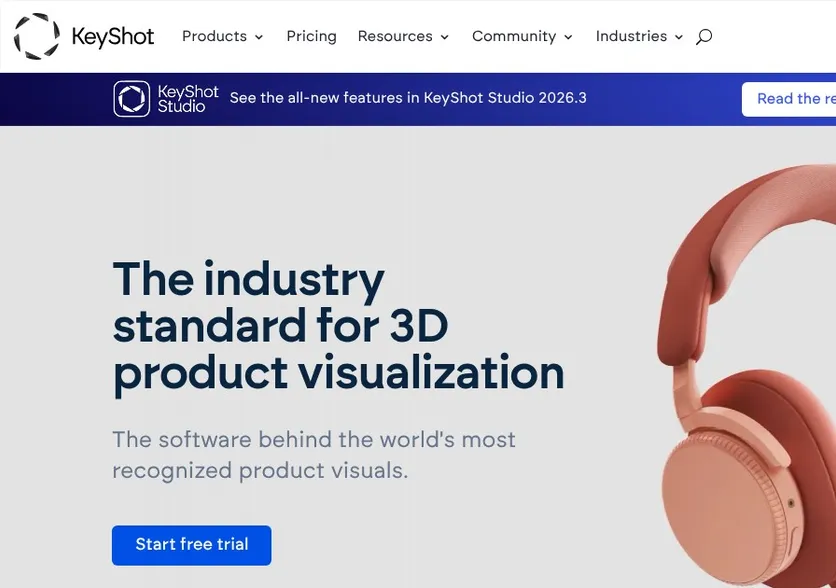
KeyShot is the fastest way to see a printable model as a finished product, rendering it in minutes without a render farm. This KeyShot Professional plan costs one thousand two hundred ninety-nine dollars a year, with Business at one thousand five hundred ninety-nine dollars a year. The material library makes metal, plastic and rubber look real, and the live preview shows the result before you wait for a render.
What we like
- The fastest path from model to realistic render here
- Huge material and environment library included
- Real-time preview with no render queue waiting
Watch out for
- Not a modeler, so pair it with a CAD tool
- The annual price is high for occasional renders
How to try it
- Open the KeyShot pricing page and start the fourteen-day trial
- Import a model and apply materials from the library
- Render a test image and check the lighting
2. V-Ray
Best for: Studios that need photoreal renders for products and architecture
Paid tool Starting price: $540/year · Solo plan list price, five hundred forty dollars a year; Premium seven hundred seventy-eight dollars and eighty cents a year; a Black Friday promotion currently shows a lower rate, so budget the list price
Free plan: No free plan; 30-day free trial
V-Ray is the photoreal renderer makers trust when a print needs a product shot that sells the model before it exists. This V-Ray Solo plan lists at five hundred forty dollars a year, with Premium at seven hundred seventy-eight dollars and eighty cents a year. It works inside 3ds Max, Maya, SketchUp and Rhino, and the material library and light mixing tools shape the final image precisely.

What we like
- The most trusted photoreal renderer in this list
- Works inside 3ds Max, Maya, SketchUp and Rhino
- Huge material library and light mixing tools
Watch out for
- Needs a host app, so budget for a modeler too
- The Black Friday promo rate is not the list price
How to try it
- Open the Chaos pricing page and check the Solo plan
- Load a model in your host app and apply V-Ray materials
- Render a test image and tune the lighting
3. Chaos Corona
Best for: Studios that want photoreal renders with the simplest setup
Paid tool Starting price: $414/year · Solo plan list price, four hundred fourteen dollars a year; Premium five hundred sixty-two dollars and eighty cents a year; a Black Friday promotion currently shows a lower rate, so budget the list price
Free plan: No free plan; 30-day free trial
Chaos Corona is the simplest photoreal renderer in this list, built for makers who want beautiful images without a week of tuning. This Chaos Corona Solo plan lists at four hundred fourteen dollars a year, with Premium at five hundred sixty-two dollars and eighty cents a year. Interactive rendering updates the image as you change the scene, and the learning curve is the gentlest of the photoreal tools here.

What we like
- The easiest photoreal renderer to learn here
- Interactive rendering updates as you change the scene
- Cheaper than V-Ray for the same Solo seat
Watch out for
- Works inside 3ds Max and Cinema 4D only
- The Black Friday promo rate is not the list price
How to try it
- Open the Chaos pricing page and check the Solo plan
- Load a scene and let Corona build the lighting
- Render a test image and compare it with your reference
4. Maxon Redshift
Best for: Artists who need fast GPU rendering inside Cinema 4D or Maya
Paid tool Starting price: $289/year · Annual subscription, two hundred eighty-nine dollars a year, or forty-nine dollars a month on monthly billing; fourteen-day trial
Free plan: No free plan; 14-day free trial
Maxon Redshift is the GPU renderer for makers who animate their prints or render many angles fast. This Maxon Redshift subscription costs two hundred eighty-nine dollars a year, or forty-nine dollars a month on monthly billing. It scales across multiple graphics cards, and it is included with Cinema 4D as well as sold standalone.
What we like
- Very fast GPU rendering for animation work
- Included with Cinema 4D and sold standalone too
- Scales across multiple graphics cards
Watch out for
- Needs a strong graphics card to shine
- The learning curve is steep for new renderers
How to try it
- Open the Maxon buy page and start the fourteen-day trial
- Open a scene in Cinema 4D and switch to Redshift
- Render a test frame and check the noise level
5. Autodesk Arnold
Best for: Studios that need film-quality rendering for animation and effects
Paid tool Starting price: $430/year · Single-user annual subscription, four hundred thirty dollars a year, or fifty-five dollars a month on monthly billing; thirty-day trial
Free plan: No free plan; 30-day free trial
Autodesk Arnold is the film-quality renderer for makers whose prints need hero images with predictable, physical light. This Autodesk Arnold subscription costs four hundred thirty dollars a year, or fifty-five dollars a month on monthly billing. It works inside Maya, 3ds Max and Houdini, and its results need minimal tuning to look right.
What we like
- The film industry standard for ray-traced rendering
- Predictable results with minimal tuning
- Works inside Maya, 3ds Max and Houdini
Watch out for
- Slower than GPU renderers on simple scenes
- Needs a host app, so budget for a modeler too
How to try it
- Open the Autodesk buy page and start the thirty-day trial
- Open a scene in Maya and switch to Arnold
- Render a test frame and check the lighting
6. Lumion
Best for: Architects who present designs with rich scenes and video
Paid tool Starting price: $1,149/year · Pro named-user licence, one thousand one hundred forty-nine dollars a year; floating seat one thousand four hundred ninety-nine dollars a year; fourteen-day free trial
Free plan: No free plan; 14-day free trial
Lumion turns a printable model into a rich scene with trees, people and weather in minutes, which suits makers who present designs to clients. This Lumion Pro named-user licence costs one thousand one hundred forty-nine dollars a year, with a floating seat at one thousand four hundred ninety-nine dollars a year. The huge entourage library fills a scene fast, and Lumion Cloud lets clients review renders online.
What we like
- The fastest way to a beautiful architectural render
- Huge library of trees, people and weather effects
- Lumion Cloud lets clients review renders online
Watch out for
- Windows only, so Mac studios need another tool
- Needs a strong graphics card for large scenes
How to try it
- Open the Lumion site and start the fourteen-day free trial
- Import a model from SketchUp or Revit
- Add entourage and render a test image
7. Enscape
Best for: Designers who want live rendering while they model
Paid tool Starting price: $574.80/year · Solo plan list price, five hundred seventy-four dollars and eighty cents a year; Premium six hundred seventy dollars and eighty cents a year; a Black Friday promotion currently shows a lower rate, so budget the list price
Free plan: No free plan; 14-day free trial
Enscape renders a model live while you work on it, so a maker sees the finished look without ever opening a separate render app. This Enscape Solo plan lists at five hundred seventy-four dollars and eighty cents a year, with Premium at six hundred seventy dollars and eighty cents a year. Walkthroughs and quick revisions suit client presentations, though final hero images need a heavier renderer.
What we like
- Renders live inside your modeling app
- The simplest real-time workflow in this list
- Great for client walkthroughs and quick revisions
Watch out for
- The Black Friday promo rate is not the list price
- Less control than V-Ray for final hero images
How to try it
- Open the Chaos pricing page and check the Solo plan
- Open your model and launch Enscape beside it
- Walk through the scene and capture a test image
Prices above were checked on each vendor’s own website on Nov 27, 2026 and can change — the vendor’s page is the final word. Vendor links are editorial: nobody paid to be listed or ranked here. Vendors who want a featured listing can see how it works on our Get listed page.
What rendering software for 3D printing costs in 2026
Rendering prices for makers run from two hundred eighty-nine dollars a year to one thousand two hundred ninety-nine dollars a year, with no free plan on any tool here. Redshift costs two hundred eighty-nine dollars a year, Corona costs four hundred fourteen dollars a year, and Arnold costs four hundred thirty dollars a year. V-Ray costs five hundred forty dollars a year, Enscape costs five hundred seventy-four dollars and eighty cents a year, and Lumion costs one thousand one hundred forty-nine dollars a year, while KeyShot costs one thousand two hundred ninety-nine dollars a year.
Start with the trials and render one real model end to end before you pay. Check the render speed on your own graphics card, whether the renderer opens your model files, and how the image looks next to a photo of the print. Pick the renderer whose images sell your models, because a pretty render nobody trusts is money wasted.
Before you buy
- Check the host app first, because V-Ray and Corona only render inside the modelers they support.
- Count the yearly cost honestly, since KeyShot at one thousand two hundred ninety-nine dollars a year dwarfs Redshift at two hundred eighty-nine dollars a year.
- Try the free trial on two tools, since KeyShot and Lumion both offer fourteen-day trials.
- Match the renderer to the job, because product images need KeyShot and photoreal scenes need V-Ray.
- Check the promo price carefully, because Chaos shows Black Friday rates that are lower than the list price.
Official websites
Official websites of the products reviewed above. Features and prices were checked against these sites when this guide was written, and they can change, so confirm on the vendor site before you buy.
Frequently asked questions
Which 3D rendering software is best for 3D printing in 2026?
KeyShot is the best overall pick for rendering 3D prints, because it turns a model into a realistic product image faster than any tool here. V-Ray is the best choice for photoreal quality, and Chaos Corona is the best value at four hundred fourteen dollars a year. Every price here was checked on the vendor site on November 27, 2026.
How much does rendering software for 3D printing cost?
Annual prices here run from two hundred eighty-nine dollars a year for Redshift to one thousand two hundred ninety-nine dollars a year for KeyShot. Corona costs four hundred fourteen dollars a year, Arnold costs four hundred thirty dollars a year, and V-Ray costs five hundred forty dollars a year. Enscape costs five hundred seventy-four dollars and eighty cents a year, and Lumion costs one thousand one hundred forty-nine dollars a year.
Do I need rendering software to sell 3D prints?
No, a photo of the finished print works for most listings, but a render shows the model before you print it and helps buyers judge the design. KeyShot is the fastest route to a clean product image, while V-Ray and Corona suit makers who need photoreal quality. Try the fourteen-day trials first and compare the render against a photo of the same model.
Which renderer works with my modeling software?
V-Ray works inside 3ds Max, Maya, SketchUp and Rhino, while Corona works inside 3ds Max and Cinema 4D only. Redshift works inside Cinema 4D and Maya, Arnold works inside Maya, 3ds Max and Houdini, and Enscape renders live inside most modeling apps. KeyShot and Lumion import models from almost any modeler, so check the import list before you buy.
What should I look for in rendering software for 3D printing?
Look for the renderer that opens your model files, renders fast on your graphics card, and produces images your buyers trust. Check the yearly price against how many renders you make, since a subscription only pays off for regular use. Try the free trial first and render one real model before you commit to a yearly plan.
Need everyday image help too? Try Toolsvine's free image tools right in your browser.
Browse Image Tools tools