On this page
AI presentation tools turn a lesson plan into a polished deck in minutes, and the best ones for education are cheap, easy and shareable. The eight tools below run from seven dollars and forty nine cents a month to twenty dollars a user a month, and every price was checked on the vendor site on November 26, 2026. Seven include a free plan, so a teacher can try them with a real class before paying. Gamma is our first pick — the fastest AI deck builder, from nine dollars a user a month.
How we researched this
We started with the AI presentation tools teachers actually use, then read each price on the vendor pricing page on November 26, 2026 and noted the free plan or trial each one carries. We judged them for a teacher who builds lesson decks every week and needs the AI to save real time. We kept only tools with a published dollar price, and we dropped any tool whose price we could not verify on the vendor site.
Compare the tools
| Name | Best for | Starting price | Free plan | |
|---|---|---|---|---|
 Gamma | Teachers who want AI to build a whole deck from a prompt | $9/user/month | Free plan with 400 AI credits | Visit |
 Beautiful.ai | Teachers who want beautiful slides without design skills | $14.50/month | No free plan; 14-day free trial | Visit |
 Canva | Teachers who want templates and a free plan for classroom design | $12/month | Free plan with 600,000 templates and 5GB storage; free Canva for Education for schools | Visit |
 SlidesAI | Teachers who already write lessons in Google Slides | $10/month | Free plan with 3 presentations a month | Visit |
 Presentations.AI | Teachers who want AI to design and present a whole lesson | $20/user/month | Free plan with limited AI generations | Visit |
 Prezi | Teachers who want zooming presentations that keep students engaged | $9/user/month | Free Basic plan with 5 projects | Visit |
 Plus AI | Teachers who present in PowerPoint and Google Slides | $10/user/month | Free plan with limited AI generations | Visit |
 SlidesGPT | Teachers who want the cheapest AI deck generator | $7.49/month | Free plan with limited presentations | Visit |
The AI presentation software for education, compared
1. Gamma
Best for: Teachers who want AI to build a whole deck from a prompt
Paid tool Starting price: $9/user/month · Plus plan, $9 a user a month billed annually
Free plan: Free plan with 400 AI credits
Gamma is the AI deck builder on this list, turning a prompt or a document into a complete presentation in minutes. This Gamma Plus plan adds unlimited AI creation, so a teacher can build a new lesson deck every day without hitting a cap. A teacher who is short on time gets a polished deck with images and layouts, ready to present.
What we like
- Fastest AI deck builder on this list
- Works from a prompt or a document
- Free plan with 400 AI credits
Watch out for
- Plus costs nine dollars a user a month billed annually
- Free plan caps AI credits at four hundred
How to try it
- Open the Gamma pricing page and create a free account
- Type a lesson topic and let the AI build the deck
- Upgrade to Plus when you need unlimited AI creation
2. Beautiful.ai
Best for: Teachers who want beautiful slides without design skills
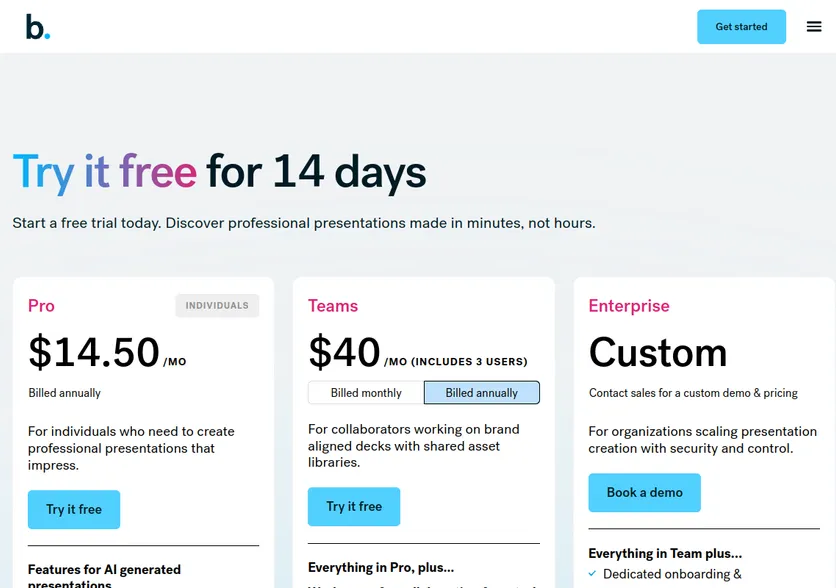
Paid tool Starting price: $14.50/month · Pro plan, $14.50 a month billed annually or $45 billed monthly; Team is $40 a user a month
Free plan: No free plan; 14-day free trial
Beautiful AI is the design-first tool on this list, with smart templates that keep every slide looking professional. This Beautiful AI Pro plan adds unlimited slides, AI generation and viewer analytics, so a teacher can build a whole course of decks that all look consistent. A teacher with no design background gets slides that look like a designer made them.
What we like
- Smart templates keep slides consistent
- AI generation built into every deck
- Viewer analytics on Pro
Watch out for
- Pro costs about fourteen dollars and fifty cents a month billed annually
- No free plan, only a trial
How to try it
- Open the Beautiful.ai pricing page and start the 14-day trial
- Pick a smart template and add your lesson content
- Subscribe to Pro when the trial ends
3. Canva
Best for: Teachers who want templates and a free plan for classroom design
Paid tool Starting price: $12/month · Pro plan, $12 a month billed annually ($144 a year) or $18 a month billed monthly
Free plan: Free plan with 600,000 templates and 5GB storage; free Canva for Education for schools
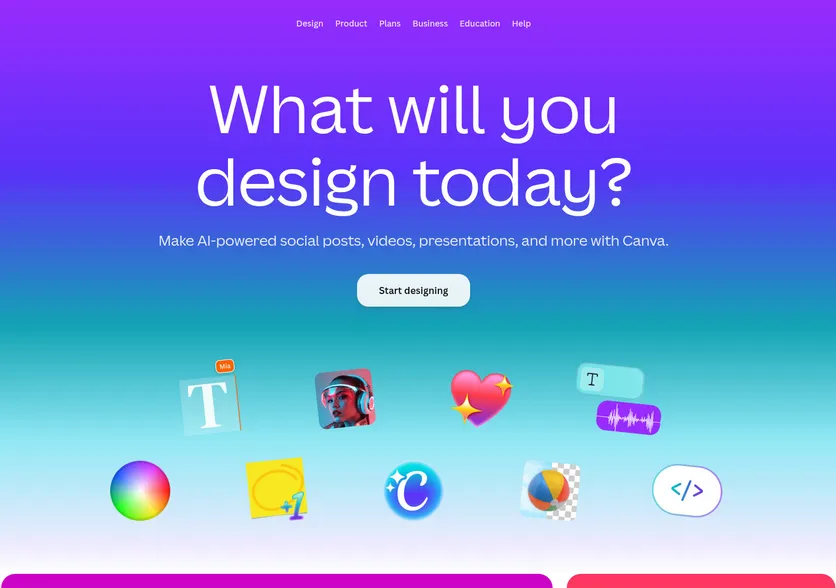
Canva is the easiest design tool on this list, with templates for slides, posters and worksheets that a teacher can use in minutes. This Canva Pro plan unlocks the full template library, background remover and brand kit, so a teacher can make a whole course of materials that all match. A school gets a tool students already know, with a free education plan for classrooms.
What we like
- Easiest tool to learn on this list
- Free Canva for Education for schools
- Templates for slides and worksheets
Watch out for
- Pro costs twelve dollars a month billed annually, or eighteen dollars billed monthly
- Free plan has no background remover
How to try it
- Open the Canva pricing page and create a free account
- Pick a presentation template and add your lesson
- Upgrade to Pro for the background remover and brand kit
4. SlidesAI
Best for: Teachers who already write lessons in Google Slides
Paid tool Starting price: $10/month · Pro plan, $10 a month billed annually or $120 a year
Free plan: Free plan with 3 presentations a month
SlidesAI is the Google Slides add-on on this list, turning text into slides inside the tool teachers already use. This SlidesAI Pro plan adds unlimited presentations and AI generation, so a teacher can turn a lesson plan into a deck without leaving Google Slides. A teacher who lives in Google Workspace gets AI slides with no new tool to learn.

What we like
- Works inside Google Slides
- No new tool to learn
- Free plan for light use
Watch out for
- Pro costs ten dollars a month billed annually
- Free plan allows only three presentations a month
How to try it
- Open the SlidesAI pricing page and install the Google Slides add-on
- Paste your lesson text and generate the slides
- Upgrade to Pro for unlimited presentations
5. Presentations.AI
Best for: Teachers who want AI to design and present a whole lesson
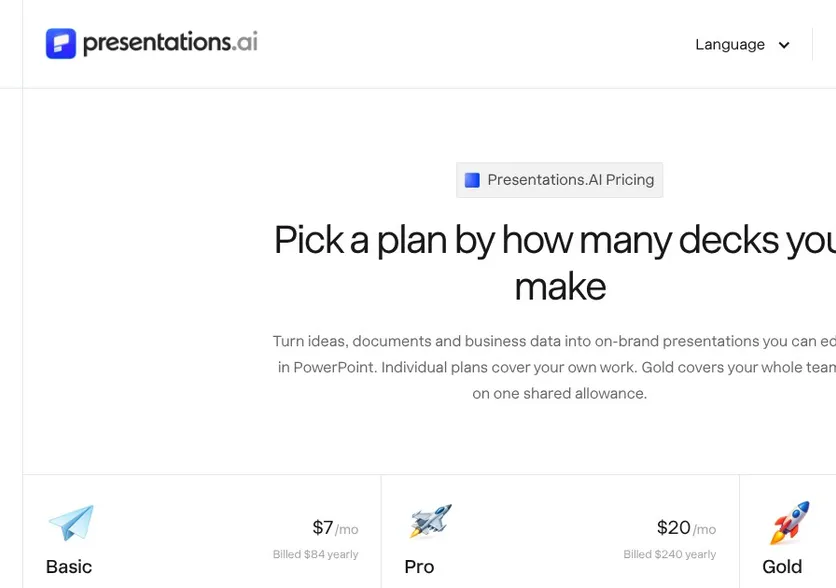
Paid tool Starting price: $20/user/month · Pro plan, $20 a user a month billed annually for 1 user
Free plan: Free plan with limited AI generations
Presentations AI is the all-in-one deck tool on this list, with AI that writes, designs and presents the lesson. This Presentations AI Pro plan adds unlimited presentations and AI generation, so a teacher can build a new deck for every class. A teacher who wants one tool for the whole lesson gets AI outlines, designs and a presenter mode that guides the class.
What we like
- AI writes, designs and presents
- Presenter mode built in
- Free plan to test with
Watch out for
- Pro costs twenty dollars a user a month billed annually
- Free plan limits AI generations
How to try it
- Open the Presentations AI pricing page and create a free account
- Type a lesson topic and let the AI build the deck
- Upgrade to Pro for unlimited presentations
6. Prezi
Best for: Teachers who want zooming presentations that keep students engaged
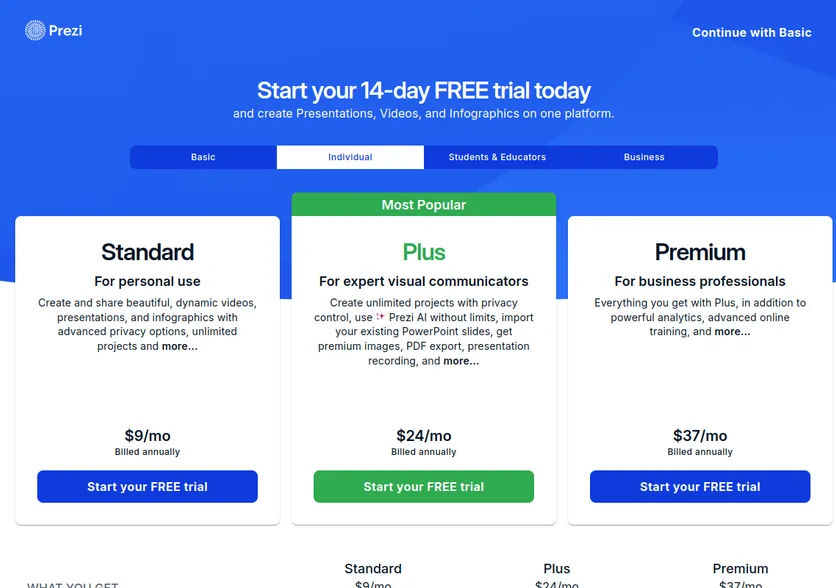
Paid tool Starting price: $9/user/month · Standard plan, $9 a user a month billed annually
Free plan: Free Basic plan with 5 projects
Prezi is the zooming presentation tool on this list, letting a teacher move through a lesson on a canvas instead of flipping slides. This Prezi Standard plan adds unlimited projects and presenter analytics, so a teacher can build a whole course of zooming lessons. A teacher who wants students to stay engaged gets a presentation style that feels like a journey, not a slideshow.
What we like
- Zooming canvas keeps students engaged
- Presenter analytics on Standard
- Free Basic plan to test with
Watch out for
- Standard costs nine dollars a user a month billed annually
- Free plan allows only five projects
How to try it
- Open the Prezi pricing page and create a free account
- Build a zooming presentation from a template
- Upgrade to Standard for unlimited projects
7. Plus AI
Best for: Teachers who present in PowerPoint and Google Slides
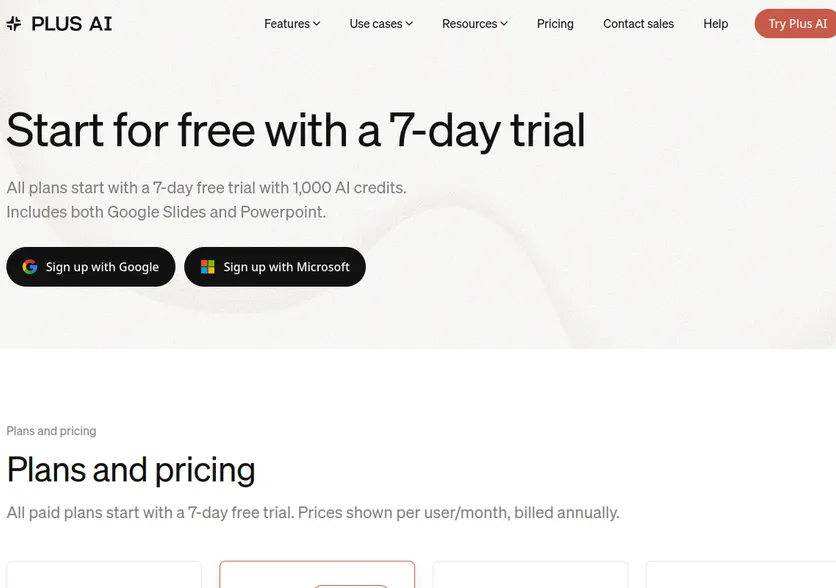
Paid tool Starting price: $10/user/month · Basic plan, $10 a user a month billed annually
Free plan: Free plan with limited AI generations
Plus AI is the add-in tool on this list, adding AI slide generation to PowerPoint and Google Slides instead of asking teachers to learn a new app. This Plus AI Basic plan adds unlimited AI generation, so a teacher can build decks inside the tools they already use. A teacher who presents in PowerPoint gets AI slides without changing workflow.
What we like
- Works inside PowerPoint and Google Slides
- No new tool to learn
- Free plan to test with
Watch out for
- Basic costs ten dollars a user a month billed annually
- Free plan limits AI generations
How to try it
- Open the Plus AI pricing page and install the add-in
- Open PowerPoint and generate slides from a prompt
- Upgrade to Basic for unlimited AI generation
8. SlidesGPT
Best for: Teachers who want the cheapest AI deck generator
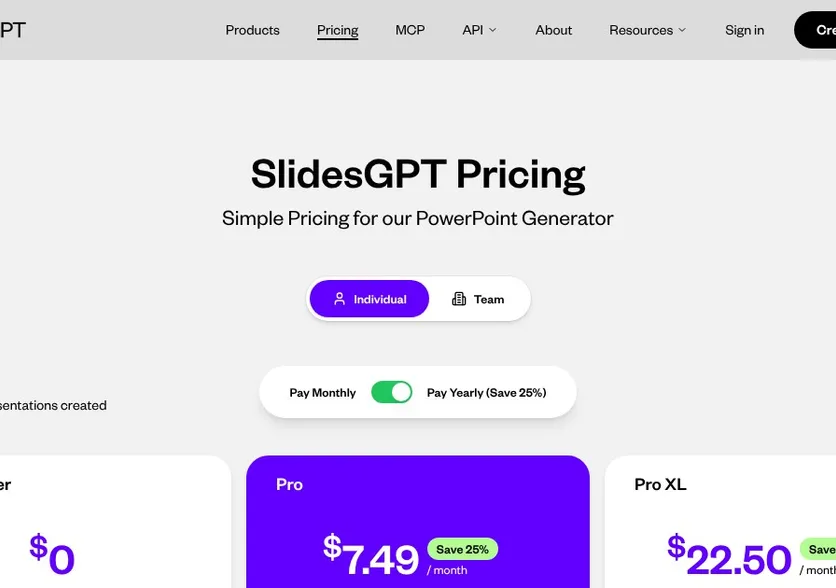
Paid tool Starting price: $7.49/month · Pro plan, $7.49 a month billed annually or $89.99 a year; Pro XL is $22.50 a month
Free plan: Free plan with limited presentations
SlidesGPT is the cheapest AI deck tool on this list, turning a prompt into a presentation in seconds. This SlidesGPT Pro plan adds unlimited presentations and AI generation, so a teacher can build a deck for every lesson without watching a credit counter. A teacher on a tight budget gets fast AI slides at the lowest price here.
What we like
- Cheapest AI deck tool on this list
- Fast generation from a prompt
- Free plan to test with
Watch out for
- Pro costs about seven dollars and forty nine cents a month billed annually
- Free plan limits presentations
How to try it
- Open the SlidesGPT pricing page and create a free account
- Type a lesson topic and generate the deck
- Upgrade to Pro for unlimited presentations
Prices above were checked on each vendor’s own website on Nov 26, 2026 and can change — the vendor’s page is the final word. Vendor links are editorial: nobody paid to be listed or ranked here. Vendors who want a featured listing can see how it works on our Get listed page.
What AI presentation software costs in 2026
AI presentation tools charge per user or per month, and the entry plan is the number that matters most. This list runs from seven dollars and forty nine cents a month for SlidesGPT Pro to twenty dollars a user a month for Presentations AI Pro, with most tools near ten dollars a month. The headline plan each vendor shows on its own pricing page is the number in the table above, checked on November 26, 2026.
Check the education discount before paying, because many tools offer free or cheaper plans for teachers and schools. Then test the AI on your own lesson, because a demo never shows how it handles your messiest topic. The best tool is the one your students actually enjoy watching.
Before you buy
- Check the education discount first, because many tools here offer free or cheaper plans for teachers and schools.
- Test the AI on your own lesson, because a demo never shows how it handles your messiest topic.
- Ask whether students can present without an account, because sharing links matters more than features in a classroom.
- Compare the monthly and annual prices, because annual billing cuts most plans here by about a fifth.
- Try the free plan with a real class, because a tool that confuses students costs more than its monthly price.
Official websites
Official websites of the products reviewed above. Features and prices were checked against these sites when this guide was written, and they can change, so confirm on the vendor site before you buy.
Frequently asked questions
What is the best AI presentation software for education in 2026?
Gamma Plus, at nine dollars a user a month, is the best AI pick because it builds a whole deck from a prompt or a document in minutes. Canva Pro, at twelve dollars a month billed annually, is the best pick for teachers who want templates and a free education plan for schools. Prezi Standard, at nine dollars a user a month, is the best pick when you want zooming presentations that keep students engaged.
What is the cheapest AI presentation software for education?
SlidesGPT Pro, at about seven dollars and forty nine cents a month billed annually, is the cheapest paid plan here. Prezi Standard follows at nine dollars a user a month billed annually. Gamma Plus costs nine dollars a user a month, and it has a free plan with four hundred AI credits, so a teacher can start without paying anything.
Can I make AI presentations for free as a teacher?
Yes, Gamma has a free plan with four hundred AI credits, and Canva has a free plan plus a free Canva for Education plan for schools. Prezi has a free Basic plan with five projects, SlidesAI has a free plan with three presentations a month, and Plus AI and SlidesGPT have free plans with limited generations. Beautiful.ai is the only tool here with no free plan.
What is the difference between Gamma, SlidesAI and Plus AI?
Gamma builds a whole deck from a prompt or a document, so it is the best pick when you want the AI to do the most work. SlidesAI works inside Google Slides, so it is the best pick when your school already uses Google Workspace. Plus AI works inside PowerPoint and Google Slides, so it is the best pick when you want to keep your existing files and workflow.
What should a teacher check before buying AI presentation software?
Check the education discount first, because many tools offer free or cheaper plans for teachers and schools. Then test the AI on your own lesson, because a demo never shows how it handles your messiest topic. Finally, ask whether students can view the deck without an account, because sharing links matters more than features in a classroom.
Want more education help? Try Toolsvine's free education tools right in your browser.
Browse Education & Learning tools