
On this page
A proposal is often the first real impression a client gets, and the tool you send it with decides whether it looks polished or patched together. The best proposal generators pair strong templates with e-signatures, payments and open tracking, so you know when a client is reading and when to follow up. Proposify leads our list for agency-grade proposals, with PandaDoc and Qwilr close behind for document workflows and interactive pages.
How we researched this
We checked each vendor's own pricing page on November 26 2026 and kept only tools with a published dollar price and a real proposal workflow, not just a document editor. Every tool here sends, tracks and closes proposals rather than just formatting them. We ranked them on template quality, signature and payment handling, and how honest the entry price is.
Compare the tools
| Name | Best for | Starting price | Free plan | |
|---|---|---|---|---|
 Proposify | Agencies that want beautiful proposals with built-in signing and payments | $39/user/month | Free trial available; no permanent free plan listed. | Visit |
 PandaDoc | Teams that need documents, signatures and payments in one workflow | $19/user/month | Free eSign plan covers 5 documents a month with basic signing. | Visit |
 Qwilr | Sales teams that send interactive, web-native proposals | $35/user/month | Free trial available; no permanent free plan listed. | Visit |
 Better Proposals | Freelancers and small agencies that want simple, fast proposals | $13/user/month | Free trial available; no permanent free plan listed. | Visit |
 HoneyBook | Independent professionals who need proposals plus client management | $29/month | Free trial available; no permanent free plan listed. | Visit |
 GetAccept | B2B sales teams that want proposals tied to a CRM pipeline | $25/user/month | Free trial available; no permanent free plan listed. | Visit |
 Nusii | Freelancers who send a small number of proposals each month | $29/month | Free trial available; no permanent free plan listed. | Visit |
 Quoter | IT and services firms that quote fixed-price work with e-signatures | $299/month | Free trial available; no permanent free plan listed. | Visit |
The proposal generator tools, compared
1. Proposify
Best for: Agencies that want beautiful proposals with built-in signing and payments
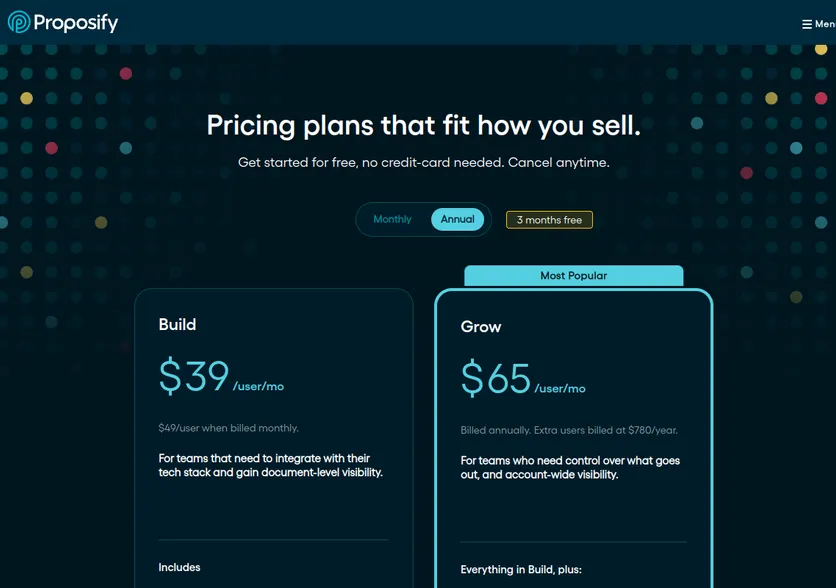
Paid tool Starting price: $39/user/month · Build plan billed annually, $49 a month on monthly billing; Grow is $65 a user a month billed annually and Scale is a $12,800 a year platform fee
Free plan: Free trial available; no permanent free plan listed.
Proposify is the proposal platform for agencies that live on winning work, with templates, e-signatures and payments built into every document. You build a proposal from reusable sections, track when the client opens each page, and collect a signature and deposit without leaving the tool. The Build plan is the entry point, while Grow adds the automation and reporting bigger teams need.
What we like
- Polished templates that look agency-grade out of the box
- Open tracking shows exactly which pages clients read
- Signatures and payments built into the proposal itself
Watch out for
- Per-user pricing grows with every team member
- Grow tier is a big jump from Build for small teams
How to try it
- Pick a template and brand it with your logo, colors and fonts
- Build the proposal from saved sections and set the price table
- Send it, watch the open alerts, then collect the signature online
2. PandaDoc
Best for: Teams that need documents, signatures and payments in one workflow
Paid tool Starting price: $19/user/month · Starter plan billed annually, $35 a month on monthly billing; Business is $49 a month billed annually and free eSign covers 5 documents a month
Free plan: Free eSign plan covers 5 documents a month with basic signing.
PandaDoc covers the whole document workflow, from proposal templates to e-signatures, payments and CRM sync. Its editor feels like a word processor with superpowers, and the content library keeps pricing tables and legal clauses consistent across the team. The Starter plan is cheap for what it includes, which makes it a strong default for small sales teams.

What we like
- Full document workflow from draft to signed payment
- Content library keeps pricing and clauses consistent
- CRM sync removes manual data entry after a win
Watch out for
- Business tier nearly triples the Starter price
- Some advanced approvals need the higher plan
How to try it
- Create a template from the library and add your pricing table
- Send the document and let PandaDoc notify you on every open
- Collect the signature and payment without switching tools
3. Qwilr
Best for: Sales teams that send interactive, web-native proposals
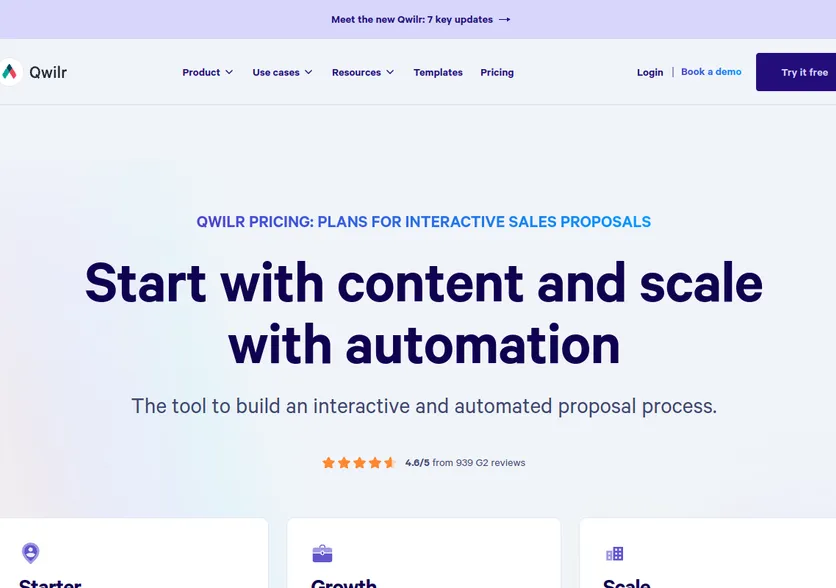
Paid tool Starting price: $35/user/month · Business plan billed annually, $39 a month on monthly billing; Enterprise is $59 a user a month, or $590 a month flat for 10 users
Free plan: Free trial available; no permanent free plan listed.
Qwilr turns proposals into interactive web pages with video, images and live pricing instead of static PDFs. Clients read them in the browser, accept online and pay from the same page, and you see analytics on every section. The Business plan suits teams that want proposals to feel like a product demo rather than a document attachment.
What we like
- Proposals feel like web pages, not PDF attachments
- Interactive pricing lets clients configure their own quote
- Analytics show which sections clients actually read
Watch out for
- Web-only format may not suit clients who want a PDF
- Per-user pricing adds up for large sales teams
How to try it
- Build a proposal page from a template with video and images
- Add an interactive price table the client can adjust
- Send the link and track which sections hold attention
4. Better Proposals
Best for: Freelancers and small agencies that want simple, fast proposals
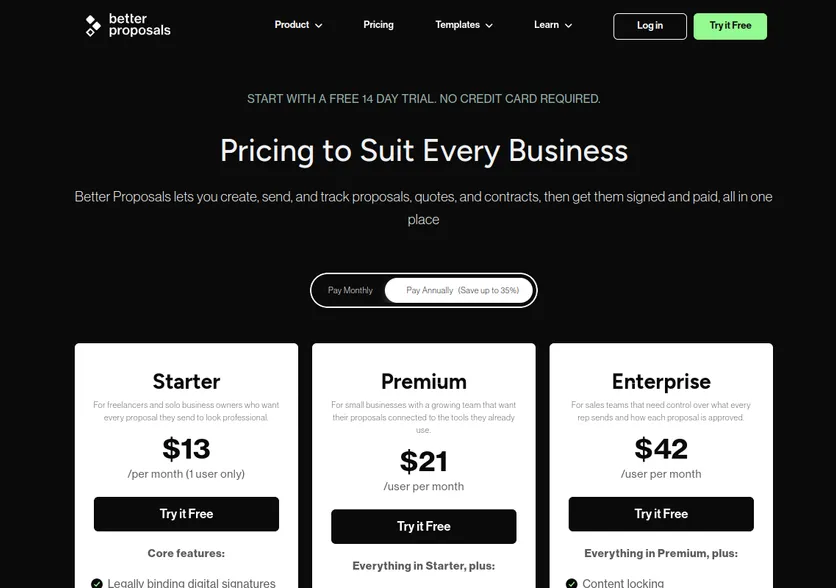
Paid tool Starting price: $13/user/month · Starter plan billed annually, $19 a month on monthly billing; covers 1 user and 10 sends a month, and Premium is $21 a month billed annually
Free plan: Free trial available; no permanent free plan listed.
Better Proposals is the straightforward proposal tool for freelancers and small agencies, with clean templates, e-signatures and payment links at a low monthly price. It skips the enterprise features and focuses on getting a good-looking proposal out the door in minutes. The Starter plan covers a single user with ten sends a month, which fits most solo operators.
What we like
- Low entry price for solo freelancers and small agencies
- Proposals go out in minutes with clean templates
- Signatures and payments included from the start
Watch out for
- Starter caps you at 10 sends a month
- Fewer integrations than the bigger platforms
How to try it
- Choose a template and add your services and prices
- Send the proposal link and get notified when it is opened
- Collect the signature and first payment from the same page
5. HoneyBook
Best for: Independent professionals who need proposals plus client management
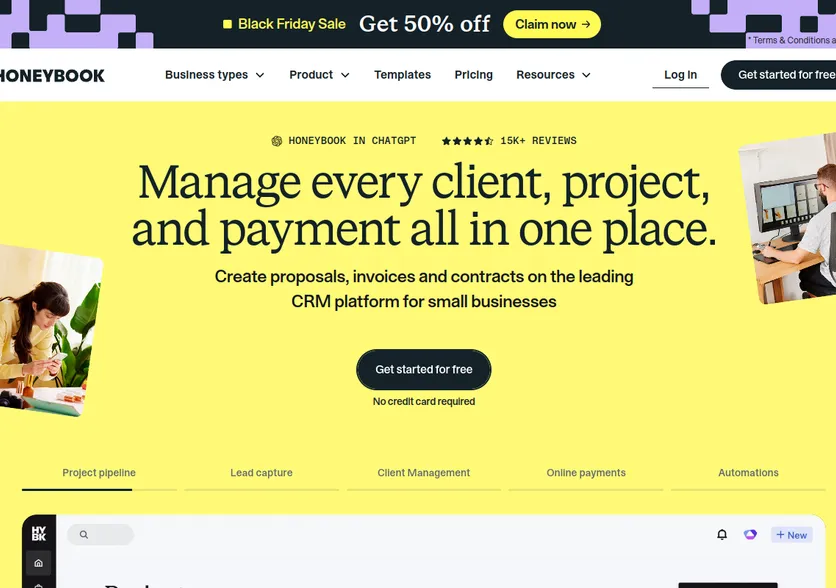
Paid tool Starting price: $29/month · Starter plan billed annually, $36 a month on monthly billing; Essentials is $49 a month billed annually and Premium is $109 a month billed annually
Free plan: Free trial available; no permanent free plan listed.
HoneyBook pairs proposals with the rest of the client workflow: contracts, invoices, scheduling and payments in one account. A proposal can turn into a signed contract and a paid invoice without retyping anything, which saves hours for independents who run the whole business themselves. The Starter plan is the cheapest way into that all-in-one flow.
What we like
- Proposal, contract and invoice in one client flow
- Built for independents who run the whole business
- Scheduling and payments included without extra tools
Watch out for
- Monthly billing is pricier than the annual rate
- Feature depth is lighter than dedicated proposal tools
How to try it
- Create a proposal from a template with your services priced
- Send it with a contract and invoice attached in one flow
- Get notified on signature and collect payment online
6. GetAccept
Best for: B2B sales teams that want proposals tied to a CRM pipeline
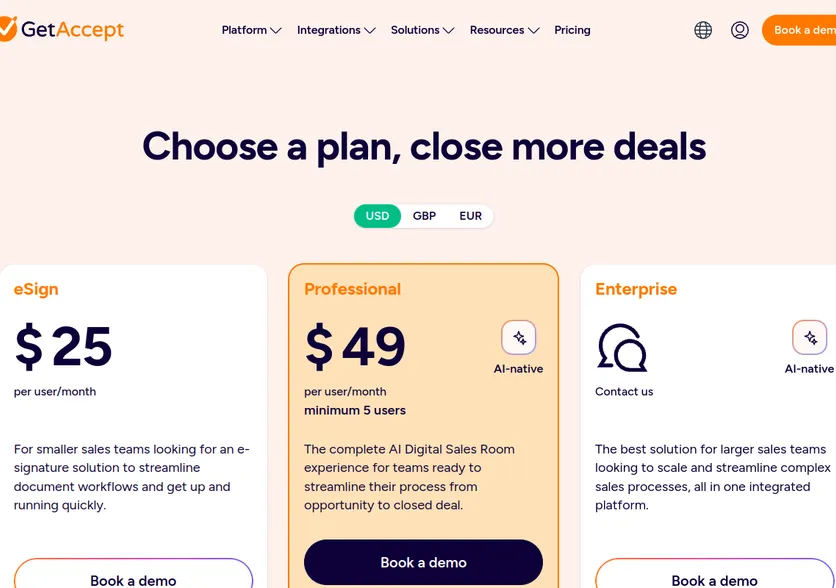
Paid tool Starting price: $25/user/month · eSign plan at $25 a user a month; Professional is $49 a user a month billed annually with a 5-user minimum, and all plans run on 12-month agreements
Free plan: Free trial available; no permanent free plan listed.
GetAccept is a sales document platform that combines proposals, e-signatures, contracts and video messages with CRM integration. It tracks engagement per recipient and nudges reps when a deal goes quiet, which makes it a closer fit for pipeline-driven teams than for freelancers. All plans run on twelve-month agreements, so budget for the full year.
What we like
- Deep CRM integration keeps proposals inside the pipeline
- Video messages add a personal touch to each send
- Engagement tracking shows when to follow up
Watch out for
- Professional needs a 5-user minimum
- Twelve-month agreements on every plan
How to try it
- Connect GetAccept to your CRM and build a proposal template
- Send the proposal with a personal video message attached
- Follow up when engagement tracking shows the client went quiet
7. Nusii
Best for: Freelancers who send a small number of proposals each month
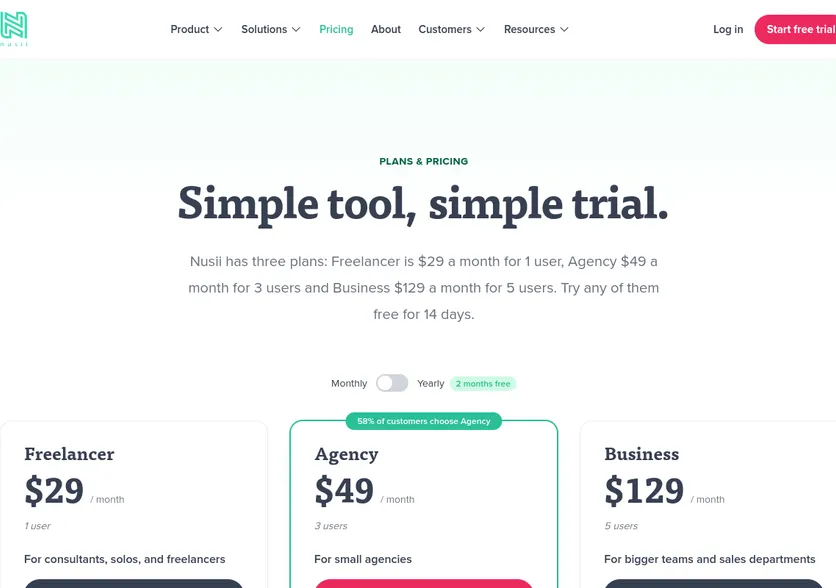
Paid tool Starting price: $29/month · Freelancer plan at $29 a month for 1 user and 5 active proposals; Agency is $49 a month for 3 users and Business is $129 a month for 5 users
Free plan: Free trial available; no permanent free plan listed.
Nusii is a simple proposal tool for freelancers, with a clean editor, client tracking and online signatures at a flat monthly price. The Freelancer plan covers one user and five active proposals, which matches how most solo operators actually work. It stays out of the way and focuses on the job: a good proposal, sent fast, with a signature at the end.
What we like
- Flat pricing with no per-user surprises
- Five active proposals fits most freelancers
- Simple editor with no learning curve
Watch out for
- Five active proposals is tight in a busy month
- No CRM depth for larger sales teams
How to try it
- Write the proposal in the clean editor with your branding
- Send it to the client and watch the open notifications
- Collect the signature online and archive the accepted version
8. Quoter
Best for: IT and services firms that quote fixed-price work with e-signatures
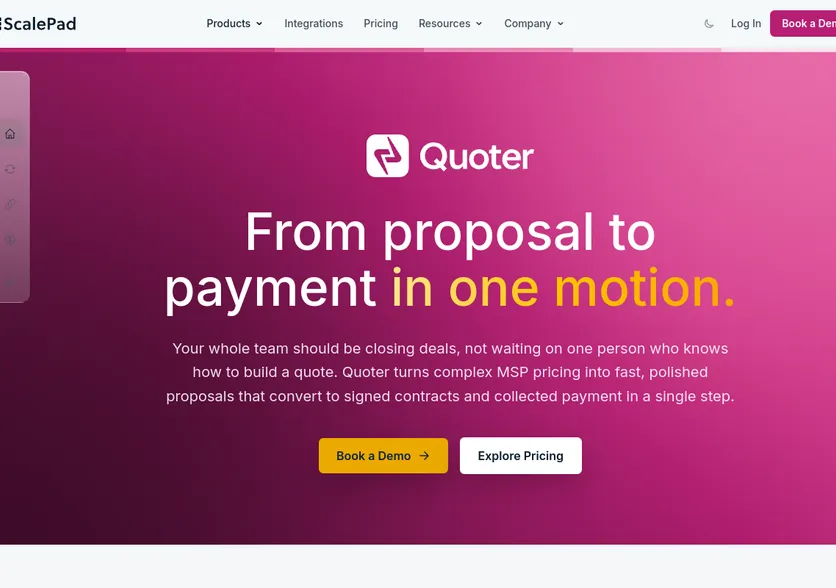
Paid tool Starting price: $299/month · Standard plan at $299 a month for 75 published quotes a month and unlimited users on a 12-month term, plus a $495 one-time activation fee; Pro is $449 and Enterprise is $599
Free plan: Free trial available; no permanent free plan listed.
Quoter is a quoting and proposal tool for IT providers and service firms, built around product catalogs, recurring services and approval workflows. Quotes go out as branded pages the client can accept and sign, with unlimited users on every plan so the whole team can work in it. The Standard plan suits firms that send dozens of quotes a month and need them tracked.
What we like
- Unlimited users on every plan, no seat counting
- Product catalog keeps quotes consistent across the team
- Approval workflows suit IT and services firms
Watch out for
- $495 one-time activation fee on top of the monthly price
- 75-quote monthly cap on Standard may bind busy firms
How to try it
- Build your product catalog with pricing and recurring services
- Generate a branded quote from a template and send it to the client
- Track acceptance and route approvals before the work starts
Prices above were checked on each vendor’s own website on Nov 26, 2026 and can change — the vendor’s page is the final word. Vendor links are editorial: nobody paid to be listed or ranked here. Vendors who want a featured listing can see how it works on our Get listed page.
How to pick a proposal generator
Start from your monthly proposal volume, because that number picks the plan. A freelancer sending five proposals a month fits the cheapest tiers comfortably, while a sales team sending fifty needs a plan without a sends cap and with analytics worth reading. Check the cap on active proposals and monthly sends before you fall for a low headline price.
Then confirm the closing tools are included. E-signatures and payment collection should be in the plan, not sold as add-ons, and the analytics should show which pages the client read, not just that they opened the link. Send one real proposal on the trial and watch the tracking before you commit.
Before you buy
- Confirm the plan covers enough active proposals for your monthly volume
- Check that e-signatures and payment collection are included, not add-ons
- Make sure templates match your brand without designer help
- Test the analytics to see when clients open and read each page
- Confirm proposals export as PDF for clients who will not click a link
Official websites
Official websites of the products reviewed above. Features and prices were checked against these sites when this guide was written, and they can change, so confirm on the vendor site before you buy.
Frequently asked questions
What is an AI proposal generator tool?
A proposal generator helps you write, send and track business proposals. It provides branded templates, pricing tables, e-signatures and payment collection, plus analytics that show when a client opens the document and which pages they read. The goal is to close faster with less chasing.
How much do proposal generator tools cost in 2026?
Entry prices in this comparison run from $13 a user a month for Better Proposals to $299 a month for Quoter. Most small teams land between $19 and $39 a user a month. Freelancers can start cheap, while firms that send dozens of quotes a month should budget for the higher tiers.
Is there a free proposal generator worth using?
Most tools here offer a free trial rather than a permanent free plan. PandaDoc has a free eSign tier for 5 documents a month, which is genuinely useful for occasional use. For regular proposal work, the paid plans pay for themselves with one extra signed deal a month.
What is the difference between a proposal and a quote?
A proposal is a sales document that wins the work: scope, price, terms and a signature. A quote is usually a shorter price list for a defined job. Tools like Quoter focus on quotes for IT and services firms, while Proposify and PandaDoc handle full proposals with contracts and payments built in.
What should I check before buying a proposal tool?
Check that e-signatures and payments are included in the plan price, not sold as add-ons. Then test whether the analytics show per-page reading time, since that tells you what the client actually cares about. Finally, confirm templates can carry your branding without designer help.
Sending proposals every week? Try free invoice, quote and contract tools on Toolsvine right in your browser.
Browse Business Tools tools


