On this page
Telecom field crews lose money whenever a job, a quote or a customer record lives in a different place from the rest of the day. The nine tools below put scheduling, dispatch, quoting and invoicing in one system built for installers, repair techs and line crews. Jobber leads because it covers the whole job from first quote to final payment for twenty-nine dollars a month, and the rest are ranked on how well they fit small crews, growing teams and larger field operations.
How we researched this
We checked every price on the vendor pricing page on November 29, 2026, and only included tools with a published US dollar list price. FieldEdge and ServiceTitan sell by quote only and publish no price, so they are not in this list. Prices change, so confirm the current figure on the vendor site before you buy.
Compare the tools
| Name | Best for | Starting price | Free plan | |
|---|---|---|---|---|
 Jobber | Small telecom crews that want the whole job in one app | $29/month | 14-day free trial | Visit |
 Housecall Pro | Growing crews that book jobs by phone and text | $59/month | 14-day free trial | Visit |
 Service Fusion | Larger field operations that need fleet and inventory control | $192/month | 14-day free trial | Visit |
 FieldPulse | Mid-size crews that want clean per-user pricing | $99/user/month | 14-day free trial | Visit |
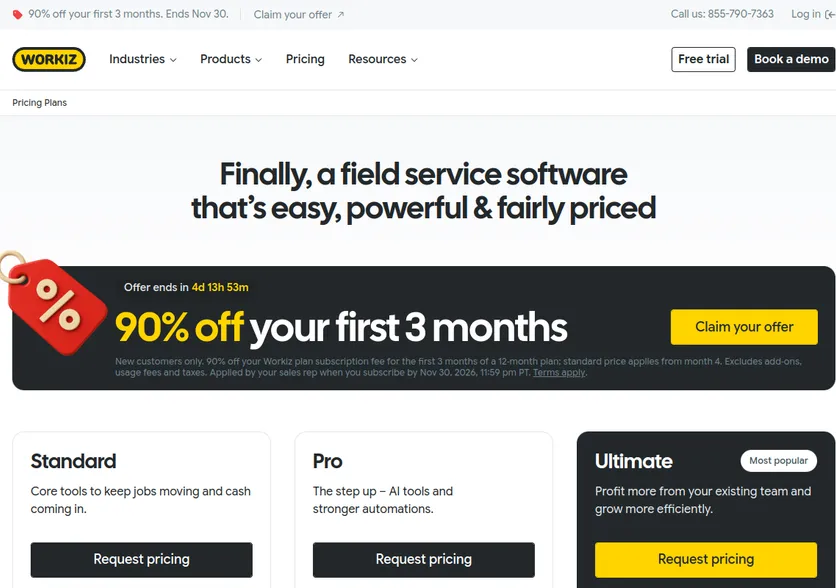
 Workiz | Phone-heavy crews that want calls tied to jobs | $225/month | 14-day free trial | Visit |
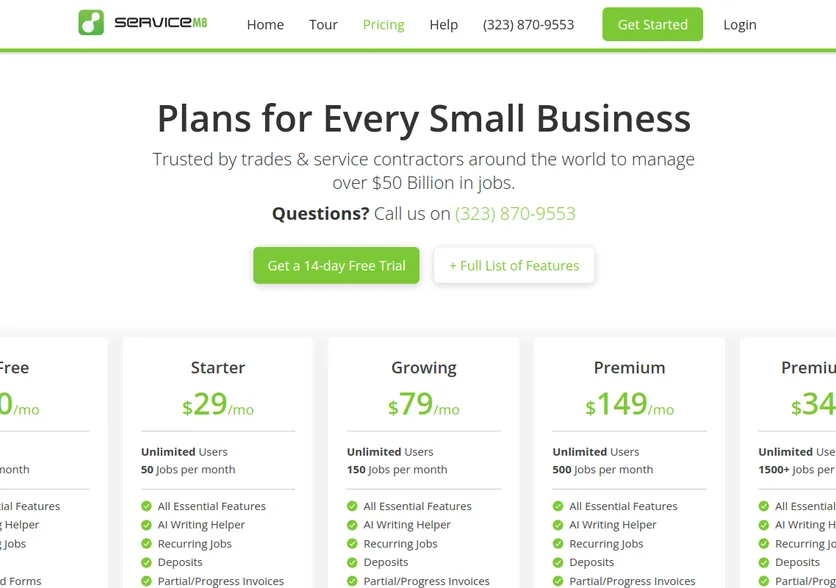
 ServiceM8 | Small crews that want unlimited users for a flat rate | $29/month | Free plan (1 user, 30 jobs a month) | Visit |
 mHelpDesk | Crews that want a proven field system with work orders | $169/month | No free plan listed | Visit |
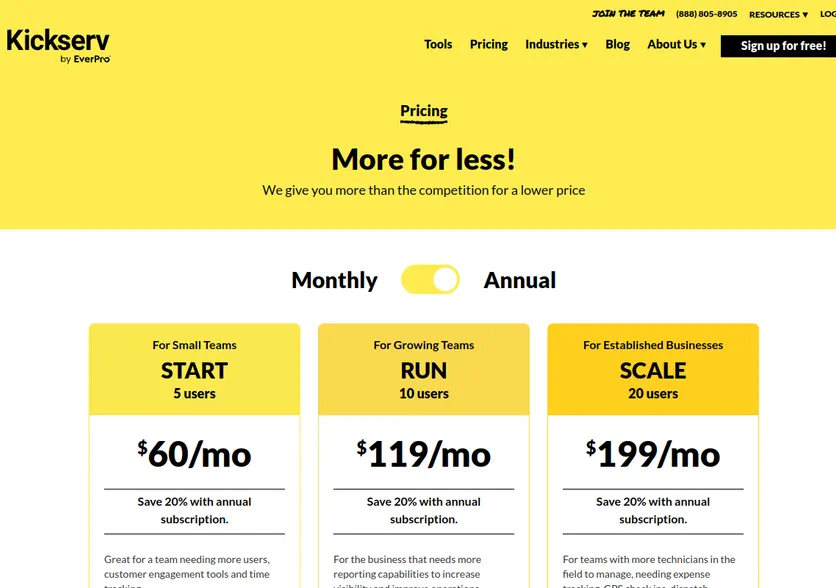
 Kickserv | Crews of up to five that want a flat rate | $60/month | 30-day free trial | Visit |
 Leap CRM | Contractors that sell and install from one system | $79/month | 14-day free trial (Essential) | Visit |
The software for telecom field service, compared
1. Jobber
Best for: Small telecom crews that want the whole job in one app
Paid tool Starting price: $29/month · Twenty-nine dollars a month on the Core plan billed annually; Grow and Connect add automation, reporting and marketing tools at higher rates
Free plan: 14-day free trial
A telecom crew that quotes, schedules and invoices from one app saves the admin hours that eat a small field team, and this Jobber plan costs twenty-nine dollars a month on the Core plan billed annually. It handles quotes, online booking, dispatch, time tracking and card payments, and the customer portal lets clients approve quotes and pay without a phone call. It is the most complete starting point in this list for a crew that wants the whole job in one place.

What we like
- Quotes, scheduling, dispatch and invoicing in one app
- Customer portal for quote approval and online payment
- Online booking and card payments included
Watch out for
- Core plan caps some automation and reporting features
- Add-on costs grow as the crew adds users and features
How to try it
- Create a quote from a job template and send it for approval
- Schedule the approved job and assign it to a technician
- Invoice from the finished job and take payment online
2. Housecall Pro
Best for: Growing crews that book jobs by phone and text
Paid tool Starting price: $59/month · Fifty-nine dollars a month on the Basic plan billed annually; the trade view of the same plan lists seventy-nine dollars a month, and higher plans add more users and features
Free plan: 14-day free trial
A growing field crew that needs dispatch and customer messaging without enterprise complexity gets a strong fit here, because this Housecall Pro plan costs fifty-nine dollars a month on the Basic plan billed annually. It covers scheduling, dispatch, estimates, invoicing and card payments, and automated texts keep customers updated on arrival times. It suits a crew that books most jobs by phone and wants the paperwork to follow the job automatically.

What we like
- Automated customer texts with arrival updates
- Scheduling, estimates and payments in one flow
- Simple setup that a small crew learns fast
Watch out for
- Basic plan limits the number of users and features
- Some advanced reporting needs a higher tier
How to try it
- Add the customer and build an estimate for the job
- Schedule the visit and dispatch it to a technician
- Send the invoice and collect payment on site or online
3. Service Fusion
Best for: Larger field operations that need fleet and inventory control
Paid tool Starting price: $192/month · One hundred and ninety-two dollars a month on the Starter plan billed annually; two hundred and twenty-five dollars billed monthly; higher plans add fleet, inventory and accounting depth
Free plan: 14-day free trial
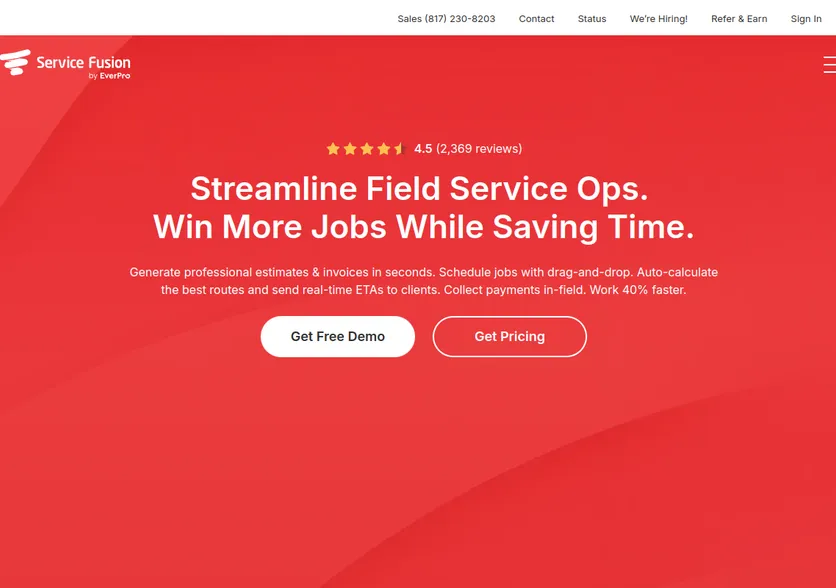
A larger field operation that runs many crews at once needs a system built for volume, and this Service Fusion plan costs one hundred and ninety-two dollars a month on the Starter plan billed annually. It combines scheduling, dispatch, inventory, fleet tracking and accounting in one dashboard, and the mobile app keeps technicians connected from the job site. It fits an operation that has outgrown a simple scheduler and needs real operational control.
What we like
- Fleet tracking and inventory in the same dashboard
- Strong dispatch tools for many crews at once
- Mobile app built for technicians in the field
Watch out for
- The entry price is far above the small-crew tools here
- Setup takes longer than the simpler apps in this list
How to try it
- Import customers and set up service areas and crews
- Dispatch jobs from the board and track technicians live
- Invoice finished jobs and reconcile payments in the dashboard
4. FieldPulse
Best for: Mid-size crews that want clean per-user pricing
Paid tool Starting price: $99/user/month · Ninety-nine dollars per user a month from the vendor pricing calculator; the final package for larger teams is set by custom quote
Free plan: 14-day free trial
A crew that prices jobs per technician will find the per-user model easy to budget, since this FieldPulse plan costs ninety-nine dollars per user a month from the vendor pricing calculator. It covers estimates, scheduling, invoicing and payments, and the final package is set by custom quote for larger teams. It suits a mid-size crew that wants a clean field app without paying for features it will never use.

What we like
- Clean mobile app that technicians learn quickly
- Estimates, scheduling and payments in one place
- Pricing calculator shows the cost before you call sales
Watch out for
- Final package price is set by custom quote
- Per-user pricing adds up fast for larger crews
How to try it
- Build an estimate and send it to the customer
- Schedule the job and assign it from the dispatch board
- Invoice the finished work and take payment in the app
5. Workiz
Best for: Phone-heavy crews that want calls tied to jobs
Paid tool Starting price: $225/month · Two hundred and twenty-five dollars a month to start for a team of three to five users; older listings show Standard at two hundred and seventy-five dollars and Pro at three hundred and twenty-five dollars, which appear stale against the November 2026 vendor reads
Free plan: 14-day free trial
A busy dispatch board is the centre of a field business, and this Workiz plan costs two hundred and twenty-five dollars a month to start for a team of three to five users. It combines scheduling, dispatch, invoicing and an online booking page, and the phone system add-on keeps calls tied to the job record. It fits a crew that takes most bookings by phone and wants every call logged against the customer.
What we like
- Online booking page included with every plan
- Phone system add-on logs calls against jobs
- Dispatch board handles high job volume well
Watch out for
- Starting price covers only three to five users
- Older listings show lower prices that are now stale
How to try it
- Set up services, price book items and team members
- Take bookings online or by phone into the dispatch board
- Invoice completed jobs and track payments per technician
6. ServiceM8
Best for: Small crews that want unlimited users for a flat rate
Paid tool Starting price: $29/month · Twenty-nine dollars a month on Starter for fifty jobs a month with unlimited users; Growing is seventy-nine dollars and Premium is one hundred and forty-nine dollars; Premium Plus is three hundred and forty-nine dollars
Free plan: Free plan (1 user, 30 jobs a month)
A small crew that wants unlimited users on a low flat rate gets the best deal in this list here, because this ServiceM8 plan costs twenty-nine dollars a month on Starter for fifty jobs a month with unlimited users. It covers quoting, scheduling, job cards, invoicing and payments, and the free plan handles one user and thirty jobs a month at no cost. It is the cheapest way for a growing crew to put every technician on the same system.
What we like
- Unlimited users on every paid plan
- Free plan covers one user and thirty jobs a month
- Job cards keep notes, photos and checklists together
Watch out for
- Starter caps at fifty jobs a month
- Some add-ons are billed per job or per user
How to try it
- Create a client and build a quote from a template
- Turn the approved quote into a job card and schedule it
- Complete the job card on site and send the invoice
7. mHelpDesk
Best for: Crews that want a proven field system with work orders
Paid tool Starting price: $169/month · One hundred and sixty-nine dollars a month on the Pro plan for three users; Growth is two hundred and forty-nine dollars for eight users and Success is three hundred and seventy-four dollars for ten users; older listings show ninety-nine dollars a month, which appears stale
Free plan: No free plan listed
A crew that needs a proven field system with a long track record will find it here, since this mHelpDesk plan costs one hundred and sixty-nine dollars a month on the Pro plan for three users. It covers scheduling, dispatch, work orders, invoicing and payments, and the higher tiers add more users and reporting as the crew grows. It suits a team that values stability over the newest interface.
What we like
- Work orders, dispatch and invoicing in one system
- Long track record with field service teams
- Higher tiers scale users and reporting cleanly
Watch out for
- No free plan or trial is listed on the vendor site
- The interface feels older than newer rivals
How to try it
- Set up the team and import the customer list
- Create work orders and dispatch them to technicians
- Invoice finished work and reconcile payments
8. Kickserv
Best for: Crews of up to five that want a flat rate
Paid tool Starting price: $60/month · Sixty dollars a month on Start for five users; Run is one hundred and nineteen dollars for ten users and Scale is one hundred and ninety-nine dollars for twenty users; annual billing takes twenty percent off
Free plan: 30-day free trial
A small crew that wants scheduling and invoicing without a per-user bill gets a fair price here, because this Kickserv plan costs sixty dollars a month on Start for five users. It covers scheduling, dispatch, estimates, invoicing and payments, and annual billing takes twenty percent off the monthly rate. It fits a crew of up to five that wants a simple flat rate and a thirty-day trial.
What we like
- Flat rate for five users, not per-user billing
- Thirty-day free trial with no card required
- Estimates and invoices share the same customer record
Watch out for
- Start caps at five users, so growth needs a higher tier
- Fewer integrations than the bigger platforms here
How to try it
- Add customers and build an estimate for the work
- Schedule the job and dispatch it to a technician
- Invoice from the job and collect payment online
9. Leap CRM
Best for: Contractors that sell and install from one system
Paid tool Starting price: $79/month · Seventy-nine dollars a month on Essential for a single user; Team starts at two hundred and ninety-eight dollars plus ninety-nine dollars per extra user; legacy JobProgress was two hundred and forty-nine dollars a month for three users; one-year contracts apply
Free plan: 14-day free trial (Essential)
A telecom contractor that sells as well as installs needs a system that tracks the sale and the job together, and this Leap CRM plan costs seventy-nine dollars a month on Essential for a single user. It combines CRM, estimates, scheduling and invoicing, and the Team plan adds users at ninety-nine dollars each. It fits a contractor whose pipeline and field schedule have to stay in step.
What we like
- CRM and field scheduling in the same system
- Estimates flow straight into scheduled jobs
- Team plan scales users one at a time
Watch out for
- Essential covers one user only
- One-year contracts apply to the paid plans
How to try it
- Add the lead and build an estimate in the CRM
- Convert the won estimate into a scheduled job
- Invoice the finished job and track the payment
Prices above were checked on each vendor’s own website on Nov 29, 2026 and can change — the vendor’s page is the final word. Vendor links are editorial: nobody paid to be listed or ranked here. Vendors who want a featured listing can see how it works on our Get listed page.
How to run a telecom field crew from one system
Start with the job, not the software, because the tool has to follow how the crew already works. Map a single job from first call to final payment, then check each tool against that flow: can it quote, schedule, dispatch, invoice and take payment without a second app. Put every technician on the mobile app from day one, since a system the field team ignores is worse than no system at all. Test the trial on a real week of jobs and confirm the invoice matches the quote before the customer sees it.
Before you buy
- Confirm the tool handles quoting, scheduling, dispatch, invoicing and payments in one system
- Check the mobile app works offline, since technicians lose signal on site
- Ask how per-user and flat-rate pricing scale as the crew adds technicians
- Make sure customer texts and arrival updates are included, not an add-on
- Test the trial on a real week of jobs, including a reschedule and a failed visit
Official websites
Official websites of the products reviewed above. Features and prices were checked against these sites when this guide was written, and they can change, so confirm on the vendor site before you buy.
Frequently asked questions
What is telecom field service software?
It is software that runs the daily work of a telecom field crew: quoting, scheduling, dispatching technicians, tracking jobs and invoicing customers from one system. The best tools add a mobile app for the field, automated customer texts and online payments, so the office and the crew always see the same job. Small crews need the basics done well; larger operations need fleet and inventory tools too.
How much does Jobber cost for a telecom crew?
Jobber costs twenty-nine dollars a month on the Core plan billed annually, which covers quoting, scheduling, dispatch, invoicing and online payments. Higher plans add automation, reporting and marketing tools for larger crews. A fourteen-day free trial lets a crew test it on real jobs before paying, and the customer portal handles quote approval and payment without a phone call.
Is there a free field service tool for telecom crews?
Yes, ServiceM8 offers a free plan for one user and thirty jobs a month, which suits a solo technician or a very small crew. It covers quoting, scheduling, job cards and invoicing at no cost. A crew that outgrows thirty jobs a month moves to the twenty-nine-dollar Starter plan, which keeps unlimited users and adds fifty jobs a month.
Which tool is best for a small telecom crew?
Jobber is the best overall pick for a small crew, at twenty-nine dollars a month with quoting, scheduling, dispatch and invoicing in one app. ServiceM8 is the best value if the crew wants unlimited users on a flat rate, and Kickserv suits a crew of up to five that wants a simple sixty-dollar monthly price. Try each trial on a real week of jobs before choosing.
Do these tools work for installers as well as repair crews?
Yes, every tool in this list covers both install and repair work, since both follow the same flow of quote, schedule, dispatch, complete and invoice. The difference is in the details: install jobs need longer time slots and equipment checklists, while repair jobs need fast dispatch and customer arrival texts. Check that the tool you pick handles the job types your crew does most.
Compare the nine tools above, then start with a free trial on the tool that matches the crew size and job flow, and test it on a real week of installs and repairs before paying for a full year.
Browse Business Tools tools