
On this page
A small service business loses money when jobs, quotes and invoices live in three different places, and field service software fixes that by putting the whole day on one board. The seven tools below run from twenty-nine dollars a month to about two hundred and twenty-five dollars a month, and every price was checked on the vendor site on November 26, 2026. Some charge per user, some charge per job and some charge one flat rate, so compare the billing unit before the sticker price. Jobber is our first pick.
How we researched this
We started with the field service tools small businesses actually buy, then read each price on the vendor pricing page on November 26, 2026 and noted the free trial each plan carries. We judged them for a small crew that needs scheduling, dispatch, quoting and invoicing in one login, and we kept only tools with a published price. We dropped ServiceTitan, FieldEdge, FieldPulse and Simpro because none of them publishes a price, and we dropped mHelpDesk because its pricing page returns a page-not-found error.
Compare the tools
| Name | Best for | Starting price | Free plan | |
|---|---|---|---|---|
 Jobber | Solo operators who want the cheapest published start with quoting, scheduling and invoicing in one app | $29/month | No free plan; 14-day free trial | Visit |
 Housecall Pro | Home service pros who want booking, dispatch, invoicing and review management in one login | $59/month | No free plan; 14-day free trial | Visit |
 ServiceM8 | Small crews who want unlimited users and pay by job volume instead of seats | $29/month | Free plan for 1 user and 30 jobs a month; 14-day free trial on paid plans | Visit |
 Kickserv | Small crews who want five users on one flat rate with QuickBooks sync included | $60/month | No free plan; 30-day free trial | Visit |
 RazorSync | Two-person shops who want dispatch and invoicing with one-on-one training included | $85/month | No free plan; 14-day free trial | Visit |
 Service Fusion | Growing shops who want unlimited users at one flat monthly rate | $220/month | No free plan; demo available | Visit |
 Workiz | Call-heavy trades like locksmiths and junk removal who live on the phone | $225/month | Free Lite plan for 2 users and 20 jobs a month; 7-day free trial on paid plans | Visit |
The field service software for small business, compared
1. Jobber
Best for: Solo operators who want the cheapest published start with quoting, scheduling and invoicing in one app
Paid tool Starting price: $29/month · Core plan, $29 a month billed annually or $49 billed monthly; a first-year $21 a month promo is not the list price
Free plan: No free plan; 14-day free trial
Jobber gives a small service business one place to take bookings, send quotes, schedule crews and collect payment, with a client hub where customers approve work and pay online. This Jobber Core plan is the cheapest published start in this list, built for a one-person shop that wants quoting, invoicing and online payments without a per-user maze. A solo plumber or cleaner can run the whole job from first call to final payment in the same app.

What we like
- Cheapest published start in this list for one user
- Client hub where customers approve quotes and pay
- Online booking and scheduling in the same app
Watch out for
- Core covers one user only, so a second person means Connect
- Card processing fees sit on top of the subscription
How to try it
- Open the Jobber pricing page and start the 14-day trial
- Build a quote template and send it to a real customer
- Schedule the job and collect payment through the client hub
2. Housecall Pro
Best for: Home service pros who want booking, dispatch, invoicing and review management in one login
Paid tool Starting price: $59/month · Basic plan, $59 a month billed annually or $79 billed monthly; Essentials $149 and MAX $299 a month on annual billing; a 50 percent off three-month offer is not the list price
Free plan: No free plan; 14-day free trial
Housecall Pro covers online booking, scheduling and dispatch, estimates, invoices and payments in one login, with a price book and job costing for home service trades. This Housecall Pro Basic plan suits a solo operator who wants review management and consumer financing beside the core workflow. A cleaner or handyman can take a booking from a website, dispatch the job and collect payment without a second app.

What we like
- Booking, dispatch, invoicing and payments in one login
- Price book and job costing built in
- Review management included on the entry plan
Watch out for
- Basic covers one user, so a team needs Essentials
- HVAC, plumbing and electrical trades pay more than other trades
How to try it
- Open the Housecall Pro pricing page and start the trial
- Set up online booking from your website
- Send an estimate and invoice through the app
3. ServiceM8
Best for: Small crews who want unlimited users and pay by job volume instead of seats
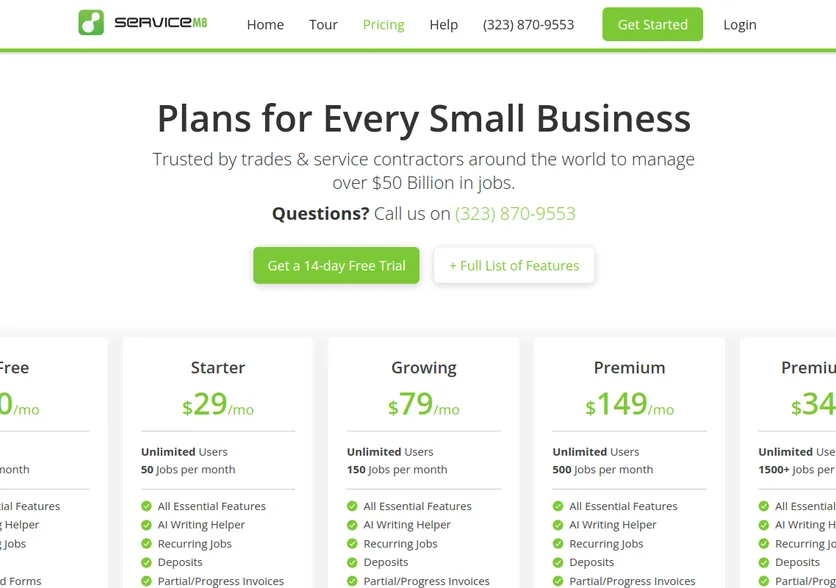
Paid tool Starting price: $29/month · Starter plan, $29 a month for 50 jobs a month with unlimited users; Growing $79 and Premium $149 a month
Free plan: Free plan for 1 user and 30 jobs a month; 14-day free trial on paid plans
ServiceM8 prices by job volume rather than seats, so a team of any size pays the same monthly rate while the job cap sets the plan. This ServiceM8 Starter plan covers fifty jobs a month with unlimited users, and a free plan handles one user and thirty jobs a month. A small crew that runs many hands on modest volume gets the cheapest credible start in this list.
What we like
- Unlimited users on every paid plan
- Free plan covers a solo operator with thirty jobs
- Job-volume pricing suits large crews with modest volume
Watch out for
- The job cap decides the plan, so busy months force an upgrade
- Field app is strongest on Apple devices
How to try it
- Claim the free plan and add your first job
- Invite the whole crew, since paid plans allow unlimited users
- Send a quote and invoice from the mobile app
4. Kickserv
Best for: Small crews who want five users on one flat rate with QuickBooks sync included
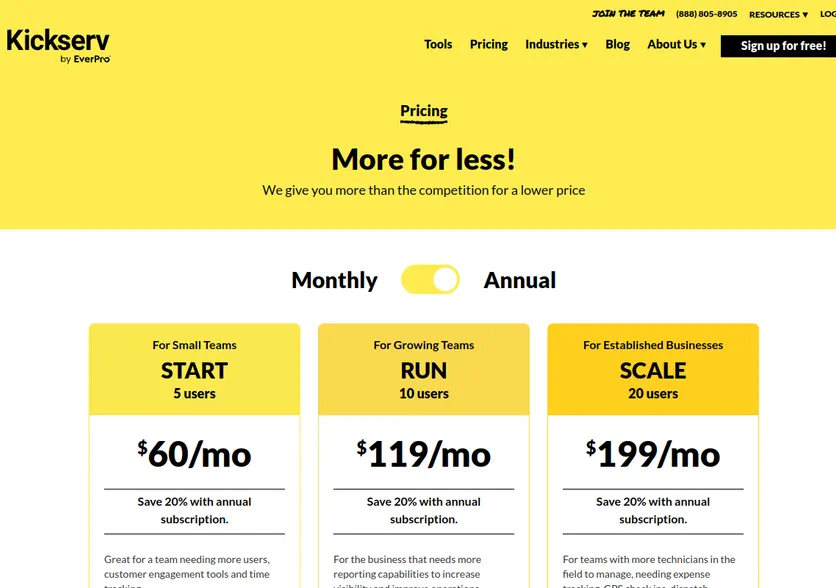
Paid tool Starting price: $60/month · Start plan, $60 a month for up to 5 users; Run $119 and Scale $199 a month; annual billing saves 20 percent
Free plan: No free plan; 30-day free trial
Kickserv prices by team size rather than per seat, so five people share one flat rate that undercuts most per-user tools. This Kickserv Start plan covers up to five users with scheduling, estimates, invoicing and QuickBooks Online sync included. A small landscaping or cleaning crew can put the whole team on one plan for the price rivals charge for a single seat.
What we like
- Five users for the price rivals charge for one
- QuickBooks Online sync included on Start
- Longest free trial in this list at thirty days
Watch out for
- QuickBooks Desktop sync costs extra on Run
- Card processing rates are not published on the pricing page
How to try it
- Open the Kickserv pricing page and start the 30-day trial
- Add up to five users on the Start plan
- Connect QuickBooks Online and send your first invoice
5. RazorSync
Best for: Two-person shops who want dispatch and invoicing with one-on-one training included
Paid tool Starting price: $85/month · Solo plan, $85 a month billed annually or $90 billed monthly for up to 2 users; Team $195 and Pro $439 a month on annual billing
Free plan: No free plan; 14-day free trial
RazorSync sells field service in user bands, so a two-person shop pays one flat rate for dispatch, scheduling, invoicing and a customer portal. This RazorSync Solo plan covers up to two users with one-on-one training included, which suits a business still learning the software. A small trade business that wants a guided start rather than a self-serve trial will like the training baked into the price.
What we like
- One-on-one training included on the entry plan
- Flat rate for two users with no per-seat math
- Customer portal included from the start
Watch out for
- QuickBooks sync is a paid add-on on Solo
- The price steps sharply at the third user
How to try it
- Open the RazorSync pricing page and start the trial
- Book the one-on-one training session
- Set up dispatch and send your first invoice
6. Service Fusion
Best for: Growing shops who want unlimited users at one flat monthly rate
Paid tool Starting price: $220/month · Starter plan, $220 a month billed annually or $259 billed monthly with unlimited users; Plus $339 and Pro $552 a month on annual billing
Free plan: No free plan; demo available
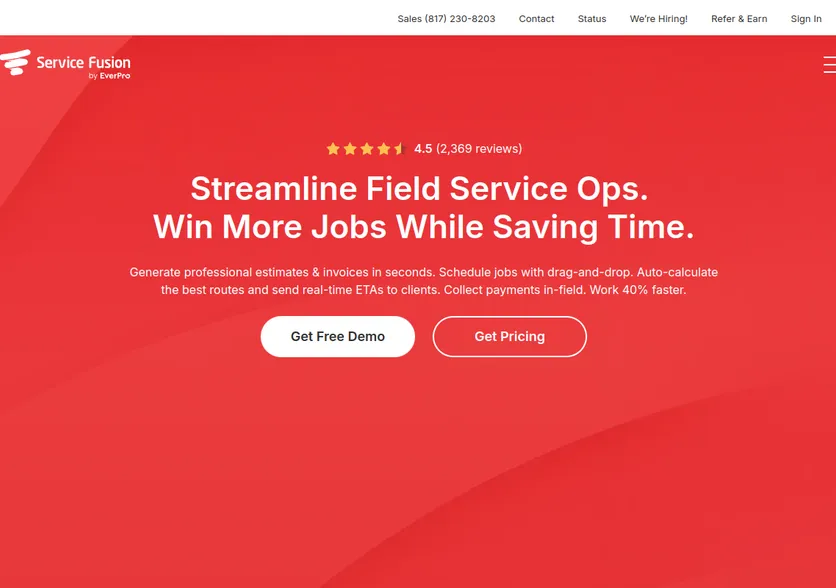
Service Fusion charges one flat monthly rate with unlimited users, so adding technicians and office staff never raises the subscription. This Service Fusion Starter plan covers scheduling, dispatch, estimates, invoicing and QuickBooks integration for the whole company. A growing HVAC or plumbing shop with a large crew gets predictable costs where per-user tools would climb with every hire.
What we like
- Unlimited users on every plan at a flat rate
- Scheduling, dispatch and QuickBooks in one login
- No contract, with month-to-month billing available
Watch out for
- No free trial, so the demo is the only test
- GPS tracking and call tracking are paid add-ons
How to try it
- Open the Service Fusion pricing page and book a demo
- Add the whole team, since users are unlimited
- Set up scheduling and dispatch for the crew
7. Workiz
Best for: Call-heavy trades like locksmiths and junk removal who live on the phone
Paid tool Starting price: $225/month · Kickstart plan, $225 a month; Standard $275 and Pro $325 a month; phone system and AI answering are paid add-ons
Free plan: Free Lite plan for 2 users and 20 jobs a month; 7-day free trial on paid plans
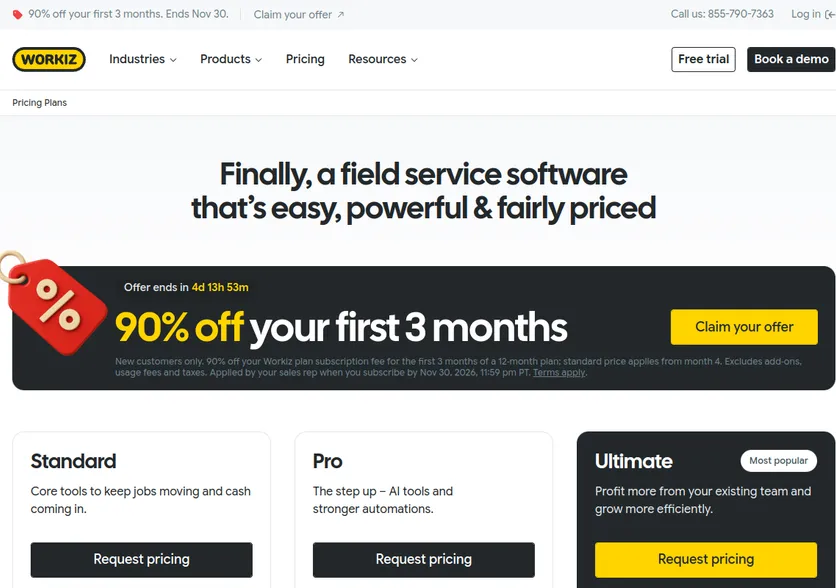
Workiz is built for call-heavy trades, with fast dispatch and a built-in phone system that turns incoming calls into jobs. This Workiz Kickstart plan covers scheduling and invoicing, while higher plans add the phone system and AI answering. A locksmith or junk removal crew that lives on the phone will get more from Workiz than from a scheduling-only tool.
What we like
- Built-in phone system turns calls into jobs
- Free Lite plan for testing with real jobs
- Fast dispatch built for on-demand trades
Watch out for
- Phone system and AI answering cost extra each month
- Priciest entry plan in this list
How to try it
- Claim the free Lite plan and add your first jobs
- Upgrade to Kickstart when you pass twenty jobs
- Turn on the phone system on Standard or above
Prices above were checked on each vendor’s own website on Nov 26, 2026 and can change — the vendor’s page is the final word. Vendor links are editorial: nobody paid to be listed or ranked here. Vendors who want a featured listing can see how it works on our Get listed page.
What field service software costs in 2026
Most small businesses pay for one to five seats, so the billing unit matters more than the headline number. A solo operator pays twenty-nine dollars a month on Jobber Core or on ServiceM8 Starter, while a five-person crew pays sixty dollars a month on Kickserv Start or two hundred and twenty dollars a month on Service Fusion Starter with unlimited users. The headline plan each vendor shows on its own pricing page is the number in the table above, checked on November 26, 2026.
Start with the free trial on two tools and run one real week through each, from first call to final payment. Compare how fast the crew can close a job on a phone, how quickly a quote goes out, and whether invoicing needs a second app. Pick the tool your technicians open without being asked, because software nobody uses is money wasted.
Before you buy
- Count the seats before you compare prices, because per-user plans double the bill the moment you add help.
- Check whether the plan includes QuickBooks sync, because some tools sell it as a paid add-on.
- Test the mobile app in the field, because a dispatcher tool that fails offline wastes technician time.
- Confirm the free trial length, because trials here run from seven days to thirty days.
- Compare annual and monthly billing, because most tools here cut the monthly rate on annual plans.
Official websites
Official websites of the products reviewed above. Features and prices were checked against these sites when this guide was written, and they can change, so confirm on the vendor site before you buy.
Frequently asked questions
Which field service software is best for a small business in 2026?
Jobber, at twenty-nine dollars a month on annual billing for one user, is the safest default because it covers quoting, scheduling, invoicing and payments in one app with a client hub. ServiceM8 wins on value for crews, since twenty-nine dollars a month covers unlimited users up to fifty jobs. Kickserv is the best flat-rate pick for a five-person team at sixty dollars a month.
How much does field service software cost for a small business?
Entry prices in this list run from twenty-nine dollars a month to about two hundred and twenty-five dollars a month, and the billing unit decides the real cost. Per-user tools like Jobber charge for every seat, while flat-rate tools like Service Fusion and Kickserv charge one rate no matter how many people join. Count your users and your monthly jobs before you compare sticker prices.
Is there a free field service software for a small business?
Yes, ServiceM8 offers a free plan for one user and thirty jobs a month, and Workiz offers a free Lite plan for two users and twenty jobs a month. The other five tools offer free trials of seven to thirty days instead of a permanent free plan. A free plan is enough to test real jobs, while a trial is enough to run a full week of work.
Do I need a separate tool for invoicing and payments?
No, every tool here bundles invoicing with scheduling, and most add online payments in the same login. Jobber, Housecall Pro, ServiceM8, Kickserv and RazorSync all take card payments through the job record, so the invoice and the payment stay together. Check the card processing rate separately, since it sits on top of the subscription on every tool here.
What should I look for in field service software as a small business?
Look for scheduling and dispatch your crew can run from a phone, quotes and invoices in the same login, and a customer portal or client hub your customers actually open. Check whether the price is per user, per job or flat rate, and test the free trial with a real job before you commit. The best tool is the one your technicians open every morning.
Need everyday business help too? Try Toolsvine's free business tools for small service teams right in your browser.
Browse Business Tools tools


