
On this page
Remote sales teams send proposals from different rooms and time zones, so the tool has to work anywhere a rep opens a laptop and show when a buyer reads it. The seven tools below run from a $13-a-month starter to a full deal-room platform, and every price was checked on the vendor site on November 26, 2026. Each one offers a free plan or a free trial, so your team can send a real proposal before paying. Qwilr is our first pick — interactive web proposals with analytics that show exactly what the buyer viewed.
How we researched this
We started with the AI proposal tools remote sales teams actually buy, then read each price on the vendor pricing page on November 26, 2026 and noted the free plan or trial each plan carries. We judged them for a team that sends proposals from different places and needs to know when a buyer reads them. We kept the list to tools with a published price, and we dropped any tool whose price we could not verify.
Compare the tools
| Name | Best for | Starting price | Free plan | |
|---|---|---|---|---|
| Qwilr | Remote teams that win deals with interactive web proposals | $35/month | 14-day free trial | Visit |
 PandaDoc | Remote teams that want proposals, approvals and signatures in one cloud workspace | $49/month | Free plan | Visit |
| Proposify | Remote teams that need approvals before any quote goes out | $39/month | 14-day free trial | Visit |
| Better Proposals | Remote teams that need clean proposals out the door fast and cheap | $13/month | 14-day free trial | Visit |
| Nusii | Remote freelancers and small teams that want a simple proposal dashboard | $29/month | 14-day free trial | Visit |
| Bidsketch | Remote teams that send the same kinds of proposals again and again | $23/month | 14-day free trial | Visit |
| GetAccept | Remote teams that sell to buyers they never meet in person | $25/month | No free plan; book a demo to try it | Visit |
The AI proposal generator tools, compared
1. Qwilr
Best for: Remote teams that win deals with interactive web proposals
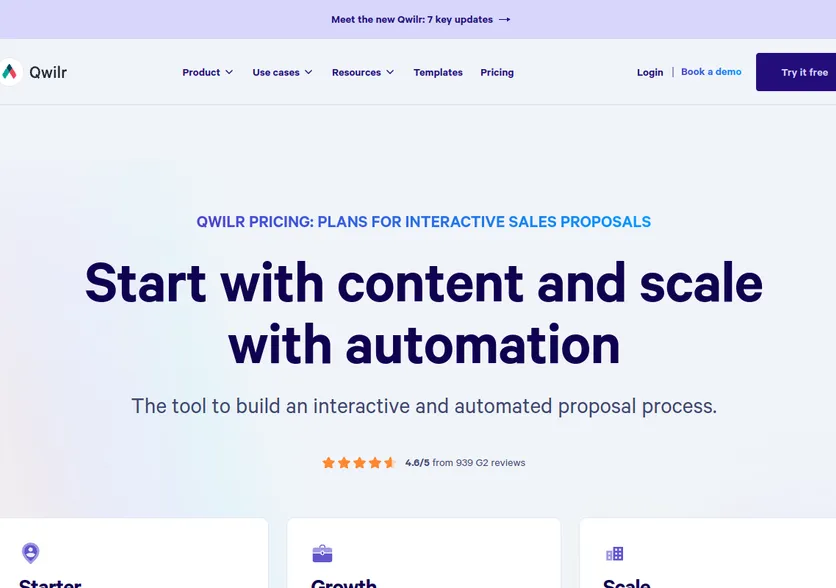
Paid tool Starting price: $35/month · Starter plan, per user per month on annual billing; monthly billing is about $49 a month; Growth is about $55 a month with a five-user minimum and Scale is about $75 a month with a ten-user minimum
Free plan: 14-day free trial
Qwilr is the remote team's proposal weapon, because a web-page proposal works the same on any device a buyer opens. This Qwilr Starter plan covers interactive proposals with video, pricing tables and e-signatures, plus templates and analytics that show when a buyer opens the page. A rep working from home can see exactly which section held the buyer's attention and follow up on the part that matters.
What we like
- Interactive web proposals buyers actually read
- Analytics show what the buyer viewed
- Video and e-signatures included
Watch out for
- Starter costs about $35 a month per user
- Growth needs five users, Scale needs ten
How to try it
- Open the Qwilr pricing page and start the free trial
- Build an interactive proposal with video and pricing tables
- Send it to a buyer and check the analytics
2. PandaDoc
Best for: Remote teams that want proposals, approvals and signatures in one cloud workspace
Paid tool Starting price: $49/month · Business plan, per user per month on annual billing; month-to-month billing is about $65 a month; Starter is about $19 a month and Free is $0; Enterprise is quoted
Free plan: Free plan
PandaDoc keeps a remote sales team in sync, because proposals, approvals and signatures live in one cloud workspace every rep can open. This PandaDoc Business plan adds CRM integrations, approval workflows, a content library and deal rooms, so a rep can build a quote, win approval and collect a signature without passing files around. It is the strongest pick here for a team that sells from different rooms and wants every step tracked.

What we like
- Proposals, quotes and signatures in one place
- CRM integrations and approvals on Business
- Content library keeps reps on approved language
Watch out for
- Business costs about $49 a month per user
- Every sender is a paid seat
How to try it
- Open the PandaDoc pricing page and start the Business trial
- Build a proposal from a template with pricing and signature blocks
- Send it through approval and track it until signed
3. Proposify
Best for: Remote teams that need approvals before any quote goes out
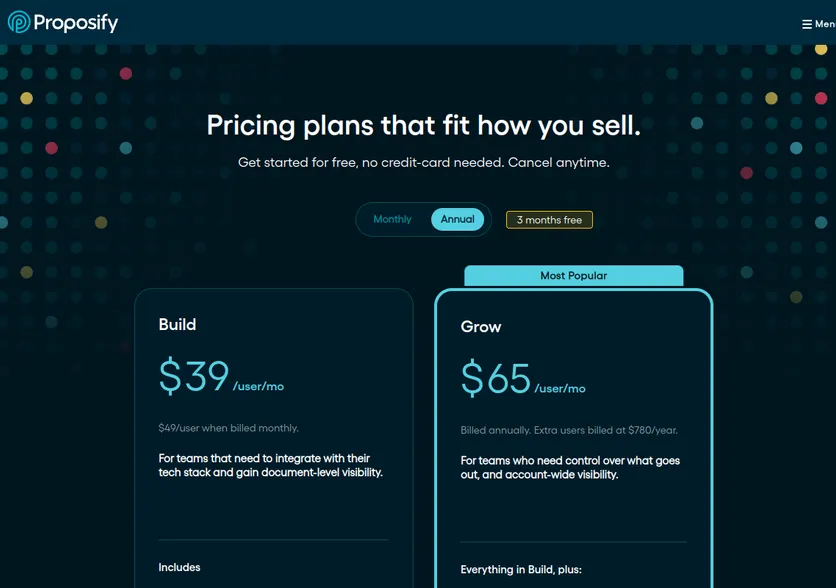
Paid tool Starting price: $39/month · Build plan, per user per month on annual billing; month-to-month billing is about $49 a month; Grow is about $65 a user a month and Scale is about $107 a user a month with a platform fee
Free plan: 14-day free trial
Proposify gives a remote team the same control over proposals that an office team has, with approvals built into the workflow. This Proposify Build plan covers proposal templates, a content library, e-signatures and analytics, with approval steps that stop an off-brand quote before it reaches the buyer. It is the right pick when a manager must sign off on every deal, even from another time zone.
What we like
- Approval workflow stops off-brand quotes
- Content library keeps proposals consistent
- Analytics track every proposal
Watch out for
- Build costs about $39 a month per user
- Scale jumps to about $107 a user a month
How to try it
- Open the Proposify pricing page and start the free trial
- Build a proposal from a template with your content library
- Send it through approval and collect the signature
4. Better Proposals
Best for: Remote teams that need clean proposals out the door fast and cheap
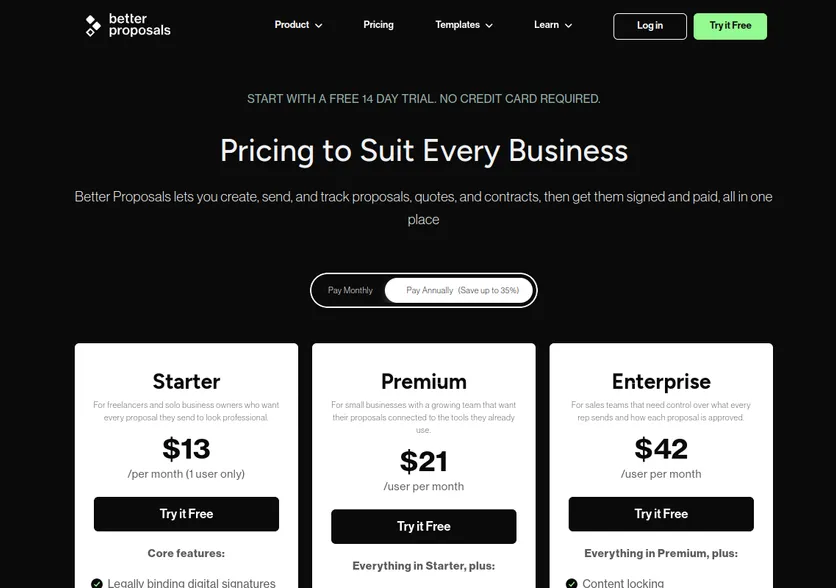
Paid tool Starting price: $13/month · Starter plan, per user per month on annual billing; month-to-month billing is about $19 a month; Premium is about $21 a month and Enterprise is about $42 a month
Free plan: 14-day free trial
Better Proposals is the fast, cheap pick for a remote team that just needs clean proposals out the door. This Better Proposals Starter plan covers proposal templates, e-signatures, payment collection and analytics, with a simple editor a new rep learns in an afternoon. It lacks the deal rooms and approval chains of PandaDoc, but for straightforward quotes it ships faster and costs far less.
What we like
- Cheapest Starter plan at $13 a month
- Simple editor a new rep learns fast
- Payment collection built into proposals
Watch out for
- No deal rooms or approval chains
- Enterprise tier is about $42 a month
How to try it
- Open the Better Proposals pricing page and start the free trial
- Pick a template and add your pricing and signature blocks
- Send it to a client and collect payment in the proposal
5. Nusii
Best for: Remote freelancers and small teams that want a simple proposal dashboard
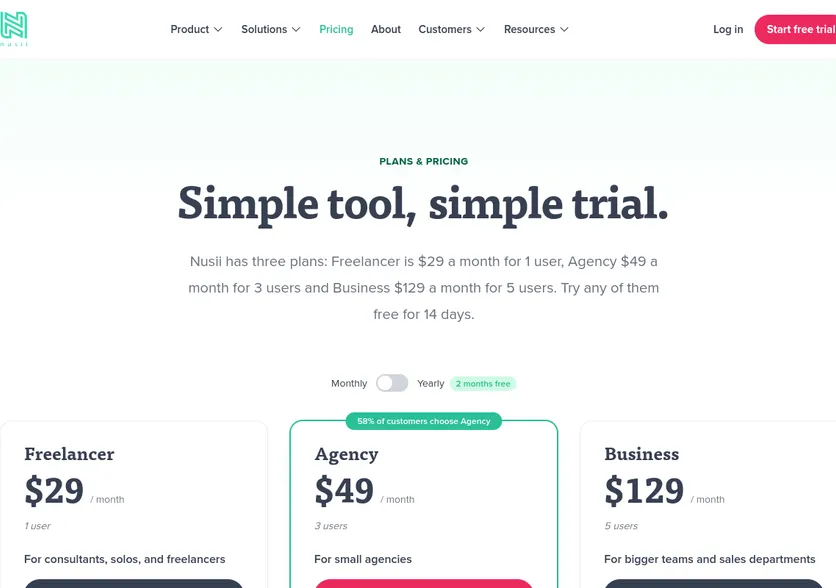
Paid tool Starting price: $29/month · Freelancer plan, per month for one user; Agency is about $49 a month for three users and Business is about $129 a month for five users
Free plan: 14-day free trial
Nusii suits a remote freelancer or small team that wants a simple dashboard showing every proposal's status at a glance. This Nusii Freelancer plan covers proposal templates, e-signatures and client notifications, with a clean dashboard that shows which proposals are open, viewed and signed. A rep can send proposals from anywhere and check the status from a phone between calls.
What we like
- Simple dashboard shows every proposal status
- Fast setup, sending the same day
- Clean templates for freelancers and small teams
Watch out for
- Freelancer plan covers one user only
- Lighter features than PandaDoc or Proposify
How to try it
- Open the Nusii pricing page and start the free trial
- Pick a template and add your services and price
- Send it to a client and watch the notifications
6. Bidsketch
Best for: Remote teams that send the same kinds of proposals again and again
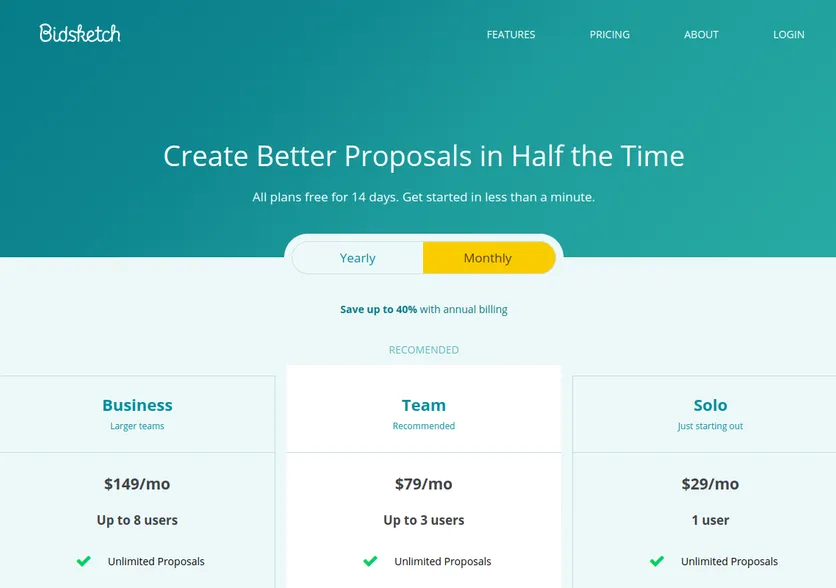
Paid tool Starting price: $23/month · Solo plan, per month billed yearly; month-to-month billing is about $29 a month; Team is about $47 a month and Business is about $119 a month
Free plan: 14-day free trial
Bidsketch helps a remote team stop rewriting the same proposal, because reusable fee tables turn repeat work into a few clicks. This Bidsketch Solo plan covers proposal templates, reusable fee tables, e-signatures and client approvals, so a rep can clone a winning proposal and adjust the price in minutes. It is the best fit for a team whose proposals follow a pattern and need to go out fast.
What we like
- Reusable fee tables speed up repeat proposals
- Client approvals built in
- Cheapest full proposal tool for small teams
Watch out for
- Solo plan covers one user only
- Team plan jumps to about $47 a month
How to try it
- Open the Bidsketch pricing page and start the free trial
- Clone a winning proposal and adjust the fee table
- Send it for client approval and collect the signature
7. GetAccept
Best for: Remote teams that sell to buyers they never meet in person
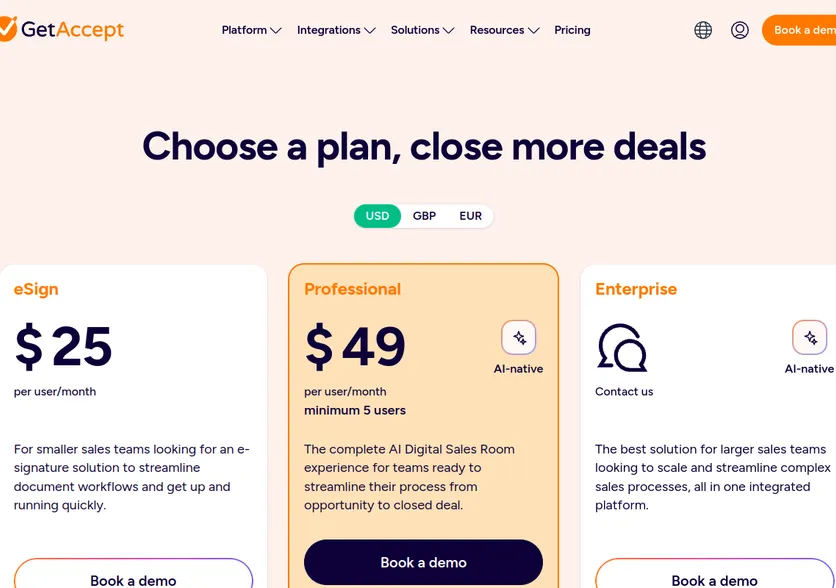
Paid tool Starting price: $25/month · eSign plan, per user per month; Professional and Enterprise are per-user annual plans with a five-user minimum; all plans are 12-month agreements
Free plan: No free plan; book a demo to try it
GetAccept is built for remote selling, because video walkthroughs replace the in-person meeting a buyer never has. This GetAccept eSign plan covers e-signatures, proposal tracking and video messages, with deal rooms on the higher tiers. A rep can record a personal video walkthrough of the proposal and see exactly when the buyer watches it.
What we like
- Video walkthroughs personalize every proposal
- Deal rooms keep buyers engaged
- E-signatures on every plan
Watch out for
- eSign plan is about $25 a month per user
- Higher tiers need five users minimum
How to try it
- Open the GetAccept pricing page and book a demo
- Build a proposal and add a video walkthrough
- Send it to a buyer and track the deal room
Prices above were checked on each vendor’s own website on Nov 26, 2026 and can change — the vendor’s page is the final word. Vendor links are editorial: nobody paid to be listed or ranked here. Vendors who want a featured listing can see how it works on our Get listed page.
What AI proposal generator tools cost in 2026
For a remote team the price that matters is the per-user cost, because every rep works from a different place and needs their own login. The range on this list runs from about $13 a month to about $49 a month per user, and the cheapest plans are not always the cheapest deal, because seat minimums and signature allowances change what a team really pays. The table below uses the headline plan each vendor shows on its own pricing page, checked on November 26, 2026.
Start with the free plan or trial on two tools and send the same proposal through both. Compare the design, the buyer experience and how the analytics look, then pick the tool your reps will actually use every day. A $13 tool reps ignore costs more than a $49 tool that wins deals.
Before you buy
- Count how many reps will send proposals remotely, because most plans here charge per user and every rep needs their own login.
- Check the seat minimum on the plan you like, because Qwilr Growth needs five users and Scale needs ten, which changes the real bill.
- Test the tool on a real proposal first, because every tool here offers a free plan or trial and the buyer experience is what matters.
- Ask whether the tool fits your workflow: PandaDoc links with your CRM, while GetAccept adds video walkthroughs for buyers you never meet.
- Try the analytics a rep sees, because knowing when a buyer opens the proposal is worth more than any template library.
Official websites
Official websites of the products reviewed above. Features and prices were checked against these sites when this guide was written, and they can change, so confirm on the vendor site before you buy.
Frequently asked questions
Which AI proposal generator is best for remote sales teams in 2026?
Qwilr, at about $35 a month per user, is the safest default because interactive web proposals work on any device and its analytics show exactly what the buyer viewed. PandaDoc is better when a team needs approvals and CRM links, since it covers quotes, approvals and signatures in one workspace. Better Proposals wins on budget, at about $13 a month per user for clean templates and e-signatures.
What is the cheapest AI proposal generator for a remote team?
Better Proposals Starter, at about $13 a month per user, is the cheapest plan here and covers templates, e-signatures, payment collection and analytics. PandaDoc's free plan covers five documents a month at no cost, which suits a single rep testing the workflow. For a whole team, Bidsketch Solo at about $23 a month is the cheapest full proposal tool.
Can I try AI proposal generators for free?
Yes, every tool here offers a free plan or a free trial. PandaDoc has a free plan for light use, while Qwilr, Proposify, Better Proposals, Nusii and Bidsketch offer 14-day free trials. Send a real proposal first, not a test file, to see the buyer experience your clients will actually get.
Do proposal tools include e-signatures?
Most of them do. PandaDoc, Qwilr, Proposify, Better Proposals, Nusii, Bidsketch and GetAccept all include e-signatures on their paid plans, so a buyer can sign without leaving the proposal. PandaDoc and GetAccept also add deal rooms and video on higher tiers. Check the signature allowance before you buy, because some plans cap the number of documents.
Which proposal tool is best for tracking buyers?
Qwilr is the strongest pick for tracking, because its analytics show when a buyer opens the proposal and which sections held their attention. PandaDoc is close behind, with deal rooms and notifications that flag when a buyer views or signs. GetAccept adds video tracking, so a rep can see exactly when a buyer watches the walkthrough.
Need everyday business help too? Try Toolsvine's free business tools for remote teams right in your browser.
Browse Business Tools tools


