On this page
A short personal video beats a cold email, but recording one for every prospect takes all day. The AI tools below either generate the presenter from a script or make recording and sharing fast enough to do at volume. Prices run from about fourteen dollars a month to seventy-nine dollars a month, and every figure was checked on the vendor site on November 26, 2026. Most offer a free plan or trial, so you can test a video on real prospects before paying. Synthesia is our first pick — avatar video from a script at fourteen dollars a month.
How we researched this
We started with the AI video tools sales teams actually buy, then read each price on the vendor pricing page on November 26, 2026 and noted the free plan or trial each one carries. We judged them for a rep who needs to send personal video at volume without a camera crew. We kept only tools with a published price, and we dropped any tool whose price we could not verify on the vendor site; Vidyard was dropped because published reads disagreed on its Pro price.
Compare the tools
| Name | Best for | Starting price | Free plan | |
|---|---|---|---|---|
 Synthesia | Sales teams that want avatar videos from a script | $14/month | Free plan with 3 minutes of video a month | Visit |
 HeyGen | Reps selling into several countries in local languages | $29/month | Free plan with 3 watermarked videos a month | Visit |
 Loom | Reps who send quick personal walkthroughs every day | $15/user/month | Starter plan free with 25 videos per person | Visit |
 Colossyan | Enablement teams that train reps with video courses | $59/month | Starter plan free with 20 minutes a month | Visit |
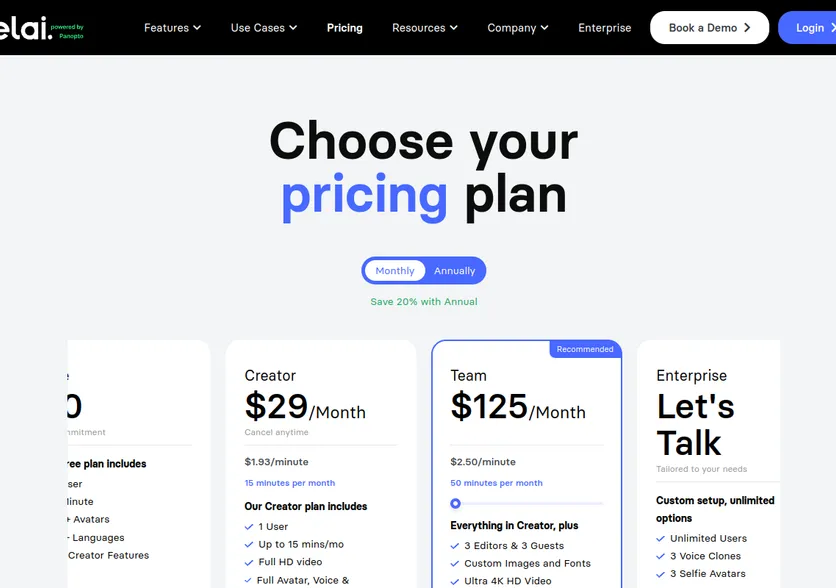
 Elai | Sales teams with a library of written material to convert | $29/month | Free plan with 1 minute of video a month | Visit |
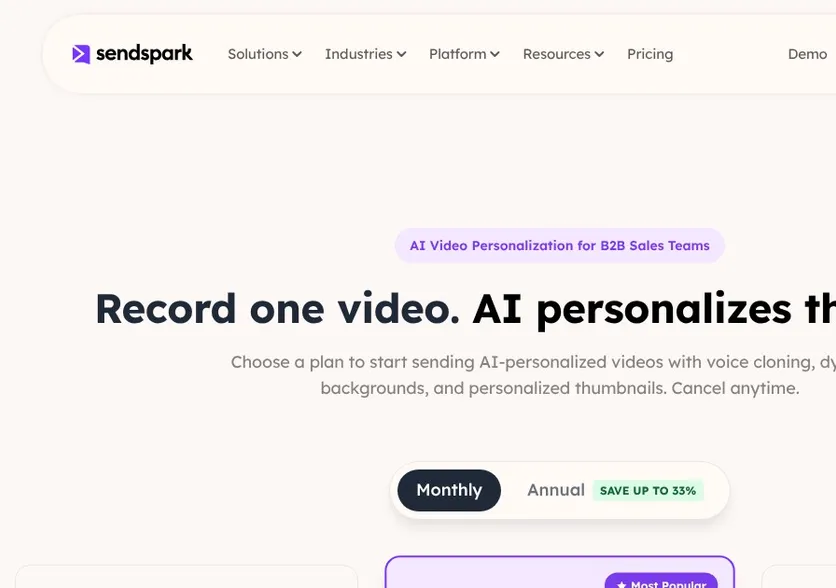
 Sendspark | Solo reps doing personalized outbound at volume | $49/month | 7-day free trial, no free tier | Visit |
 D-ID | Small teams that want a presenter from a photo and a script | $29/month | 14-day free trial with 3 minutes | Visit |
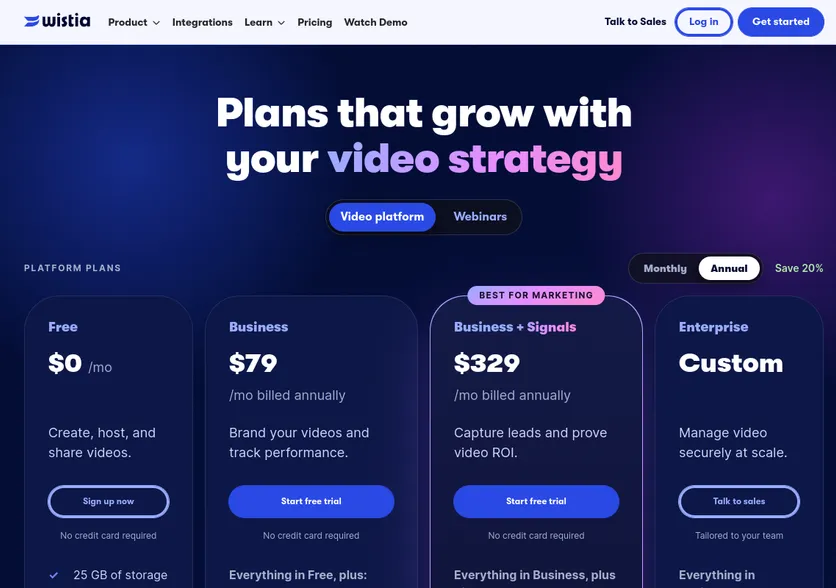
 Wistia | Marketing teams that host video on landing pages | $79/month | Free plan with 25 GB storage and 1 user | Visit |
The AI video software for sales, compared
1. Synthesia
Best for: Sales teams that want avatar videos from a script
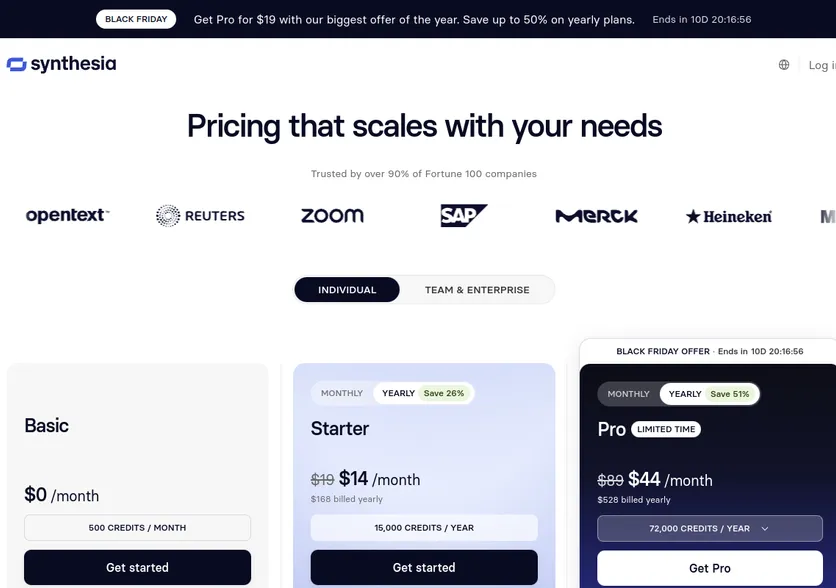
Paid tool Starting price: $14/month · Starter plan, $14 a month billed annually or $19 billed monthly
Free plan: Free plan with 3 minutes of video a month
Synthesia turns a written script into a video presented by a realistic AI avatar, with no camera, studio, or presenter needed. This Synthesia Starter plan covers ten minutes of video a month with downloads and a choice of stock avatars. A sales team can send a personal video to every prospect on a list without recording a single take.
What we like
- Avatar videos with no filming or studio needed
- Ten minutes a month on the entry plan
- Downloads included on Starter
Watch out for
- Starter covers only ten minutes a month
- Custom avatars need a higher plan
How to try it
- Open the Synthesia pricing page and start the free plan
- Type a script and pick a stock avatar
- Generate the video and share the link with a prospect
2. HeyGen
Best for: Reps selling into several countries in local languages
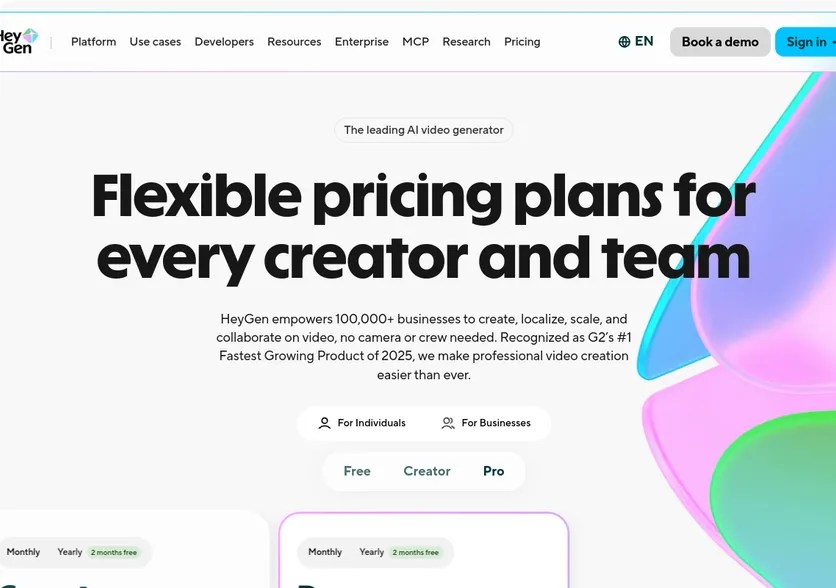
Paid tool Starting price: $29/month · Creator plan, $29 a month billed monthly or $24 billed annually; 600 credits a month
Free plan: Free plan with 3 watermarked videos a month
HeyGen builds avatar videos from a script and translates them into more than one hundred seventy languages with matching lip sync. This HeyGen Creator plan includes six hundred credits a month, 1080p export, and a custom avatar with your own voice. A rep selling into several countries can record once and reach every market in the local language.
What we like
- Translation into more than one hundred seventy languages
- Custom avatar with your own voice and likeness
- Credits roll over for a month
Watch out for
- Creator costs twenty-nine dollars a month billed monthly
- Credit use per video varies by avatar model
How to try it
- Open the HeyGen pricing page and create a free account
- Write a script and choose an avatar
- Translate the video and share it with the prospect
3. Loom
Best for: Reps who send quick personal walkthroughs every day
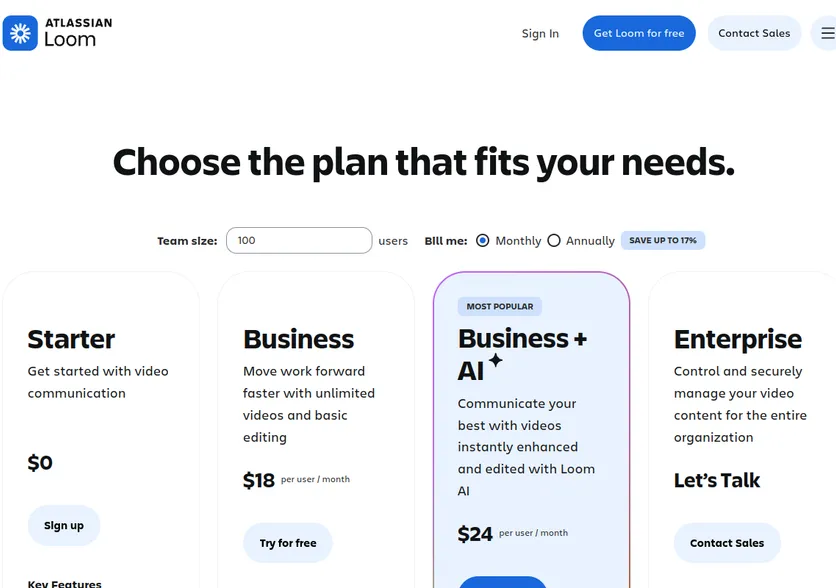
Paid tool Starting price: $15/user/month · Business plan, $15 a user a month billed annually ($18 billed monthly); unlimited videos and recording time
Free plan: Starter plan free with 25 videos per person
Loom is the simplest sales video tool here: record your screen and face, share a link, and see who watched. This Loom Business plan removes the recording limits, adds 4K quality, and strips the branding from the player. A rep who sends quick personal walkthroughs every day will get more replies from Loom than from a plain email.
What we like
- Fastest way to record and share a video
- Viewer analytics show who watched and for how long
- Unlimited videos and recording time on Business
Watch out for
- AI summaries and chapters need Business plus AI
- Per-user pricing adds up as the team grows
How to try it
- Open the Loom pricing page and start the free Starter plan
- Record your screen and camera in one click
- Share the link and check who watched
4. Colossyan
Best for: Enablement teams that train reps with video courses
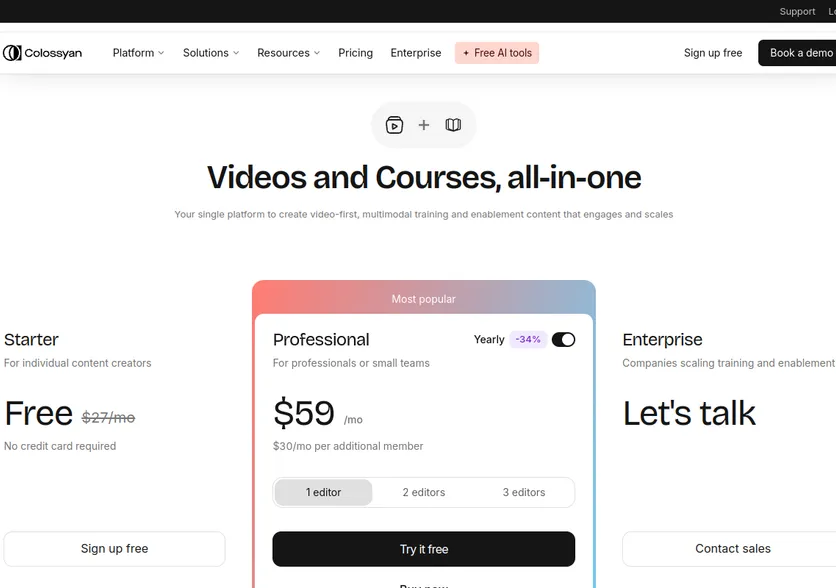
Paid tool Starting price: $59/month · Professional plan, $59 a month billed yearly or $89 billed monthly; one editor, 30 NEO minutes plus 10 NEO2 minutes a month
Free plan: Starter plan free with 20 minutes a month
Colossyan turns slide decks and documents into avatar-led training videos with quizzes, branching, and SCORM export for a learning system. This Colossyan Professional plan adds watermark removal, more avatar minutes, and five SCORM exports a month. An enablement team that onboards reps with video courses will find the interactive layer worth the price.
What we like
- Quizzes and branching built into the video
- SCORM export for learning systems
- Turns documents into courses without filming
Watch out for
- Professional costs fifty-nine dollars a month billed yearly
- Only five SCORM exports a month on Professional
How to try it
- Open the Colossyan pricing page and start the free plan
- Upload a slide deck and pick an avatar
- Add a quiz and export the course as SCORM
5. Elai
Best for: Sales teams with a library of written material to convert
Paid tool Starting price: $29/month · Basic plan, $29 a month billed monthly or $23 billed annually; 15 video minutes a month
Free plan: Free plan with 1 minute of video a month
Elai converts articles, slides, and web pages into avatar-presented videos measured in plain video minutes. This Elai Basic plan includes fifteen minutes of Full HD video a month with more than eighty avatars to choose from. A sales team with a library of written material can turn it into video without hiring a presenter.
What we like
- Priced in plain video minutes, easy to budget
- More than eighty avatars on the Basic plan
- Imports articles, slides and web pages directly
Watch out for
- Basic covers only fifteen minutes a month
- Higher plans jump steeply in price
How to try it
- Open the Elai pricing page and start the free plan
- Paste an article or upload a slide deck
- Pick an avatar and generate the video
6. Sendspark
Best for: Solo reps doing personalized outbound at volume
Paid tool Starting price: $49/month · Solo plan, $49 a month billed monthly or $39 billed annually; one seat, 100 Dynamic Video Minutes
Free plan: 7-day free trial, no free tier
Sendspark records one video and then personalizes it for every prospect, swapping in each name, company, and website background automatically. This Sendspark Solo plan covers one seat and one hundred Dynamic Video Minutes a month with AI voice cloning included. A solo rep doing outbound at volume can make every prospect feel like the video was recorded just for them.
What we like
- AI voice clone says each prospect name
- Personalized backgrounds from the prospect website
- CRM integrations from the Growth plan
Watch out for
- Solo costs forty-nine dollars a month billed monthly
- No permanent free plan, only a trial
How to try it
- Open the Sendspark pricing page and start the 7-day trial
- Record one video with a dynamic background
- Send personalized versions to your prospect list
7. D-ID
Best for: Small teams that want a presenter from a photo and a script
Paid tool Starting price: $29/month · Pro plan, $29 a month billed monthly or about $16 billed annually; 15 minutes a month with a commercial license; Lite is cheaper but personal use only
Free plan: 14-day free trial with 3 minutes
D-ID animates a still photo into a talking presenter and can also run a live agent on your website. This D-ID Pro plan includes fifteen minutes a month, premium voices, and the commercial license a business needs. A small team that wants a presenter without a shoot can start with a photo and a script.
What we like
- Turns one photo into a talking presenter
- Commercial license from the Pro plan
- Live website agents on the same minute balance
Watch out for
- Pro costs twenty-nine dollars a month billed monthly
- Lite is personal use only with a watermark
How to try it
- Open the D-ID pricing page and start the 14-day trial
- Upload a photo and type a script
- Generate the video and check the commercial license
8. Wistia
Best for: Marketing teams that host video on landing pages
Paid tool Starting price: $79/month · Business plan, $79 a month billed annually ($99 billed monthly); Business + Signals $329 a month billed annually; free plan included
Free plan: Free plan with 25 GB storage and 1 user
Wistia hosts your sales videos on a branded player with calls to action inside the video and analytics on who watched what. This Wistia Business plan includes custom player colors and no Wistia branding. A marketing team that embeds video on landing pages will value the viewer data more than the hosting itself.
What we like
- Branded player with no Wistia branding on the Business plan
- Calls to action inside the video
- Viewer analytics by contact and watch time
Watch out for
- Business costs seventy-nine dollars a month billed annually
- Business + Signals costs three hundred twenty-nine dollars a month billed annually
How to try it
- Open the Wistia pricing page and start the free plan
- Upload a video and set the player colors
- Add a call to action and embed it on a page
Prices above were checked on each vendor’s own website on Nov 26, 2026 and can change — the vendor’s page is the final word. Vendor links are editorial: nobody paid to be listed or ranked here. Vendors who want a featured listing can see how it works on our Get listed page.
What AI video for sales costs in 2026
Most sales teams pay per user or per minute, so the headline price is only the start and the metered allowance decides the real bill. This list runs from about fourteen dollars a month for Synthesia to seventy-nine dollars a month for Wistia, and avatar tools that charge by the minute can cost more once a campaign scales. The headline plan each vendor shows on its own pricing page is the number in the table above, checked on November 26, 2026.
Start with the free plan on two tools and send the same pitch through both. Compare the reply rate and the time each video took, then pick the tool your reps will actually use every day. A fourteen-dollar tool that sends a hundred videos beats a fifty-dollar tool that sits unused.
Before you buy
- Count the video minutes first, because most plans here meter minutes or credits and a cheap plan runs out fast.
- Check the commercial license, because the cheapest tiers of some tools are personal use only.
- Test the tool on a real prospect list first, because a demo avatar never shows how your buyers react.
- Ask whether you need a presenter or a recording: Synthesia and HeyGen generate avatars, while Loom records you.
- Add up the yearly cost, because a twenty-nine-dollar monthly plan is really three hundred forty-eight dollars a year.
Official websites
Official websites of the products reviewed above. Features and prices were checked against these sites when this guide was written, and they can change, so confirm on the vendor site before you buy.
Frequently asked questions
Which AI video software is best for sales in 2026?
Synthesia, at fourteen dollars a month billed annually, is the safest default because it turns a script into an avatar video with no filming and no studio. HeyGen is better when you sell into several countries, since it translates into more than one hundred seventy languages. Loom wins when the video should show a real person, with one-click recording from eighteen dollars a user a month.
What is the cheapest AI video software for sales?
Synthesia Starter, at fourteen dollars a month billed annually, is the cheapest avatar video plan here, with ten minutes a month. Loom Business, at eighteen dollars a user a month billed monthly, is the cheapest way to send real recorded video. Wistia Business, at seventy-nine dollars a month billed annually, is the branded hosting option for sales videos.
Can I try AI video software for sales for free?
Yes, most tools on this list have a free plan. Synthesia gives three minutes a month, HeyGen gives three watermarked videos, Loom gives twenty-five videos per person, and Colossyan gives twenty minutes a month. Sendspark is the exception, with a seven-day trial instead of a permanent free plan, and D-ID offers a fourteen-day trial.
Is AI avatar video or recorded video better for sales?
Avatar tools like Synthesia, HeyGen and Elai work well for outreach, product explainers and follow-ups, because the prospect gets a polished presenter without a shoot. Recorded tools like Loom work better for personal replies, demos and walkthroughs, because the prospect sees a real person. Use avatars for scale and recordings for the deals that matter most.
Which AI video tool is best for personalized sales outreach?
Synthesia is the strongest pick for avatar outreach, because it is the cheapest way to send a personal video to a whole prospect list. Sendspark is the pick when every video must feel recorded for one person, with the prospect name spoken aloud and their website as the background. Loom is the pick for quick replies, with one-click recording and viewer tracking.
Need everyday video help too? Try Toolsvine's free video tools for quick edits right in your browser.
Browse Video Tools tools