On this page
Text to animation turns a script, a blog post or a few lines of copy into a video a marketer can publish, without a camera or an animator. The eight tools below cover that job for content teams, from a nine dollar budget tool to the character animation leader. Vyond leads because it turns scripts into polished character videos for fifty-eight dollars per user a month, and the rest are ranked on how well they turn words into watchable video.
How we researched this
We checked every price on the vendor pricing page on November 29, 2026, and only included tools with a published US dollar list price. The AI video tools that sell only by quote or through sales, including Synthesia Team and HeyGen Enterprise, publish no flat prices for the tiers a marketer buys, so they are not in this list. Prices change, so confirm the current figure on the vendor site before you buy.
Compare the tools
| Name | Best for | Starting price | Free plan | |
|---|---|---|---|---|
 Vyond | Content teams making character animation every week | $58/user/month | No free plan; 14-day free trial | Visit |
 Powtoon | Marketers who need template-led animated videos fast | $15/month | Free plan | Visit |
 Animaker | Marketers who want character animation on a budget | $15/month | Free plan | Visit |
 Renderforest | Marketers who need an animated video now and again | $9/month | Free test credits | Visit |
 VideoScribe | Marketers who explain things with whiteboard video | $12.50/license/month | No free plan; 7-day free trial | Visit |
 Doodly | Marketers making doodle videos every week | $49/month | No free plan; 14-day free trial | Visit |
 Moovly | Marketers mixing animation, stock video and own footage | $24.92/month | Free plan | Visit |
 Lumen5 | Content marketers turning blog articles into video | $19/month | Free plan | Visit |
The text to animation software for content marketers, compared
1. Vyond
Best for: Content teams making character animation every week
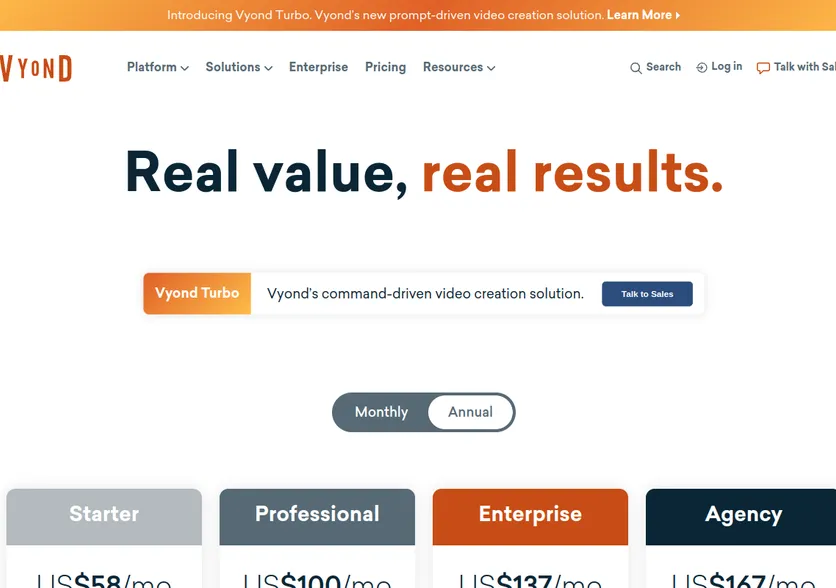
Paid tool Starting price: $58/user/month · Fifty-eight dollars per user a month on Starter billed annually (six hundred and ninety-nine dollars a year), or ninety-nine dollars month to month; Professional is one hundred dollars a month billed annually
Free plan: No free plan; 14-day free trial
A content team that makes character animation every week will want the market leader, and this Vyond plan costs fifty-eight dollars per user a month on Starter billed annually. Characters, scenes and voices are built for training and marketing videos, and the text-to-video tools turn a script into a first draft in minutes. It is the most capable tool here for a team that animates at volume.
What we like
- Characters, scenes and voices built for business video
- Text-to-video turns a script into a first draft
- Twenty-five minute maximum video length on Starter
Watch out for
- No free plan, only a 14-day trial
- The entry price is far above the budget tools
How to try it
- Create the account and start the trial
- Pick a character style and write the script
- Generate the video and polish the scenes
2. Powtoon
Best for: Marketers who need template-led animated videos fast
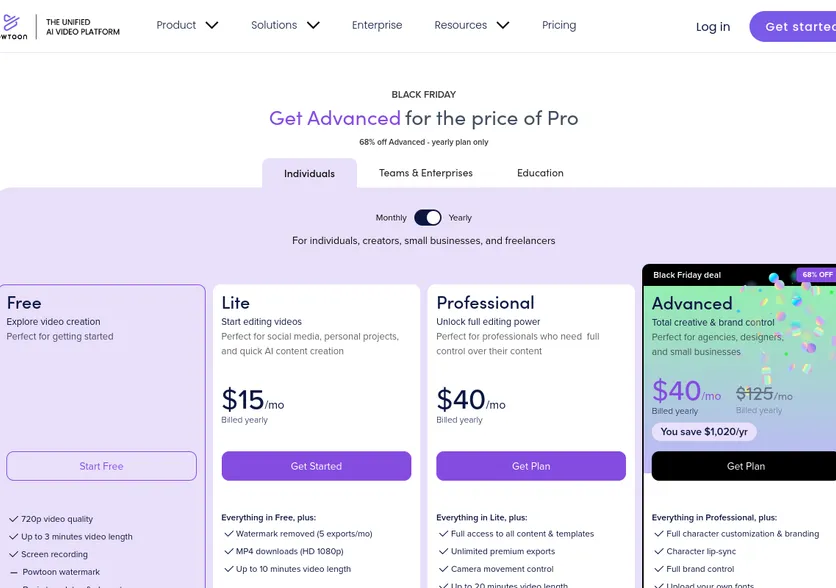
Paid tool Starting price: $15/month · Fifteen dollars a month on Lite billed annually (forty-nine dollars billed monthly); Professional is forty dollars a month billed annually and Advanced is one hundred and twenty-five dollars
Free plan: Free plan
A marketer who needs an animated video by Friday will move fast here, since this Powtoon plan costs fifteen dollars a month on Lite billed annually. Ready-made templates cover explainer, training and social videos, and the free plan is genuinely usable for a first draft at 720p. It is the best template-led pick here for a team that publishes often.
What we like
- Ready-made templates for explainer and social video
- Free plan usable for a first draft at 720p
- Five watermark-free exports a month on Lite
Watch out for
- Lite credits renew yearly, not monthly
- Advanced costs far more than Lite
How to try it
- Pick a template for the video type
- Paste the script and pick the scenes
- Export and share the video
3. Animaker
Best for: Marketers who want character animation on a budget
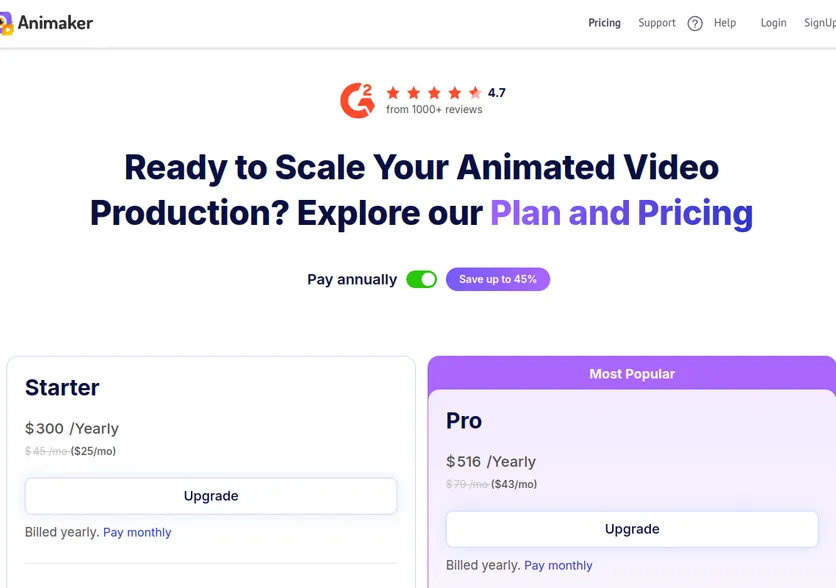
Paid tool Starting price: $15/month · Fifteen dollars a month on Basic billed annually (twenty-seven dollars billed monthly); Starter is twenty-five dollars a month billed annually and Pro is forty-three dollars; commercial rights start at Pro
Free plan: Free plan
A marketer on a tight budget will get character animation cheaply here, because this Animaker plan costs fifteen dollars a month on Basic billed annually. It covers character animation, whiteboard and AI video in one browser app, and the free plan allows three downloads a month. It is the cheapest way into character animation here, with one catch: commercial rights start at Pro.
What we like
- Character, whiteboard and AI video in one app
- Free plan allows three downloads a month
- Cheapest character animation here
Watch out for
- Commercial rights start at Pro, not Basic
- The free plan exports carry a watermark
How to try it
- Create the account and pick a style
- Write the script and build the scenes
- Export the video and check the rights tier
4. Renderforest
Best for: Marketers who need an animated video now and again
Paid tool Starting price: $9/month · Nine dollars a month on Lite billed annually (one hundred and eight dollars a year); Pro is nineteen dollars and Business is thirty-nine dollars a month billed annually, after a first-year discount
Free plan: Free test credits
For the lowest price in this list, this Renderforest plan costs nine dollars a month on Lite billed annually. It turns text into animated videos, logos and intros from ready-made scenes, and it is the only tool here that also sells a single video outright. It is the best budget pick here for a marketer who needs a video now and again.

What we like
- Lowest price in this list
- Text to video, logo and intro in one toolkit
- Single videos also sold outright
Watch out for
- Lite exports at 720p, not 1080p
- No free plan, only free test credits
How to try it
- Pick a template and paste the text
- Choose the scenes and the voice
- Export the video at the chosen quality
5. VideoScribe
Best for: Marketers who explain things with whiteboard video
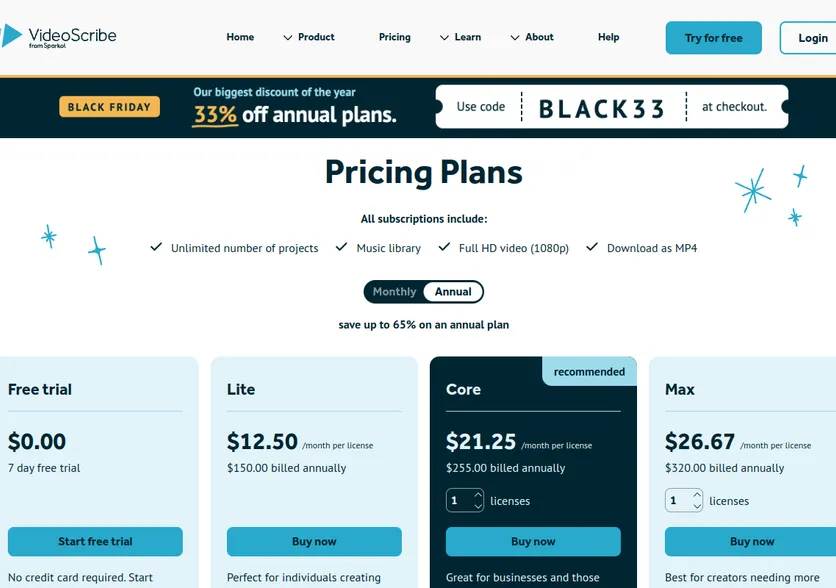
Paid tool Starting price: $12.50/license/month · Twelve dollars and fifty cents per licence a month on Lite billed annually (one hundred and fifty dollars a year); monthly billing is thirty-five dollars; Core is two hundred and fifty-five dollars and Max is three hundred and twenty dollars a year
Free plan: No free plan; 7-day free trial
Whiteboard explainers have a style of their own, and this VideoScribe plan costs twelve dollars and fifty cents per licence a month on Lite billed annually. A hand draws the story as the voiceover speaks, which holds attention for training and onboarding videos, and the seven-day trial needs no card. It is the best dedicated whiteboard tool here for a marketer who explains things.
What we like
- Hand-drawn style that holds attention
- Seven-day trial with no card needed
- Five downloads a month on Lite
Watch out for
- No free plan, only a 7-day trial
- Monthly billing costs far more than annual
How to try it
- Start the trial and pick a canvas
- Write the script and add the drawings
- Record the voiceover and export the video
6. Doodly
Best for: Marketers making doodle videos every week
Paid tool Starting price: $49/month · Forty-nine dollars a month on Standard, or four hundred and ninety dollars a year; a sixty-seven dollar one-time offer appears on a separate offer page
Free plan: No free plan; 14-day free trial
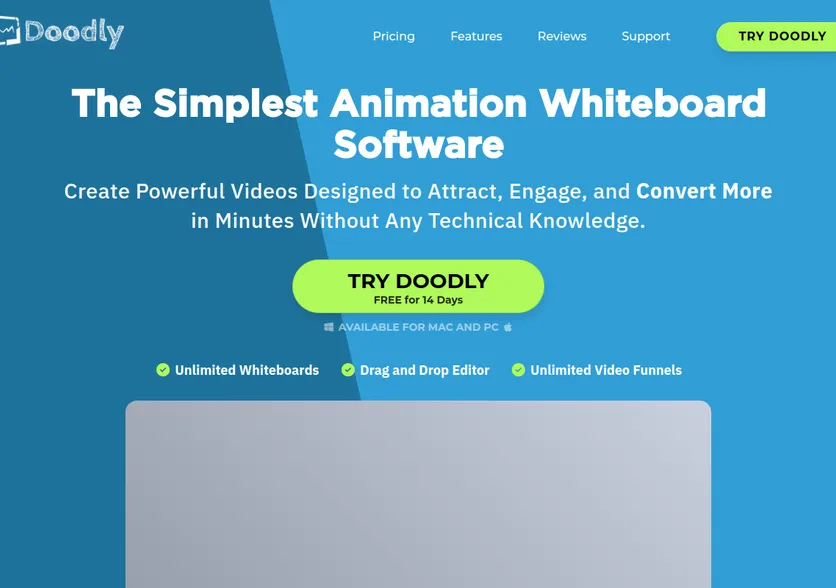
A marketer who wants doodle videos on a desktop app will find the classic here, since this Doodly plan costs forty-nine dollars a month on Standard. It draws whiteboard, chalkboard and glass-board videos with hundreds of characters and props, and the desktop app works offline. It is the best pick here for a marketer who makes doodle videos every week.
What we like
- Whiteboard, chalkboard and glass-board styles
- Hundreds of characters and props
- Desktop app that works offline
Watch out for
- No free plan, only a 14-day trial
- A one-time offer page lists a different price
How to try it
- Download the desktop app and start the trial
- Pick a board style and characters
- Draw the scenes and export the video
7. Moovly
Best for: Marketers mixing animation, stock video and own footage
Paid tool Starting price: $24.92/month · Twenty-four dollars and ninety-two cents a month on Pro billed annually (forty-nine dollars billed monthly); Business is forty-nine dollars and ninety-two cents a month
Free plan: Free plan
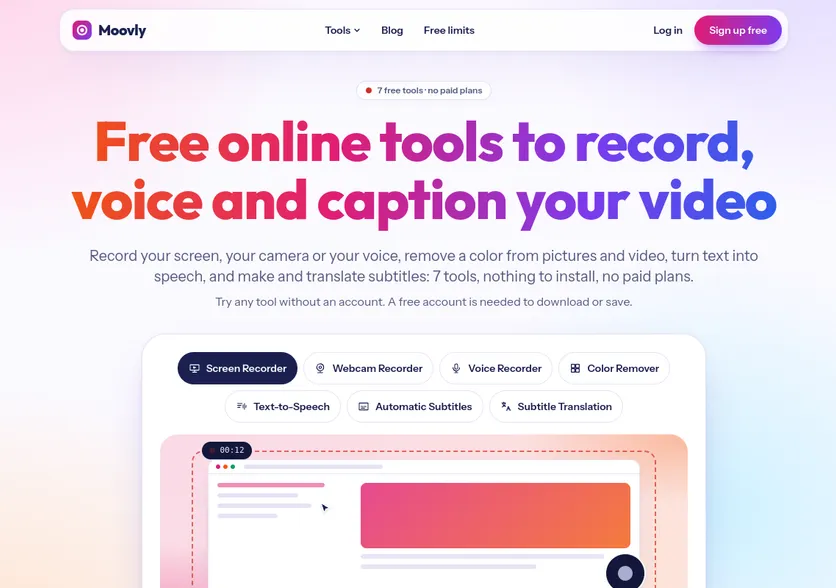
A marketer who mixes animation, stock video and their own footage will like the freedom here, because this Moovly plan costs twenty-four dollars and ninety-two cents a month on Pro billed annually. Templates plus a timeline give more manual control than the wizard-driven tools, and the free plan is enough to test the workflow. It is the most flexible editor here for a team that blends media.
What we like
- Templates plus a timeline for manual control
- Mixes animation, stock and own footage
- Free plan to test the workflow
Watch out for
- The interface takes longer to learn than wizards
- Monthly billing costs nearly twice the annual rate
How to try it
- Create the account and pick a template
- Add animation, stock and own footage
- Export the video and share it
8. Lumen5
Best for: Content marketers turning blog articles into video
Paid tool Starting price: $19/month · Nineteen dollars a month on Basic billed annually (twenty-nine dollars billed monthly); Starter is fifty-nine dollars a month billed annually and Pro is one hundred and forty-nine dollars; Basic exports at seven hundred and twenty pixels, so 1080p needs Starter
Free plan: Free plan
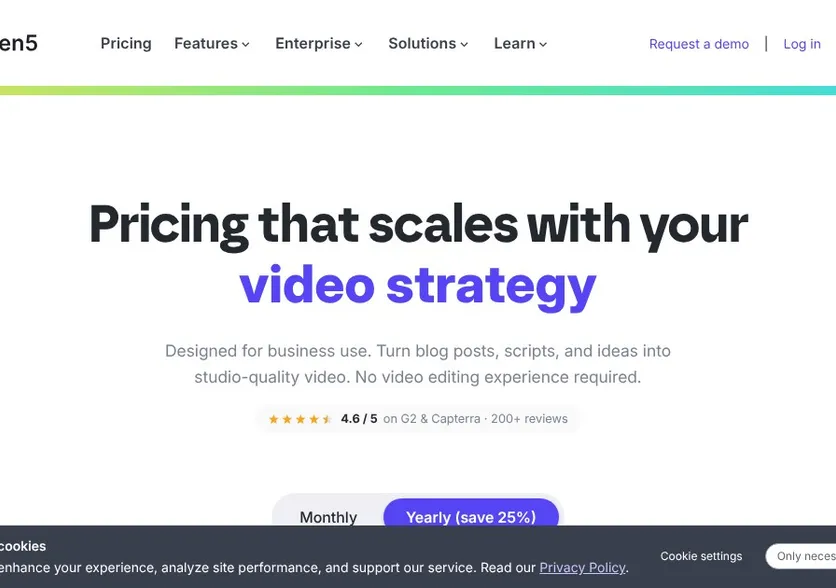
A content marketer with a blog full of articles will turn them into video fastest here, since this Lumen5 plan costs nineteen dollars a month on Basic billed annually. Paste an article link and the tool builds a storyboard of scenes with stock clips and text overlays, ready to polish in a drag-and-drop editor. It is the best blog-to-video pick here for a team that already writes.
What we like
- Turns an article link into a storyboard
- Unlimited videos up to ten minutes on paid plans
- Free plan with five videos a month
Watch out for
- Basic exports at 720p, so 1080p needs Starter
- Stock footage can feel generic
How to try it
- Paste the article link and build the storyboard
- Swap the stock clips and polish the text
- Add the voiceover and export the video
Prices above were checked on each vendor’s own website on Nov 29, 2026 and can change — the vendor’s page is the final word. Vendor links are editorial: nobody paid to be listed or ranked here. Vendors who want a featured listing can see how it works on our Get listed page.
How to turn a script into a video people actually watch
Write the script for the ear first, because a sentence that reads well on a page often sounds stiff out loud. Keep each scene to one idea and under ten seconds, since a viewer who cannot follow the first scene will not reach the third. Pick the template or character style before writing, not after, because the words have to fit the pictures. Export at the quality the channel needs, and watch the finished video once on a phone before publishing.
Before you buy
- Confirm the tool turns a pasted script or article link into scenes, not just a blank canvas
- Check whether the paid tier includes commercial rights for business publishing
- Ask what resolution the exports reach, since 720p looks soft on a big screen
- Make sure the voiceover, captions and brand kit are included at the price quoted
- Test the tool on a real script before paying, including a full export
Official websites
Official websites of the products reviewed above. Features and prices were checked against these sites when this guide was written, and they can change, so confirm on the vendor site before you buy.
Frequently asked questions
What is text to animation software for content marketers?
It is software that turns written text, a script or a blog article into an animated video, usually with characters, scenes, stock footage, voiceover and captions. The best tools build a first draft from the text alone, then let the marketer polish scenes, swap visuals and export a video ready for social or training.
How much does Vyond cost for content marketers?
Vyond costs fifty-eight dollars per user a month on Starter billed annually, or six hundred and ninety-nine dollars a year, with monthly billing at ninety-nine dollars. Professional is one hundred dollars a month billed annually and adds team collaboration, Shutterstock assets and more AI credits. There is no free plan, only a 14-day free trial.
Can I make animated videos for free?
Yes, with Powtoon, Animaker, Moovly and Lumen5, which all offer free plans with watermarked exports, and Renderforest, which offers free test credits. The free tiers cover a first draft or a few videos a month, while paid plans remove watermarks, add commercial rights and raise the export quality. A marketer publishing weekly should compare the paid plans above.
Do I own the commercial rights to videos I make?
It depends on the tier. Animaker, for example, starts commercial rights at Pro, not Basic, so a business publishing Basic exports is outside its own plan. Powtoon grants commercial rights on all paid plans, while Vyond includes them from the entry plan. Always check the rights wording on the vendor pricing page before publishing a video for a client.
Which tool is best for turning blog posts into video?
Lumen5 is the best pick for blog-to-video, at nineteen dollars a month billed annually, since it turns an article link into a storyboard of scenes with stock clips and text overlays. Vyond is the better choice for character animation from a script, and Powtoon suits a marketer who wants ready-made templates. Renderforest fits a marketer on the smallest budget.
Compare the eight tools above, then start with a free trial or the free plan on the tool that matches how the team writes, and turn one real script into a finished video before paying for a full year.
Browse Marketing & Ads Calculators tools