
On this page
Electricians need one app for scheduling, quotes, invoicing and payments, but the prices behind those apps vary a lot. The seven tools below run from twenty-nine dollars a month to two hundred eight dollars a month, and every price was checked on the vendor site on November 27, 2026. Most charge per user or per job, so count your crew before comparing headlines. Jobber is our first pick — the simplest all-round system for electrical businesses.
How we researched this
We started with the field service tools electrical businesses actually buy, then read each price on the vendor pricing page on November 27, 2026 and noted the free plan or trial each plan carries. We judged them for a crew that schedules jobs, sends quotes and invoices customers every day. We dropped Workiz because its paid tiers are not cleanly published after a 2026 restructure, we dropped FieldPulse and ServiceTitan because they are quote-only, and we dropped mHelpDesk because its pricing page is gone.
Compare the tools
| Name | Best for | Starting price | Free plan | |
|---|---|---|---|---|
 Jobber | Small electrical businesses that want scheduling, invoicing and payments in one simple app | $29/month | No free plan; 14-day free trial | Visit |
 Housecall Pro | Electrical businesses that want strong scheduling and a mobile app their crew will use | $79/month | No free plan; 14-day free trial | Visit |
 Service Fusion | Electrical businesses that want unlimited users without per-seat charges | $208/month | No free plan; demo only | Visit |
 Kickserv | Small electrical crews that want a simple scheduling tool at a low monthly price | $60/month | No free plan; 30-day free trial | Visit |
 ServiceM8 | Electrical businesses that want unlimited users and a free plan to start | $29/month | Free plan, 30 jobs a month for one user | Visit |
 Contractor Foreman | Electrical contractors that want job costing and project tracking in one system | $49/month | No free plan; 30-day free trial | Visit |
 RazorSync | Electrical businesses that want a simple scheduling app with QuickBooks sync | $85/month | No free plan; 14-day free trial | Visit |
The all-in-one software for electricians, compared
1. Jobber
Best for: Small electrical businesses that want scheduling, invoicing and payments in one simple app
Paid tool Starting price: $29/month · Core plan, twenty-nine dollars a month billed annually, forty-nine dollars billed monthly, one user; Connect and Grow cost more
Free plan: No free plan; 14-day free trial
Jobber is the best-known field service app for small electrical businesses, handling scheduling, quotes, invoicing and payments in one place. This Jobber Core plan costs twenty-nine dollars a month billed annually and covers one user. A small crew that wants simple software will like the clean mobile app, though extra users cost twenty-nine dollars a month each.

What we like
- Clean mobile app that technicians actually use
- Scheduling, quotes and invoicing in one place
- Simple setup for a small crew
Watch out for
- Extra users cost twenty-nine dollars a month each
- A first-year discount is not the list price
How to try it
- Open the Jobber pricing page and start the 14-day trial
- Add one technician and one customer job
- Send an invoice from the mobile app and check the payment
2. Housecall Pro
Best for: Electrical businesses that want strong scheduling and a mobile app their crew will use
Paid tool Starting price: $79/month · Basic plan, seventy-nine dollars a month for electrical trade packages, one user; the general-trades view lists fifty-nine dollars a month billed annually
Free plan: No free plan; 14-day free trial
Housecall Pro handles scheduling, dispatch and payments for home service businesses, with a mobile app built for technicians in the field. This Housecall Pro Basic plan costs seventy-nine dollars a month for electrical trade packages. An electrical business that wants a polished app will like the dispatch tools, though the general-trades view lists a lower fifty-nine-dollar rate.

What we like
- Polished mobile app for technicians in the field
- Dispatch board that keeps jobs on schedule
- Customer texting and online booking built in
Watch out for
- Trade-view pricing differs from the general-trades rate
- Higher tiers are needed for advanced reporting
How to try it
- Open the Housecall Pro pricing page and start the 14-day trial
- Set up one technician and a week of jobs
- Test the dispatch board and the customer texting
3. Service Fusion
Best for: Electrical businesses that want unlimited users without per-seat charges
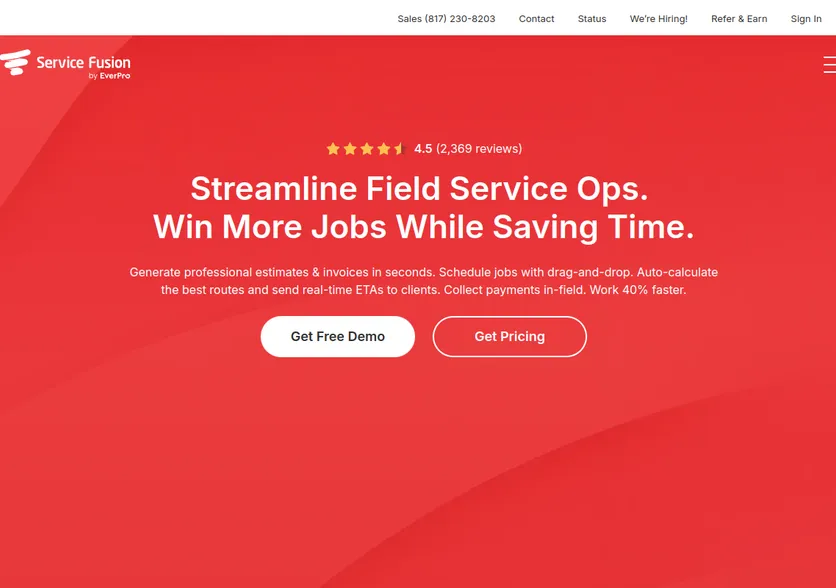
Paid tool Starting price: $208/month · Starter plan, two hundred eight dollars a month billed annually, two hundred forty-five dollars billed monthly, unlimited users; Plus and Pro cost more
Free plan: No free plan; demo only
Service Fusion charges a flat monthly rate with unlimited users, so a growing electrical crew never pays per technician. This Service Fusion Starter plan costs two hundred eight dollars a month billed annually. A larger crew will like the unlimited seats, though the entry price is high and there is no free trial.
What we like
- Unlimited users on every plan
- Flat monthly rate with no per-seat charges
- Customer history and job tracking built in
Watch out for
- High entry price with no free trial
- Annual plan is charged as one payment at sign-up
How to try it
- Open the Service Fusion pricing page and request a demo
- Add your whole crew to one account
- Test scheduling, invoicing and customer history on one job
4. Kickserv
Best for: Small electrical crews that want a simple scheduling tool at a low monthly price
Paid tool Starting price: $60/month · Start plan, sixty dollars a month billed annually, seventy-five dollars billed monthly, up to five users; Run and Scale cost more
Free plan: No free plan; 30-day free trial
Kickserv keeps scheduling, dispatch and invoicing simple for small electrical crews, with a low entry price and a generous trial. This Kickserv Start plan costs sixty dollars a month billed annually and covers up to five users. A small crew that wants simple software will like the price, though the feature set is thinner than the bigger platforms.

What we like
- Low entry price for up to five users
- Simple scheduling and dispatch
- Thirty-day trial to test the system
Watch out for
- Thinner feature set than the bigger platforms
- Higher tiers are needed for advanced reporting
How to try it
- Open the Kickserv pricing page and start the 30-day trial
- Add up to five users to one account
- Schedule a week of jobs and send one invoice
5. ServiceM8
Best for: Electrical businesses that want unlimited users and a free plan to start
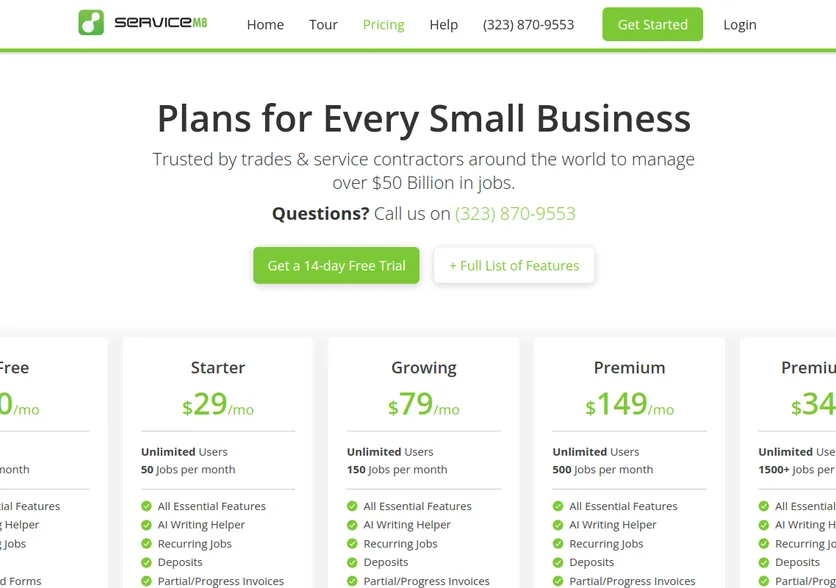
Paid tool Starting price: $29/month · Starter plan, twenty-nine dollars a month, unlimited users and fifty jobs a month; Growing and Premium cost more
Free plan: Free plan, 30 jobs a month for one user
ServiceM8 handles scheduling, quoting and invoicing for electrical businesses, with unlimited users on every paid plan and a free plan to start. This ServiceM8 Starter plan costs twenty-nine dollars a month and covers fifty jobs a month. A business that wants to grow without per-seat charges will like the flat rate, though the job cap is tight for a busy crew.
What we like
- Unlimited users on every paid plan
- Free plan with thirty jobs a month
- Strong mobile app for technicians
Watch out for
- Only fifty jobs a month on the Starter plan
- No annual discount published on the pricing page
How to try it
- Open the ServiceM8 pricing page and claim the free plan
- Add one technician and a few customer jobs
- Send a quote and an invoice from the mobile app
6. Contractor Foreman
Best for: Electrical contractors that want job costing and project tracking in one system
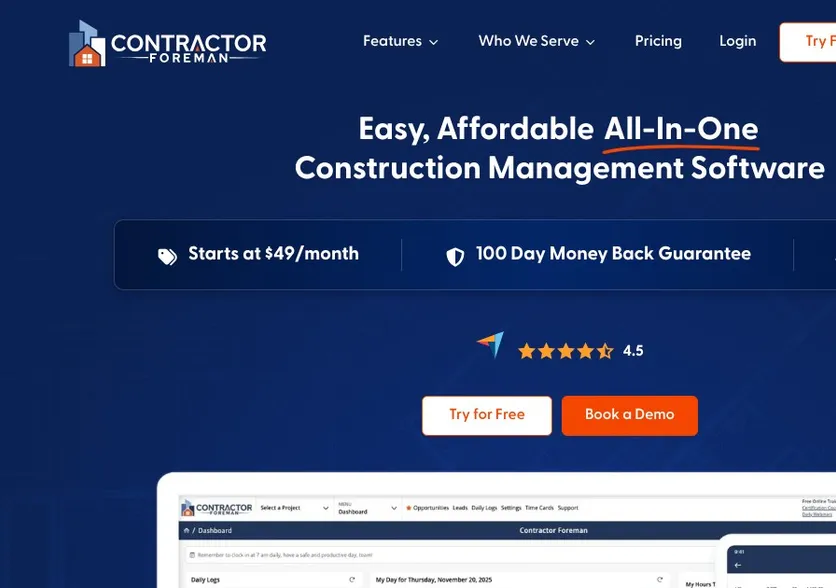
Paid tool Starting price: $49/month · Basic plan, forty-nine dollars a month billed annually for one user, annual billing only; Standard and Plus cost more
Free plan: No free plan; 30-day free trial
Contractor Foreman combines scheduling, job costing and project tracking for electrical contractors who manage bigger jobs. This Contractor Foreman Basic plan costs forty-nine dollars a month billed annually for one user. A contractor who tracks job costs will like the project tools, though the Basic plan is annual-only and covers one user.
What we like
- Job costing and project tracking built in
- Low entry price for a contractor tool
- Thirty-day trial to test the system
Watch out for
- Basic plan is annual-only and covers one user
- Higher tiers are needed for multi-user crews
How to try it
- Open the Contractor Foreman pricing page and start the 30-day trial
- Set up one project with a cost budget
- Track one job from estimate to invoice
7. RazorSync
Best for: Electrical businesses that want a simple scheduling app with QuickBooks sync
Paid tool Starting price: $85/month · Solo plan, eighty-five dollars a month billed annually, ninety dollars billed monthly, up to two users; Team and Pro cost more
Free plan: No free plan; 14-day free trial
RazorSync handles scheduling, dispatch and invoicing for electrical businesses, with a QuickBooks sync for clean bookkeeping. This RazorSync Solo plan costs eighty-five dollars a month billed annually and covers up to two users. A small business that uses QuickBooks will like the sync, though it costs twenty dollars a month extra on the Solo plan.
What we like
- QuickBooks sync for clean bookkeeping
- Simple scheduling and dispatch
- Low entry price for a small crew
Watch out for
- QuickBooks sync costs extra on the Solo plan
- Enterprise pricing is quoted, not published
How to try it
- Open the RazorSync pricing page and start the 14-day trial
- Add up to two users to one account
- Test the QuickBooks sync on one invoice
Prices above were checked on each vendor’s own website on Nov 27, 2026 and can change — the vendor’s page is the final word. Vendor links are editorial: nobody paid to be listed or ranked here. Vendors who want a featured listing can see how it works on our Get listed page.
What all-in-one software costs an electrical business in 2026
Most field service apps charge per user or per month, so the headline price hides the real bill. A twenty-nine-dollar plan for one user costs one hundred forty-five dollars a month once five technicians join, while a flat two hundred eight dollars a month with unlimited users stays fixed. Job caps are the second cost to watch, because a fifty-job limit will not cover a busy crew.
Start with the free plan or trial on two apps and run one real week of jobs on each. Compare the mobile app, the invoicing speed and the dispatch board side by side. Pick the app your technicians actually open on site, because software the crew ignores is the most expensive kind.
Before you buy
- Count how many technicians need access, because per-user pricing multiplies fast once the crew grows.
- Check whether the plan includes invoicing and payments, because a separate billing tool adds cost and hassle.
- Confirm the job limit on the plan you buy, because capped jobs force an upgrade mid-month.
- Test the mobile app on a real job during the trial, because a clumsy app slows every technician down.
- Compare the annual and monthly rates side by side, because annual billing cuts the bill by about a fifth on most tools here.
Official websites
Official websites of the products reviewed above. Features and prices were checked against these sites when this guide was written, and they can change, so confirm on the vendor site before you buy.
Frequently asked questions
Which all-in-one software is best for electricians in 2026?
Jobber is the best overall pick at twenty-nine dollars a month billed annually, with the cleanest mobile app and the simplest setup for a small crew. ServiceM8 is the best value at the same price with unlimited users and a free plan. Service Fusion is the best pick for larger crews that want unlimited users without per-seat charges.
How much does all-in-one software for electricians cost?
Entry prices in this list run from twenty-nine dollars a month for Jobber and ServiceM8 to two hundred eight dollars a month for Service Fusion. Most electrical businesses land between twenty-nine and eighty-five dollars a month. Per-user pricing is the real cost driver, so count your technicians before comparing headlines.
Is there a free all-in-one software for electricians?
Yes, ServiceM8 has a free plan with thirty jobs a month for one user. The other tools here offer free trials of fourteen or thirty days instead of a permanent free plan. A free plan is enough for a very small business, but a paid plan is needed once the job count grows.
What should electricians look for in all-in-one software?
Count your technicians first, because per-user pricing multiplies fast once the crew grows. Then check whether invoicing and payments are included, because a separate billing tool adds cost and hassle. Finally, test the mobile app on a real job, because a clumsy app slows every technician down.
Can electricians use general field service software?
Yes, most tools here work for any trade, but the trade-specific pricing and templates matter. Housecall Pro charges a different rate for electrical packages than for general trades, and job costing tools suit contractors better than solo operators. Pick the plan that matches your crew size and your job type.
Need everyday business help too? Try Toolsvine's free business tools right in your browser.
Browse Business Tools tools


