
On this page
Law firms run on numbers that hide in case files, time entries and invoices, and the right analytics tool turns those numbers into decisions about staffing, pricing and which matters to take next. The eight tools below run from fourteen dollars per user a month to fifty dollars, and every price was checked on the vendor site on November 27, 2026. Most pair dashboards with billing and case data, so the best choice depends on whether you want practice management with reporting built in or a standalone dashboard tool. Clio is our first pick for law firm analytics.
How we researched this
We started with the analytics and practice tools law firms actually buy, then read each price on the vendor pricing page on November 27, 2026 and noted the free trial each plan carries. We judged them for a firm that needs clear reports on billable hours, matter profitability and client intake, and we kept only tools with a published price. We dropped LexisNexis, Thomson Reuters, Smokeball, Filevine and Actionstep because none of them publishes a list price on its own site.
Compare the tools
| Name | Best for | Starting price | Free plan | |
|---|---|---|---|---|
 Clio | Law firms that want practice management with built-in reporting on cases, bills and time | $49/user/month | No free plan; 7-day free trial | Visit |
 MyCase | Small firms that want case, billing and client communication in one system | $50/user/month | No free plan; 10-day free trial | Visit |
 PracticePanther | Solo lawyers and small firms that want fast intake and e-signature built in | $49/user/month | No free plan; 7-day free trial | Visit |
 Bill4Time | Firms that bill mostly by the hour and want clean time tracking | $39/user/month | No free plan; 14-day free trial | Visit |
 CosmoLex | Firms that want practice management and legal accounting in one login | $49/user/month | No free plan; free trial available | Visit |
 TimeSolv | Firms that want time tracking and billing with strong reporting on realization rates | $43/user/month | No free plan; free trial available | Visit |
 Power BI | Firms that want to build custom dashboards from case and billing data | $14/user/month | Free account available | Visit |
 Tableau | Firms that want visual dashboards without writing code | $15/user/month | Free Desktop edition available | Visit |
The analytics software for law firms, compared
1. Clio
Best for: Law firms that want practice management with built-in reporting on cases, bills and time
Paid tool Starting price: $49/user/month · Starter plan from forty-nine dollars per user a month; higher plans add AI features and advanced reporting
Free plan: No free plan; 7-day free trial
Clio pairs practice management with reporting that shows billable hours, matter profitability and firm revenue on one dashboard, so partners can see which cases pay and which drag. This Clio Starter plan costs forty-nine dollars per user a month, and higher plans add AI summaries and deeper analytics for larger teams. A firm that wants case data and billing in the same system can run intake, time tracking and reporting without a second tool.

What we like
- Widest practice management coverage in this list
- Clear dashboards for billable hours and matter profitability
- AI features on higher plans summarize matters and documents
Watch out for
- The Starter plan has no AI features, so analytics depth costs more
- Per-user pricing climbs fast once paralegals and assistants need logins
How to try it
- Open the Clio pricing page and start the 7-day trial
- Add your matters and time entries for one active case
- Open the revenue dashboard and check the matter profitability report
2. MyCase
Best for: Small firms that want case, billing and client communication in one system
Paid tool Starting price: $50/user/month · Basic plan, fifty dollars per user a month billed annually, or sixty dollars month to month
Free plan: No free plan; 10-day free trial
MyCase brings cases, documents, billing and client messages into one dashboard, with reports on firm revenue, case status and staff workload. This MyCase Basic plan costs fifty dollars per user a month billed annually, or sixty dollars month to month, which sits in the middle of this list. A small firm that wants one login for the whole practice will like the client portal, though heavy analytics users may outgrow the built-in reports.

What we like
- One login covers cases, billing, documents and client messages
- Client portal keeps clients updated without phone calls
- Simple dashboard that a small team learns in a day
Watch out for
- Built-in reports are simpler than the standalone dashboard tools here
- Advanced reporting and AI features sit on the pricier plans
How to try it
- Open the MyCase pricing page and start the 10-day trial
- Import one active case with its documents and invoices
- Check the firm revenue report and the client portal view
3. PracticePanther
Best for: Solo lawyers and small firms that want fast intake and e-signature built in
Paid tool Starting price: $49/user/month · Solo plan, forty-nine dollars per user a month billed annually, or fifty-nine dollars month to month
Free plan: No free plan; 7-day free trial
PracticePanther focuses on speed, with intake forms, e-signature and payment links that move a new client from first call to signed agreement without paper. This PracticePanther Solo plan costs forty-nine dollars per user a month billed annually, or fifty-nine dollars month to month. A solo lawyer or small team can track matters and bills from one dashboard, though the reporting stays simpler than the tools built for larger firms.

What we like
- Fast intake with forms, e-signature and payment links
- Clean dashboard that shows matters and bills at a glance
- Good fit for solo lawyers who want to move fast
Watch out for
- Reporting is lighter than the tools aimed at larger firms
- Higher plans are needed for advanced automation and analytics
How to try it
- Open the PracticePanther pricing page and start the 7-day trial
- Build an intake form and send a test agreement for e-signature
- Check the matter dashboard and the billing summary
4. Bill4Time
Best for: Firms that bill mostly by the hour and want clean time tracking
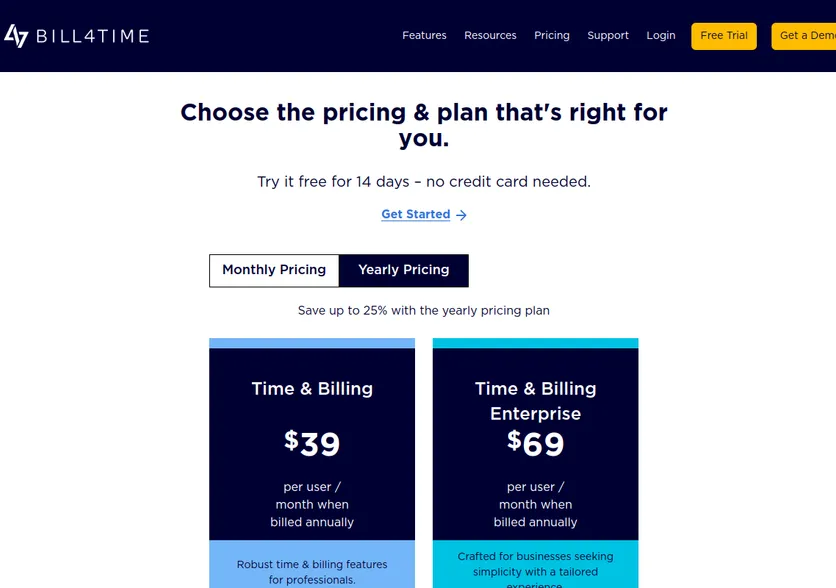
Paid tool Starting price: $39/user/month · Time and Billing plan, thirty-nine dollars per user a month billed annually
Free plan: No free plan; 14-day free trial
Bill4Time is built around the billable hour, with timers, expense tracking and invoices that show exactly where each hour went. This Bill4Time Time and Billing plan costs thirty-nine dollars per user a month billed annually, the lowest practice tool price here. A firm that bills mostly by the hour gets clean realization reports, though it lacks the full case management of the pricier tools here.
What we like
- Lowest practice tool price in this comparison
- Timers and expense tracking built for hourly billing
- Clear realization reports show which hours actually pay
Watch out for
- No full case management, so cases need a second system
- Higher plans are needed for trust accounting and advanced reports
How to try it
- Open the Bill4Time pricing page and start the 14-day trial
- Run the timer on a real matter for one full day
- Build an invoice and check the realization report
5. CosmoLex
Best for: Firms that want practice management and legal accounting in one login
Paid tool Starting price: $49/user/month · Launch plan, forty-nine dollars per user a month billed annually, or fifty-nine dollars month to month
Free plan: No free plan; free trial available
CosmoLex combines practice management with legal accounting, so trust accounting, billing and matter reports live in the same system. This CosmoLex Launch plan costs forty-nine dollars per user a month billed annually, or fifty-nine dollars month to month. A firm that wants one login for cases and books will like the built-in accounting, though the interface takes longer to learn than simpler tools.

What we like
- Legal accounting and trust accounting built in, not bolted on
- One login covers matters, billing and the books
- Matter reports tie fees and costs to each case
Watch out for
- The interface takes longer to learn than simpler practice tools
- The vendor pricing page hides plan prices behind scripts, so confirm at checkout
How to try it
- Open the CosmoLex pricing page and start the free trial
- Set up one trust account and one matter with billing
- Check the trust accounting report against your ledger
6. TimeSolv
Best for: Firms that want time tracking and billing with strong reporting on realization rates
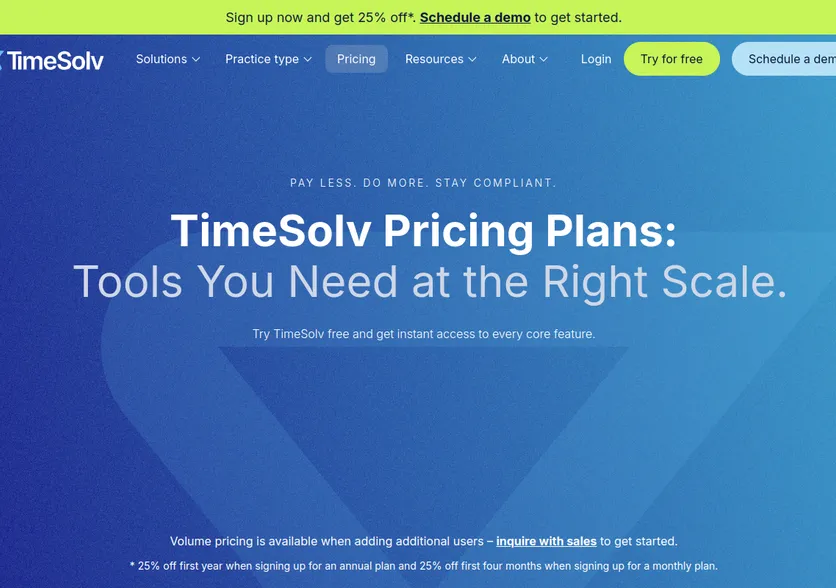
Paid tool Starting price: $43/user/month · Pro plan, $43 a user a month billed annually; Legal $58; the vendor's 25% first-year discount is a promo, not the list price
Free plan: No free plan; free trial available
TimeSolv tracks time, expenses and billing with reports on realization, utilization and matter profitability for firms that live by the hour. This TimeSolv plan starts at forty-three dollars per user a month on the Pro plan, and the vendor runs a first-year discount that is not the list price. A firm that wants strong billing reports without full case management will find it focused, though the plan prices are harder to compare than the tools with open pricing pages.
What we like
- Strong reports on realization and utilization rates
- Focused on time and billing without case management clutter
- Flexible billing rules for hourly, flat and contingency work
Watch out for
- Plan prices are hidden behind scripts on the vendor page
- No full case management, so cases live in a second system
How to try it
- Open the TimeSolv pricing page and confirm the starting price
- Track time on two matters for one week
- Compare the realization report with your current billing
7. Power BI
Best for: Firms that want to build custom dashboards from case and billing data
Paid tool Starting price: $14/user/month · Pro plan, fourteen dollars per user a month paid yearly; Premium Per User costs more
Free plan: Free account available
Power BI turns case, billing and time data from almost any source into custom dashboards with charts, filters and drill-downs a partner can read in seconds. This Power BI Pro plan costs fourteen dollars per user a month paid yearly, the lowest price in this list. A firm with someone comfortable building reports can connect its practice system and shape the dashboard to the exact questions the partners ask.
What we like
- Lowest price in this comparison by a wide margin
- Connects to almost any data source a firm already uses
- Custom dashboards answer the exact questions partners ask
Watch out for
- Someone on the team has to build and maintain the dashboards
- Sharing reports outside the firm needs a paid plan for every viewer
How to try it
- Open the Power BI pricing page and claim the free account
- Connect your practice system or a billing export
- Build one dashboard showing revenue by matter type
8. Tableau
Best for: Firms that want visual dashboards without writing code
Paid tool Starting price: $15/user/month · Standard plan, fifteen dollars per user a month billed annually; Enterprise costs more
Free plan: Free Desktop edition available
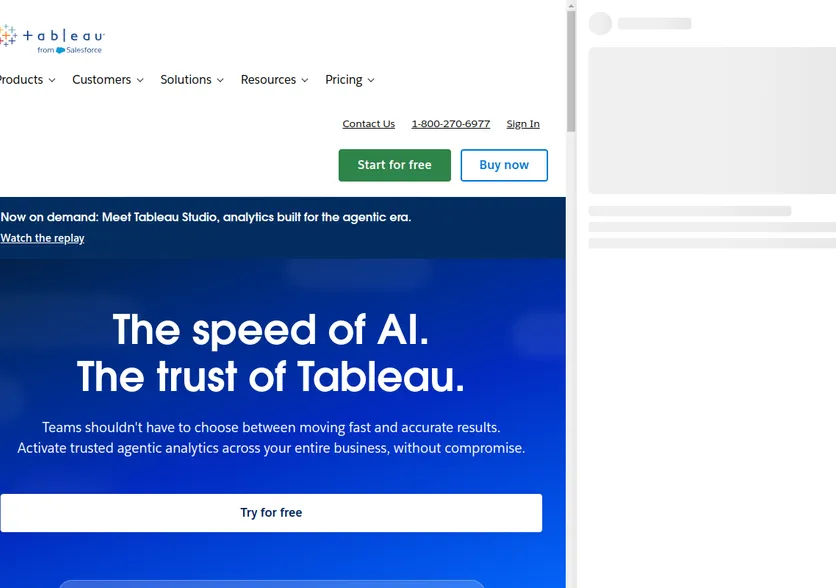
Tableau builds visual dashboards from firm data with drag-and-drop charts, maps and filters, no coding needed. This Tableau Standard plan costs fifteen dollars per user a month billed annually, with an annual contract required. A firm that wants polished reports for partners and clients will like the visual polish, though the per-user price climbs fast as the team grows.
What we like
- Best visual dashboards in this list, no coding needed
- Drag-and-drop charts that partners read at a glance
- Free Desktop edition for testing before you pay
Watch out for
- An annual contract is required, with no monthly option
- The per-user price adds up fast for a large firm
How to try it
- Open the Tableau pricing page and start the free Desktop edition
- Connect a billing export and build one chart
- Publish the dashboard and share it with one partner
Prices above were checked on each vendor’s own website on Nov 27, 2026 and can change — the vendor’s page is the final word. Vendor links are editorial: nobody paid to be listed or ranked here. Vendors who want a featured listing can see how it works on our Get listed page.
What law firm analytics costs in 2026
Most tools in this list charge per user a month, so the bill grows with every lawyer, paralegal and assistant who needs a login. The practice tools run from thirty-nine to fifty dollars per user a month, while the standalone dashboard tools cost fourteen to fifteen dollars per user a month on top of whatever practice system you already pay for. Annual billing cuts the monthly rate on most plans, so a firm that commits for a year pays less per seat than one that pays month to month.
Start with the question the partners ask most often, whether it is which matters pay, which clients pay late, or where billable hours leak. Pick the tool that answers that question on its dashboard without a spreadsheet, then run the trial with real case data and check the report the partners actually read. The best analytics tool for a law firm is the one whose dashboard gets opened every Monday, not the one with the longest feature list.
Before you buy
- Count your billable staff first, because per-user pricing multiplies with every lawyer and paralegal you add.
- Check whether the plan includes trust accounting, because only CosmoLex bundles legal accounting with case management here.
- Confirm the reporting covers matter profitability, because hours alone will not tell you which cases pay.
- Test the dashboard during the trial, because a report nobody reads is worth nothing when partners need answers.
- Compare annual and monthly billing, because the yearly rate saves real money on every seat in this list.
Official websites
Official websites of the products reviewed above. Features and prices were checked against these sites when this guide was written, and they can change, so confirm on the vendor site before you buy.
Frequently asked questions
Which analytics software is best for law firms in 2026?
Clio is the best overall pick, pairing practice management with dashboards for billable hours, matter profitability and firm revenue at forty-nine dollars per user a month. Power BI is the best value at fourteen dollars per user a month for firms that want custom dashboards. MyCase is the best all-in-one for small firms that want cases, billing and client messages in one system.
How much does law firm analytics software cost?
Practice tools in this list run from thirty-nine to fifty dollars per user a month, while the standalone dashboard tools cost fourteen to fifteen dollars per user a month on top of a practice system. Annual billing lowers the monthly rate on most plans. A five-lawyer firm should expect roughly two hundred to two hundred and fifty dollars a month for a practice tool, plus dashboard costs if it adds one.
Do law firms need a separate dashboard tool?
Not always. Clio, MyCase, PracticePanther, CosmoLex and TimeSolv all include reporting on hours, revenue and matters, which is enough for most small firms. A standalone tool like Power BI or Tableau earns its place when partners want custom dashboards, combined data from several systems, or visuals the practice tool cannot build. Start with the built-in reports and add a dashboard tool only when they fall short.
Is there a free analytics tool for law firms?
Power BI has a free account and Tableau has a free Desktop edition, so a firm can build and test dashboards without paying. The practice tools here have no free plans, though every one offers a free trial of seven to fourteen days. A firm can test a practice tool on real matters during the trial and keep the free dashboard tools for reporting after it ends.
What should a law firm look for in analytics software?
Look for reports on billable hours, realization rates, matter profitability and client intake, because those four numbers run a firm. Check whether the plan covers every person who needs a login, since per-user pricing multiplies fast. Test the dashboard with real case data during the trial, and confirm trust accounting is covered if your firm holds client funds.
Need everyday business help too? Try Toolsvine's free business tools right in your browser.
Browse Business Tools tools


