
On this page
A busy manufacturer runs on shifts and clocks, and a gap on the line costs more than a missed meeting. The best appointment scheduling software builds rosters, tracks time, and keeps every shift covered. We checked every price on the vendor's own pricing page on November 27, 2026, and kept only tools with a published dollar figure. Start with Deputy.
How we researched this
We kept only tools with a published price on the vendor's own pricing page, which removed Shiftboard because it sells by quote only. Homebase was left out because it is covered in our restaurant hiring guide, and the remaining eight tools cover every budget from free to premium.
Compare the tools
| Name | Best for | Starting price | Free plan | |
|---|---|---|---|---|
 Deputy | Manufacturers that want demand forecasting and labor law compliance. | $4.50/user/month | No free plan; free trial available | Visit |
 When I Work | Manufacturers that want simple per-user scheduling at a low price. | $2.50/user/month | No free plan; fourteen-day free trial | Visit |
 Connecteam | Manufacturers that want one flat price for deskless teams. | $29/month | Free Small Business plan for up to ten users across all hubs | Visit |
 7shifts | Manufacturers with shift teams that want per-location pricing. | $34.99/location/month | Free Comp plan for one location with up to thirty employees | Visit |
 Resource Guru | Manufacturers that book people, equipment, and rooms together. | $5/person/month | No free plan; thirty-day free trial | Visit |
 Float | Manufacturers that plan capacity across projects and teams. | $7/person/month | No free plan; free trial available | Visit |
 Skedda | Manufacturers that book desks, rooms, and shared spaces. | $249/month | No free plan; fourteen-day free trial | Visit |
 Cal.com | Manufacturers that schedule supplier meetings and plant visits. | $12/user/month | Free Individuals plan | Visit |
The best appointment scheduling software for manufacturers, compared
1. Deputy
Best for: Manufacturers that want demand forecasting and labor law compliance.
Paid tool Starting price: $4.50/user/month · Scheduling module at four dollars and fifty cents per user a month, with Time and Attendance also at four dollars and fifty cents a month and Premium combining both at six dollars a month per user
Free plan: No free plan; free trial available
Deputy gives a manufacturer auto-scheduling, demand forecasting, and labor cost controls in one workforce platform. Its per-user pricing suits a plant that wants schedules built from forecasted demand instead of last week's copy. See Deputy pricing and check the Premium plan if you need scheduling and time tracking together.

What we like
- Auto-scheduling built from forecasted demand
- Labor law compliance and demand forecasting built in
- Payroll integrations that export accurate hours
Watch out for
- Scheduling and time tracking are sold as separate modules
- Per-user pricing grows fast with a large workforce
How to try it
- Start a trial and add your teams and locations
- Set demand rules and build your first auto-schedule
- Connect payroll and export hours
2. When I Work
Best for: Manufacturers that want simple per-user scheduling at a low price.
Paid tool Starting price: $2.50/user/month · Essentials plan at two dollars and fifty cents per user a month, with Pro at five dollars a month and Premium at eight dollars a month; time tracking is sold as a separate add-on
Free plan: No free plan; fourteen-day free trial
When I Work keeps shift scheduling simple, with auto-scheduling, shift swaps, and team messaging from the cheapest tier. Its per-user price suits a plant that wants a clean mobile app without a long setup. See When I Work pricing and add the time tracking add-on if you need a time clock.

What we like
- Auto-scheduling and forecasting from the cheapest tier
- Simple per-user pricing with no seat minimums
- Shift swaps and team messaging built in
Watch out for
- Time tracking costs extra as an add-on
- No free plan since the old free tier was removed
How to try it
- Start the fourteen-day trial and add your team
- Build schedules with auto-scheduling and templates
- Turn on shift swaps and team messaging
3. Connecteam
Best for: Manufacturers that want one flat price for deskless teams.
Paid tool Starting price: $29/month · Operations Basic plan at twenty-nine dollars a month on annual billing, or thirty-five dollars a month billed monthly, for the first thirty users, plus eighty cents a month per user after that; the free Small Business plan covers up to ten users
Free plan: Free Small Business plan for up to ten users across all hubs
Connecteam gives a manufacturer one flat price for the first thirty users, with a GPS time clock, job scheduling, forms, and tasks in the Operations hub. Its mobile-first design suits floor teams that work away from desks. See Connecteam pricing and check which hub your plan sits in before you buy.

What we like
- Flat price for the first thirty users per hub
- GPS time clock with geofencing built in
- Free plan covers up to ten users
Watch out for
- Each hub is a separate subscription
- Repeating shifts need the Advanced plan
How to try it
- Sign up for the free plan and add your team
- Set up the GPS time clock and job scheduling
- Upgrade to Operations Basic when you pass ten users
4. 7shifts
Best for: Manufacturers with shift teams that want per-location pricing.
Paid tool Starting price: $34.99/location/month · Entrée plan at thirty-four dollars and ninety-nine cents per location a month billed monthly, or twenty-nine dollars and ninety-nine cents a month on annual billing, for up to thirty employees; the Comp plan is free for one location
Free plan: Free Comp plan for one location with up to thirty employees
7shifts gives a shift-based team scheduling, time clocking, team communication, and labor compliance in one platform. Its per-location pricing suits a plant that wants a flat bill instead of per-user fees. See 7shifts pricing and start on the free Comp plan if one location is enough.

What we like
- Per-location pricing with no per-user fees
- Time clocking and labor compliance built in
- Free Comp plan covers one location
Watch out for
- Entrée plan caps at thirty employees per location
- Payroll is a paid add-on on top of the plan
How to try it
- Sign up for the free Comp plan and add your team
- Build schedules and set up the time clock
- Upgrade to Entrée when you need labor budgeting
5. Resource Guru
Best for: Manufacturers that book people, equipment, and rooms together.
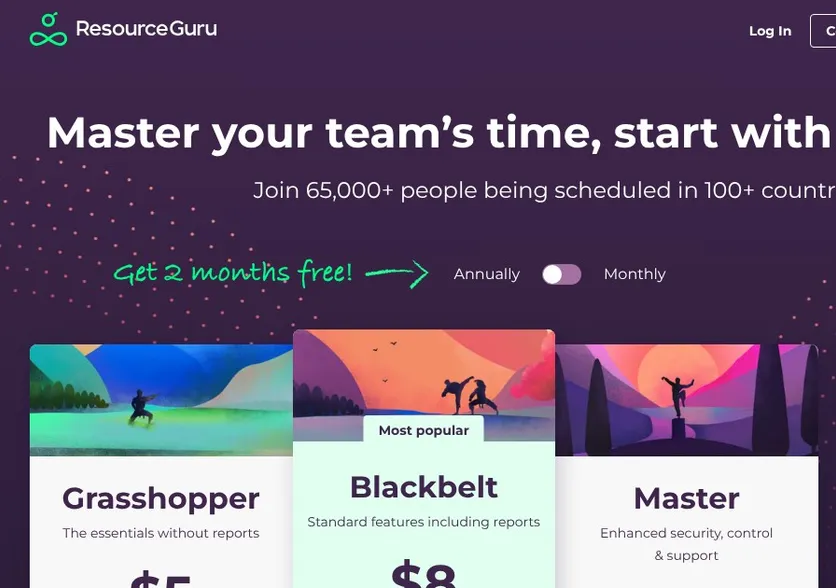
Paid tool Starting price: $5/person/month · Grasshopper plan at five dollars per person a month, with Blackbelt at eight dollars a month and Master at twelve dollars a month; annual rates are not stated consistently, so confirm them directly
Free plan: No free plan; thirty-day free trial
Resource Guru schedules people, equipment, and rooms on one drag-and-drop calendar, with clash management that stops double bookings. Its per-person pricing suits a plant that books machines and meeting rooms alongside staff. See Resource Guru pricing and check the equipment fees, which sit on top of the per-person price.
What we like
- Books people, equipment, and rooms on one calendar
- Clash management stops double bookings
- Skill search matches people to jobs by competence
Watch out for
- Every person added costs extra, logged in or not
- Annual rates are not stated consistently
How to try it
- Start the thirty-day trial and add your team and resources
- Set up projects and book people and equipment
- Turn on clash management and leave tracking
6. Float
Best for: Manufacturers that plan capacity across projects and teams.
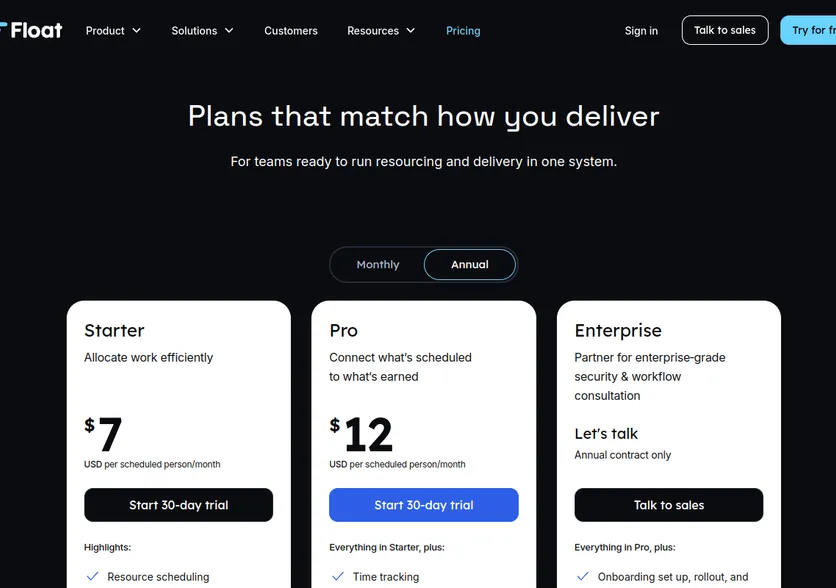
Paid tool Starting price: $7/person/month · Starter plan at seven dollars per scheduled person a month, with Pro at twelve dollars a month; older listings still show six and ten dollars a month, so confirm the live figure
Free plan: No free plan; free trial available
Float gives a manufacturer a live view of capacity, with scheduling, forecasting, and utilization tracking across projects and teams. Its visual timeline suits a planner who needs to see who is working on what and when. See Float pricing and confirm the live rate, because older listings show a lower figure.
What we like
- Live capacity view across projects and teams
- Forecasting shows who is overbooked before it hurts
- Clean visual timeline that planners read fast
Watch out for
- Starter price moved recently, so confirm the live figure
- No free plan, so the trial is your only free test
How to try it
- Start a trial and add your team and projects
- Build a capacity plan for the next quarter
- Review utilization and rebalance workloads
7. Skedda
Best for: Manufacturers that book desks, rooms, and shared spaces.
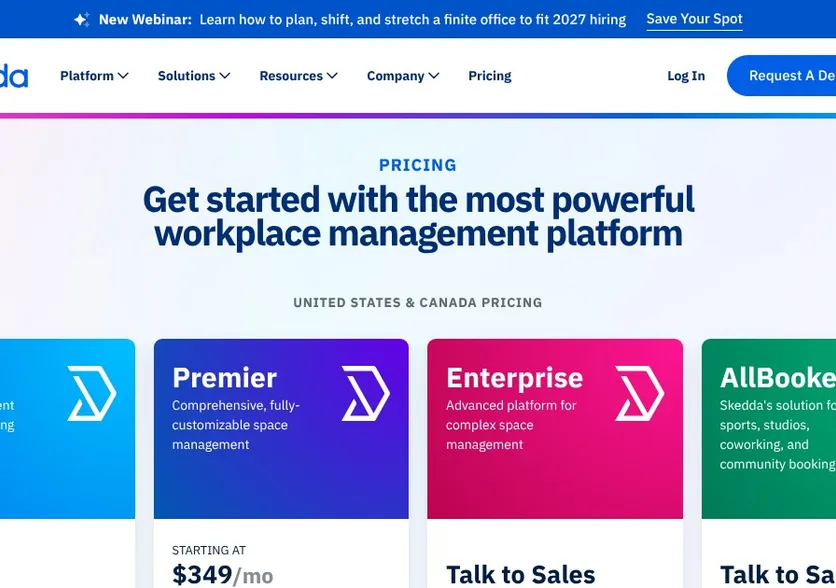
Paid tool Starting price: $249/month · Plus plan at two hundred forty-nine dollars a month billed annually for thirty-five spaces in the United States and Canada; the ninety-nine dollar Starter tier is offered only in Europe, the Middle East, Asia, and the Pacific
Free plan: No free plan; fourteen-day free trial
Skedda books desks, meeting rooms, and shared spaces from interactive floor plans, with rules that decide who can book what and for how long. Its per-space pricing suits a plant that manages many bookable spaces with unlimited users. See Skedda pricing and check the United States price, because the Starter tier is not offered there.
What we like
- Interactive floor plans that staff read at a glance
- Per-space pricing with unlimited users and bookings
- Rules engine controls who books what and when
Watch out for
- United States price starts at two hundred forty-nine dollars a month
- Visitor management costs extra as an add-on
How to try it
- Start the fourteen-day trial and upload your floor plans
- Add bookable spaces and set booking rules
- Connect Microsoft 365 or Google Workspace
8. Cal.com
Best for: Manufacturers that schedule supplier meetings and plant visits.
Paid tool Starting price: $12/user/month · Teams plan at twelve dollars per user a month, with Individuals free and Organizations at twenty-eight dollars a month per user
Free plan: Free Individuals plan
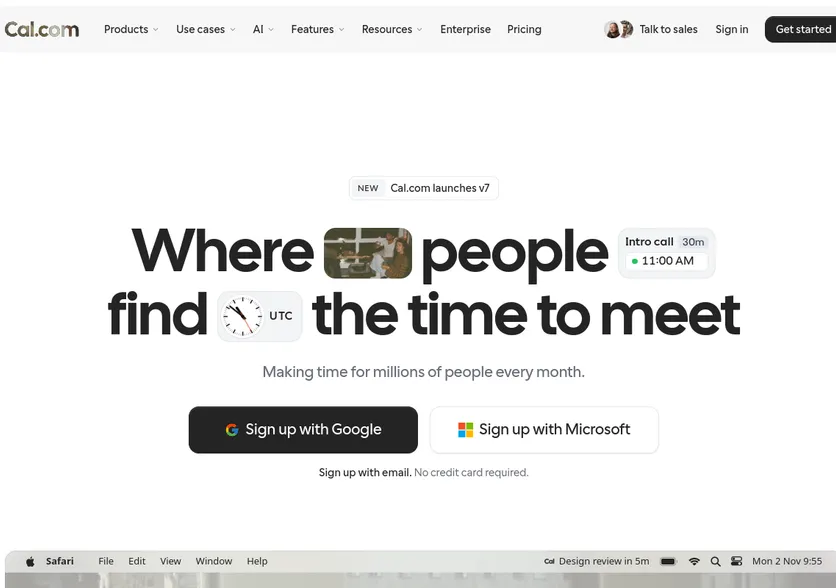
Cal gives a manufacturer open scheduling for supplier meetings, plant visits, and maintenance windows, with round-robin and collective event types. Its Teams plan suits a group that shares one booking link across departments. See Cal pricing and start free on the Individuals plan if one user is enough.
What we like
- Open scheduling with round-robin and collective events
- Free Individuals plan for a single user
- Self-hosting option for teams that want control
Watch out for
- Built for meetings, not for shift rosters
- Teams plan is needed for shared booking links
How to try it
- Sign up free and set up your event types
- Share your booking link with suppliers
- Upgrade to Teams for shared scheduling
Prices above were checked on each vendor’s own website on Nov 27, 2026 and can change — the vendor’s page is the final word. Vendor links are editorial: nobody paid to be listed or ranked here. Vendors who want a featured listing can see how it works on our Get listed page.
What manufacturer scheduling software really costs
A manufacturer pays per user, per location, or per space depending on the tool, so compare the same way. Deputy charges four dollars and fifty cents per user a month, When I Work charges two dollars and fifty cents per user a month, and Connecteam charges twenty-nine dollars a month for the first thirty users, while 7shifts charges thirty-four dollars and ninety-nine cents a month per location. The cheapest start is free: Connecteam covers up to ten users and 7shifts covers one location at no cost.
Per-user pricing grows with headcount, so do the math at your real team size. A fifty-person plant pays about two hundred twenty-five dollars a month on Deputy and about one hundred twenty-five dollars a month on When I Work, while Connecteam costs twenty-nine dollars a month for the first thirty users. Skedda is the outlier at two hundred forty-nine dollars a month in the United States, because it prices by space, not by person. Trial the winner with real shifts for a full week.
Before you buy
- Check whether time tracking is included or sold as a separate module
- Count the per-user cost at your real headcount before paying
- Confirm the free plan limits before you build schedules on it
- Test auto-scheduling with real shifts for a full week
- Ask what the price becomes when the introductory rate ends
Official websites
Official websites of the products reviewed above. Features and prices were checked against these sites when this guide was written, and they can change, so confirm on the vendor site before you buy.
Frequently asked questions
Which appointment scheduling software is best for manufacturers?
Deputy leads for most manufacturers because it combines auto-scheduling, demand forecasting, and labor compliance in one platform. When I Work is the best value at two dollars and fifty cents per user a month, and Connecteam is the best flat price for the first thirty users. Choose the tool that matches your headcount and whether you need forecasting.
How much does manufacturer scheduling software cost?
Prices in this guide run from two dollars and fifty cents per user a month for When I Work to two hundred forty-nine dollars a month for Skedda, with Deputy at four dollars and fifty cents per user a month and Connecteam at twenty-nine dollars a month in between. 7shifts charges thirty-four dollars and ninety-nine cents a month per location. Add time tracking modules to the subscription before you compare.
Do manufacturer tools offer a free plan?
Connecteam is free for up to ten users, 7shifts is free for one location with up to thirty employees, and Cal is free for a single user. The rest offer free trials instead, from fourteen days on When I Work and Skedda to thirty days on Resource Guru. Use the free plan or trial to schedule real shifts before you pay.
What is the difference between Deputy and When I Work?
Deputy is a workforce platform with auto-scheduling, demand forecasting, and labor law compliance, priced from four dollars and fifty cents per user a month. When I Work is a simpler scheduler with auto-scheduling, shift swaps, and messaging, priced from two dollars and fifty cents per user a month. Choose Deputy for forecasting depth and When I Work for a lower per-user price.
Can these tools handle shift swaps and time tracking?
Yes. Every tool in this guide handles shift scheduling, and most include shift swaps, availability, and team messaging. Deputy and When I Work sell time tracking as a separate module or add-on, while Connecteam and 7shifts include a time clock on their paid plans. Check the module prices, because the base plan rarely covers everything.
Need everyday business help too? Try Toolsvine's free business tools right in your browser.
Browse Business Tools tools


